
【代码笔记】iOS-自定义switch
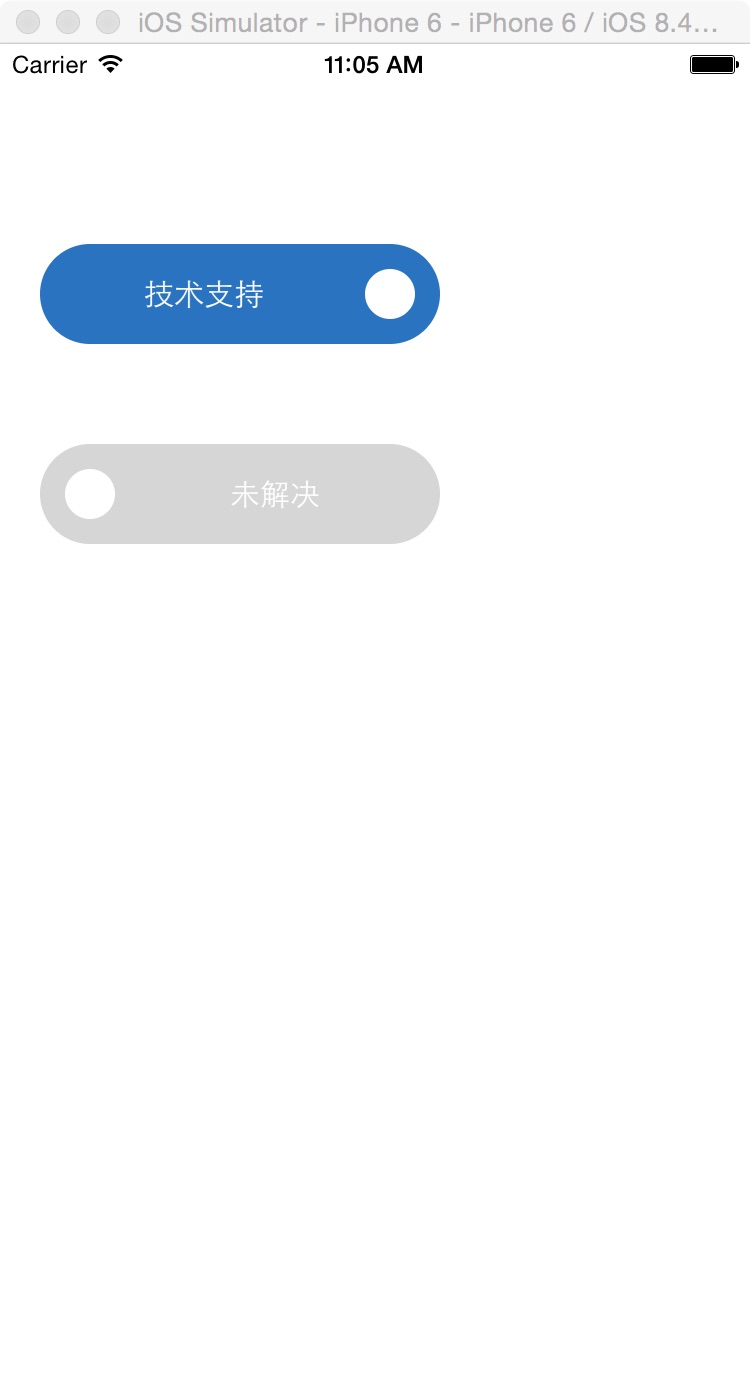
一,效果图。
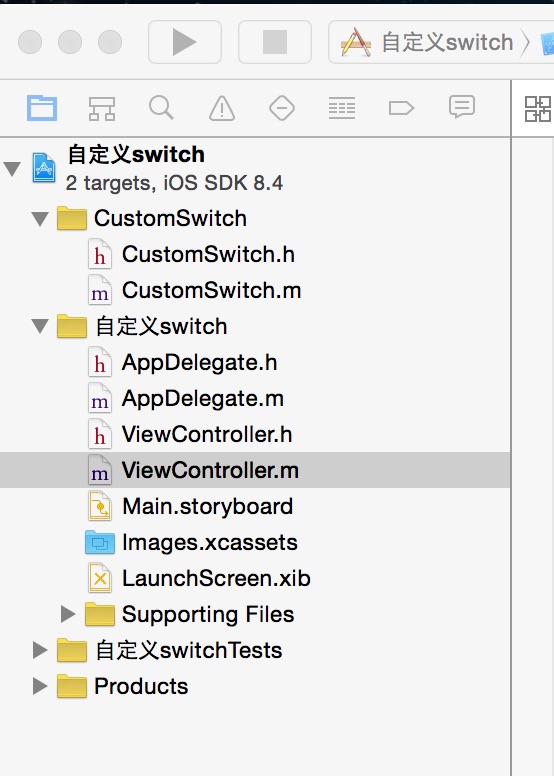
二,工程图。
三,代码。
ViewController.h

#import <UIKit/UIKit.h>

#import "CustomSwitch.h"

@interface ViewController : UIViewController

@property (nonatomic, strong) CustomSwitch * leftSwitch;

@property (nonatomic, strong) CustomSwitch * rightSwitch;

@end
ViewController.m
#import "ViewController.h"

#import "CustomSwitch.h"

#define TAG_COLOR  BOTTOM_CLICK_COLOR

#define BOTTOM_CLICK_COLOR Color(41, 115, 192, 1)

#define Color(r, g, b,d) [UIColor colorWithRed:(r)/255.0 green:(g)/255.0 blue:(b)/255.0 alpha:d]

@interface ViewController ()

@end

@implementation ViewController

- (void)viewDidLoad {

    [super viewDidLoad];

    // Do any additional setup after loading the view, typically from a nib.

    //初始化选择框页面

    [self addSwitchView];

}

#pragma -mark -functions

//初始化选择框页面

-(void)addSwitchView

{

    CustomSwitch *leftSwitch  = [[CustomSwitch alloc]initWithFrame:CGRectMake(20, 100, 200, 50) onColor:TAG_COLOR offColor:Color(214, 214, 214, 1) font:[UIFont systemFontOfSize:15] ballSize:25];    leftSwitch.onText = @"技术支持";

    leftSwitch.offText = @"未技术支持";

    leftSwitch.userInteractionEnabled = YES;

    leftSwitch.on = NO;

    leftSwitch.tag = 0;

    [leftSwitch addTarget:self action:@selector(handleTapLeftSwitch:) forControlEvents:UIControlEventValueChanged];

    [self.view addSubview:leftSwitch];

    CustomSwitch *rightSwitch = [[CustomSwitch alloc]initWithFrame:CGRectMake(20, 200, 200, 50) onColor:TAG_COLOR offColor:Color(214, 214, 214, 1) font:[UIFont systemFontOfSize:15] ballSize:25];

    rightSwitch.onText = @"已解决";

    rightSwitch.offText = @"未解决";

    rightSwitch.userInteractionEnabled = YES;

    rightSwitch.on = NO;

    leftSwitch.tag = 1;

    [rightSwitch addTarget:self action:@selector(handleTapRightSwitch:) forControlEvents:UIControlEventValueChanged];

    [self.view addSubview:rightSwitch];

}

#pragma -mark -functions

//左侧按钮点击事件

- (void)handleTapLeftSwitch:(CustomSwitch *)customSwitch

{

    NSLog(@"左侧按钮点击事件");

}

//右侧按钮点击事件

- (void)handleTapRightSwitch:(CustomSwitch *)customSwitch

{

    NSLog(@"右侧按钮点击事件");

}

- (void)didReceiveMemoryWarning {

    [super didReceiveMemoryWarning];

    // Dispose of any resources that can be recreated.

}

@end
【代码笔记】iOS-自定义switch的更多相关文章
- 【代码笔记】Web-JavaScript-JavaScript switch语句
一,效果图. 二,代码. <!DOCTYPE html> <html> <head> <meta charset="utf-8"> ...
- iOS 自定义导航栏笔记
一.UINavigationBar的结构 导航栏几乎是每个页面都会碰到的问题,一般两种处理方式:1.隐藏掉不显示 2.自定义 1. 添加导航栏 TestViewController * mainVC ...
- iOS自定义的UISwitch按钮
UISwitch开关控件 开关代替了点选框.开关是到目前为止用起来最简单的控件,不过仍然可以作一定程度的定制化. 一.创建 UISwitch* mySwitch = [[ UISwitchalloc] ...
- iOS 自定义转场动画浅谈
代码地址如下:http://www.demodashi.com/demo/11612.html 路漫漫其修远兮,吾将上下而求索 前记 想研究自定义转场动画很久了,时间就像海绵,挤一挤还是有的,花了差不 ...
- iOS自定义转场动画实战讲解
iOS自定义转场动画实战讲解 转场动画这事,说简单也简单,可以通过presentViewController:animated:completion:和dismissViewControllerA ...
- 【iOS自定义键盘及键盘切换】详解
[iOS自定义键盘]详解 实现效果展示: 一.实现的协议方法代码 #import <UIKit/UIKit.h> //创建自定义键盘协议 @protocol XFG_KeyBoardDel ...
- 笔记-iOS 视图控制器转场详解(上)
这是一篇长文,详细讲解了视图控制器转场的方方面面,配有详细的示意图和代码,为了使得文章在微信公众号中易于阅读,seedante 辛苦将大量长篇代码用截图的方式呈现,另外作者也在 Github 上附上了 ...
- IOS开发笔记 IOS如何访问通讯录
IOS开发笔记 IOS如何访问通讯录 其实我是反对这类的需求,你说你读我的隐私,我肯定不愿意的. 幸好ios6.0 以后给了个权限控制.当打开app的时候你可以选择拒绝. 实现方法: [plain] ...
- Hadoop学习笔记—5.自定义类型处理手机上网日志
转载自http://www.cnblogs.com/edisonchou/p/4288737.html Hadoop学习笔记—5.自定义类型处理手机上网日志 一.测试数据:手机上网日志 1.1 关于这 ...
- OpenGL ES: iOS 自定义 UIView 响应屏幕旋转
iOS下使用OpenGL 如果使用GLKit View 那么不用担心屏幕旋转的问题,说明如下: If you change the size, scale factor, or drawable pr ...
随机推荐
- 7. Bagging & Random Forest
通过前面集成学习的介绍我们知道,欲得到泛化性能强的集成学习器,集成中个体学习器应尽量相互独立:虽然“独立”在现实任务中无法做到,但可以设法使基学习器尽可能具有较大差异. 1. Bagging 自助采样 ...
- postgresql-tps
tps TPS就是每秒事务数,但是事务是基于虚拟用户数的,假如1个虚拟用户在1秒内完成1笔事务,那么TPS明显就是1:如果 某笔业务响应时间是1ms,那么1个用户在1秒内能完成1000笔事务,TPS就 ...
- 多条记录的同一字段组合成一个字符串 FOR XML PATH
stuff(select ',' + fieldname from tablename for xml path('')),1,1,'') 这一整句的作用是将多行fieldname字段的内容串联起来, ...
- 解决ubuntu安装系统默认没有创建root用户
安装ubuntu操作系统的时候,默认没有设置root账户的步骤!!! 这样在操作系统安装完成之后,就没有root用户, 一般,当前的普通用户,如果需要执行一些命令的时候,只要在命令前边加上sudo就行 ...
- HTTP响应状态码 含义
100 客户端可以继续 101 指示服务器正根据 Upgrade 头切换协议 200 请求正常成功 201 指示请求成功并在服务器上创建了一个新资源 202 指示已接受请求进行处理但处理尚未完成 20 ...
- 数据库设计 Step by Step (2)——数据库生命周期
引言:数据库设计 Step by Step (1)得到这么多朋友的关注着实出乎了我的意外.这也坚定了我把这一系列的博文写好的决心.近来工作上的事务比较繁重,加之我期望这个系列的文章能尽可能的系统.完整 ...
- 详解C#泛型(二)
一.自定义泛型方法(Generic Method),将类型参数用作参数列表或返回值的类型: void MyFunc<T>() //声明具有一个类型参数的泛型方法 { Type generi ...
- Hibernate的集合一对多与多对一
需求: 部门与员工 一个部门有多个员工; [一对多] 多个员工,属于一个部门 [多对一] 1.javaBean ——Dept.java package com.gqx.oneto ...
- hibernate 验证异常 javax.validation.UnexpectedTypeException: HV000030: No validator could be found for constraint
使用hibernate validator出现上面的错误, 需要 注意 @NotNull 和 @NotEmpty 和@NotBlank 区别 @NotEmpty 用在集合类上面@NotBlank 用 ...
- windows10 设置软件开机启动
在 C:\Users\your_name\AppData\Roaming\Microsoft\Windows\Start Menu\Programs\Startup 在这个目录下,新建你想开机启动的软 ...