
week5 0.2 client
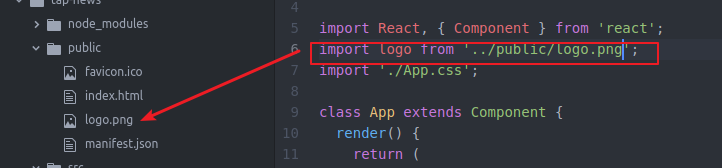
我们修改了下logo

自己找的图片 放在public文件下
页面如下我们准备做成这样
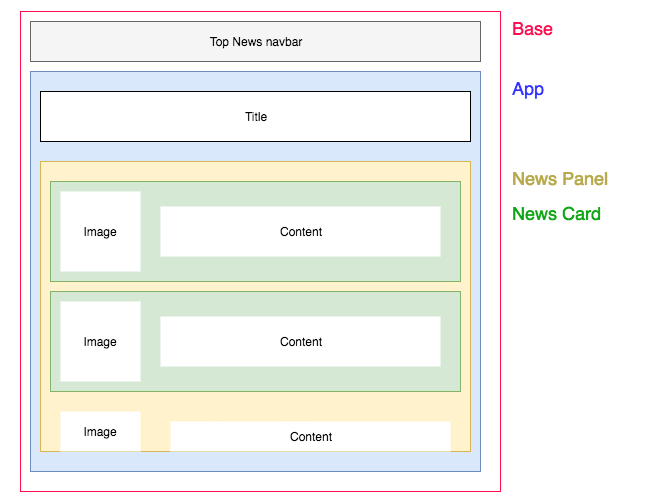
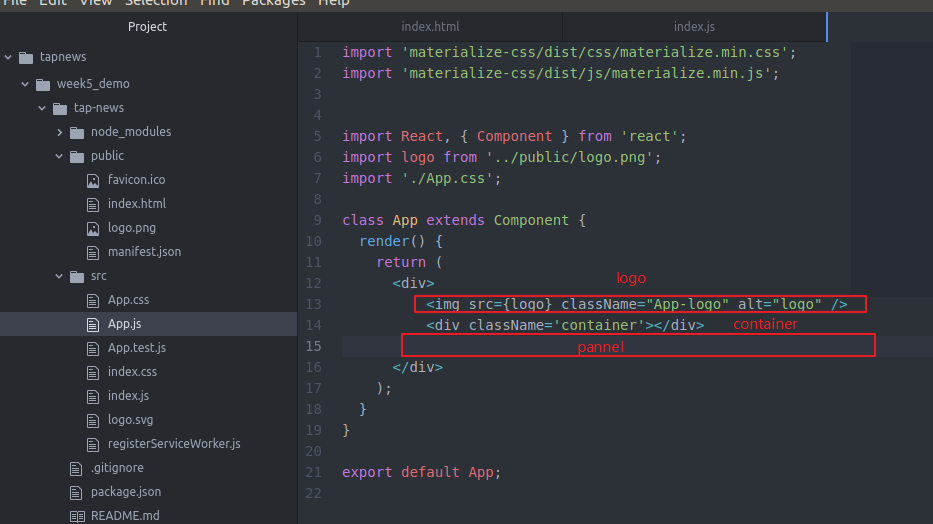
每一个component对应一个css样式 不需要统一的css

这样容易找到自己的css并修改
下面我们修改我们的css
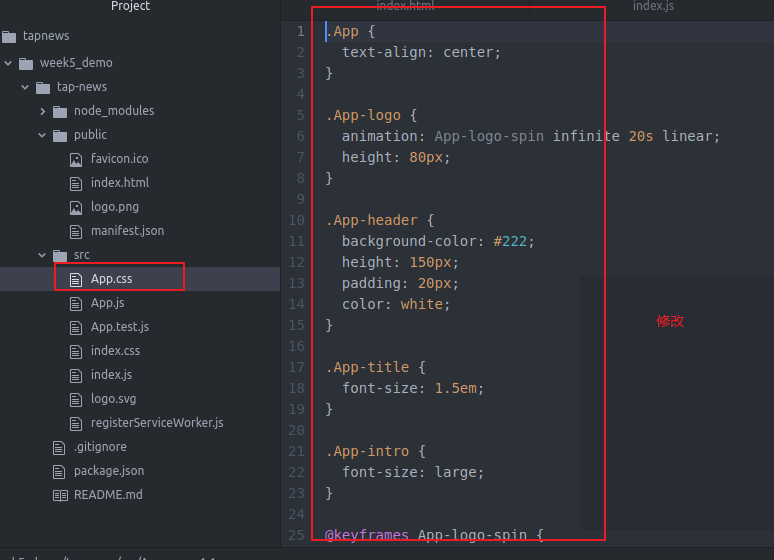
改成
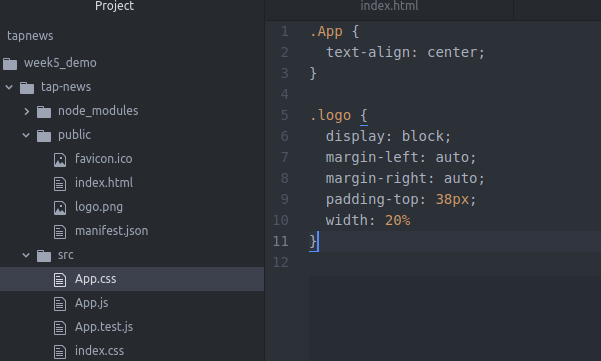
就是把logo居中
为什么是classname?而不是class?
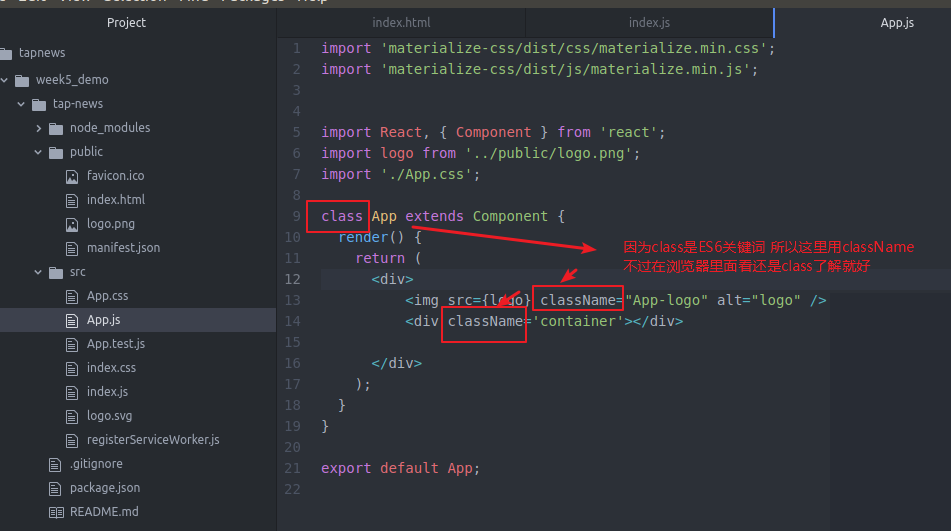
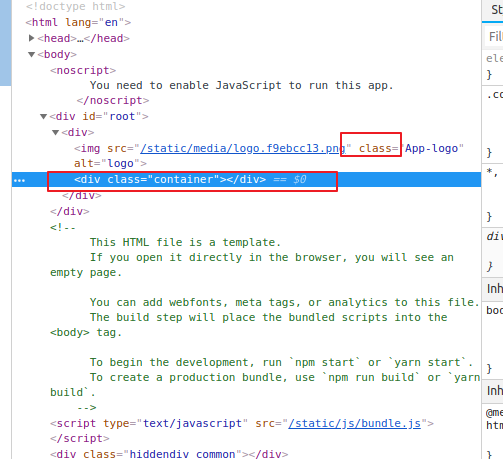
我们看看我们的页面啥用
npm start
重启一下

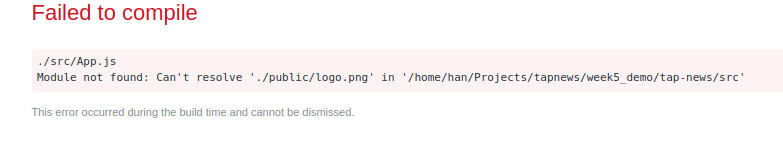
额
我们干脆先放src目录下吧先
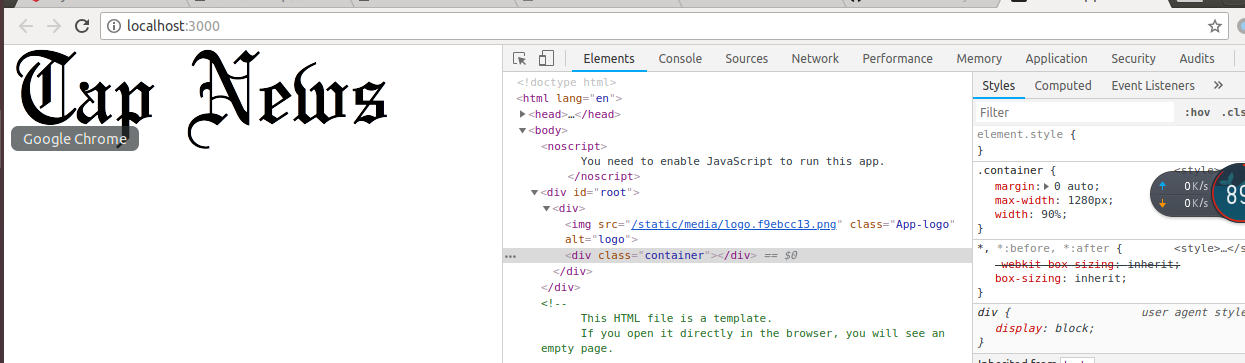
显示倒是显示了 但是为啥这么大啊
css完全没起作用啊
干脆把他们都放在app文件夹下吧
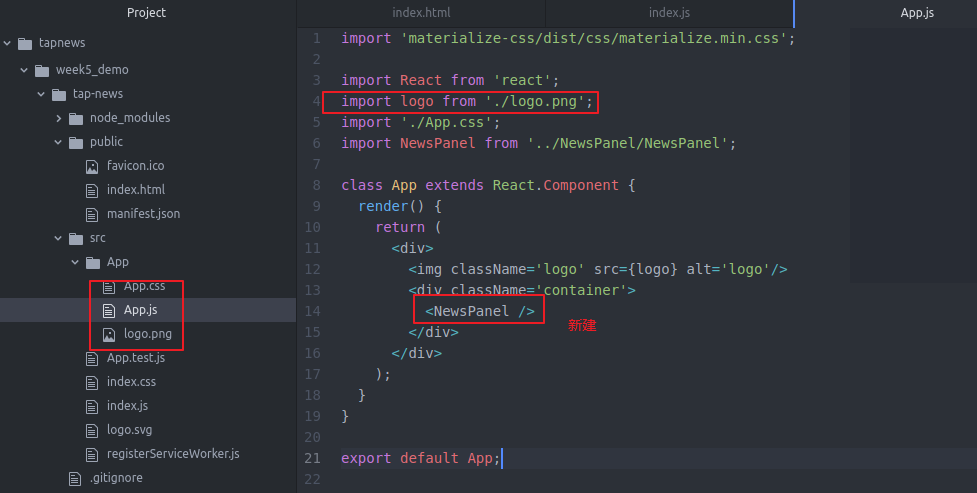
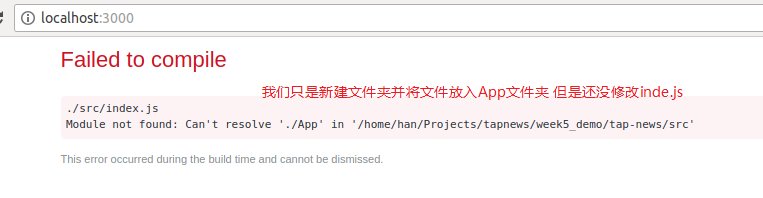
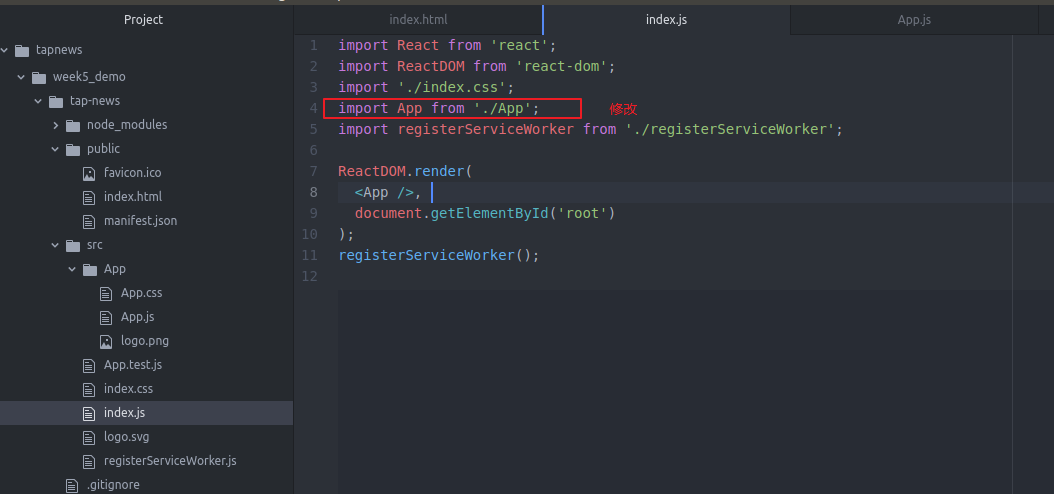
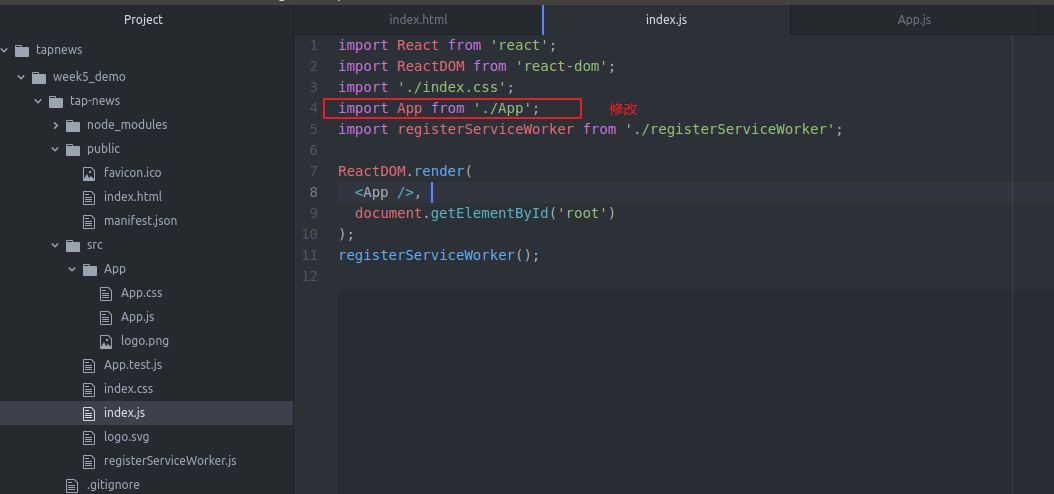

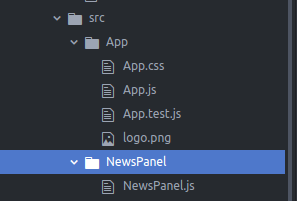
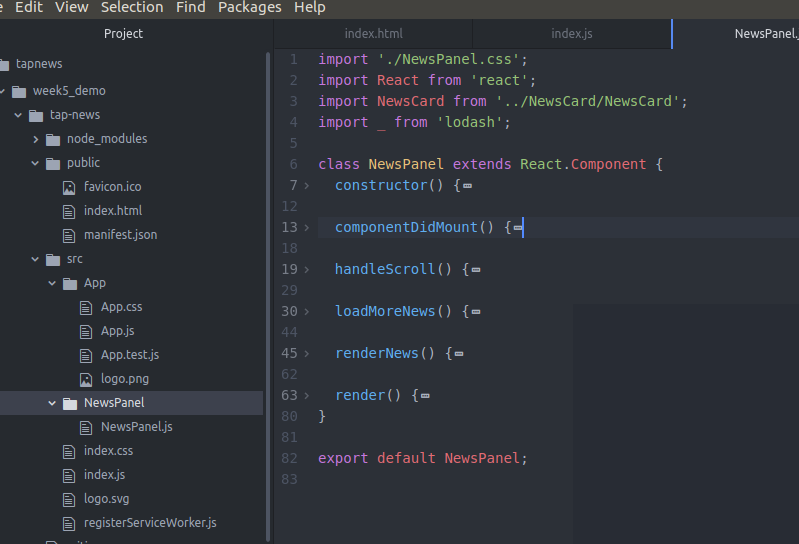
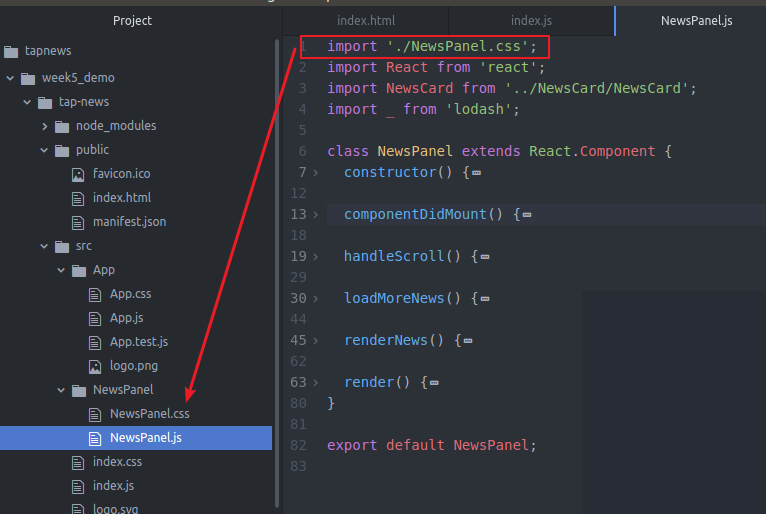
CSS里面可以啥都没有 但是你一定要要这个CSS文件 这样才能通过编译
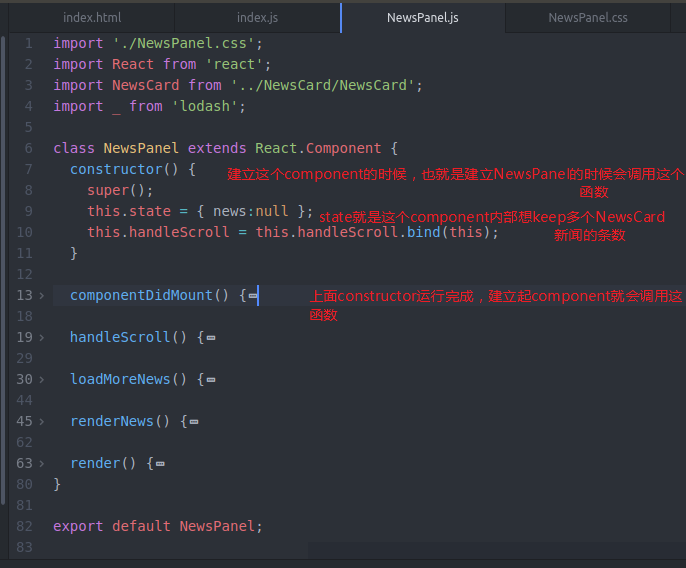
下面就是NewsPanel的内容
几个函数
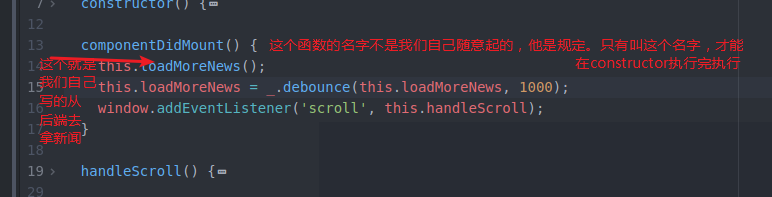
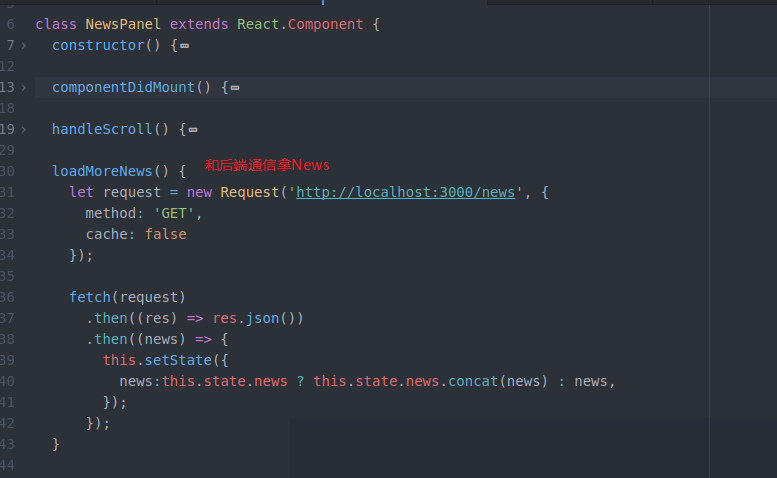
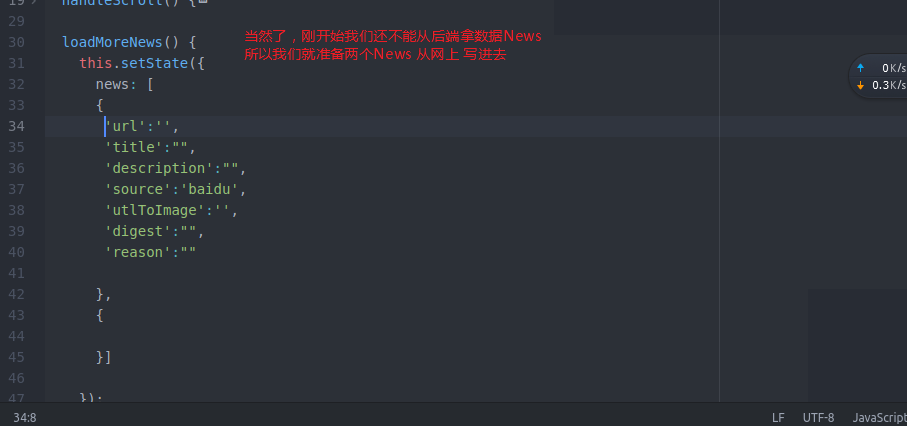
其中digest会再数据挖掘那块写 先写上
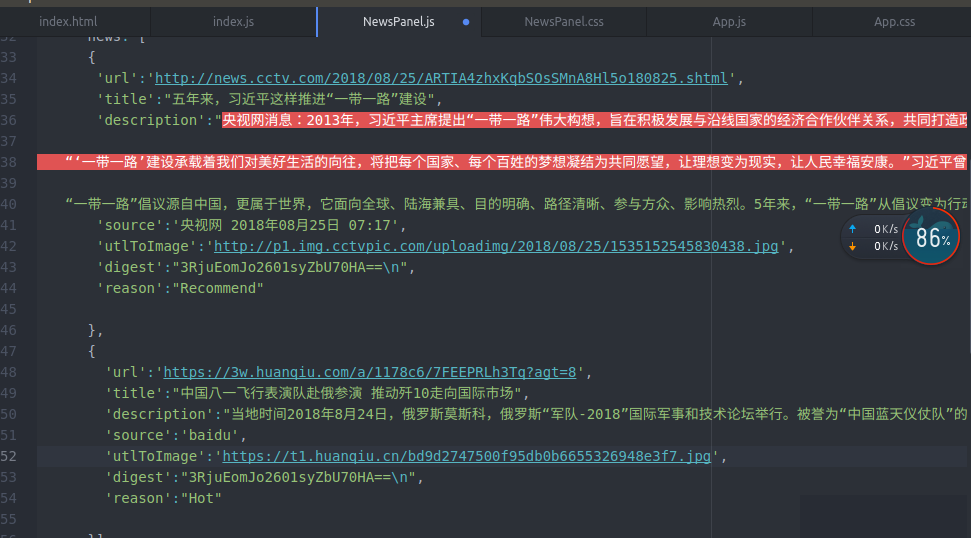
现在我们是写死的 以后会从后端拿news 现在只是为了测试我们UI工作不工作
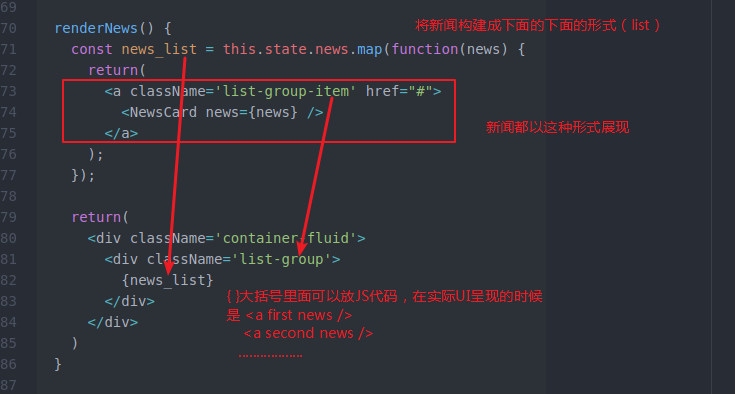
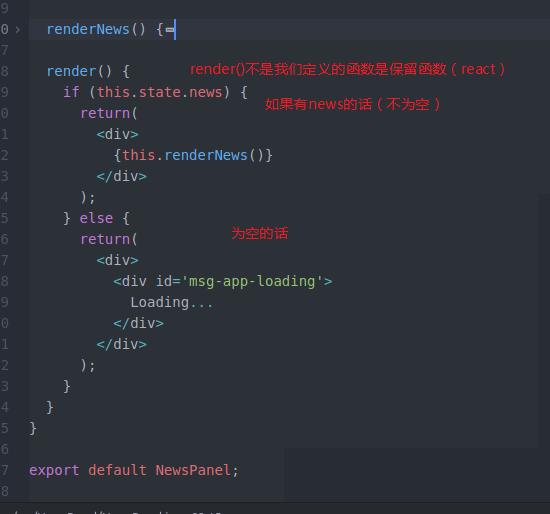
我们完成了黄匡的NewsPannel
那么 我们开始做 NewsCard部分


import React from 'react';

import './NewsCard.css';

class NewsCard extends React.Component {

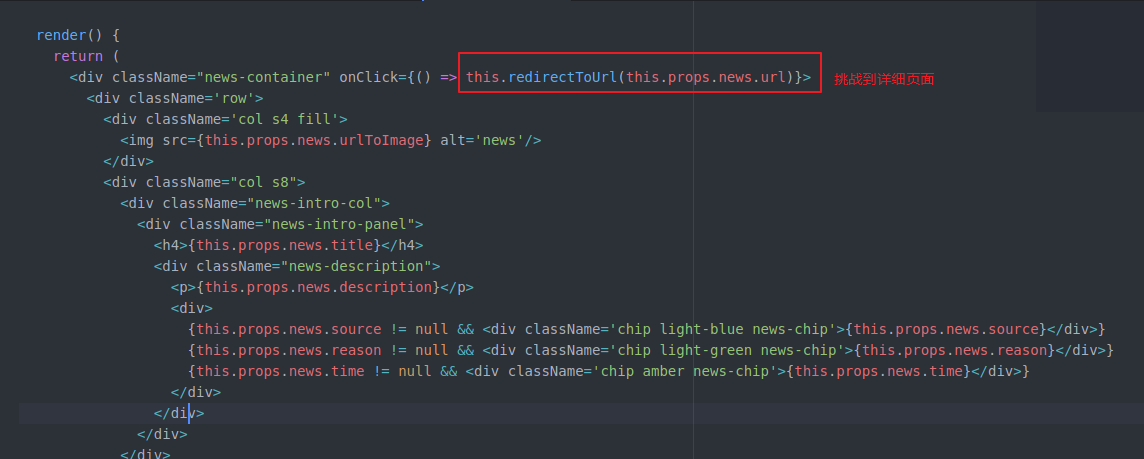
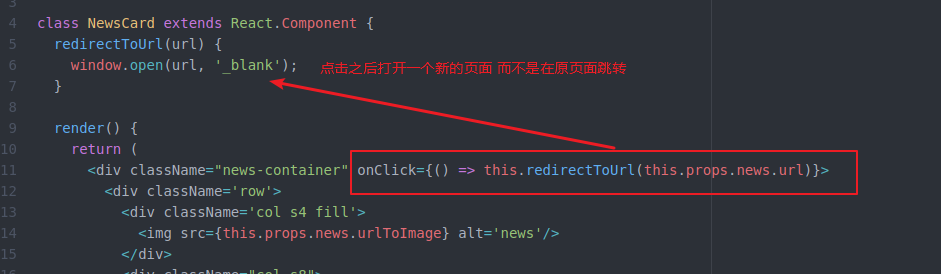
  redirectToUrl(url) {

    window.open(url, '_blank');

  }

  render() {

    return (

      <div className="news-container" onClick={() => this.redirectToUrl(this.props.news.url)}>

        <div className='row'>

          <div className='col s4 fill'>

            <img src={this.props.news.urlToImage} alt='news'/>

          </div>

          <div className="col s8">

            <div className="news-intro-col">

              <div className="news-intro-panel">

                <h4>{this.props.news.title}</h4>

                <div className="news-description">

                  <p>{this.props.news.description}</p>

                  <div>

                    {this.props.news.source != null && <div className='chip light-blue news-chip'>{this.props.news.source}</div>}

                    {this.props.news.reason != null && <div className='chip light-green news-chip'>{this.props.news.reason}</div>}

                    {this.props.news.time != null && <div className='chip amber news-chip'>{this.props.news.time}</div>}

                  </div>

                </div>

              </div>

            </div>

          </div>

        </div>

      </div>

    );

  }

}

export default NewsCard;
NewsCard.js

.news-intro-col {

  display: inline-flex;

  color: black;

  height: %;

}

.news-intro-panel {

  margin: auto 5px;

  text-align: left;

}

.news-description {

  text-align: left;

}

.news-description p {

  font-size: 18px;

}

.news-chip {

  font-size: 18px;

}

.fill {

    display: flex;

    justify-content: center;

    align-items: center;

    overflow: hidden;

}

.fill img {

    padding-left: 20px;

    padding-right: 20px;

    flex-shrink: ;

    min-width: %;

    max-height: 250px;

    object-fit: cover;

}
NewsCard.css
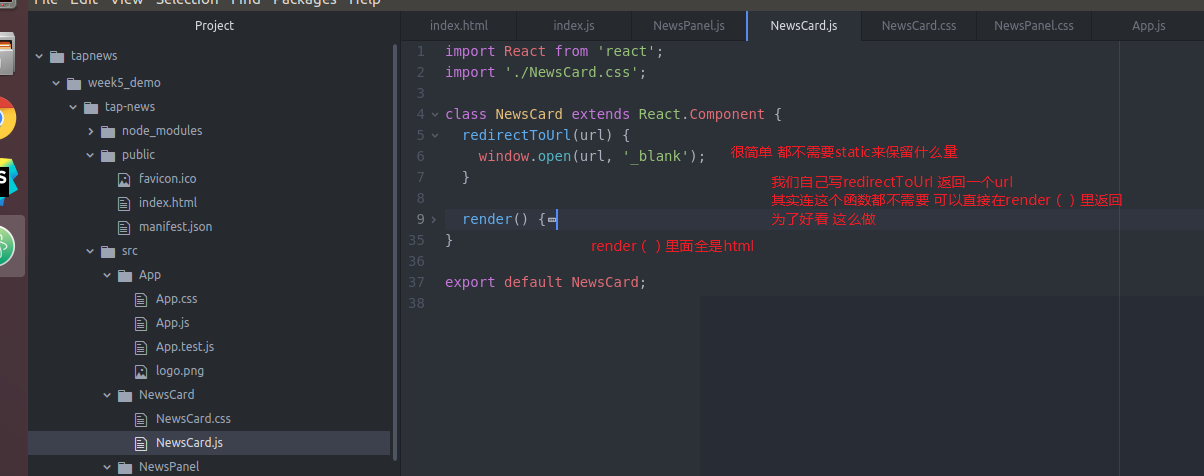
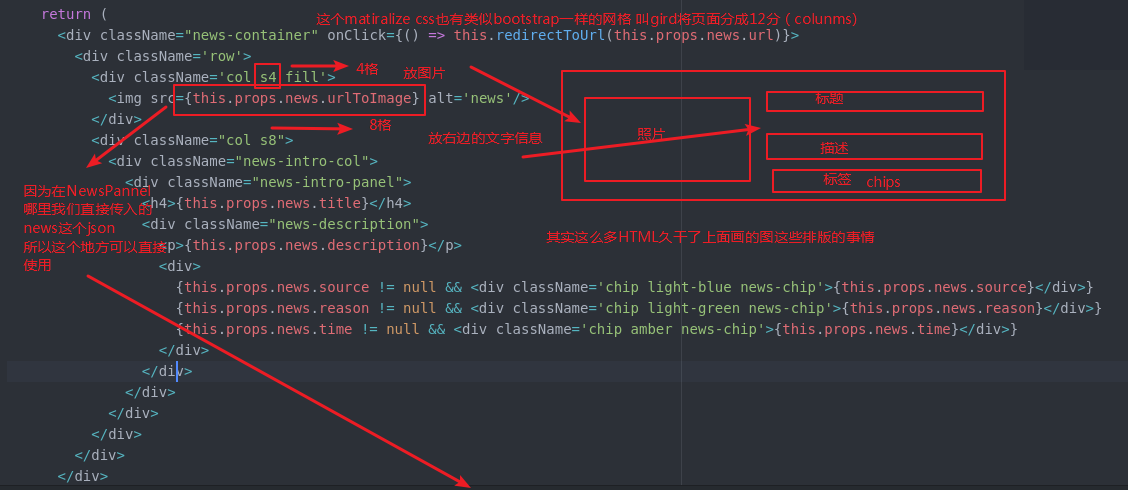
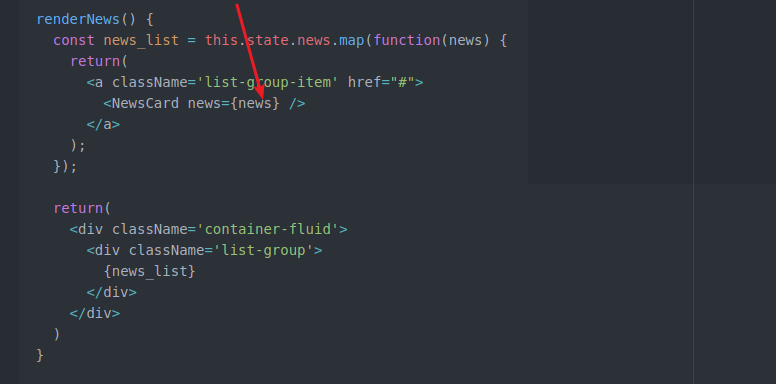
直接获得NewsPannel传入的各种属性信息
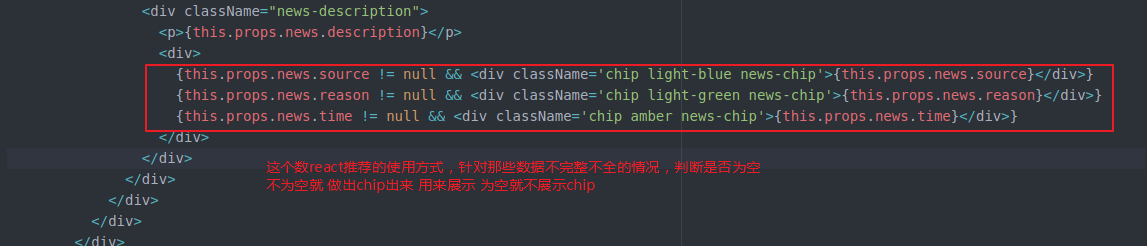
这样都做全了
但是 具体一个新闻
我们点击(做成点击事件)进去 肯定有详细页面(URL)0
看看效果
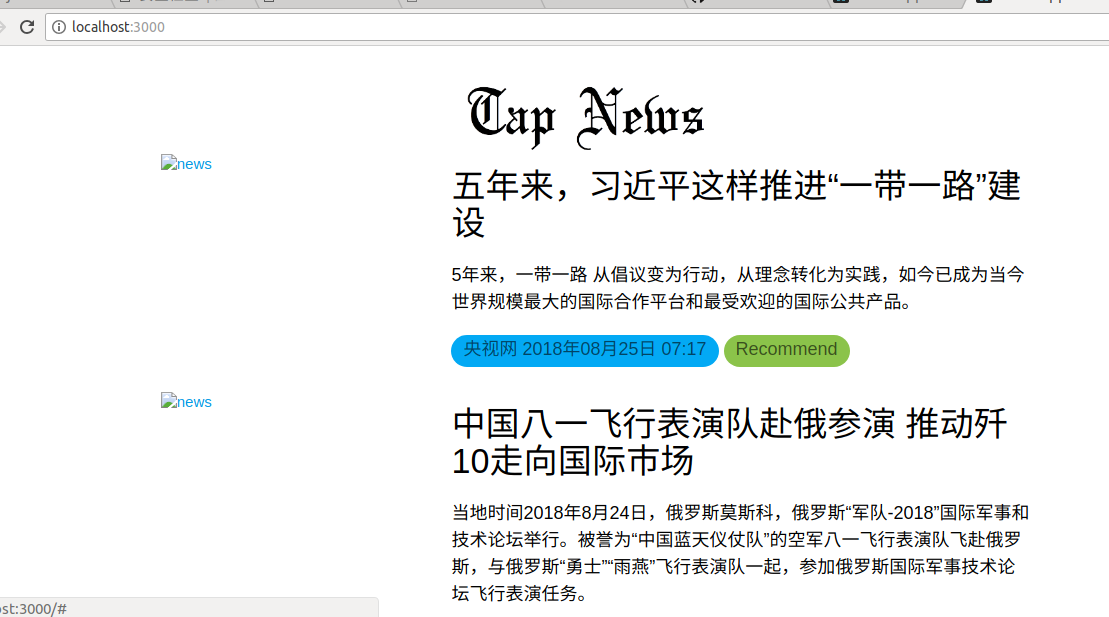
图片挂了
挂就挂吧 反正是假的 后边还要从后端拿
week5 0.2 client的更多相关文章
- Failed to load the JNI library "E:\JDK6.0\bin\client\jvm.dll"
在打开Eclipse是错误提示:Failed to load the JNI library "E:\JDK6.0\bin\client\jvm.dll" 如图1所示 图1 遇到这 ...
- 2018/05/14 03:56:10 [error] 12959#0: *42285845507 client intended to send too large body: 1664288 bytes
Syntax: client_max_body_size size; Default: client_max_body_size 1m; Context: http, server, location ...
- SpringCloud2.0 Eureka Client 服务注册 基础教程(三)
1.创建[服务提供者],即 Eureka Client 1.1.新建 Spring Boot 工程,工程名称:springcloud-eureka-client 1.2.工程 pom.xml 文件添加 ...
- 未能解析引用的程序集......因为它对不在当前目标框架“.NETFramework,Version=v4.0,Profile=Client”中的
解决方法:资源管理器下点击项目名(右键)属性--将.NET Framework 4 Client Profile改成.NET Framework 4 . 传送门:http://bbs.csdn.net ...
- week5 0.1 安装materializecss
用ATOM打开项目 App是什么呢?就是App.js 我们将不需要的删掉 用一下materialize(类似bootstrap的东西) 官网https://materializecss.com/ 想用 ...
- tap news:week5 0.0 create react app
参考https://blog.csdn.net/qtfying/article/details/78665664 先创建文件夹 安装create react app 这个脚手架(facebook官方提 ...
- 安装Oracle 11.2.0.3 Client Win 32-bit
第一步:安装Oracle 11.2 32-bit数据库1.双击setup文件,进入安装界面 2.选择跳过升级选项 3.设置oracle安装根目录 4.确认选项,没有问题点击“安装” 第二步:创建数据库
- .NET 4.0 和 .NET 4.0 Client Profile 区别
Visual Studio 2010如期发布了,我怀着迫不及待的心情马上下载了最新的ISO来安装和感受一下. .NET Framework 自从 2002 年发展至今,已经历了好几个版本,1.0, 1 ...
- RAC 10.2.0.5,客户端登陆间断遭遇ORA-12545
实验环境: 服务端:OEL 5.7 + Oracle 10.2.0.5 RAC 客户端:Windows 7 + Oracle 11.2.0.1 Client 1.客户端登陆间断遭遇ORA-125 ...
随机推荐
- 第9章 应用层(1)_域名系统DNS
1. 域名系统DNS 1.1 主机名和域名的关系 (1)完全限定域名(Fully Qualified Domain Name, FQDN) = 主机名 + 域名 ①一个域名下可以有多个服务器/主机(如 ...
- AWS之搭建深度学习主机
B.G 至2017.11 GPU选型:(参考知乎.CSDN) 高性价比的两款:GTX1080ti, Titan X --通常调试算法 i7CPU+32G内存+SSD+2*GPU(单块显存>6G ...
- 用户授权的Sql脚本
正文 要想成功访问 SQL Server 数据库中的数据, 我们需要两个方面的授权: 获得准许连接 SQL Server 服务器的权利: 获得访问特定数据库中数据的权利(select, update, ...
- Linux 安装redis 基本配置 发布订阅,安全配置,持久化 rdb ,aof
redis redis相关配置1.yum 源码 rpm yum 快速,间接,高效,解决依赖关系,(自动安装到某个路径,不可控),通过yum安装的软件查询命令 rpm -ql nginx yum源 ...
- 零基础学习python_字典(25-26课)
今天学到后面的知识,突然发现之前学习到的字典列表啥的都有点忘了,打算补一下之前学到的字典,到时候你看的时候,字符串.列表.字典.元祖这几个没啥顺序,刚开始学的时候了解下方法,当然你可以死记硬背下,后面 ...
- HTML中的GroupBox
<fieldset> <legend>用户登录</legend> <div class="box_a"> <label for ...
- 《图像处理实例》 之 Voronoi 图
Voronoi 图的设计 以下的改进是http://www.imagepy.org/的作者原创,我只是对其理解之后改进和说明,欢迎大家使用这个小软件! 如有朋友需要源工程,请在评论处留邮箱! 说明:类 ...
- Python : 什么是*args和**kwargs[转载]
例子 def foo(*args, **kwargs):print 'args = ', argsprint 'kwargs = ', kwargsprint '------------------- ...
- [Unity插件]Lua行为树(一):BehaviorDesigner源码分析
BehaviorDesigner是Unity上的一款行为树插件,不过这个插件是用C#编写的,编写出来的行为树也是依赖于C#的,不利于热更,所以有必要写一个lua版本的. 首先下载BehaviorDes ...
- 【Excel】绘图案例_常见复合图:簇状图+堆积图+折线图
前言 最近有朋友让我帮忙用excel画图,老实说我很讨厌用excel画图,点来点去,复杂一些还不能复用,非常繁琐.当然,入门也很简单.需求时不同城市.不同产品的2016和2017销量及环比数据,这应该 ...