
使用delphi 10.2 开发linux 上的webservice
前几天做了linux下apache的开发,今天做一个linux 下的webservice ,以供客户端调用。
闲话少说,直接干。
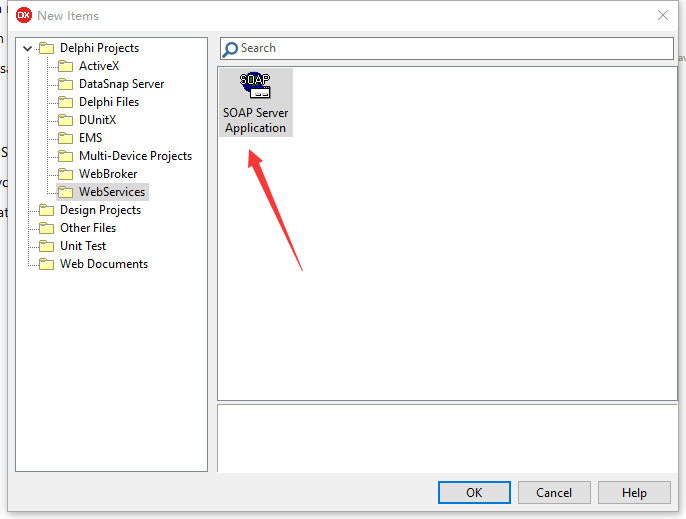
新建一个工程。选other...,选择如图。
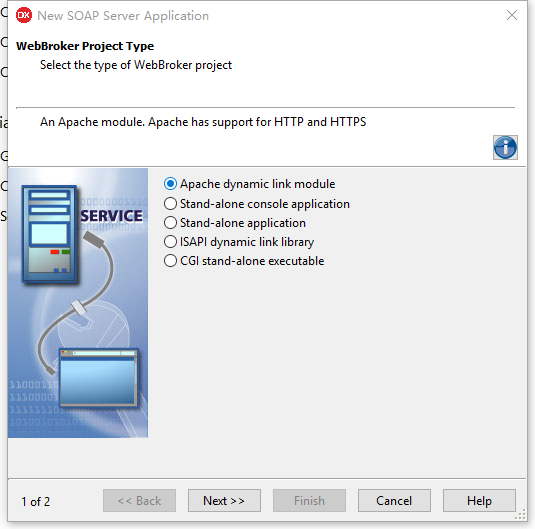
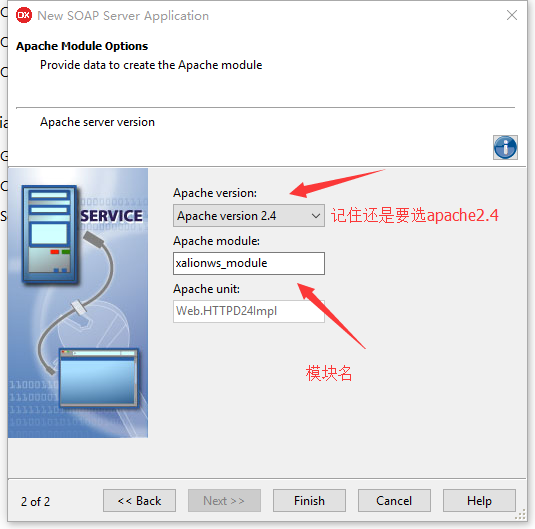
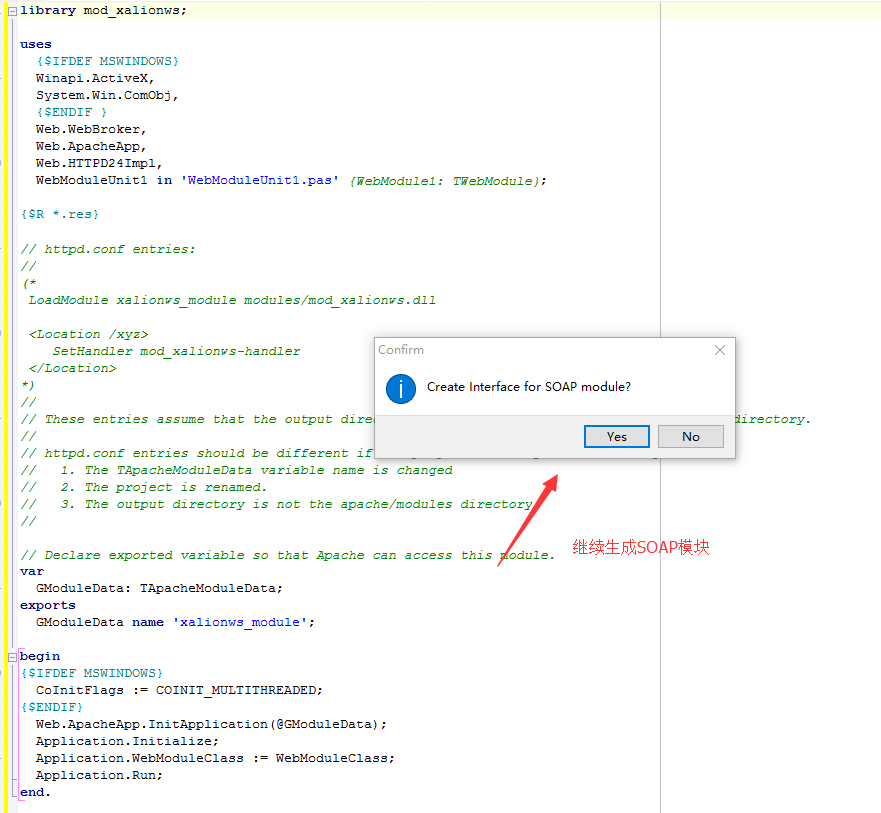
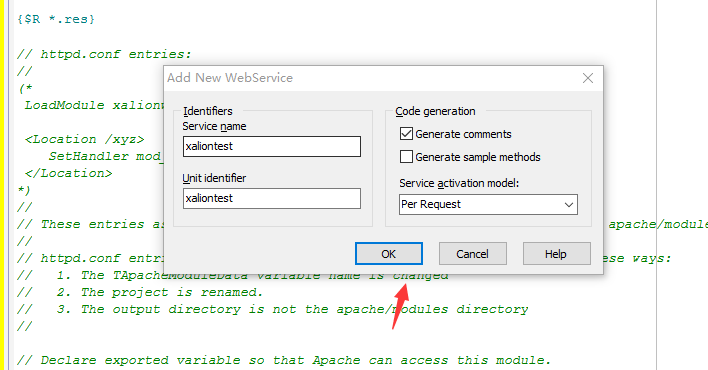
继续输入服务名
然后就生成对应的单元。
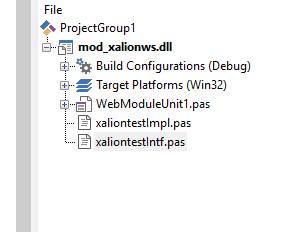
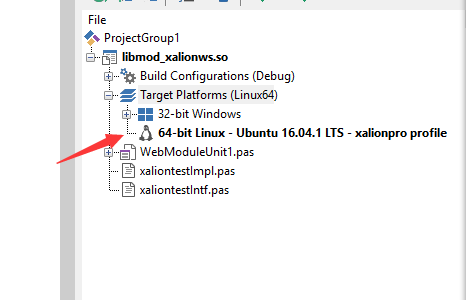
增加linux 平台。
完善对应的单元代码
{ Invokable implementation File for Txaliontest which implements Ixaliontest }

unit xaliontestImpl;

interface

uses Soap.InvokeRegistry, System.Types, Soap.XSBuiltIns, xaliontestIntf;

type

  { Txaliontest }

  Txaliontest = class(TInvokableClass, Ixaliontest)

  public

    function echoname(const Value:string):string; stdcall;

    function sumall(const Value:integer):integer; stdcall;

  end;

implementation

{ Txaliontest }

function Txaliontest.echoname(const Value: string): string;

begin

   result:='你好'+value;

end;

function Txaliontest.sumall(const Value: integer): integer;

var

  i:integer;

  isumall:integer;

begin

  isumall:=;

  for i :=  to value do

   isumall:=isumall+i;

  result:=isumall;

end;

initialization

{ Invokable classes must be registered }

   InvRegistry.RegisterInvokableClass(Txaliontest);

end.
{ Invokable interface Ixaliontest }

unit xaliontestIntf;

interface

uses Soap.InvokeRegistry, System.Types, Soap.XSBuiltIns;

type

  { Invokable interfaces must derive from IInvokable }

  Ixaliontest = interface(IInvokable)

  ['{20590E4A-BF8C-41AE-A630-94D2DD38EEE1}']

    { Methods of Invokable interface must not use the default }

    { calling convention; stdcall is recommended }

      function echoname(const Value:string):string; stdcall;

    function sumall(const Value:integer):integer; stdcall;

  end;

implementation

initialization

  { Invokable interfaces must be registered }

  InvRegistry.RegisterInterface(TypeInfo(Ixaliontest));

end.
编译本工程。
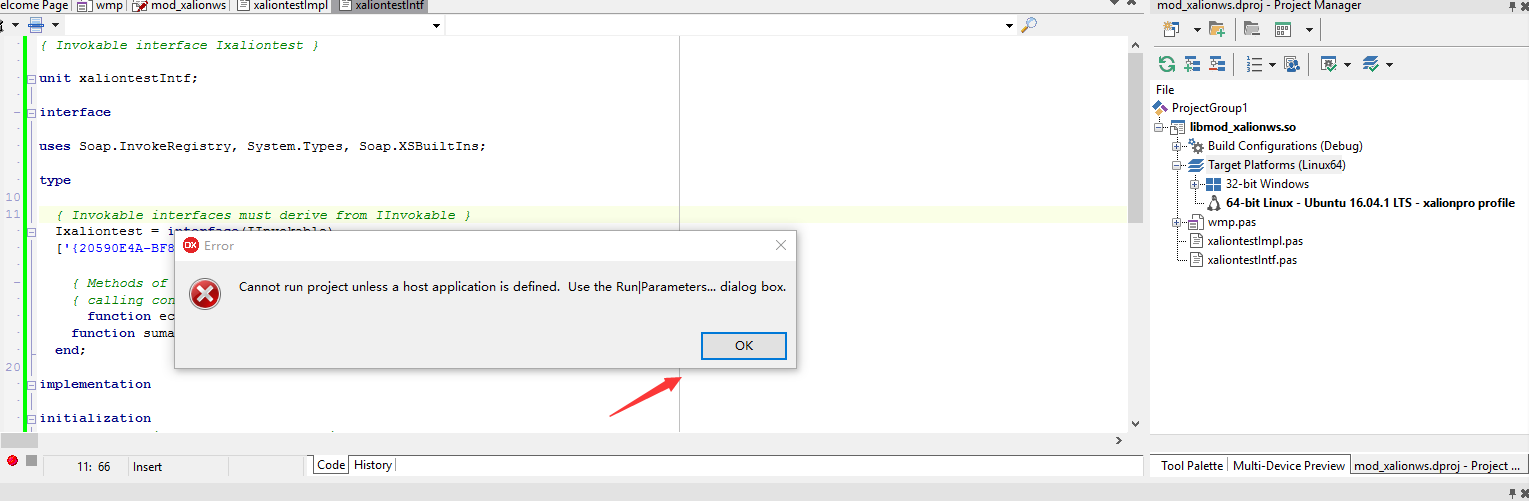
哎呀,怎么出错了?
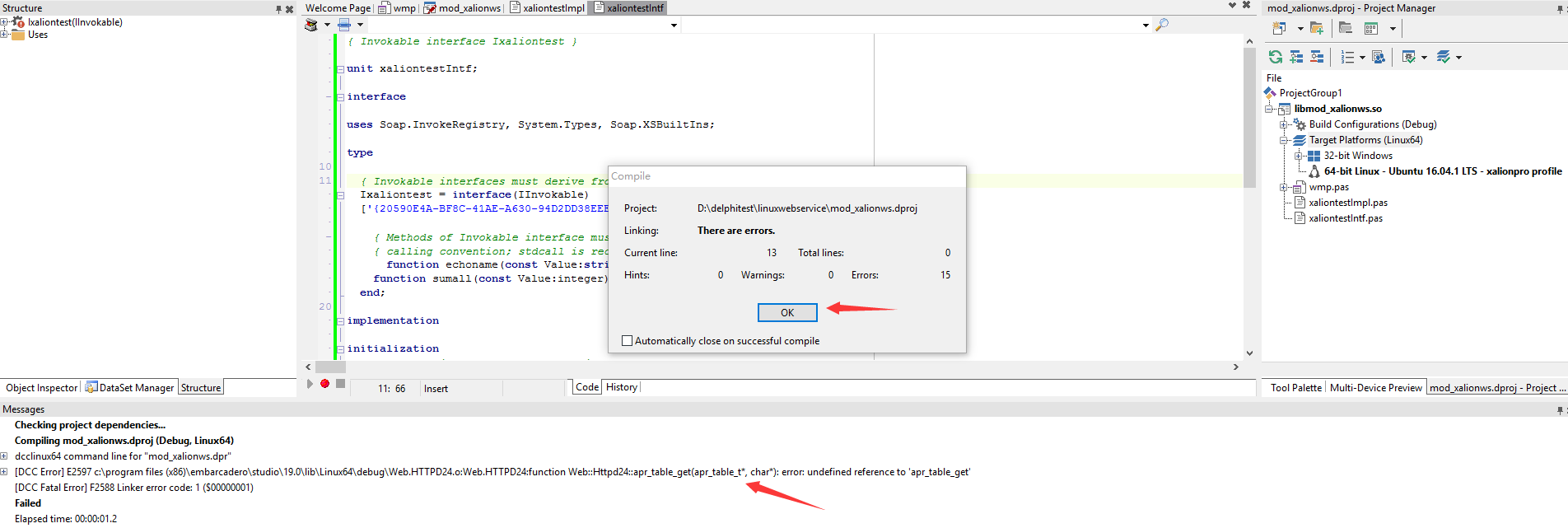
不要害怕,这是因为linux 上apache的引用没有加入。我们确认apache 已经在linux上安装成功。
那么我们在IDE 里面处理一下。

记住设以上的地方为True, 允许未定义的引用。
现在重新编译
哈哈,OK 了
现在的任务就是在发布这个apache 模块。
这一块的内容请参照前面的文章。
配置文件如图:

启动apache.
在浏览器里面输入对应的地址,就可以显示webservice 的接口信息了。
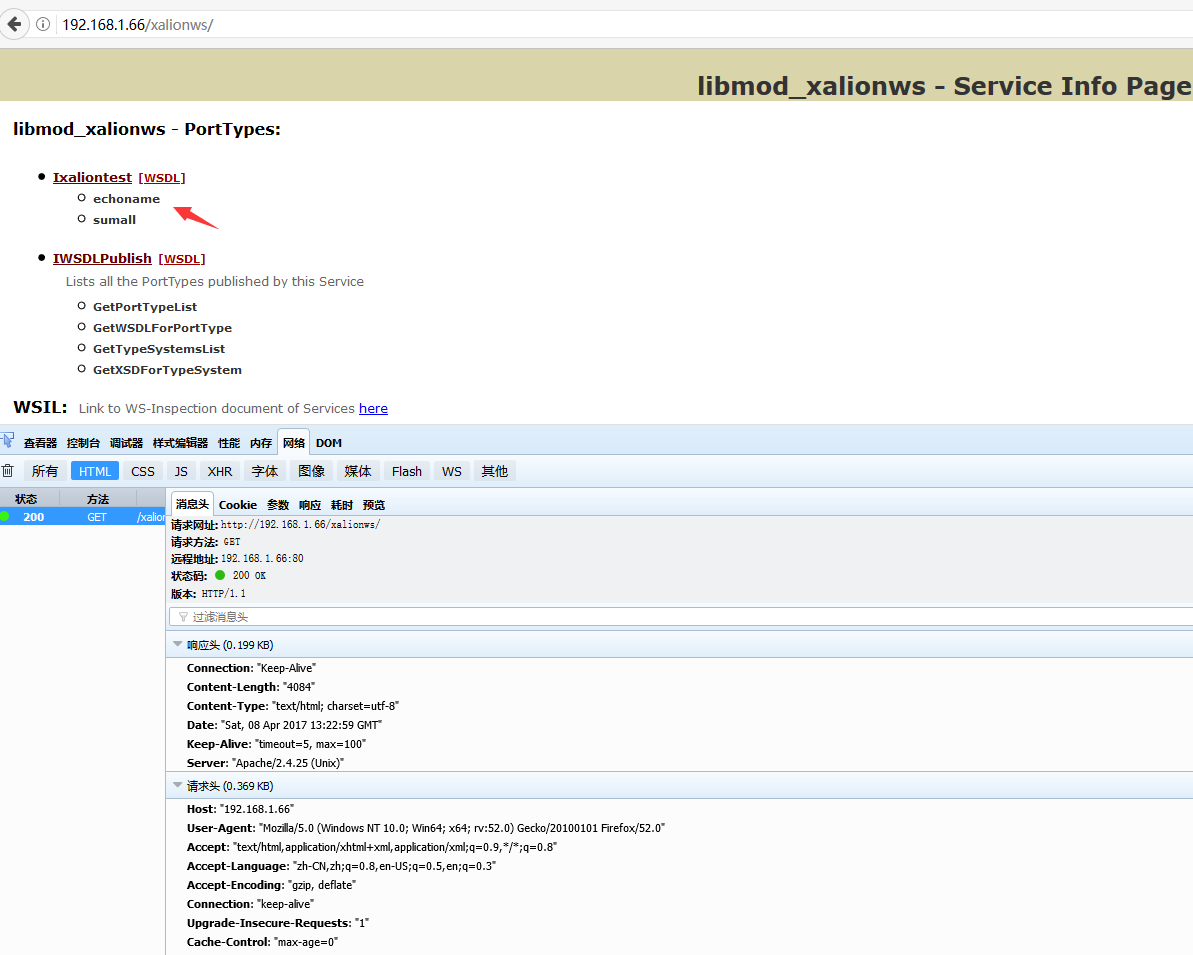
好了,服务端搞定了。我们做一个客户端来调用一下这个服务。
直接建一个vcl application .

然后选择WDSL 导入器。
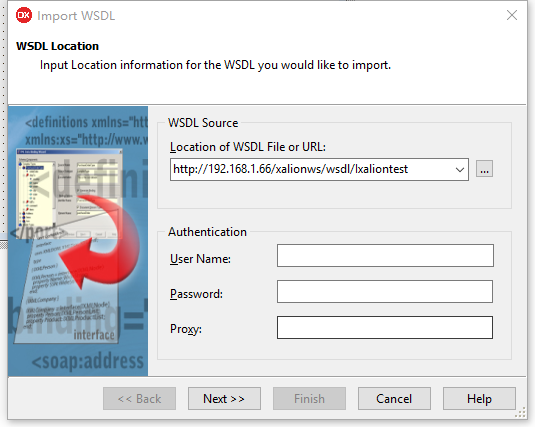
输入对应的地址。
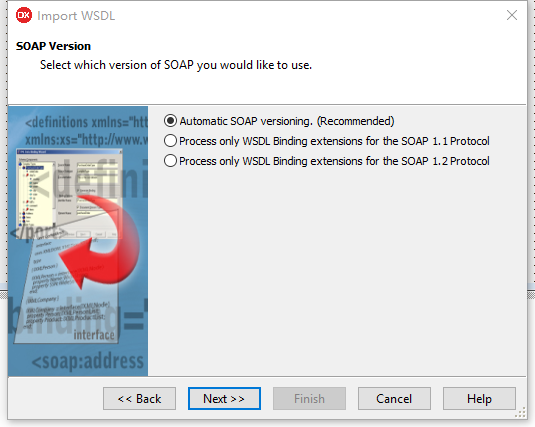
系统会生成对应的接口文件
// ************************************************************************ //

// The types declared in this file were generated from data read from the

// WSDL File described below:

// WSDL     : http://192.168.1.66/xalionws/wsdl/Ixaliontest

// Encoding : utf-8

// Version  : 1.0

// (2017-4-8 21:33:51 - - $Rev: 90173 $)

// ************************************************************************ //

unit Ixaliontest1;

interface

uses Soap.InvokeRegistry, Soap.SOAPHTTPClient, System.Types, Soap.XSBuiltIns;

type

  // ************************************************************************ //

  // The following types, referred to in the WSDL document are not being represented

  // in this file. They are either aliases[@] of other types represented or were referred

  // to but never[!] declared in the document. The types from the latter category

  // typically map to predefined/known XML or Embarcadero types; however, they could also

  // indicate incorrect WSDL documents that failed to declare or import a schema type.

  // ************************************************************************ //

  // !:int             - "http://www.w3.org/2001/XMLSchema"[]

  // !:string          - "http://www.w3.org/2001/XMLSchema"[]

  // ************************************************************************ //

  // Namespace : urn:xaliontestIntf-Ixaliontest

  // soapAction: urn:xaliontestIntf-Ixaliontest#%operationName%

  // transport : http://schemas.xmlsoap.org/soap/http

  // style     : rpc

  // use       : encoded

  // binding   : Ixaliontestbinding

  // service   : Ixaliontestservice

  // port      : IxaliontestPort

  // URL       : http://192.168.1.66/xalionws/soap/Ixaliontest

  // ************************************************************************ //

  Ixaliontest = interface(IInvokable)

  ['{A3FB1A48-1AE7-B449-16DC-42CCE1A48832}']

    function  echoname(const Value: string): string; stdcall;

    function  sumall(const Value: Integer): Integer; stdcall;

  end;

function GetIxaliontest(UseWSDL: Boolean=System.False; Addr: string=''; HTTPRIO: THTTPRIO = nil): Ixaliontest;

implementation

  uses System.SysUtils;

function GetIxaliontest(UseWSDL: Boolean; Addr: string; HTTPRIO: THTTPRIO): Ixaliontest;

const

  defWSDL = 'http://192.168.1.66/xalionws/wsdl/Ixaliontest';

  defURL  = 'http://192.168.1.66/xalionws/soap/Ixaliontest';

  defSvc  = 'Ixaliontestservice';

  defPrt  = 'IxaliontestPort';

var

  RIO: THTTPRIO;

begin

  Result := nil;

  if (Addr = '') then

  begin

    if UseWSDL then

      Addr := defWSDL

    else

      Addr := defURL;

  end;

  if HTTPRIO = nil then

    RIO := THTTPRIO.Create(nil)

  else

    RIO := HTTPRIO;

  try

    Result := (RIO as Ixaliontest);

    if UseWSDL then

    begin

      RIO.WSDLLocation := Addr;

      RIO.Service := defSvc;

      RIO.Port := defPrt;

    end else

      RIO.URL := Addr;

  finally

    if (Result = nil) and (HTTPRIO = nil) then

      RIO.Free;

  end;

end;

initialization

  { Ixaliontest }

  InvRegistry.RegisterInterface(TypeInfo(Ixaliontest), 'urn:xaliontestIntf-Ixaliontest', 'utf-8');

  InvRegistry.RegisterDefaultSOAPAction(TypeInfo(Ixaliontest), 'urn:xaliontestIntf-Ixaliontest#%operationName%');

end.
在主窗体放两个按钮。
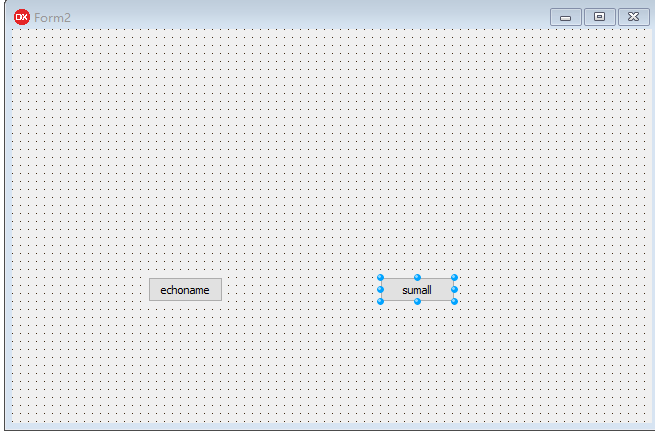
代码如下
implementation

{$R *.dfm}

uses Ixaliontest1;

procedure TForm2.Button1Click(Sender: TObject);

begin

  showmessage(  GetIxaliontest.echoname('xalion'));

end;

procedure TForm2.Button2Click(Sender: TObject);

begin

  showmessage(  GetIxaliontest.sumall().tostring);

end;
编译运行。
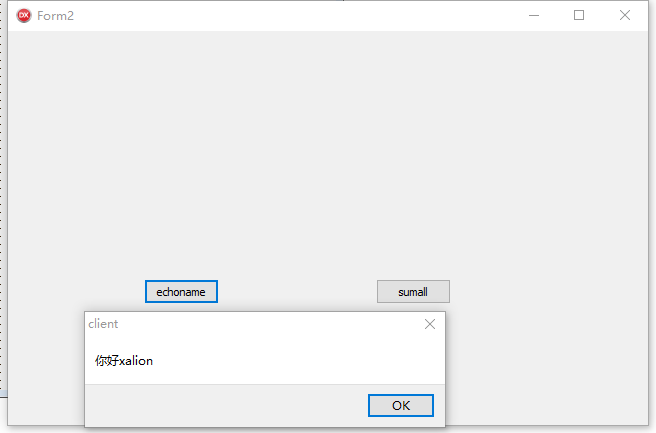
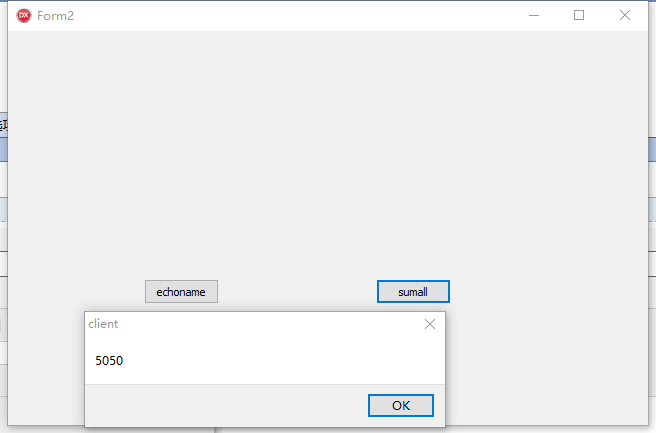
可以看见,客户端很顺利的调用了服务器端的函数。
我们今天的任务完成了。
使用delphi 10.2 开发linux 上的webservice的更多相关文章
- 使用delphi 10.2 开发linux 上的Daemon
delphi 10.2 支持linux, 而且官方只是支持命令行编程,目地就是做linux 服务器端的开发. 既然是做linux服务器端的开发,那么普通的命令行运行程序,然后等待开一个黑窗口的方式就 ...
- DELPHI 10 SEATTLE 在OSX上安装PASERVER
旧版本的DELPHI在安装目录下里的PASERVER目录有安装文件,但奇怪在这个SEATTLE上的PASERVER目录下只有一个EXE程序的安装程序,显然不能安装到OSX里,需要在Embarcad ...
- DELPHI开发LINUX的动态库
DELPHI开发LINUX的动态库 WINDOWS的动态库是.dll,这个大家都知道. LINUX也有动态库,扩展名是.so,现在DELPHI也能开发LINUX的动态库哦. DELPHI对LINUX的 ...
- Delphi 10 Seattle 小票打印控件TQ_Printer
TQ_Printrer控件,是一个为方便需要控制打印命令而设计的跨平台专用控件,已包含标准ESC/POS打印控制的基本指令在内(这些基本指令已能很好的满足多数项目使用). TQ_Printrer控件让 ...
- DELPHI 10.2 TOKYO搭建LINUX MYSQL开发环境
DELPHI 10.2 TOKYO搭建LINUX MYSQL开发环境 笔者使用ubuntu64位LINUX 首先必须保证LINUX可以连互联网. 安装MYSQLsudo apt-get update ...
- Delphi 10.2可以开发Linux桌面应用了
原始地址 https://community.embarcadero.com/blogs/entry/firemonkey-on-linux Delphi Linux编译器已经发布,现在无需等待 ...
- Delphi 10.2 Linux 程序开发环境部署的基本步骤(网络连接方式要选择桥接或者是Host Only)
Delphi 10.2 Linux 程序开发环境部署的基本步骤 http://blog.qdac.cc/?p=4477 升級到 Delphi 10.2 Tokyo 笔记http://www.cnblo ...
- Delphi 10.2的 更新说明,所有官方资料:新特征和Bugfix列表,所有工具开发说明
TMS东京版控件更新情况http://www.tmssoftware.com/site/radstudio10_2tokyo.asp RAD Studio 10.2 更新说明http://blog.q ...
- 使用Delphi开发linux应用
对于很多喜欢使用delphi做开发的人都希望delphi能够支持linux平台的开发,终于在delphi10.2版本中,delphi开始支持linux平台的开发了.在这里写一下Linux开发环境的配置 ...
随机推荐
- linux下访问window的共享文件,在命令行实现方法
1.挂载共享目录 mount -t cifs //192.168.0.1/aa /tmp/export -o username=text,password=test //192.168.0.1/aa ...
- DC-学习
1.DC概论一:setup time, hold time之一 http://www.blogbus.com/bb2hh-logs/20463915.html 2.DC概论二:fanout, skew ...
- 最短路 poj1125
输入一个n表示有n个点,接下来n行,每行(假设是u)第一个数字m表示有m对数字(每一对两个数字v,w,表示u到v的时间w),后面接m对数字.找一个起点,它到其他点所花费的时间(求起点到其他点距离的最大 ...
- Linux下安装和使用nginx
浏览器和服务器的关系 NGINX nginx是什么 nginx是一个开源的,支持高性能,高并发的www服务和代理服务软件. nginx不但是一个优秀的web服务软件,还可以作为反向代理,负载均衡,以及 ...
- 1、__del__ 2、item系列 3、__hash__ 4、__eq__
1.__del__ 析构方法 释放一个空间之前之前 垃圾回收机制 2.item系列 和对象使用[ ]访问值有联系 __getitem__ __setitem__ __delit ...
- Android 心跳动画
直接上代码 MainActivity public class MainActivity extends AppCompatActivity { private ImageView ivHart; ...
- springMVC项目部署 服务器启动spring容器报错bean未从类加载器中找到
bean未从类加载器中找到 警告: Exception encountered during context initialization - cancelling refresh attempt: ...
- 【mysql】分区表
分区表是什么? 分区表可以按照事先创建的规则,对mysql的记录进行分组,每一个组具有一个独立的逻辑单元来存储该组的数据.典型的如:按照创建时间的年份分组,按照id的顺序分组(每1000万条数据分一个 ...
- JAVA读取XML文件并解析获取元素、属性值、子元素信息
JAVA读取XML文件并解析获取元素.属性值.子元素信息 关键字 XML读取 InputStream DocumentBuilderFactory Element Node 前言 最 ...
- [leetcode]300. Longest Increasing Subsequence最长递增子序列
Given an unsorted array of integers, find the length of longest increasing subsequence. Example: Inp ...