
Visual Studio 2022 Preview 3和2019 16.11发布
Visual Studio 2022 Preview 3 主要特点
个人和团队生产力
附加到进程改进
新项目设计器
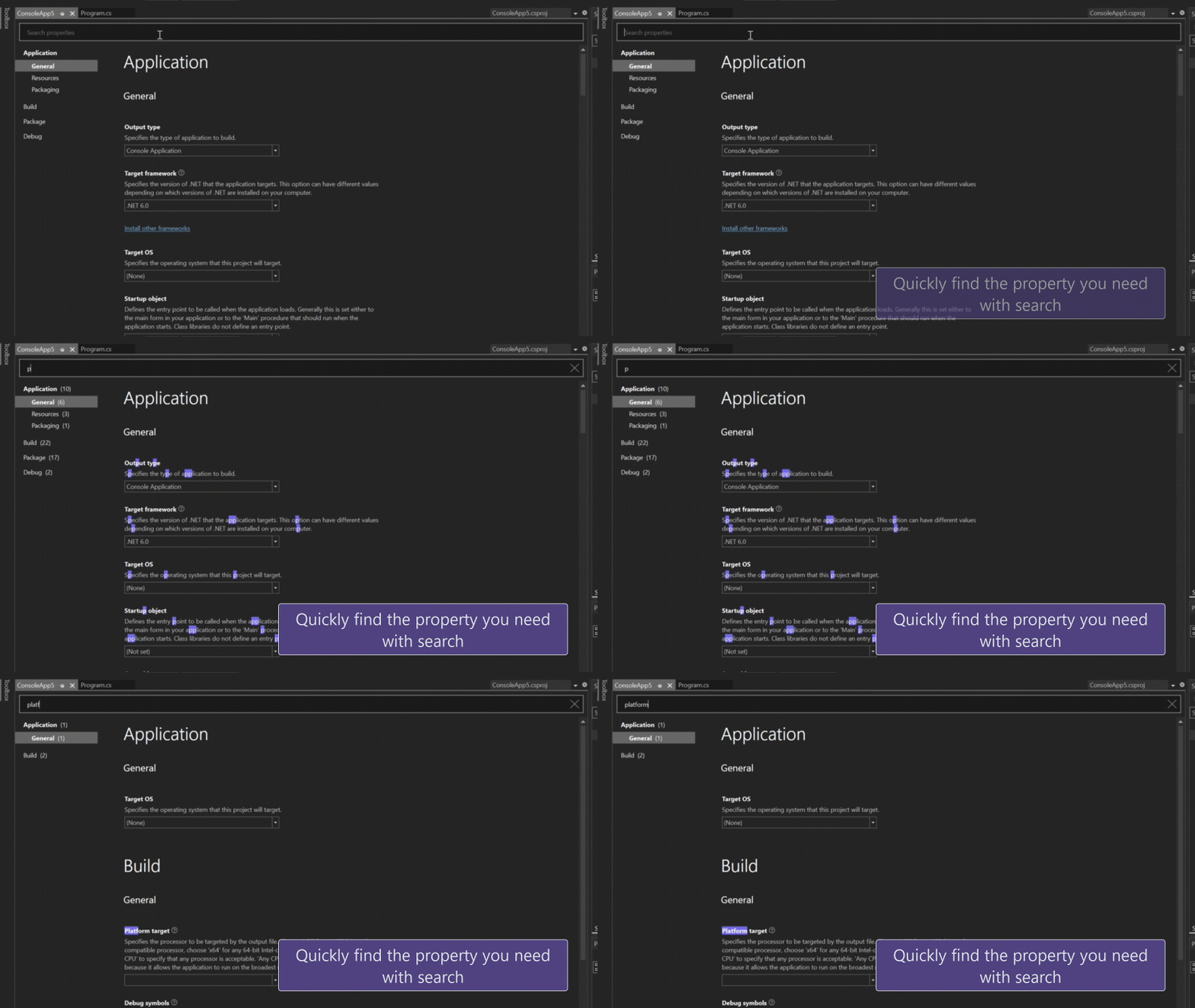
黑暗主题提升
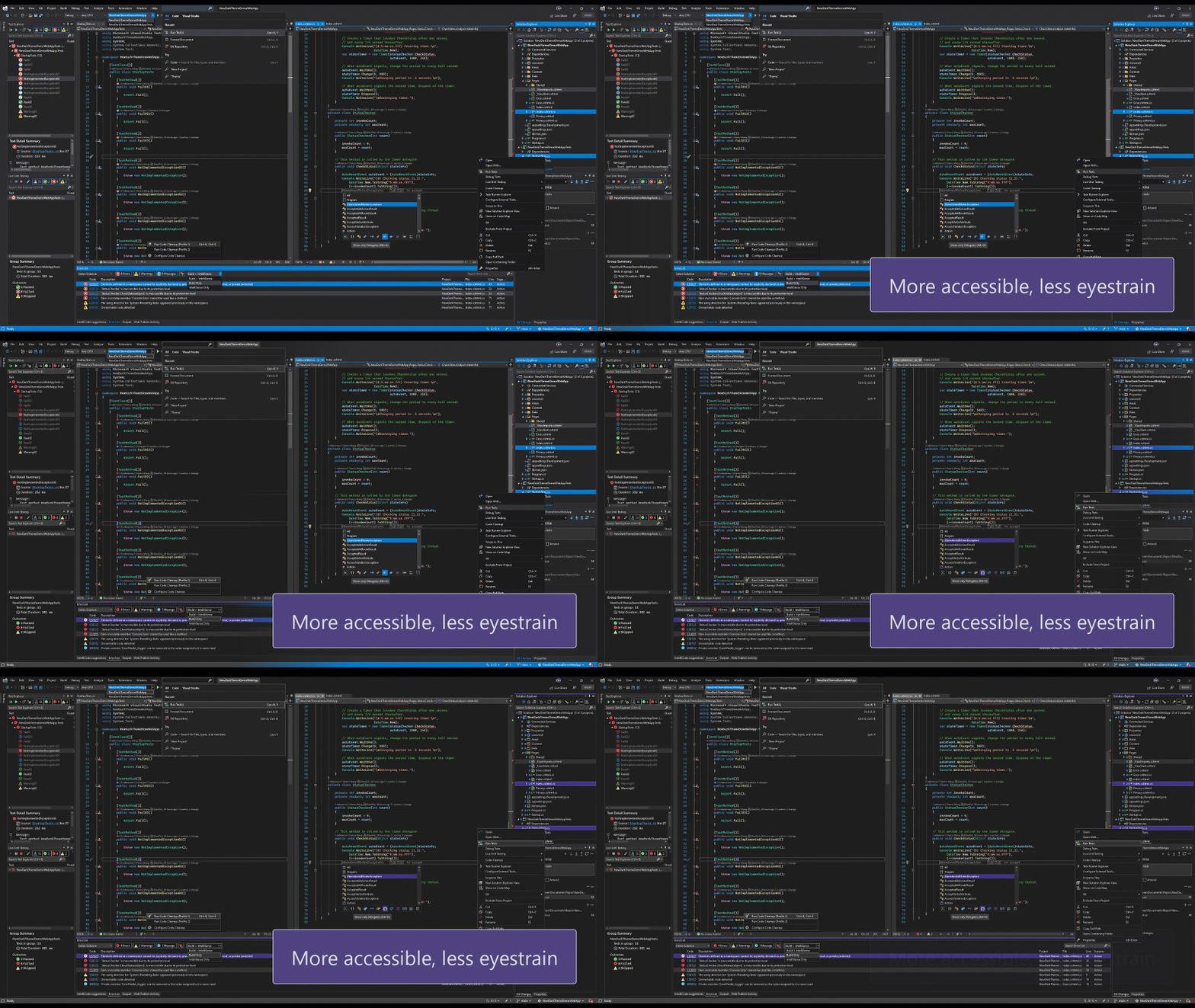
开发现代应用
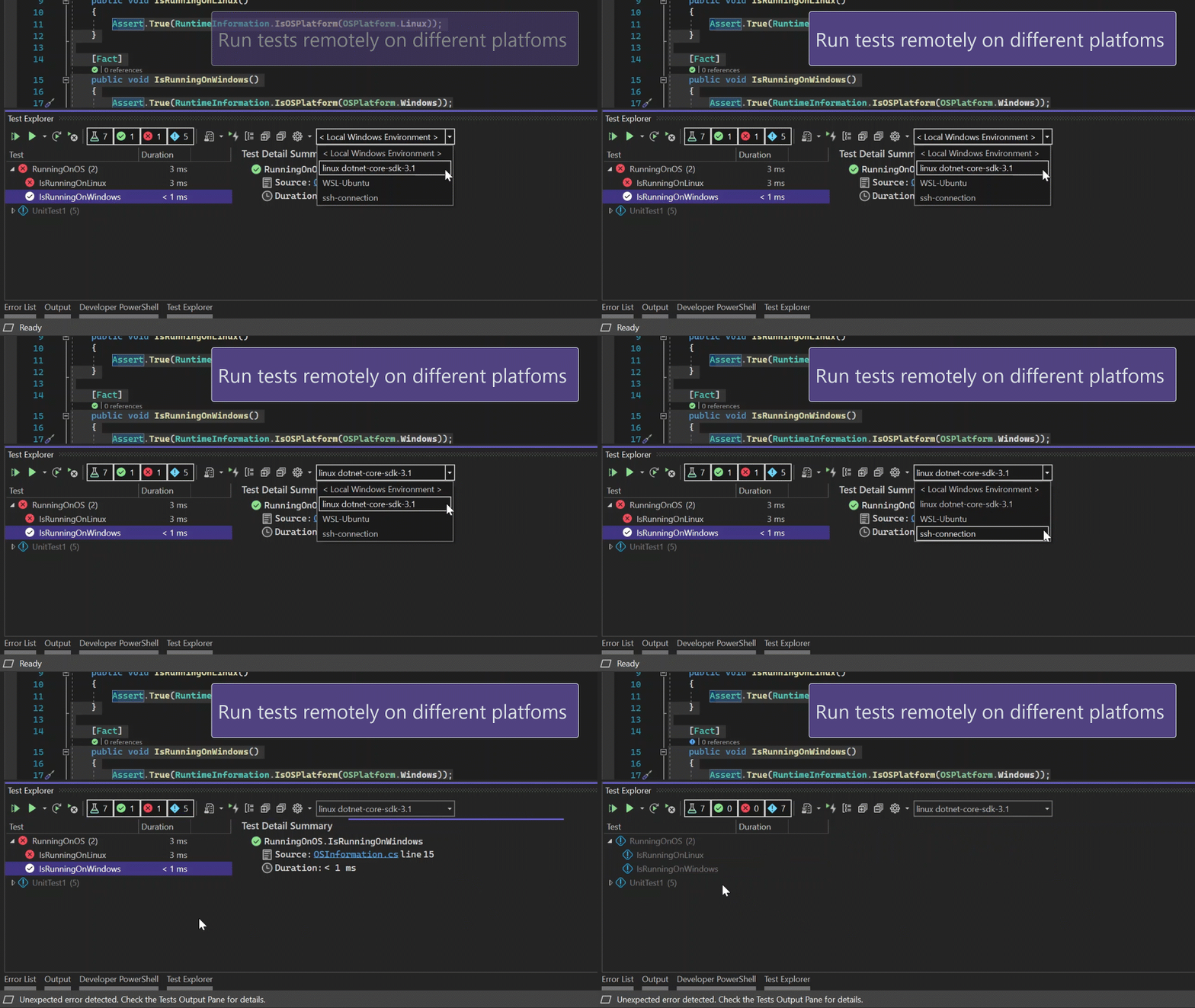
远程测试
新的JavaScript和TypeScript项目类型
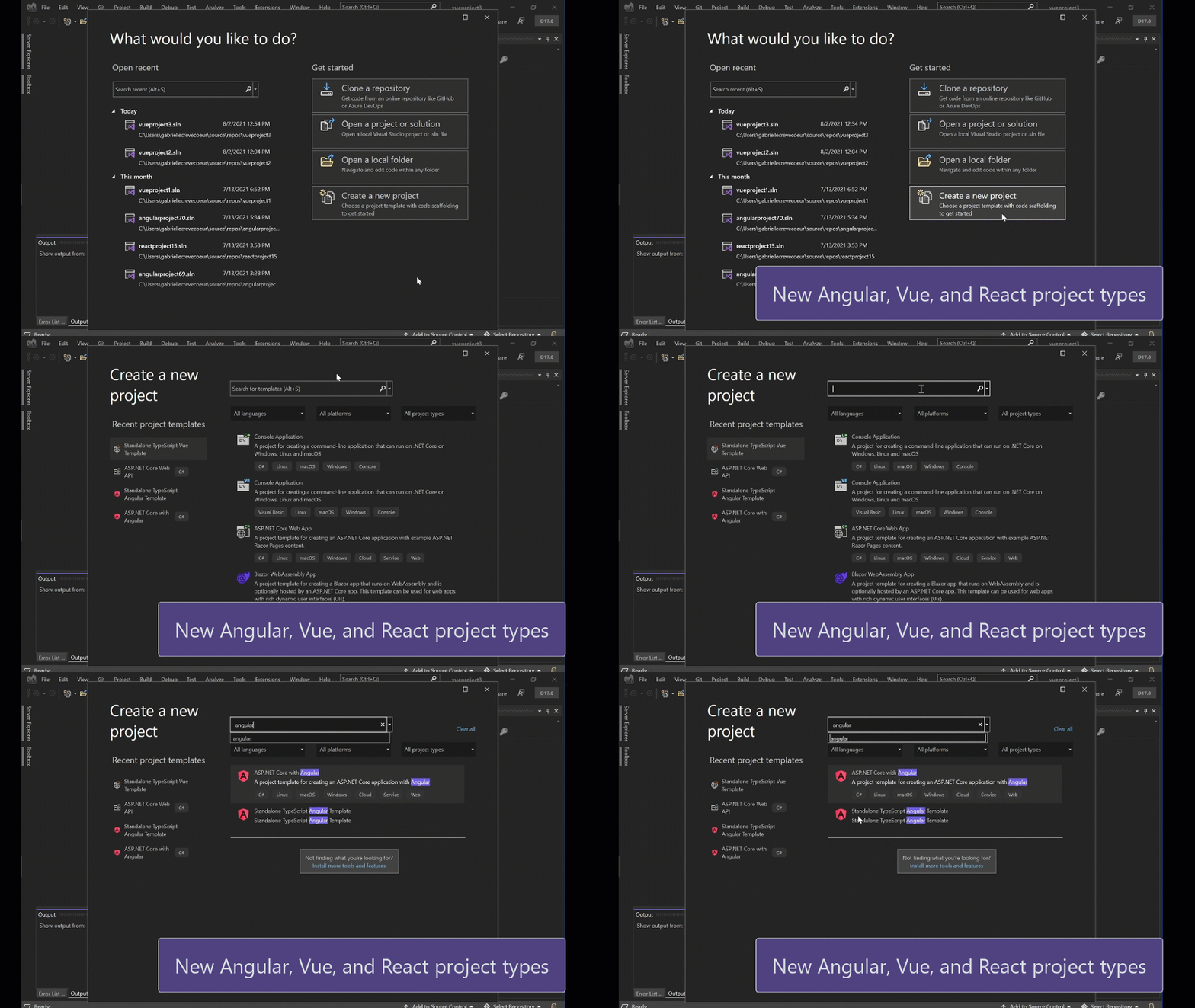
在指尖上的创新
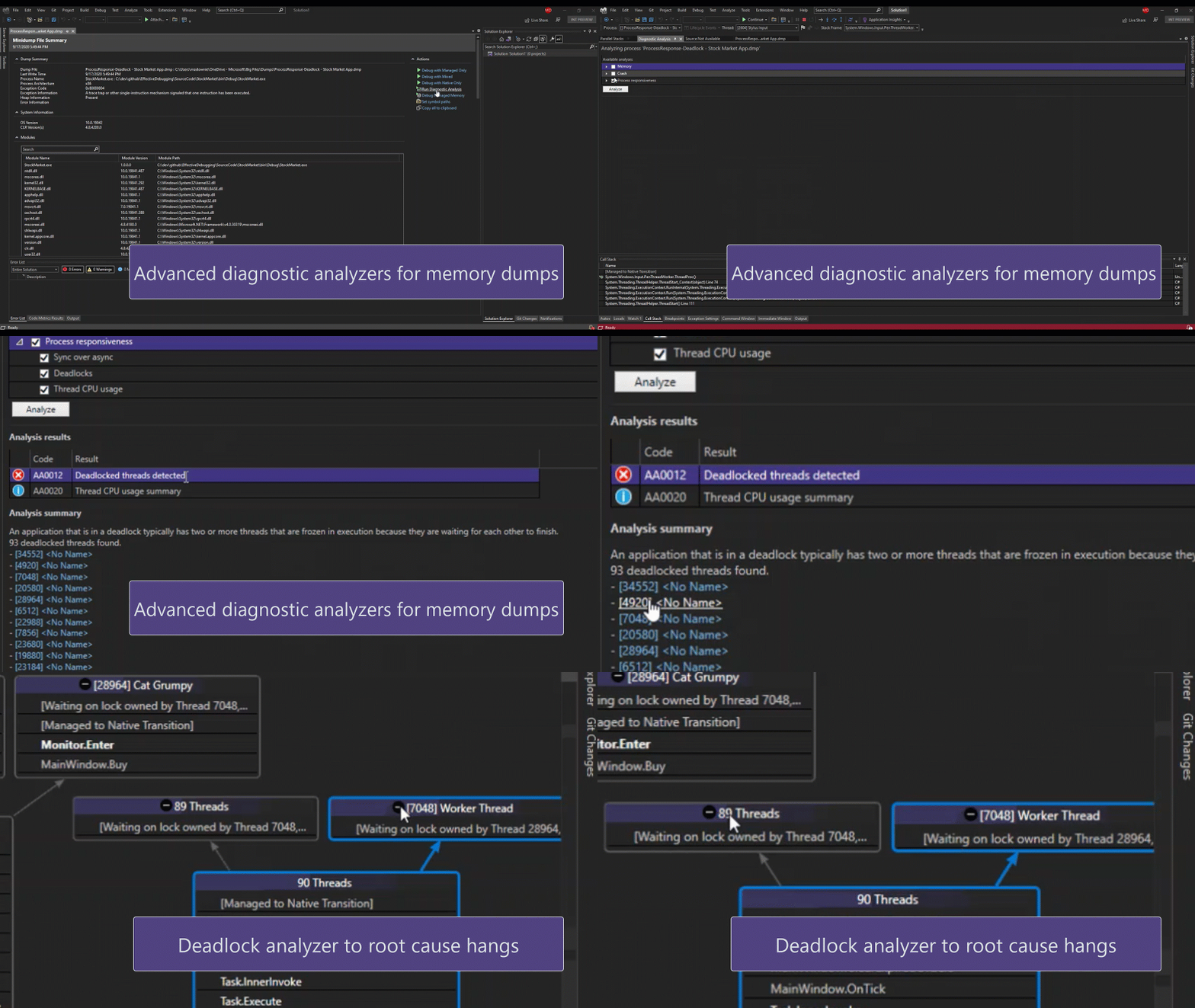
诊断分析
同时使用多个GIT存储库
详情请参考:https://devblogs.microsoft.com/visualstudio/visual-studio-2022-preview-3-now-available/
Visual Studio 2019 16.11
详细更新内容
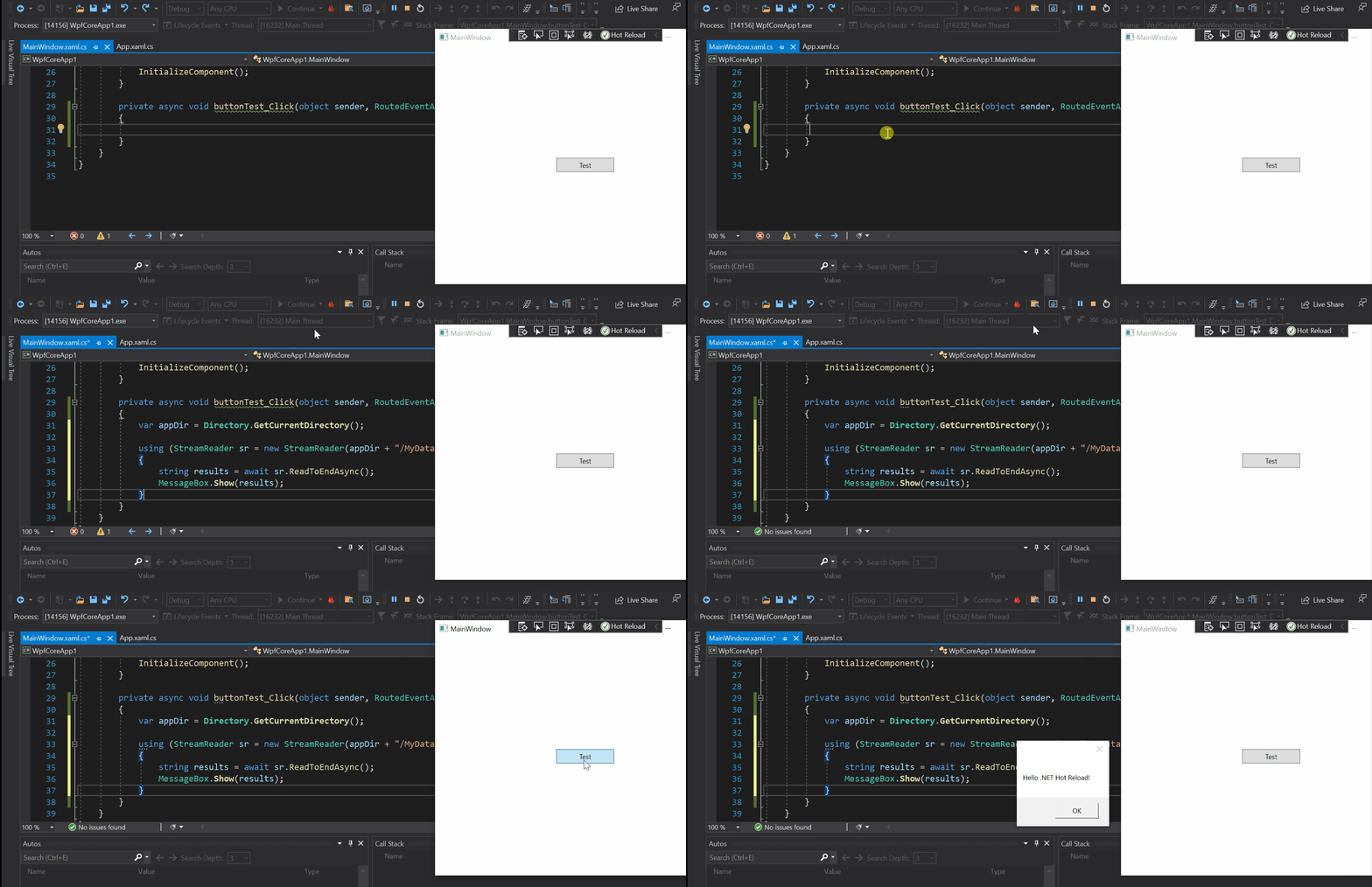
.NET热加载用户体验,用于在运行时编辑托管代码
修复了本版本的主要问题
- MSVC C++ 14.29.16.10 SxS Toolset updated to match VS 2019 v16.10.4. MSVC Toolset Version for this update is 14.29.30040.0/19.29.30040.0.
Update Azure Branding - Fix an issue where a failure during CMake test discovery could cause cache generation to fail.
- Fixed an issue causing TPv0 tests using CSV or SQLCE as data sources to fail to execute with an ArgumentException.
- Fixed the "ApplicationVerificationFailed" build error with Hot Restart
- Fixed a failure to conduct fast up-to-date check on WAP projects which was causing those projects to be built (instead of being skipped), even when project is up-to-date and does not need modifications, further causing increased incremental build times in IDE.
- Fixed the "Xamarin.iOS does not support running or debugging the previous built version of your project" error.
- Fixed the "Unable to connect to Mac Server with Address" error when trying to distribute iOS applications
"Modules for Standard Library (experimental)" was missing, but has been restored. - Fixed an EDG assertion failure on nested co_yield.
- Fixed an issue causing Microsoft Azure Tools for Visual Studio to trigger other .dlls to load in the About Box.
- Fixed an accessibility issue causing High Contrast Account Settings to not show.
- Fixed a formatting issue when using @{if(true)}.
- Fixed an accessibility issue with screen readers failing to announce collapsed code headers.
- Fixed the Luminosity contrast ratio for Country boundary Foreground/background color to be greater or equals to 3:1 so that visually impaired users can identify these controls.
- Fixed an accessibility issue where Visible name and accessible name are not similar for "Server" edit field, "Site name" edit field and "Target Runtime" combo box.
- Fixed a bug causing the screen reader to announce the Connecting status message information under Add SQL Server blade.
Filter was missing from the completion list in VB projects. - Fixed an issue causing Visual Studio to occasionally stop responding when loading Microsoft.Maui-net6.sln.
- Fixed an error when building IOS project or XF project that showed the warning "Xamarin.iOS.Common.targets".
- Fixed branch picker menu grouping.
- Fixed an issue causing the repository below the selected repository to open instead of the desired repository.
- Fixed a bug causing warnings for template functions to follow an incorrect ruleset.
- Fixed a bug causing the Microsoft account dropdown to get truncated when resizing from 125% to 150% or 175% to 200%.
- Fixed an accessibility bug where the narrator does not announce the label name.
- Made it easier for users to access the "convert color to resource" button.
- Made it easier for low vision users to view the focus on the "Select previous gradient stop" and "Select Next gradient stop" buttons.
- Corrected issues with screen reader users not getting the proper information about buttons.
- GitHub specific error messages were not always showing when pushing commits.
- Fixed an issue causing warnings when trying to connect to SharePoint to provision workflow debugging prerequisites.
- Fixed an issue causing network operations to not work with the Fork and the remote Fork branches in the Git repo window.
- Fixed a Database Project issue where dragging a file from solution explorer into an opened one is deleting the file from the file system
- Fixed an issue causing an exception in .cshtml and .razor files.
- Fixed a slow display of files and icons in the Visual Studio IDE and Solution Explorer.
- Fixed an error with Git messaging that reported 'It is not allowed to run multiple bulk file operations at a time.'
- Improved ease of accessibility when accessing the controls for any path of the selected Profile.
- Corrected an 'Error List' warning when publishing a Cloud Service project with a 'Single Page Application' template.
- Fixes an issue where attempting to close the quick start window can cause Visual Studio to crash
- Fixed an inability to publish database projects with null values and an 'str' parameter name.
- Added support for SSDT MERGE statements.
- Fixed an issue with F# Interactive where NuGet package references were no longer working.
- Added ability to use Previous layout folders searching packages during layout operations.
- Added additional accessibility improvements for keyboard only users in debugging and menu selection.
- Fixed a localization error with Test Explorer.
- Fixed an error causing builds to fail in C# VSIX projects.
- Fixed an error where publishing failed in an ASP.NET Core App running on Docker (Windows/Linux) to Docker Container with error:"Current context "desktop-linux" is not found on the file system".
- Converted to using the new DartLab instance which gives us the latest fixes and simplifies the YAML.
- Fixed an issue when clicking "Go To Declaration" that resulted in the cursor jumping to an incorrect position.
- Fixed EnC regression.
- Fixed an error causing Visual Studio to stop responding when creating a Service Fabric application.
- Fixed an error where the Container Orchestrator Support context item disappears after adding docker support for an Azure Function project with .NET 5(Isolated) type selected.
- Fixed a situation where F5/Ctrl+F5 produced an error message, "Docker command failed with exit code1."
- Added Service Fabric and Add Orchestra Support dialog.
- Fixed a failure to restore NuGet deleted packages.
- Fixed an error causing mstest projects to remove LUT windows after renaming.
- Fixed formating when providing no container name in a code search.
- Fixed missing warning messages in CppCoreCheck.
- Fixed a bug when adding a class in ASP.NET causing a yellow bar with the error message: 'CSharpSyncNamespaceCodeRefactoringProvider'.
- Improved performance around using PointerSafetyXtension in CppCoreCheck.
- Improved localization around VC++ features.
- Fixed a build error when the solutionPath variable evaluates to undefined.
- Fixed a rare scenario that could keep Visual Studio instances from closing if the Test Explorer is open in the solution.
- Fixed a visibility issue with high contrast black in virtual machines shifting focus.
- Fixed an issue where an error "No such image" occurs when removing multi-selected images that have been tagged.
- Improved teh XAML typing experience on the LiveShare client.
- Fixed an issue when using the Navigate To with a speech recognition command causing the user to wait for the ToolTip to clear before seeing the result.
- Fixed an issue causing previously opened documents to not restore when a solution is reopened.
- Fixed a UWP crash when using the new Sample Data feature.
- Fixed a bug where there were no project properties provider for "Persistence = AssemblyReference".
- Decreased processor consumption of setup.exe.
- Fixed an issue preventing HRESULT resources from being customized for XBOX.
- Fixed an unhandled exception after clicking "Debug Tests".
- Fixed a build error message "NETSDK1 031" when using a Windows Application Packaging Project.
- Fixed a crash after ending some LiveShare Sessions.
- Fixed a bug causing a failure of the "X" button on a page of the First Launch Wizard.
- Fixed an "Operation not supported" error message in LiveShare.
- Fixes a bug in Cloud Service (extended support) publish with different settings value in different service configurations.
- Fixed an issue with C++20 Modules IntelliSense where some language constructs would cause the compiler to crash.
- Fixed an issue that will cause a small amount of additional memory to leak.
- Fixed an API breaking change on AudioUnitPropertyIDType.
- Developers using UWP unit test framework who wish to run their tests on remote devices or emulators were unable to run the tests on remote devices.
详情请参考https://docs.microsoft.com/en-us/visualstudio/releases/2019/release-notes
Visual Studio 2022 Preview 3和2019 16.11发布的更多相关文章
- Visual Studio 2022 Preview 1 和.NET 6 Preview 5 正式发布
具有里程碑意义的Visual Studio 2022 Preview 1正式发布,重点是64位,而没有增加新功能,并且同时也发布了.NET 6 Preview 5. https://devblogs. ...
- 它来了!!!有史以来第一个64位Visual Studio(2022)预览版将在今夏发布!
美国时间2021年4月19日,微软产品研发部一位负责人Amanda Silver在其博客上发布一则<Visual Studio 2022>的消息,表示将在今年(2021年)夏天发布Visu ...
- 微软发布了Visual Studio 2022 Preview 1 以及.NET 6 Preview 5
Microsoft 今天宣布了Visual Studio 2022 的第一个预览版,并且同时也发布了.NET 6 Preview 5. https://devblogs.microsoft.com/v ...
- Visual Studio 2022 预览版3 最新功能解说
我们很高兴地宣布Visual Studio 2022 的第三个预览版问世啦!预览版3 提供了更多关于个人和团队生产力.现代开发和持续创新等主题的新功能.在本文中,我们将重点介绍Visual Studi ...
- 乘风破浪,遇见Visual Studio 2022预览版(Preview),宇宙最强开发者工具首次迎来64位版本
简介 众所周知,我们从官方新闻来看,对Visual Studio 2022最大的期待莫过于:其是首个64位的Visual Studio,这个宇宙最强开发者工具一脚迈入了新的阶段. https://vi ...
- .NET 6.0.6 和 .NET Core 3.1.26、Visual Studio 2022 17.2 和 17.3 Preview 2 和 .NET 7.0 Preview 5 同时发布
Microsoft 昨天发布了适用于 .NET 6.0.6 和 .NET Core 3.1.26.NuGet.Visual Studio 2019 和 Visual Studio 2022 17.2 ...
- C++ 与 Visual Studio 2022 和 WSL(五)——WSL2
Build and Debug C++ with WSL 2 Distributions and Visual Studio 2022 References Build and Debug C++ w ...
- 微软发布了Visual Studio 2022 RC版,并将在11月8日发布正式版
微软今天发布了Visual Studio 2022 最接近正式发布的RC版本,同时宣布在11月8日发布正式版,届时将在线上发布虚拟的发布活动,具体参见:https://devblogs.microso ...
- .NET6系列:Visual Studio 2022 线路图
系列目录 [已更新最新开发文章,点击查看详细] 在上一篇博客<Visual Studio 2022>中介绍了VS2022的性能改进与重要功能.本文主要介绍在 Visual Stud ...
- Code Runner,率先支持刚发布的 Visual Studio 2022!
Visual Studio 被不少网友成为"宇宙第一IDE".但是,我写✍ PHP.Java 和 C#,也都是用的 VS Code. 我所在的组,是 Visual Studio C ...
随机推荐
- MySQL uuid及其相关的一些简单性能测试
运维同事导入一批大约500万左右的数据,耗时较久.他使用的是纯SQL导入,主键使用的是UUID,因为业务原因没有使用自增ID. 因为是内网,不能远程访问. 通过沟通,大致觉得有两个原因,一是因为UUI ...
- 【python基础】复杂数据类型-列表类型(数值列表)
1.数值列表 列表非常适合用于存储数字集合,而python提供了很多工具,可帮助我们高速地处理数字列表. 1.1 range函数 python的range函数能够轻松的生成连续一系列数字. 其语法格式 ...
- input 文件上传 formdata
需求背景 后端给定接口 传xlsx文件 参数:后台需要的参数 格式: formdata 需要 token 1 saveEditIn (e) { 2 this.sheetAll = [] 3 // ...
- WWDC2023 Session系列:探索XCode15新特性
一.版本说明 XCode 15 beta 发布于 2023 年 6月5日, 可支持 macOS 13.3 或以上版本, 你可以按需下载需要的平台. 二.新增特性 1.代码智能提示 (Code comp ...
- 【HMS Core】Health Kit查询历史数据查询数据和返回数据不一致
[问题描述] 查询一个月运动记录,只能查询到最早5月26的数据,但是华为健康app里的数据最早为5月8日,为什么会查询不到? [解决方案] 1.需要检查是否申请了历史数据权限,查询数据时,出于对用户的 ...
- FPGA加速技术:在数据中心和云计算中的应用
目录 1. 引言 2. 技术原理及概念 3. 实现步骤与流程 3.1 准备工作:环境配置与依赖安装 3.2 核心模块实现 3.3 集成与测试 4. 应用示例与代码实现讲解 4.1. 应用场景介绍 4. ...
- Apache Hudi 元数据字段揭秘
介绍 Apache Hudi 最初由Uber于 2016 年开发,旨在实现一个交易型数据湖,该数据湖可以快速可靠地支持更新,以支持公司拼车平台的大规模增长. Apache Hudi 现在被业内许多人广 ...
- 2023-07-01:redis过期策略都有哪些?LRU 算法知道吗?
2023-07-01:redis过期策略都有哪些?LRU 算法知道吗? 答案2023-07-01: 缓存淘汰算法(过期策略) 当Redis的内存超出物理内存限制时,内存中的数据就会频繁地与磁盘进行交换 ...
- Batch Normalization及其反向传播及bn层的作用
笔记: Batch Normalization及其反向传播 重点: 在神经网络中,网络是分层的,可以把每一层视为一个单独的分类器,将一个网络看成分类器的串联.这就意味着,在训练过程中,随着某一层分类器 ...
- 即构SDK12月迭代:新增多项质量回调,互动白板、云录制SDK同步更新
即构SDK12月迭代来啦,本月LiveRoom/AudioRoom SDK新增了端到端延迟质量回调.房间会话ID信息,便于在音视频通话.直播场景中进行时延.通话质量的评测.同时还优化了硬件设备权限变更 ...