
Visual Studio 2022 Preview 3和2019 16.11发布
Visual Studio 2022 Preview 3 主要特点
个人和团队生产力
附加到进程改进
新项目设计器
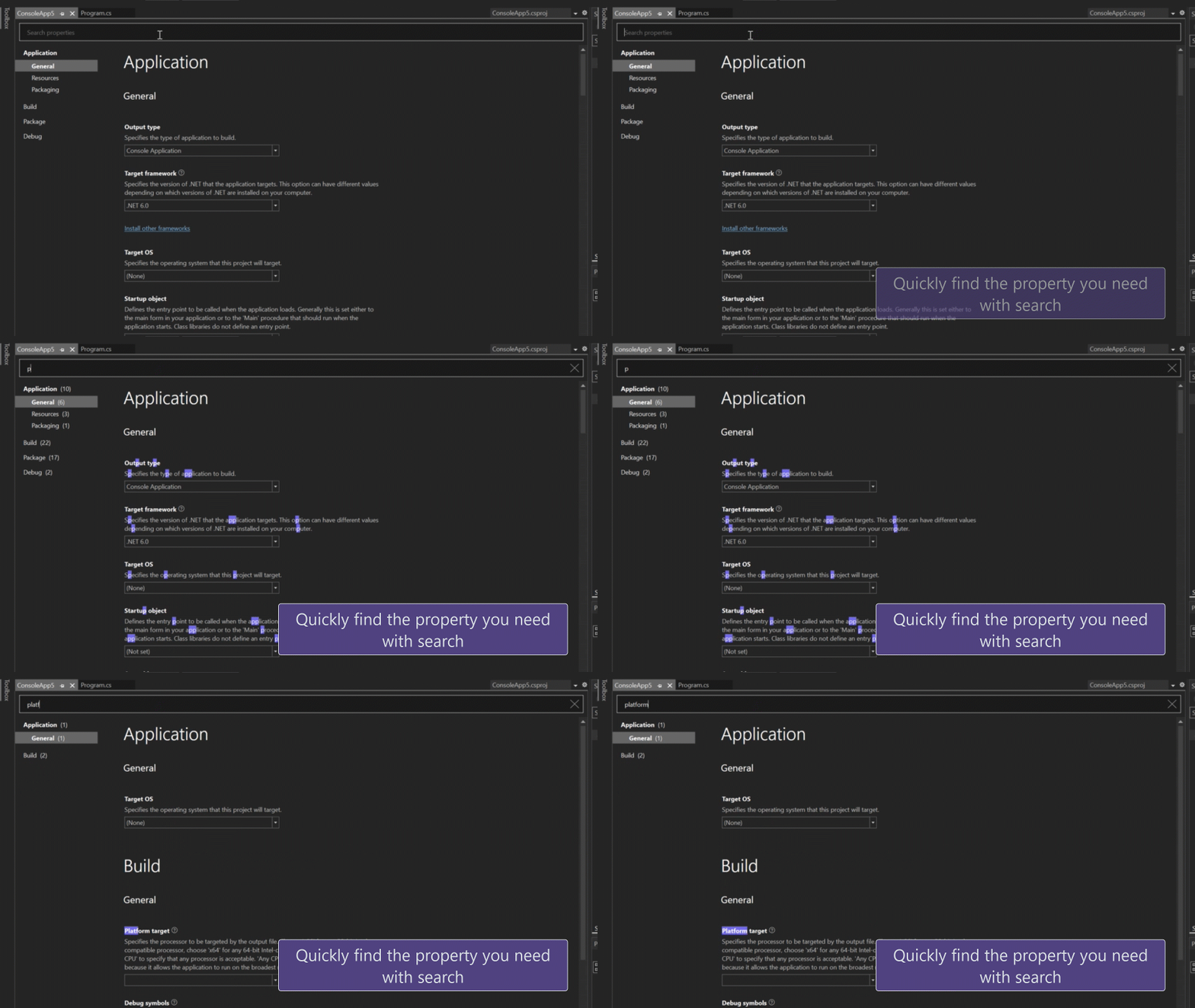
黑暗主题提升
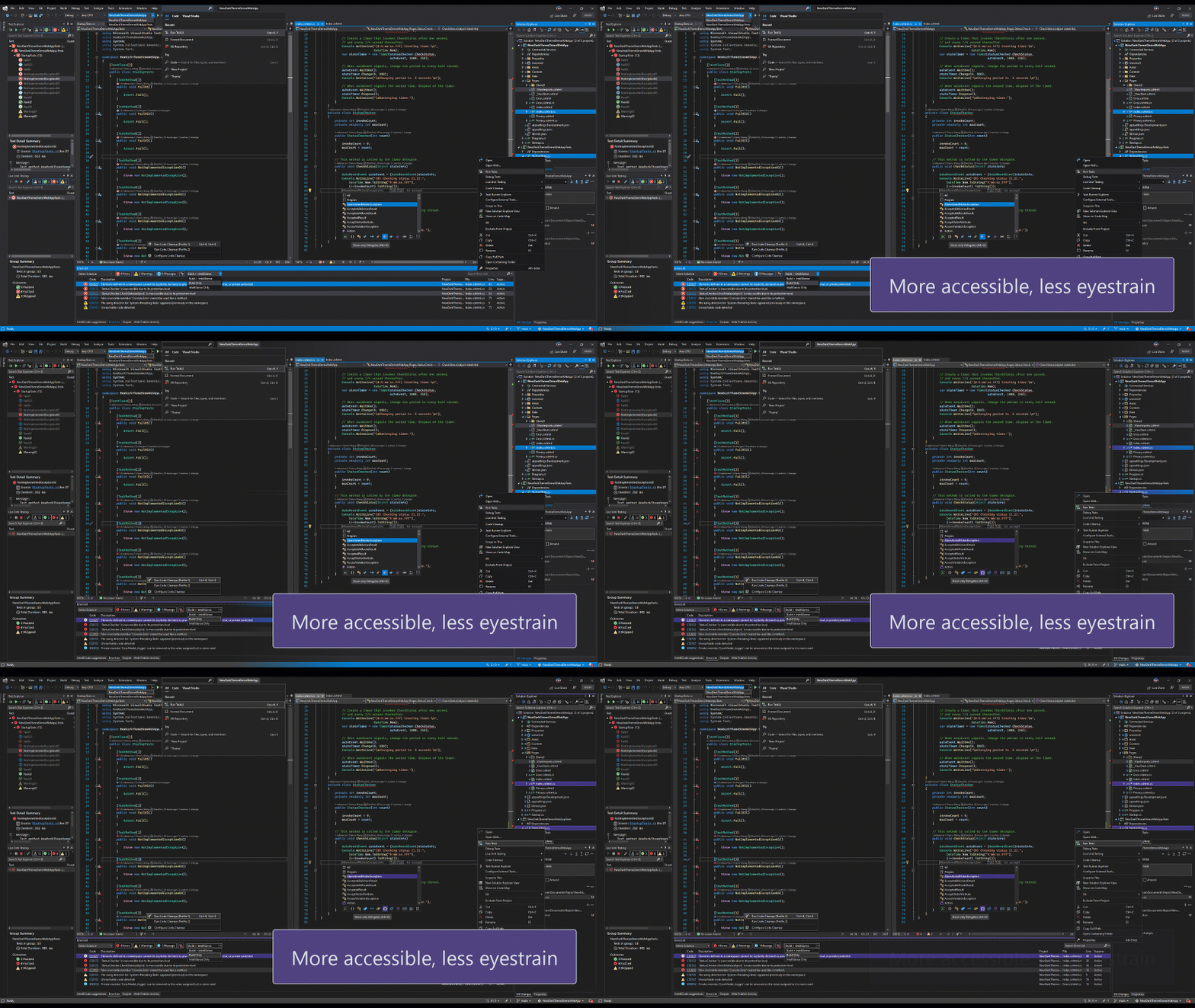
开发现代应用
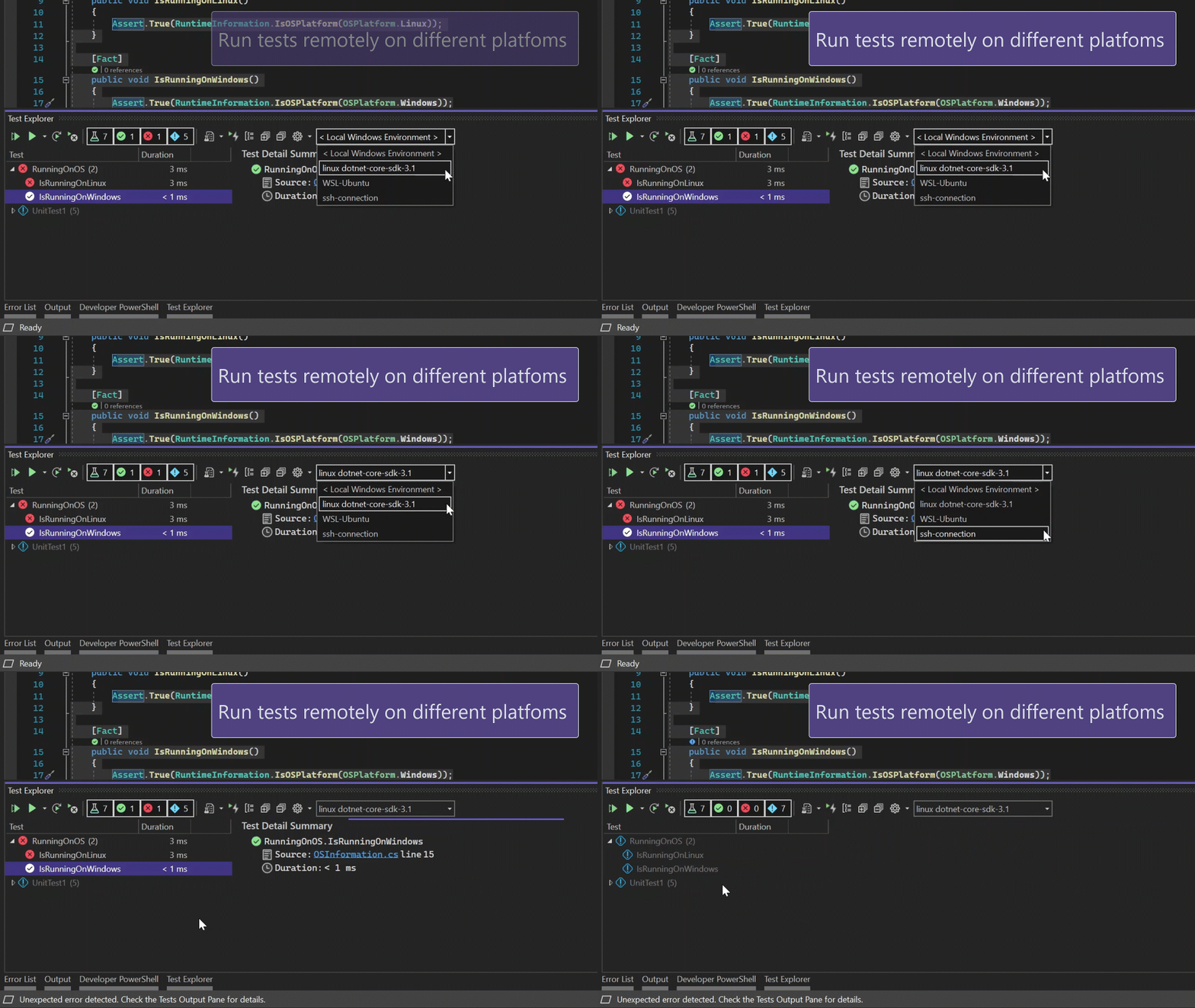
远程测试
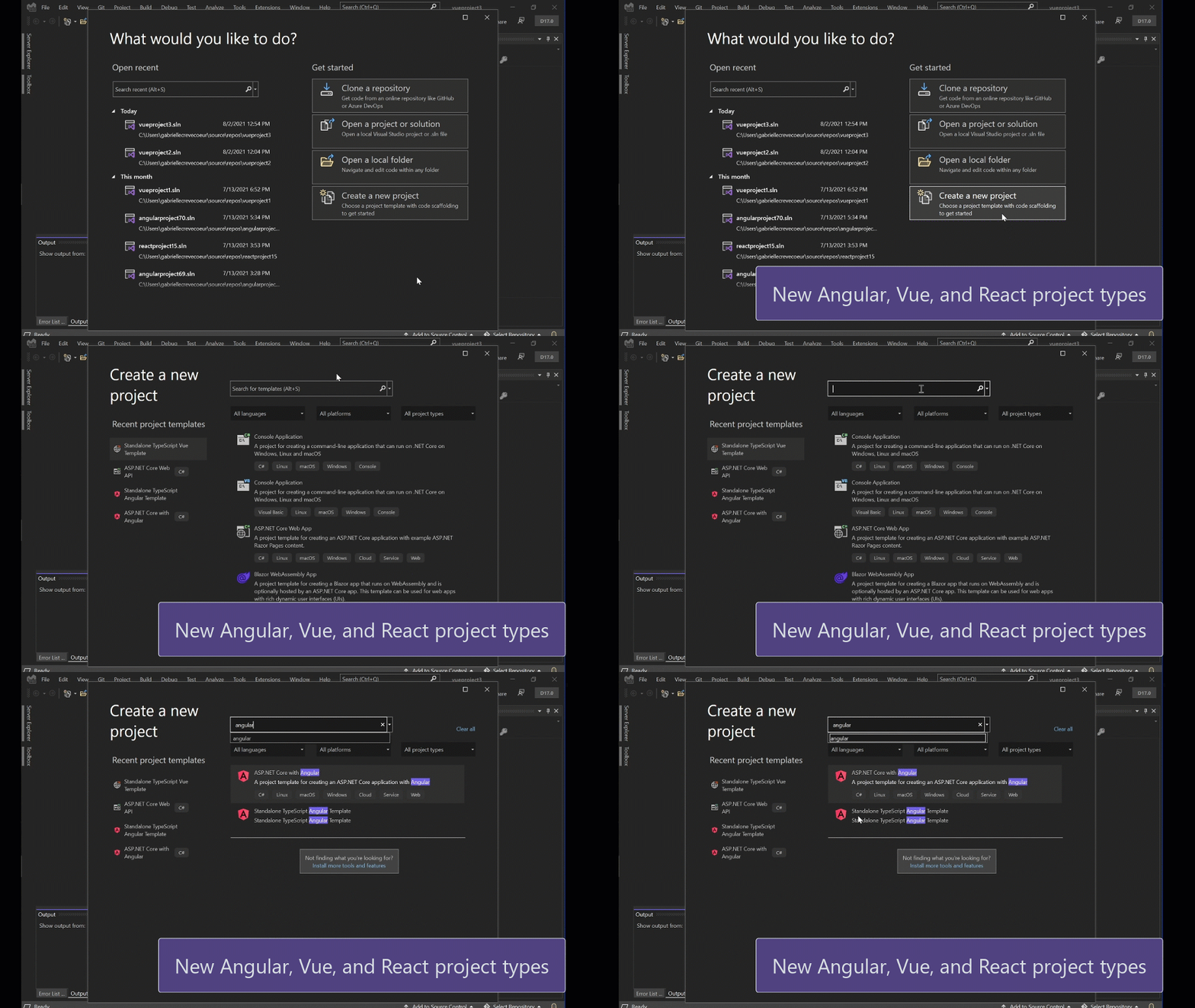
新的JavaScript和TypeScript项目类型
在指尖上的创新
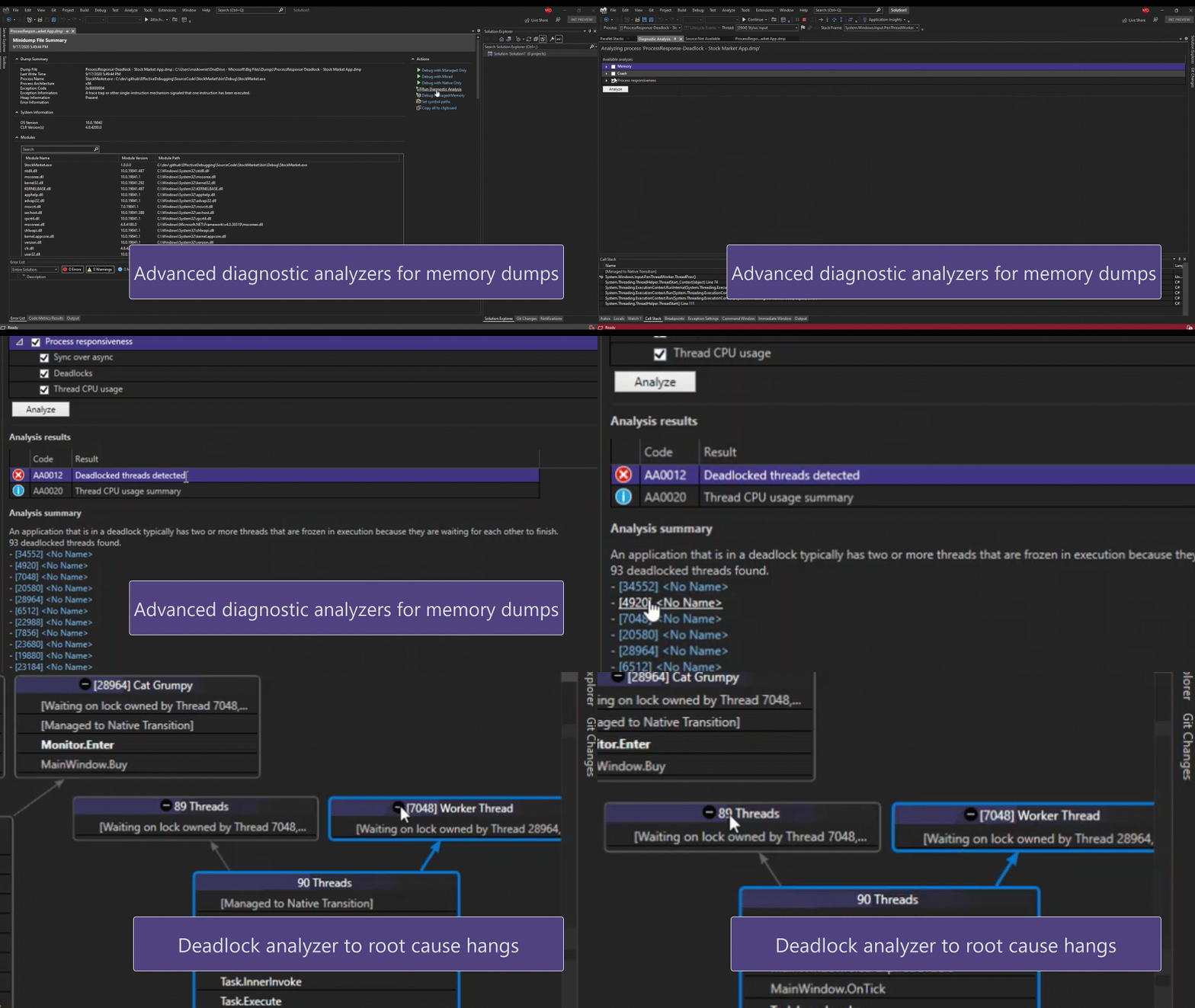
诊断分析
同时使用多个GIT存储库
详情请参考:https://devblogs.microsoft.com/visualstudio/visual-studio-2022-preview-3-now-available/
Visual Studio 2019 16.11
详细更新内容
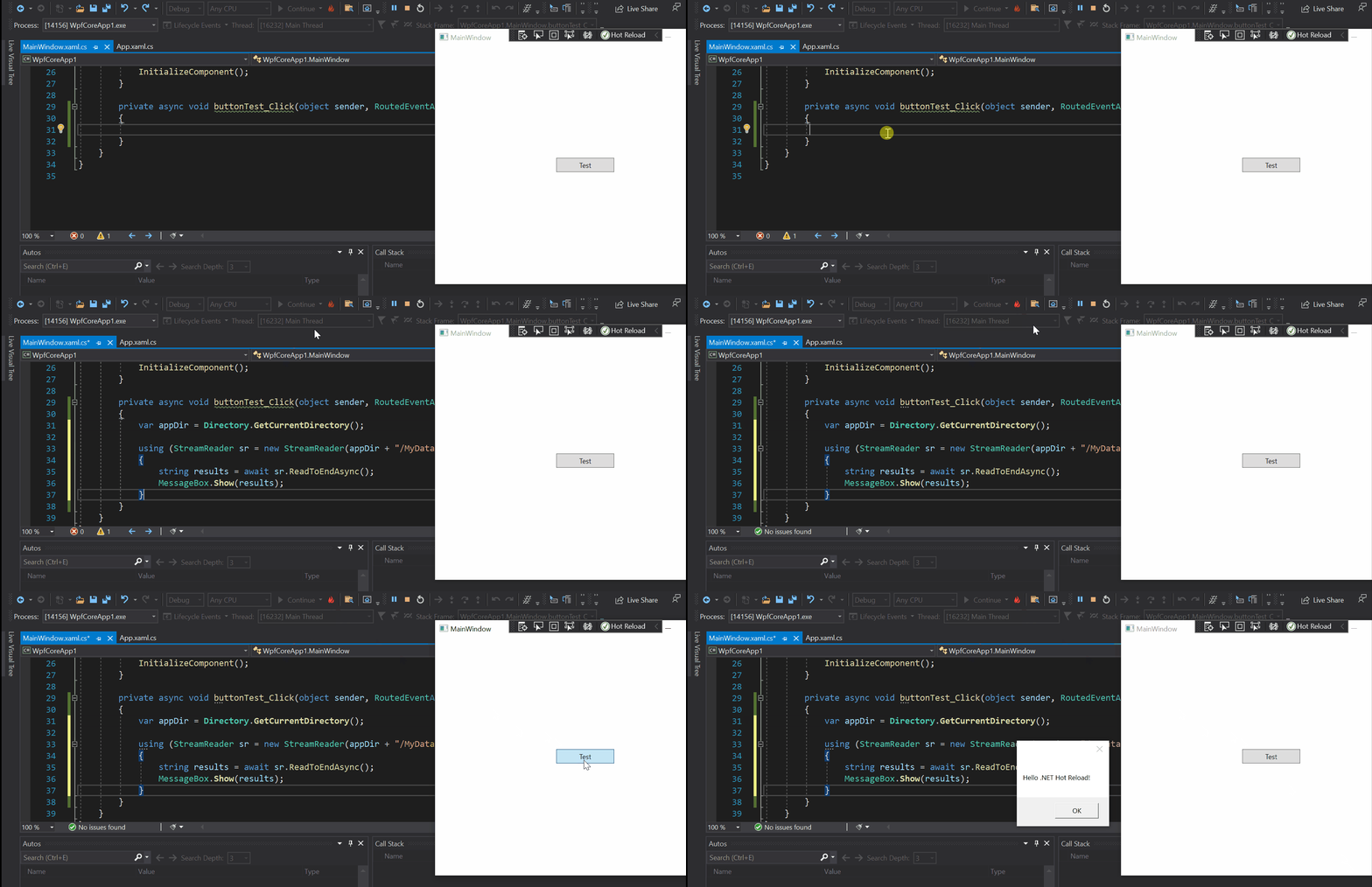
.NET热加载用户体验,用于在运行时编辑托管代码
修复了本版本的主要问题
- MSVC C++ 14.29.16.10 SxS Toolset updated to match VS 2019 v16.10.4. MSVC Toolset Version for this update is 14.29.30040.0/19.29.30040.0.
Update Azure Branding - Fix an issue where a failure during CMake test discovery could cause cache generation to fail.
- Fixed an issue causing TPv0 tests using CSV or SQLCE as data sources to fail to execute with an ArgumentException.
- Fixed the "ApplicationVerificationFailed" build error with Hot Restart
- Fixed a failure to conduct fast up-to-date check on WAP projects which was causing those projects to be built (instead of being skipped), even when project is up-to-date and does not need modifications, further causing increased incremental build times in IDE.
- Fixed the "Xamarin.iOS does not support running or debugging the previous built version of your project" error.
- Fixed the "Unable to connect to Mac Server with Address" error when trying to distribute iOS applications
"Modules for Standard Library (experimental)" was missing, but has been restored. - Fixed an EDG assertion failure on nested co_yield.
- Fixed an issue causing Microsoft Azure Tools for Visual Studio to trigger other .dlls to load in the About Box.
- Fixed an accessibility issue causing High Contrast Account Settings to not show.
- Fixed a formatting issue when using @{if(true)}.
- Fixed an accessibility issue with screen readers failing to announce collapsed code headers.
- Fixed the Luminosity contrast ratio for Country boundary Foreground/background color to be greater or equals to 3:1 so that visually impaired users can identify these controls.
- Fixed an accessibility issue where Visible name and accessible name are not similar for "Server" edit field, "Site name" edit field and "Target Runtime" combo box.
- Fixed a bug causing the screen reader to announce the Connecting status message information under Add SQL Server blade.
Filter was missing from the completion list in VB projects. - Fixed an issue causing Visual Studio to occasionally stop responding when loading Microsoft.Maui-net6.sln.
- Fixed an error when building IOS project or XF project that showed the warning "Xamarin.iOS.Common.targets".
- Fixed branch picker menu grouping.
- Fixed an issue causing the repository below the selected repository to open instead of the desired repository.
- Fixed a bug causing warnings for template functions to follow an incorrect ruleset.
- Fixed a bug causing the Microsoft account dropdown to get truncated when resizing from 125% to 150% or 175% to 200%.
- Fixed an accessibility bug where the narrator does not announce the label name.
- Made it easier for users to access the "convert color to resource" button.
- Made it easier for low vision users to view the focus on the "Select previous gradient stop" and "Select Next gradient stop" buttons.
- Corrected issues with screen reader users not getting the proper information about buttons.
- GitHub specific error messages were not always showing when pushing commits.
- Fixed an issue causing warnings when trying to connect to SharePoint to provision workflow debugging prerequisites.
- Fixed an issue causing network operations to not work with the Fork and the remote Fork branches in the Git repo window.
- Fixed a Database Project issue where dragging a file from solution explorer into an opened one is deleting the file from the file system
- Fixed an issue causing an exception in .cshtml and .razor files.
- Fixed a slow display of files and icons in the Visual Studio IDE and Solution Explorer.
- Fixed an error with Git messaging that reported 'It is not allowed to run multiple bulk file operations at a time.'
- Improved ease of accessibility when accessing the controls for any path of the selected Profile.
- Corrected an 'Error List' warning when publishing a Cloud Service project with a 'Single Page Application' template.
- Fixes an issue where attempting to close the quick start window can cause Visual Studio to crash
- Fixed an inability to publish database projects with null values and an 'str' parameter name.
- Added support for SSDT MERGE statements.
- Fixed an issue with F# Interactive where NuGet package references were no longer working.
- Added ability to use Previous layout folders searching packages during layout operations.
- Added additional accessibility improvements for keyboard only users in debugging and menu selection.
- Fixed a localization error with Test Explorer.
- Fixed an error causing builds to fail in C# VSIX projects.
- Fixed an error where publishing failed in an ASP.NET Core App running on Docker (Windows/Linux) to Docker Container with error:"Current context "desktop-linux" is not found on the file system".
- Converted to using the new DartLab instance which gives us the latest fixes and simplifies the YAML.
- Fixed an issue when clicking "Go To Declaration" that resulted in the cursor jumping to an incorrect position.
- Fixed EnC regression.
- Fixed an error causing Visual Studio to stop responding when creating a Service Fabric application.
- Fixed an error where the Container Orchestrator Support context item disappears after adding docker support for an Azure Function project with .NET 5(Isolated) type selected.
- Fixed a situation where F5/Ctrl+F5 produced an error message, "Docker command failed with exit code1."
- Added Service Fabric and Add Orchestra Support dialog.
- Fixed a failure to restore NuGet deleted packages.
- Fixed an error causing mstest projects to remove LUT windows after renaming.
- Fixed formating when providing no container name in a code search.
- Fixed missing warning messages in CppCoreCheck.
- Fixed a bug when adding a class in ASP.NET causing a yellow bar with the error message: 'CSharpSyncNamespaceCodeRefactoringProvider'.
- Improved performance around using PointerSafetyXtension in CppCoreCheck.
- Improved localization around VC++ features.
- Fixed a build error when the solutionPath variable evaluates to undefined.
- Fixed a rare scenario that could keep Visual Studio instances from closing if the Test Explorer is open in the solution.
- Fixed a visibility issue with high contrast black in virtual machines shifting focus.
- Fixed an issue where an error "No such image" occurs when removing multi-selected images that have been tagged.
- Improved teh XAML typing experience on the LiveShare client.
- Fixed an issue when using the Navigate To with a speech recognition command causing the user to wait for the ToolTip to clear before seeing the result.
- Fixed an issue causing previously opened documents to not restore when a solution is reopened.
- Fixed a UWP crash when using the new Sample Data feature.
- Fixed a bug where there were no project properties provider for "Persistence = AssemblyReference".
- Decreased processor consumption of setup.exe.
- Fixed an issue preventing HRESULT resources from being customized for XBOX.
- Fixed an unhandled exception after clicking "Debug Tests".
- Fixed a build error message "NETSDK1 031" when using a Windows Application Packaging Project.
- Fixed a crash after ending some LiveShare Sessions.
- Fixed a bug causing a failure of the "X" button on a page of the First Launch Wizard.
- Fixed an "Operation not supported" error message in LiveShare.
- Fixes a bug in Cloud Service (extended support) publish with different settings value in different service configurations.
- Fixed an issue with C++20 Modules IntelliSense where some language constructs would cause the compiler to crash.
- Fixed an issue that will cause a small amount of additional memory to leak.
- Fixed an API breaking change on AudioUnitPropertyIDType.
- Developers using UWP unit test framework who wish to run their tests on remote devices or emulators were unable to run the tests on remote devices.
详情请参考https://docs.microsoft.com/en-us/visualstudio/releases/2019/release-notes
Visual Studio 2022 Preview 3和2019 16.11发布的更多相关文章
- Visual Studio 2022 Preview 1 和.NET 6 Preview 5 正式发布
具有里程碑意义的Visual Studio 2022 Preview 1正式发布,重点是64位,而没有增加新功能,并且同时也发布了.NET 6 Preview 5. https://devblogs. ...
- 它来了!!!有史以来第一个64位Visual Studio(2022)预览版将在今夏发布!
美国时间2021年4月19日,微软产品研发部一位负责人Amanda Silver在其博客上发布一则<Visual Studio 2022>的消息,表示将在今年(2021年)夏天发布Visu ...
- 微软发布了Visual Studio 2022 Preview 1 以及.NET 6 Preview 5
Microsoft 今天宣布了Visual Studio 2022 的第一个预览版,并且同时也发布了.NET 6 Preview 5. https://devblogs.microsoft.com/v ...
- Visual Studio 2022 预览版3 最新功能解说
我们很高兴地宣布Visual Studio 2022 的第三个预览版问世啦!预览版3 提供了更多关于个人和团队生产力.现代开发和持续创新等主题的新功能.在本文中,我们将重点介绍Visual Studi ...
- 乘风破浪,遇见Visual Studio 2022预览版(Preview),宇宙最强开发者工具首次迎来64位版本
简介 众所周知,我们从官方新闻来看,对Visual Studio 2022最大的期待莫过于:其是首个64位的Visual Studio,这个宇宙最强开发者工具一脚迈入了新的阶段. https://vi ...
- .NET 6.0.6 和 .NET Core 3.1.26、Visual Studio 2022 17.2 和 17.3 Preview 2 和 .NET 7.0 Preview 5 同时发布
Microsoft 昨天发布了适用于 .NET 6.0.6 和 .NET Core 3.1.26.NuGet.Visual Studio 2019 和 Visual Studio 2022 17.2 ...
- C++ 与 Visual Studio 2022 和 WSL(五)——WSL2
Build and Debug C++ with WSL 2 Distributions and Visual Studio 2022 References Build and Debug C++ w ...
- 微软发布了Visual Studio 2022 RC版,并将在11月8日发布正式版
微软今天发布了Visual Studio 2022 最接近正式发布的RC版本,同时宣布在11月8日发布正式版,届时将在线上发布虚拟的发布活动,具体参见:https://devblogs.microso ...
- .NET6系列:Visual Studio 2022 线路图
系列目录 [已更新最新开发文章,点击查看详细] 在上一篇博客<Visual Studio 2022>中介绍了VS2022的性能改进与重要功能.本文主要介绍在 Visual Stud ...
- Code Runner,率先支持刚发布的 Visual Studio 2022!
Visual Studio 被不少网友成为"宇宙第一IDE".但是,我写✍ PHP.Java 和 C#,也都是用的 VS Code. 我所在的组,是 Visual Studio C ...
随机推荐
- 可视化生信分析利器 Galaxy 之 Docker 部署
Galaxy Project(https://galaxyproject.org/)是很多年前在云计算背景下诞生的一个生物信息学可视化分析开源项目, 是目前生物医学研究领域最受欢迎的在线生物信息分析工 ...
- 二维数组初始化vector, 以及类型转换问题
//二维数组的初始化1 vector<vector<float>> _box_parm(class_row_num, vector<float>(class_col ...
- 前后端是怎么交互的呢?(Jvav版)
一.什么是前端 在网上,我也去找了一些观点,其实都是应用层面的,什么使用一个地址,回车以后就能拿到 .html文件等等 说的也没问题,前端简单点说呢,就是负责展示和美化的页面,大部分在网上我们所看到的 ...
- js修改css样式
修改宽度: document.getElementById("div1").style.width="200px"; 修改border-radius: docu ...
- ASP.NET Core 6框架揭秘实例演示[40]:基于角色的授权
ASP.NET应用并没有对如何定义授权策略做硬性规定,所以我们完全根据用户具有的任意特性(如性别.年龄.学历.所在地区.宗教信仰.政治面貌等)来判断其是否具有获取目标资源或者执行目标操作的权限,但是针 ...
- JWT解析详解
JWT解析详解:> https://www.fke6.com/html/77107.html
- Prometheus-3:一文详解promQL
读前提示: 本文字数较多且紧凑,最好预留15min一次性看完,好营养,易吸收. promQL详解 Prometheus提供了内置的数据查询语言PromQL(全称为Prometheus Query La ...
- Django App使用
App - 基本使用 作用主要用于业务功能模块开发 创建App > python manage.py startapp app01 创建成功后默认生成以下文件 默认文件讲解: 1. models ...
- Argument data type text is invalid for argument 1 of replace function
今天给webapi添加了搜索,结果数据库显示了这个错误, Argument data type text is invalid for argument 1 of replace function 查 ...
- Bash 内建命令
官方文档 Bash内建命令 查看命令是否为Bash内建命令