
Entity FrameWork操作数据库完成登陆、列表显示+验证码
登陆页面
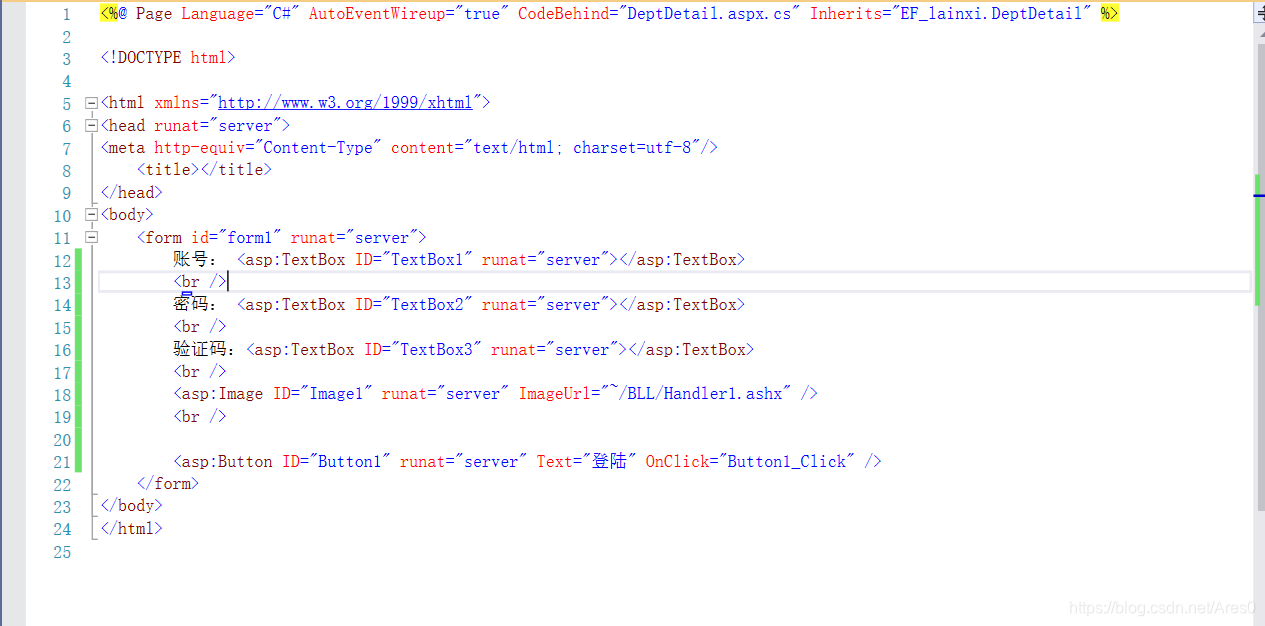
登陆页面的页面结构比较简单,没有写样式。
image标签的作用是用来显示验证码。
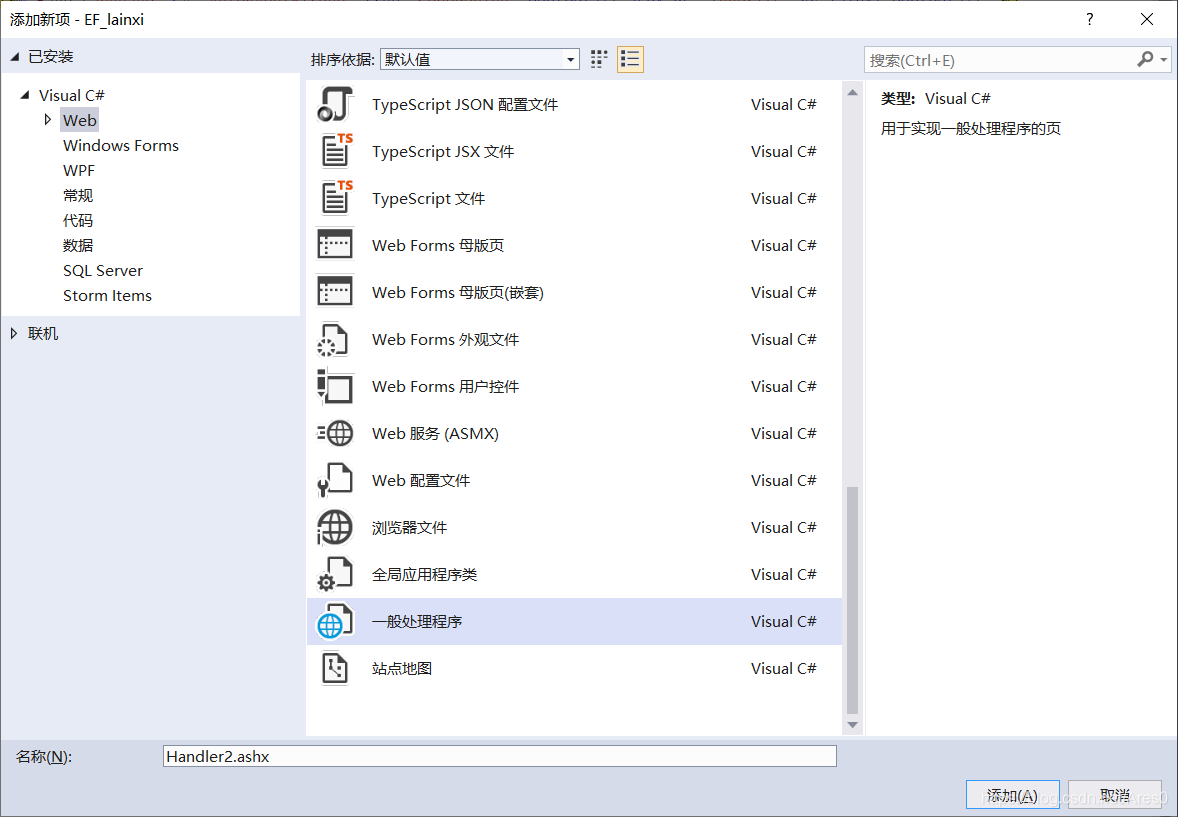
一般处理程序代码展示
using System;

using System.Collections.Generic;

using System.Drawing;

using System.Linq;

using System.Web;

using System.Web.SessionState;

namespace EF_lainxi.BLL

{

    /// <summary>

    /// Handler1 的摘要说明

    /// </summary>

    public class Handler1 : IHttpHandler, IRequiresSessionState

    {

        public void ProcessRequest(HttpContext context)

        {

            //颜色的集合

            Color[] colors = { Color.White };

            Image img = new Bitmap(100, 30);

            Graphics graphics = Graphics.FromImage(img);

            Random random = new Random(DateTime.Now.Millisecond);

            int charNum1 = random.Next(97, 122);

            int charNum2 = random.Next(97, 122);

            int charNum3 = random.Next(97, 122);

            int charNum4 = random.Next(97, 122);

            string validCode = string.Format($"{(char)charNum1}{(char)charNum2}{(char)charNum3}{(char)charNum4}");

            context.Session["yzm"] = validCode;

            Font font = new Font("宋体", 24);

            Brush brush1 = new SolidBrush(colors[random.Next(0, colors.Length - 1)]);

            graphics.DrawString(((char)charNum1).ToString(), font, brush1, 7, -3);

            Brush brush2 = new SolidBrush(colors[random.Next(0, colors.Length - 1)]);

            graphics.DrawString(((char)charNum2).ToString(), font, brush2, 26, -9);

            Brush brush3 = new SolidBrush(colors[random.Next(0, colors.Length - 1)]);

            graphics.DrawString(((char)charNum3).ToString(), font, brush3, 50, 0);

            Brush brush4 = new SolidBrush(colors[random.Next(0, colors.Length - 1)]);

            graphics.DrawString(((char)charNum4).ToString(), font, brush4, 70, -7);

            context.Response.ContentType = "image/jpeg";

            img.Save(context.Response.OutputStream, System.Drawing.Imaging.ImageFormat.Jpeg);

            graphics.Dispose();

            img.Dispose();

        }

        public bool IsReusable

        {

            get

            {

                return false;

            }

        }

    }

}
一般处理程序中用来创建一个验证码的图片显示到页面的image里。
页面成品展示
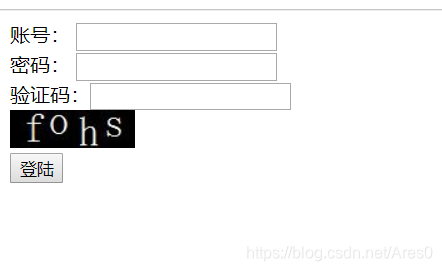
登陆页面代码展示
using EF_lainxi.DAL;

using System;

using System.Collections.Generic;

using System.Linq;

using System.Web;

using System.Web.UI;

using System.Web.UI.WebControls;

namespace EF_lainxi

{

    public partial class DeptDetail : System.Web.UI.Page

    {

        protected void Page_Load(object sender, EventArgs e)

        {

        }

        protected void Button1_Click(object sender, EventArgs e)

        {

            string yzm= Session["yzm"].ToString();

            if (yzm==TextBox3.Text)

            {

                if (TextBox1.Text!=null&&TextBox1.Text!=""&&TextBox2.Text!=null&&TextBox2.Text!="")

                {

                    //数据库的名字

                    using (Model2 db=new Model2())

                    {

                        var name = db.Users.FirstOrDefault(s => s.Name == TextBox1.Text);

                        if (name.Pwd==TextBox2.Text)

                        {

                        	//跳转到显示界面

                            Response.Redirect("xians.aspx");

                        }

                        else

                        {

                            string strUrl = "<script>alert('账号或密码错误');</script>";

                            Response.Write(strUrl);

                        }

                    }

                }

                else

                {

                    string strUrl = "<script>alert('账号或密码不能为空');</script>";

                    Response.Write(strUrl);

                }

            }

            else

            {

                string strUrl = "<script>alert('验证码不正确');</script>";

                Response.Write(strUrl);

            }

        }

    }

}
主要作用是进行了验证码的判断、账号密码的正确与否,成功跳转显示界面,错误进行提示。
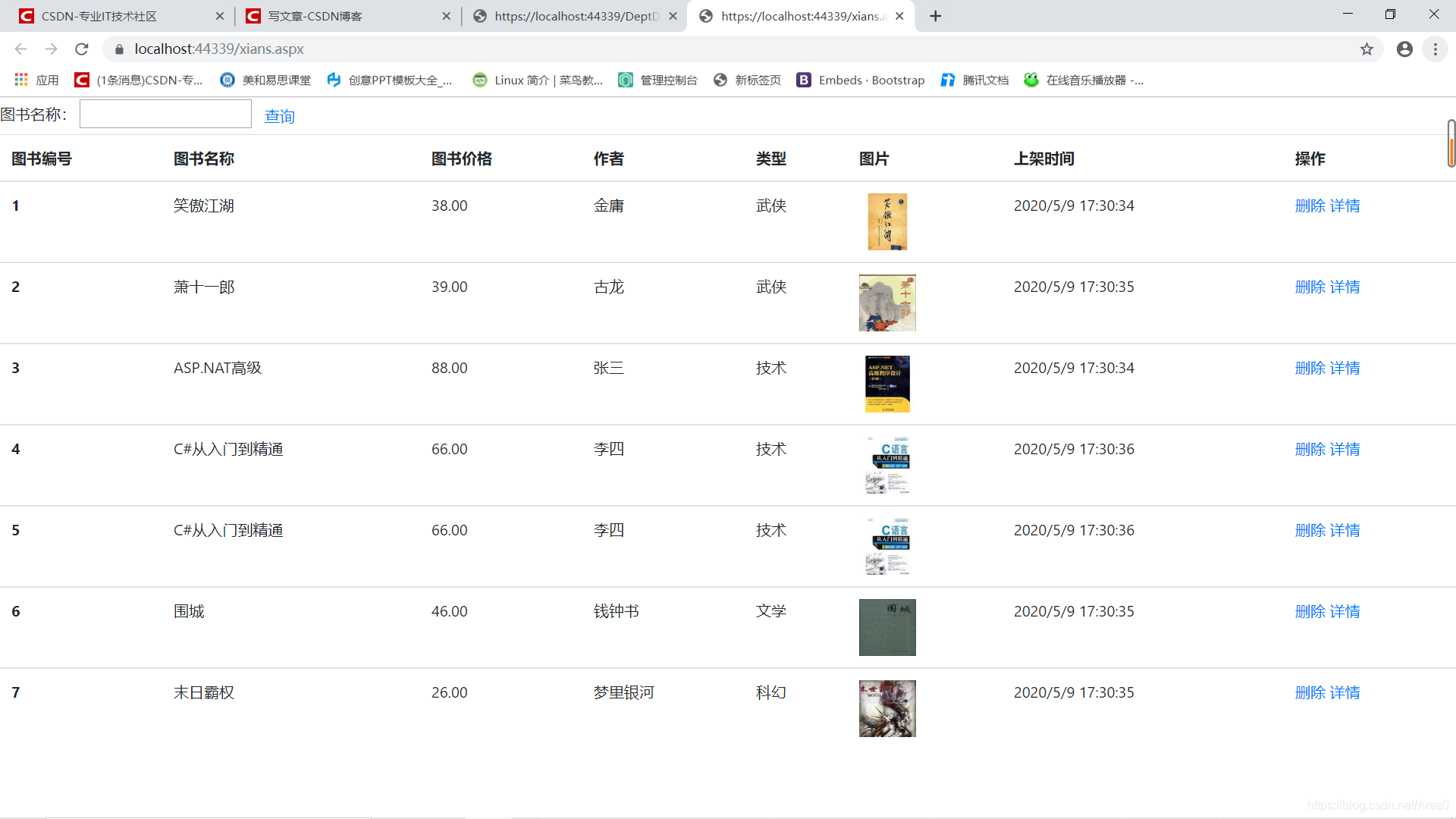
显示页面页面代码
<%@ Page Language="C#" AutoEventWireup="true" CodeBehind="xians.aspx.cs" Inherits="EF_lainxi.xians" %>

<!DOCTYPE html>

<html xmlns="http://www.w3.org/1999/xhtml">

<head runat="server">

<meta http-equiv="Content-Type" content="text/html; charset=utf-8"/>

    <title></title>

    <link rel="stylesheet" href="https://cdn.jsdelivr.net/npm/bootstrap@4.4.1/dist/css/bootstrap.min.css" integrity="sha384-Vkoo8x4CGsO3+Hhxv8T/Q5PaXtkKtu6ug5TOeNV6gBiFeWPGFN9MuhOf23Q9Ifjh" crossorigin="anonymous">

</head>

<body>

    <form id="form1" runat="server">

        <div>

            <div>

               图书名称: <asp:TextBox ID="TextBox1" runat="server"></asp:TextBox><asp:Button ID="Button1" runat="server" Text="查询"  CssClass="btn btn-link" OnClick="Button1_Click" /></div>

            <div>

                <table class="table">

                    <thead>

                        <tr>

                            <th scope="col">图书编号</th>

                            <th scope="col">图书名称</th>

                            <th scope="col">图书价格</th>

                            <th scope="col">作者</th>

                            <th scope="col">类型</th>

                            <th scope="col">图片</th>

                            <th scope="col">上架时间</th>

                            <th scope="col">操作</th>

                        </tr>

                    </thead>

                    <asp:Repeater ID="Repeater1" runat="server" OnItemCommand="Repeater1_ItemCommand">

                        <ItemTemplate>

                            <tbody>

                                <tr>

                                    <th scope="row"><%# Eval("BookId") %></th>

                                    <td><%# Eval("BookName") %></td>

                                    <td><%# Eval("Price") %></td>

                                    <td><%# Eval("BookAuthor") %></td>

                                    <td><%# Eval("TypeId.TyoeName") %></td>

                                    <td>

                                        <asp:Image ID="Image1" runat="server" ImageUrl='<%# "~/images/"+ Eval("Img") %>' Width="60" Height="60" /></td>

                                    <td><%# Eval("Addtime") %></td>

                                    <td>

                                        <asp:LinkButton ID="LinkButton1" runat="server" CommandArgument='<%# Eval("BookId") %>' CommandName="delete" OnClientClick="return confirm('确定删除吗?')">删除</asp:LinkButton>

                                        <asp:LinkButton ID="LinkButton2" runat="server" CommandArgument='<%# Eval("BookId") %>' CommandName="xainq">详情</asp:LinkButton>

                                    </td>

                                </tr>

                            </tbody>

                        </ItemTemplate>

                    </asp:Repeater>

                </table>

            </div>

        </div>

    </form>

       <script src="https://cdn.jsdelivr.net/npm/jquery@3.4.1/dist/jquery.slim.min.js" integrity="sha384-J6qa4849blE2+poT4WnyKhv5vZF5SrPo0iEjwBvKU7imGFAV0wwj1yYfoRSJoZ+n" crossorigin="anonymous"></script>

<script src="https://cdn.jsdelivr.net/npm/popper.js@1.16.0/dist/umd/popper.min.js" integrity="sha384-Q6E9RHvbIyZFJoft+2mJbHaEWldlvI9IOYy5n3zV9zzTtmI3UksdQRVvoxMfooAo" crossorigin="anonymous"></script>

</body>

</html>
显示页面后台代码
using EF_lainxi.DAL;

using System;

using System.Collections.Generic;

using System.Linq;

using System.Web;

using System.Web.UI;

using System.Web.UI.WebControls;

namespace EF_lainxi

{

    public partial class xians : System.Web.UI.Page

    {

        protected void Page_Load(object sender, EventArgs e)

        {

            if (!IsPostBack)

            {

                select();

            }

        }

        private void select()

        {

            using (Model2 db = new Model2())

            {

                var list = db.BookInfos.ToList();

                Repeater1.DataSource = list;

                Repeater1.DataBind();

            }

        }

        protected void Repeater1_ItemCommand(object source, RepeaterCommandEventArgs e)

        {

            string pand= e.CommandName;

            int id = Convert.ToInt32(e.CommandArgument);

            if (pand== "delete")

            {

                using (Model2 db = new Model2())

                {

                    var sc= db.BookInfos.FirstOrDefault(s => s.BookId == id);

                    db.BookInfos.Remove(sc);

                    db.SaveChanges();

                    select();

                }

            }

        }

        protected void Button1_Click(object sender, EventArgs e)

        {

            using (Model2 db = new Model2())

            {

                Repeater1.DataSource = db.BookInfos.Where(p => p.BookName.Contains(TextBox1.Text)).ToList();

                Repeater1.DataBind();

            }

        }

    }

}
登陆页面成品展示
注册页面代码
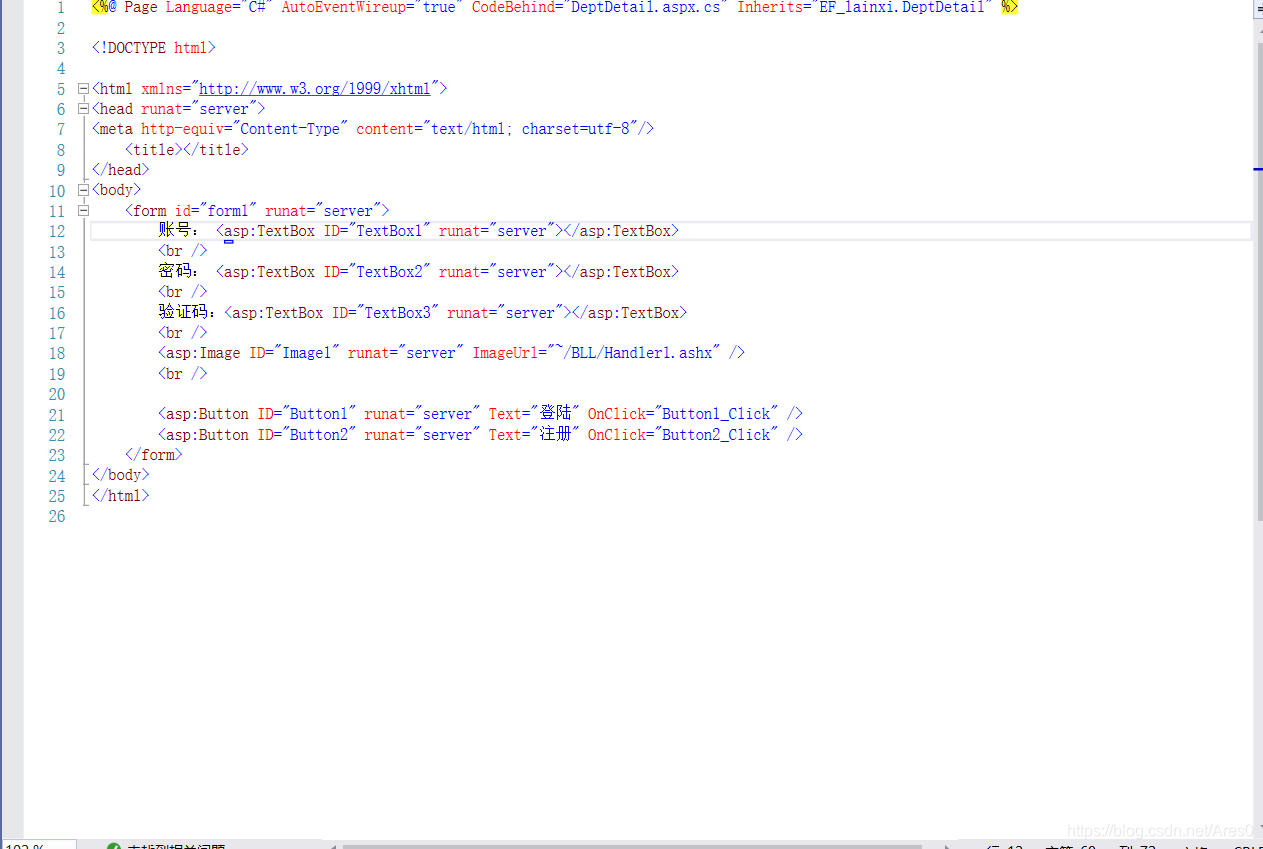
注册页面后台
using EF_lainxi.DAL;

using System;

using System.Collections.Generic;

using System.Linq;

using System.Web;

using System.Web.UI;

using System.Web.UI.WebControls;

namespace EF_lainxi

{

    public partial class DeptDetail : System.Web.UI.Page

    {

        protected void Page_Load(object sender, EventArgs e)

        {

        }

        protected void Button1_Click(object sender, EventArgs e)

        {

            string yzm= Session["yzm"].ToString();

            if (yzm==TextBox3.Text)

            {

                if (TextBox1.Text!=null&&TextBox1.Text!=""&&TextBox2.Text!=null&&TextBox2.Text!="")

                {

                    using (Model2 db=new Model2())

                    {

                        var name = db.Users.FirstOrDefault(s => s.Name == TextBox1.Text);

                        if (name.Pwd==TextBox2.Text)

                        {

                            Response.Redirect("xians.aspx");

                        }

                        else

                        {

                            string strUrl = "<script>alert('账号或密码错误');</script>";

                            Response.Write(strUrl);

                        }

                    }

                }

                else

                {

                    string strUrl = "<script>alert('账号或密码不能为空');</script>";

                    Response.Write(strUrl);

                }

            }

            else

            {

                string strUrl = "<script>alert('验证码不正确');</script>";

                Response.Write(strUrl);

            }

        }

        protected void Button2_Click(object sender, EventArgs e)

        {

            Response.Redirect("tianjia.aspx");

        }

    }

}
成功后跳转到登陆页面
Entity FrameWork操作数据库完成登陆、列表显示+验证码的更多相关文章
- Linq实战 之 Linq to Sql及Entity Framework操作详解
Linq实战 之 Linq to Sql及Entity Framework操作详解 一:linq to db的框架 1. linq to sql 2. linq to ado.net entity f ...
- 用Entity Framework往数据库插数据时,出现异常,怎么查看异常的详细信息呢?
做项目时,在用Entity Framework往数据库插数据时,程序报异常,但是通过报的异常死活没法查看异常的详细信息.这让人很是烦恼.本着自己动手丰衣足食的原则,通过查看资料终于找到了显示异常详细信 ...
- entity framework 删除数据库出现错误的解决方法--最土但是很有效的方法
无法删除数据库,因为该数据库当前正在使用. public ChinaerContext() : base("name=ContextConn") { // Database.Set ...
- ASP.NET MVC+Entity Framework 访问数据库
Entity Framework 4.1支持代码优先(code first)编程模式:即可以先创建模型类,然后通过配置在EF4.1下动态生成数据库. 下面演示两种情形: 1.代码优先模式下,asp.n ...
- Entity FrameWork初始化数据库的四种策略
程序猿就是苦逼,每天还得分出一些时间去写博文.天真的很热,今天就随便写一点啦! 1.EF初始化数据库的四中策略 EF可以根据项目中的模型自动创建数据库.下面我们就分类看看Entity Framewor ...
- EF ( Entity Framework) 操作ArcCataLog 生成的(Sql Server)空间数据库
因为项目需求,现在需要利用EF 操作由Arccatalog生成的sql server空间数据库..在此之前,一直没有接触过空间数据库,在操作空间数据库时 绕了许多弯... 因此写一篇随笔做一个总结. ...
- Entity FrameWork 操作使用详情
Entity FrameWork 是以ADO.net为基础发展的ORM解决方案. 一.安装Entity FrameWork框架 二.添加ADO.Net实体数据模型 三.EF插入数据 using Sys ...
- Entity framework Core 数据库迁移
本文转自https://www.cnblogs.com/zmaiwxl/p/9454177.html 初始化数据库 1.添加初始迁移 Add-Migration init 向“迁移”目录下的项目添加以 ...
- VS2010 中 Entity Framework 多数据库并存方法
选中相应数据库生成的 *.edmx文件,然后在属性中找到“自定义工具命名空间”,为每个EF数据集设置不同的命名空间,这样每个数据库生成的代码就会被隔离在不同的命名空间,即使同名类型也就不会相互影响了.
随机推荐
- webpack 和 webpack-cli 安装和使用中出现的问题
因为国内防火墙的原因,建议首先安装 cnpm: 使用 npm install cnpm -g 或者 npm install -g cnpm --registry=https://registry.np ...
- Day_09【常用API】扩展案例8_计算字符'j'和字符串'java'在字符串中出现的次数
需求说明 定义如下字符串: String str = "javajfiewjavajfiowfjavagkljjava"; 请分别定义方法统计出: 1.字符串中:字符j的数量 2. ...
- 【Hadoop离线基础总结】Yarn集群的资源调度
Yarn集群的资源调度 介绍 概述 Yarn是 Hadoop 2.x 引入的新的资源管理系统模块,主要用于管理集群当中的资源(主要是服务器的各种硬件资源,比如内存.CPU等),它不光管理硬件资源,还管 ...
- [NBUT 1458 Teemo]区间第k大问题,划分树
裸的区间第k大问题,划分树搞起. #pragma comment(linker, "/STACK:10240000") #include <map> #include ...
- HDU 2009 (水)
题目链接:http://acm.hdu.edu.cn/showproblem.php?pid=2009 题目大意:数列的第一项为n,以后各项为前一项的平方根,求数列的前m项的和 解题思路: 用好sqr ...
- js判断数组(数组对象)中是否存在指定的值,如果存在就删除
数组中是否存在指定值,存在就删除 var str = ["a", "b", "c"]; var index = str.indexOf(&q ...
- 分布式文件存储库MinIO可还行?
在传统的单体应用架构中,一个应用程序对应一台服务器,提供单进程服务. 但是随着业务的升级,技术的更新迭代,分布式.集群架构.微服务等现已俨然成为主流. 几乎所有的项目都会与文件挂钩,例如OA系统的报表 ...
- 减少 zabbix 频繁报警
一直以来困扰的我问题是,触发器一旦触发,便会猛报警,如果你设置了email ,你的邮箱绝对会爆掉. 今天终于找到了方案,很简单,就是增加action 的steps ,从一个增加到default dur ...
- ES6常见面试题
1.es5和es6的区别,说一下你所知道的es6 ECMAScript5,即ES5,是ECMAScript的第五次修订,于2009年完成标准化 ECMAScript6,即ES6,是ECMAScript ...
- python3.x 基础八:socket网络编程
Socket socket就是一直以来说的“套接字”,用于描述:ip:端口,是通信链的句柄,客户端通过这个句柄进行请求和响应 普通文件的操作顺序:打开-读写-关闭,针对的是文件 socket是特殊的文 ...