
android入门:activity之间跳转,并且回传参数
介绍:
<?xml version="1.0" encoding="utf-8"?>

<LinearLayout xmlns:android="http://schemas.android.com/apk/res/android"

    android:layout_width="match_parent"

    android:layout_height="match_parent"

    android:orientation="horizontal">

    <EditText

        android:id="@+id/edit_message"

        android:layout_weight="1"

        android:layout_width="0dp"

        android:layout_height="wrap_content"

        android:text="Hello World!" />

    <Button

        android:id="@+id/send_message"

        android:layout_width="wrap_content"

        android:layout_height="wrap_content"

        android:text="Send"

        android:onClick="sendMessage"

        />

        <!--定义onclick函数-->

</LinearLayout>
package com.example.administrator.helloworld;

import android.content.Intent;

import android.support.v7.app.AppCompatActivity;

import android.os.Bundle;

import android.util.Log;

import android.view.View;

import android.widget.EditText;

public class MainActivity extends AppCompatActivity {

    //发送Intent对应字符串内容的key

    public  static  final String Intent_key="MESSAGE";

    //EditText

    private EditText editText =null;

    private void initView(){

        editText= (EditText) findViewById(R.id.edit_message);

    }

    @Override

    protected void onCreate(Bundle savedInstanceState) {

        super.onCreate(savedInstanceState);

        //设置布局

        setContentView(R.layout.activity_main);

        initView();

    }

    //发送消息,启动secondActivity!

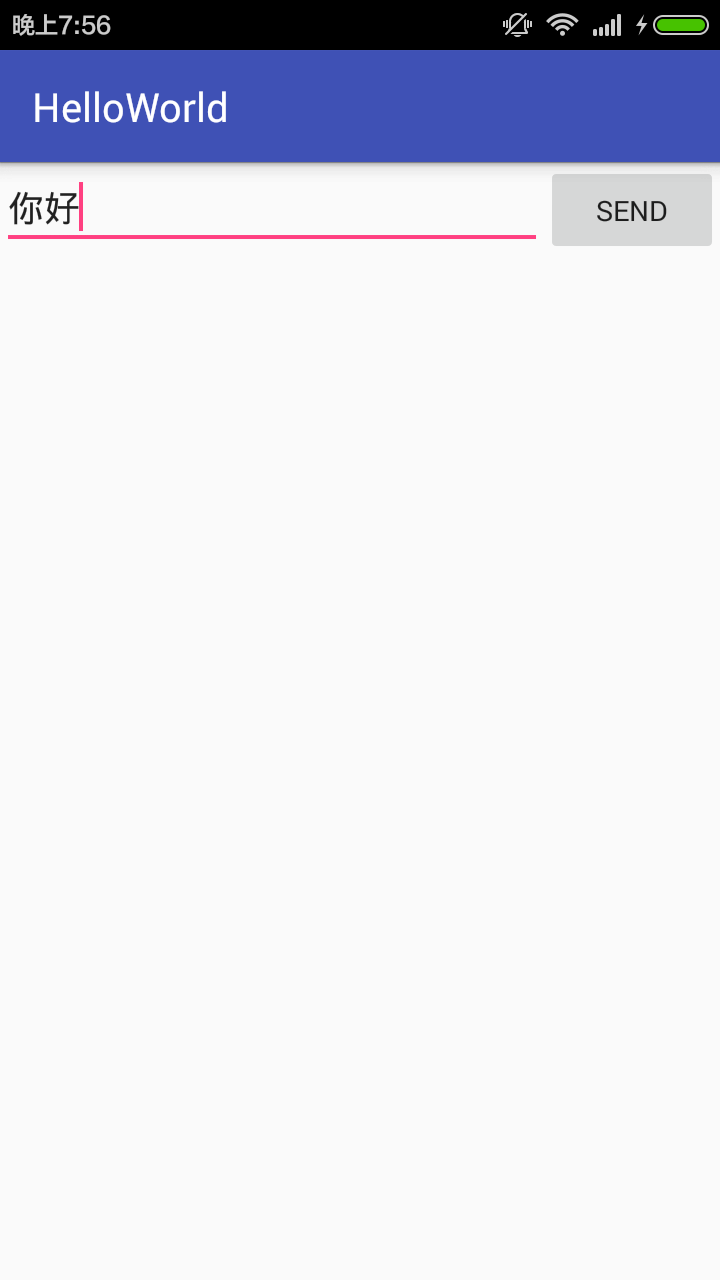
    public void sendMessage(View view){

        Intent intent = new Intent(this,secondActivity.class);

        String text =editText.getText().toString();

        intent.putExtra(Intent_key,text);

        startActivityForResult(intent,0);//此处的requestCode应与下面结果处理函中调用的requestCode一致

    }

    //结果处理函数,当从secondActivity中返回时调用此函数

    @Override

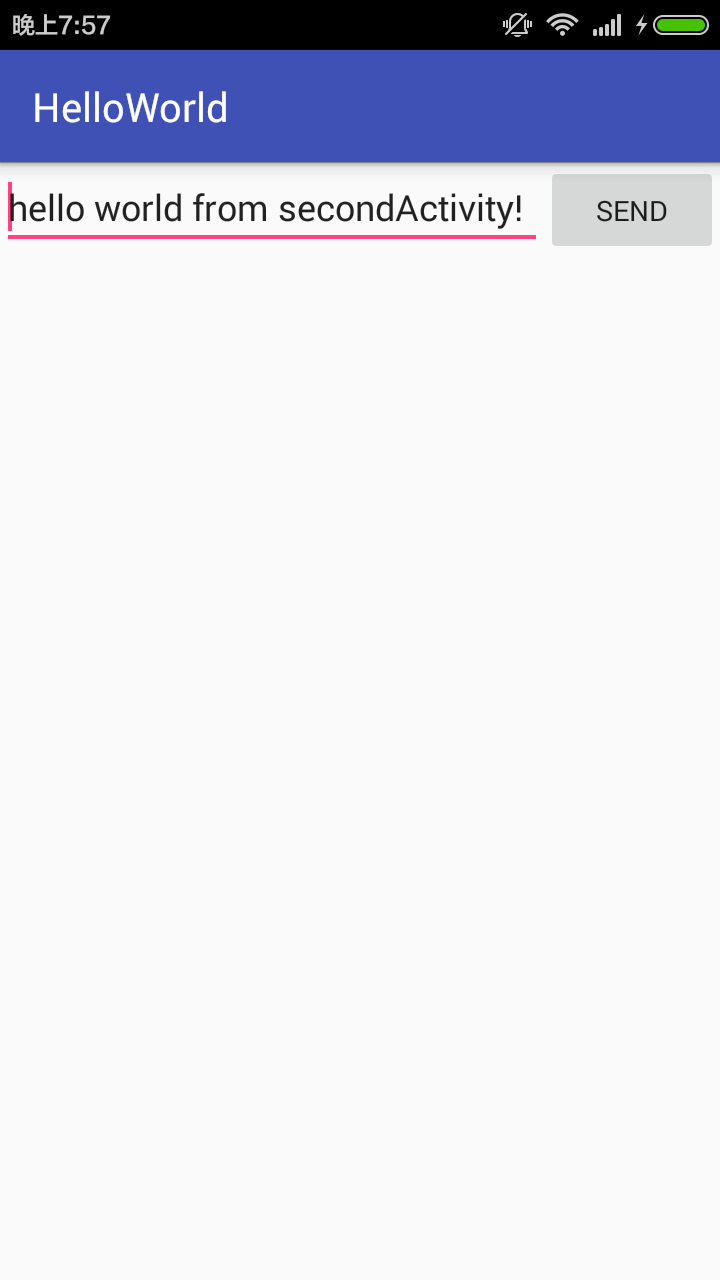
    protected void onActivityResult(int requestCode, int resultCode, Intent data) {

        super.onActivityResult(requestCode, resultCode, data);

        if(requestCode==0 && resultCode==RESULT_OK){

            Bundle bundle = data.getExtras();

            String text =null;

            if(bundle!=null)

                text=bundle.getString("second");

            Log.d("text",text);

            editText.setText(text);

        }

    }

}
<?xml version="1.0" encoding="utf-8"?>

<LinearLayout xmlns:android="http://schemas.android.com/apk/res/android"

    android:orientation="vertical"

    android:layout_width="match_parent"

    android:layout_height="match_parent">

    <TextView

        android:id="@+id/textView"

        android:layout_width="fill_parent"

        android:layout_height="50dp"

        />

    <Button

        android:id="@+id/button"

        android:layout_width="wrap_content"

        android:layout_height="wrap_content"

        android:hint="点击按钮返回"

        />

</LinearLayout>
package com.example.administrator.helloworld;

import android.content.Intent;

import android.support.v7.app.AppCompatActivity;

import android.os.Bundle;

import android.view.View;

import android.widget.Button;

import android.widget.TextView;

import android.view.View.OnClickListener;

public class secondActivity extends AppCompatActivity {

    private Button button=null;

    private TextView textView =null;

    //设置类ButtonListener实现接口,OnClickListener,在其中可以指定不同id的button对应不同的点击事件

    //可以借此将代码抽出来,提高代码的可阅读性

    private class ButtonListener implements OnClickListener {

        @Override

        public void onClick(View v) {

            switch (v.getId()){

                case R.id.button:

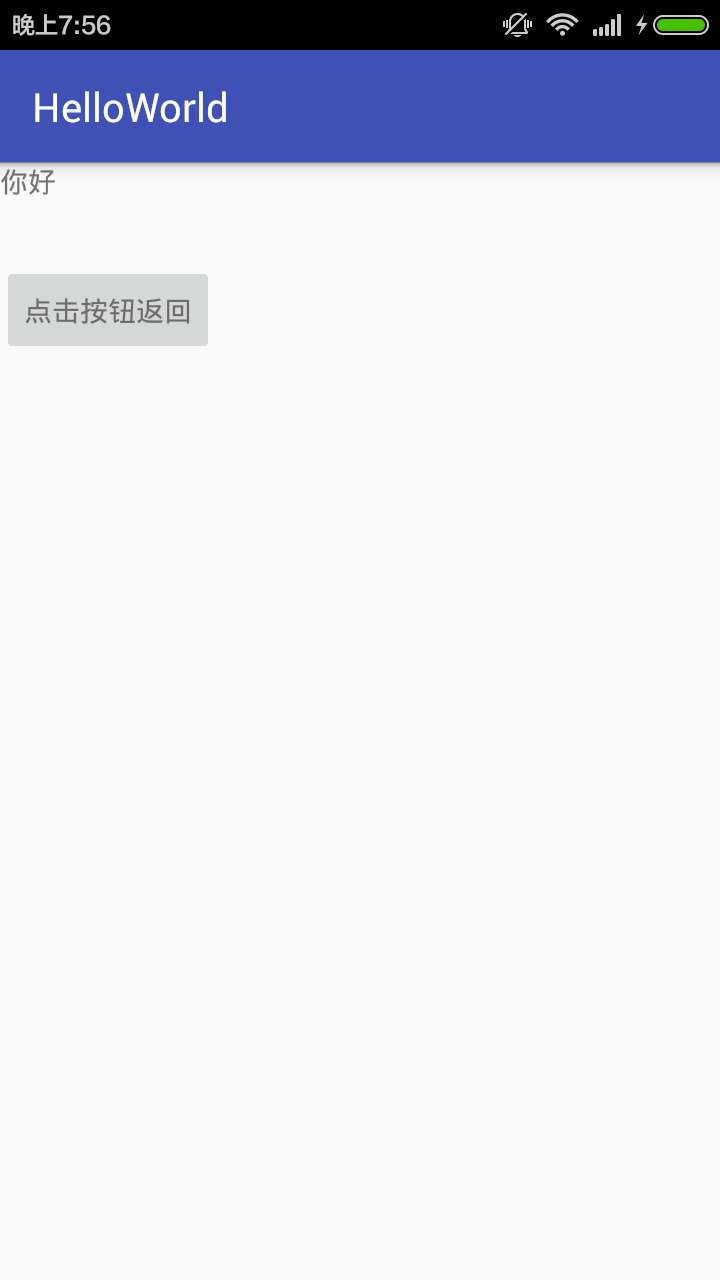
                    Intent intent =getIntent();

                    //这里使用bundle绷带来传输数据

                    Bundle bundle =new Bundle();

                    //传输的内容仍然是键值对的形式

                    bundle.putString("second","hello world from secondActivity!");//回发的消息,hello world from secondActivity!

                    intent.putExtras(bundle);

                    setResult(RESULT_OK,intent);

                    finish();

                    break;

            }

        }

    }

    //初始化View

    public void initView(){

        button= (Button) findViewById(R.id.button);

        textView= (TextView) findViewById(R.id.textView);

        button.setOnClickListener(

                new ButtonListener()

        );

        Intent intent =getIntent();

        String text =intent.getStringExtra(MainActivity.Intent_key);

        textView.setText(text);

    }

    @Override

    protected void onCreate(Bundle savedInstanceState) {

        super.onCreate(savedInstanceState);

        setContentView(R.layout.second_activity);

        initView();

    }

}
android入门:activity之间跳转,并且回传参数的更多相关文章
- Android之Activity之间跳转
本人自学Android,想到什么就写点什么.主要是怕忘了,哈哈~请观者不要建议~ 今天写点Android窗口之间的跳转以及自己理解: 1.Android中窗口之间的跳转,就是Activity之间的跳转 ...
- Android:Activity之间跳转和参数传递
一个activity就好比一个网页,此文章讲解怎样创建一个activity并且实现跳转! 一.学习创建Activity 1.新建一个java类,右击src目录,选择new-->class,新的a ...
- android入门——Activity(2)
主要内容:一.IntentFlag 二.简单复杂数据传递 三.数据回传 四.打开系统界面 五.IntentFilter匹配 一.IntentFlag 复制一段内容 来源 http://i ...
- 从Android中Activity之间的通信说开来[转]
http://www.cnblogs.com/virusswb/archive/2011/08/02/2124824.html 引言 最近两个星期在研究android的应用开发,学习了android应 ...
- Android中Activity之间的数据传递
在开发中,我们经常涌用到Activity,那么既然用到了Activity,就一定免不了在两个或者多个Activity之间传递数据.这里我们先说一说原理,然后在看看代码和例子. 情况A:我们需要从Act ...
- Android之Activity之间传递对象
在非常多时候,我们须要在Activity之间传递对象,比方当你点击了某列表的item,须要传递给下一个Activity该对象,那我们须要该怎么做呢? Android支持两种传递对象的方式.一种是bun ...
- 大叔也说Xamarin~Android篇~Activity之间传递数组
回到目录 我们在开发应用程序时,不可能只使用一个Layout或者一个Activity,比如你个管理系统,要求用户先登陆然后再使用,这时你至少要有两个activity吧,先登陆一个,然后成功后需要跳到别 ...
- Android课程---Activity的跳转与传值(转自网上)
Activity跳转与传值,主要是通过Intent类来连接多个Activity,以及传递数据. Intent是Android一个很重要的类.Intent直译是“意图”,什么是意图呢?比如你想从这个 ...
- android入门——Activity(1)
结构图 mainfests文件夹下面有一个AndroidMainfest.xml文件,类似web开发中的web.xml文件负责整个项目的配置,每当我们新建一个activity,都要在这个文件中进行配置 ...
随机推荐
- 使用print2flash开发在线文档
www.print2flash.com 命令行调用: A:\Program Files (x86)\Print2Flash3>p2fServer.exe a.pdf a.swf
- ratingbar设置不可调节星星数量
<RatingBar android:id="@+id/rb_bar" android:layout_width="wrap_content" andro ...
- hibernate事务并发问题(脏读,不可重复读,幻读)
脏读 dirty read: 读了别的事务没有提交的事务, 可能回滚, 数据可能不对. 不可重复读 non repeatable read: 同一个事务里前后读出来的数据不一样, 被另一个事务影响 ...
- Entity Framework 学习初级篇5--ObjectQuery查询及方法
ObjectQuery 类支持对 实体数据模型 (EDM) 执行 LINQ to Entities 和 Entity SQL 查询.ObjectQuery 还实现了一组查询生成器方法,这些方法可用于按 ...
- 转 android学习—— context 和 getApplicationContext()
在android中常常会遇到与context有关的内容 浅论一下context : 在语句 AlertDialog.Builder builder = new AlertDialog.Builder( ...
- Ubuntu新建用户
新建用户的命令是useradd,修改密码是passwd,如下: sudo useradd linc sudo passwd linc 但是问题出现了,home目录下并没有相对应的linc目录. 原来u ...
- regress_partition.sql
--ENV --UAT @/test/change/env/env_test_uat.sql set echo on time on timing on set feedback on set pag ...
- Quartz 2D 初步
转载自:http://www.cofcool.net/development/2015/06/17/ios-study-note-six-Quartz2D/ Quartz 2D是一个二维绘图引擎,同时 ...
- php查找文件内容
<meta http-equiv="Content-Type" content="text/html; charset=UTF-8"><?ph ...
- Ant自动构建
Ant+jenkins+tomcat <project name="buildWar" default="clean"> <property ...