
Cesium - Fabric 材质【转官网】
https://github.com/AnalyticalGraphicsInc/cesium/wiki/Fabric
Fabric
Contents
- Introduction
- Built-In Materials
- Creating New Materials
- Fabric Schema
- Materials in the Rendering Pipeline
Introduction
Fabric is a JSON schema for describing materials in Cesium. Materials represent the appearance of an object such as polygons, polylines, ellipsoids, and sensors.
Materials can be as simple as draping an image over an object, or applying a pattern such as stripes or a checkerboard. Using Fabric and GLSL, new materials can be scripted from scratch or created by combining existing materials in a hierarchy; for example, wet crumbling bricks can be created with a combination of procedural brick, bump map, and specular map materials.
Objects that support materials have a material property. Currently, these objects are polygons, polylines, ellipsoids, and sensors. Materials are applied by assigning to the object's materialproperty.
polygon.material = Material.fromType('Color');
Above, Color is a built-in material which represents a single color, including alpha.Material.fromType is shorthand; the entire Fabric JSON can also be provided.
polygon.material = new Cesium.Material({

  fabric : {

    type : 'Color'

  }

});
Each material has zero or more uniforms, which are input parameters that can be specified when creating the material and modified after. For example, Color has a color uniform with red, green, blue, and alpha components.
polygon.material = new Cesium.Material({

  fabric : {

    type : 'Color',

    uniforms : {

      color : new Cesium.Color(1.0, 0.0, 0.0, 0.5)

    }

  }

});

// Change from translucent red to opaque white

polygon.material.uniforms.color = Cesium.Color.WHITE;
Built-In Materials
Cesium has several built-in materials. Two widely used ones are:
| Name | Screenshot | Description |
|---|---|---|
Color |
 |
A single color, including alpha for translucency. |
Image |
 |
An image with or without an alpha channel such as .png or .jpg; a combination of diffuse, rgb, and alpha, a, components. |
All built-in materials can be created similar to how we used Color above. For example:
polygon.material = Material.fromType('Image');

polygon.material.uniforms.image = 'image.png';
or
polygon.material = new Cesium.Material({

  fabric : {

    type : 'Image',

    uniforms : {

      image : 'image.png'

    }

  }

});
Procedural Textures
Procedural texture materials procedurally compute patterns on the GPU so they do not rely on external image files. They represent both diffuse and alpha components.
| Name | Screenshot | Description |
|---|---|---|
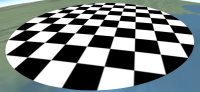
Checkerboard |
 |
Checkerboard with alternating light and dark colors. |
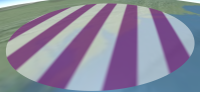
Stripe |
 |
Alternating light and dark horizontal or vertical stripes |
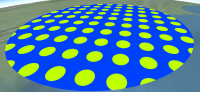
Dot |
 |
A pattern of dots organized by row and column. |
Grid |
 |
A grid of lines, useful for displaying 3D volumes. |
Base Materials
Base materials represent fine-grain fundamental material characteristics, such as how much incoming light is reflected in a single direction, i.e., the specular intensity, or how much light is emitted, i.e., the emission. These materials can be used as is, but are more commonly combinedusing Fabric to create a more complex material.
| Name | Screenshot | Description |
|---|---|---|
DiffuseMap |
 |
An image with vec3 components defining incoming light that scatters evenly in all directions. |
SpecularMap |
 |
An image with a scalar component defining the intensity of incoming light reflecting in a single direction. This is used to make parts of the surface shiny, e.g., water vs. land. |
AlphaMap |
 |
An image with a scalar component defining the opacity of the material. This is used to make parts of the surface translucent or transparent, e.g., a fence. |
NormalMap |
 |
An image with vec3 components defining the surface's normal in tangent coordinates. Normal mapping is used to add surface detail without adding geometry. |
BumpMap |
 |
An image with a scalar component defining heights. Like normal mapping, bump mapping is used to add surface detail without adding geometry by perturbing the normal based on differences in adjacent image pixels. |
EmissionMap |
 |
An image with vec3 components defining light emitted by the material equally in all directions, e.g., lights in a long hallway. |
Polyline Materials
Polyline materials are materials that can only be added to lines.
| Name | Screenshot | Description |
|---|---|---|
PolylineArrow |
 |
Places an arrow head at the end point of a line. |
PolylineGlow |
 |
Makes glowing lines. |
PolylineOutline |
 |
Line outline. |
Misc Materials
There are a few materials that do not fit into any other category.
| Name | Screenshot | Description |
|---|---|---|
Water |
 |
Animating water with waves and ripples. |
RimLighting |
 |
Highlights the rim or silhouette. |
For more materials, see the Cesium Materials Plugin.
Common Uniforms
Many materials have a image uniform, which is an image URL or data URI.
polygon.material.uniforms.image = 'image.png';

polygon.material.uniforms.image = 'data:image/png;base64,iVBORw0KGgoAAAANSUhEUgAAABAAAAAQCAYAAAAf8/9hAAAAAXNSR0IArs4c6QAAAARnQU1BAACxjwv8YQUAAAAJcEhZcwAADsMAAA7DAcdvqGQAAAC/SURBVDhPrZPRDYQgEEQpjVKuFEvhw0IoxU6QgQwMK+vdx5FsooT3GHdjCM4qZnnnHvvkYoxFi/uvIhwiRCClXFC6v5UQ1uQAsbrkHCLsbaPjFgIzQQc1yUOwu33ePGE3BQUaee2BpjhbP5YUmkAlbNzsAURfBDqJnMIyyv4JjsCCgCnIR32uZUfcJuGBOwEk6bOKhoAADh31EIq3MgFg1mgkE1BA2AoUZoo2iZ3gyqGgmMDC/xWwkfb3/eUd7A1v3kxjNW9taQAAAABJRU5ErkJggg=='
Some materials, such as Diffuse and NormalMap require images with three components per pixel; other materials, such as Specular and Alpha, require one component. We can specify what channels (and in what order) these components are pulled from when creating a material using the channels or channel string uniform. For example, by default in the Specular material, the specular component is taken from the r channel. However, we can change that:
polygon.material = new Cesium.Material({

  fabric : {

    type : 'SpecularMap',

    uniforms : {

      image : 'specular.png',

      channel : 'a'

    }

  }

});
This allows packing data for multiple materials into the same image, e.g., storing diffuse components as rgb and specular components as a in the same image. Under the hood, the image will also be loaded once.
Materials that use images often have a repeat uniform that controls the number of times the image repeats horizontally and vertically. This can be useful for tiling images across a surface.
polygon.material = new Cesium.Material({

  fabric : {

    type : 'DiffuseMap',

    uniforms : {

      image : 'diffuse.png',

      repeat : {

        x : 10,

        y : 2

      }

    }

  }

});
Creating New Materials
New materials are created using Fabric, a bit of GLSL, and potentially other materials.
If a material is not going to be reused, it can be created without a type.
var fabric = {

   // no type

   // ...rest of fabric JSON

};

polygon.material = new Cesium.Material({

  fabric : fabric

});
When a non-existing type is used, the material is cached during the first call to new Cesium.Material, and later calls to new Cesium.Material or Material.fromType can reference the material as if it were a built-in material, i.e., they don't need to provide the full Fabric, just the typeand any uniforms they want to set.
var fabric = {

   type : 'MyNewMaterial',

   // ...rest of fabric JSON

};

polygon.material = new Cesium.Material({

  fabric : fabric

});

// ... later calls just use the type.

anotherPolygon.material = Material.fromType('MyNewMaterial');
Components
Perhaps the simplest interesting material is one that reflects white in all directions:
var fabric = {

  components : {

    diffuse : 'vec3(1.0)'

  }

}
A slightly more complicated example adds a specular component so that the material's reflected light is most intense when viewed straight down, and becomes less intense as viewed edge-on.
{

  components : {

    diffuse : 'vec3(0.5)',

    specular : '0.1'

  }

}
The components property contains sub-properties that define the appearance of the material. The value of each sub-property is a GLSL code snippet, hence the vec3(0.5) above, which creates a 3D vector with each component set to 0.5. These have access to all GLSL functions like mix, cos, texture2D, etc. There are five sub-properties.
| Name | Default | Description |
|---|---|---|
diffuse |
'vec3(0.0)' |
The diffuse component of this material. The diffuse component is a vec3 defining incoming light that scatters evenly in all directions. |
specular |
0.0 |
The specular component of this material. The specular component is a float defining the intensity of incoming light reflecting in a single direction. |
shininess |
1.0 |
The sharpness of the specular reflection. Higher values create a smaller, more focused specular highlight. |
normal |
The normal component of this material. The normal component is a vec3 defining the surface's normal in eye coordinates. It is used for effects such as normal mapping. The default is the surface's unmodified normal. |
|
emission |
'vec3(0.0)' |
The emission component of this material. The emission component is a vec3 defining light emitted by the material equally in all directions. The default is vec3(0.0), which emits no light. |
alpha |
1.0 |
The alpha component of this material. The alpha component is a float defining the opacity of this material. 0.0 is completely transparent; 1.0 is completely opaque. |
Together, these sub-properties, or components define the characteristics of the material. They are the output of the material, and the input to the lighting system.
Source
An alternative to the components property that provides more flexibility is to provide complete GLSL source for a function, czm_getMaterial, that returns the material's components. The signature is:
struct czm_materialInput

{

  float s;

  vec2 st;

  vec3 str;

  mat3 tangentToEyeMatrix;

  vec3 positionToEyeEC;

  vec3 normalEC;

};

struct czm_material

{

  vec3 diffuse;

  float specular;

  float shininess;

  vec3 normal;

  vec3 emission;

  float alpha;

};

czm_material czm_getMaterial(czm_materialInput materialInput);
The simplest possible implementation is to return the default for each component.
czm_material czm_getMaterial(czm_materialInput materialInput)

{

    return czm_getDefaultMaterial(materialInput);

}
The Fabric looks like:
{

  source : 'czm_material czm_getMaterial(czm_materialInput materialInput) { return czm_getDefaultMaterial(materialInput); }'

}
Our example material above that sets diffuse and specular components can be implemented as:
czm_material czm_getMaterial(czm_materialInput materialInput)

{

    czm_materialInput m = czm_getDefaultMaterial(materialInput);

    m.diffuse = vec3(0.5);

    m.specular = 0.5;

    return m;

}
Using source instead of components is more verbose, but provides more flexibility, including the ability to share common computations for different components and to make utility functions. A rule of thumb is to use the components property unless the flexibility of explicitly implementing czm_getMaterial is needed. Under the hood, the components sub-properties are used to implement czm_getMaterial. In both cases, we have access to GLSL built-in functions and Cesium provided built-in GLSL functions, uniforms, and constants.
Input
The materialInput variable is available in both source and components. It has the following fields that can be used to compute material components.
| Name | Type | Description |
|---|---|---|
s |
float |
A 1D texture coordinate. |
st |
vec2 |
2D texture coordinates. |
str |
vec3 |
3D texture coordinates. The 1D, 2D, and 3D texture coordinates are not necessarily proper subsets of each other, e.g., str.st == st and st.s == s are not guaranteed. For example, for an ellipsoid, s might go from bottom to top; st might be longitude and latitude; and str might be along the axes of the bounding box. |
tangentToEyeMatrix |
mat3 |
A transformation matrix from the fragment's tangent space to eye coordinates, for normal mapping, bump mapping, etc. |
positionToEyeEC |
vec3 |
A vector from the fragment to the eye in eye coordinates, for reflection, refraction, etc. The magnitude is the distance in meters from the fragment to the eye. |
normalEC |
vec3 |
The fragment's normal (normalized) in eye coordinates, for bump mapping, reflection, refraction, etc. |
A simple material that visualizes the st texture coordinates is:
{

  components : {

    diffuse : 'vec3(materialInput.st, 0.0)'

  }

}
Similarly, we can visualize the normal in eye coordinates by setting diffuse to materialInput.normalEC.
In addition to materialInput, materials have access to uniforms, both Cesium provided built-in uniforms and uniforms specific to the material. For example, we can implement our own Colormaterial by setting the diffuse and alpha components based on a color uniform.
{

  type : 'OurColor',

  uniforms : {

    color : new Color(1.0, 0.0, 0.0, 1.0)

  },

  components : {

    diffuse : 'color.rgb',

    alpha : 'color.a'

  }

}
In Fabric, the uniform property's sub-properties are the names of the uniforms in GLSL and the JavaScript object returned from new Material and Material.fromType. The sub-properties's values (for scalars) or sub-properties (for vectors) are the value of the uniform.
We can implement our own DiffuseMap material by using an image uniform:
{

  type : 'OurDiffuseMap',

  uniforms : {

    image : 'czm_defaultImage'

  },

  components : {

    diffuse : 'texture2D(image, materialInput.st).rgb'

  }

}
Above, 'czm_defaultImage' is a placeholder 1x1 image. As discussed earlier, this can also be an image URL or data URI. For example, a user would create an OurDiffuseMap like:
polygon.material = Material.fromType('OurDiffuseMap');

polygon.material.uniforms.image = 'diffuse.png';
There is also a cube-map placeholder, czm_defaultCubeMap. The standard GLSL uniform types, float, vec3, mat4, etc. are supported. Uniform arrays are not supported yet, but are on the roadmap.
Combining Materials
So far, we can use the built-in materials, or create our own by using Fabric to specify the material's components or full GLSL source. We can also build materials from existing materials (recursively) forming a hierarchy of materials.
Fabric has a materials property where the value of each sub-property is Fabric, i.e., a material. These materials can be referenced in the components and source properties so they can be built upon. For example, a material representing plastic can be implemented with a DiffuseMap and SpecularMap.
{

  type : 'OurMappedPlastic',

  materials : {

    diffuseMaterial : {

      type : 'DiffuseMap'

    },

    specularMaterial : {

      type : 'SpecularMap'

    }

  },

  components : {

      diffuse : 'diffuseMaterial.diffuse',

      specular : 'specularMaterial.specular'

  }

};
This material has diffuse and specular components that pull values from materials in the materials property. The sub-materials are named diffuseMaterial and specularMaterial(created from types DiffuseMap and SpecularMap; do not confuse the name - the instance - and the type - the class so to speak). In the components and source properties, sub-materials are accessed by name as if they were an czm_material structure, hence the .diffuse and .specularfield accesses above.
Given this Fabric, our material can be used like other materials.
var m = Material.fromType('OurMappedPlastic');

polygon.material = m;

m.materials.diffuseMaterial.uniforms.image = 'diffuseMap.png';

m.materials.specularMaterial.uniforms.image = 'specularMap.png';
TODO: links to reference doc.
TODO: links to Sandcastle.
TODO: need simple but inspiring examples of writing custom materials with Fabric.
Fabric Schema
A JSON Schema for Fabric is in the Cesium repo. This details all Fabric properties and sub-properties, including type, materials, uniforms, components, and source. There are several JSON examples showing the schema, but not necessarily interesting visuals.
In addition to more rigorous Fabric documentation, the schema can be used to validate Fabric using a tool like JSV.
Materials in the Rendering Pipeline
Objects like Polygon, PolylineCollection, Ellipsoid, CustomSensorVolume, etc. integrate with the material system to support materials. Most users will simply assign to their material property and be done. However, users writing custom rendering code may also want to integrate with materials. Doing so is straightforward.
From the rendering perspective, a material is a GLSL function, czm_getMaterial, and uniforms. The fragment shader needs to construct an czm_MaterialInput, call czm_getMaterial, and then pass the resulting czm_material to the lighting function to compute the fragment's color.
In JavaScript, the object should have a public material property. When this property changes, the update function should prepend the material's GLSL source to the object's fragment shader's source, and combine the uniforms of the object and the material.
var fsSource =

  this.material.shaderSource +

  ourFragmentShaderSource;

this._drawUniforms = combine([this._uniforms, this.material._uniforms]);
---------------------------------------------------------------------------------------------------
Cesium默认提供了十八个类型Type:
- Color
- Image
- DiffuseMap
- AlphaMap
- SpecularMap
- EmissionMap
- BumpMap
- NormalMap
- Grid
- Stripe
- Checkerboard
- Dot
- Water
- RimLighting
- Fade
- PolylineArrow
- PolylineGlow
- PolylineOutline
当然,Cesium支持多个Type的叠加效果,如下是DiffuseMap和NormalMap的一个叠加,components中指定material中diffuse、specular、normal的映射关系和值:

primitive.appearance.material = new Cesium.Material({

    fabric : {

        materials : {

            applyDiffuseMaterial : {

                type : 'DiffuseMap',

                uniforms : {

                    image : '../images/bumpmap.png'

                }

            },

            normalMap : {

                type : 'NormalMap',

                uniforms : {

                    image : '../images/normalmap.png',

                    strength : 0.6

                }

            }

        },

        components : {

            diffuse : 'diffuseMaterial.diffuse',

            specular : 0.01,

            normal : 'normalMap.normal'

        }

    }

});
当然,这些都满足不了你的欲望?你也可以自定义一个自己的MaterialType,我们先了解Cesium.Material的内部实现后,再来看看自定义Material。
Cesium - Fabric 材质【转官网】的更多相关文章
- 【Cesium 颜狗初步】fabric 材质定义与自定义着色器实践
fabric 材质定义:着色器实践 1. 示例代码 贴到沙盒里就可以运行: var viewer = new Cesium.Viewer("cesiumContainer"); v ...
- Unity shader 官网文档全方位学习(一)
转载:https://my.oschina.net/u/138823/blog/181131 摘要: 这篇文章主要介绍Surface Shaders基础及Examples详尽解析 What?? Sha ...
- Unity官网针对IOS开发有比较好的建议
Unity官网针对IOS开发有比较好的建议,我总结了翻译如下,后面附上原文. 尽量控制定点数量(注意所谓顶点不是建模时的顶点,而是引擎渲染时的顶点.例如,模型一个顶点如果设置了2个法向,那么对引擎来说 ...
- Threejs实现滴滴官网首页地球动画
.katex { display: block; text-align: center; white-space: nowrap; } .katex-display > .katex > ...
- 美和易思 · 「云农职互联网技术学院」HTML+CSS 做西普尼金表官网
假期作业,好久没碰了,代码写得很烂......写博客纯属记录! 源代码下载地址:https://download.csdn.net/download/weixin_44893902/12805555 ...
- 千呼万唤始出来,微软Power BI简体中文版官网终于上线了,中文文档也全了。。
前几个月时间,研究微软Power BI技术,由于没有任何文档和资料,只能在英文官网瞎折腾,同时也发布了英文文档的相关文章:系列文章,刚好上周把文章发布完,结果简体中文版上线了.哈哈,心里有苦啊,早知道 ...
- Yeoman 官网教学案例:使用 Yeoman 构建 WebApp
STEP 1:设置开发环境 与yeoman的所有交互都是通过命令行.Mac系统使用terminal.app,Linux系统使用shell,windows系统可以使用cmder/PowerShell/c ...
- 一键生成APP官网
只需要输入苹果下载地址,安卓市场下载地址,或者内测下载地址,就能一键生成APP的官网,方便在网上推广. 好推APP官网 www.hotapp.cn/app
- RavenDB官网文档翻译系列第一
本系列文章主要翻译自RavenDB官方文档,有些地方做了删减,有些内容整合在一起.欢迎有需要的朋友阅读.毕竟还是中文读起来更亲切吗.下面进入正题. 起航 获取RavenDB RavenDB可以通过Nu ...
随机推荐
- /proc路径
1.什么是proc目录proc是Linux系统下一个很重要的目录.它跟/etc, /home等这些系统目录不同,它不是一个真正的文件系统,而是一个虚拟的文件系统.它不存在于磁盘,而是存在于系统内存中, ...
- Oracle数据库 常用SQL
-- 查询所有数据 SELECT * FROM [TABLE_NAME]; -- 查询数据总量 SELECT COUNT(*) AS COUNT FROM [TABLE_NAME]; -- 清空表内所 ...
- php实现人员权限管理(管理员界面)
控制人员权限用的最多的应该是OA办公自动化系统和像ERP,CRM,CMS这样的管理系统,就是通过控制用户的权限来控制其拥有的角色和功能,比如管理员可以拥有所有权限和功能,前台只能拥有登记和通报信息等. ...
- consul-服务发现、服务隔离、服务配置
一.服务发现 服务发现组件记录了(大规模)分布式系统中所有服务的信息,其它服务可以据此找到这些服务.DNS 就是一个简单的例子.当然,复杂系统的服务发现组件要提供更多的功能,例如,服务元数据存储.健康 ...
- java连接Oracle数据库的操作说明
在测试中,我们常常需要连接Oracle数据库来进行查询对比.下面,我们就来看看,如何使用java代码来连接数据库,并且取出我们想要的数值. 首先,java中如果要连接Oracle数据库,需要jdbc的 ...
- 51nod 2485 小b重排字符串
小b有一个字符串S,现在她希望重排列S,使得S中相邻字符不同. 请你判断小b是否可能成功. 样例解释:将"aab"重排为"aba"即可. 收起 输入 输入一 ...
- LINQ查询表达式(4) - LINQ Join联接
内部联接 按照关系数据库的说法,“内部联接”产生一个结果集,对于该结果集内第一个集合中的每个元素,只要在第二个集合中存在一个匹配元素,该元素就会出现一次. 如果第一个集合中的某个元素没有匹配元素,则它 ...
- Dynamics 365 on-premises 安装
安装Dynamics 365环境配置要求: 系统版本:Windows Server 2016 SQL 版本: Microsoft SQL Server 2016 SP2 Dynamics 365 版本 ...
- LA 3704细胞自动机——循环矩阵&&矩阵快速幂
题目 一个细胞自动机包含 $n$ 个格子,每个格子的取值为 $0 \sim m-1$.给定距离 $d$,则每次操作是将每个格子的值变为到它的距离不超过 $d$ 的所有格子的在操作之前的值的和除以 $m ...
- Tensorflow细节-P84-梯度下降与批量梯度下降
1.批量梯度下降 批量梯度下降法是最原始的形式,它是指在每一次迭代时使用所有样本来进行梯度的更新.从数学上理解如下: 对应的目标函数(代价函数)即为: (1)对目标函数求偏导: (2)每次迭代对参数进 ...