
ASP.NET MVC 路由进阶(之一)
1. MVC框架下的WebForm页面。
我们在MVC项目下新建一个WebForm页面。
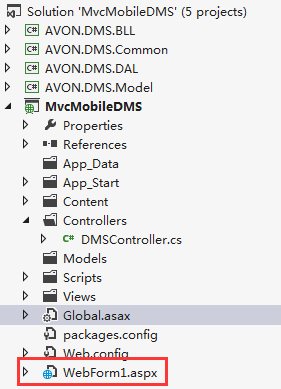
然后右键浏览,打开页面,如下图:
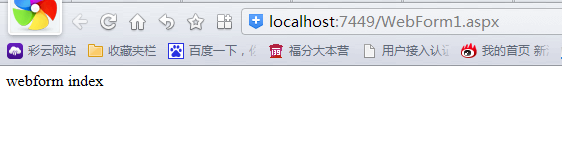
发现页面能够正常访问。ok,我们尝试改一下Global.asax.cs中的代码,如下
using System;

using System.Collections.Generic;

using System.Linq;

using System.Web;

using System.Web.Http;

using System.Web.Mvc;

using System.Web.Optimization;

using System.Web.Routing;

namespace MvcMobileDMS

{

    // Note: For instructions on enabling IIS6 or IIS7 classic mode,

    // visit http://go.microsoft.com/?LinkId=9394801

    public class MvcApplication : System.Web.HttpApplication

    {

        protected void Application_Start()

        {

            AreaRegistration.RegisterAllAreas();

            //GlobalFilters.Filters.Add(new MvcMobileDMS.App_Start.ActionAttributeFilter());

            WebApiConfig.Register(GlobalConfiguration.Configuration);

            FilterConfig.RegisterGlobalFilters(GlobalFilters.Filters);

            RouteConfig.RegisterRoutes(RouteTable.Routes);

            RouteTable.Routes.RouteExistingFiles = true;

            BundleConfig.RegisterBundles(BundleTable.Bundles);

        }

    }

}
我们加入了一句代码RouteTable.Routes.RouteExistingFiles = true;现在,我们再看看刚才的页面效果:
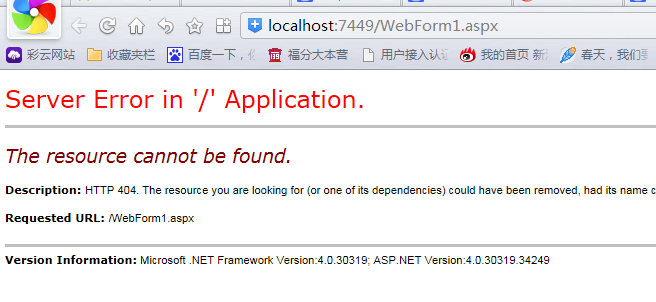
这时,就可以看出端倪了,没错,就是RouteTable.Routes.RouteExistingFiles 属性值决定了WebForm页面的路由监测,默认是false,当值为true时
MVC的路由监测则屏蔽WebForm页面,并提示错误。
2. WebForm中使用路由。
在webform项目中,如果我们要改写地址,可以采用地址重写组件方法,但是,现在在MVC下,我们可以尝试下面的方法:
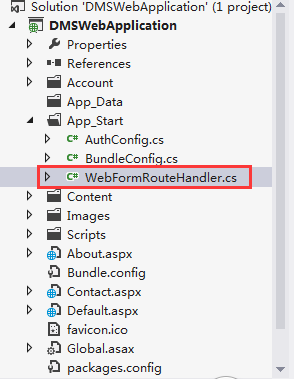
添加 类文件WebFormRouteHandler.cs,代码如下:
using System;

using System.Collections.Generic;

using System.Linq;

using System.Web;

using System.Web.Routing;

using System.Web.Compilation;

using System.Web.UI;

namespace DMSWebApplication.App_Start

{

    public class WebFormRouteHandler:IRouteHandler

    {

        public WebFormRouteHandler(string virtualPath)

        {

            this.VirtualPath = virtualPath;

        }

        public string VirtualPath { get;private set; }

        public IHttpHandler GetHttpHandler(RequestContext requestContext)

        {

            var page = BuildManager.CreateInstanceFromVirtualPath(VirtualPath,typeof(Page)) as IHttpHandler;

            return page;

        }

    }

}
在全局应用程序类Global.asax.cs中添加如下代码:
using System;

using System.Collections.Generic;

using System.Linq;

using System.Web;

using System.Web.Optimization;

using System.Web.Routing;

using System.Web.Security;

using DMSWebApplication;

namespace DMSWebApplication

{

    public class Global : HttpApplication

    {

        void Application_Start(object sender, EventArgs e)

        {

            // Code that runs on application startup

            RegisterRoutes(RouteTable.Routes);

            BundleConfig.RegisterBundles(BundleTable.Bundles);

            AuthConfig.RegisterOpenAuth();

        }

        public static void RegisterRoutes(RouteCollection routes)

        {

            routes.Add("index", new Route("foo/bar", new DMSWebApplication.App_Start.WebFormRouteHandler("~/foo/haha.aspx")));

            routes.Add("next", new Route("ha/yt", new DMSWebApplication.App_Start.WebFormRouteHandler("~/app/ye.aspx")));

        }

        void Application_End(object sender, EventArgs e)

        {

            //  Code that runs on application shutdown

        }

        void Application_Error(object sender, EventArgs e)

        {

            // Code that runs when an unhandled error occurs

        }

    }

}
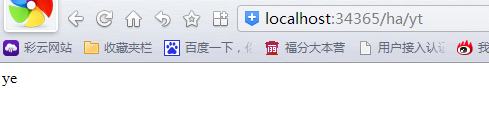
当我在浏览器地址栏输入如下地址时,http://localhost:34365/ha/yt,访问的是http://localhost:34365/app/ye.aspx,如下图:
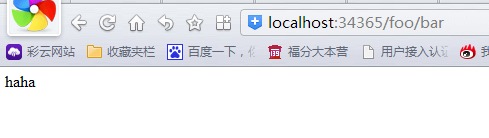
当我在浏览器地址栏输入如下地址时,http://localhost:34365/foo/bar,访问的是http://localhost:34365/foo/haha.aspx,如下图:
有了这个特性,我们在传统的WebForm过渡到MVC架构时,提供了极大的方便,并慢慢过渡到MVC框架。
好了,今天写到这里。希望能对你有所帮助O(∩_∩)O哈哈~。
ASP.NET MVC 路由进阶(之一)的更多相关文章
- ASP.NET MVC 路由进阶(之二)--自定义路由约束
3.自定义路由约束 什么叫自定义路由约束呢?假如路由格式为archive/{year}/{month}/{day},其中year,month,day是有约束条件的,必须是数字,而且有一定范围. 这时候 ...
- ASP.NET MVC 路由(一)
ASP.NET MVC路由(一) 前言 从这一章开始,我们即将进入MVC的世界,在学习MVC的过程中在网上搜索了一下,资料还是蛮多的,只不过对于我这样的初学者来看还是有点难度,自己就想看到有一篇引导性 ...
- ASP.NET MVC 路由(二)
ASP.NET MVC路由(二) 前言 在上一篇中,提及了Route.RouteCollection对象的一些信息,以及它们的结构所对应的关系.按照处理流程走下来还有遗留的疑问没有解决这个篇幅就来讲 ...
- ASP.NET MVC 路由(三)
ASP.NET MVC路由(三) 前言 通过前两篇的学习会对路由系统会有一个初步的了解,并且对路由系统中的Url规则有个简单的了解,在大家的脑海中也有个印象了,那么路由系统在ASP.NETMVC中所处 ...
- ASP.NET MVC 路由(四)
ASP.NET MVC路由(四) 前言 在前面的篇幅中我们讲解路由系统在MVC中的运行过程以及粗略的原理,想必看过前面篇幅的朋友应该对路由有个概念性的了解了,本篇来讲解区域,在读完本篇后不会肯定的让你 ...
- ASP.NET MVC 路由(五)
ASP.NET MVC 路由(五) 前言 前面的篇幅讲解了MVC中的路由系统,只是大概的一个实现流程,让大家更清晰路由系统在MVC中所做的以及所在的位置,通过模糊的概念描述.思维导图没法让您看到路由的 ...
- Asp.Net MVC 路由 - Asp.Net 编程 - 张子阳
http://cache.baiducontent.com/c?m=9d78d513d98316fa03acd2294d01d6165909c7256b96c4523f8a9c12d522195646 ...
- AngularJS html5Mode与ASP.NET MVC路由
AngularJS html5Mode与ASP.NET MVC路由共存 前言 很久之前便听说AngularJS,非常酷,最近也比较火,我也在持续关注这个技术,只是没有认真投入学习.前不久公司找我们部门 ...
- Asp.Net MVC路由调试好帮手RouteDebugger
Asp.Net MVC路由调试好帮手RouteDebugger 1.获取方式 第一种方法: 在程序包控制台中执行命令 PM> Install-Package routedebugger 安装成功 ...
随机推荐
- CustomerSOList
using System; using System.Collections.Generic; using System.Linq; using System.Web; using System.We ...
- [MODx] 3. Working with chunks, TV, Category
1. Add chunk: For example, replace the header by using chunk. Usage: [[$chunk_name]] Cut all the hea ...
- 模式识别 - 处理多演示样例学习(MIL)特征(matlab)
处理多演示样例学习(MIL)特征(matlab) 本文地址: http://blog.csdn.net/caroline_wendy/article/details/27206325 多演示样例学习( ...
- JavaScript提高:003:easy UI实现tab页面自适应问题
前面说到使用easyUI在asp.net中实现了tab控件效果.http://blog.csdn.net/yysyangyangyangshan/article/details/38307477只是有 ...
- USACO prefix TrieTree + DP
/* ID:kevin_s1 PROG:prefix LANG:C++ */ #include <iostream> #include <cstdio> #include &l ...
- 三大文本处理工具grep、sed及awk的简单介绍
grep.sed和awk都是文本处理工具,虽然都是文本处理工具单却都有各自的优缺点,一种文本处理命令是不能被另一个完全替换的,否则也不会出现三个文本处理命令了.只不过,相比较而言,sed和awk功能更 ...
- Shlwapi.h Shlwapi.dll 动态库
Windows中有一个Shlwapi.dll文件,包含了大量的Windows字符串处理方法,这些方法,在通常的程序应用中,经常会用到,有一部分处理方法,在CRuntime中也存在,但不方便使用.有一部 ...
- UITableView优化技巧
UITableView的简单认识 UITableView最核心的思想就是UITableViewCell的重用机制.简单的理解就是:UITableView只会创建一屏幕(或一屏幕多一点)的UITable ...
- Update DN with Procedure
Update DN )) LANGUAGE SQL MODIFIES SQL DATA BEGIN -- Step 1 UPDATE DNRITM A SET (DNITTQTY, DNIREQTY) ...
- 每天一个Linux命令(2):cd
转自:http://www.cnblogs.com/peida/archive/2012/10/24/2736501.html Linux cd命令可以说是Linux中最基本的命令语句,其他的命令语句 ...