
python web1(解析url)
环境:pycharm
尝试对地址进行切片 去掉头 http 或 https
a.遇到了一些问题
url = 'https://www.cnblogs.com/derezzed/articles/8119592.html'

    #检查协议

protocl = "http"

if url[:7] =="http://":

    u = url.split('://')[1]

    elif url[:8] == "https://":

    protocl = "https"

    u = url.split("://")

   else:

    u = url

    print(u)

发现无任何输出
url = 'https://www.cnblogs.com/derezzed/articles/8119592.html'

    #检查协议

protocl = "http"

if url[:7] =="http://":

    u = url.split('://')[1]

    print(u)

elif url[:8] == "https://":

    protocl = "https"

    u = url.split("://")

    print(u)

else:

    u = url

    print(u)

修改后看到了结果 至于为何 暂不知道原因
b.按着教程 边理解 边写出的解析url程序 (此程序有问题)
#url = 'http://movie.douban.com/top250'
#解析url 返回一个tuple 包含 protocol host path port

def parsed_url(url):
    #检查协议

    protocol = 'http'
    if url[:7] == 'http://':
        a = url.split('://')[1]

    elif url[:8] == 'https://':
        a = url.split('https://')[1]
        protocol = 'https'

    #检查默认path
    i = a.find('/')
    if(i == -1):
        path = '/'
        host = a
    else:
        host = a[:16]
        path = a[6:]

    #检查端口
    port_dict = {
    'http': 80,
    'https' : 443,
}
    #默认端口
    port = port_dict[protocol]
    if ':' in host:
        h = host.split(':')
        host = h[0]
        port = int (h[1])

    return  protocol, host, port, path
写完后发现编译器一直报错 对着源程序反复确认还是找不到问题所在 一直报错
“python illegal target for variable annotation”
最后发现是缩进问题 详情查看我的 python learn 或者搜索python的缩进要求
而后加入测试程序
def test_parsed_url():

    """

    parsed_url 函数很容易出错, 所以我们写测试函数来运行看检测是否正确运行

    """

    http = 'http'

    https = 'https'

    host = 'g.cn'

    path = '/'

    test_items = [

        ('http://g.cn', (http, host, 80, path)),

        ('http://g.cn/', (http, host, 80, path)),

        ('http://g.cn:90', (http, host, 90, path)),

        ('http://g.cn:90/', (http, host, 90, path)),

        #

        ('https://g.cn', (https, host, 443, path)),

        ('https://g.cn:233/', (https, host, 233, path)),

    ]

    for t in test_items:

        url, expected = t

        u = parsed_url(url)

        # assert 是一个语句, 名字叫 断言

        # 如果断言成功, 条件成立, 则通过测试, 否则为测试失败, 中断程序报错

        e = "parsed_url ERROR, ({}) ({}) ({})".format(url, u, expected)

        assert u == expected, e
发现还是不对 虽然报错很明显 但依然不知道错在哪里 冷静下来观察错误

这里看到 错误已经很明显 给出了来源 自己写的(其实是仿着写的qwq)所以没有意识到自己写的expected函数连正确答案都显示出来了 (汗)
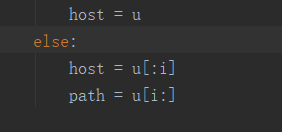
最终 马上意识到 host path是有问题的 将 i 替换成了具体数字 修改后错误消失

error 0 了 啊太棒了 !!! 加油~~~
python web1(解析url)的更多相关文章
- Python 的 urllib.parse 库解析 URL
Python 中的 urllib.parse 模块提供了很多解析和组建 URL 的函数. 解析url urlparse() 函数可以将 URL 解析成 ParseResult 对象.对象中包含了六 ...
- Python - Django - 命名 URL 和反向解析 URL
命名 URL: test.html: <!DOCTYPE html> <html lang="en"> <head> <meta char ...
- Python 文本解析器
Python 文本解析器 一.课程介绍 本课程讲解一个使用 Python 来解析纯文本生成一个 HTML 页面的小程序. 二.相关技术 Python:一种面向对象.解释型计算机程序设计语言,用它可以做 ...
- Python XML解析之ElementTree
参考网址: http://www.runoob.com/python/python-xml.html https://docs.python.org/2/library/xml.etree.eleme ...
- python dpkt解析ssl流
用法:python extract_tls_flow.py -vr white_pcap/11/2018-01-10_13-05-09_2.pcap -o pcap_ssl_flow.txt & ...
- urlparse模块(专门用来解析URL格式)
# -*- coding: utf-8 -*- #python 27 #xiaodeng #urlparse模块(专门用来解析URL格式) #URL格式: #protocol ://hostname[ ...
- 关于Python json解析过程遇到的TypeError: expected string or buffer
关于Python json解析过程遇到的问题:(爬取天气json数据所遇到的问题http://tianqi.2345.com/) part.1 url——http://tianqi.2345.com/ ...
- Django---路由系统,URLconf的配置,正则表达式的说明(位置参数),分组命名(捕获关键字参数),传递额外的参数给视图,命名url和url的反向解析,url名称空间
Django---路由系统,URLconf的配置,正则表达式的说明(位置参数),分组命名(捕获关键字参数),传递额外的参数给视图,命名url和url的反向解析,url名称空间 一丶URLconf配置 ...
- python抽取指定url页面的title方法
python抽取指定url页面的title方法 今天简单使用了一下python的re模块和lxml模块,分别利用的它们提供的正则表达式和xpath来解析页面源码从中提取所需的title,xpath在完 ...
随机推荐
- springboot+web文件上传和下载
一.首先安装mysql数据库,开启web服务器. 二.pom.xml文件依赖包配置如下: <?xml version="1.0" encoding="UTF-8&q ...
- jdbc笔记(二) 使用PreparedStatement对单表的CRUD操作
首先声明,本文只给出代码,并不是做教程用,如有不便之处,还请各位见谅. PreparedStatement相较于Statement,概括来说,共有三个优势: 1. 代码的可读性和易维护性:Prepar ...
- CSS3@media媒体查询
CSS3@media媒体查询 定义 media媒体查询, 当文档宽度变化时, 就可以根据文档宽度的变化来运用样式,不同的宽度应用不同的样式 使用 @media 查询,你可以针对不同的媒体类型定义不同的 ...
- composer安装doctrine/dbal
composer安装doctrine/dbal composer安装doctrine/dbal,安装不成功,使用的安装命令为官方提供命令“composer require doctrine/dbal” ...
- kubernets controller 和 CRD 具体组件分析
(dlv) b k8s.io/sample-controller/pkg/client/informers/externalversions.(*sharedInformerFactory).Info ...
- kali-通过获取路由器pin码套取无线网络密码shell脚本
直接上脚本吧, 我做个笔记. #************************************************************************* # > Fil ...
- windows中的软链接硬链接等
学校嘛,有些时候还是得逆逆上网客户端啥的,并且学校的不少工作,这Windows的需求还是挺强的,之前Win10的体验并不是太好,不过时隔这么久,打算从7升级到10了,恰好系统也该换了. 首先是命令行的 ...
- 剑指offer:链表中倒数第k个结点
问题描述 输入一个链表,输出该链表中倒数第k个结点. 解题思路 两个指针都指向头结点,第一个指针先移动k-1个结点,之后两指针同时移动,当第一个指针到链表尾的时候,第二个指针刚好指向倒数第k个结点. ...
- 必会SQL练习题
()表名:购物信息 购物人 商品名称 数量 A 甲 B 乙 C 丙 A 丁 B 丙 …… 给出所有购入商品为两种或两种以上的购物人记录 答:); ()表名:成绩表 姓名 课程 分数 张三 语文 张三 ...
- Testlink与MantisBT集成
Testlink与MantisBT集成 关于两者集成的文章网上有很多,但是有些文章可能是作者写的时候自己不理解或有纰漏,有些文章写得是不够详细导致在配置中遗漏什么导致不成功.经过一天的不停尝试,终于完 ...