
实现鼠标悬停,div勾画div边框的动画
鼠标悬浮,边框div边框的动画样式,效果图如下:
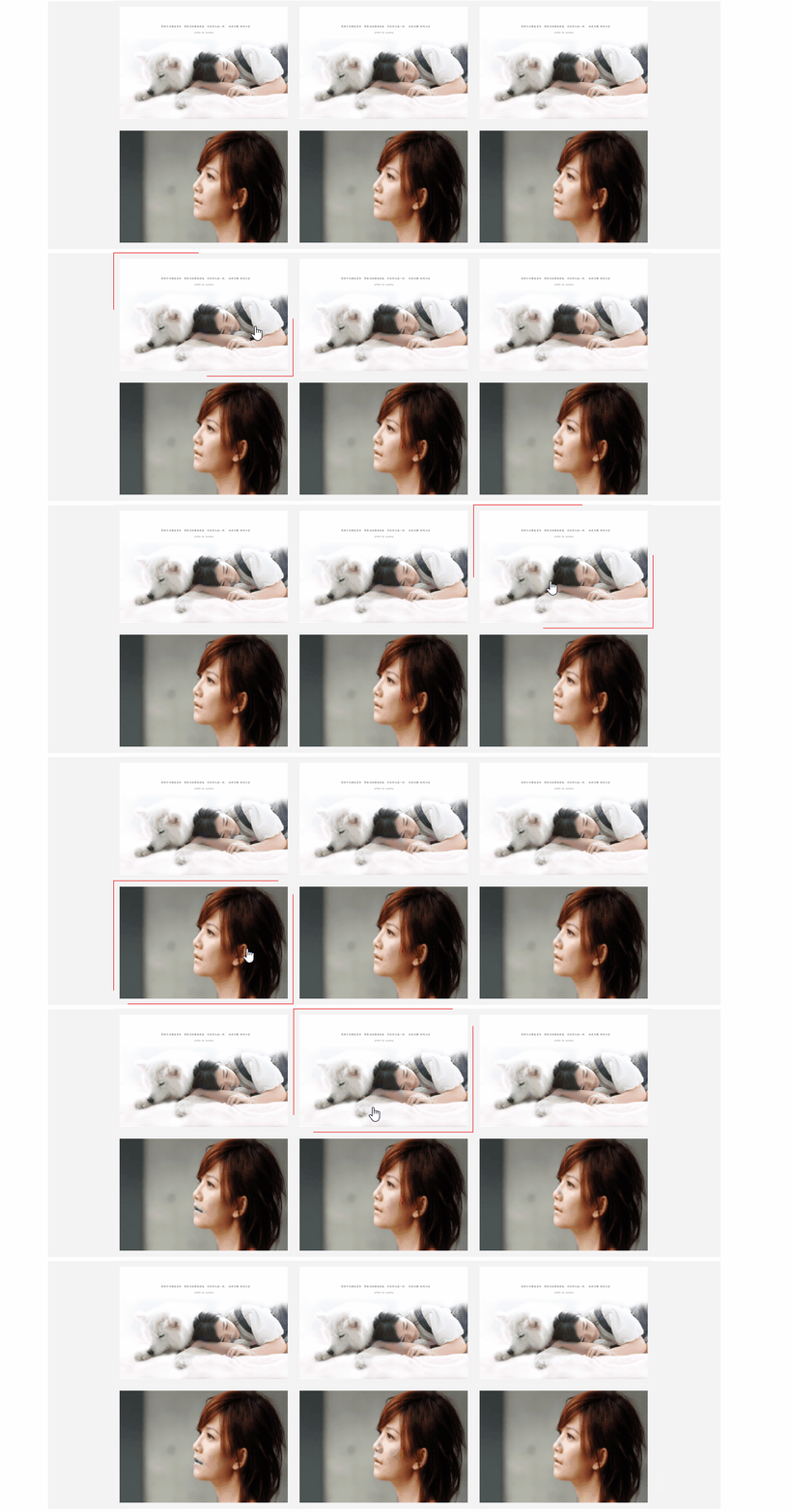
首先定义div及其样式:
 <style>

   .show

   {

        width:300px;

        height:200px;

        border:1px solid red;

        background:yellow;

 }

 </style>

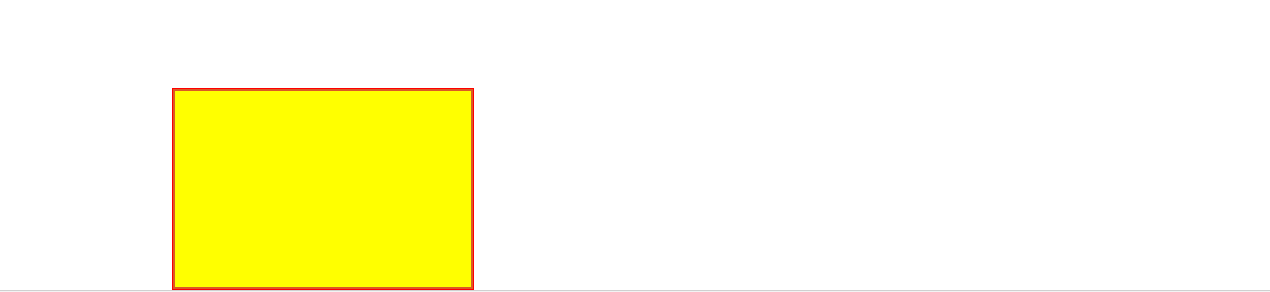
 <div class="show"></div>
界面展示效果如下:
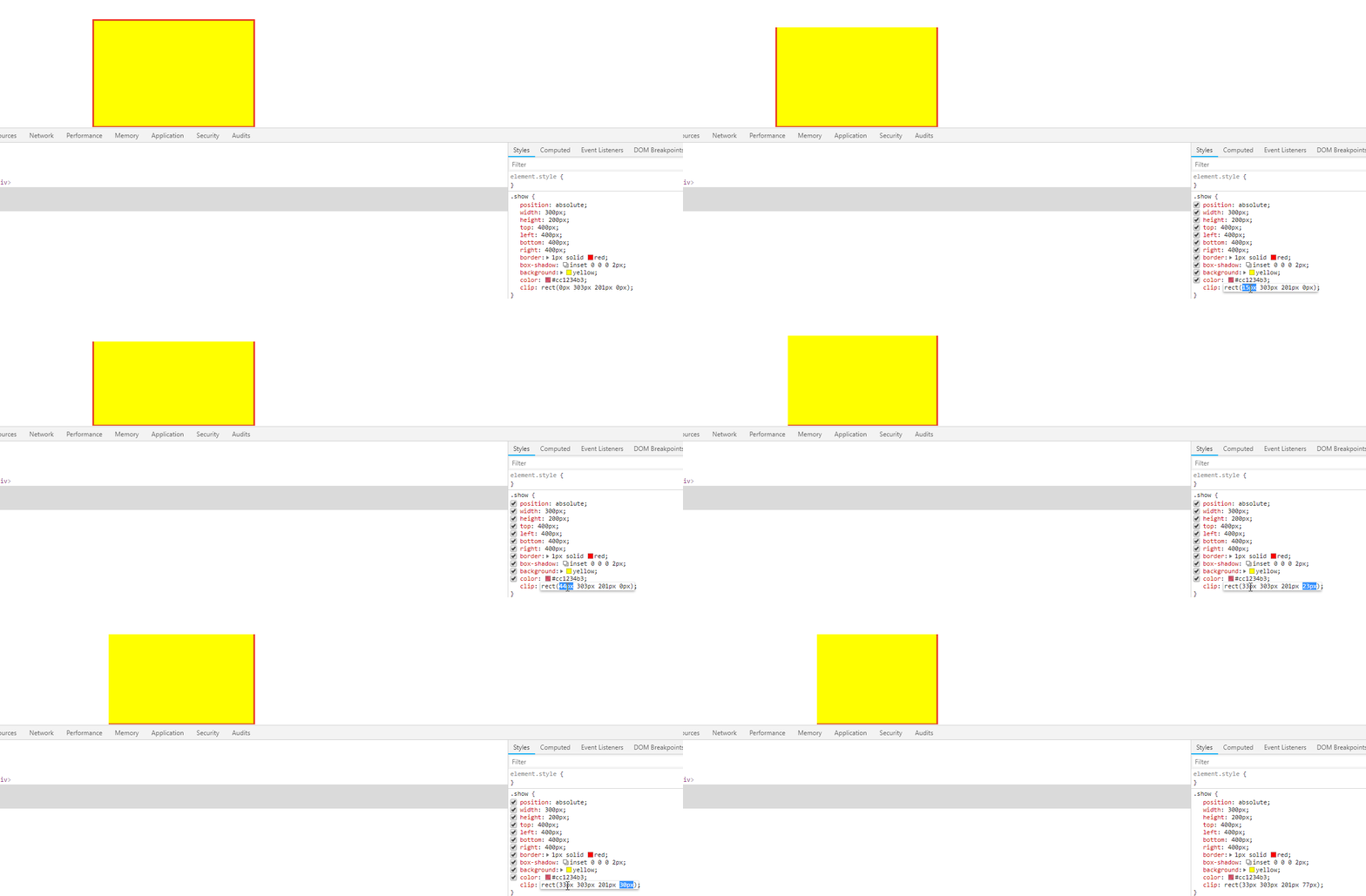
通过指定样式clip来指定,裁剪的区域:
然后需要做的是将这个裁剪过程用动画连贯起来,修改css样式
    .show

     {

         position: absolute;

         width: 300px;

         height: 200px;

         top: 400px;

         left: 400px;

         bottom: 400px;

         right: 400px;

         border:1px solid red;

         animation: ClipAfter 4s linear infinite;

         background: yellow;

     }

     @keyframes ClipAfter {

         0%, 100% {

             /*为了在动画过程中能保留右边框和下边框,rect的right和bottom分别多取两个像素*/

             /*为了在动画的终点和起点不要显示上边框和左边框,rect的top和left分别多取了一个像素*/

             clip: rect(1px,302px,202px,1px);

         }

         25% {

             clip: rect(100px,302px,202px,150px);

         }

         50% {

             clip: rect(200px,302px,202px,300px);

         }

         75% {

             clip: rect(100px,302px,202px,150px);

         }

     }
更改之后的效果图如下:

同样可以定义出保留上边框和左边框的动画样式:
   @keyframes ClipBefore {

         100%,0%{

             clip:rect(0px,300px,200px,0px);

         }

         25%

         {

             clip:rect(0px,150px,100px,0px);

         }

         50%{

             clip:rect(0px,0px,0px,0px);

         }

         75%{

             clip:rect(0px,150px,100px,0px);

         }

     }
由于开篇示例中的动画,是左上,和右下方边框的动画是同步进行的,所以使用div的伪类before(实现左上边框动画),after(实现右下边框动画)
css:
     .region-wrap {

         width: 320px;

         height: 220px;

         border: 1px solid #f4f4f4;

     }

     .region {

         position: absolute;

     }

     .content

     {

         position:  absolute;

         top: 10px;

         left: 10px;

         width: 300px;

         height: 200px;

         border:1px solid #aa0507;

     }

     .content:before,.content:after

     {

         position: absolute;

         top:;

         right:;

         bottom:;

         left:;

         color: #A0A0A0;

         content: '';

         box-sizing: border-box;

         margin: -10px;

         z-index: -1;

     }

     .content:before

     {

         /*background: #cc1234;*/

         box-shadow: inset 0 0 0 1px;

         animation: ClipBefore 4s linear infinite;

     }

     .content:after

     {

         box-shadow: inset 0 0 0 2px;

         animation: ClipAfter 4s linear infinite;

         /*由于图片展示的区域比外边框小,所以这里要重新定位after的展示位置*/

         top: 18px;

         bottom: 0px;

         right: 0px;

         left: 18px;

     }

     .content>img

     {

         width: 300px;

         height: 200px;

     }

     @keyframes ClipAfter {

         0%, 100% {

             clip: rect(0px,302px,202px,0px);

         }

         25% {

             clip: rect(100px,302px,202px,150px);

         }

         50% {

             clip: rect(200px,302px,202px,300px);

         }

         75% {

             clip: rect(100px,302px,202px,150px);

         }

     }

     @keyframes ClipBefore {

         100%,0%{

             clip:rect(0px,300px,200px,0px);

         }

         25%

         {

             clip:rect(0px,150px,100px,0px);

         }

         50%{

             clip:rect(0px,0px,0px,0px);

         }

         75%{

             clip:rect(0px,150px,100px,0px);

         }

     }

     @keyframes ClipAfter {

         0%, 100% {

             /*为了在动画过程中能保留右边框和下边框,rect的right和bottom分别多取两个像素*/

             /*重新定位后,为了在动画的终点和起点不要显示上边框和左边框,rect的top和left分别多取了二个像素*/

             clip: rect(2px,302px,202px,2px);

         }

         25% {

             clip: rect(100px,302px,202px,150px);

         }

         50% {

             clip: rect(200px,302px,202px,300px);

         }

         75% {

             clip: rect(100px,302px,202px,150px);

         }

     }
html:
 <div class="region-wrap">

     <div class="region">

         <div class="content">

             <img src="./images/show-window/timg.jpg"/>

         </div>

     </div>

 </div>
效果如下:

最后,利用flex布局,放入以列表的形式展示,并将样式应用到hover伪类中
html
 <div class="showwindow-wrap">

     <div class="showwindow">

         <ul class="li-items">

             <li>

                 <div class="region-wrap">

                     <div class="region">

                         <div class="content">

                             <img src="./images/show-window/timg1.jpg"/>

                         </div>

                     </div>

                 </div>

             </li>

             <li>

                 <div class="region-wrap">

                     <div class="region">

                         <div class="content">

                             <img src="./images/show-window/timg1.jpg"/>

                         </div>

                     </div>

                 </div>

             </li>

             <li>

                 <div class="region-wrap">

                     <div class="region">

                         <div class="content">

                             <img src="./images/show-window/timg1.jpg"/>

                         </div>

                     </div>

                 </div>

             </li>

             <li>

                 <div class="region-wrap">

                     <div class="region">

                         <div class="content">

                             <img src="./images/show-window/timg.jpg"/>

                         </div>

                     </div>

                 </div>

             </li>

             <li>

                 <div class="region-wrap">

                     <div class="region">

                         <div class="content">

                             <img src="./images/show-window/timg.jpg"/>

                         </div>

                     </div>

                 </div>

             </li>

             <li>

                 <div class="region-wrap">

                     <div class="region">

                         <div class="content">

                             <img src="./images/show-window/timg.jpg"/>

                         </div>

                     </div>

                 </div>

             </li>

         </ul>

     </div>

 </div>
css
.showwindow-wrap

    {

        width: 100%;

        display:flex;

        flex-direction: column;

        align-items: center;

        justify-content: center;

    }

    .showwindow

    {

        width:1200px;

        flex:;

        background: #f4f4f4;

    }

    .li-items

    {

        margin: 0px;

        padding: 0px;

        display:flex;

        flex-direction: row;

        align-items: flex-start;

        flex-wrap: wrap;

        justify-content: center;

    }

    .li-items>li

    {

        float: left;

        width: 323px;

        height: 222px;

        overflow: hidden;

        margin-left: -2px;

        margin-top: -1px;

    }

    .region-wrap {

        width: 320px;

        height: 220px;

        border: 1px solid #f4f4f4;

    }

    .region {

        position: absolute;

    }

    .content

    {

        position:  absolute;

        top: 10px;

        left: 10px;

        width: 300px;

        height: 200px;

        /*border:1px solid #aa0507;*/

    }

    .content:before,.content:after

    {

        position: absolute;

        top:;

        right:;

        bottom:;

        left:;

        color: #ea0c0c;

        content: '';

        box-sizing: border-box;

        margin: -10px;

        z-index:;

    }

    .content:hover

    {

        cursor: pointer;

    }

    .content:hover:before

    {

        top: -1px;

        right:;

        bottom:;

        left: -1px;

        box-shadow: inset 0 0 0 1px;

        animation: ClipBefore 4s linear infinite;

    }

    .content:hover:after

    {

        box-shadow: inset 0 0 0 1px;

        animation: ClipAfter 4s linear infinite;

        /*由于图片展示的区域比外边框小,所以这里要重新定位after的展示位置*/

        top: 18px;

        bottom: 0px;

        right: 0px;

        left: 18px;

    }

    .content>img

    {

        width: 300px;

        height: 200px;

    }

    @keyframes ClipAfter {

        0%, 100% {

            clip: rect(0px,302px,202px,0px);

        }

        25% {

            clip: rect(100px,302px,202px,150px);

        }

        50% {

            clip: rect(200px,302px,202px,300px);

        }

        75% {

            clip: rect(100px,302px,202px,150px);

        }

    }

    @keyframes ClipBefore {

        100%,0%{

            clip:rect(0px,300px,200px,0px);

        }

        25%

        {

            clip:rect(0px,150px,100px,0px);

        }

        50%{

            clip:rect(0px,0px,0px,0px);

        }

        75%{

            clip:rect(0px,150px,100px,0px);

        }

    }

    @keyframes ClipAfter {

        0%, 100% {

            /*为了在动画过程中能保留右边框和下边框,rect的right和bottom分别多取两个像素*/

            /*重新定位后,为了在动画的终点和起点不要显示上边框和左边框,rect的top和left分别多取了二个像素*/

            clip: rect(2px,302px,202px,2px);

        }

        25% {

            clip: rect(100px,302px,202px,150px);

        }

        50% {

            clip: rect(200px,302px,202px,300px);

        }

        75% {

            clip: rect(100px,302px,202px,150px);

        }

    }

    *{

        font-size:12px;

        list-style: none;

        color: rgba(146, 248, 206, 0.91);

    }
效果如开篇所发.
实现鼠标悬停,div勾画div边框的动画的更多相关文章
- CSS鼠标悬停图片加边框效果,不位移的方法
<!DOCTYPE HTML> <html lang="en-US"> <head> <title>css实现鼠标悬停时图片加边框效 ...
- 【MFC】MFC DLEdit 设计属于自己的编辑框_鼠标悬停
MFC DLEdit 设计属于自己的编辑框 2012-02-04 13:00 by 捣乱小子, 3543 阅读, 5 评论, 收藏, 编辑 起因 无意间看到了大牛们写的自定义编辑框控件,于是找了个时间 ...
- 鼠标悬停显示CSS3动画边框
效果体验:http://keleyi.com/keleyi/phtml/css3/14.htm 以下是代码: <!DOCTYPE html> <html xmlns="ht ...
- css3鼠标悬停图片边框线条动画特效
css3鼠标经过内容区时,边框线条特效效果制作. html: <div class="strength grWidth hidden"> <div class ...
- 使用JS制作一个鼠标可拖的DIV(一)——鼠标拖动
使用 JS 来实现一个可拖动的DIV,主要是使用到以下几个事件: 1.鼠标按下:DIV元素的onmousedown. 2.鼠标按住拖动:document 的 onmousemove 元素. 3.鼠标放 ...
- 如何给div加一个边框border样式
如何给div加一个边框样式? 对div盒子加一个边框样式很简单只需要使用border板块样式即可. 一.虚线与实线边框 边框虚线样式:dashed 边框实现样式:solid border:1px da ...
- 一款基于TweenMax跟随鼠标单击移动的div
今天给大家分享一款基于TweenMax跟随鼠标单击移动的div.在这款实例中你可以单击任意位置,div会移动到你单击的位置.效果图如下: 在线预览 源码下载 实现的代码. html代码: < ...
- CSS鼠标悬停图片加边框效果,页面布局发生错位的解决办法
CSS鼠标悬停图片加边框效果,页面布局发生错位的解决办法 .recomend-list{ width:1200px; a{ @extend %fl; margin-right: 30px; width ...
- 【案例】鼠标按下,DIV跟随移动
<!DOCTYPE html> <html lang="en"> <head> <meta charset="UTF-8&quo ...
随机推荐
- Envoy 源码分析--buffer
目录 Envoy 源码分析--buffer BufferFragment RawSlice Slice OwnedSlice SliceDeque UnownedSlice OwnedImpl Wat ...
- wpf 实现 css3 中 boxshadow inset 效果
using System; using System.Linq; using System.Windows; using System.Windows.Controls; using System.W ...
- ReactJS之遍历对象的方法
const obj = { channel: “wevmvmklskdosll12k;0”, index:0 }; Object.keys(obj).map(key => console.log ...
- jquery实现下拉加载更多
下拉加载更多这种原理很容易想明白,但是不自己写一个简单的,老是不踏实,获取什么高度再哪里获取之类的.于是自己简单写了个,就是页面上有几个div,然后当滚动条拉到某个位置的时候,再继续加载div.顺便又 ...
- 关于ckeditor5设置高度
在管理端模板AdminBSBMaterialDesign-master里发现一个比百度编辑器看起来更高大上的编辑器:ckeditor.模板中使用的是版本4,自己在官网上下载了最新版本.在之前的版本,使 ...
- Vim 常用简单命令
Vim中有三个模式,1.刚进入Vim画面的是命令模式,2. 在命令模式输入:进入末行模式, 3. 在命令模式输入 a或者i或者o进入编辑模式 在末行或者编辑模式中可以通过ESC回到命令模式 举例当前目 ...
- js for in循环遍历对象,获取key:value值
var testObj = { 'a':'111', 'b':'222', 'c':'333', 'd':'444'}for(var i in testObj){ console.log(i); // ...
- vue2.0自学笔记
前言: 一.优点: 轻量级.高效率.上手快.简单易学.文档全面而简洁 二.功能: 1.模板渲染 2.模块化 3.扩展功能:路由.Ajax 三.课程包含: 1.Vue实例 2.Vue组件 3.Vue指令 ...
- lr12脚本参数化
1.注册.登录.获取商品列表lr脚本 Action() { lr_save_string("192.168.46.129:8080","IP"); ...
- CentOS 7 常用命令大全
CentOS7 常用命令集合 这两天一直在对CentOS 7.2进行初体验,各种学习命令肿么用,不过其实大多和DOS是一样的,只是命令的表达上可能有点儿不一样,毕竟这些都不是一家出来的嘛~ 废话不多说 ...