
EasyExcel导入
记录摸鱼的一天
技术栈:spring boot2.x+mybatis plus+easyExcel 2.2.6
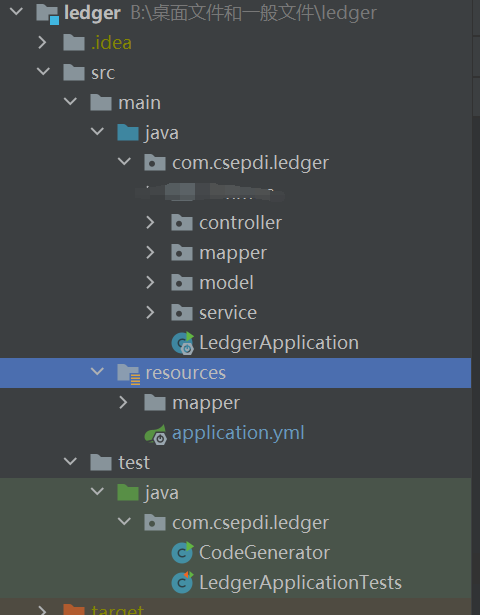
生成简单的实体类等等等等
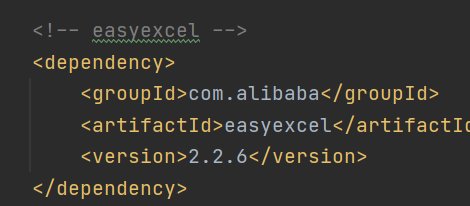
导入easyExcel的依赖
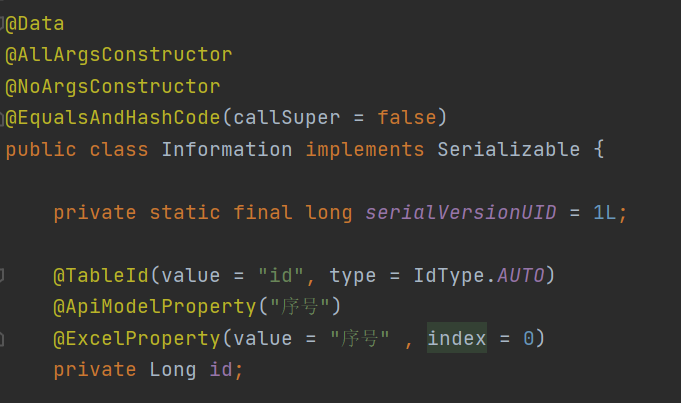
实体类
编写服务层
import com.csepdi.ledger.model.Information;

import com.baomidou.mybatisplus.extension.service.IService;

import com.github.pagehelper.PageInfo;

import java.util.List;

/**

 * <p>

 *  服务类

 * </p>

 *

 * @author xiaoWan

 * @since 2020-12-10

 */

public interface InformationService extends IService<Information> {

    void readExcel(List<Information> informationList);

}
package com.csepdi.ledger.service.impl;

import com.baomidou.mybatisplus.core.conditions.query.QueryWrapper;

import com.csepdi.ledger.model.Information;

import com.csepdi.ledger.mapper.InformationMapper;

import com.csepdi.ledger.service.InformationService;

import com.baomidou.mybatisplus.extension.service.impl.ServiceImpl;

import com.github.pagehelper.PageHelper;

import com.github.pagehelper.PageInfo;

import org.apache.commons.lang3.StringUtils;

import org.springframework.beans.factory.annotation.Autowired;

import org.springframework.stereotype.Service;

import java.util.List;

/**

 * <p>

 *  服务实现类

 * </p>

 *

 * @author xiaoWan

 * @since 2020-12-10

 */

@Service

public class InformationServiceImpl extends ServiceImpl<InformationMapper, Information> implements InformationService {

    @Autowired

    InformationService informationService;

    @Override

    public void readExcel(List<Information> informationList) {

        informationService.saveBatch(informationList);

    }

}
编写监听工具类
import com.alibaba.excel.context.AnalysisContext;

import com.alibaba.excel.event.AnalysisEventListener;

import com.csepdi.ledger.model.Information;

import com.csepdi.ledger.service.InformationService;

import org.springframework.beans.factory.annotation.Autowired;

import org.springframework.context.annotation.Scope;

import org.springframework.stereotype.Component;

import java.util.ArrayList;

import java.util.List;

@Component

@Scope("prototype")

public class ExcelImportUtils extends AnalysisEventListener<Information> {

    @Autowired

    InformationService informationService;

    List<Information> list = new ArrayList<>();

    @Override

    public void invoke(Information information, AnalysisContext analysisContext) {

        list.add(information);

        informationService.readExcel(list);

    }

    @Override

    public void doAfterAllAnalysed(AnalysisContext analysisContext) {

    }

}
控制层
    @PostMapping("/importExcel")

    public void importExcel(MultipartFile uploadExcel) throws IOException {

        //工作簿

        ExcelReaderBuilder read = EasyExcel.read(uploadExcel.getInputStream(), Information.class, excelImportUtils);

        //工作表

        read.sheet().doRead();

    }
postman测试
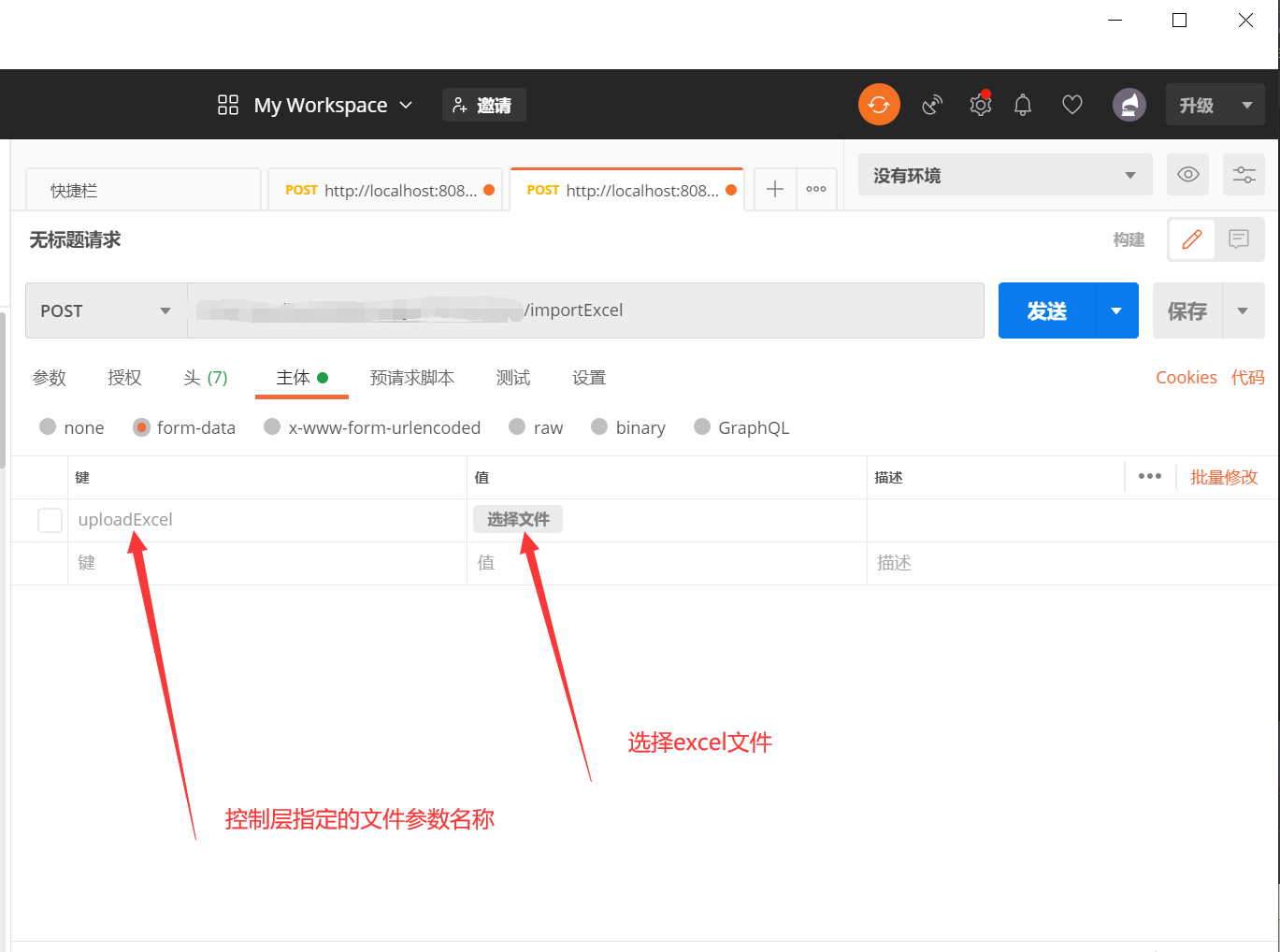
完活
EasyExcel导入的更多相关文章
- EasyExcel导入导出
maven依赖 <!-- https://mvnrepository.com/artifact/com.alibaba/easyexcel --> <dependency> & ...
- EasyExcel导入工具(SpringMVC下使用)
easyExcel:由阿里巴巴公司开发,由github托管 github上有详细使用文档 github地址:https://github.com/alibaba/easyexcel/blob/mast ...
- java使用户EasyExcel导入导出excel
使用alibab的EasyExce完成导入导出excel 一.准备工作 1.导包 <!-- poi 相关--> <dependency> <groupId>org. ...
- TestLink在线Excel用例转换xml
[原文链接]:https://blog.tecchen.tech ,博文同步发布到博客园. 由于精力有限,对文章的更新可能不能及时同步,请点击上面的原文链接访问最新内容. 欢迎访问我的个人网站:htt ...
- 【Easyexcel】java导入导出超大数据量的xlsx文件 解决方法
解决方法: 使用easyexcel解决超大数据量的导入导出xlsx文件 easyexcel最大支持行数 1048576. 官网地址: https://alibaba-easyexcel.github. ...
- SpringBoot整合easyexcel实现Excel的导入与导出
导出 在一般不管大的或者小的系统中,各家的产品都一样,闲的无聊的时候都喜欢让我们这些程序员导出一些数据出来供他观赏,非说这是必须需求,非做不可,那么我们就只能苦逼的哼哧哼哧的写bug喽. 之前使用PO ...
- easyExcel用于导入导出
1.添加依赖: <!-- 现在已经更新到1.1.2-beta5 --> <dependency> <groupId>com.alibaba</groupId& ...
- EasyExcel实现导入excel
https://blog.csdn.net/rexueqingchun/article/details/91870372 1.pom.xml配置依赖包 <!-- xls格式excel依赖包 -- ...
- Java实现导入导出Excel:POI和EasyExcel
文章与CSDN同步,欢迎访问:https://blog.csdn.net/qq_40280582/article/details/107300081 代码地址:https://gitee.com/il ...
随机推荐
- C#设计模式——代理模式(Proxy Pattern)
引言 在我们的生活中,经常会遇到需要什么东西,但是自己又不是很方便或者对方不是很方便,则就需要中间的一个代理人去解决.例如代购.在软件开发中,也会遇到这样的问题.有些对象有时候会由于网络或其他的障碍, ...
- webpack : 无法加载文件 C:\Users\Eileen\AppData\Roaming\npm\webpack.ps1,因为在此系统上禁止运行脚本
报错内容: webpack : 无法加载文件 C:\Users\Eileen\AppData\Roaming\npm\webpack.ps1,因为在此系统上禁止运行脚本.有关详细信息,请参阅 http ...
- Oracle数据泵的导入和导出
前言 今天王子要分享的内容是关于Oracle的一个实战内容,Oracle的数据泵. 网上有很多关于此的内容,但很多都是复制粘贴别人的,导致很多小伙伴想要使用的时候不能直接上手,所以这篇文章一定能让你更 ...
- kail下安装RsaCtfTool
最近做了一些RSA的ctf题目,感觉在RsaCtfTool是很麻烦的事,但是发现在kali上安装下载非常简便,所以找一了一些教程,总结一下 参考链接:http://www.sohu.com/a/257 ...
- 厉害啊!第一次见到把Shiro运行流程写的这么清楚的,建议收藏起来慢慢看
前言 shiro是apache的一个开源框架,是一个权限管理的框架,实现 用户认证.用户授权. spring中有spring security (原名Acegi),是一个权限框架,它和spring依赖 ...
- C# 9.0新特性详解系列之三:模块初始化器
1 背景动机 关于模块或者程序集初始化工作一直是C#的一个痛点,微软内部外部都有大量的报告反应很多客户一直被这个问题困扰,这还不算没有统计上的客户.那么解决这个问题,还有基于什么样的考虑呢? 在库加载 ...
- 「刷题笔记」Tarjan
贴一个讲得非常详细的\(tarjan\)入门教程 信息传递 讲个笑话:我之前用并查集求最小环过的这题,然后看见题目上有个\(tarjan\)标签 留下了深刻的印象:\(tarjan\)就是并查集求最小 ...
- 小样本学习最新综述 A Survey on Few-shot Learning | Introduction and Overview
目录 01 Introduction Bridging this gap between AI and humans is an important direction. FSL can also h ...
- JZOJ2020年8月11日提高组反思
JZOJ2020年8月11日提高组反思 T1 看到题 啊这?! 我看错了吗??? 我理解错题了吗?? 好吧没有-- 高精度模板题,不用多说 T2 看到这种矩阵的问题 以为是前缀和搞事情 结果呢 扫描线 ...
- ES6简单理解基本使用
let const 原来的var声明标识符:可以重复声明,编译不报错. let,const声明标识符:不能重复声明,再声明编译报错. var声明的标识符作用域是当前函数,let和const是当前{块} ...