
css详解4
1、固定定位
固定定位,页面内容多,页面滚动起来,才能看到固定定位效果。
比如下面这个,随之滚动条滚动它一直在右边。比如固定导航栏,小广告,回到顶部,应用在这些地方。一直固定位置不变的。

首先让页面能滚动起来
<html lang="en">

<head>

    <meta charset="UTF-8">

</head>

<body>

    <p>魔降风云变</p>

    <p>魔降风云变</p>

    ...............

    <p>魔降风云变</p>

</body>

</html>
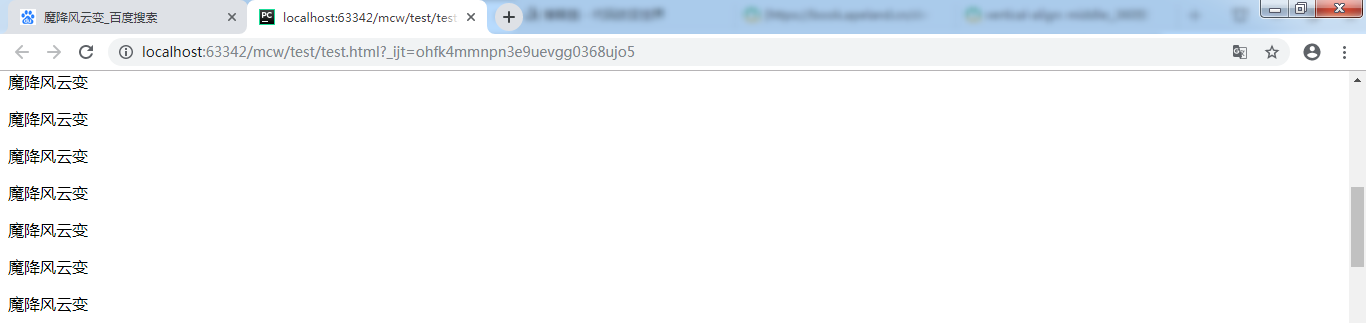
固定位置脱标,写在body的什么位置都行。我在最后一个p后面加个div
<div class="fix">固定不变</div>
然后给它设置样式
        .fix{

            width: 100px;

            height: 100px;

            background-color: red;

        }
它现在在最下面
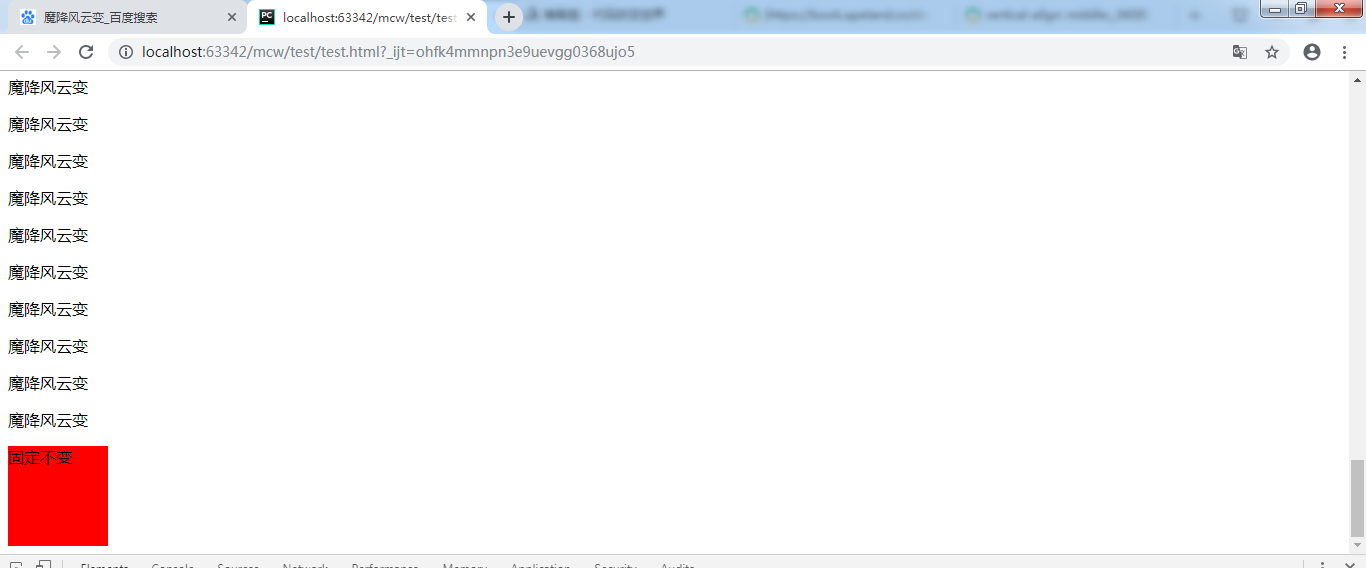
把这个盒子放在很多个p标签的中间,不放到最下边 了,拖动滚动条它的位置根据页面在滚动。
再给它设置位置固定。盒子在浏览器上找不到了。
        .fix{

            width: 100px;

            height: 100px;

            background-color: red;

            position: fixed;

        }
看下面代码:
        .fix{

            width: 100px;

            height: 100px;

            background-color: red;

            position: fixed;

            top:0;

            left: 0;

        }
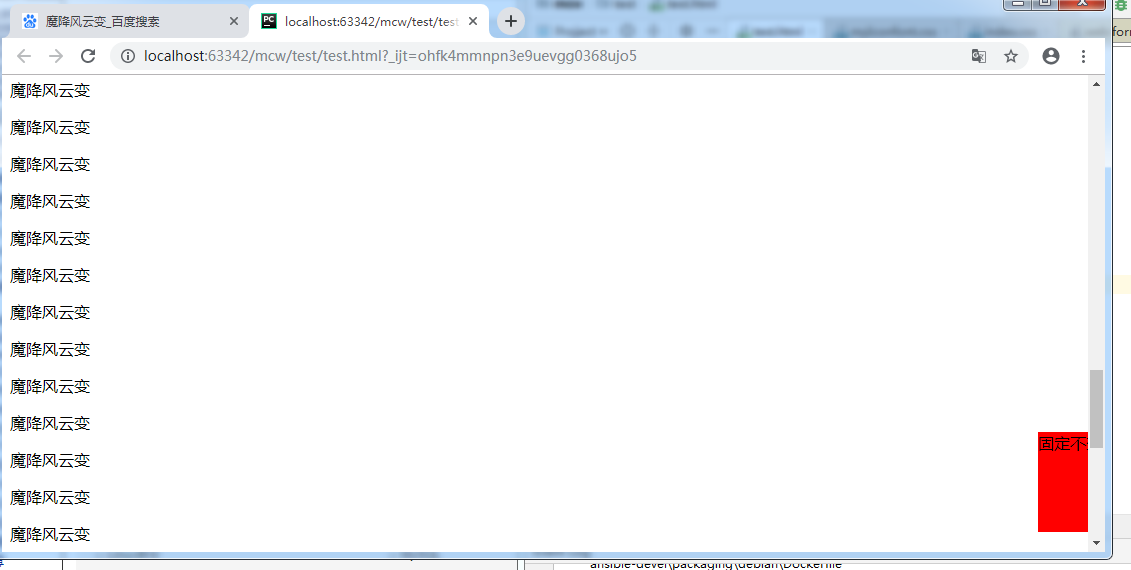
给它给位置,拖动滚动条它的位置一直不变。并且压盖了下面的元素。现在它是在设备的左上角。
现象:脱标;固定不变,以页面四个角为参考点
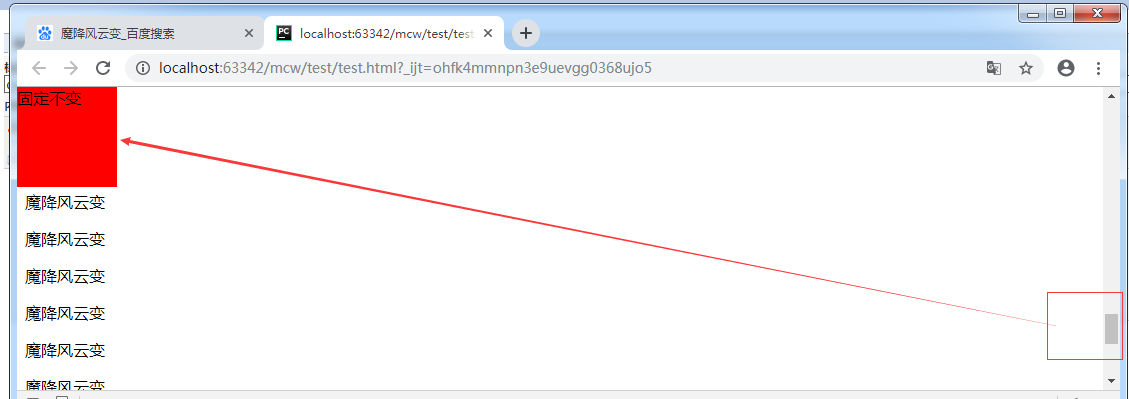
            position: fixed;

            top:;

            right: ;
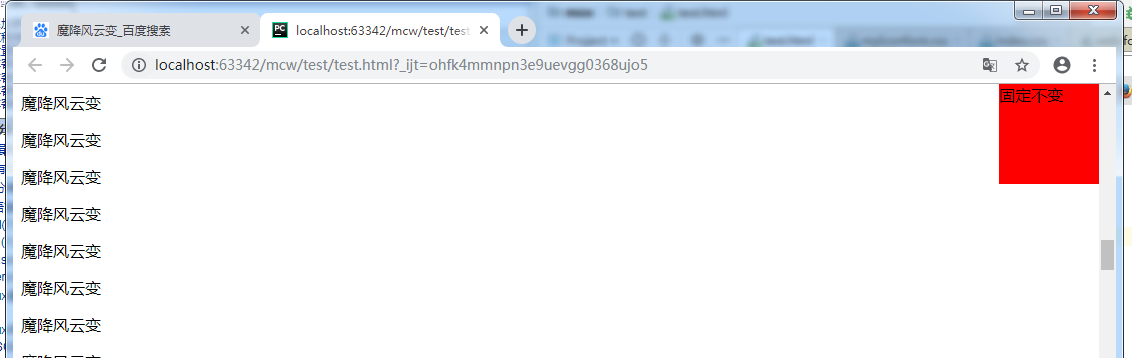
            position: fixed;

            bottom:20px;

            right: -50px;
以浏览器显示页面的四个角为原点,指定位置后滚动滚动条它相对于浏览器页面的这个位置显示不变。它的上左下右和浏览器页面对应边距离对应边属性值个位置,值可以为负,为负时是为正时的反方向移动属性值个位置。
把它放在body的第一个标签,做成导航栏。并且把这个盒子宽度设为100%
        .fix{

            width: 100%;

            height: 100px;

            background-color: red;

            position: fixed;

            top:0px;

        }
发生了压盖现象。
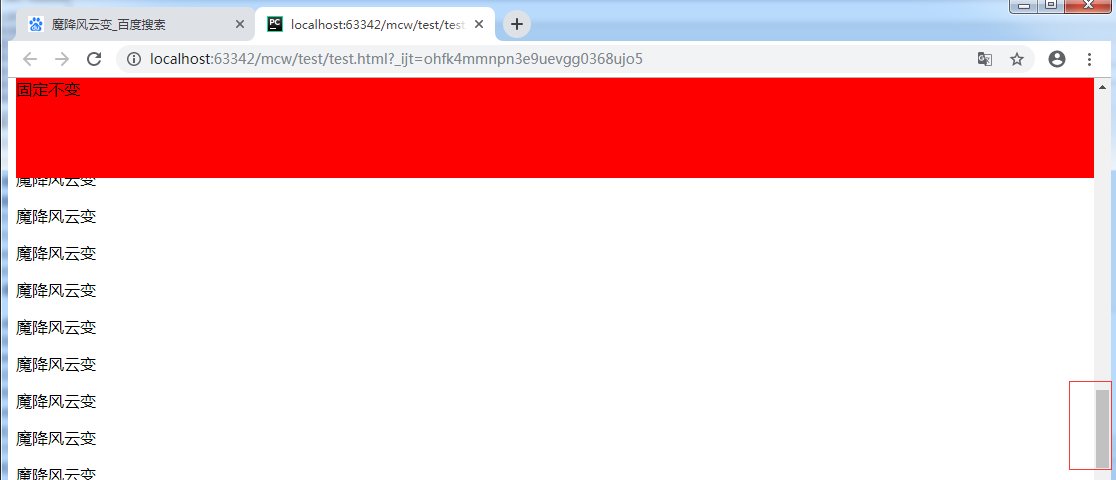
那么内容应该往下挤盒子高度个值。
        body{margin-top:  100px}

        .fix{

            width: %;

            height: 100px;

            background-color: red;

            position: fixed;

            top:0px;

        }

 <div class="fix">固定不变</div>

    <p>小马过河</p>

    <p>魔降风云变</p>
红盒子固定不变了。第二个 盒子作为内容会被压盖出不来。给body上部设置margin。这样就能显示了。

下面这个可以用这个做了。
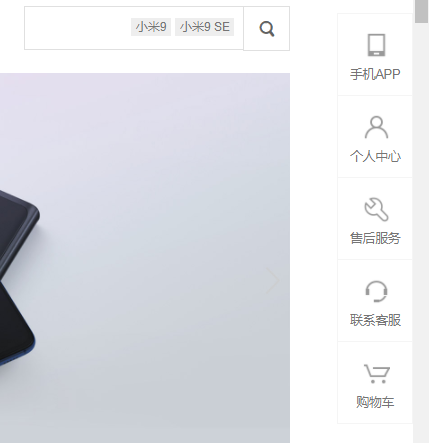
这个也可以做左父元素,右子元素,悬浮父元素的时候空格让子元素display显示出来。默认父元素超出的子元素都是overflow: hidden; 悬浮父则overflow: visible;
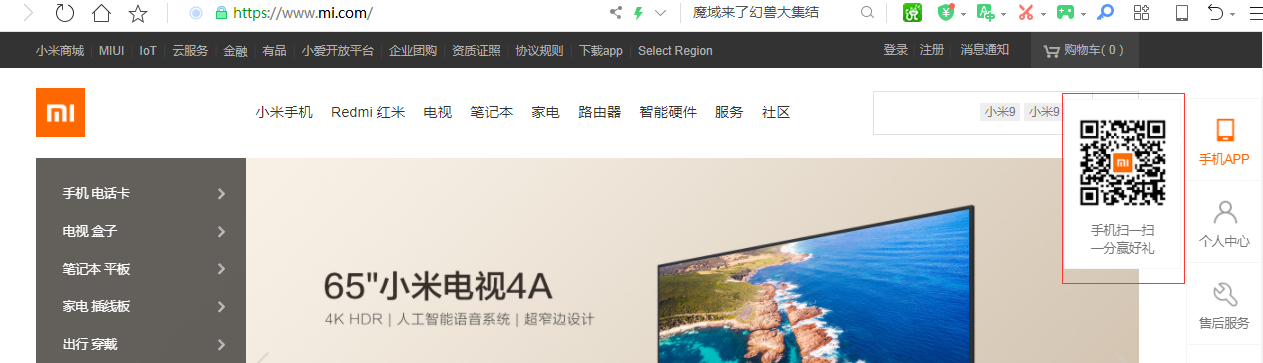
如果三角形也想出来,那么就可以用border画三角形的那个方法弄出来。
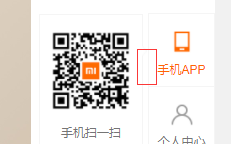
可以用左父,右两个子。子绝父相的方法显示出来

这时我body里面又有设置子绝父相的元素了。一个父元素设置了相对定位。
        .active{position: relative;

            background-color: yellow;}

    <p>魔降风云变</p>

    <p class="active">abc魔降风云变</p>

    <p>魔降风云变</p>
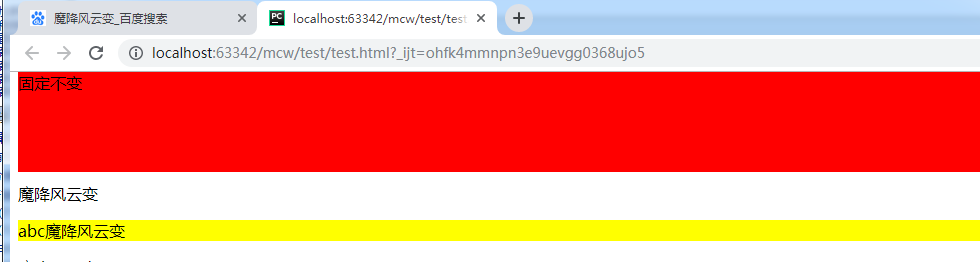
后面设置的使用了子绝父相的父元素压盖了红色导航栏,显然是不行的

这时需要用到z-index。它只适用于定位的元素;默认值是auto,一般属性值取数值,正数。如果它的值越大,则层级越高
       .fix{

            width: %;

            height: 100px;

            background-color: red;

            position: fixed;

            top:0px;

        }

        .active{position: relative;

            background-color: yellow;}
那么上面都没设置用的是默认。那为什么黄色的层级大压盖了红色呢?如果都设置了定位,谁写在下面了谁层级越高。现在是要让红色层级高,因为不知道后面会用多少定位元素,那么就给红色盒子设置高点的值。
        .fix{

            width: %;

            height: 100px;

            background-color: red;

            position: fixed;

            top:0px;

            z-index: 99999;

        }
这样红色盒子就不被z-index值低的压盖了。
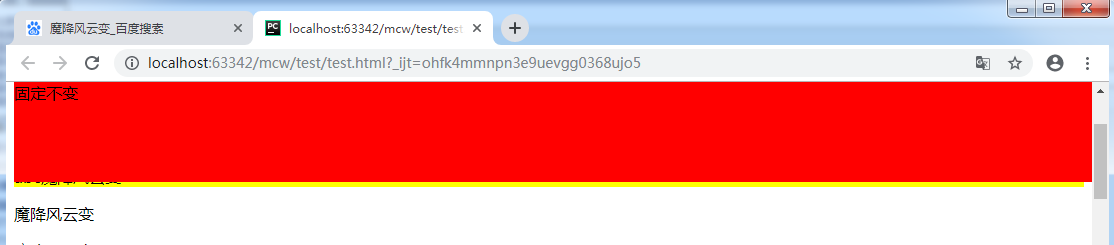
z-index:auto 可以默认为它是0,它们是一样的,那么谁在后谁层级高,能显示出来。

下面的span行内元素设置了绝对定位,这样也是可以给这个行内元素设置宽高的。
<!doctype html>

<html lang="en">

<head>

    <meta charset="UTF-8">

    <title>魔降风云变</title>

    <style>

        .box1{

            position: absolute;

            top: ;

            left: ;

            width: 200px;

            height: 60px;

            border: 2px solid blue;

        }

        .box2{

            position: absolute;

            top: ;

            left: ;

            width: 200px;

            height: 60px;

            border: 2px solid red;

        }

    </style>

</head>

<body>

    <div class="father1">

        <span class="box1"></span>

    </div>

    <div class="father2">

        <div class="box2"></div>

    </div>

</body>

</html>
看不到效果:蓝框是box1 span标签 ;红色是box2, div标签。两个都是使用了绝对定位

        .box2{

            position: absolute;

            top: 20px;

            left: ;

            width: 200px;

            height: 60px;

            border: 2px solid red;

        }
现在将红框加20px的top值,红下移
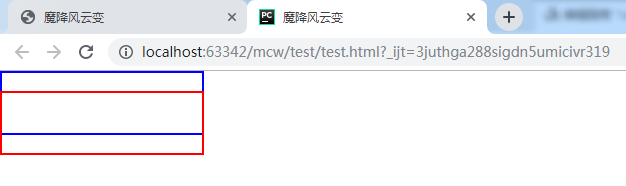
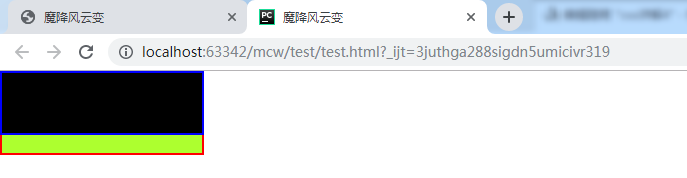
现在给蓝框加个黑色背景色,给红框加个绿色背景色 这样就看出了有压盖现象

因为绿色盒子是在另一个的下面
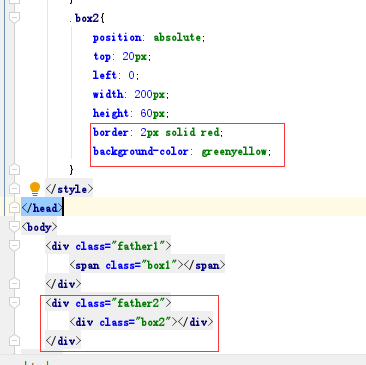
如果我给黑盒子设置z-index:10 给绿色盒子设置z-index:11,还是绿压盖了黑;
如果我给黑盒子设置z-index:10 给绿色盒子设置z-index:6,,小于黑盒子的,那么出现了黑压盖绿
这说明了谁的z-index数越大,谁的层级就越高,就会显示谁
现在给两个盒子的父盒子在行内标签上设置相对定位和z-index。那么现在有种从父现象,谁的父元素z-index大,证明它的层级越高。它不会关心子盒子的z-index。上面看到的是黑压盖绿,黑的z-index大于绿。现在给它俩的父设置了z-index,绿的父大,如果显示绿压盖黑,那么证明了相对定位的父盒子z-index越大,就不再考虑各自子的z-index,父的越大子就越大
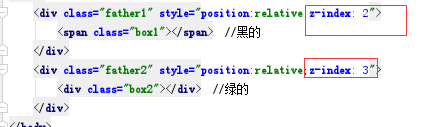
结果如下,证明黑的绿的相对定位的父都有z-index,那么谁的父大就显示谁。这里绿的父大显示绿;从父现象

使用场景如下,红框中的购物车z-index比下面的父的z-index要大:下面压盖的搜索框也有子绝父相的布局
正常情况下先写黑色顶部栏再写下面搜索框的,这样相同的情况下按照先后顺序是下面的导航栏的z-index要比黑色顶部栏的大,因此这里需要调整这两个父的z-index值,让购物车的悬浮框压盖下边的

2、圆角设置
参考:https://book.apeland.cn/details/355/#边框属性
<html lang="en">

<head>

    <meta charset="UTF-8">

    <style>

         #box{

            width: 200px;

            height: 200px;

            background-color: red;

         }

    </style>

</head>

<body>

   <div id="box"></div>

</body>

</html>
先设置一个正方形
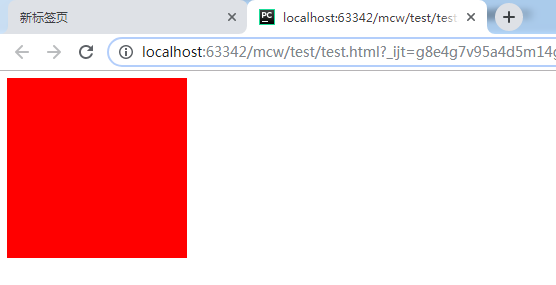
给个边界-半径 正方形边长一般,成了圆
         #box{

            width: 200px;

            height: 200px;

            background-color: red;

            border-radius: 100px;

         }
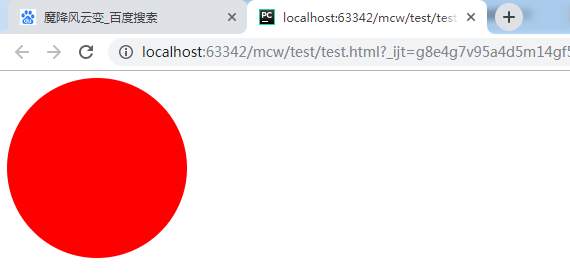
border-radius是两个方向的值,一个是水平方向,一个垂直方向的半径。比如将第二个设置为50px
         #box{

            width: 200px;

            height: 200px;

            background-color: red;

            border-radius: 100px 50px;

         }
这样水平方向100,垂直方向50:
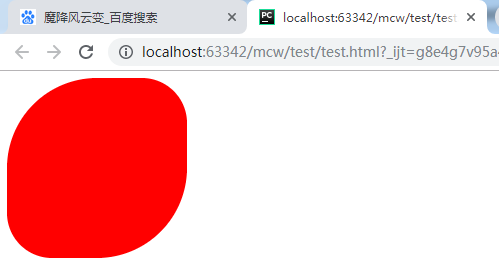
将边半径设置为200,大小一样。
         #box{

            width: 200px;

            height: 200px;

            background-color: red;

            border-radius: 200px;

         }
半径是正方形的边长和边长的一半效果一样:
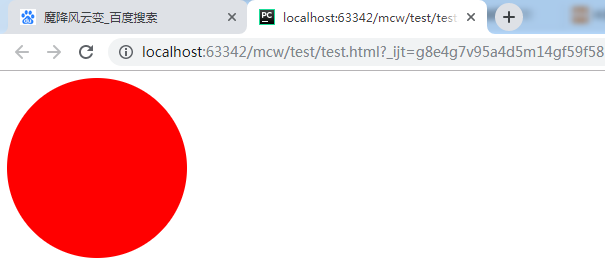
它们画圆的圆心是不同的
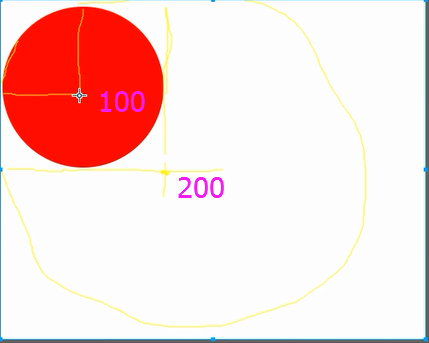
验证了一下,似乎是以画出的正方形的边长到边长一半之内都是同样大小的圆。但是我们经常用边长的一半作为边界半径。
下面看看这个小于一半的:
    <style>

         #box{

            width: 300px;

            height: 300px;

            background-color: red;

            border-radius: 100px;

         }

    </style>
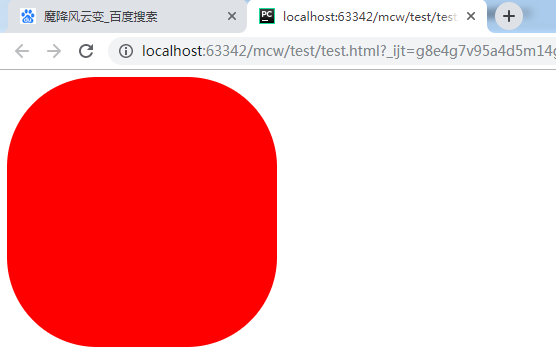
看看半径大于边长的似乎也可以是圆,圆的直径是边长,即使半径超过边长很多
    <style>

         #box{

            width: 200px;

            height: 200px;

            background-color: red;

            border-radius: 600px;

         }

    </style>
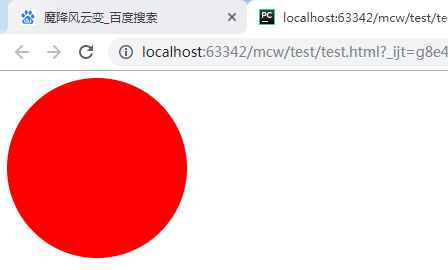
我们经常用的是百分比来画圆:
         #box{

            width: 200px;

            height: 200px;

            background-color: red;

            border-radius: 50%;

         }
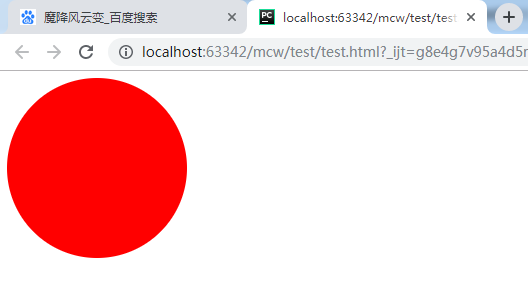
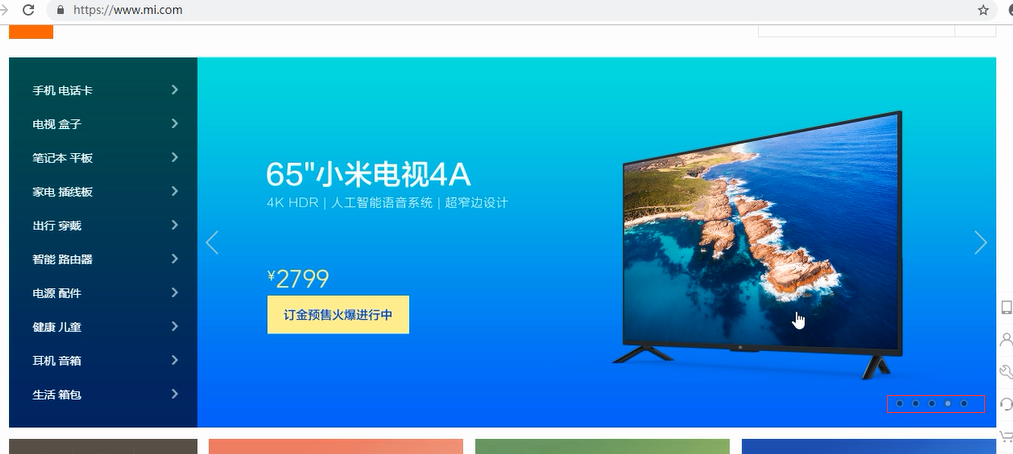
圆的使用场景之一是下面小圆点:
给圆加个边框:
         #box{

            width: 200px;

            height: 200px;

            background-color: red;

            border-radius: %;

            border: 3px solid blue;

         }
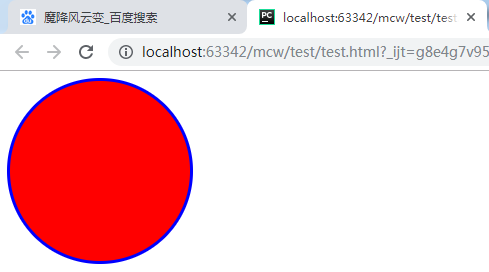
然后悬浮在圆上的时候加个背景色:
  <style>

         #box{

            width: 200px;

            height: 200px;

            background-color: red;

            border-radius: %;

            border: 3px solid blue;

         }

       #box:hover{

          background-color: #000;

       }

    </style>
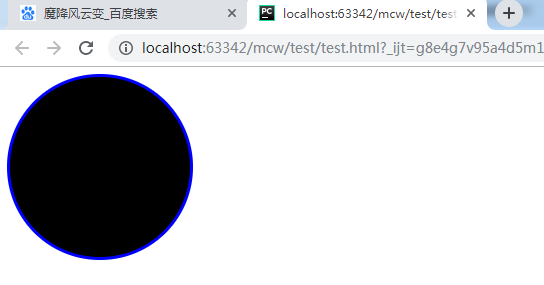
圆使用场景之二:这样可以用圆来切头像,比如qq头像。方的变圆的。
使用场景之三,可以做圆角
         #box{

            width: 200px;

            height: 200px;

            background-color: red;

            border-radius: 8px;

            border: 3px solid blue;

         }

单个圆角的设置
除了同时设置四个圆角以外,还可以单独对每个角进行设置。对应四个角,CSS3提供四个单独的属性:
- border-top-left-radius
- border-top-right-radius
- border-bottom-right-radius
- border-bottom-left-radius
         #box{

            width: 200px;

            height: 200px;

            background-color: red;

            border-top-left-radius: 50px;

         }

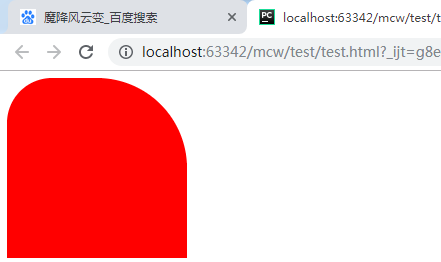
         #box{

            width: 200px;

            height: 200px;

            background-color: red;

            border-top-left-radius: 50px;

            border-top-right-radius:100px;

         }
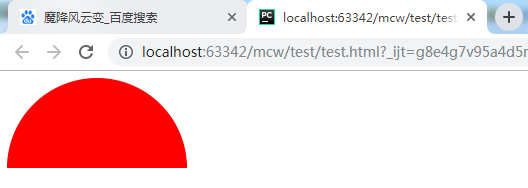
         #box{

            width: 200px;

            height: 100px;

            background-color: red;

            border-top-left-radius: 100px;

            border-top-right-radius:100px;

         }
    <style>

         #box{

            width: 200px;

            height: 100px;

            background-color: red;

            border-bottom-left-radius: 100px;

            border-bottom-right-radius:100px;

         }

    </style>
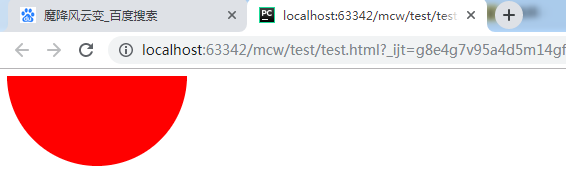
         #box{

            width: 200px;

            height: 100px;

            background-color: red;

            border-top-left-radius: 100px;

            border-bottom-right-radius:100px;

         }
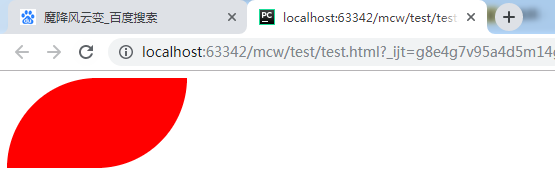
         #box{

            width: 200px;

            height: 100px;

            background-color: red;

            border-top-right-radius: 100px;

            border-bottom-right-radius:100px;

         }
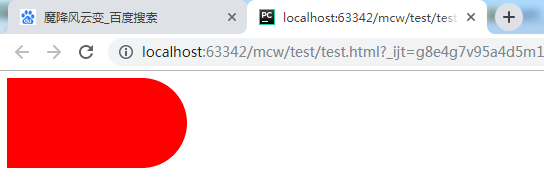
         #box{

            width: 100px;

            height: 200px;

            background-color: red;

            border-top-right-radius: 100px;

            border-bottom-right-radius:100px;

         }

         #box{

            width: 200px;

            height: 100px;

            background-color: red;

            border-left: 100px solid green;

            border-top: 100px solid green;

            border-top-right-radius: 100px;

            border-bottom-right-radius:100px;

         }
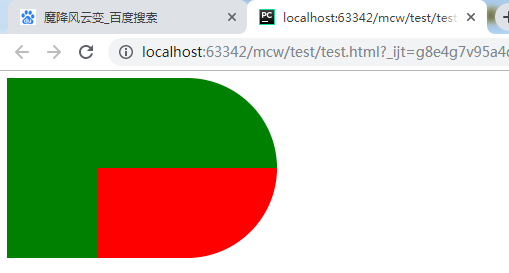
         #box{

            width: 200px;

            height: 100px;

            background-color: red;

            border-left: 100px solid fuchsia;

            border-top: 100px solid green;

            border-top-right-radius: 100px;

            border-bottom-right-radius:100px;

         }
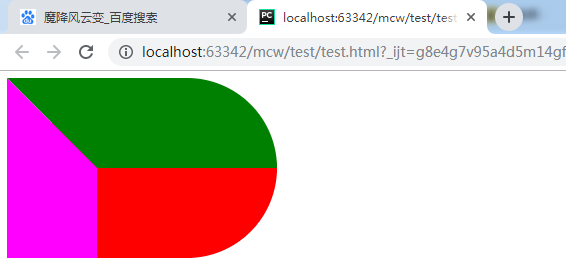
         #box{

            width: 200px;

            height: 100px;

            background-color: red;

            border-left: 100px solid #ffffff;

            border-top: 100px solid green;

            border-top-right-radius: 100px;

            border-bottom-right-radius:100px;

         }

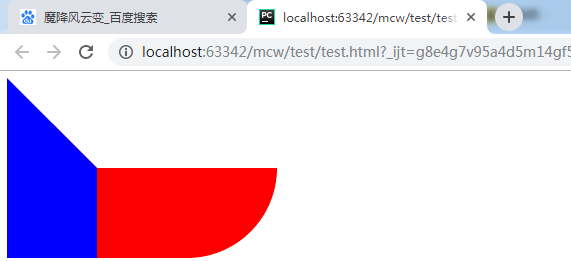
         #box{

            width: 200px;

            height: 100px;

            background-color: red;

            border-left: 100px solid blue;

            border-top: 100px solid #ffffff;

            border-top-right-radius: 100px;

            border-bottom-right-radius:100px;

         }
<html lang="en">

<head>

    <meta charset="UTF-8">

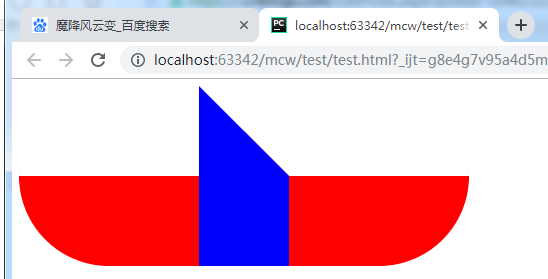
    <style>

         #box0{

            width: 200px;

            height: 100px;

            background-color: red;

            border-top: 100px solid #ffffff;

            border-top-left-radius: 100px;

            border-bottom-left-radius:100px;

            float: left;

         }

         #box{

            width: 200px;

            height: 100px;

            background-color: red;

            border-left: 100px solid blue;

            border-top: 100px solid #ffffff;

            border-top-right-radius: 100px;

            border-bottom-right-radius:100px;

            float: left;

         }

    </style>

</head>

<body>

   <div id="box0"></div>

   <div id="box"></div>

</body>

</html>
<html lang="en">

<head>

    <meta charset="UTF-8">

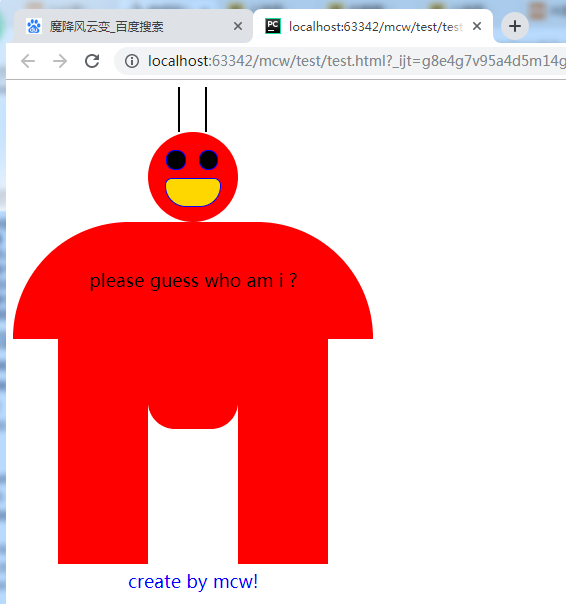
    <style>

         #box0{

            width: 100px;

            height: 100px;

            background-color: red;

            border-radius: 100px;

            position: relative;

            left: 150px;

         }

         #box1{

            width: 400px;

            height: 130px;

            background-color: red;

            border-top-left-radius: 200px;

            border-top-right-radius: 200px;

            /*border-radius: 100px;*/

            line-height: 130px;

            text-align: center;

            font-size: 20px;

         }

         #tui{

            height: 250px;

            width: 400px;

            position: relative;

         }

         #tui .left{

            height: 250px;

            width: 100px;

            position: absolute;

            left: 50px;

            background-color: red;

         }

         .mid{

            height: 100px;

            width: 100px;

            background-color: red;

            position: absolute;

            left: 150px;

            border-bottom-left-radius: 30px ;

            border-bottom-right-radius: 30px ;

         }

         .right{

            height: 250px;

            width: 100px;

            position: absolute;

            left:250px;

            background-color: red;

         }

       #box0 div{

          width: 20px;

          height: 20px;

          background-color: black;

          border :1px solid blue;

          border-radius: 10px;

       }

       #box0 .yan1{

          position: absolute;

          top: 20px;

          left: 20px;

       }

         #box0 .yan2{

          position: absolute;

          top: 20px;

          left: 56px;

       }

       #box0 .zui{

          height: 30px;

          width: 60px;

          background-color: gold;

          border-bottom-left-radius: 30px;

          border-bottom-right-radius: 30px;

          position: absolute;

          top: 51px;

          left: 19px;

       }

       #fa{

          height: 50px;

          width: 400px;

          position: relative;

       }

       #fa .fa1{

          width: 2px;

          height:50px;

          background-color: black;

          position: absolute;

          left: 183px;

       }

         #fa .fa2{

          width: 2px;

          height:50px;

          background-color: black;

            position: absolute;

            left: 213px;

       }

       #foot{

          font-size: 20px;

          text-align: center;

          margin-top: 5px;

          color: blue;

          width: 400px;

       }

    </style>

</head>

<body>

   <div id="fa">

      <div class="fa1"></div>

      <div class="fa2"></div>

   </div>

   <div id="box0">

      <div class="yan1"></div>

      <div class="yan2"></div>

      <div class="zui"> </div>

   </div>

   <div id="box1">please guess who am i ?</div>

   <div id="tui">

      <div class="left"></div>

      <div class="mid"></div>

      <div class="right"></div>

   </div>

   <div id="foot">create by mcw!</div>

</body>

</html>
有时间研究一下大风车
<html lang="en">

<head>

    <meta charset="UTF-8">

    <style>

       div{

          width: 200px;

          height: 200px;

          border:50px solid red;

          border-radius: 100px;

       }

    </style>

</head>

<body>

   <div ></div>

</body>

</html>

<html lang="en">

<head>

    <meta charset="UTF-8">

    <style>

       div{

          width: 200px;

          height: 200px;

          border:50px solid red;

          border-radius: 200px;

       }

    </style>

</head>

<body>

   <div ></div>

</body>

</html>

斜线怎么画呢?
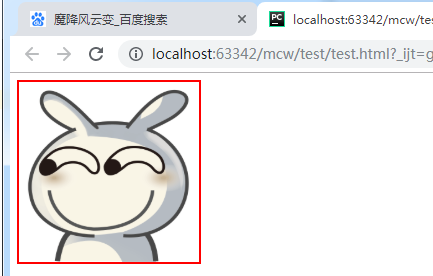
qq头像,微信头像:
<html lang="en">

<head>

    <meta charset="UTF-8">

    <style>

       img{

          width: 200px;

          height: 200px;

          border: 2px solid red;

          border-radius: 200px;

       }

    </style>

</head>

<body>

<img src="timg.gif" alt="">

</body>

</html>

原图:
css详解4的更多相关文章
- jquery的css详解(二)
jq的工具方法style用于设置样式,jq的实例方法css在设置样式时就是调用的它,接下来分析一下源码. jQuery.extend({ ............................ st ...
- CSS详解
Web前端开发css基础样式总结 颜色和单位的使用 颜色 用颜色的名字表示颜色,比如:red 用16进制表示演示 比如:#FF0000 用rgb数值表示颜色,rgb(红,绿,蓝),每个值都在0-255 ...
- DIV+CSS详解
DIV+CSS详解 ✪DIV+CSS"这种叫法其实是一种不准确的叫法 在做笔记的最前面必须先给大家纠正一个错误,就是"DIV+CSS"这种叫法其实是一种不准确的叫法,是国 ...
- css详解background八大属性及其含义
background(背景) 以前笔者在css盒模型以及如何计算盒子的宽度一文中提到过盒模型可以看成由 元素外边距(margin).元素边框(border).元素内边距(padding)和元素内容(c ...
- jquery的css详解(一)
通过阅读源码可以发现css是jq的实例方法.而在内部调用jq的工具方法access来实现的,对该方法不了解的朋友请点击 -> jquery工具方法access详解 在access的回调中做了一个 ...
- css详解3
推荐学习链接:css盒模型 1.盒模型的常用属性 1.1.pading <html lang="en"> <head> <meta charset=& ...
- JavaWeb之CSS详解
CSS的简介 1.CSS概述及作用 CSS:Cascading Style Sheets)是层叠样式表用来定义网页的显示效果.可以解决html代码对样式定义的重复,提高了后期样式代码的可维护性,并增强 ...
- css详解笔记
CSS中的块级元素与行内元素 块级元素特性: 1.占据一整行,总是重起一行并且后面的元素也必须另起一行显示. 2.内联元素特性: 3.和其他内联元素显示在同一行. 块级元素列举如下: div(文档分区 ...
- 02_HTML5+CSS详解第四天
依旧是CSS部分贴个CSS主要知识点总结的链接:http://blog.csdn.net/html5_/article/details/26098273 [自己的笔记做得好乱,以前一直以为是字丑的原因 ...
- 02_HTML5+CSS详解第三天
WebStorage简单的网页留言板用到的函数有3个1.saveStorage函数使用"new Date().getTime()"语句来获取当前的日期和时间戳,然后使用localS ...
随机推荐
- aligin-items与aligin-content的区别
align-items 属性使用于所有的flex容器,它是用来设置每个flex元素在侧轴上的默认对齐方式 aligin-items 与align-content有相同的功能,不过不同点是它是用来让每一 ...
- [LeetCode] 231. Power of Two 2的次方数
Given an integer, write a function to determine if it is a power of two. Example 1: Input: 1 Output: ...
- docker tag根据镜像id做标签,用于应用的回滚
示例 通过ID tag镜像 下面是tag一个id为0e5574283393的本地镜像到“fedora”存储库,tag名称version1.0: docker tag 0e5574283393 fedo ...
- Java-Readable
import java.nio.*; import java.util.*; import static net.mindview.util.Print.*; public class RandomW ...
- Coursera,Udacity,Edx 课程列表(更新ing)
Coursera,Udacity,Edx 课程列表(更新ing) Coursera有很多特别好的课程,平时没有机会听到国外大牛的课程,通过Coursera算是可以弥补一下吧,国外的课程普遍比国内的老师 ...
- Feign输出Info级别日志
背景 spring cloud netfix组件中,feign相关的日志默认是不会输出的,需要自定义配置才能输出,并且Feign只对Debug基本的日志做出响应, 实际业务需要输出Info级别的日志, ...
- 解决计算精度问题:BigDecimal
BigDecimal类 BigDecimal所在包:java.math,不可变的.任意精度的有符号十进制数.BigDecimal 由任意精度的整数非标度值 和 32 位的整数标度 (scale) 组成 ...
- 数据分析——Pandas的用法(Series,DataFrame)
我们先要了解,pandas是基于Numpy构建的,pandas中很多的用法和numpy一致.pandas中又有series和DataFrame,Series是DataFrame的基础. pandas的 ...
- Java集合对比
1.array和ArrayList 的区别?1.1:ArrayList是Array的复杂版本1.2:数组不能扩容集合可以扩容1.3:存储的数据类型:Array只能存储相同数据类型的数据,而ArrayL ...
- 【LEETCODE】43、1002. Find Common Characters
package y2019.Algorithm.array; import java.util.*; /** * @ProjectName: cutter-point * @Package: y201 ...