
Nexus OSS私服仓库的备份与迁移
背景
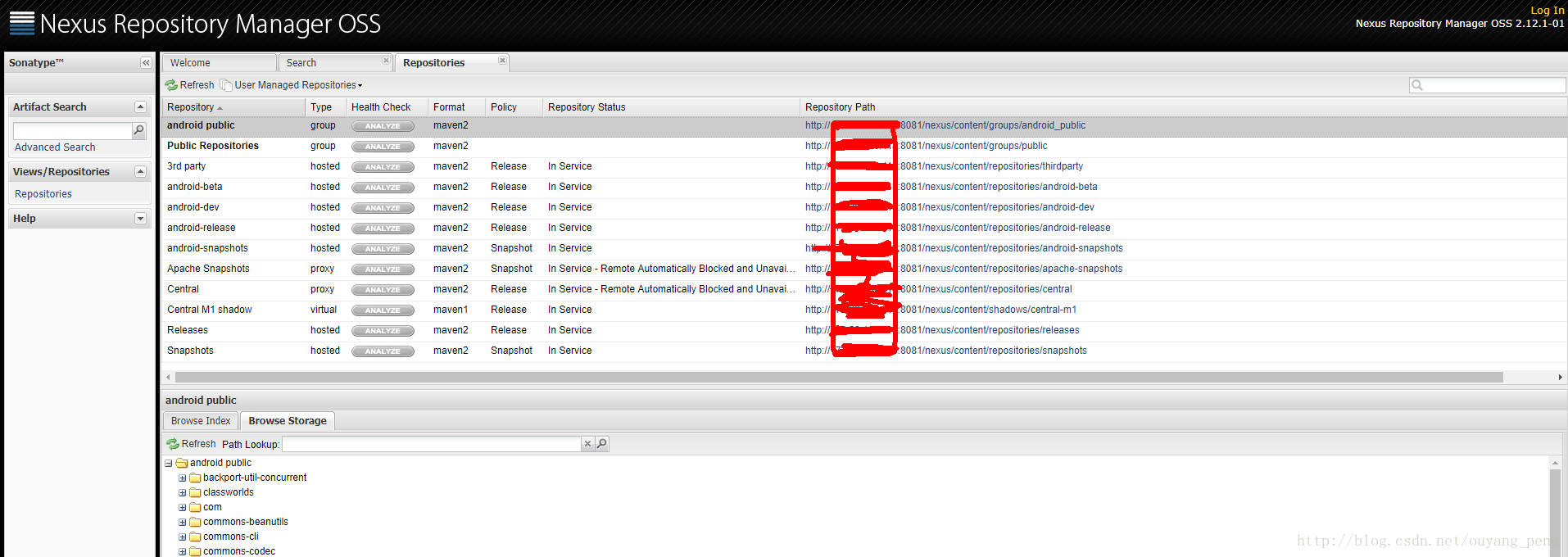
在上一篇博客 【Maven学习】Nexus OSS私服仓库的安装和配置 中,我们已经在机房搭建好了新的Nexus OSS私服仓库。下面是两个版本的Nexus OSS私服仓库的对比图。
老的Nexus OSS私服仓库
新的Nexus OSS私服仓库
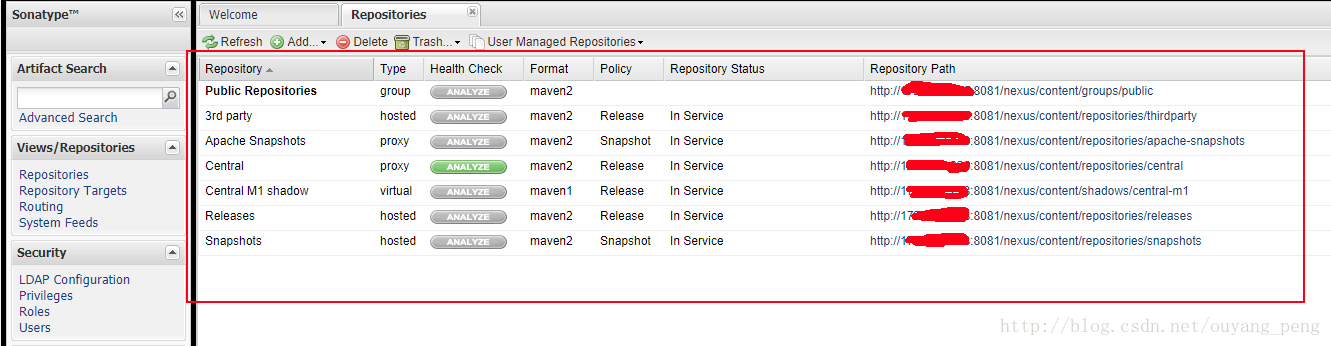
明显老的Nexus OSS私服仓库的内容比新的Nexus OSS私服仓库的内容多。因此我们现在的工作就是将办公室上的老的Nexus服务器上的所有的数据迁移到机房的Nexus服务器。这一篇博客记录下整个Nexus OSS私服仓库的备份与迁移的过程。
一、老的Nexus OSS私服仓库备份
迁移中会遇到三个文件夹 , 打包、拉走 启动即可。
| 名称 | 目录名 | 重要配置文件 |
|---|---|---|
| nexus主目录 | nexus-2.6.4-02 | conf/nexus.properties里面有sonatype-work的地址 |
| sonatype-work目录 | sonatype-work | nexus/conf/nexus.xml里面有storage的地址 |
| storage目录 | storage | 里面主要是各种程序的jar包等 |
迁移流程如下
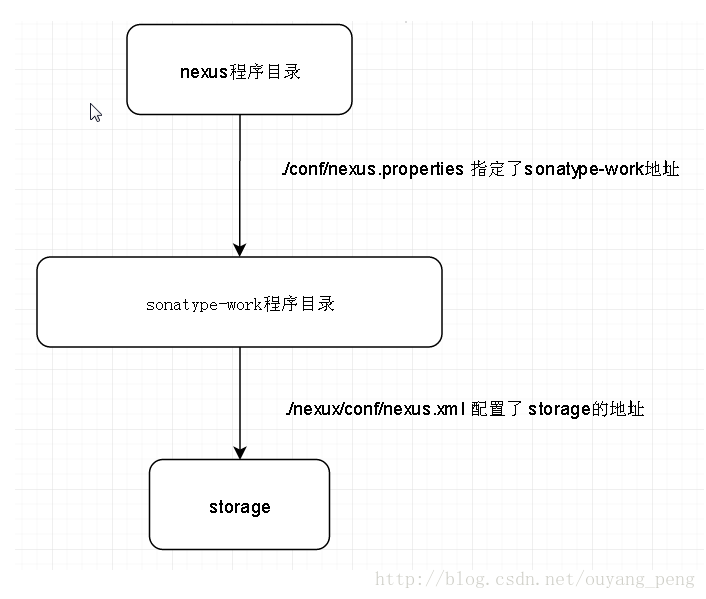
首先我们在老的Nexus OSS私服仓库的这台Linux服务器上,查看相关的目录信息。
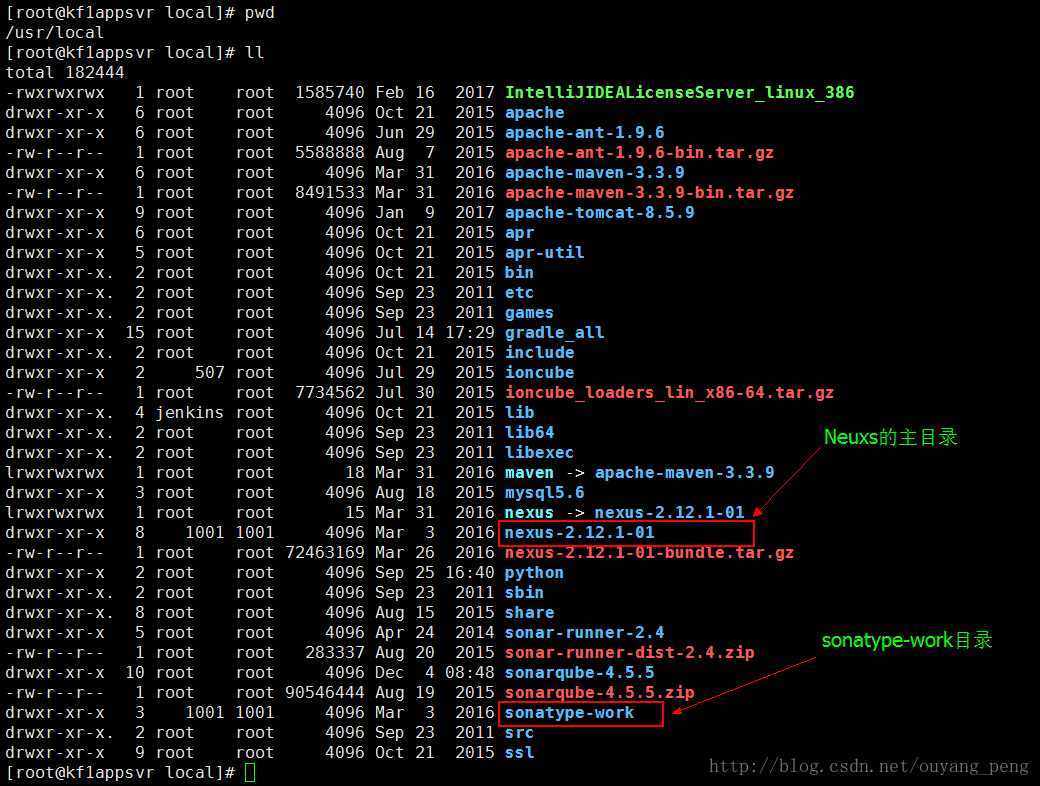
如上图所示,在老的Nexus OSS私服仓库的这台Linux服务器上,
nexus主目录的地址为:/usr/local/nexus-2.12.1-01
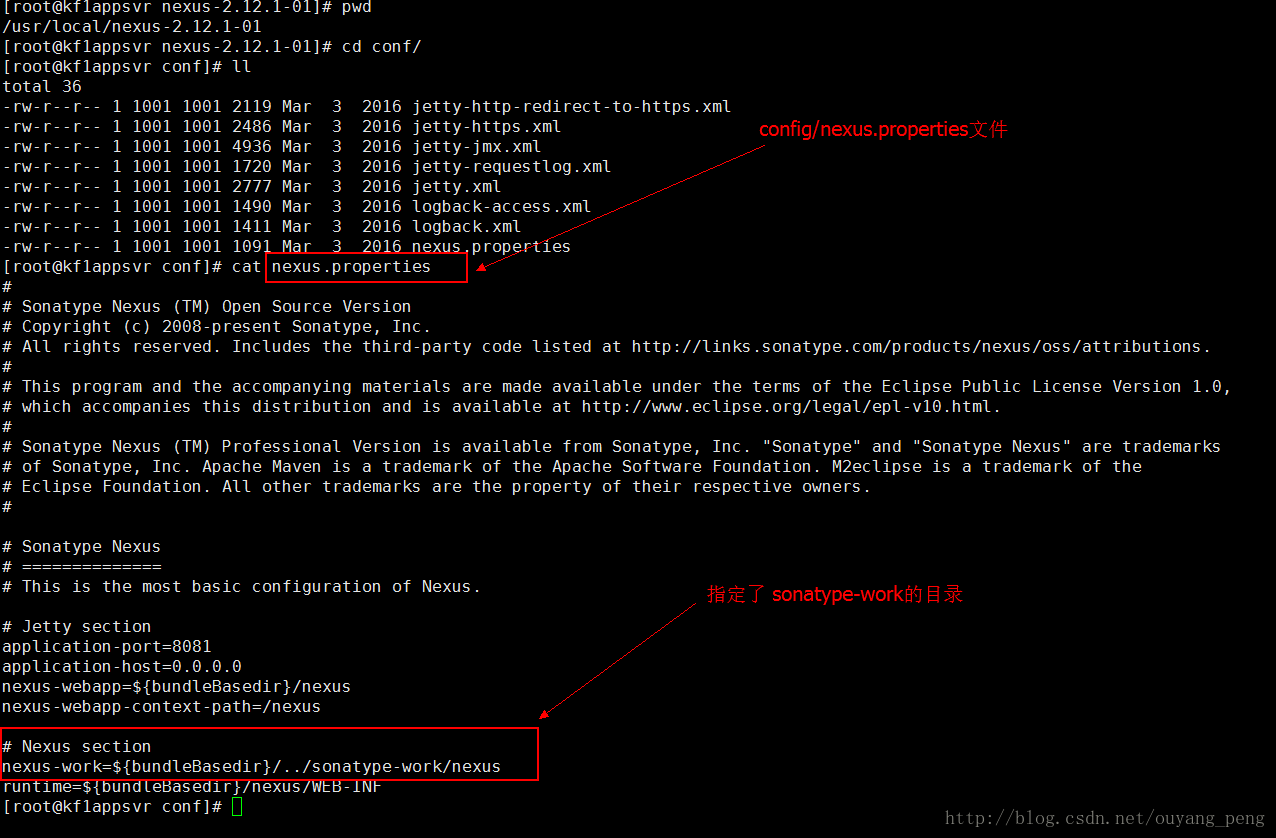
在 /usr/local/nexus-2.12.1-01/config/nexus.properties 文件中,指定了sonatype-work的地址
现在我们进入 /usr/local/sonatype-work/nexus/storage目录,查看里面的目录结构
- [root@kf1appsvr storage]# pwd
- /usr/local/sonatype-work/nexus/storage
- [root@kf1appsvr storage]# ll
- total 52
- drwxr-xr-x 6 root root 4096 Dec 4 08:49 android-beta
- drwxr-xr-x 6 root root 4096 Dec 4 08:49 android-dev
- drwxr-xr-x 6 root root 4096 Dec 4 08:49 android-release
- drwxr-xr-x 6 root root 4096 Dec 4 08:49 android-snapshots
- drwxr-xr-x 10 root root 4096 Dec 4 08:49 android_public
- drwxr-xr-x 4 root root 4096 Dec 4 08:49 apache-snapshots
- drwxr-xr-x 30 root root 4096 Dec 4 08:49 central
- drwxr-xr-x 125 root root 4096 Nov 30 17:08 central-m1
- drwxr-xr-x 6 root root 4096 Dec 4 08:49 public
- drwxr-xr-x 4 root root 4096 Dec 4 08:49 releases
- drwxr-xr-x 4 root root 4096 Dec 4 08:49 snapshots
- drwxr-xr-x 5 root root 4096 Dec 4 08:49 thirdparty
- drwxr-xr-x 2 root root 4096 Jan 11 2017 xtc_devs
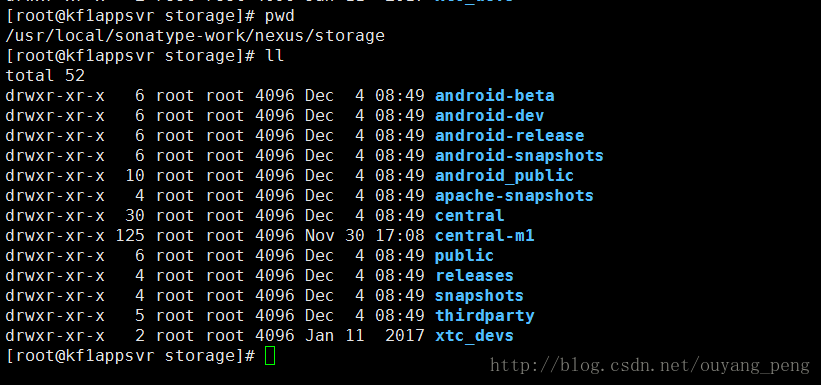
将此目录结构和Nexus管理界面对比,可以一一对应,如下所示。
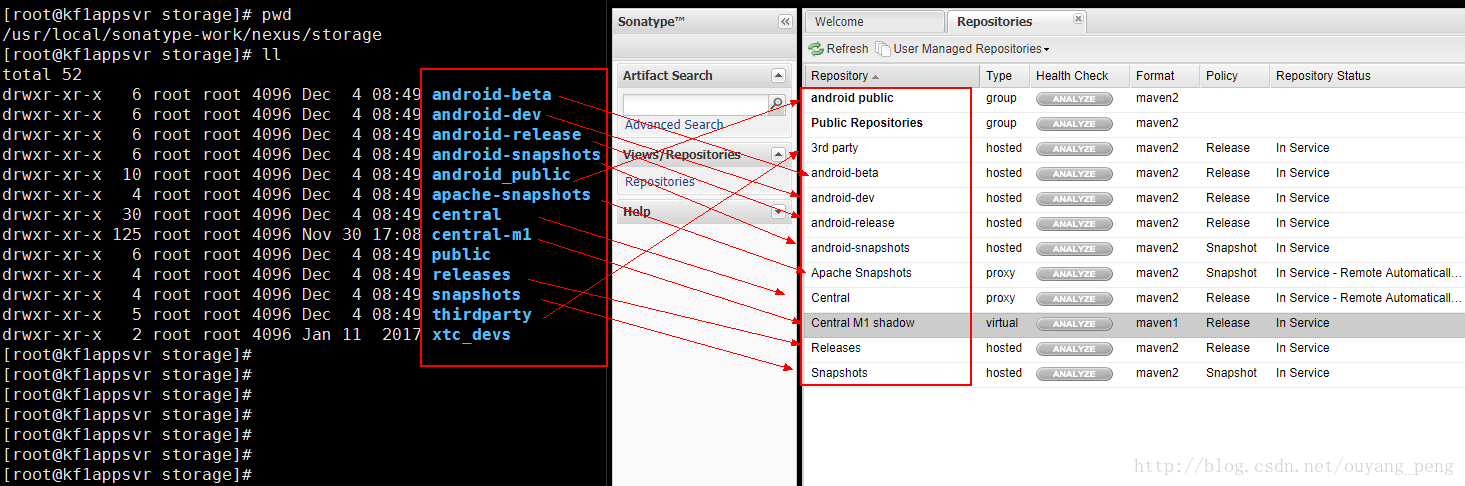
从上面分析来看,我们只需要将nexus主目录和sonatype-work目录都备份好即可。但是两个Linux服务器的nexus配置的java路径之类的可能不同,我就不备份nexus主目录了。
我只备份sonatype-work目录,Nexus的构件仓库都保存在sonatype-work目录中,该目录的位置由nexus/conf/nexus.properties配置文件指定。
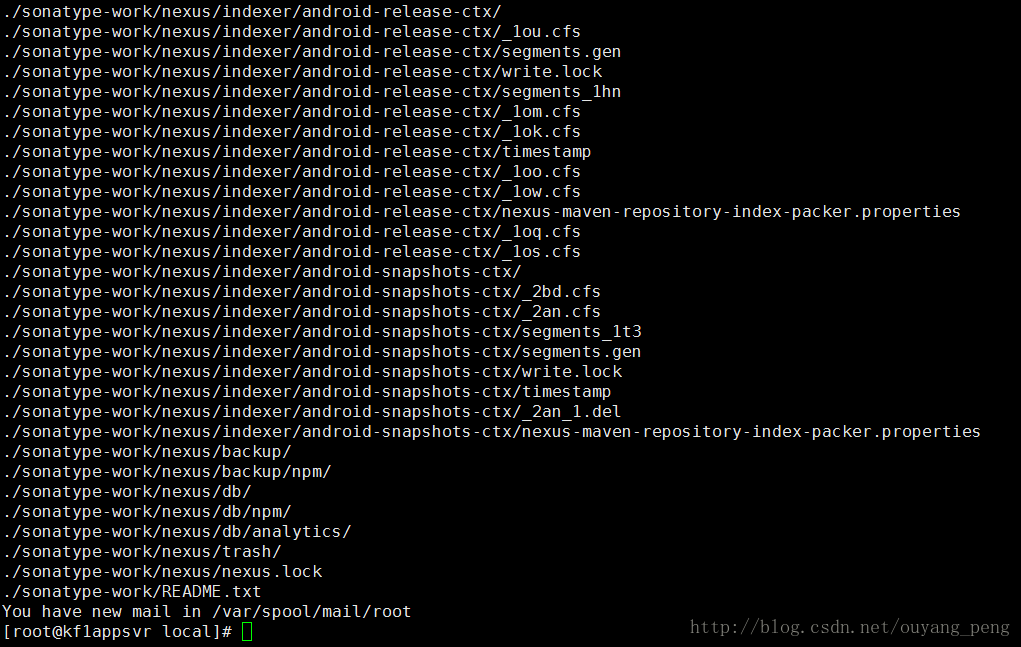
使用 tar命令将 sonatype-work目录 打包压缩为一个 tar.gz文件,命令如下所示
[root@kf1appsvr local]# tar -zcvf sonatype-work-2017-12-14.tar.gz ./sonatype-work/备份中,整个备份过程比较缓慢,因为两年传上去的的文件和文件夹太多了。
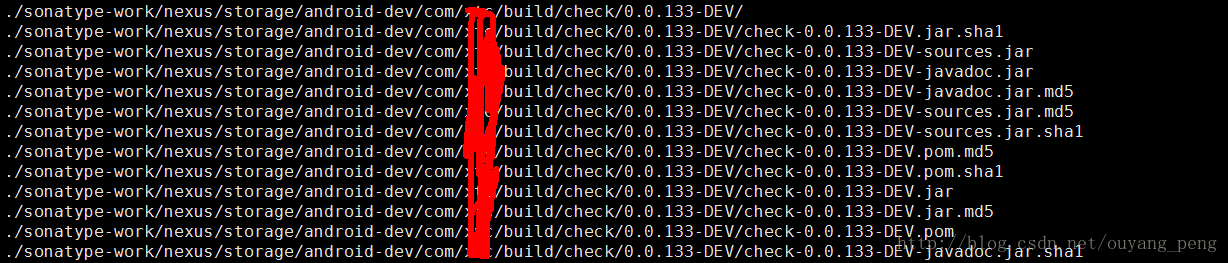
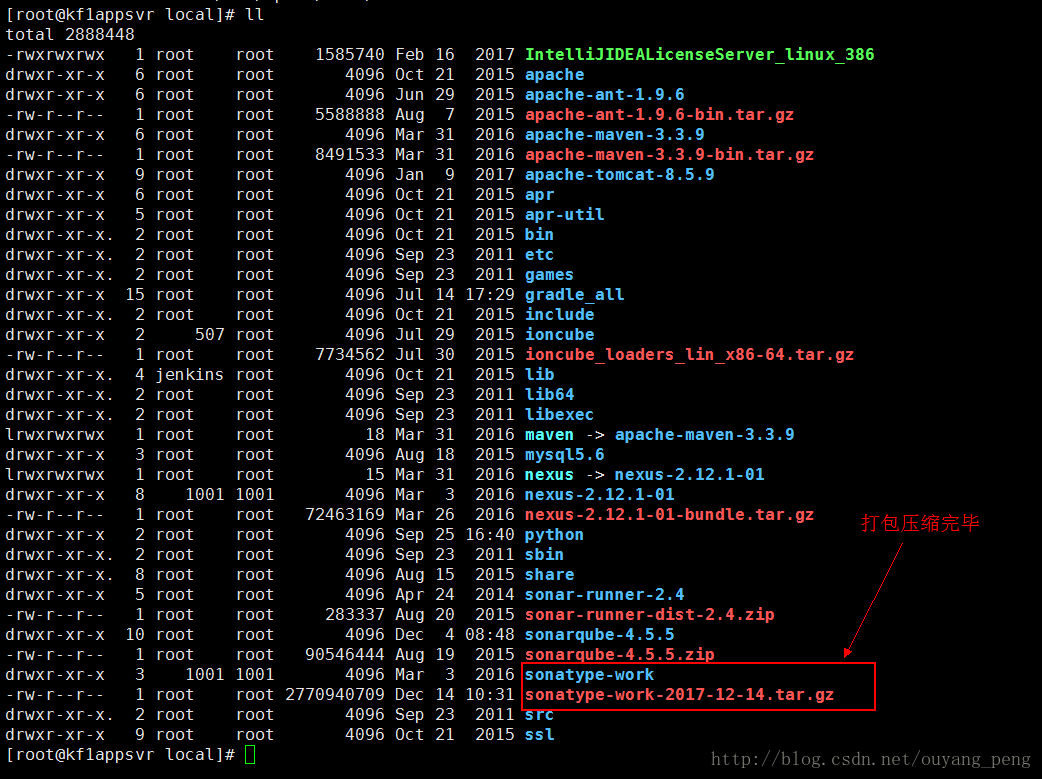
打包完毕
生成了 sonatype-work-2017-12-14.tar.gz 文件,占用了2770940709 字节,差不多2.6G
二、将老的Nexus OSS私服仓库的备份文件复制到新的Nexus OSS私服仓库
上一步我们将整个 sonatype-work 目录打包成一个压缩包 sonatype-work-2017-12-14.tar.gz,现在我们要将这个压缩包复制到新的Nexus OSS私服仓库的Linux服务器上。
我们是有 scp命令来进行复制操作,关于scp命令的操作可以参考之前的文章 git学习------> Gitlab如何进行备份恢复与迁移?
使用scp命令从远程服务器copy文件或者目录到本地
scp 用户名 @IP 地址 : 文件名 1 远程用户名 @IP 地址 : 文件名 2[用户名 @IP 地址 :] 可以不输入 , 可能需要输入远程用户名所对应的密码 .
可能有用的几个参数 :
- -v 和大多数 linux 命令中的 -v 意思一样 , 用来显示进度 . 可以用来查看连接 , 认证 , 或是配置错误 .
- -C 使能压缩选项 .
- -P 选择端口 . 注意 -p 已经被 rcp 使用 .
- -4 强行使用 IPV4 地址 .
- -6 强行使用 IPV6 地址 .
例如我使用如下命令,从远程服务器copy刚才的备份文件sonatype-work-2017-12-14.tar.gz到了新服务器的/usr/local 目录下
scp root@老的linux的ip地址:/usr/local/sonatype-work-2017-12-14.tar.gz /usr/local/我们登录到新的Nexus OSS私服仓库那台linux服务器,然后执行上面的命令
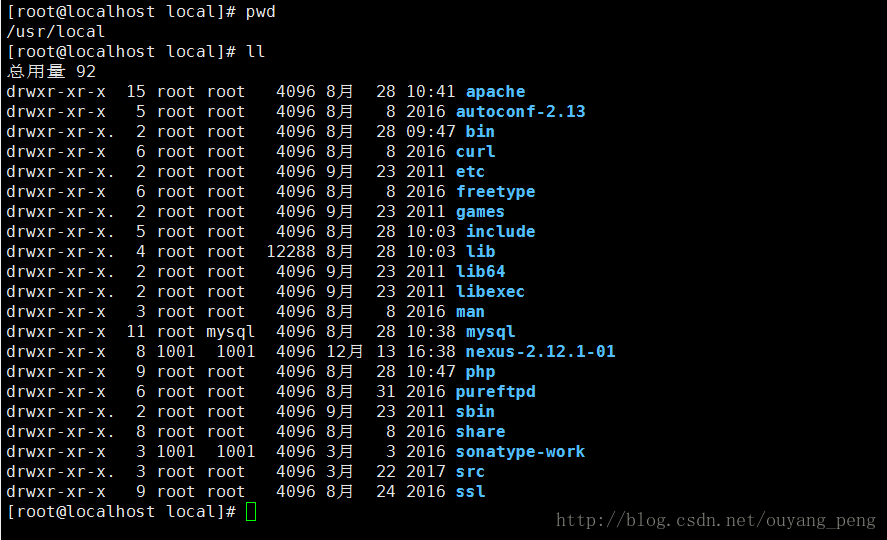
敲了命令之后,需要我们确认是否connecting,我们敲一个yes,接着需要我们输入老的Nexus OSS私服仓库那台linux服务器的密码,如下所示
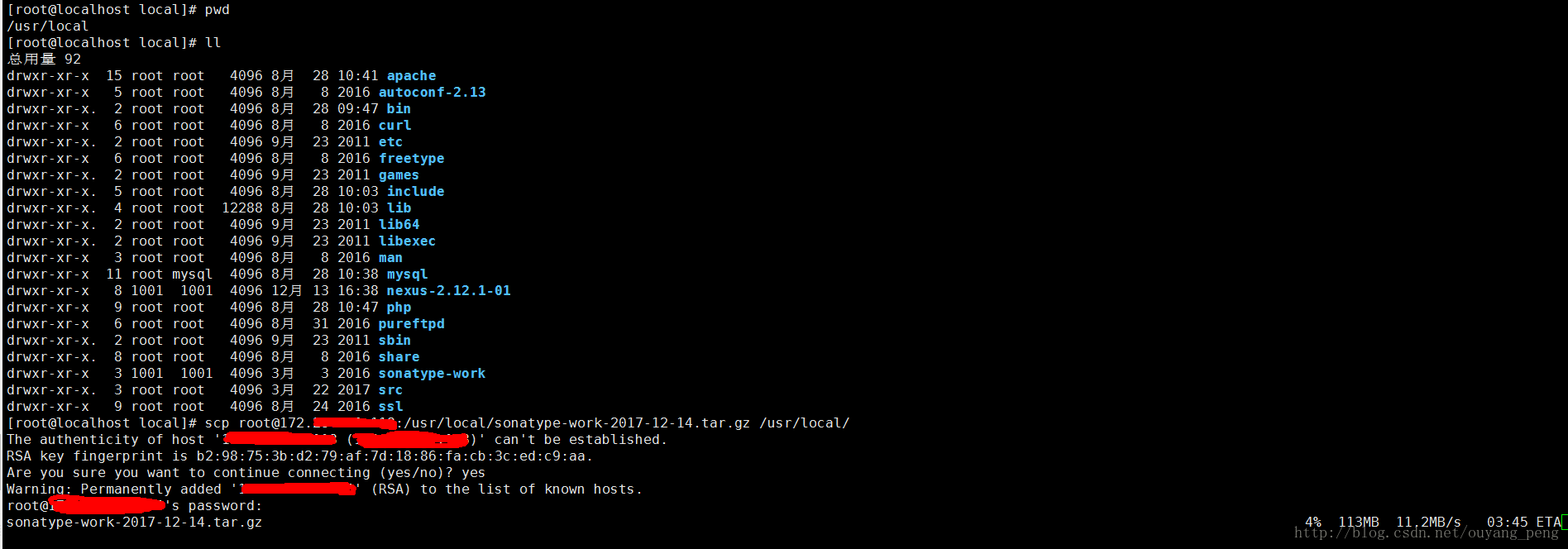
敲完之后,如果密码正确的话,则将刚才的备份文件copy到这台新的linux服务器。稍等一段时间之后则可以copy完毕,如下图所示:
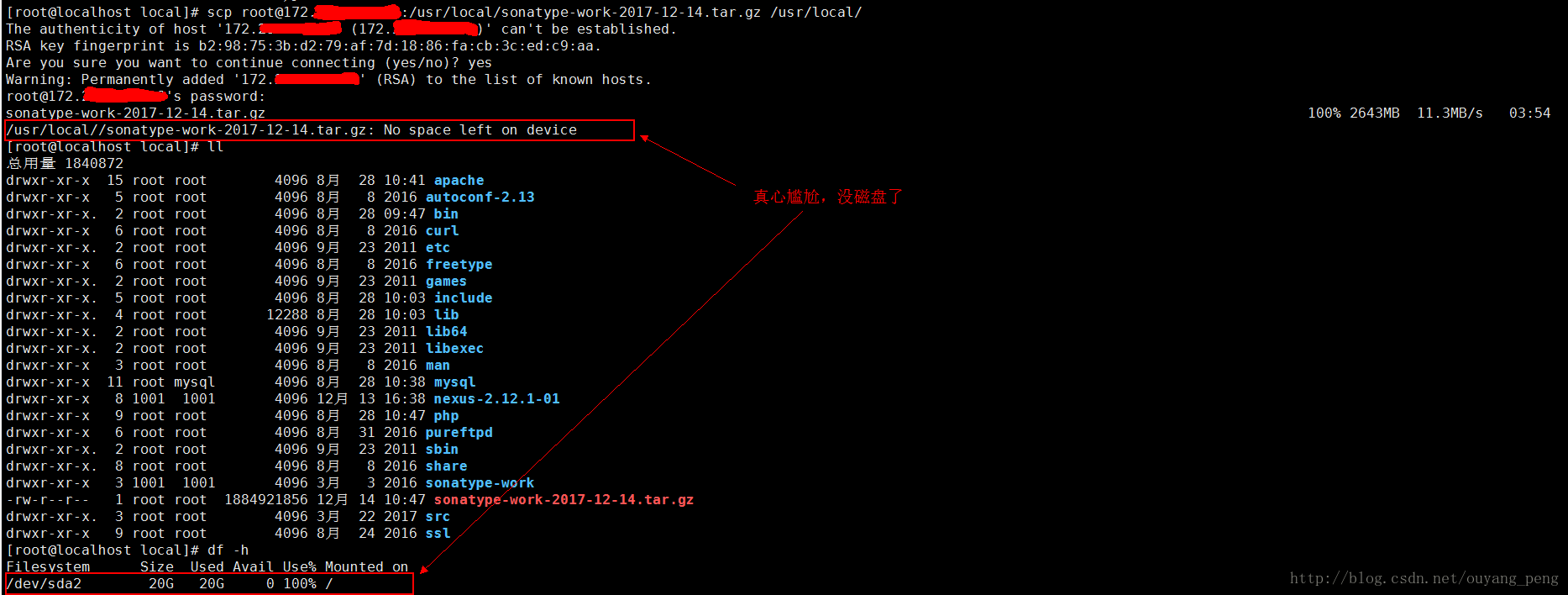
真心尴尬,根目录 / 的磁盘空间用完了,导致复制过程终止,我们将这个复制到一半的文件删除掉。
我发现 /data2 的磁盘空间很充裕,因此我将文件复制到 /data2目录下,如下图所示

复制完毕之后,查看 /data2 目录,发现 复制过来的 sonatype-work-2017-12-14.tar.gz 文件也是 2770940709个字节,完整复制过来了。

三、解压备份文件
因为 根目录 / 下的磁盘空间不足,因此我们将刚才的压缩包解压到 /data2目录下。如下所示:
tar -zxvf sonatype-work-2017-12-14.tar.gz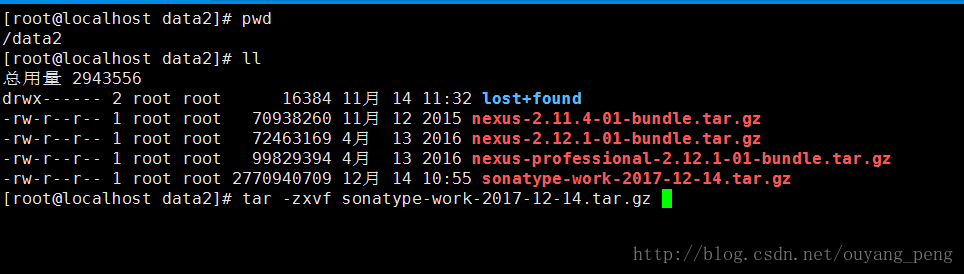
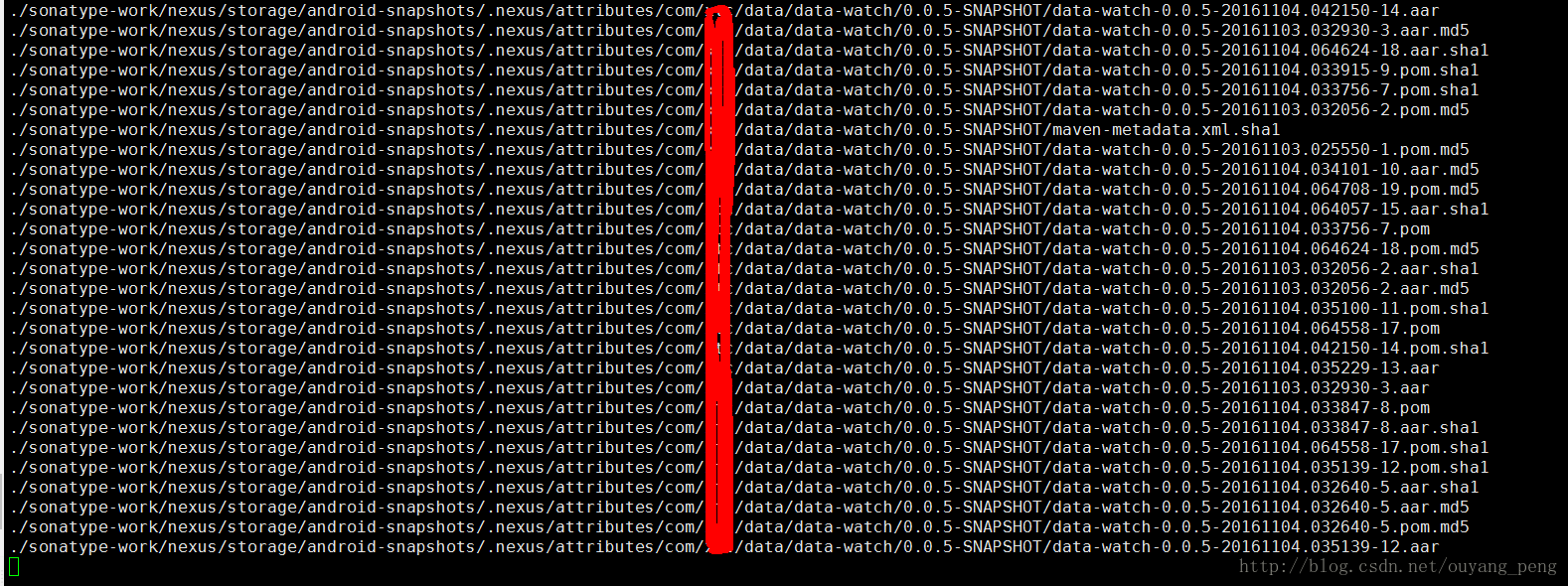
解压过程
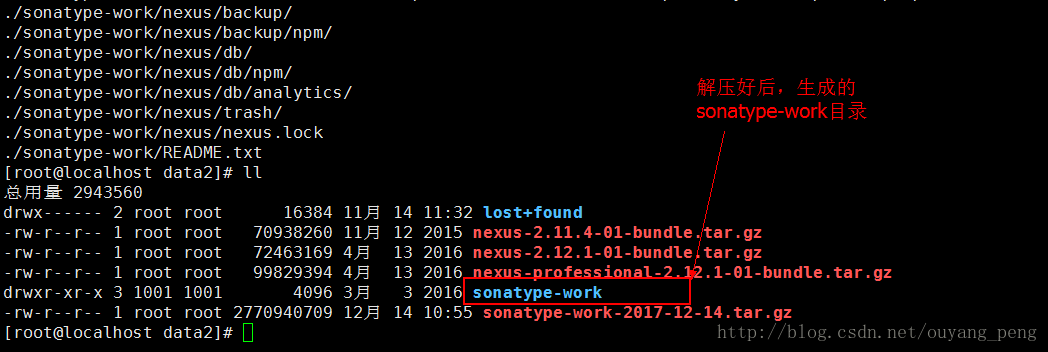
解压好后,会生成一个 sonatype-work目录。如下图所示:
四、还原仓库
因为我们新的Nexus OSS私服仓库之前制定的仓库地址为
- [root@localhost local]# cd nexus-2.12.1-01/
- [root@localhost nexus-2.12.1-01]# ll
- 总用量 40
- drwxr-xr-x 3 1001 1001 4096 12月 13 16:27 bin
- drwxr-xr-x 2 1001 1001 4096 12月 13 18:06 conf
- drwxr-xr-x 2 1001 1001 4096 12月 13 16:27 lib
- -rw-r--r-- 1 1001 1001 11006 3月 3 2016 LICENSE.txt
- drwxr-xr-x 2 1001 1001 4096 12月 13 18:08 logs
- drwxr-xr-x 4 1001 1001 4096 12月 13 16:27 nexus
- -rw-r--r-- 1 1001 1001 782 3月 3 2016 NOTICE.txt
- drwxr-xr-x 5 1001 1001 4096 12月 13 18:08 tmp
- [root@localhost nexus-2.12.1-01]# pwd
- /usr/local/nexus-2.12.1-01
- [root@localhost nexus-2.12.1-01]# cat conf/nexus.properties
- #
- # Sonatype Nexus (TM) Open Source Version
- # Copyright (c) 2008-present Sonatype, Inc.
- # All rights reserved. Includes the third-party code listed at http://links.sonatype.com/products/nexus/oss/attributions.
- #
- # This program and the accompanying materials are made available under the terms of the Eclipse Public License Version 1.0,
- # which accompanies this distribution and is available at http://www.eclipse.org/legal/epl-v10.html.
- #
- # Sonatype Nexus (TM) Professional Version is available from Sonatype, Inc. "Sonatype" and "Sonatype Nexus" are trademarks
- # of Sonatype, Inc. Apache Maven is a trademark of the Apache Software Foundation. M2eclipse is a trademark of the
- # Eclipse Foundation. All other trademarks are the property of their respective owners.
- #
- # Sonatype Nexus
- # ==============
- # This is the most basic configuration of Nexus.
- # Jetty section
- application-port=8081
- application-host=0.0.0.0
- nexus-webapp=${bundleBasedir}/nexus
- nexus-webapp-context-path=/nexus
- # Nexus section
- nexus-work=${bundleBasedir}/../sonatype-work/nexus
- runtime=${bundleBasedir}/nexus/WEB-INF
- [root@localhost nexus-2.12.1-01]#
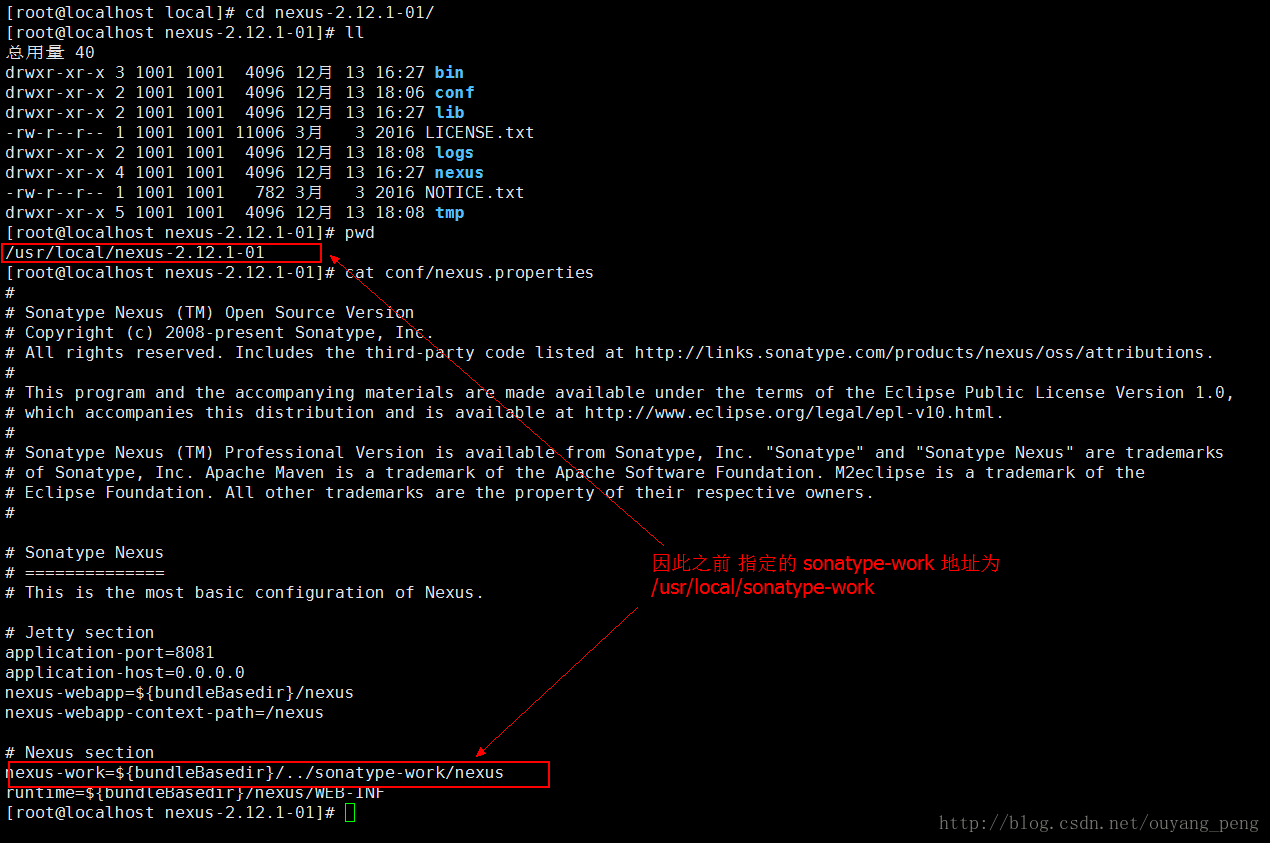
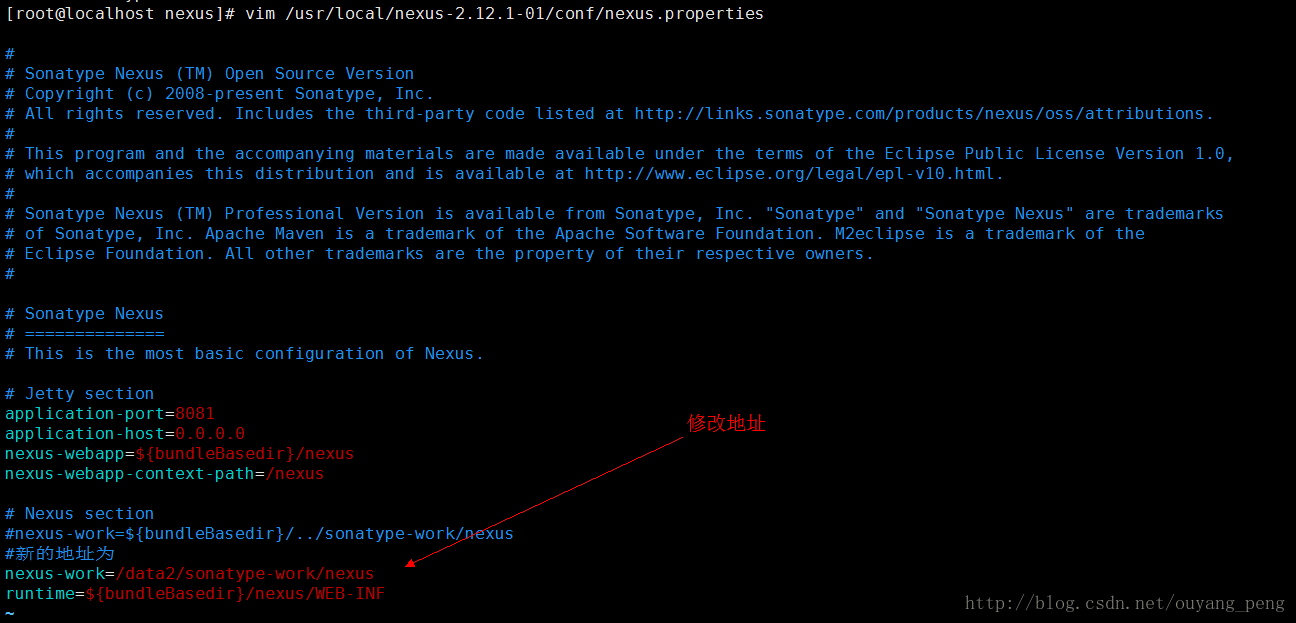
现在我们将老的Nexus OSS私服仓库的备份仓库 解压到了 /data2目录下,因此我们需要修改nexus/conf/nexus.properties配置文件,重新指定仓库的目录为 /data2/sonatype-work/nexus
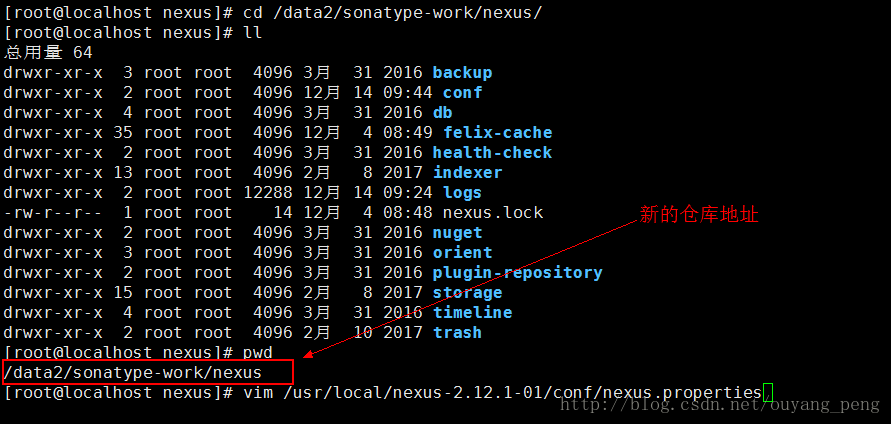
我们修改 /usr/local/nexus-2.12.1-01/conf/nexus.properties 文件
[root@localhost nexus]# vim /usr/local/nexus-2.12.1-01/conf/nexus.properties修改后的配置文件如下所示
- #
- # Sonatype Nexus (TM) Open Source Version
- # Copyright (c) 2008-present Sonatype, Inc.
- # All rights reserved. Includes the third-party code listed at http://links.sonatype.com/products/nexus/oss/attributions.
- #
- # This program and the accompanying materials are made available under the terms of the Eclipse Public License Version 1.0,
- # which accompanies this distribution and is available at http://www.eclipse.org/legal/epl-v10.html.
- #
- # Sonatype Nexus (TM) Professional Version is available from Sonatype, Inc. "Sonatype" and "Sonatype Nexus" are trademarks
- # of Sonatype, Inc. Apache Maven is a trademark of the Apache Software Foundation. M2eclipse is a trademark of the
- # Eclipse Foundation. All other trademarks are the property of their respective owners.
- #
- # Sonatype Nexus
- # ==============
- # This is the most basic configuration of Nexus.
- # Jetty section
- application-port=8081
- application-host=0.0.0.0
- nexus-webapp=${bundleBasedir}/nexus
- nexus-webapp-context-path=/nexus
- # Nexus section
- #nexus-work=${bundleBasedir}/../sonatype-work/nexus
- #新的地址为
- nexus-work=/data2/sonatype-work/nexus
- runtime=${bundleBasedir}/nexus/WEB-INF
五、重启Nexus
使用 /etc/init.d/nexus2 restart 命令 重启Nexus服务
- [root@localhost nexus]# /etc/init.d/nexus2
- Usage: /etc/init.d/nexus2 { console | start | stop | restart | status | dump }
- [root@localhost nexus]# /etc/init.d/nexus2 restart
- ****************************************
- WARNING - NOT RECOMMENDED TO RUN AS ROOT
- ****************************************
- Stopping Nexus OSS...
- Stopped Nexus OSS.
- Starting Nexus OSS...
- Started Nexus OSS.
- [root@localhost nexus]#
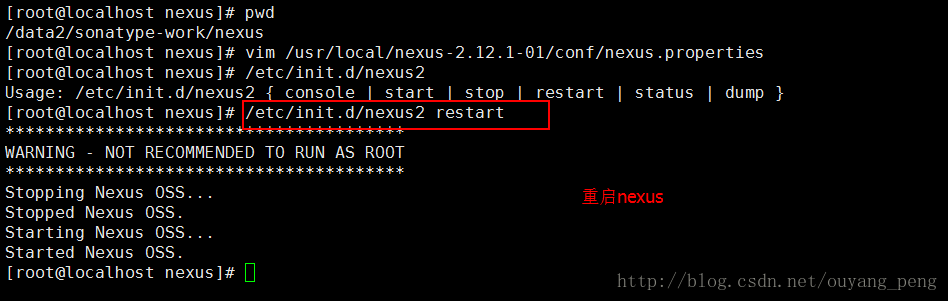
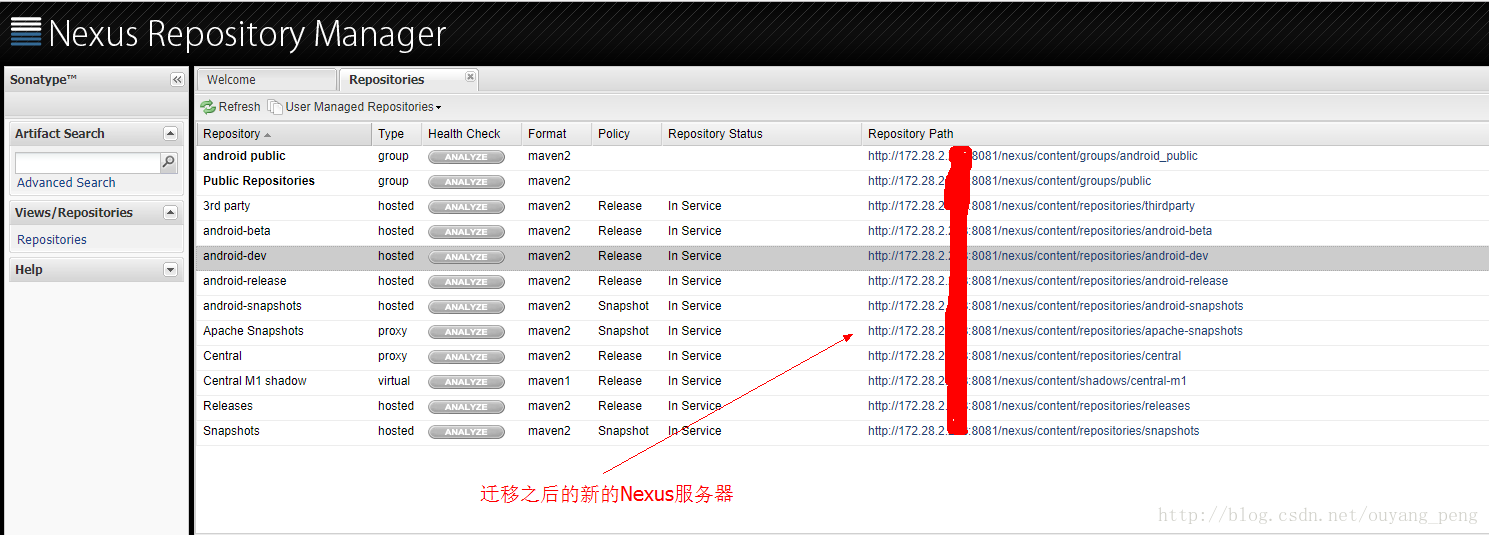
重启完后,刷新浏览器查看新的Nexus服务器,如下所示
对比下,老的Nexus服务器
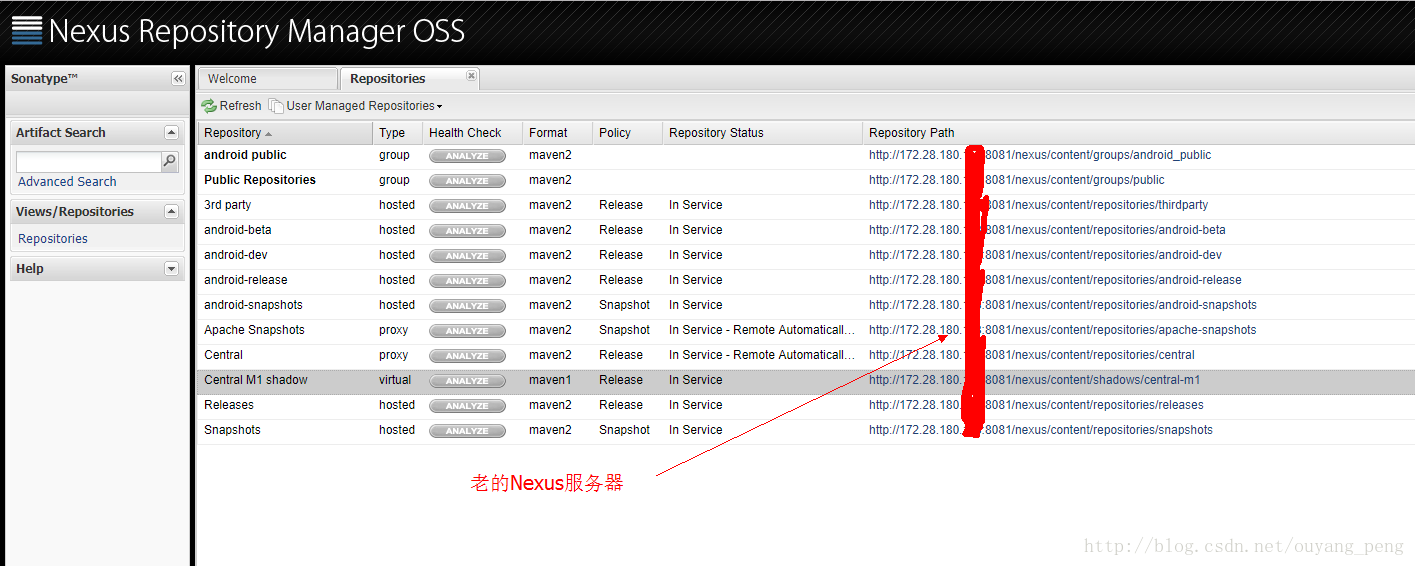
除了IP地址不一样之外,其他的都一样,迁移成功!
测试了下之前在博客 【我的Android进阶之旅】快速创建和根据不同的版本类型(Dev、Beta、Release)发布Android 开发库到Maven私服 中写的Gradle脚本上传到新的Nexus服务器也是正常的!
Nexus OSS私服仓库的备份与迁移的更多相关文章
- 【Maven学习】Nexus OSS私服仓库的备份与迁移
背景 在上一篇博客 [Maven学习]Nexus OSS私服仓库的安装和配置 中,我们已经在机房搭建好了新的Nexus OSS私服仓库.下面是两个版本的Nexus OSS私服仓库的对比图. 老的Nex ...
- 【Maven学习】Nexus OSS私服仓库的安装和配置
背景 公司的代码依赖是通过Maven进行管理的,而Maven的私库我们使用的是Nexus,目前使用的版本是Nexus Repository Manager OSS 2.12.1. 但是由于之前我们搭建 ...
- 使用 Nexus 搭建私服仓库时我犯的一个小错误
私服搭建好,啥都配置好了,纳闷的是 Repositories 中的 group 为何总是空值?我还反反复复删了又重建,结果还是一样,不经意间再看 Configuration 选项卡的内容,发现左右两个 ...
- Maven与Nexus OSS
Maven 是一个项目管理和构建自动化工具,是Apache Fundation下的一个Java项目.常用于Java项目中依赖管理 下载直接去官网 安装Maven 已经编译的二进制包 直接解压到安装目录 ...
- nexus(Maven仓库私服)的安装、配置、使用和仓库迁移
简介 Nexus下载:点击进入 Nexus 是Maven仓库管理器,如果你使用Maven,你可以从Maven中央仓库 下载所需要的构件(artifact),但这通常不是一个好的做法,你应该在本地架设一 ...
- 私服仓库 nexus 环境搭建(win10)
1.1 简介: Nexus 是Maven仓库管理器,如果你使用Maven,你可以从Maven中央仓库 下载所需要的构件(artifact),但这通常不是一个好的做法,你应该在本地架设一个Maven仓库 ...
- 试用 Nexus OSS 3.0 的docker仓库 (二)
试用 Nexus OSS 3.0 的docker仓库 (一) : http://www.cnblogs.com/wzy5223/p/5410990.html 三. 创建docker私有仓库,docke ...
- 试用 Nexus OSS 3.0 的docker仓库 (一)
Nexus 3.0 可以创建三种docker仓库: 1. docker (proxy) 代理和缓存远程仓库 ,只能pull 2. docker (hosted) 托管仓库 ,私有仓库, ...
- 抗忙,,建个MAVEN的私服仓库-NEXUS
公司最近需求越来越上轨道,MAVEN的私服仓库-NEXUS构架起来哟.. 参考文档URL: http://www.linuxidc.com/Linux/2011-07/39578p3.htm http ...
随机推荐
- listener中@Autowired无法注入bean的一种解决方法
背景:使用监听器处理业务,需要使用自己的service方法: 错误:使用@Autowired注入service对象,最终得到的为null: 原因:listener.fitter都不是Spring容器管 ...
- javascript异步编程学习及实例
所谓异步就是指给定了一串函数调用a,b,c,d,各个函数的执行完结返回过程并不顺序为a->b->c->d(这属于传统的同步编程模式),a,b,c,d调用返回的时机并不确定. 对于js ...
- 换个语言学一下 Golang(14) ——fmt包
Print() 函数将参数列表 a 中的各个参数转换为字符串并写入到标准输出中. 非字符串参数之间会添加空格,返回写入的字节数. func Print(a ...interface{}) (n int ...
- Springboot 基于的SAP项目环境配置
做SAP开发,感觉最难的莫过于前期的环境了,也就是说让程序能跑起来.. 最重要的有三个文件(较新版本,jco lib版本721.800) 下载libsapjco3.so.sapjco3.dll.sap ...
- Vue – 基础学习(3):$forceUpdate()和$nextTick()的区别
Vue – 基础学习(3):$forceUpdate()和$nextTick()的区别
- oracle 排序后分页查询
demo: select * from ( select * from DEV_REG_CFG_CAMERA where 1 = 1 order by unid asc) where rownum & ...
- Java下载文件解决中文乱码问题
直接上代码 /** * @desc 下载已存在的文件 */ public void sendFile(HttpServletRequest request, HttpServletResponse r ...
- 【转】STM32生成的文件大小探索
一般在stm32工程使用keil编译之后,keil的build output栏目下面会出现如图所示的输出信息,其中会显示code 大小 RO-data.RW-data .ZI-data的大小.一般别人 ...
- 【RabbitMQ】RabbitMQ的安装以及基本概念的介绍
一.如何安装 https://www.cnblogs.com/756623607-zhang/p/11469962.html 二.基本概念介绍 ·Broker:可以理解为消息队列服务器的实体,它是一个 ...
- 树莓派开机发送IP地址到邮箱
树莓派使用的wifi联网,在宿舍使用的是公共网络,不能设置静态ip,每次树莓派上电开机后ip地址可能会改变,所以让树莓派开机联网后自动发送ip地址到QQ邮箱 一.安装mutt和msmtp mutt: ...