
Ubuntu 18.04 安装 Xfce桌面和VNC的方法
首先安装Xfce4桌面环境。Xfce4是在Unix和Unix-like(Linux, FreeBSD)上运行的开源桌面环境,其特点是快速,轻量,同时拥有美观的交互界面,易于使用。
Xfce4的安装十分简单,运行如下命令即可。
安装Xfce
sudo apt-get install xfce4
安装VNCServer
sudo apt-get install vnc4server
# #注意:我安装的是 vnc4server 而非 tightvncserver 服务。
设置密码并运行vncserver
vncserver
配置xstartup文件
修改xstartup文件内容,针对Xfce4桌面环境.
sudo mv ~/.vnc/xstartup ~/.vnc/xstartup.bak
sudo vim ~/.vnc/xstartup
#!/bin/sh

unset SESSION_MANAGER

unset DBUS_SESSION_BUS_ADDRESS

startxfce4 &

[ -x /etc/vnc/xstartup ] && exec /etc/vnc/xstartup

[ -r $HOME/.Xresources ] && xrdb $HOME/.Xresources

xsetroot -solid grey
修改配置文件后,运行如下命令结束掉之前产生的窗口:1
sudo vncserver -kill :1
sudo chmod +x ~/.vnc/xstartup
创建 VNC Service File
sudo vim /etc/systemd/system/vncserver@.service
注:用户,家目录,分辨率。
[Unit]

Description=Start TightVNC server at startup

After=syslog.target network.target

[Service]

Type=simple

User=root

PAMName=login

PIDFile=/root/.vnc/%H:%i.pid

ExecStartPre=-/usr/bin/vncserver -kill :%i > /dev/null >&

ExecStart=/usr/bin/vncserver -depth  -geometry 1366x768 :%i

ExecStop=/usr/bin/vncserver -kill :%i

[Install]

WantedBy=multi-user.target
重新加载服务
sudo systemctl daemon-reload
开机启动服务,@1 表示开户 5901 端口。
sudo systemctl enable vncserver@1.service
重启服务
sudo systemctl start vncserver@1.service
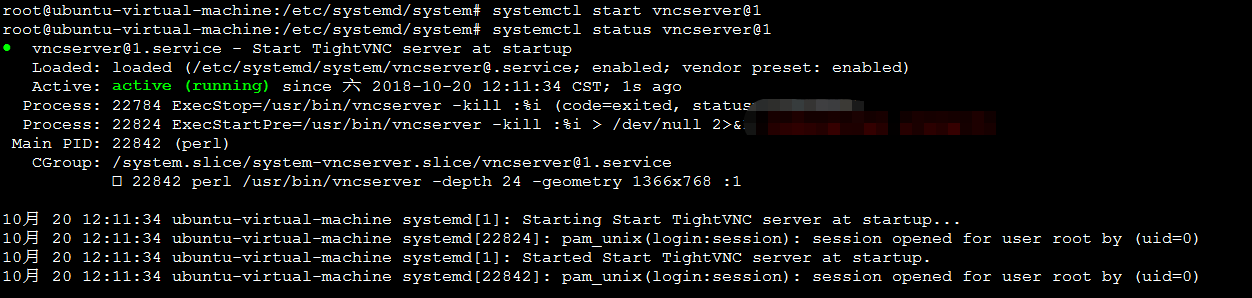
查看状态
sudo systemctl status vncserver@1.service
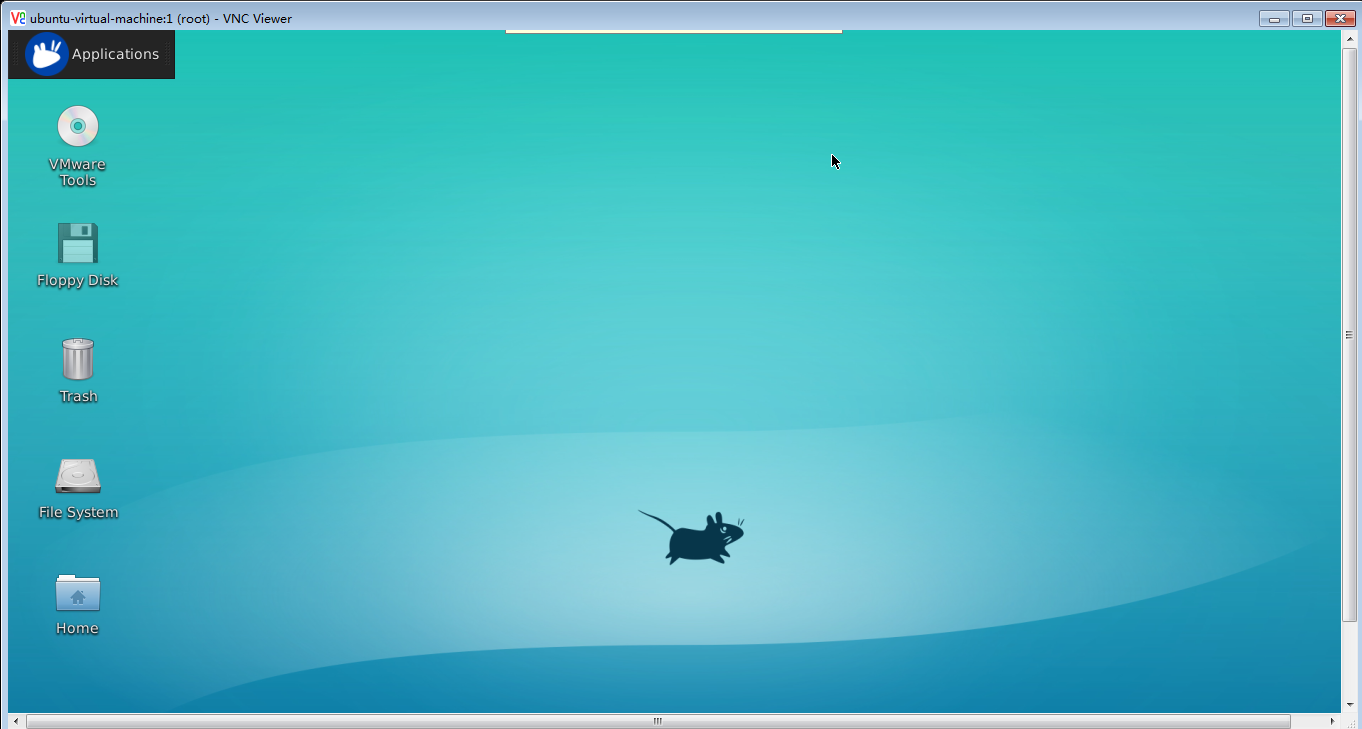
使用VNC客户端工具 VNC Viewer 进行远程连接,如下图:
部分参考地址:
https://www.digitalocean.com/community/tutorials/how-to-install-and-configure-vnc-on-ubuntu-16-04
Ubuntu 18.04 安装 Xfce桌面和VNC的方法的更多相关文章
- Ubuntu 18.04 安装远程桌面
原文链接:https://baijiahao.baidu.com/s?id=1619271691270163095&wfr=spider&for=pc 安装 tightvncserve ...
- Ubuntu 18.04 安装MySQL
最近在写东西的时候,需要用到MySQL,在网上查了一下,都说Ubuntu18.04不能安装MySQL5.7.22, 总觉的不可能,所以自己就研究了一下,然后分享给大家 工具/原料 VMware W ...
- Ubuntu 18.04 安装博通(Broadcom)无线网卡驱动
目录 Ubuntu 18.04 安装博通(Broadcom)无线网卡驱动 Package gcc is not configured yet. 解决办法 history history | grep ...
- 在Ubuntu 18.04 安装 MySQL 8.0
在Ubuntu 18.04 安装 MySQL 8.0 ① 登入 mysql 官网,在官网中下载 deb 包,点击该链接,即可下载. https://dev.mysql.com/downloads/re ...
- Ubuntu 18.04 安装部署Net Core、Nginx全过程
Ubuntu 18.04 安装部署Net Core.Nginx全过程 环境配置 Ubuntu 18.04 ,Nginx,.Net Core 2.1, Let's Encrypt 更新系统 sudo a ...
- Ubuntu 18.04 安装和常用软件安装
Ubuntu 18.04 安装 下载 Ubuntu 制作 U 盘启动盘 设置电脑为 U 盘启动 插入 U 盘,重启电脑 按照提示安装 Ubuntu 更新 NVIDIA 显卡和 Broadcom 无线网 ...
- Ubuntu 18.04安装MongoDB 4.0(社区版)
Ubuntu 18.04(虚拟机VirtualBox上),MongoDB 4.0, 听室友说,23点有世界杯决赛呢!可是,孤要写博文的啊!以记录这忙乱的下午和晚间成功安装了一个软件到Linux上.—— ...
- 真实机下 ubuntu 18.04 安装GPU +CUDA+cuDNN 以及其版本选择(亲测非常实用)【转】
本文转载自:https://blog.csdn.net/u010801439/article/details/80483036 ubuntu 18.04 安装GPU +CUDA+cuDNN : 目前, ...
- Ubuntu 16.04 安装 Gnome 桌面环境
个人博客链接:Ubuntu 16.04 安装 Gnome 桌面环境
随机推荐
- windows 禁用 magic mouse2 左右移动
相信大部分程序员同志,只要用macbook都回装双系统的,本人也不例外,因为需要用到vs等很多开发工具. magic mouse2在osx上的表现本人不做评论,没用过几回,在win10上的表现太差劲了 ...
- luogu P4238 多项式求逆 (模板题、FFT)
手动博客搬家: 本文发表于20181125 13:21:46, 原地址https://blog.csdn.net/suncongbo/article/details/84485718 题目链接: ht ...
- 轻量级本地数据库SQLite在WinRT的使用
开发环境:Windows 8.1 开发工具:Visual Studio Express 2013 for Windows SQLite数据库介绍 1.SQLite是一款轻型的嵌入式数据库,使用C++开 ...
- A. Feed the cat
A. Feed the cat time limit per test: 1 second memory limit per test: 256 megabytes input: standard i ...
- uva:10763 - Foreign Exchange(排序)
题目:10763 - Foreign Exchange 题目大意:给出每一个同学想要的交换坐标 a, b 代表这位同学在位置a希望能和b位置的同学交换.要求每一位同学都能找到和他交换的交换生. 解题思 ...
- HDU 5046
同样是二分+DLX即可. #include <iostream> #include <cstdio> #include <cstring> #include < ...
- 去哪网实习总结:JavaWeb配置404页面(JavaWeb)
本来是以做数据挖掘的目的进去哪网的,结构却成了系统开发. .. 只是还是比較认真的做了三个月,老师非常认同我的工作态度和成果... 实习立即就要结束了,总结一下几点之前没有注意过的变成习惯和问题.分享 ...
- iOS 块的简单理解
占位 自己主动转载器那小子,你转完了没? 转完了,我开写了哈! Block,就两个事儿,一个是引用,一个是实例,除了实现处.其他地方都是引用. 以此思路.再继续看看引用和实现的定义方式吧. 參考官方文 ...
- 曲线控件我一直用codeproject上的那几个(C++ 100款开源界面库)
Alberl#23楼[楼主] 2013-11-04 11:47 Alberl @baita00引用看了大神的教程,真的不错,学习了很多东西,^_^.这节教程里,大神好像在找曲线控件,是吗?大神有什特殊 ...
- zjnu 1181 石子合并(区间DP)
Description 在操场上沿一直线排列着 n堆石子. 现要将石子有次序地合并成一堆.规定每次仅仅能选相邻的两堆石子合并成新的一堆, 并将新的一堆石子数记为该次合并的得分.同意在第一次合并前对调一 ...