
IIS ip访问限制插件
Dynamic IP Restrictions
Overview
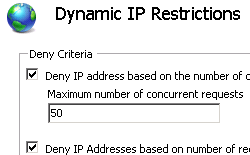 The Dynamic IP Restrictions Extension for IIS provides IT Professionals and Hosters a configurable module that helps mitigate or block Denial of Service Attacks or cracking of passwords through Brute-force by temporarily blocking Internet Protocol (IP) addresses of HTTP clients who follow a pattern that could be conducive to one of such attacks. This module can be configured such that the analysis and blocking could be done at the Web Server or the Web Site level.
Reduce the chances of a Denial of Service attack by dynamically blocking requests from malicious IP addresses
Dynamic IP Restrictions for IIS allows you to reduce the probabilities of your Web Server being subject to a Denial of Service attack by inspecting the source IP of the requests and identifying patterns that could signal an attack. When an attack pattern is detected, the module will place the offending IP in a temporary deny list and will avoid responding to the requests for a predetermined amount of time.
Minimize the possibilities of Brute-force-cracking of the passwords of your Web Server
Dynamic IP Restrictions for IIS is able to detect requests patterns that indicate the passwords of the Web Server are attempted to be decoded. The module will place the offending IP on a list of servers that are denied access for a predetermined amount of time. In situations where the authentication is done against an Active Directory Services (ADS) the module is able to maintain the availability of the Web Server by avoiding having to issue authentication challenges to ADS.
Features
- Seamless integration into IIS 7.0 Manager.
- Dynamically blocking of requests from IP address based on either of the following criteria:
- The number of concurrent requests.
- The number of requests over a period of time.
- Support for list of IPs that are allowed to bypass Dynamic IP Restriction filtering.
- Blocking of requests can be configurable at the Web Site or Web Server level.
- Configurable deny actions allows IT Administrators to specify what response would be returned to the client. The module support return status codes 403, 404 or closing the connection.
- Support for IPv6 addresses.
- Support for web servers behind a proxy or firewall that may modify the client IP address.
Download Dynamic IP Restrictions 1.0
IIS ip访问限制插件的更多相关文章
- IIS限制ip访问
1.禁止IP访问 http://jingyan.baidu.com/article/22fe7ced0462633002617f39.html 2.限制IP访问频率 http://q.cnblogs. ...
- IIS网站设置禁止IP访问设置方法
本文设置系统为Windows2003.IIS版本是6.0. 打开IIS管理器,在iis管理器左侧单击打开网站下面的相应需要设置的网站,并在此网站上右键,选择属性,即可打开该网站属性进行相关设置. (i ...
- IIS只允许某些IP访问
1. 2. 3.访问时提示 4.设置允许访问的IP 5.指定的IP访问时没问题了,而其他的IP不允许访问
- 服务器IIS禁止通过IP访问
之前发布的网站,只是配置端口信息,IP都选择的是*,所以一直没有考虑IP能访问的事情. 现在有个需求,就是只能通过域名访问,不能通过IP访问,那么做法就是给这个主机名添加上解析的域名,IP自然就失效了
- windows/linux VPS云服务器限制IP访问,限制别人的IP访问网站方法
服务器VPS云服务器如何限制IP访问,限制别人的IP访问网站的方法 windows主机IIS限制IP访问方法:首先打开IIS点击“网站”,右键属性,(如果仅给单个网站设置,请选择下边的站点,点右键“属 ...
- 服务器安全策略之《通过IP安全策略阻止某个IP访问的设置方法》
现在我们在布署好了一个网站,发布到外网后就意味着将会接受来自四面八方的黑客攻击,这个情况很常见,我们的网站基本上每天都要接受成千上万次的攻击,有SQL注入的.有代码注入的.有CC攻击等等...而我作为 ...
- apache禁止使用IP访问的实现方法
apache禁止访问目录列表 apache禁止访问目录列表对于开发人员来说还是蛮实用的,可以迅速查找根目录下的所有项目,但如果一个挂在互联网上的服务器为了提高安全性就必须禁止访问目录列表. 找到Apa ...
- vs直接IP访问运行项目
找到IIS Express 正在运行的项目应用程序,点击网站,会出现配置路径,找到配置路径,显示隐藏的文件夹 localhost替换成本地IP,重新运行项目,然后就可以直接通过IP访问项目,好处就是便 ...
- Tomcat配置域名、ip访问及解决80端口冲突
1.先在tomcat下的conf下找到server.xml文件,用记事本打开后,首先对端口号进行修改,以前一直以为8080是默认的端口号,其实默认的端口号是80 <Connector port= ...
随机推荐
- Python快速学习06:词典
系列文章:[传送门] 上面讲的,特别是对象和类,大家好好体会. Python对象是Python语言的核心部分.今天介绍一个新类:词典(dictionary) 基本概念 字典是Python 中的映射数据 ...
- SpingBoot 属性加载
属性加载顺序 配置属性加载的顺序 开发者工具 `Devtools` 全局配置参数: 单元测试上的 `@TestPropertySource` 注解指定的参数: 单元测试上的 `@SpringBootT ...
- Go中iota是什么
Go iota是一个比较奇怪的存在,它只能用在const的申明中,是一个从0开始的行数索引器. 看代码 package main import ( "fmt" ) const ( ...
- python使用协程并发
协程 协程是一种用户态的轻量级线程,又称微线程. 协程拥有自己的寄存器上下文和栈,调度切换时,将寄存器上下文和栈保存到其他地方,在切回来的时候,恢复先前保存的寄存器上下文和栈.因此:协程能保留上一次调 ...
- 痞子衡嵌入式:忘掉cmd.exe吧!选用优雅的控制台终端(ConsoleZ)
大家好,我是痞子衡,是正经搞技术的痞子.今天痞子衡给大家介绍的是一款优雅的替换cmd的命令行终端ConsoleZ. 1.使用cmd的烦恼 嵌入式开发经常会用到命令行工具,Windows系统自带的com ...
- 记一次SpringBoot 开发中所遇到的坑和解决方法
记一次SpringBoot 开发中所遇到的坑和解决方法 mybatis返回Integer为0,自动转型出现空指针异常 当我们使用Integer去接受数据库中表的数据,如果返回的数据中为0,那么Inte ...
- #if 与 #ifdef 之间的区别
先来看个例子: #define TARGET_LITTLE_ENDINA 1 #define TARGET_BIG_ENDINA 0 #ifdef TARGET_LITTLE_ENDINA call ...
- 我的python渗透测试工具之主机嗅探
嗅探工具的主要目标是基于UDP发现目标网络中的存活主机,选择UDP的原因是UDP访问过程开销小. 由于很多的操作系统在处理UDP端口的闭合时都会存在一个共性,我们也正是利用这个共性来开展确定此IP上是 ...
- [转]Nginx 静态资源缓存设置
本文转自:https://www.w3cschool.cn/nginxsysc/nginxsysc-cache.html 在开发调试web的时候,经常会碰到因浏览器缓存(cache)而经常要去清空缓存 ...
- C# ThreadPool类(线程池)
CLR线程池并不会在CLR初始化时立即建立线程,而是在应用程序要创建线程来运行任务时,线程池才初始化一个线程.线程池初始化时是没有线程的,线程池里的线程的初始化与其他线程一样,但是在完成任务以后,该线 ...