
C# MVC验证Model
.NET Core MVC3 数据模型验证的使用
这里我先粘贴一个已经加了数据验证的实体类PeopleModel,然后一一介绍。
using System;

using System.Collections.Generic;

using System.ComponentModel.DataAnnotations;

using System.Linq;

using System.Threading.Tasks;

namespace Model实体数据验证.Model

{

    /// <summary>

    /// 这里将指定PeopleModel自身的Required、StringLength等验证通过后,再进行PeopleModelVaildation中的CheckModel验证

    /// </summary>

    [CustomValidation(typeof(PeopleModelVaildation), "CheckModel")]

    public class PeopleModel

    {

        /// <summary>

        /// 姓名

        /// </summary>

        [Required(ErrorMessage = "姓名不能为空")]

        [StringLength(5, MinimumLength = 2, ErrorMessage = "姓名的长度为{2}至{1}个字符")]

        public string Name { get; set; }

        /// <summary>

        /// 年龄

        /// </summary>

        [Required(ErrorMessage = "年龄不能为空")]

        [Range(18, 60, ErrorMessage = "年龄的范围在{1}至{2}之间")]

        public string Age { get; set; }

        /// <summary>

        /// 性别

        /// </summary>

        [Required(ErrorMessage = "性别不能为空")]

        public string Gender { get; set; }

        /// <summary>

        /// 生日

        /// </summary>

        [Required(ErrorMessage = "生日不能为空")]

        public DateTime Brithday { get; set; }

    }

    /// <summary>

    /// 这个验证在实体内部的验证通过后,才会执行

    /// </summary>

    public class PeopleModelVaildation

    {

        public static ValidationResult CheckModel(object value, ValidationContext validationContext)

        {

            ///如果value是PeopleModel的实体类型,则验证value中指定的数据类型。

            if (value is PeopleModel item) {

                ///验证生日

                if (item.Brithday>DateTime.Now) {

                    return new ValidationResult("生日信息错误");

                }

            }

            //验证成功

            return ValidationResult.Success;

        }

    }

}
我们需要在实体类中引入命名空间:using System.ComponentModel.DataAnnotations
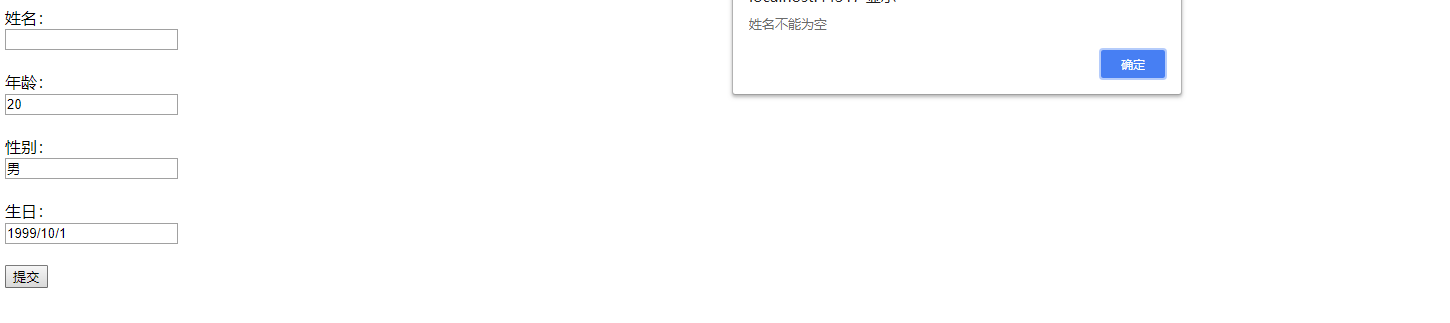
验证Name字段不能为空:[Required(ErrorMessage = "姓名不能为空")]
/// <summary>

/// 姓名

/// </summary>

[Required(ErrorMessage = "姓名不能为空")]

public string Name { get; set; }
Required:非空验证,ErrorMessage:是自定义错误提示信息
效果如下:
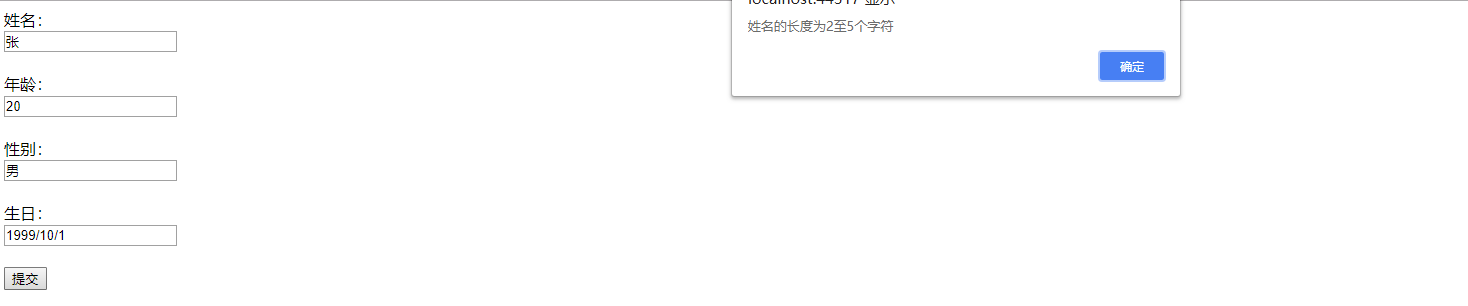
验证Name字段字符长度:[StringLength(5, MinimumLength = 2, ErrorMessage = "姓名的长度为{2}至{1}个字符")]
[StringLength(, MinimumLength = , ErrorMessage = "姓名的长度为{2}至{1}个字符")]

public string Name { get; set; }
StringLength:字符长度验证,5:表示字符串的最大长度,MinimumLength:表示字符串的最小长度,ErrorMessage:是自定义错误提示信息
效果如下:
验证Age字段值范围:[Range(18, 60, ErrorMessage = "年龄的范围在{1}至{2}之间")]
[Range(, , ErrorMessage = "年龄的范围在{1}至{2}之间")]

public string Age { get; set; }
Range:验证字符取值范围,18:表示最小年龄,60:表示最大年龄,ErrorMessage:是自定义错误提示信息
效果如下:


验证两次密码输入是否相同(比如用户修改密码时,需要验证用户两次输入的新密码是否一致):[Compare("PwdOne", ErrorMessage = "两次密码输入不一致")]
/// <summary>

/// 第一次输入的密码

/// </summary>

public string PwdOne { get; set; }

/// <summary>

/// 第二次输入的密码

/// </summary>

[Compare("PwdOne", ErrorMessage = "两次密码输入不一致")]

public string PwdTwo { get; set; }
Compare:验证两个字段内容是否相同,"PwdOne":需要数据对比的字段名,ErrorMessage:是自定义错误提示信息
下面我们新建一个ModelFilter过滤器并继承ActionFilterAttribute,用来接收实体类中的ErrorMessage信息,并返回给客服端
using Microsoft.AspNetCore.Mvc;

using Microsoft.AspNetCore.Mvc.Filters;

using System;

using System.Collections.Generic;

using System.Linq;

using System.Threading.Tasks;

namespace Model实体数据验证.Common

{

    /// <summary>

    /// 实体验证过滤器

    /// 需要在Starup.cs中的ConfigureServices中注册

    /// </summary>

    public class ModelFilter:ActionFilterAttribute

    {

        public override void OnActionExecuting(ActionExecutingContext context)

        {

            if (!context.ModelState.IsValid) {

                ///实体验证未通过

                string ErrorMsg = string.Empty;

                var ErrorsModel = context.ModelState.Values.Where(item => { return item.Errors.Count > ; }).ToList().FirstOrDefault();

                if (ErrorsModel != null)

                {

                    ErrorMsg = ErrorsModel.Errors[].ErrorMessage;

                }

                context.Result = new JsonResult(ErrorMsg);

                return;

            }

        }

    }

}
这里还需要给ModelFilter过滤器类在Startup.cs类中注入服务,具体代码如下:
using System;

using System.Collections.Generic;

using System.Linq;

using System.Threading.Tasks;

using Microsoft.AspNetCore.Builder;

using Microsoft.AspNetCore.Hosting;

using Microsoft.AspNetCore.Http;

using Microsoft.Extensions.DependencyInjection;

using Model实体数据验证.Common;

namespace Model实体数据验证

{

    public class Startup

    {

        // This method gets called by the runtime. Use this method to add services to the container.

        // For more information on how to configure your application, visit https://go.microsoft.com/fwlink/?LinkID=398940

        public void ConfigureServices(IServiceCollection services)

        {

            services.AddMvc();

            //给ModelFilter注入服务

            services.AddMvc(filter=>filter.Filters.Add<ModelFilter>());

        }

        // This method gets called by the runtime. Use this method to configure the HTTP request pipeline.

        public void Configure(IApplicationBuilder app, IHostingEnvironment env)

        {

            if (env.IsDevelopment())

            {

                app.UseDeveloperExceptionPage();

            }

            app.UseMvc(routes=> {

                routes.MapRoute(

                    name:"default",

                    template:"{controller=Home}/{action=Index}/{id?}"

                    );

            });

        }

    }

}
HomeController代码:
using System;

using System.Collections.Generic;

using System.Linq;

using System.Threading.Tasks;

using Microsoft.AspNetCore.Mvc;

using Model实体数据验证.Model;

namespace Model实体数据验证.Controllers

{

    public class HomeController : Controller

    {

        public IActionResult Index()

        {

            return View();

        }

        [HttpPost]

        public IActionResult Add(PeopleModel model)

        {

            return Json("验证成功");

        }

    }

}
Html代码:
@{

    Layout = null;

}

<!DOCTYPE html>

<html>

<head>

    <meta name="viewport" content="width=device-width" />

    <title>Index</title>

</head>

<body>

    <div>

        <label>姓名:</label>

        <br />

        <input type="text" id="Name"/>

        <br />

        <br />

        <label>年龄:</label>

        <br />

        <input type="text" id="Age"/>

        <br />

        <br />

        <label>性别:</label>

        <br />

        <input type="text" id="Gender"/>

        <br />

        <br />

        <label>生日:</label>

        <br />

        <input type="text" id="Brithday"/>

        <br />

        <br />

        <button type="button" id="submit">提交</button>

    </div>

    <script src="https://cdn.staticfile.org/jquery/2.1.1/jquery.min.js"></script>

    <script type="text/javascript">

        $("#submit").click(function () {

            $(function () {

                var data = {};

                data.Name = $("#Name").val();

                data.Age = $("#Age").val();

                data.Gender = $("#Gender").val();

                data.Brithday = $("#Brithday").val();

                $.ajax({

                    type: "POST",

                    url: "/Home/Add",

                    dataType: "JSON",

                    data: data,

                    success: function (obj) {

                        alert(obj);

                    },

                    error: function (er) {

                        console.log(er);

                    }

                });

            });

        });

    </script>

</body>

</html>
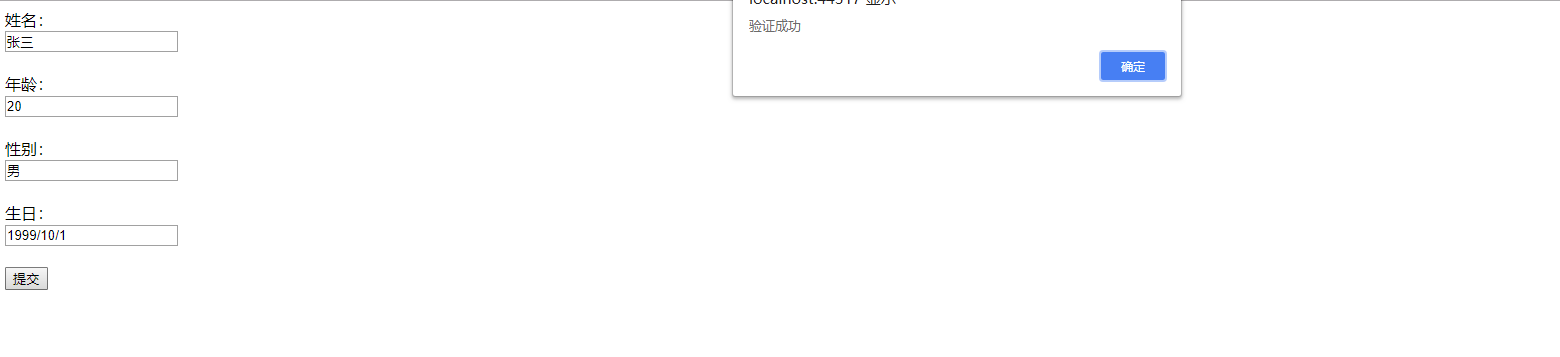
现在来看下效果:
Demo下载地址:https://pan.baidu.com/s/1NZ68edipDOvNKmMWXb0rgg
密码:072d
C# MVC验证Model的更多相关文章
- MVC 3 数据验证 Model Validation 详解
在MVC 3中 数据验证,已经应用的非常普遍,我们在web form时代需要在View端通过js来验证每个需要验证的控件值,并且这种验证的可用性很低.但是来到了MVC 新时代,我们可以通过MVC提供的 ...
- MetadataType的使用,MVC的Model层数据验证
MetadataType的使用,MVC的Model层数据验证 指定要与数据模型类关联的元数据类 using System.ComponentModel.DataAnnotations; //指定要 ...
- (转)MVC 3 数据验证 Model Validation 详解
继续我们前面所说的知识点进行下一个知识点的分析,这一次我们来说明一下数据验证.其实这是个很容易理解并掌握的地方,但是这会浪费大家狠多的时间,所以我来总结整理一下,节约一下大家宝贵的时间. 在MVC 3 ...
- <转>ASP.NET学习笔记之MVC 3 数据验证 Model Validation 详解
MVC 3 数据验证 Model Validation 详解 再附加一些比较好的验证详解:(以下均为引用) 1.asp.net mvc3 的数据验证(一) - zhangkai2237 - 博客园 ...
- MVC验证07-自定义Model级别验证
原文:MVC验证07-自定义Model级别验证 在一般的自定义验证特性中,我们通过继承ValidationAttribute,实现IClientValidatable,只能完成对某个属性的自定义验证. ...
- 【转】METADATATYPE的使用,MVC的MODEL层数据验证
http://www.cnblogs.com/chshnan/archive/2011/07/08/2100713.html MetadataType的使用,MVC的Model层数据验证指定要与数据模 ...
- 任务48:Identity MVC:Model后端验证
任务48:Identity MVC:Model后端验证 RegisterViewModel using System; using System.Collections.Generic; using ...
- 任务49:Identity MVC:Model前端验证
任务49:Identity MVC:Model前端验证 前端验证使用的是jquery的validate的组件 _ValidationScriptsPartial.cshtml 在我们的layout里面 ...
- Asp.net MVC验证哪些事(2)-- 验证规则总结以及使用
上篇文章Asp.net MVC验证那些事(1)-- 介绍和验证规则使用中,介绍了Asp.net MVC中的验证功能以及如何使用.这里将对MVC中内置的验证规则进行总结. 一,查找所有验证规则 上篇文章 ...
随机推荐
- Intellij IDEA 中如何查看maven项目中所有jar包的依赖关系图(转载)
Intellij IDEA 中如何查看maven项目中所有jar包的依赖关系图 2017年04月05日 10:53:13 李学凯 阅读数:104997更多 所属专栏: Intellij Idea ...
- 浅谈Java堆内存分代回收
目录 1.概述 2.堆内存是如何分代的 3.各分代之间是如何配合工作的 1.概述 与C++不同的是, 在Java中我们无需关心对象占用空间的释放, 这主要得益于Java中的垃圾处理器(简称GC)帮助我 ...
- BackgroundWorker 组件
代码: static void Main(string[] args) { BackgroundWorker bw = new BackgroundWorker(); bw.WorkerReports ...
- “AS3.0高级动画编程”学习:第一章高级碰撞检测
AdvancED ActionScript 3.0 Animation 是Keith Peters大师继"Make Things Move"之后的又一力作,网上已经有中文翻译版本了 ...
- np.where()命令介绍
- redis设置密码
1.初始化Redis密码: 在redis.conf配置文件中有个参数: requirepass 这个就是配置redis访问密码的参数: 比如 requirepass test123: (Ps:需重启 ...
- 方位话机X2主、备用服务器问题
1.当主.备用服务器有关联时采用开启分组,SIP1.SIP2的方式 2.当主.备用服务器无关联时采用,SIP1主.备用服务器的方式
- java_31 数据表的操作
1.主键约束 特点非空,只用于表示当前的记录. 设置主键:create table 表名(sid int primary key); 删除主键:alter table 表名 drop primary ...
- vue如何使用rules对表单字段进行校验
基于element-ui 1.在代码中,添加属性::rule <el-form :model="form" :rules="rules" ref=&quo ...
- 获取Control请求路径
对于多个uri映射到同一个control方法时,需根据不同的uri返回的数据结构进行区分,因此需要再方法体内获取到RequestUri,再对其做相应的判断实现对应的业务逻辑 @Resource pri ...