
oracle 的sqlplus 工具进行翻译的rlwrap 安装教程
一:下载地址:
链接: https://share.weiyun.com/50R5pBb (密码:dQPc)
或者该QQ群下载:
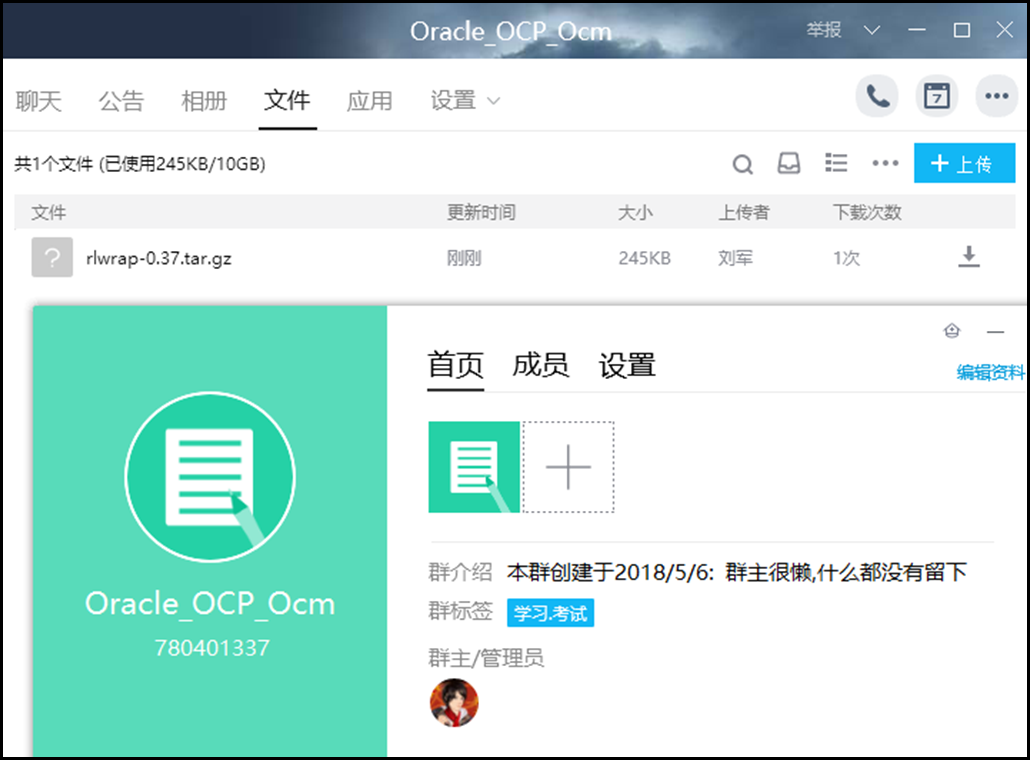
二:该工具的安装步骤:
[oracle@localhost ~]$ ls

database  grid         h:1emp.txt  h:1spooltest.txt  ho                        oyt.lst             select

Desktop   h:1dept.sql  h:1.lst     h:emp.txt         oracle_system_files_back  rlwrap-0.37.tar.gz

[oracle@localhost ~]$ tar -zxvf rlwrap-0.37.tar.gz

rlwrap-0.37/

rlwrap-0.37/completions/

rlwrap-0.37/completions/testclient

rlwrap-0.37/completions/coqtop

rlwrap-0.37/doc/

rlwrap-0.37/doc/rlwrap.man.in

rlwrap-0.37/doc/Makefile.am

rlwrap-0.37/doc/Makefile.in

rlwrap-0.37/filters/

rlwrap-0.37/filters/README

rlwrap-0.37/filters/RlwrapFilter.pm

rlwrap-0.37/filters/RlwrapFilter.3pm

rlwrap-0.37/filters/count_in_prompt

rlwrap-0.37/filters/pipeto

rlwrap-0.37/filters/logger

rlwrap-0.37/filters/null

rlwrap-0.37/filters/unbackspace

rlwrap-0.37/filters/pipeline

rlwrap-0.37/filters/ftp_filter

rlwrap-0.37/filters/history_format

rlwrap-0.37/filters/simple_macro

rlwrap-0.37/filters/template

rlwrap-0.37/filters/scrub_prompt

rlwrap-0.37/filters/paint_prompt

rlwrap-0.37/filters/censor_passwords

rlwrap-0.37/filters/listing

rlwrap-0.37/filters/Makefile.am

rlwrap-0.37/filters/Makefile.in

rlwrap-0.37/src/

rlwrap-0.37/src/rlwrap.h

rlwrap-0.37/src/redblack.h

rlwrap-0.37/src/malloc_debug.h

rlwrap-0.37/src/completion.rb

rlwrap-0.37/src/Makefile.am

rlwrap-0.37/src/Makefile.in

rlwrap-0.37/src/main.c

rlwrap-0.37/src/signals.c

rlwrap-0.37/src/readline.c

rlwrap-0.37/src/pty.c

rlwrap-0.37/src/completion.c

rlwrap-0.37/src/term.c

rlwrap-0.37/src/ptytty.c

rlwrap-0.37/src/utils.c

rlwrap-0.37/src/string_utils.c

rlwrap-0.37/src/malloc_debug.c

rlwrap-0.37/src/filter.c

rlwrap-0.37/test/

rlwrap-0.37/test/testclient

rlwrap-0.37/test/testit

rlwrap-0.37/tools/

rlwrap-0.37/tools/config.guess

rlwrap-0.37/tools/config.sub

rlwrap-0.37/tools/depcomp

rlwrap-0.37/tools/install-sh

rlwrap-0.37/tools/missing

rlwrap-0.37/README

rlwrap-0.37/configure.ac

rlwrap-0.37/aclocal.m4

rlwrap-0.37/Makefile.am

rlwrap-0.37/Makefile.in

rlwrap-0.37/config.h.in

rlwrap-0.37/configure

rlwrap-0.37/AUTHORS

rlwrap-0.37/COPYING

rlwrap-0.37/ChangeLog

rlwrap-0.37/INSTALL

rlwrap-0.37/NEWS

rlwrap-0.37/TODO

rlwrap-0.37/BUGS

rlwrap-0.37/PLEA

[oracle@localhost ~]$ ls

database  grid         h:1emp.txt  h:1spooltest.txt  ho                        oyt.lst      rlwrap-0.37.tar.gz

Desktop   h:1dept.sql  h:1.lst     h:emp.txt         oracle_system_files_back  rlwrap-0.37  select

[oracle@localhost ~]$ cd rlwrap-0.37

[oracle@localhost rlwrap-0.37]$ ls

aclocal.m4  BUGS       completions  configure     COPYING  filters  Makefile.am  NEWS  README  test  tools

AUTHORS     ChangeLog  config.h.in  configure.ac  doc      INSTALL  Makefile.in  PLEA  src     TODO

[oracle@localhost rlwrap-0.37]$ ./configure

checking build system type... i686-pc-linux-gnu

checking host system type... i686-pc-linux-gnu

checking for a BSD-compatible install... /usr/bin/install -c

checking whether build environment is sane... yes

checking for a thread-safe mkdir -p... /bin/mkdir -p

checking for gawk... gawk

checking whether make sets $(MAKE)... yes

checking whether make sets $(MAKE)... (cached) yes

checking whether build environment is sane... yes

checking for style of include used by make... GNU

checking for gcc... gcc

checking for C compiler default output file name... a.out

checking whether the C compiler works... yes

checking whether we are cross compiling... no

checking for suffix of executables...

checking for suffix of object files... o

checking whether we are using the GNU C compiler... yes

checking whether gcc accepts -g... yes

checking for gcc option to accept ISO C89... none needed

checking dependency style of gcc... gcc3

checking how to run the C preprocessor... gcc -E

checking for grep that handles long lines and -e... /bin/grep

checking for egrep... /bin/grep -E

checking for ANSI C header files... yes

checking for sys/types.h... yes

checking for sys/stat.h... yes

checking for stdlib.h... yes

checking for string.h... yes

checking for memory.h... yes

checking for strings.h... yes

checking for inttypes.h... yes

checking for stdint.h... yes

checking for unistd.h... yes

checking minix/config.h usability... no

checking minix/config.h presence... no

checking for minix/config.h... no

checking whether it is safe to define __EXTENSIONS__... yes

checking for gcc... (cached) gcc

checking whether we are using the GNU C compiler... (cached) yes

checking whether gcc accepts -g... (cached) yes

checking for gcc option to accept ISO C89... (cached) none needed

checking dependency style of gcc... (cached) gcc3

checking how to run the C preprocessor... gcc -E

checking for perl... /usr/bin/perl

checking for strip... strip

checking for ANSI C header files... (cached) yes

checking for sys/wait.h that is POSIX.1 compatible... yes

checking errno.h usability... yes

checking errno.h presence... yes

checking for errno.h... yes

checking fcntl.h usability... yes

checking fcntl.h presence... yes

checking for fcntl.h... yes

checking libutil.h usability... no

checking libutil.h presence... no

checking for libutil.h... no

checking for stdlib.h... (cached) yes

checking for string.h... (cached) yes

checking sched.h usability... yes

checking sched.h presence... yes

checking for sched.h... yes

checking sys/ioctl.h usability... yes

checking sys/ioctl.h presence... yes

checking for sys/ioctl.h... yes

checking for sys/wait.h... (cached) yes

checking sys/resource.h usability... yes

checking sys/resource.h presence... yes

checking for sys/resource.h... yes

checking stddef.h usability... yes

checking stddef.h presence... yes

checking for stddef.h... yes

checking termios.h usability... yes

checking termios.h presence... yes

checking for termios.h... yes

checking for unistd.h... (cached) yes

checking for stdint.h... (cached) yes

checking time.h usability... yes

checking time.h presence... yes

checking for time.h... yes

checking getopt.h usability... yes

checking getopt.h presence... yes

checking for getopt.h... yes

checking regex.h usability... yes

checking regex.h presence... yes

checking for regex.h... yes

checking curses.h usability... yes

checking curses.h presence... yes

checking for curses.h... yes

checking termcap.h usability... yes

checking termcap.h presence... yes

checking for termcap.h... yes

checking for term.h... yes

checking for ncurses/term.h... yes

checking argument type of tputs putc function... int

checking whether your getopt() correctly understands double colons in option string... yes

checking for an ANSI C-conforming const... yes

checking for pid_t... yes

checking whether time.h and sys/time.h may both be included... yes

checking whether gcc needs -traditional... no

checking return type of signal handlers... void

checking for getopt_long... yes

checking for getopt_long... (cached) yes

checking for isastream... yes

checking for mkstemp... yes

checking for pselect... yes

checking for putenv... yes

checking for readlink... yes

checking for sched_yield... yes

checking for setenv... yes

checking for setitimer... yes

checking for setsid... yes

checking for setrlimit... yes

checking for sigaction... yes

checking for snprintf... yes

checking for strlcpy... no

checking for strlcat... no

checking for strnlen... yes

checking for system... yes

checking for openpty in -lutil... yes

checking for openpty... yes

checking for getpty... no

checking for grantpt... yes

checking for unlockpt... yes

checking for getpt... yes

checking for pty/tty type... checking pty.h usability... yes

checking pty.h presence... yes

checking for pty.h... yes

OPENPTY

configure: checking for pty ranges...

checking for tgetent... no

checking for tgetent in -lcurses... yes

checking for readline in -lreadline... yes

checking whether your readline headers know about rl_set_screen_size... yes

checking whether your readline library knows about rl_set_screen_size... checking for rl_set_screen_size... yes

checking whether your readline knows about rl_variable_value... yes

checking whether your readline knows about rl_readline_version... yes

Will rlwrap find command's working directory under /proc/<commands pid>/cwd? let's see...

checking for /proc/6024/cwd/configure.ac... yes

configure: creating ./config.status

config.status: creating Makefile

config.status: creating filters/Makefile

config.status: creating doc/Makefile

config.status: creating src/Makefile

config.status: creating doc/rlwrap.man

config.status: creating config.h

config.status: executing depfiles commands

Now do:

    make (or gmake)  to build rlwrap

    make check       for instructions how to test it

    make install     to install it

[oracle@localhost rlwrap-0.37]$ make

make  all-recursive

make[1]: Entering directory `/home/oracle/rlwrap-0.37'

Making all in doc

make[2]: Entering directory `/home/oracle/rlwrap-0.37/doc'

sed -e 's#@DATADIR@#/usr/local/share#'  rlwrap.man > rlwrap.1

make[2]: Leaving directory `/home/oracle/rlwrap-0.37/doc'

Making all in src

make[2]: Entering directory `/home/oracle/rlwrap-0.37/src'

gcc -DHAVE_CONFIG_H -I. -I..    -DDATADIR=\"/usr/local/share\"  -g -O2 -MT main.o -MD -MP -MF .deps/main.Tpo -c -o main.o main.c

mv -f .deps/main.Tpo .deps/main.Po

gcc -DHAVE_CONFIG_H -I. -I..    -DDATADIR=\"/usr/local/share\"  -g -O2 -MT signals.o -MD -MP -MF .deps/signals.Tpo -c -o signals.o signals.c

mv -f .deps/signals.Tpo .deps/signals.Po

gcc -DHAVE_CONFIG_H -I. -I..    -DDATADIR=\"/usr/local/share\"  -g -O2 -MT readline.o -MD -MP -MF .deps/readline.Tpo -c -o readline.o readline.c

mv -f .deps/readline.Tpo .deps/readline.Po

gcc -DHAVE_CONFIG_H -I. -I..    -DDATADIR=\"/usr/local/share\"  -g -O2 -MT pty.o -MD -MP -MF .deps/pty.Tpo -c -o pty.o pty.c

mv -f .deps/pty.Tpo .deps/pty.Po

gcc -DHAVE_CONFIG_H -I. -I..    -DDATADIR=\"/usr/local/share\"  -g -O2 -MT completion.o -MD -MP -MF .deps/completion.Tpo -c -o completion.o completion.c

mv -f .deps/completion.Tpo .deps/completion.Po

gcc -DHAVE_CONFIG_H -I. -I..    -DDATADIR=\"/usr/local/share\"  -g -O2 -MT term.o -MD -MP -MF .deps/term.Tpo -c -o term.o term.c

mv -f .deps/term.Tpo .deps/term.Po

gcc -DHAVE_CONFIG_H -I. -I..    -DDATADIR=\"/usr/local/share\"  -g -O2 -MT ptytty.o -MD -MP -MF .deps/ptytty.Tpo -c -o ptytty.o ptytty.c

mv -f .deps/ptytty.Tpo .deps/ptytty.Po

gcc -DHAVE_CONFIG_H -I. -I..    -DDATADIR=\"/usr/local/share\"  -g -O2 -MT utils.o -MD -MP -MF .deps/utils.Tpo -c -o utils.o utils.c

mv -f .deps/utils.Tpo .deps/utils.Po

gcc -DHAVE_CONFIG_H -I. -I..    -DDATADIR=\"/usr/local/share\"  -g -O2 -MT string_utils.o -MD -MP -MF .deps/string_utils.Tpo -c -o string_utils.o string_utils.c

string_utils.c: In function ‘colourless_strlen’:

string_utils.c:626: warning: assignment discards qualifiers from pointer target type

mv -f .deps/string_utils.Tpo .deps/string_utils.Po

gcc -DHAVE_CONFIG_H -I. -I..    -DDATADIR=\"/usr/local/share\"  -g -O2 -MT malloc_debug.o -MD -MP -MF .deps/malloc_debug.Tpo -c -o malloc_debug.o malloc_debug.c

mv -f .deps/malloc_debug.Tpo .deps/malloc_debug.Po

gcc -DHAVE_CONFIG_H -I. -I..    -DDATADIR=\"/usr/local/share\"  -g -O2 -MT filter.o -MD -MP -MF .deps/filter.Tpo -c -o filter.o filter.c

mv -f .deps/filter.Tpo .deps/filter.Po

gcc -DDATADIR=\"/usr/local/share\"  -g -O2   -o rlwrap main.o signals.o readline.o pty.o completion.o term.o ptytty.o utils.o string_utils.o malloc_debug.o filter.o  -lutil  -lreadline -lcurses

make[2]: Leaving directory `/home/oracle/rlwrap-0.37/src'

Making all in filters

make[2]: Entering directory `/home/oracle/rlwrap-0.37/filters'

make[2]: Nothing to be done for `all'.

make[2]: Leaving directory `/home/oracle/rlwrap-0.37/filters'

make[2]: Entering directory `/home/oracle/rlwrap-0.37'

make[2]: Nothing to be done for `all-am'.

make[2]: Leaving directory `/home/oracle/rlwrap-0.37'

make[1]: Leaving directory `/home/oracle/rlwrap-0.37'
三 :使用教程
[oracle@localhost rlwrap-0.37]$ rlwrap sqlplus / as sysdba;

SQL*Plus: Release 11.2.0.3.0 Production on Sun May 6 14:32:53 2018

Copyright (c) 1982, 2011, Oracle.  All rights reserved.

Connected to:

Oracle Database 11g Enterprise Edition Release 11.2.0.3.0 - Production

With the Partitioning, OLAP, Data Mining and Real Application Testing options

SYS@orcl>
oracle 的sqlplus 工具进行翻译的rlwrap 安装教程的更多相关文章
- Oracle 11g 管理工具及SQL Deverloper 的使用教程
Oracle 管理工具及SQL Deverloper 的使用教程 默认的网站的管理工具 网址格式:https://机器名:1158/em 默认:https://localhost:1158/em 机器 ...
- 手把手教你掌握——性能工具Jmeter之参数化(含安装教程 )
本节大纲 Jmeter 发送get/post请求 Jmeter 之文件参数化-TXT/Csv Jmeter之文件参数化-断言 JMeter简介 Apache JMeter是一款基于JAVA的压力测试T ...
- Oracle 下载安装教程(doc文件)
之前一直没有怎么接触Oracle数据库,最近公司有个项目中需要用到,所以开始折腾Oracle.刚开始走了很多弯路,为了帮助更多和我一样刚开始接触Oracle的小白,我理了一下的思路 下载地址(需要登录 ...
- Windows下Redis3.2.10及图像化工具redis-desktop-manager安装教程
1.下载地址: GitHub地址:https://github-production-release-asset-2e65be.s3.amazonaws.com/3402186/bb1d10fc-3f ...
- Linux中Oracle的sqlplus下退格和Del键无效的问题解决
利用rlwrap工具解决方法 1.安装rlwrap和readline库 CentOS下可以用EPEL的yum源直接安装,步骤如下: (1)RHEL/CentOS/SL Linux 6.x 下安装 EP ...
- Linux下Oracle中SqlPlus时上下左右键乱码问题的解决办法
window下的sqlplus可以通过箭头键,来回看历史命令,用起来非常的方便. 但是在Linux下,会出现各种乱码,非常不方便,如下图所示,每次打错一个字符就需要重新打一遍. 解决办法:rlwrap ...
- oracle基础开发工具及常用命令
oracle自带用户的讲解 1,oracle安装完毕创建数据库实例的时候会自动生成sys,system,scott 2,sys用户超级管理员,具有oracle的最高权限,具有sysdba角色,具有cr ...
- oracle之 sqlplus prelim 参数介绍 ( 处理hang )
从Oracle10g开始,sqlplus提供了一个参数选项-prelim,用这个参数,在系统已经hang的时候.我们可以连接到SGA而不是数据库,也就是说没有session被创建. 一. 通过以下步骤 ...
- 24、配置Oracle下sqlplus历史命令的回调功能
24.1.前言: 1.在oracle服务器上使用默认的sqlplus写sql命令时,如果写错了一个字母需要修改时,是无法通过 退格键消除错误的字母的,只能另起一行,重新写sql语句,而且也不能通过键盘 ...
随机推荐
- 第28月第5天 uibutton交换方法
1. //交换系统的方法 @implementation UIControl (MYButton) + (void)load { Method a = class_getInstanceMethod( ...
- 第25月第8天 100-Days-Of-ML-Code
1.100-Days-Of-ML-Code https://github.com/Avik-Jain/100-Days-Of-ML-Code https://github.com/llSourcell ...
- python常用模块之os模块
全部参考~~~~~~~ 1. 解释说明版:https://www.cnblogs.com/yufeihlf/p/6179547.html 2. 简洁版: https://www.cnblogs.com ...
- Java基础_0311: 数据表与简单Java类映射
数据表与简单Java类映射 现在假设有如下的关系表,现在要求实现如下的数据关联操作: 一个部门有多个雇员: 一个雇员有一个或零个领导 代码实现 class Dept { private int dep ...
- 高性能IO之Reactor模式
The reactor design pattern is an event handling pattern for handling service requests delivered conc ...
- 【转载】TensorFlow学习笔记:共享变量
原文链接:http://jermmy.xyz/2017/08/25/2017-8-25-learn-tensorflow-shared-variables/ 本文是根据 TensorFlow 官方教程 ...
- python模块-----pymysql
一.安装 本模块为python第三方模块,需要单独安装.作用为调用mysql接口执行模块 pip3 install pyMySql 操作步骤: #!/usr/bin/python3 import py ...
- VMware下CentOS7设置网络以及修改系统语言
1.在VMware里,依次点击”编辑“ - ”虚拟网络编辑器“,如下图,我选择的是NAT模式 为了能够使用静态IP,这里不要勾选”使用本地DHCP服务将IP分配给虚拟机“这个选项.然后是配置子网ip, ...
- oracle启用异步IO(db file async I/O submit)
市局双随机awr报告中有大量db file async I/O submit等待事件 参考两篇文章: [案例]Oracle等待事件db file async I/O submit产生原因和解决办法 d ...
- 关于Oracle重新启动
本部分包含: Oracle Restart概述 关于启动依赖关系 关于使用启动和停止组件Oracle Restart 关于启动和停止Oracle Restart Oracle Restart配置 Or ...