
jquery对复选框(checkbox)的操作(精华)
@{
Layout = null;
}
<!DOCTYPE html>
<html>
<head>
<meta name="viewport" content="width=device-width" />
<title>CheckBoxSelect</title>
</head>
<body>
<div>
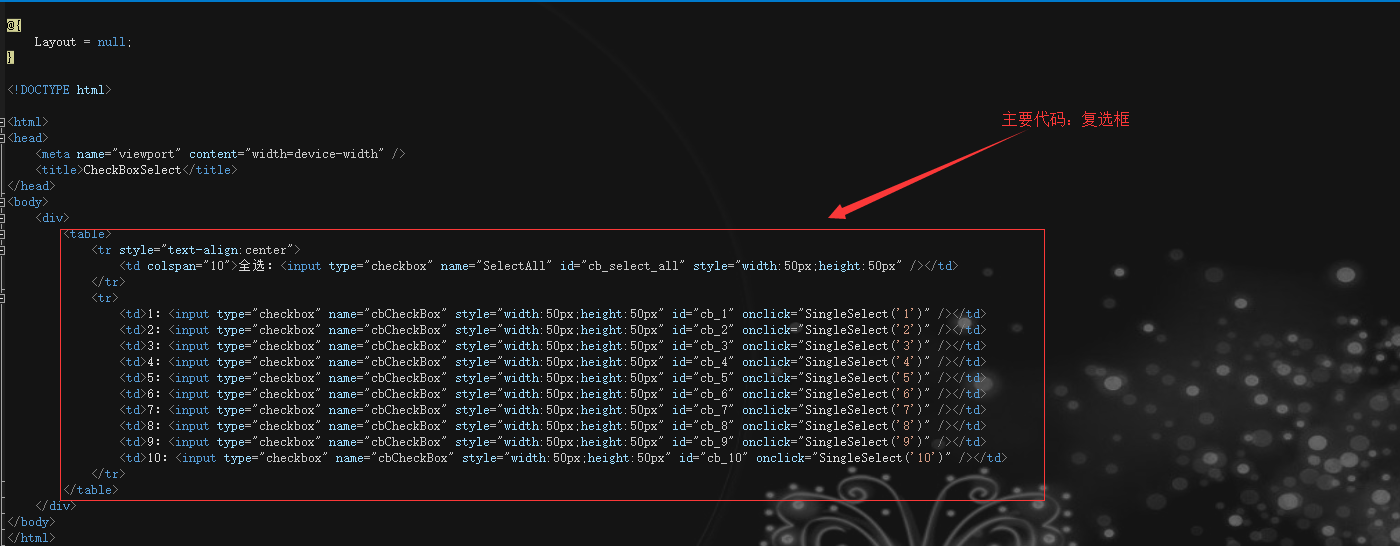
<table>
<tr style="text-align:center">
<td colspan="10">全选:<input type="checkbox" name="SelectAll" id="cb_select_all" style="width:50px;height:50px" /></td>
</tr>
<tr>
<td>1:<input type="checkbox" name="cbCheckBox" style="width:50px;height:50px" id="cb_1" onclick="SingleSelect('1')" /></td>
<td>2:<input type="checkbox" name="cbCheckBox" style="width:50px;height:50px" id="cb_2" onclick="SingleSelect('2')" /></td>
<td>3:<input type="checkbox" name="cbCheckBox" style="width:50px;height:50px" id="cb_3" onclick="SingleSelect('3')" /></td>
<td>4:<input type="checkbox" name="cbCheckBox" style="width:50px;height:50px" id="cb_4" onclick="SingleSelect('4')" /></td>
<td>5:<input type="checkbox" name="cbCheckBox" style="width:50px;height:50px" id="cb_5" onclick="SingleSelect('5')" /></td>
<td>6:<input type="checkbox" name="cbCheckBox" style="width:50px;height:50px" id="cb_6" onclick="SingleSelect('6')" /></td>
<td>7:<input type="checkbox" name="cbCheckBox" style="width:50px;height:50px" id="cb_7" onclick="SingleSelect('7')" /></td>
<td>8:<input type="checkbox" name="cbCheckBox" style="width:50px;height:50px" id="cb_8" onclick="SingleSelect('8')" /></td>
<td>9:<input type="checkbox" name="cbCheckBox" style="width:50px;height:50px" id="cb_9" onclick="SingleSelect('9')" /></td>
<td>10:<input type="checkbox" name="cbCheckBox" style="width:50px;height:50px" id="cb_10" onclick="SingleSelect('10')" /></td>
</tr>
</table>
</div>
</body>
</html>
<script src="~/Scripts/jquery-2.1.1.min.js"></script>
<script>
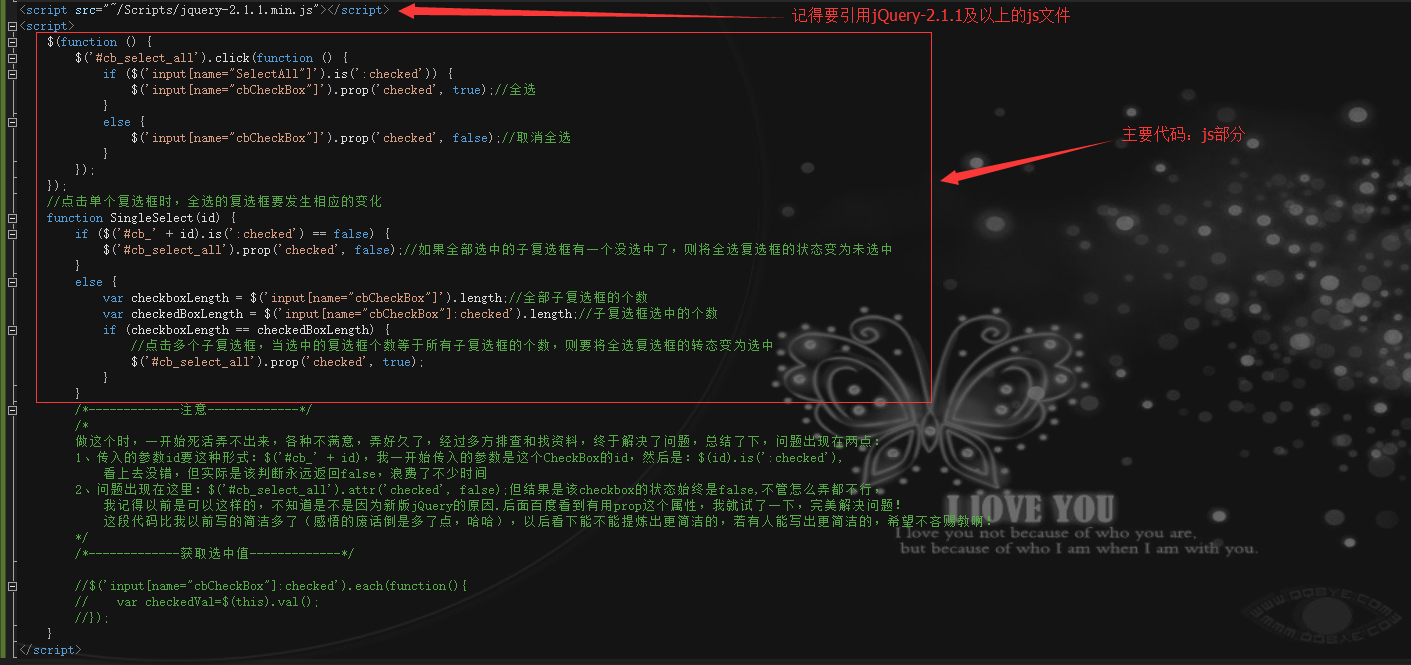
$(function () {
$('#cb_select_all').click(function () {
if ($('input[name="SelectAll"]').is(':checked')) {
$('input[name="cbCheckBox"]').prop('checked', true);//全选
}
else {
$('input[name="cbCheckBox"]').prop('checked', false);//取消全选
}
});
});
//点击单个复选框时,全选的复选框要发生相应的变化
function SingleSelect(id) {
if ($('#cb_' + id).is(':checked') == false) {
$('#cb_select_all').prop('checked', false);//如果全部选中的子复选框有一个没选中了,则将全选复选框的状态变为未选中
}
else {
var checkboxLength = $('input[name="cbCheckBox"]').length;//全部子复选框的个数
var checkedBoxLength = $('input[name="cbCheckBox"]:checked').length;//子复选框选中的个数
if (checkboxLength == checkedBoxLength) {
//点击多个子复选框,当选中的复选框个数等于所有子复选框的个数,则要将全选复选框的转态变为选中
$('#cb_select_all').prop('checked', true);
}
}
/*-------------注意-------------*/
/*
做这个时,一开始死活弄不出来,各种不满意,弄好久了,经过多方排查和找资料,终于解决了问题,总结了下,问题出现在两点:
1、传入的参数id要这种形式:$('#cb_' + id),我一开始传入的参数是这个CheckBox的id,然后是:$(id).is(':checked'),
看上去没错,但实际是该判断永远返回false,浪费了不少时间
2、问题出现在这里:$('#cb_select_all').attr('checked', false);但结果是该checkbox的状态始终是false,不管怎么弄都不行,
我记得以前是可以这样的,不知道是不是因为新版jQuery的原因.后面百度看到有用prop这个属性,我就试了一下,完美解决问题!
这段代码比我以前写的简洁多了(感悟的废话倒是多了点,哈哈),以后看下能不能提炼出更简洁的,若有人能写出更简洁的,希望不吝赐教啊!
*/
/*-------------获取选中值-------------*/
//$('input[name="cbCheckBox"]:checked').each(function(){
// var checkedVal=$(this).val();
//});
}
</script>
代码截图:
效果截图:
全选:
全不选:

当为全选状态时,若有单个不选,全选复选框也要变为未选中状态:

当一个个选中子复选框,直至把全部都选中时,全选的复选框也要变为选中状态:

jquery对复选框(checkbox)的操作(精华)的更多相关文章
- Jquery对复选框CheckBox的操作
checkbox: 多选框 //获取选中值 checkbox:$("#checkbox_id").attr("value"): 多选框checkbox,打勾: ...
- jquery判断复选框checkbox是否被选中
jquery判断复选框checkbox是否被选中 使用is方法 //如果选中返回true //如果未选中返回false .is(':checked');
- jQuery判断复选框checkbox的选中状态
通过jQuery设置复选框为选中状态 复选框 <input type="checkbox"/> 错误代码: $("input").attr(&quo ...
- jquery获取复选框checkbox的值
jQuery API : each(callback) :以每一个匹配的元素作为上下文来执行一个函数. :checked :匹配所有选中的被选中元素(复选框.单选框等,不包括select中的optio ...
- 不同版本的jquery的复选框checkbox的相关问题
在尝试写复选框时候遇到一个问题,调试了很久都没调试出来,极其郁闷: IE10,Chrome,FF中,对于选中状态,第一次$('#checkbox').attr('checked',true)可以实现 ...
- [jQuery] 判断复选框checkbox是否选中checked
返回值是true/false method 1: $("#register").click(function(){ if($("#accept").get(0) ...
- jQuery操作复选框checkbox技巧总结 ---- 设置选中、取消选中、获取被选中的值、判断是否选中等
转载:https://blog.csdn.net/chenchunlin526/article/details/77448168 jQuery操作复选框checkbox技巧总结 --- 设置选中.取消 ...
- jquery操作复选框(checkbox)十二技巧
jquery操作复选框(checkbox)的12个小技巧. 1.获取单个checkbox选中项(三种写法)$("input:checkbox:checked").val()或者$( ...
- Jquery操作复选框(CheckBox)的取值赋值实现代码
赋值 复选框 CheckBox 遍历 取值 1. 获取单个checkbox选中项(三种写法): $("input:checkbox:checked").val() 或者 $(&q ...
随机推荐
- Spring-Cloud-Gateway 从升级到放弃
1 为什么要升级为spring-cloud-gateway? Spring Cloud Gateway features: Built on Spring Framework 5, Project R ...
- Mysql优化-大数据量下的分页策略
一.前言 通常,我们分页时怎么实现呢? 1 SELECT * FROM table ORDER BY id LIMIT 1000, 10; 但是,数据量猛增以后呢? 1 SELECT * FROM t ...
- tracert traceroute
二者都用于探测数据包从源到目的经过路由的IP,但两者探测的方法却有差别.不同点:一.应用环境不同tracert是应用在windows下.traceroute则是应用在linux/BSD/router/ ...
- Python3字典
- python 搭建一个http服务的小例子
一.创建Server 1.Dos 命令 python -m BaseHTTPServer [port] 默认端口是8000, 2.Python 脚本启动 #coding:utf-8 ''' Creat ...
- Win7 vs2017 WDK 1803 1809 驱动开发 出错 KMDF
一.编译出错, 1. 包含头文件出错 解决方案: 需要下载1803 的wdk 最新的1809会出一堆错误 安装程序显示是10.0.17134.1安装完成后是10.0.17134.0 2. Inf2C ...
- springmvc date
数据格式化,从本质上讲属于数据转换的范畴.Spring就是基于数据转换框架植入“格式化”功能的. 在数据转换时我们进行了如下配置: 我们使用的是ConversionServiceFactoryBean ...
- count(1)、count(*)与count(列名)的执行区别
执行效果: 1. count(1) and count(*) 当表的数据量大些时,对表作分析之后,使用count(1)还要比使用count(*)用时多了! 从执行计划来看,count(1)和coun ...
- 【ORACLE】解锁scott帐号
sqlplus / as sysdba;SQL> alter user scott account unlock;SQL> conn scott/grace
- GO语言-基础语法:循环
golang只有for没有while package main import ( "fmt" "os" "bufio" ) func for ...