
自定义textbox加入左右晃动效果
应用开发过程中经常会要求用户在textbox进行输入。例如:登陆,发布。
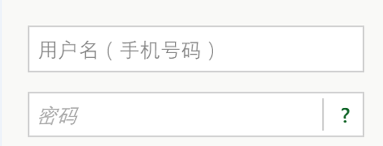
而一般没进行输入的时候我们都会简单的进行弹窗提示用户输入。 前阵子ios的同学搞了一个左右晃动的效果,觉得还不错,于是也搞了个出来。
为方便使用,自定义ShakeTextbox继承TextBox定义晃动、与正常情况的两种状态。
[TemplateVisualState(Name = ShakeTextbox.ShakeVisualState, GroupName = ShakeTextbox.ActivityVisualStateGroup)]

    [TemplateVisualState(Name = ShakeTextbox.CommonVisualState, GroupName = ShakeTextbox.ActivityVisualStateGroup)]

    public class ShakeTextbox:TextBox

    {

        private const string ActivityVisualStateGroup = "ActivityStates";

        private const string ShakeVisualState = "Shake";

        private const string CommonVisualState = "Common";

        public void Shake()

        {

            VisualStateManager.GoToState(this, ShakeTextbox.ShakeVisualState, false);

            atimer = new Timer(callback, null, , Timeout.Infinite);

        }

        Timer atimer;

        void callback(object state)

        {

            Dispatcher.BeginInvoke(() =>

            {

                VisualStateManager.GoToState(this, ShakeTextbox.CommonVisualState, false);

            });

            atimer.Dispose();

        }

    }
app.xaml中写入ShakeTextbox的style。VisualState x:Name="Shake"实现左右晃动的动画效果
<Style TargetType="LocalControl:ShakeTextbox">

            <Setter Property="Template">

                <Setter.Value>

                    <ControlTemplate TargetType="LocalControl:ShakeTextbox">

                        <Grid x:Name="grid" Background="Transparent" RenderTransformOrigin="0.5,0.5">

                            <VisualStateManager.VisualStateGroups>

                                <VisualStateGroup x:Name="ActivityStates">

                                    <VisualState x:Name="Shake">

                                        <Storyboard>

                                            <DoubleAnimationUsingKeyFrames Storyboard.TargetProperty="(UIElement.RenderTransform).(CompositeTransform.TranslateX)" Storyboard.TargetName="grid">

                                                <EasingDoubleKeyFrame KeyTime="0" Value="0"/>

                                                <EasingDoubleKeyFrame KeyTime="0:0:0.1" Value="-9"/>

                                                <EasingDoubleKeyFrame KeyTime="0:0:0.2" Value="8.5"/>

                                                <EasingDoubleKeyFrame KeyTime="0:0:0.3" Value="-7.5"/>

                                                <EasingDoubleKeyFrame KeyTime="0:0:0.4" Value="6"/>

                                                <EasingDoubleKeyFrame KeyTime="0:0:0.5" Value="-4"/>

                                                <EasingDoubleKeyFrame KeyTime="0:0:0.6" Value="1.5"/>

                                                <EasingDoubleKeyFrame KeyTime="0:0:0.7" Value="0"/>

                                            </DoubleAnimationUsingKeyFrames>

                                        </Storyboard>

                                    </VisualState>

                                    <VisualState x:Name="Common"/>

                                </VisualStateGroup>

                            </VisualStateManager.VisualStateGroups>

                            <Grid.RenderTransform>

                                <CompositeTransform/>

                            </Grid.RenderTransform>

                            <Border x:Name="MainBorder" BorderBrush="{TemplateBinding BorderBrush}" BorderThickness="{TemplateBinding BorderThickness}" Background="{TemplateBinding Background}" Margin="{StaticResource PhoneTouchTargetOverhang}"/>

                            <Border x:Name="ReadonlyBorder" BorderBrush="{StaticResource PhoneDisabledBrush}" BorderThickness="{TemplateBinding BorderThickness}" Background="Transparent" Margin="{StaticResource PhoneTouchTargetOverhang}" Visibility="Collapsed"/>

                            <Border BorderBrush="Transparent" BorderThickness="{TemplateBinding BorderThickness}" Background="Transparent" Margin="{StaticResource PhoneTouchTargetOverhang}">

                                <ContentControl x:Name="ContentElement" BorderThickness="0" HorizontalContentAlignment="Stretch" Margin="{StaticResource PhoneTextBoxInnerMargin}" Padding="{TemplateBinding Padding}" VerticalContentAlignment="Stretch"/>

                            </Border>

                        </Grid>

                    </ControlTemplate>

                </Setter.Value>

            </Setter>

        </Style>
最后在页面中使用ShakeTextbox,只要判断ShakeTextbox.Test为空的时候调用ShakeTextbox自带的Shake方法即可。
demo 链接:http://files.cnblogs.com/fatlin/Test.rar
备注:由于本码农的开发工具是vs2013,低版本的vs目测打不开。
自定义textbox加入左右晃动效果的更多相关文章
- WPF自定义TextBox及ScrollViewer
原文:WPF自定义TextBox及ScrollViewer 寒假过完,在家真心什么都做不了,可能年龄大了,再想以前那样能专心坐下来已经不行了.回来第一件事就是改了项目的一个bug,最近又新增了一个新的 ...
- 自定义view实现水波纹效果
水波纹效果: 1.标准正余弦水波纹: 2.非标准圆形液柱水波纹: 虽说都是水波纹,但两者在实现上差异是比较大的,一个通过正余弦函数模拟水波纹效果,另外一个会运用到图像的混合模式(PorterDuffX ...
- ios7自带的晃动效果
ios7自带的晃动效果 by 伍雪颖 - (void)registerEffectForView:(UIView *)aView depth:(CGFloat)depth; { UIInterpola ...
- 继承control的自定义TextBox
继承control的自定义TextBox 下面来介绍一下本人写的一个自定义的textbox,首先说一下写这个控件遇到的几个难点:第一.关联输入法:第二.画字符串和焦点线 先随便上两张效果图吧: 下面这 ...
- CSS3左右间歇晃动效果
今天在做一个活动页面时,产品想要在页面中添加一个吸引人注意的小图片左右晃动的效果,并且该效果是间歇执行的.我一想应该挺简单的吧,二话没说就答应了,谁知在真正实现的时候才发现还是有些许困难的.于是就在网 ...
- android 自定义scrollview 仿QQ空间效果 下拉伸缩顶部图片,上拉回弹 上拉滚动顶部title 颜色渐变
首先要知道 自定义scrollview 仿QQ效果 下拉伸缩放大顶部图片 的原理是监听ontouch事件,在MotionEvent.ACTION_MOVE事件时候,使用不同倍数的系数,重置布局位置[ ...
- 自定义modal一个控制器的效果, presentViewController
presentViewController 一.主要用途 弹出模态ViewController是IOS变成中很有用的一个技术,UIKit提供的一些专门用于模态显示的ViewController,如UI ...
- WPF用样式实现TextBox的虚拟提示效果
[版权声明]本文为博主原创,未经允许禁止用作商业用途,如有转载请注明出处. 话说好多软件和网站都能实现虚拟提示,好吧这个名词是我自己起的,因为我也不知道这么形容这个效果. 效果描述:在TextBox没 ...
- WPF 自定义TextBox
1.TextBox前加图标. 效果: <TextBox Width="300" Height="30" Style="{StaticResour ...
随机推荐
- 一款基于jQuery饼状图比例分布数据报表
今天给大家带来一款基于jQuery饼状图比例分布数据报表.这款报表插件适用浏览器:IE8.360.FireFox.Chrome.Safari.Opera.傲游.搜狗.世界之窗.效果图如下: 在线预览 ...
- 项目源码--Android类似酷狗音乐播放器
下载源码 知识技能概要: 1.音乐文件的扫描与管理 2.音频流的解码 3. UI控件的综合使用 4.播放列表方式管理 5.随机播放方式 6.源码带详细的中文注释 ...... 详细介绍 1. 音乐文件 ...
- php连接数据库时候的字符集设置
最好的办法:设置mysql服务器的字符集,当然也可以通过mysql提供的api来设置运行时的字符集 Ideally a proper character set will be set at the ...
- Creating a CSRF protection with Spring 3.x--reference
reference from:http://info.michael-simons.eu/2012/01/11/creating-a-csrf-protection-with-spring-3-1/ ...
- JSON使用——获取网页返回结果是Json的代码
public String getWebData(String strUrl){ String json = null; try { URL url = new URL(strUrl); HttpUR ...
- 开发工具 之 PowerDesigner
PowerDesigner是一款功能非常强大的建模工具软件,足以与Rose比肩,同样是当今最著名的建模软件之一.Rose是专攻UML对象模型的建模工具,之后才向数据库建模发展,而PowerDesign ...
- 解决Intellij IDEA 通过archetype创建Maven项目缓慢的问题
1.由于默认情况下,根据archetype创建maven项目会从网络下载catalog文件,导致创建maven项目缓慢 Searching for remote catalog: http://rep ...
- C++-copy constructor、copy-assignment operator、destructor
本文由@呆代待殆原创,转载请注明出处. 对于一个类来说,我们把copy constructor.copy-assignment operator.move constructor.move-assig ...
- Oracle基础 存储过程
一.子程序 子程序是已命名的PL/SQL块,它们存储在数据库中,可以Wie它们指定参数,可以从任何数据库客户端和应用程序中调用它们.子程序包括存储过程和函数. 子程序包括: 1.声明部分:声明部分包括 ...
- Oracle基础 (系统工具(export,import)) exp/imp和 (数据泵 (data pump))expdp/impdp的区别:
一.exp/imp和expdp/impdp在功能上的区别: 1.把用户usera的对象导入到userb emp/imp用法: formuser=usera touser=userb; empdp/im ...