
测开之路四十八:Django之重定向与cookie
基础配置与上一篇一致
404错误
定义一个error页面

<!DOCTYPE html>
<html lang="en">
<head>
    <meta charset="UTF-8">
    <title>错误页</title>
</head>
<body>
    <h1>哎呀,出错啦!</h1>
</body>
</html>
追加一个404的视图
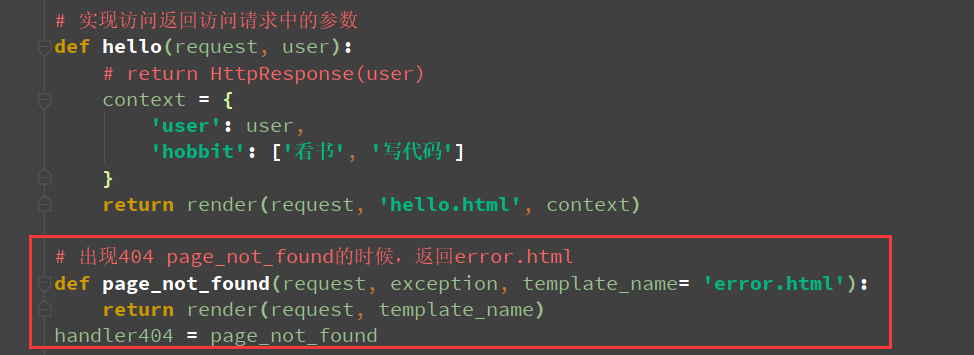
访问,由于开了debug模式,所以Django会捕获异常并抛出来,所以关闭debug模式再访问
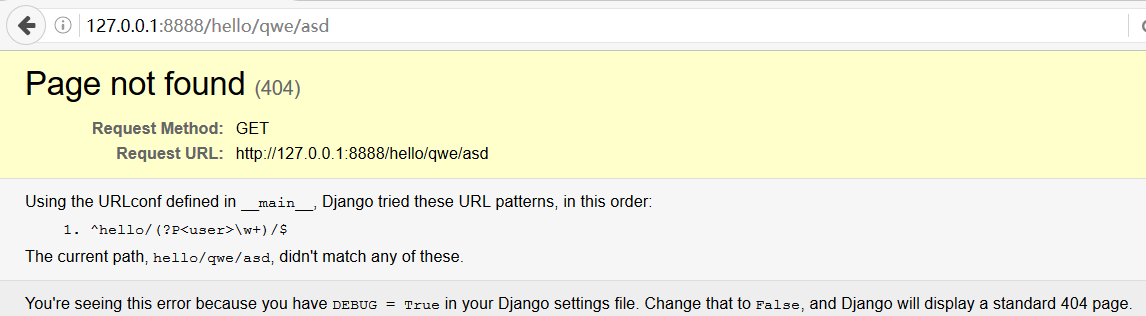
把debug注释掉,并追加可访问的host:ALLOWED_HOSTS=['*'],

import os
import sys
from django.shortcuts import render
from django.conf.urls import url
from django.conf import settings
from django.core.management import execute_from_command_line

BASE_DIR = os.path.dirname(__file__) # 定义当前工程目录为basedir

# 设置框架配置
settings.configure(
    # DEBUG=True,
    ALLOWED_HOSTS=['*'],
    SECRET_KEY='aaa',  # 用于加密的字符串
    ROOT_URLCONF=__name__,  # 此配置为在当前文件里面找url映射的配置
    MIDDLEWARE_CLASSES=(
        'django.middleware.commom.CommonMiddleware',
        'django.middleware.csrf.CsrfViewMiddleware',
        'django.middleware.clickjacking.XFrameOptionsMiddleware',
    ),
    STATIC_URL='/static/',  # 定义静态文件的存放目录,和flask一致
    STATICFILES_DIRS=(os.path.join(BASE_DIR, 'static'),),  # 静态文件目录,指向BASE_DIR/static(括号里的逗号不能省)
    INSTALLED_APPS=('django.contrib.staticfiles',),  # Django使用静态文件需要安装即在配置中录入此信息(括号里的逗号不能省)
    # 模板的配置
    TEMPLATES=[{
            # 'BACKEND': 'django.template.backends.django.DjangoTemplates',  # Django自带的模板引擎
            'BACKEND': 'django.template.backends.jinja2.Jinja2',  # Jinja2的模板引擎
            'APP_DIRS': True,  # APP_DIRS为True则默认app下的templates目录,否则使用下一行DIRS声明的目录
            'DIRS': [os.path.join(BASE_DIR, 'templates')],
            'OPTIONS': {}}]
)

# 实现访问返回访问请求中的参数
def hello(request, user):
   # return HttpResponse(user)
    context = {
        'user': user,
        'hobbit': ['看书', '写代码']
    }
    return render(request, 'hello.html', context)

# 出现404 page_not_found的时候,返回error.html
def page_not_found(request, exception, template_name= 'error.html'):
    return render(request, template_name)
handler404 = page_not_found
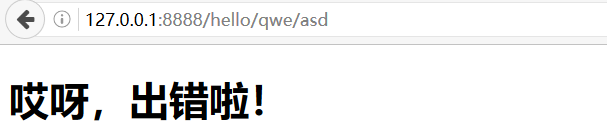
再访问
重定向
需要导入库(以上配置不变,把debug打开)
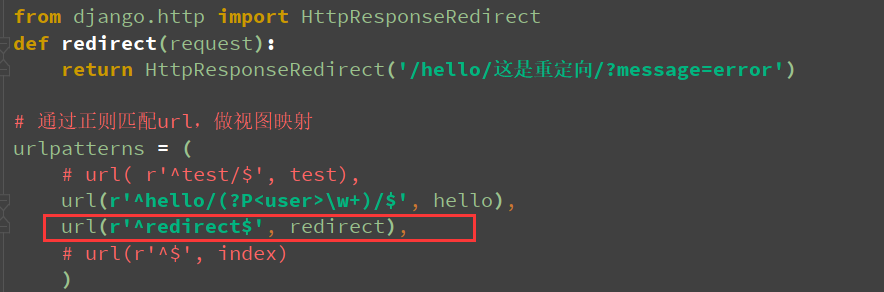
from django.http import HttpResponseRedirect
def redirect(request):
    return HttpResponseRedirect('/hello/这是重定向/?message=error')

# 通过正则匹配url,做视图映射
urlpatterns = (
    # url( r'^test/$', test),
    url(r'^hello/(?P<user>\w+)/$', hello),
    url(r'^redirect$', redirect),
    # url(r'^$', index)
    )
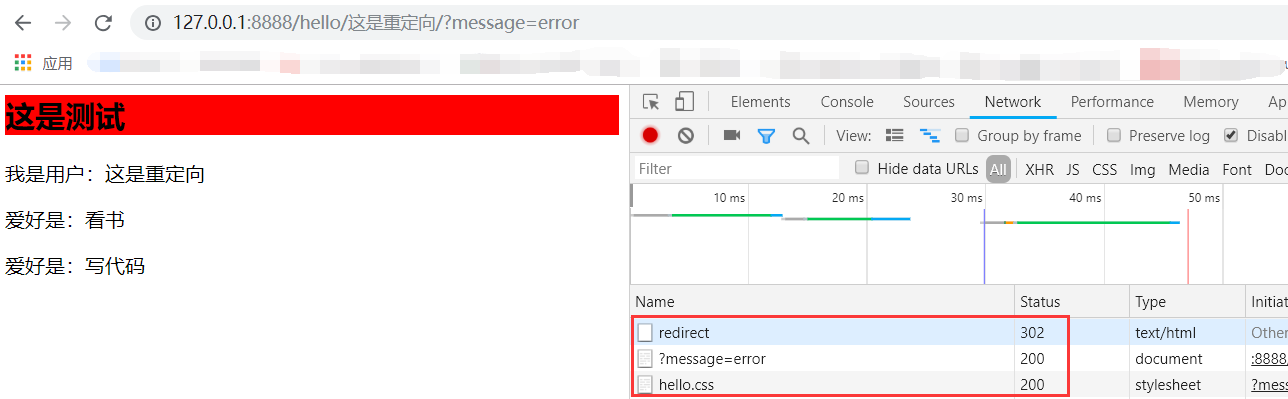
访问redirect的时候会被重定向
cookie
以之前的test视图为例

from django.http  import JsonResponse
def test(request):
    print(dir(request))
    data = {
        'path': request.path,
        'method': request.method,
        'scheme': request.scheme,
        'host': request.get_host(),
        'port': request.get_port(),
        'cookies': request.COOKIES,
        'get': request.GET,
        'post': request.POST,
    }
    # return JsonResponse(data)
    response = JsonResponse(data)
    response.set_cookie('django', 'djangoCookie')
    return response

# 通过正则匹配url,做视图映射
urlpatterns = (
    url( r'^test/$', test),
    url(r'^hello/(?P<user>\w+)/$', hello),
    url(r'^redirect$', redirect),
    # url(r'^$', index)
    )
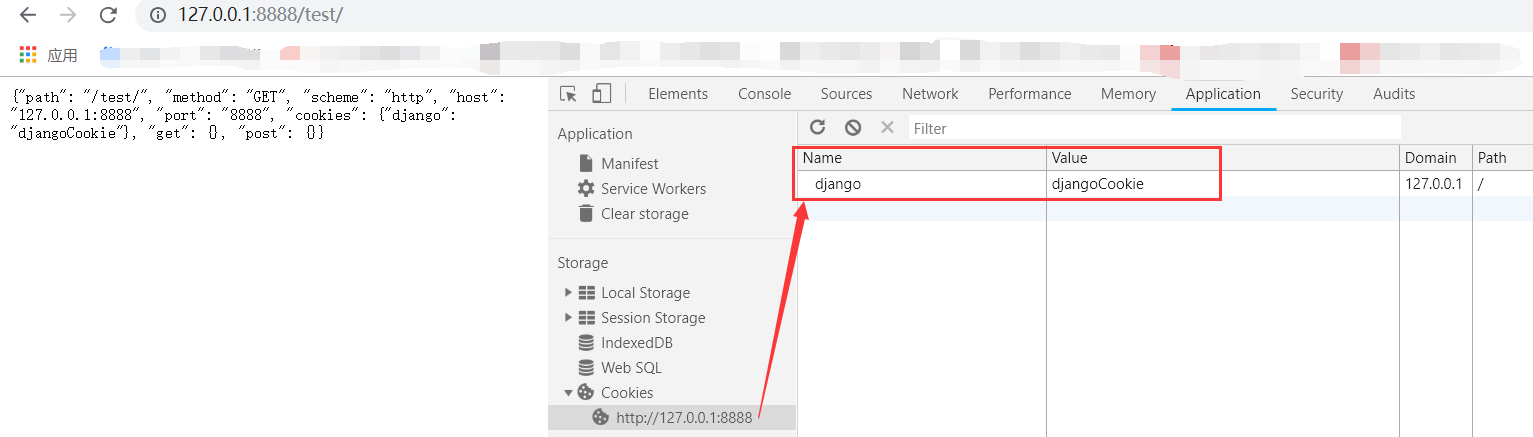
访问
使用cookie
get('django', 'NoCookie'):如果Django有cookie,就用Django的,如果没有,就用NoCookie
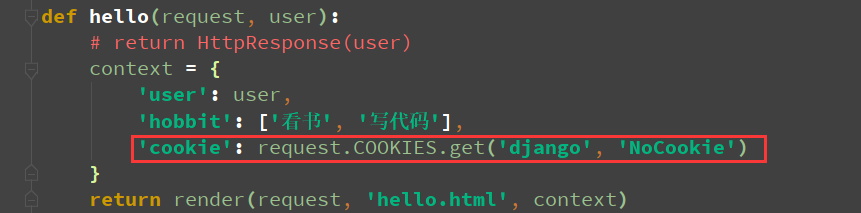
def hello(request, user):
   # return HttpResponse(user)
    context = {
        'user': user,
        'hobbit': ['看书', '写代码'],
        'cookie': request.COOKIES.get('django', 'NoCookie')
    }
    return render(request, 'hello.html', context)
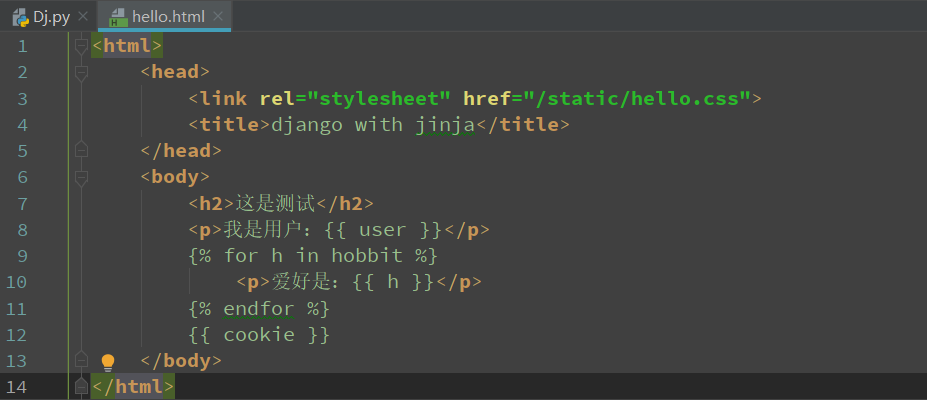
打印cookie
<html>
    <head>
        <link rel="stylesheet" href="/static/hello.css">
        <title>django with jinja</title>
    </head>
    <body>
        <h2>这是测试</h2>
        <p>我是用户:{{ user }}</p>
        {% for h in hobbit %}
            <p>爱好是:{{ h }}</p>
        {% endfor %}
        {{ cookie }}
    </body>
</html>
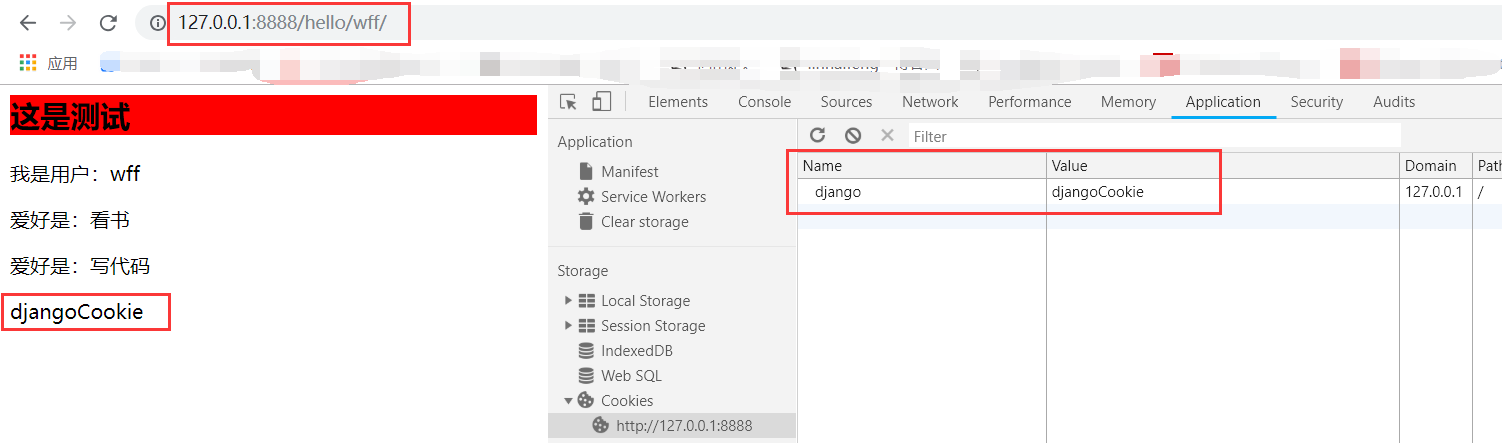
访问test/生成cookie

再访问/hello/xxx/,会把Django对应的cookie值打印出来
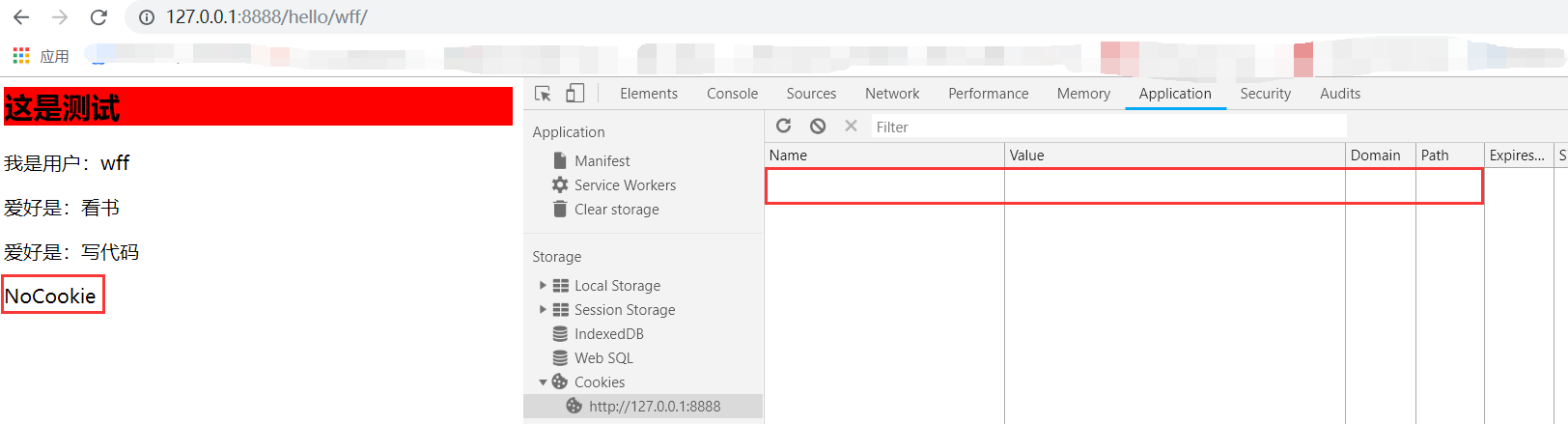
清除cookie再访问,会打印NoCookie
测开之路四十八:Django之重定向与cookie的更多相关文章
- 测开之路四十九:用Django实现扑克牌游戏
用Django实现和之前flask一样的扑克牌游戏 项目结构 html <!DOCTYPE html><html lang="en"><head> ...
- 测开之路四十五:Django之最小程序
安装Django库 Django最小程序 import sysfrom django.conf.urls import urlfrom django.conf import settingsfrom ...
- 测开之路四十七:Django之请求静态资源与模板
框架必要的配置 import sysfrom django.conf.urls import urlfrom django.conf import settingsfrom django.http i ...
- 测开之路七十八:shell之函数和参数
函数 function function_name(){ statement1 Statement2 .... statementn} function_name $var1 ...
- 测开之路四十二:常用的jquery事件
$(‘selector’).click() 触发点击事件$(‘selector’).click(function) 添加点击事件$(‘selector’).dbclick() 触发双击事件$(‘sel ...
- 测开之路四十:jQuery基本用法
从cdn引入jQuery库:https://www.bootcdn.cn/,搜索jQuery 在html里面(使用之前计算器的脚本),把复制的标签粘贴到引入js标签的前面:<script src ...
- 测开之路三十八:css布局之定位
常用的布局方式: static:静态定位(默认),什么都不用管,元素会按照默认顺序排列,排不下是会默认换行relative:相对定位(同一层),相对于某一个元素进行定位fixed:绝对定位,指定位置a ...
- 测开之路二十八:Flask基础之静态资源
Flask默认的存放静态资源的目录名为static 在工程下创建一个文件夹(与脚本同级) 如果想命名为其他名字,则在声明app的时候要初始化,如: 准备一张图片放在static下,返回的内容加上img ...
- 测开之路七十四:python处理kafka
kafka-python地址:https://github.com/dpkp/kafka-python 安装kafka-python:pip install kafka-python 接收消息 fro ...
随机推荐
- 实现自己的DiscoveryClient
需要做的: DiscoveryClient能提供那些服务的服务名列表 返回指定服务对于的ServiceInstance列表 返回DiscoveryClient的顺序 返回HealthIndicator ...
- TCL环境检查
set w [open 1.txt w+] foreach a [info var] { if { [llength [array name $a]]==0 } { puts $w $a:[set $ ...
- jquery实现按键增加删除css属性(hide)
<!DOCTYPE html> <html lang="en"> <head> <meta charset="UTF-8&quo ...
- rmdir -删除空目录
总览 rmdir[options]directory... POSIX 选项: [-p] GNU 选项(缩写): [-p] [--ignore-fail-on-non-empty] [--help] ...
- Codeforces Round #393 (Div. 2) - A
题目链接:http://codeforces.com/contest/760/problem/A 题意:给定一个2017年的月份和该月的第一天的星期,问该月份的日历表中需要多少列.行有7列表示星期一~ ...
- hdu1214 圆桌会议
题目链接:http://acm.hdu.edu.cn/showproblem.php?pid=1214 HDU ACM集训队的队员在暑假集训时经常要讨论自己在做题中遇到的问题.每当面临自己解决不了的问 ...
- yara规则的二进制漏洞
https://www.anquanke.com/post/id/147675 yara32.exe 后缀.yar
- STREAM Benchmark及其操作性能分析
STREAM 是业界广为流行的综合性内存带宽实际性能 测量 工具之一.随着处理器处理核心数量的增多,内存带宽对于提升整个系统性能越发重要,如果某个系统不能够足够迅速地将内存中的数据传输到处理器当中,若 ...
- html5 带声音的导航
代码实例: <!DOCTYPE html PUBLIC "-//W3C//DTDXHTML 1.0 Transitional//EN""http://www.w3. ...
- uCOS的软件定时器、uCOS时钟节拍和滴答定时器的关系
uCOS2.81后的版本中有软件定时器的概念,如果要开启定时器任务,需要在OS_CFG.H文件中 #define OS_TMR_EN 1 软件定时器其实跟硬件中断是相 ...