
cat、head、sed 三盟友
在linux 中我们必不可少的会使用到这三个命令
他们有什么作用呢?
就是查看文档了,但他的功能远不止于此
来我们学习一下吧
cat
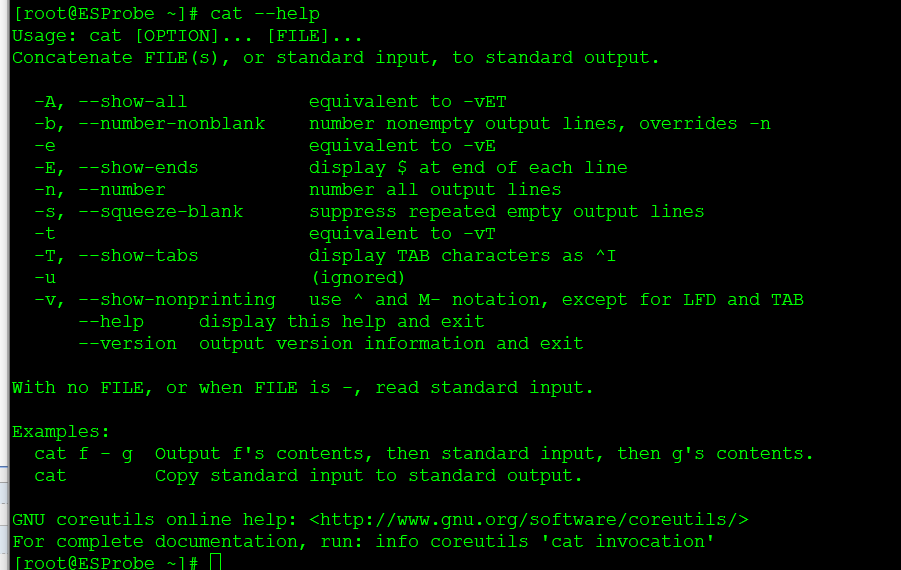
[root@ESProbe ~]# cat --help
Usage: cat [OPTION]... [FILE]...
Concatenate FILE(s), or standard input, to standard output.
-A, --show-all equivalent to -vET
-b, --number-nonblank number nonempty output lines, overrides -n
-e equivalent to -vE
-E, --show-ends display $ at end of each line
-n, --number number all output lines
-s, --squeeze-blank suppress repeated empty output lines
-t equivalent to -vT
-T, --show-tabs display TAB characters as ^I
-u (ignored)
-v, --show-nonprinting use ^ and M- notation, except for LFD and TAB
--help display this help and exit
--version output version information and exit
With no FILE, or when FILE is -, read standard input.
Examples:
cat f - g Output f's contents, then standard input, then g's contents.
cat Copy standard input to standard output.
GNU coreutils online help: http://www.gnu.org/software/coreutils/
For complete documentation, run: info coreutils 'cat invocation'
-b 显示行号
[root@ESProbe ~]# cat -b /etc/passwd
1 root❌0:0:root:/root:/bin/bash
2 bin❌1:1:bin:/bin:/sbin/nologin
3 daemon❌2:2:daemon:/sbin:/sbin/nologin
4 adm❌3:4:adm:/var/adm:/sbin/nologin
5 lp❌4:7:lp:/var/spool/lpd:/sbin/nologin
6 sync❌5:0:sync:/sbin:/bin/sync
7 shutdown❌6:0:shutdown:/sbin:/sbin/shutdown
8 halt❌7:0:halt:/sbin:/sbin/halt
9 mail❌8:12:mail:/var/spool/mail:/sbin/nologin
10 operator❌11:0:operator:/root:/sbin/nologin
11 games❌12
cat、head、sed 三盟友的更多相关文章
- 删除所有空白列 cat yum.log | awk '{$1=$2=$3=$4=null;print $0}'>>yum.log1 sed ‘s/[ \t]*$//g' 删除所有空格 sed -i s/[[:space:]]//g yum.log
2.删除行末空格 代码如下: 删除所有空白列 cat yum.log | awk '{$1=$2=$3=$4=null;print $0}'>>yum.log1 sed 's/[ \t]* ...
- find cat sed awk 简单组合使用
find:查找 // .表示当前目录: /表示根目录: | 管道符: xargs表示将前面的搜索接口作为参数传递到后面的命令中:grep 过滤 // xxxx表示文件名 1.查找指定文件名的文 ...
- Linux下的shell编程(三)BY 四喜三顺
正则表达式:-------------------------------------------------------------------------------------------^ ...
- Linux三剑客之sed
sed sed对文本的处理很强大,并且sed非常小,参数少,容易掌握,他的操作方式根awk有点像.sed按顺序逐行读取文件.然后,它执行为该行指定的所有操作,并在完成请求的修改之后的内容显示出来,也可 ...
- Shell之sed用法 转滴
通过例子学习sed的用法 1,sed介绍 sed可删除(delete).改变(change).添加(append).插入(insert).合.交换文件中的资料行,或读入其它档的资料到 文> ...
- sed的实际用法举例
sed:Stream Editor文本流编辑,sed是一个“非交互式的”面向字符流的编辑器.能同时处理多个文件多行的内容,可以不对原文件改动,把整个文件输入到屏幕,可以把只匹配到模式的内容输入到屏幕上 ...
- sed文本处理知识点整理
参考资料:http://man.linuxde.net/sed <鸟哥的私房菜> sed是一种流编辑器,它是文本处理中非常中的工具,能够完美的配合正则表达式使用.sed 后面接的操作 ...
- sed and awk学习笔记
sed and awk 背景 awk起源追溯至sed和grep,进而追溯至共同的行编辑器ed.实用工具grep来源于ed命令:g/re/p .实用工具awk和sed有一个共同的选项-f用于指定脚本的名 ...
- SED&AWK
SED 1.sed是流编辑器(stream editor)缩写,作用主要是文本替换 命令格式:sed ‘s/pattern/replace_string/' file或者cat file | se ...
随机推荐
- ionic3 生命周期钩子
ionViewDidLoad 页面加载完成触发,这里的"加载完成"指的是页面所需的资源已经加载完成,但还没进入这个页面的状态(用户看到的还是上一个页面). 需要注意的是它是一个很傲 ...
- 2015-09-14-初级vector
标准库vector类型 #include<vector> using std::vector; vector为一个类模板. vector的初始化 vector<T> v1; v ...
- 求最长公共子序列-DP问题
Longest common subsequence problem The longest common subsequence (LCS) problem is the problem of fi ...
- Twitter类社交平台 用比例建立新的“好坏”与社会焦点
用比例建立新的"好坏"与社会焦点" title="Twitter类社交平台 用比例建立新的"好坏"与社会焦点"> 互联网全面 ...
- Spring Security基本原理
近期研究了Spring Security,现进行记录. 首先先进行一个最简单的demo.默认情况下,在Spring Boot里,如果在classpath下面有Spring Security相关的jar ...
- Python---1基础介绍
因公司有自动化测试需求,开始自学python,跟着廖雪峰老师的教程,一边学习,一遍记笔记,将学习过程中,遇到的大大小小奇奇怪怪的问题,记录与此. 一.安装 Python是跨平台的,它可以运行在Wind ...
- STL标准库中的容器
容器:顾名思义,我的理解就是把同一种数据类型括起来,作为一捆.如vector<int> ,vector就是个容器,里面全是一个个的int型数据. 容器包括三大块: 顺序型容器: (1)ve ...
- 痞子衡嵌入式:恩智浦i.MX RT1xxx系列MCU启动那些事(11.2)- FlexSPI NOR连接方式大全(RT1060/1064(SIP))
大家好,我是痞子衡,是正经搞技术的痞子.今天痞子衡给大家介绍的是恩智浦i.MX RT1060/1064(SIP)两款MCU的FlexSPI NOR启动的连接方式. 上一篇文章<FlexSPI N ...
- USB小白学习之路(4)HID键盘程序
HID键盘程序 1. 特别注意 需要特别注意,各个例程中的设备描述符,配置描述符等各种描述符都是已经配置好了的,我们需要做的只是在例程中将代码修改为自己需要的部分即可,一般情况下是不可以串搭配的. 2 ...
- 后渗透之meterpreter使用攻略
Metasploit中的Meterpreter模块在后渗透阶段具有强大的攻击力,本文主要整理了meterpreter的常用命令.脚本及使用方式.包含信息收集.提权.注册表操作.令牌操纵.哈希利用.后门 ...