
Jenkins 主题:jenkins-theme-v2
说明
本次样式是基于 Jenkins ver. 2.235.1 写的,所有对于之前的版本可能样式不兼容,好像变化挺大的。个人测试了在用的 Jenkins ver. 2.190.1,完全不行,所有建议想要使用的安装最新版本的 Jenkins。
当然,这个项目给就是给大家一个思路,这个页面可以长这样子,你只需要照抄就能重新根据自己版本设计属于你自己的 Jenkins 主题。
配置说明
1. 更换 Logo
我这里使用的 war 包,所以很好找到他的目录结构:在解压出来的 Jenkins 目录中:
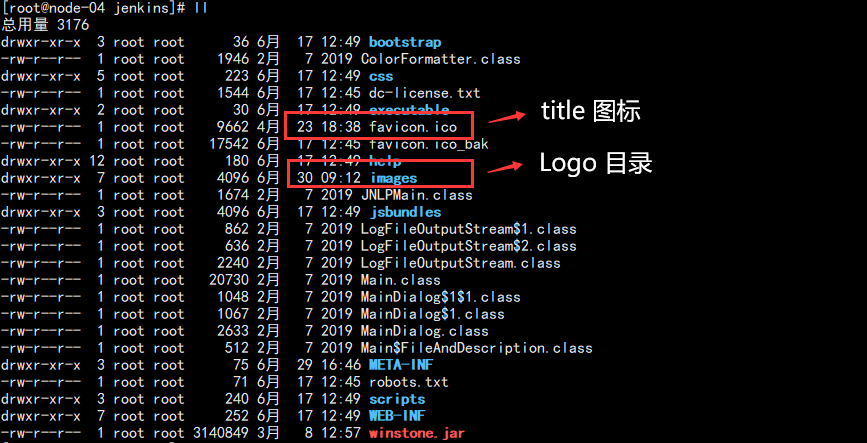
配置标题和名称:

2. 安装 Jenkins 插件
配置主题需要插件:Simple Theme Plugin
具体配置方式可以参考我的博客:
3. 粘贴 CSS
代码如下:
*{font-size:12px !important;letter-spacing:1px;font-weight:normal !important;border-radius:0 !important;color:#333333;}body{margin:;padding:;background-color:#F2F2F2;}a{color:#333333 !important;text-decoration:none !important;}a:link{text-decoration:none !important;color:#333333 !important;}a:visited{text-decoration:none !important;color:#333333 !important;}a:hover{text-decoration:none !important;color:#009688 !important;}a:active{text-decoration:none !important;color:#333333 !important;}a:focus{text-decoration:none !important;color:#333333 !important;}.page-header{position:fixed;height:50px;line-height:50px;top:;width:100%;background-color:white;z-index:;}#header .logo{width:300px !important;background-color:#20222A;margin-left:;padding:0 15px;}#jenkins-head-icon{width:30px;height:30px;}#jenkins-name-icon{height:30px;}#searchform{height:30px;}.searchbox{position:absolute;left:300px;padding:0 20px;}#search-box.main-search__input{padding:2px 5px 2px 30px;margin:;line-height:30px;border:none;}#search-box.main-search__input:focus{border:none;outline:none;}.main-search__icon-leading{height:30px;width:30px;padding:4px;}.main-search__icon-trailing{display:none;}.page-header__hyperlinks A{padding:0 10px;}.page-header__hyperlinks .svg-icon{display:none;}.page-header__hyperlinks A:hover,.page-header__hyperlinks A:focus,.page-header__hyperlinks A.mouseIsOverMenuSelector{background:none;}#visible-am-container.visible #visible-am-button{background:none;}#breadcrumbs{height:30px !important;line-height:30px !important;min-height:30px !important;}#breadcrumbs LI{height:30px !important;line-height:30px !important;min-height:30px !important;}#breadcrumbs LI A{height:30px !important;line-height:30px !important;min-height:30px !important;}.breadcrumbs__wrapper{line-height:30px !important;min-height:30px !important;background-color:white !important;position:fixed;top:50px;left:;right:;padding:0 20px 0 320px !important;border-top:1px solid #eeeeee;border-bottom:1px solid #eeeeee;}.top-sticker-inner{border:none;}#side-panel{background-color:#20222A;position:fixed;top:50px;bottom:;left:;padding:30px 0;z-index:;}body.two-column #side-panel{width:300px;}#tasks{width:300px;margin-bottom:;}#tasks .task{margin-bottom:;max-width:300px;padding:0 15px;line-height:40px;display:block;}#tasks .task:hover{background-color:#009688;cursor:pointer;}#tasks .task *{letter-spacing:2px !important;color:#ffffff !important;}#tasks .task .task-link{height:40px;line-height:40px;}#side-panel .container-fluid{margin:20px 15px;}#side-panel .pane-header{padding:5px !important;}#side-panel td.pane{padding:5px;}#side-panel td{float:left;color:#ffffff;}#side-panel #tasks .task-icon-link{display:none;}#description{display:none;}body.two-column #main-panel{margin-left:310px;}#main-panel{position:relative;top:80px;left:;right:;background-color:#ffffff;margin:10px;padding:15px;}#main-panel > h1{height:50px !important;line-height:20px !important;font-size:14px !important;letter-spacing:2px;margin:-15px -15px 10px -15px;padding:15px;border-bottom:1px solid #f2f2f2;}h1{margin:15px 0;}#main-panel .call-to-action{width:100%;margin:15px 0;padding:10px 10px;background-color:#F2F2F2;border-left:4px solid #009688;}.col-md-offset-2{margin:;padding:;}.col-md-20{width:100%;}.container{margin:;padding:0 290px;width:100%;}.h3{font-weight:bolder !important;font-size:19px !important;}.j-item-options .icon-xlg{height:48px !important;width:48px !important;}#add-item-panel .icon:before{background:none;}#add-item-panel .icon{border:none;background:none;}h1 img{height:20px !important;line-height:20px !important;width:20px !important;}.tabBar .tab:first-child{margin-left:;}.manage-option .icon{width:40px;height:40px;}.manage-option dl{min-height:40px;}.manage-option dl dt{font-size:14px;height:40px;line-height:40px;}.manage-option dl dd{display:none;}#main-panel h2{border-left:4px solid #009688;padding-left:10px;height:35px;line-height:35px;background-color:#f2f2f2;margin:20px 0;}.yui-button button,input[type="button"],input[type="reset"],input[type="submit"],a.yui-button:link,a.yui-button:visited{border:1px solid !important;padding:3px 1rem !important;min-height:28px !important;margin-left:0 !important;}.section-header{margin-top:20px !important;font-weight:bold !important;font-size:14px !important;}table,td,th,form,input,textarea,select{font-size:12px !important;text-align:left !important;}.manage-page__category:not(:last-child){margin-bottom:15px;}.setting-input{padding:5px 15px;}input:focus{outline:none !important;}.hidden-password-legend > svg{height:20px;}.icon-xlg{width:20px !important;height:20px !important;margin-right:10px;}.icon-lg{width:20px !important;height:20px !important;}.icon-md{width:20px !important;height:20px !important;}.icon-sm{height:12px;width:12px;}.build-row{background-color:#20222A !important;}.build-row a{color:#ffffff !important;}#buildHistory td{width:100%;}#buildHistory td:hover{background-color:#20222A !important;}#buildHistory a:hover{background-color:#20222A !important;}.pane-footer{display:none;}.build-row.model-link-active{background:#20222A !important;}td{vertical-align:middle !important;}.page-headline{max-width:100% !important;}#projectstatus th{padding:5px;}.bigtable td{padding:5px;}.permalinks-list{padding-left:20px;}.permalink-item{margin:5px 15px;}#filter-container{margin-left:0 !important;}.plugin-manager__icon-leading{padding:5px !important;}a.yui-button.primary{color:#fff !important;}footer{display:none;}
当然,最新的代码可以参考我的 GITHUB:
不定期修复显示 BUG!
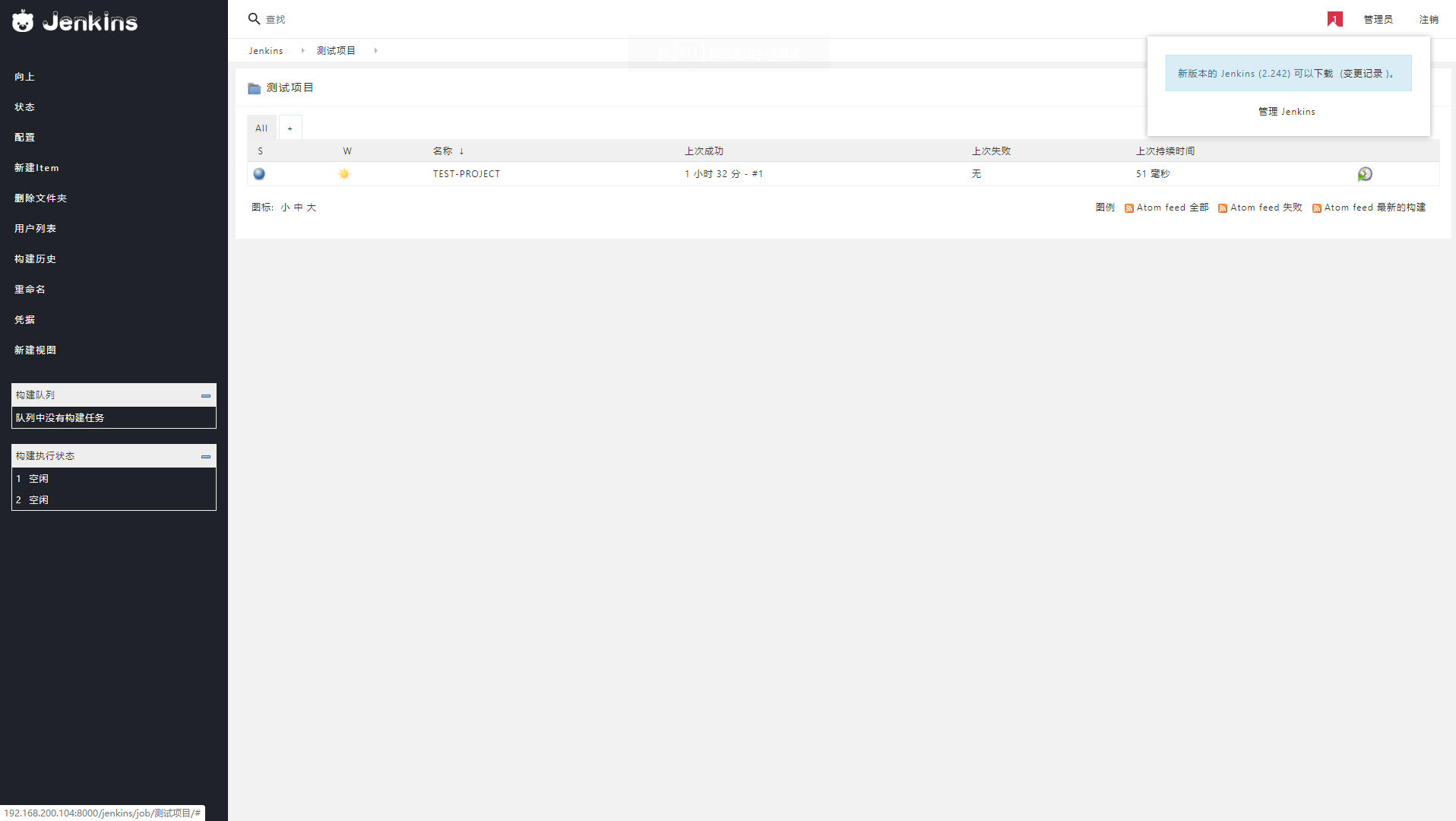
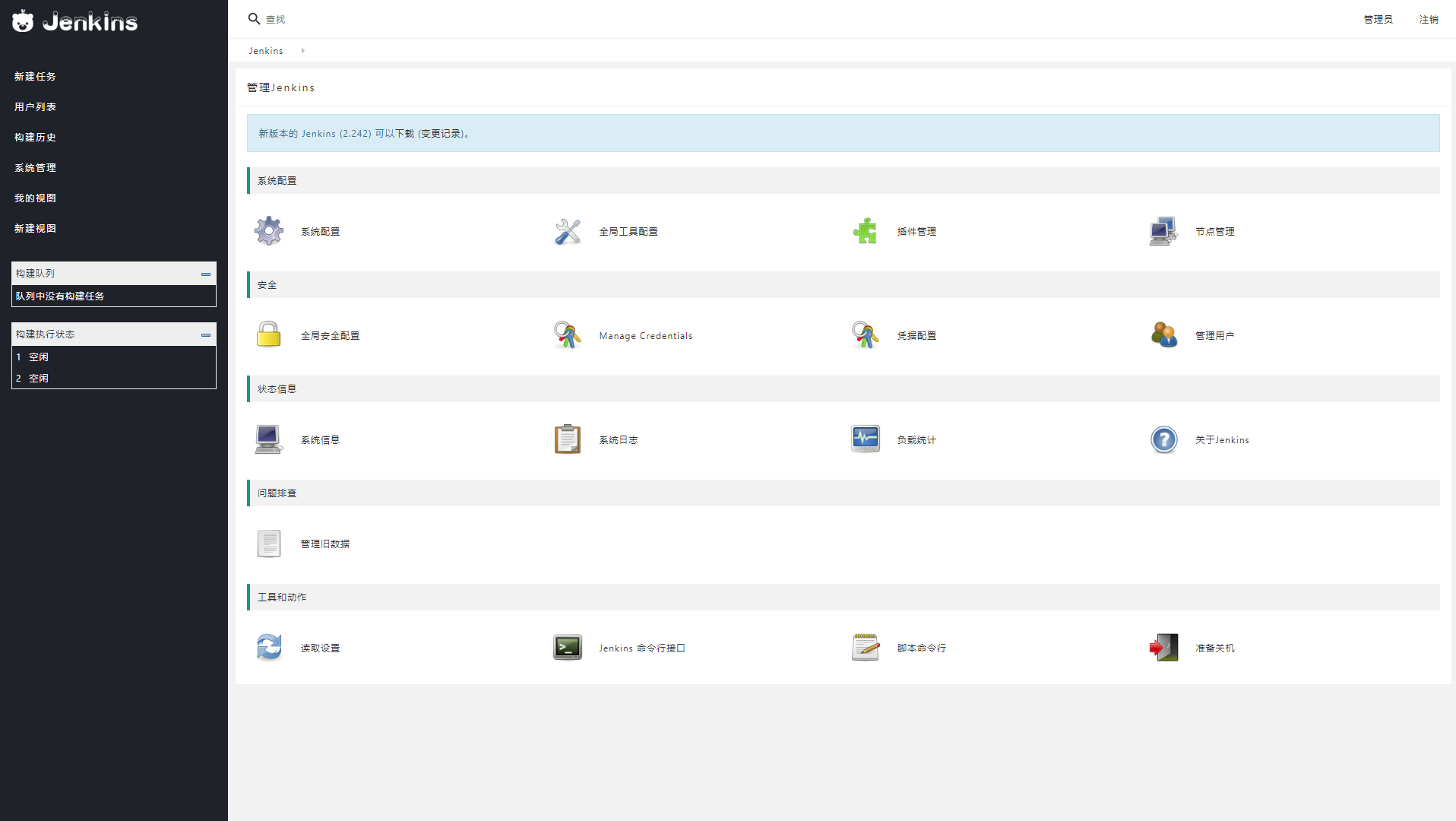
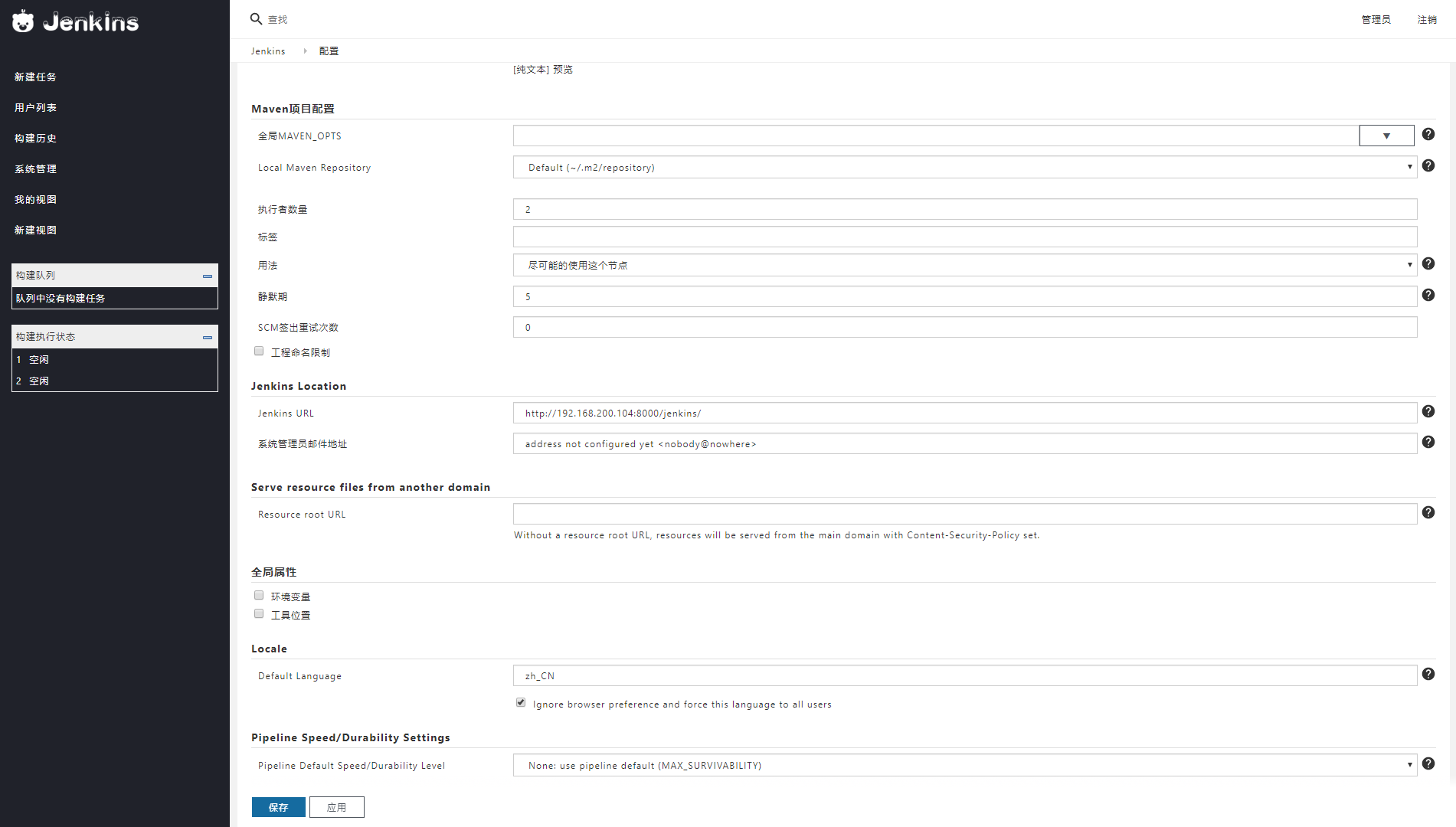
4.效果预览:
主页效果:
设置界面:
设置详情:
构建历史:
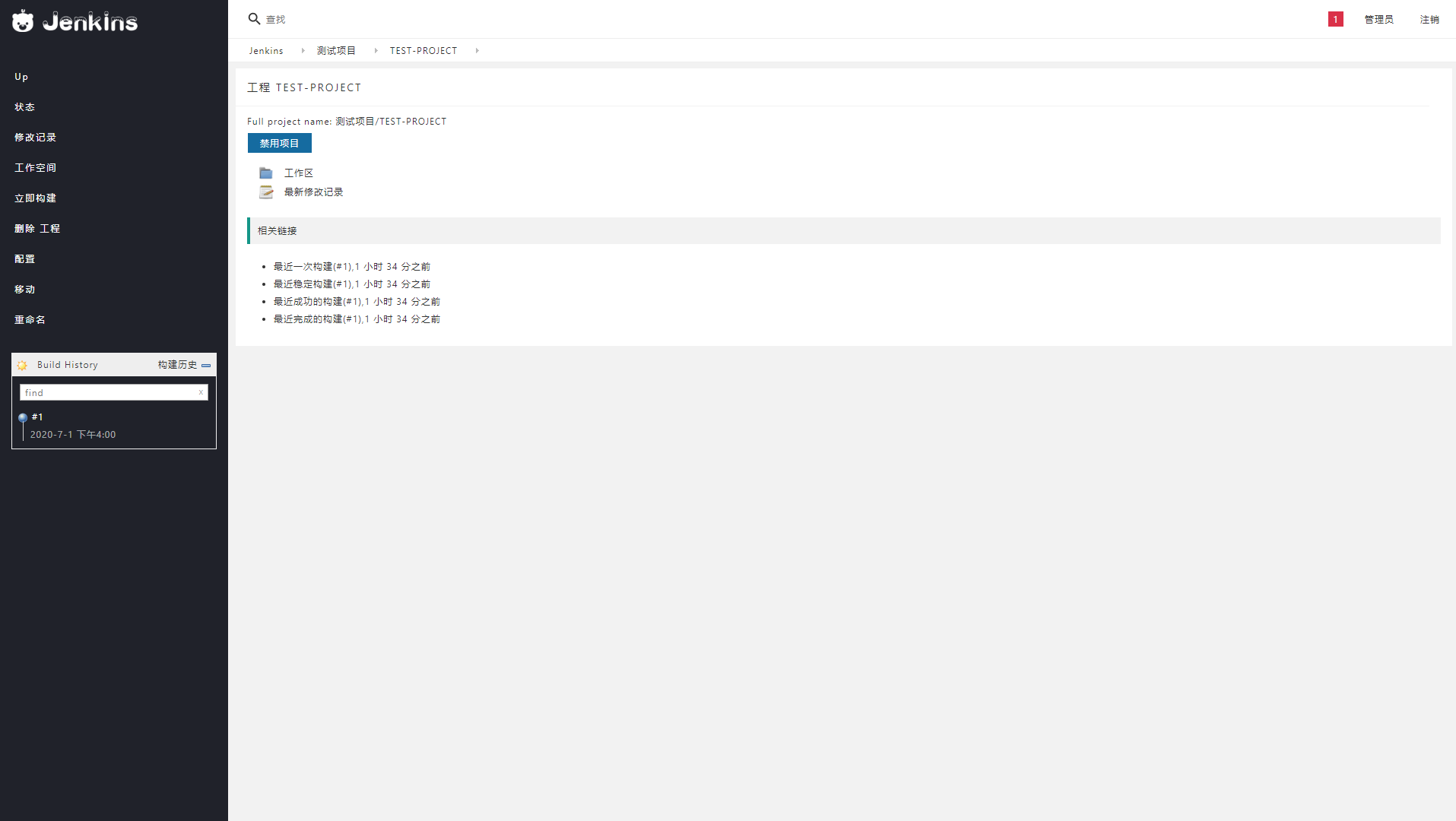
人很忙,样式不定期更新,如果喜欢,可以博客园推荐,也可以 GITHUB star!
Jenkins 主题:jenkins-theme-v2的更多相关文章
- [原]jenkins(五)---jenkins添加项目
/** * lihaibo * 文章内容都是根据自己工作情况实践得出. http://www.cnblogs.com/horizonli/p/5332258.html 版权声明:本博客欢迎转发,但请保 ...
- Jenkins系列-Jenkins介绍与部署
Jenkins是什么? Jenkins是一个功能强大的应用程序,允许持续集成和持续交付项目,无论用的是什么平台.这是一个免费的源代码,可以处理任何类型的构建或持续集成.集成Jenkins可以用于一些测 ...
- CD 基金会、Jenkins、Jenkins X、Spinnaker 和 Tekton 的常问问题
转载:https://mp.weixin.qq.com/s/bQLqGrCM9NZYI0Njlu4N-w FAQ 什么是持续交付(CD)? CD是一种软件工程方法,团队在短周期内生成软件,确保软件可以 ...
- Yii2创建多界面主题(Theme)
Yii2界面主题上的设计总体上和Yii1.x保持一致,区别在于两个地方: 1. 由于Yii2引入了独立的视图(View)类,因此界面主题(Theme)也交由视图来管理: 2. 视图文件和Web资源在目 ...
- 【Jenkins】jenkins简单搭建并执行任务
part 1 jenkins用户名的配置(gerrit 2.11) #安装jenkins $ sudo apt-get install jenkins #为jenkins用户设定密码 $ sudo ...
- Jenkins 解决Jenkins下java无法运行slave-agent jnlp程序连接Windows Slave主机
解决Jenkins下java无法运行slave-agent jnlp程序连接Windows Slave主机 by:授客 QQ:1033553122 测试环境 java下载地址:http://www ...
- [原]Jenkins(二)---jenkins之Git+maven+jdk+tomcat
/** * lihaibo * 文章内容都是根据自己工作情况实践得出. *版权声明:本博客欢迎转发,但请保留原作者信息! http://www.cnblogs.com/horizonli/p/5331 ...
- [原]Jenkins(三)---Jenkins初始配置和插件配置
/** * lihaibo * 文章内容都是根据自己工作情况实践得出. *版权声明:本博客欢迎转发,但请保留原作者信息! http://www.cnblogs.com/horizonli/p/5331 ...
- [原]Jenkins(四)---Jenkins添加密钥对
/** * lihaibo * 文章内容都是根据自己工作情况实践得出. *版权声明:本博客欢迎转发,但请保留原作者信息! http://www.cnblogs.com/horizonli/p/5332 ...
随机推荐
- ASP.NET生成验证码
首先,添加一个一般处理程序 注释很详细了,有不懂的欢迎评论 using System; using System.Collections.Generic; using System.Drawing; ...
- Java实现蓝桥杯分金币
分金币 圆桌旁坐着n个人,每人有一定数量的金币,金币总数能被n整除.每个人可以给他左右相邻的人一些金币, 最终使得每个人的金币数目相等.你的任务是求出被转手的金币数量的最小值. 比如,n=4,且4个人 ...
- Java实现 LeetCode 85 最大矩形
85. 最大矩形 给定一个仅包含 0 和 1 的二维二进制矩阵,找出只包含 1 的最大矩形,并返回其面积. 示例: 输入: [ ["1","0","1 ...
- Mybatis连接池及事务
一:Mybatis连接池 我们在学习WEB技术的时候肯定接触过许多连接池,比如C3P0.dbcp.druid,但是我们今天说的mybatis中也有连接池技术,可是它采用的是自己内部实现了一个连接池技术 ...
- vue的第一个commit分析
为什么写这篇vue的分析文章? 对于天资愚钝的前端(我)来说,阅读源码是件不容易的事情,毕竟有时候看源码分析的文章都看不懂.每次看到大佬们用了1-2年的vue就能掌握原理,甚至精通源码,再看看自己用了 ...
- [RH134] 8-磁盘管理
一.磁盘结构 我们以但磁盘的硬盘为例,如图所示: 从内向往有很多的磁道(这里我们只画了5条,实际上非常多),这个磁盘被划分为很多扇区.每个扇区有一个固定的大小,例如512Bytes. 对于多磁盘的硬盘 ...
- 洛谷P1255 数楼梯
题目描述 楼梯有N阶,上楼可以一步上一阶,也可以一步上二阶. 编一个程序,计算共有多少种不同的走法. 分析与代码 走n阶楼梯,无论是走一次走1阶还是2阶,总得迈出一步, 所以求n阶楼梯 ...
- java之单点登录(SSO)
单点登录(SSO):SSO是指在多个应用系统中个,用户只需要登陆一次就可以访问所有相互信任的应用系统.它包括可以将这次主要的登录映射到其他应用中用于同一用户的登陆的机制. SSO的实现过程: 通过上述 ...
- iOS-Core Foundation框架到Foundation桥接的三种方式
温故知新.勤总结,才能生巧!这次总结一下 :Core Foundation框架到Foundation桥接的三种方式 Foundation提供OC的基础类(像NSObject).基本数据类型等. Cor ...
- 实验四 Linux系统搭建C语言编程环境
项目 内容 这个作业属于那个课程 <班级课程的主页链接> 这个作业的要求在哪里 <作业要求链接地址> 学号-姓名 17043220-万文文 作业学习目标 1).Linux系统下 ...