
PostgreSQL 11 Partitioning Improvements
转自:https://pgdash.io/blog/partition-postgres-11.html
PostgreSQL 11, due to be released later this year, comes with a bunch of improvements for the declarative partitioning feature that was introduced in version 10. Here’s a quick look at what’s on the menu.
Partitioned Tables in Postgres
Postgres 10 introduced natively partitioned tables in core PostgreSQL. With this feature, you can shard a table into multiple child tables. The parent table itself contains no rows, but serves as a “virtual” table into which you can insert rows and query from. Combining this with other PostgreSQL features, you can have child tables on separate disks (tablespaces) or even other servers (FDW).
Checkout the Postgres docs for more on partitioned tables.
PostgreSQL 11 brings all around improvements to partitioning functionality. You can get your hands dirty with the new features on the first beta which should be coming out in a few weeks. Or compile it from the latest snapshot, like we did.
So without further ado, here is the list you came here for:
1. Update Moves Rows Across Partitions
PostgreSQL 10 did not let you perform updates to rows that would result in the row ending up in a different partition. For example, if you had a table with 2 partitions, and 1 row in the first one:
CREATE TABLE measurement (

    logdate         date not null,

    peaktemp        int,

    unitsales       int

) PARTITION BY RANGE (logdate);

CREATE TABLE measurement_y2016 PARTITION OF measurement

FOR VALUES FROM ('2016-01-01') TO ('2017-01-01');

CREATE TABLE measurement_y2017 PARTITION OF measurement

FOR VALUES FROM ('2017-01-01') TO ('2018-01-01');

INSERT INTO measurement (logdate, peaktemp, unitsales)

    VALUES ('2016-07-10', 66, 100); -- goes into measurement_y2016 table
..and you tried to update the row such that as per the partition range it should end up in the other child table (measurement_y2017), this is what happens:
pg10=> UPDATE measurement SET logdate='2017-07-10';

ERROR:  new row for relation "measurement_y2016" violates partition constraint

DETAIL:  Failing row contains (2017-07-10, 66, 100).
But the same statement in Postgres 11 will move the row to the correct partition:
pg11=# UPDATE measurement SET logdate='2017-07-10';

UPDATE 1

pg11=# select * from measurement_y2016;

 logdate | peaktemp | unitsales

---------+----------+-----------

(0 rows)

pg11=# select * from measurement_y2017;

  logdate   | peaktemp | unitsales

------------+----------+-----------

 2017-07-10 |       66 |       100

(1 row)
2. Create Default Partitions
With v11 it is now possible to create a “default” partition, which can store rows that do not fall into any existing partition’s range or list.
In v10, trying to insert such a row fails:
pg10=> INSERT INTO measurement (logdate, peaktemp, unitsales)

    VALUES ('2018-07-10', 66, 100);

ERROR:  no partition of relation "measurement" found for row

DETAIL:  Partition key of the failing row contains (logdate) = (2018-07-10).
But in v11 we can first create a default partition:
pg11=# CREATE TABLE measurement_default PARTITION OF measurement DEFAULT;

CREATE TABLE
Note the new syntax that says “DEFAULT” instead of “FOR VALUES …”. With the default partition in place, we can insert rows that do not fall in any existing partition’s range/list:
pg11=# INSERT INTO measurement (logdate, peaktemp, unitsales)

    VALUES ('2018-07-10', 66, 100);

INSERT 0 1

pg11=# SELECT * FROM measurement_default;

  logdate   | peaktemp | unitsales

------------+----------+-----------

 2018-07-10 |       66 |       100

(1 row)
The unclaimed row ends up in the table marked as the default partition.
A word of warning though: after adding a default partition, it becomes impossible to directly add another partition to cover a new range. You’ll need to detach the default partition, create the new partition, “manually” move the matching rows from the default partition to the new partition and then reattach the default partition.
3. Automatic Index Creation
Indexes had to be created manually for each partition in v10. Trying to create a partition on the parent table fails:
pg10=> CREATE INDEX ixsales ON measurement(unitsales);

ERROR:  cannot create index on partitioned table "measurement"
In v11, if you create an index on the parent table, Postgres will automatically create indexes on all the child tables:
pg11=# CREATE INDEX ixsales ON measurement(unitsales);

CREATE INDEX

pg11=# \d measurement_y2016

           Table "public.measurement_y2016"

  Column   |  Type   | Collation | Nullable | Default

-----------+---------+-----------+----------+---------

 logdate   | date    |           | not null |

 peaktemp  | integer |           |          |

 unitsales | integer |           |          |

Partition of: measurement FOR VALUES FROM ('2016-01-01') TO ('2017-01-01')

Indexes:

    "measurement_y2016_unitsales_idx" btree (unitsales)
Any new partitions created after the index was created, will also automagically get an index added to it.
4. Foreign Key Support
It was not possible to have a column in a partitioned table be a foreign key. This is what you got in v10:
pg10=> CREATE TABLE invoices ( invoice_id integer PRIMARY KEY );

CREATE TABLE

pg10=>

pg10=> CREATE TABLE sale_amounts_1 (

pg10(>     saledate   date    NOT NULL,

pg10(>     invoiceid  integer REFERENCES invoices(invoice_id)

pg10(> ) PARTITION BY RANGE (saledate);

ERROR:  foreign key constraints are not supported on partitioned tables

LINE 3:     invoiceid  integer REFERENCES invoices(invoice_id)

                               ^
But in v11, foreign keys are allowed:
pg11=# CREATE TABLE invoices ( invoice_id integer PRIMARY KEY );

CREATE TABLE

pg11=#

pg11=# CREATE TABLE sale_amounts_1 (

pg11(#     saledate   date    NOT NULL,

pg11(#     invoiceid  integer REFERENCES invoices(invoice_id)

pg11(# ) PARTITION BY RANGE (saledate);

CREATE TABLE
5. Unique Indexes
In Postgres 10, you had to enforce unique constraints at child tables. It was not possible to create a unique index on the master:
pg10=> CREATE TABLE sale_amounts_2 (

pg10(>     saledate   date NOT NULL,

pg10(>     invoiceid  INTEGER,

pg10(>     UNIQUE (saledate, invoiceid)

pg10(> ) PARTITION BY RANGE (saledate);

ERROR:  unique constraints are not supported on partitioned tables

LINE 4:     UNIQUE (saledate, invoiceid)

            ^
With Postgres 11, you can create a unique index on the master:
pg11=# CREATE TABLE sale_amounts_2 (

pg11(#     saledate   date NOT NULL,

pg11(#     invoiceid  INTEGER,

pg11(#     UNIQUE (saledate, invoiceid)

pg11(# ) PARTITION BY RANGE (saledate);

CREATE TABLE
..and Postgres will take care of creating indexes on all existing and future child tables:
pg11=# CREATE TABLE sale_amounts_2_y2016 PARTITION OF sale_amounts_2

pg11-# FOR VALUES FROM ('2016-01-01') TO ('2017-01-01');

CREATE TABLE

pg11=# \d sale_amounts_2_y2016

         Table "public.sale_amounts_2_y2016"

  Column   |  Type   | Collation | Nullable | Default

-----------+---------+-----------+----------+---------

 saledate  | date    |           | not null |

 invoiceid | integer |           |          |

Partition of: sale_amounts_2 FOR VALUES FROM ('2016-01-01') TO ('2017-01-01')

Indexes:

    "sale_amounts_2_y2016_saledate_invoiceid_key" UNIQUE CONSTRAINT, btree (saledate, invoiceid)
The columns in the index definition should be a superset of the partition key columns. This means that the uniqueness is enforced locally to each partition, and you can’t use this to enforce uniqueness of alternate-primary-key columns.
6. Partition-level Aggregation
PostgreSQL 11 comes with a new option, called enable_partitionwise_aggregate, which you can turn on to make the query planner to push aggregation down to the partition level. By default, this option is off, and you get plans as before:
pg11=# EXPLAIN SELECT logdate, count(*) FROM measurement GROUP BY logdate;

                                   QUERY PLAN

---------------------------------------------------------------------------------

 HashAggregate  (cost=27.98..38.96 rows=1098 width=12)

   Group Key: measurement_y2016.logdate

   ->  Append  (cost=0.00..22.49 rows=1099 width=4)

         ->  Seq Scan on measurement_y2016  (cost=0.00..5.66 rows=366 width=4)

         ->  Seq Scan on measurement_y2017  (cost=0.00..5.66 rows=366 width=4)

         ->  Seq Scan on measurement_default  (cost=0.00..5.67 rows=367 width=4)

(6 rows)
This says the grouping happens over a superset of all the individual, per-partition scans. Let’s turn on the new option and see the updated plan:
pg11=# SET enable_partitionwise_aggregate=on;

SET

pg11=# EXPLAIN SELECT logdate, count(*) FROM measurement GROUP BY logdate;

                                   QUERY PLAN

---------------------------------------------------------------------------------

 Append  (cost=7.49..38.96 rows=1098 width=12)

   ->  HashAggregate  (cost=7.49..11.15 rows=366 width=12)

         Group Key: measurement_y2016.logdate

         ->  Seq Scan on measurement_y2016  (cost=0.00..5.66 rows=366 width=4)

   ->  HashAggregate  (cost=7.49..11.14 rows=365 width=12)

         Group Key: measurement_y2017.logdate

         ->  Seq Scan on measurement_y2017  (cost=0.00..5.66 rows=366 width=4)

   ->  HashAggregate  (cost=7.51..11.18 rows=367 width=12)

         Group Key: measurement_default.logdate

         ->  Seq Scan on measurement_default  (cost=0.00..5.67 rows=367 width=4)

(10 rows)
Now the grouping happens once per partition, and the results are just concatenated (we’re grouping by the partition key here).
Pushing down the aggregation should result in faster queries because of better parallelism and improved lock handling.
7. Partition by Hash
Postgres 10 came with RANGE and LIST type partitions. In 11, we have HASH type partitions also. Hash type partitions distribute the rows based on the hash value of the partition key. The reminder of the hash value when divided by a specified integer is used to calculate which partition the row goes into (or can be found in).
Here is how to create a hash partition, in this case over a partition key of type text:
pg11=# CREATE TABLE hp ( foo text ) PARTITION BY HASH (foo);

CREATE TABLE

pg11=# CREATE TABLE hp_0 PARTITION OF hp FOR VALUES WITH (MODULUS 3, REMAINDER 0);

CREATE TABLE

pg11=# CREATE TABLE hp_1 PARTITION OF hp FOR VALUES WITH (MODULUS 3, REMAINDER 1);

CREATE TABLE

pg11=# CREATE TABLE hp_2 PARTITION OF hp FOR VALUES WITH (MODULUS 3, REMAINDER 2);

CREATE TABLE
We expect each partition to contain about a third of all the rows – let’s try it out:
pg11=# INSERT INTO hp SELECT md5(v::text) FROM generate_series(0,10000) v;

INSERT 0 10001

pg11=# SELECT count(*) FROM hp_0;

 count

-------

  3402

(1 row)

pg11=# SELECT count(*) FROM hp_1;

 count

-------

  3335

(1 row)

pg11=# SELECT count(*) FROM hp_2;

 count

-------

  3264

(1 row)
You can read more about hash partition here.
8. Faster Queries
Apart from these features, several improvments to the query planner and executor and partition pruning algorithms make for faster queries on partitoned tables in PostgreSQL 11. It is too early in the v11 release cycle to benchmark any results though.
About pgDash
pgDash is an in-depth monitoring solution designed specifically for PostgreSQL deployments. pgDash shows you information and metrics about every aspect of your PostgreSQL database server, collected using the open-source tool pgmetrics.
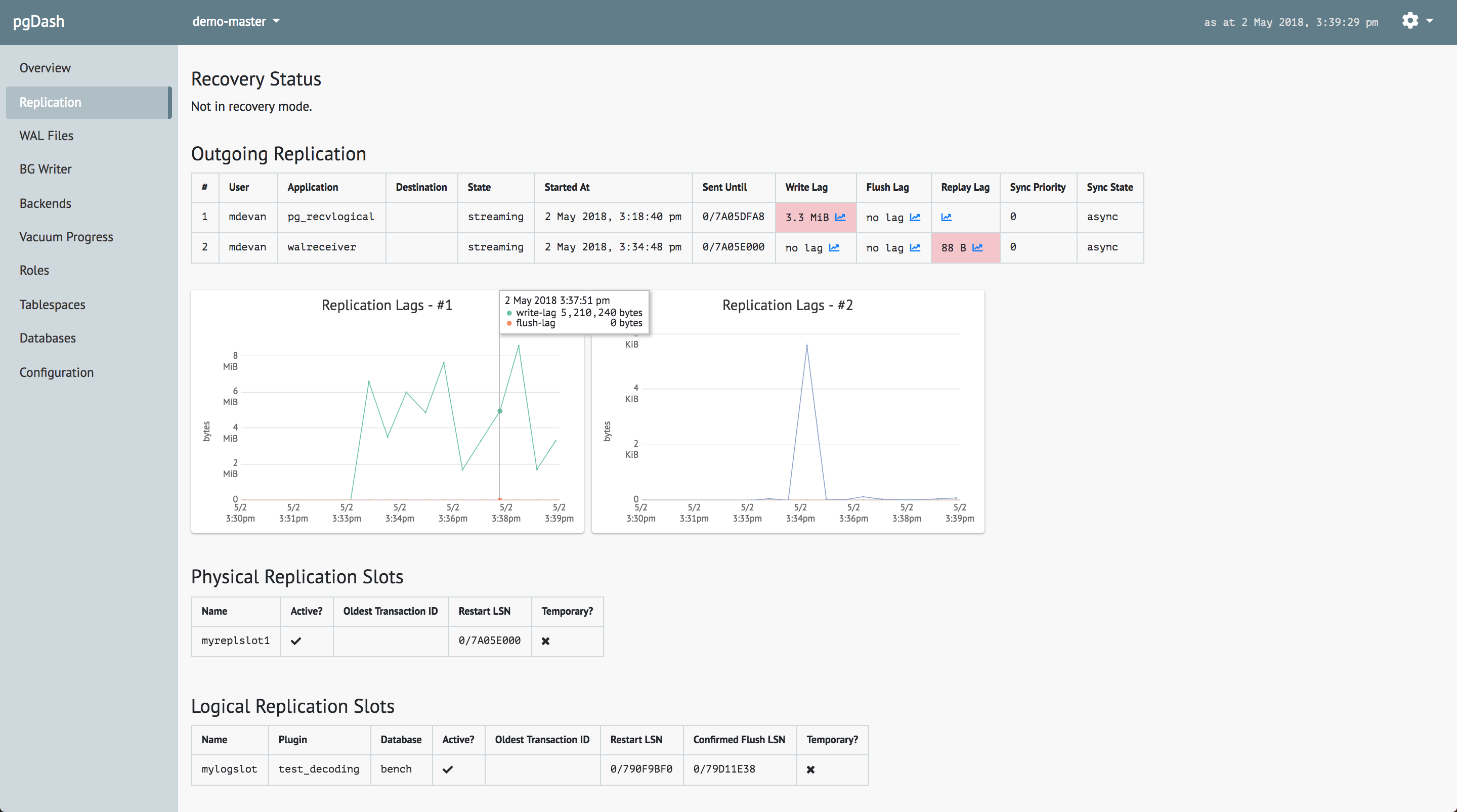
pgDash provides core reporting and visualization functionality, including collecting and displaying PostgreSQL information and providing time-series graphs and detailed reports. We’re actively working to enhance and expand pgDash to include alerting, baselines, teams, and more.
PostgreSQL 11 Partitioning Improvements的更多相关文章
- rehat7.X下postgresql 11编译安装
文档目录结构: 一.准备 操作系统版本:rehat7.6 Postgresql:11.2 软件安装目录:/pgsql11/basedir 数据文件存放目录:/pgsql11data/ 11.2的下载地 ...
- Windows 2008R2 安装PostgreSQL 11.6
前些天在CentOS 7.5 下安装了PostgreSQL 11.6.除了在无外网环境下需要另外配置之外,其他没有什么差别.今天主要写一下在Windows下面安装PostgreSQL的问题. 在官网看 ...
- Win10下载安装PostgreSQL 11.1
下载地址:https://get.enterprisedb.com/postgresql/postgresql-11.1-1-windows-x64.exe Installation Director ...
- CentOS7(64) yum安装、配置PostgreSQL 11
一.安装postgresql11 1.Install the repository RPM: 添加RPM yum install https://download.postgresql.org/pub ...
- PostgreSQL Table Partitioning<转>
原创文章,转载请务必将下面这段话置于文章开头处(保留超链接).本文转发自Jason’s Blog,原文链接 http://www.jasongj.com/2015/12/13/SQL3_partiti ...
- 阿里云服务器 centos 7 安装postgresql 11
Postgresql简介 官方网站:https://www.postgresql.org/ 简介参考zhihu文章 https://www.zhihu.com/question/20010554 关于 ...
- 基于Arcgis Engine 10.2(C#)+PostgreSQL 11(Postgis 3)+pgRouting 3.0实现使用数据库进行路径规划
前言:最近在(被迫)使用ArcGIS Engine10.2(.NET平台)进行二次开发(桌面应用),因为想做一个最短路径查询的功能,而arcgis的网络分析又比较麻烦,于是想到了使用Postgis.但 ...
- Windows 2008R2 定时备份PostgreSQL 11.6及还原操作
PostgreSQL 自动备份,并删除10天前的备份文件. 第一步,创建脚本,命名back.bat文件,可直接点击执行或者CMD执行此批处理命令. @ECHO OFF @setlocal enable ...
- PostgreSQL 11 新特性之覆盖索引(Covering Index)(转载)
通常来说,索引可以用于提高查询的速度.通过索引,可以快速访问表中的指定数据,避免了表上的扫描.有时候,索引不仅仅能够用于定位表中的数据.某些查询可能只需要访问索引的数据,就能够获取所需要的结果,而不需 ...
随机推荐
- ASP.NET的MVC请求处理流程
1.用户打开浏览器,在地址栏输入某个网址的URL并回车,浏览器便开始像该URL指定的服务器发起HTTP请求 .2.服务器的网站服务系统(IIS)接收到该请求,先检查自己是否认识该类请求,如果认识就直接 ...
- 多项式 ln
多项式 ln 定义 \(给一多项式F(x),求G(x)\equiv lnF(x)\pmod x^n\) 前置知识 \(不定积分\) \(微分\) \(多项式乘法逆\) 推式子: \[\because ...
- Mybatis成为Java互联网时代首选持久框架的原因
持久层可以将业务数据存储到磁盘,具备长期存储能力,只要磁盘不损坏(大部分的重要数据都会有相关的备份机制),在断电或者其他情况下,重新开启系统仍然可以读取这些数据.一般执行持久任务的都是数据库系统.持久 ...
- DirectX:Vector
Tag DirectX下的博客主要用于记录DirectX的学习过程,主要参考<DirectX 12 3D 游戏实战开发>. Vector in DirectX Shader的编写离不开数学 ...
- 《Game Programming Patterns》游戏设计模式
转载自:https://blog.csdn.net/poem_qianmo/article/details/52505170 https://blog.csdn.net/poem_qianmo/art ...
- SQL忽略重复键作用
1.插入时如果开启的话,发现重复键会忽略,否则报错 2.更新时不管开启是否都会报错
- 图解微信小程序---调用API操作步骤
图解微信小程序---调用API操作步骤 什么是API API(Application Programming Interface,应用程序编程接口:是一些预先定义的函数,目的是提供应用程序与开发人员基 ...
- 【java】Execption的 e.getMessage()为null的解决方法
================================ 场景: 当代码出现异常时通常都需要将异常信息写入到日志中,异常信息越详细越有利于问题的排查.而通过的Exception.getMess ...
- Fluentvalidation的基本使用
前言: fluentvalidation用于构建强类型验证规则的流行.NET库.方便好用快捷省心!!! 本文按照官方文档进行试验,如果深(不)入(看)的(我)研(写)究(的)请去官网:https:// ...
- 使用Swagger创建Api
1.首先创建一个web项目,选择Mvc模板 2.右键点击引用.管理Nuget程序包,浏览 搜索Swagger,下载安装下面的包 3.安装完后在App_Start里面会出现SwaggerConfig.c ...