
golang中生成读取二维码(skip2/go-qrcode和boombuler/barcode,tuotoo/qrcode)
1 引言
在github上有好用golan二维码生成和读取库,两个生成二维码的qrcode库和一个读取qrcode库。
skip2/go-qrcode生成二维码,github地址:https://github.com/skip2/go-qrcode

boombuler/barcode生成二维码,github地址:https://github.com/boombuler/barcode

tuotoo/qrcode解析二维码,github地址:https://github.com/tuotoo/qrcode

2 代码
import (

   "image/png"

   "os"

   "github.com/boombuler/barcode"

   "github.com/boombuler/barcode/qr"

   "github.com/skip2/go-qrcode"

   qrcodeReader "github.com/tuotoo/qrcode"

   "fmt"

)

func main() {

   content := "https://www.cnblogs.com/fanbi"

   size := 200

   //Skip2

   dest := "qrcode.png"

   CreateQRCodeBySkip2(content, qrcode.Medium, size, dest)

   fmt.Println("QRCodeBySkip2 content",ReadQRCode(dest))

   //Boombuler

   dest2 := "qrcode2.png"

   CreateQRCodeByBoombuler(content, qr.M, size, dest2)

   fmt.Println("QRCodeBySBoombule content",ReadQRCode(dest2))

   //输出

   //QRCodeBySkip2 content https://www.cnblogs.com/fanbi

   //QRCodeBySBoombule content https://www.cnblogs.com/fanbi

}

func CreateQRCodeBySkip2(content string, quality qrcode.RecoveryLevel, size int, dest string) (err error) {

   err = qrcode.WriteFile(content, quality, size, dest)

   return

}

func CreateQRCodeByBoombuler(content string, quality qr.ErrorCorrectionLevel, size int, dest string) (err error) {

   qrCode, err := qr.Encode(content, quality, qr.Auto)

   if err != nil {

      return

   }

   // Scale the barcode to 200x200 pixels

   qrCode, err = barcode.Scale(qrCode, size, size)

   if err != nil {

      return

   }

   // create the output file

   file, err := os.Create(dest)

   if err != nil {

      return

   }

   defer file.Close()

   // encode the barcode as png

   err = png.Encode(file, qrCode)

   if err != nil {

      return

   }

   return

}

func ReadQRCode(filename string) (content string) {

   fi, err := os.Open(filename)

   if err != nil {

      fmt.Println(err.Error())

      return

   }

   defer fi.Close()

   qrmatrix, err := qrcodeReader.Decode(fi)

   if err != nil {

      fmt.Println(err.Error())

      return

   }

   return qrmatrix.Content

}
效果图:
qrcode.png

qrcode2.png
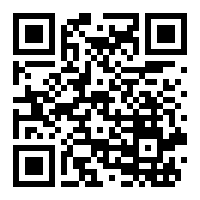
说明:第二种生成的二维码会更好,图片的四周白边占比小。
3 参考
https://blog.csdn.net/wangshubo1989/article/details/77897363
golang中生成读取二维码(skip2/go-qrcode和boombuler/barcode,tuotoo/qrcode)的更多相关文章
- pbfunc外部函数扩展应用-直接在Datawindow中生成QR二维码,非图片方式
利用pbfunc外部函数在Datawindow中直接生成QR二维码,非图片方式.需要注意以下面几点: Datawindow的DataObject的单位必须为像素(Pixels). Datawindow ...
- laravel中生成支付宝 二维码 扫码支付
文档教程模拟: http://www.023xs.cn/Article/37/laravel5%E9%9B%86%E6%88%90%E6%94%AF%E4%BB%98%E5%AE%9Dalipay%E ...
- ZXing 生成、读取二维码(带logo)
前言 ZXing,一个支持在图像中解码和生成条形码(如二维码.PDF 417.EAN.UPC.Aztec.Data Matrix.Codabar)的库.ZXing(“zebra crossing”)是 ...
- Swift3.0生成二维码、扫描二维码、相册读取二维码,兼容iOS7(结合ZXingObjC)
二维码生成 //MARK: 传进去字符串,生成二维码图片(>=iOS7) text:要生成的二维码内容 WH:二维码高宽 private func creatQRCodeImage(text: ...
- 【java】google的zxing架包生成二维码和读取二维码【可带文字和logo】
承接RC4生成不重复字符串的需求之后,因为优惠码要方便用户使用的缘故,所以思来想去,觉得还是直接生成二维码给用户直接扫比较实用,也不用用户专门记录冗长的优惠码编号. ================= ...
- ZXing生成二维码、读取二维码
使用谷歌的开源包ZXing maven引入如下两个包即可 <dependency> <groupId>com.google.zxing</groupId> & ...
- jquery-qrcode 生成和读取二维码
首先要导入jar包(生成二维码的jar和读取二维码的jar) 生成二维码: package com.imooc.qrcode; import java.awt.Color; import java.a ...
- zxing生成二维码和读取二维码
当然,首先要导入zxing的jar包. 生成二维码代码: package com.imooc.zxing; import java.io.File; import java.nio.file.Path ...
- [AX2012 R3]在SSRS报表中使用QR二维码
AX2012是自带生成QR二维码的类,可以很方便的用在SSRS报表中,下面演示如何在RDP的报表中使用二维码,首先从定义临时表开始: 字段URL是要用于二维码的字符串,QrCode是container ...
随机推荐
- HustOJ二次开发之修改数据库连接池
有的时候我们会因为某种业务需要的情况下,需要修改hustoj默认的数据库连接池之类的. 修改数据库连接池步骤 进入到对应的目录 /home/judge/src/web/include 找到db_inf ...
- Unknown column 'startname' in 'field list
Unknown column 'startname' in 'field list 字段匹配不上 解决思路 1.检查数据库字段名与sql中的字段名是否一致 2.是否为关键字或中英文区别 ,(关键字可 ...
- [原创]Android Monkey测试工具使用介绍
[原创]Android Monkey测试工具使用介绍 1 Android Monkey介绍 Monkey是Android中的一个命令行工具,可以运行在模拟器里或实际设备中.它向系统发送伪随机的用户事件 ...
- 分析 Kaggle TOP0.1% 如何处理文本数据
感觉大佬的代码写的就是好,在处理数据的方面,首先定义一个 提取特征的类, class Extractor(object):,然后每一种方法对这个类进行重构,这个类主要结构就是: class Extra ...
- 变异的功能 | variants function | coding | non-coding
variant主要分为两类: coding noncoding 这两大类的分析方法截然不同,coding主要直接影响了mRNA和蛋白:而noncoding,主要是影响调控. coding编码区如何分析 ...
- NIO通信中connect()方法和finishConnect()方法的区别
1.对于阻塞模式下,调用connect()进行连接操作时,会一直阻塞到连接建立完成(无连接异常的情况下).所以可以不用finishConnect来确认. 2.但在非阻塞模式下,connect()操作是 ...
- 三句话看明白jdk收费吗
对于从oracle下载的jdk8:JDK8u200(含)以下版本不收费. 对于从oracle下载的jdk11:JDK 11.0.0不收费,JDK 11.0.1不收费. 对于openjdk:免费 ——— ...
- 关于Android Studio3.2新建项目无法运行出现Failed to find Build Tools revision 28.0.3的解决方法
关于Android Studio3.2新建项目无法运行出现Failed to find Build Tools revision 28.0.3的解决方法 https://blog.csdn.net/h ...
- sails 相关软件下载地址及命令
vscode1.40 https://vscode.cdn.azure.cn/stable/f359dd69833dd8800b54d458f6d37ab7c78df520/VSCodeUserS ...
- 006-nginx.conf详解-error_page 使用
一.概述 nginx指令error_page的作用是当发生错误的时候能够显示一个预定义的uri 1.1.使用步骤 更改nginx.conf在http定义区域加入: proxy_intercept_er ...