
Instruments之Activity Monitor使用入门
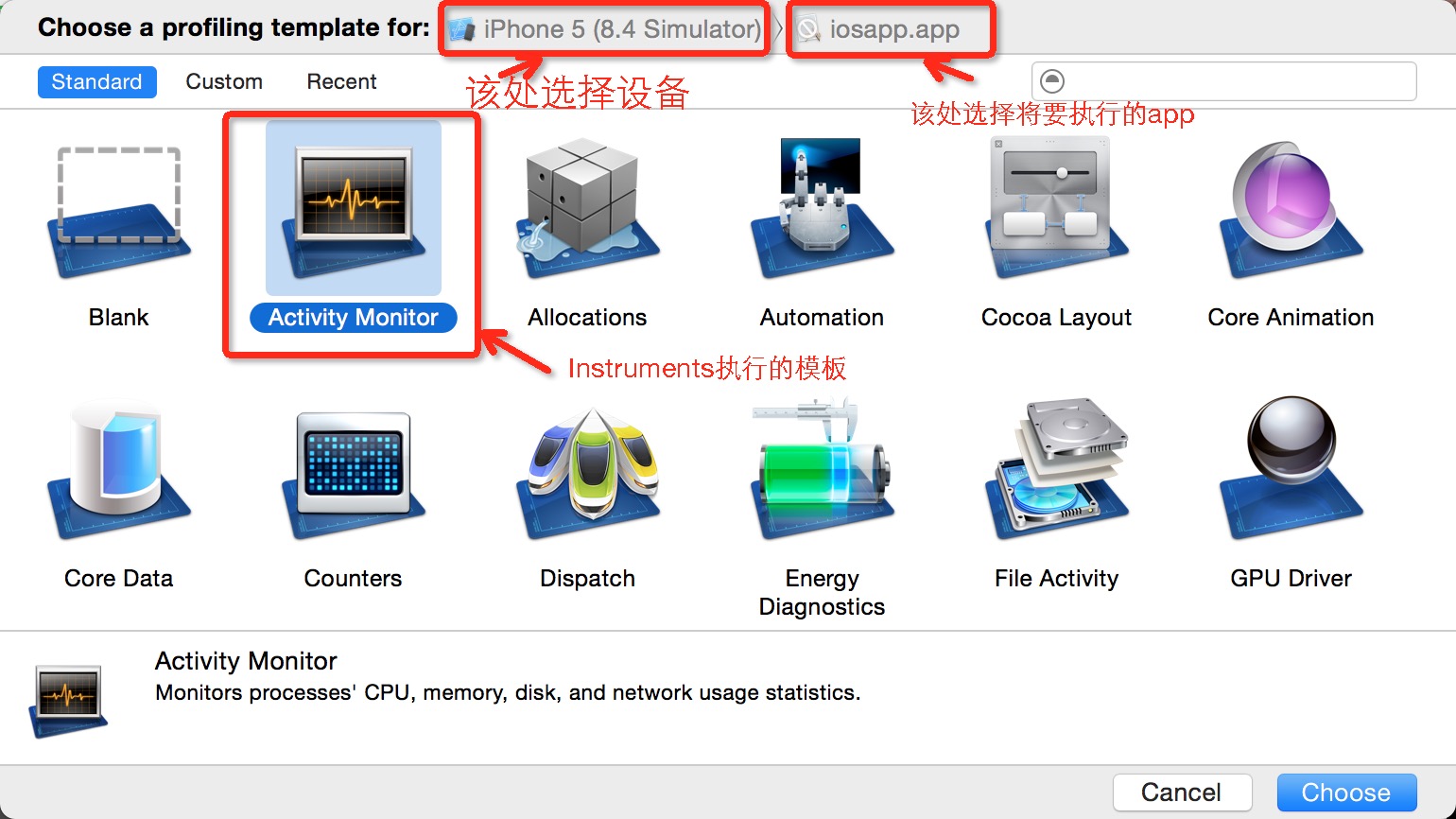
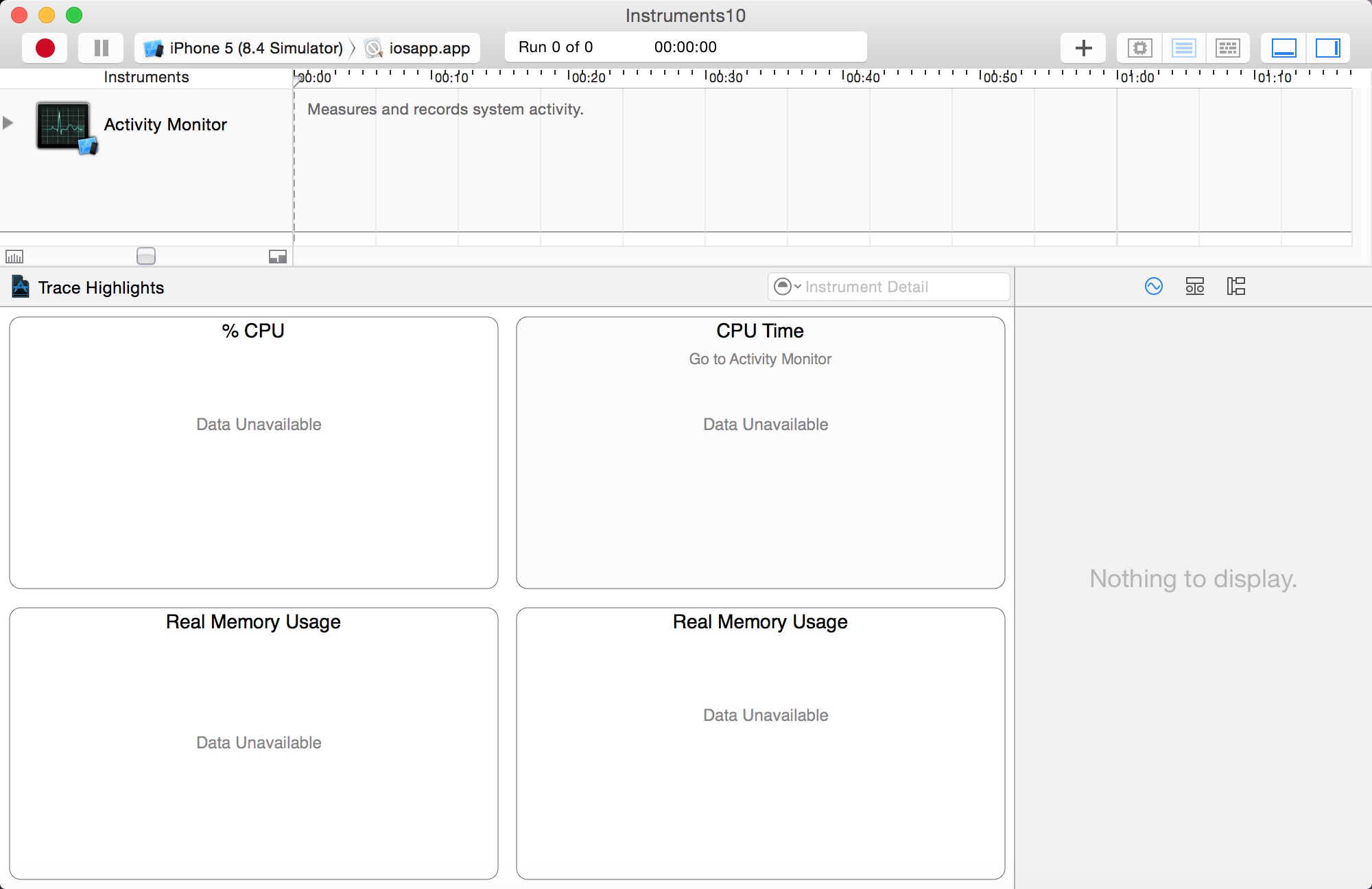
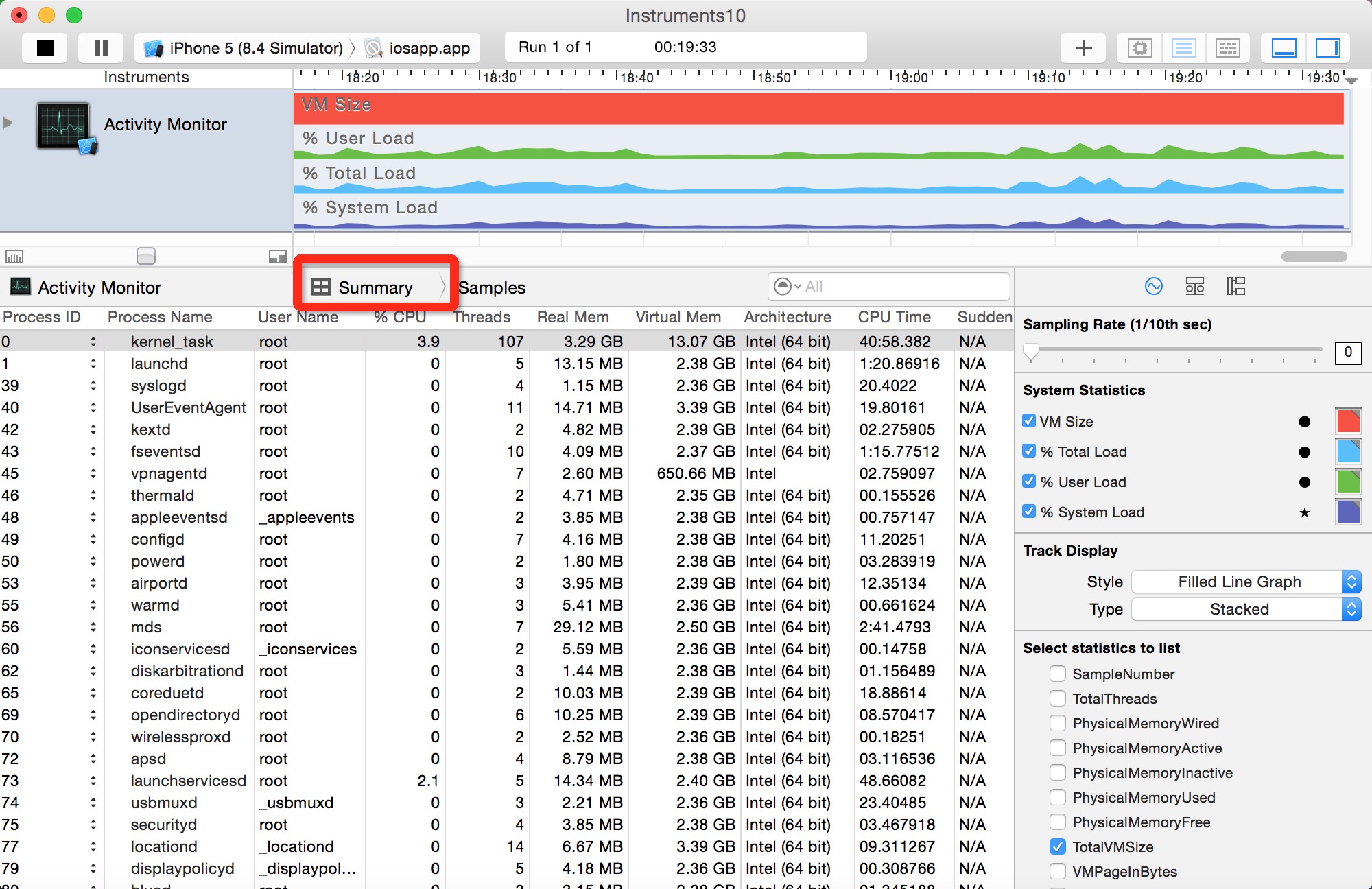
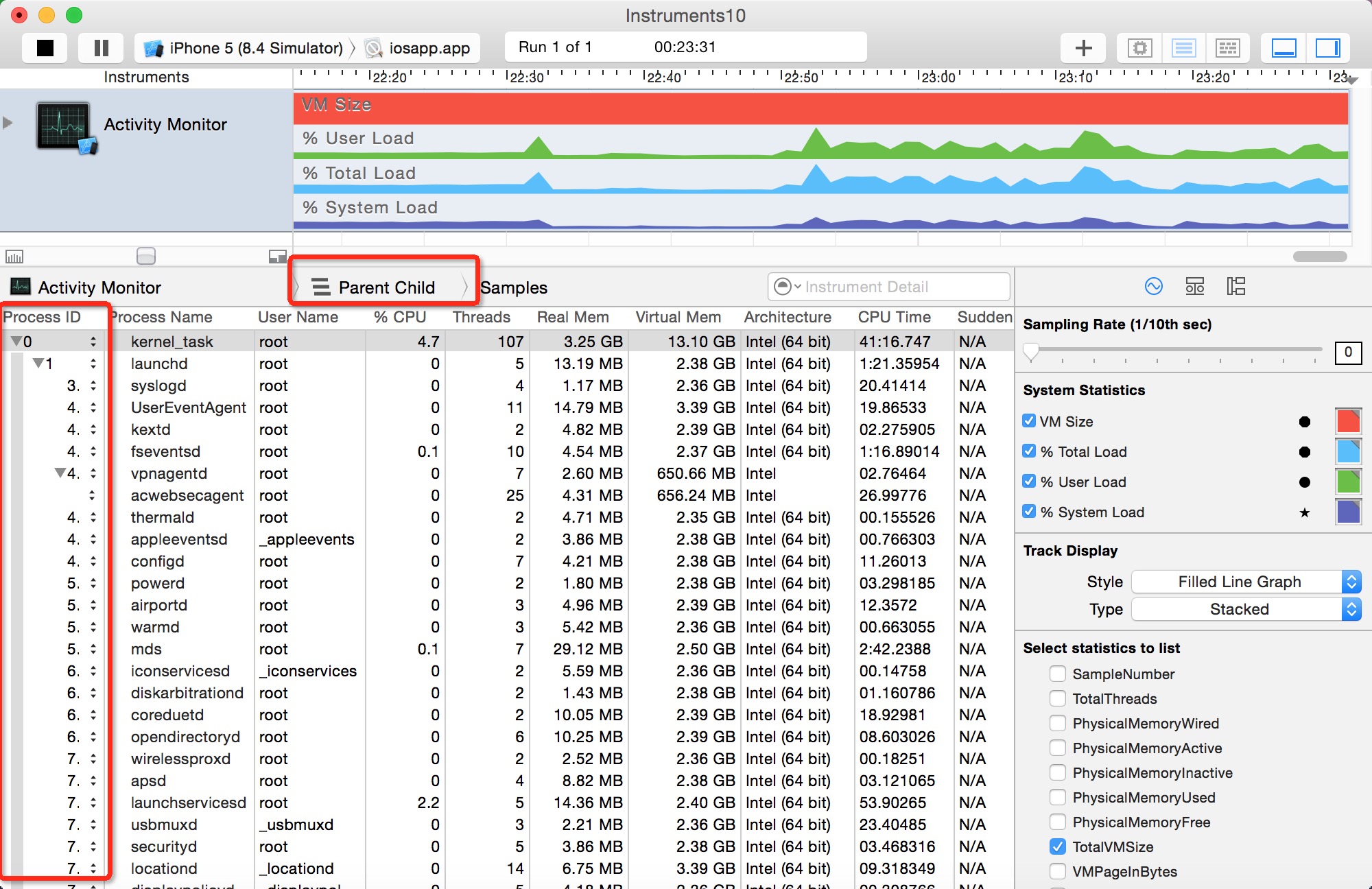
parent child information)-----父进程和子进程的关系,以及各个进程的概要信息

- Physical Memory Wired——操作系统占用的内存
- Physical Memory Active——除操作系统外其它进程占用的内存
- Physical Memory Inactive——最近被释放的内存
- Physical Memory Used——profiling当前进程时使用的总内存
- Physical Memory Free——当前的可用内存
- Total VM Size——虚拟内存的占用量
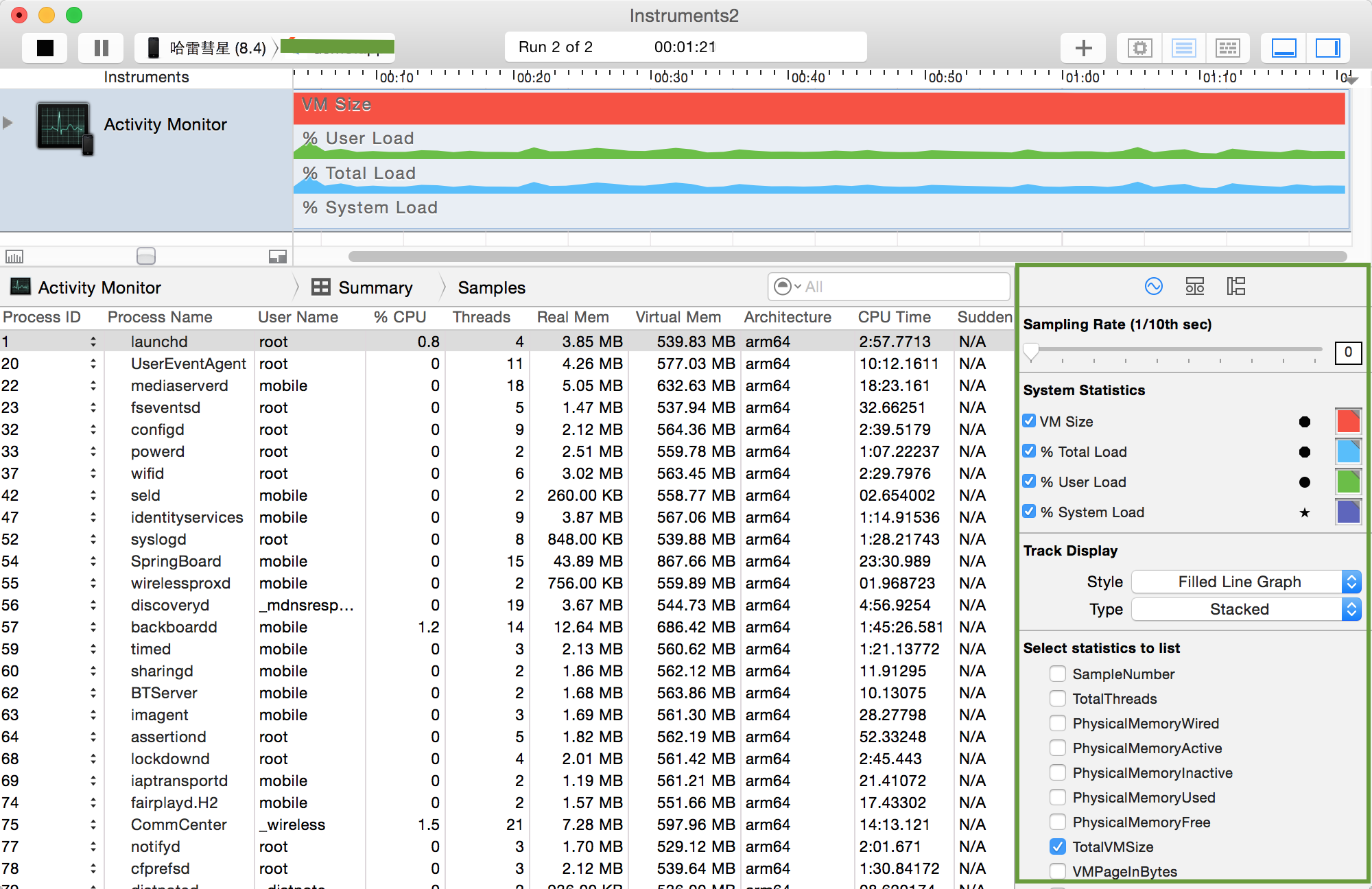
TotalVMSize、CPUTotalLoad、CPUUserLoad、CPUSystemLoad,在使用时可以根据自己的需要选择相关的分析内容进行显示,并且不同的内存使用部分可以使用不同的颜色加以区分,下面就是Activity Monitor在使用过程中的界面截图,在右下角可选择内存相关的分析内容。
Examining Memory Usage with the Activity Monitor Trace Template
The Activity Monitor trace template monitors overall system activity and statistics, including CPU, memory, disk, and network. It consists of the Activity Monitor instrument only, although you can add additional instruments to a trace document you’ve created with the template, if you desire. You’ll see later that the Activity Monitor is also used to monitor network activity on iOS devices.
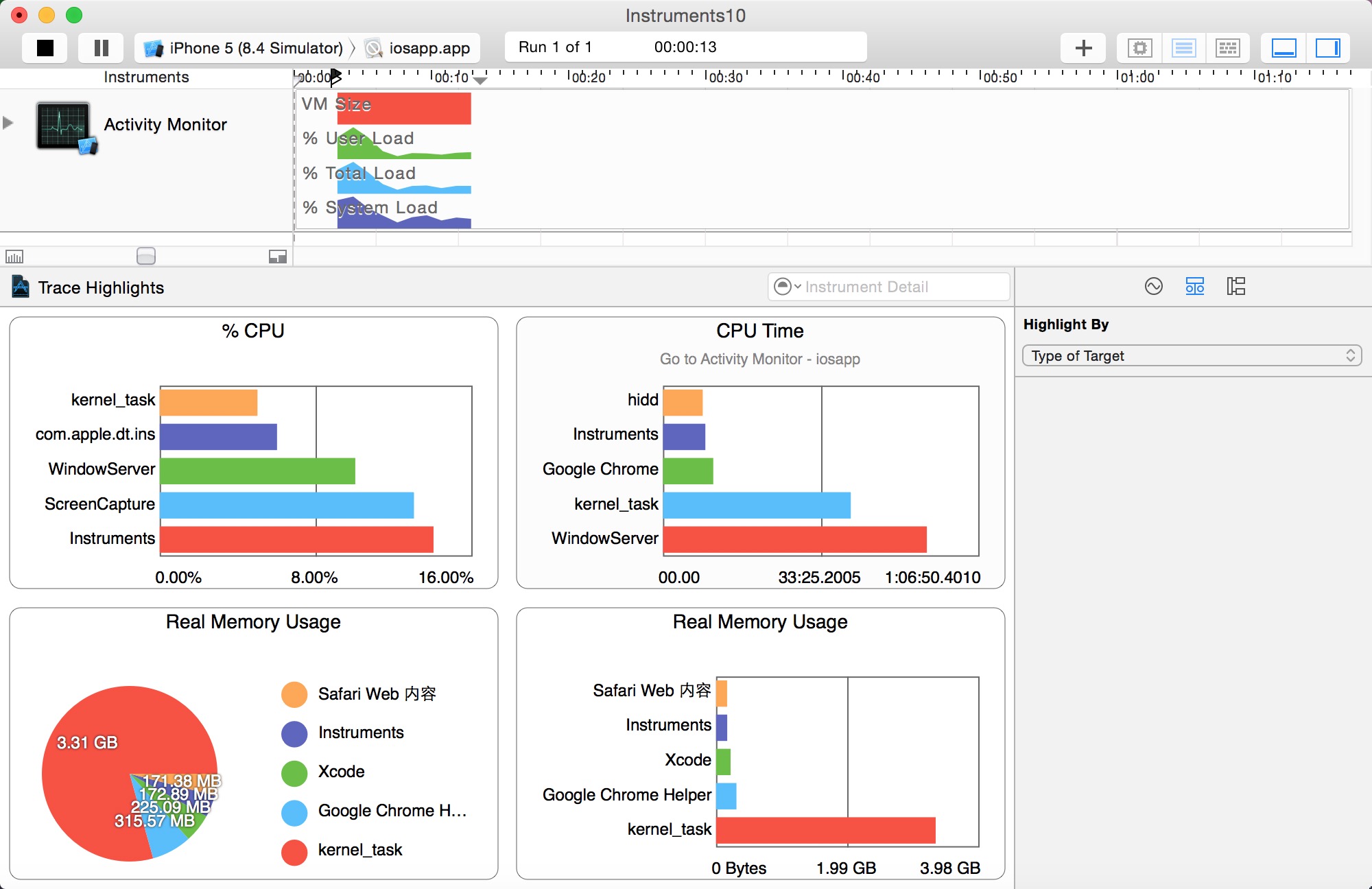
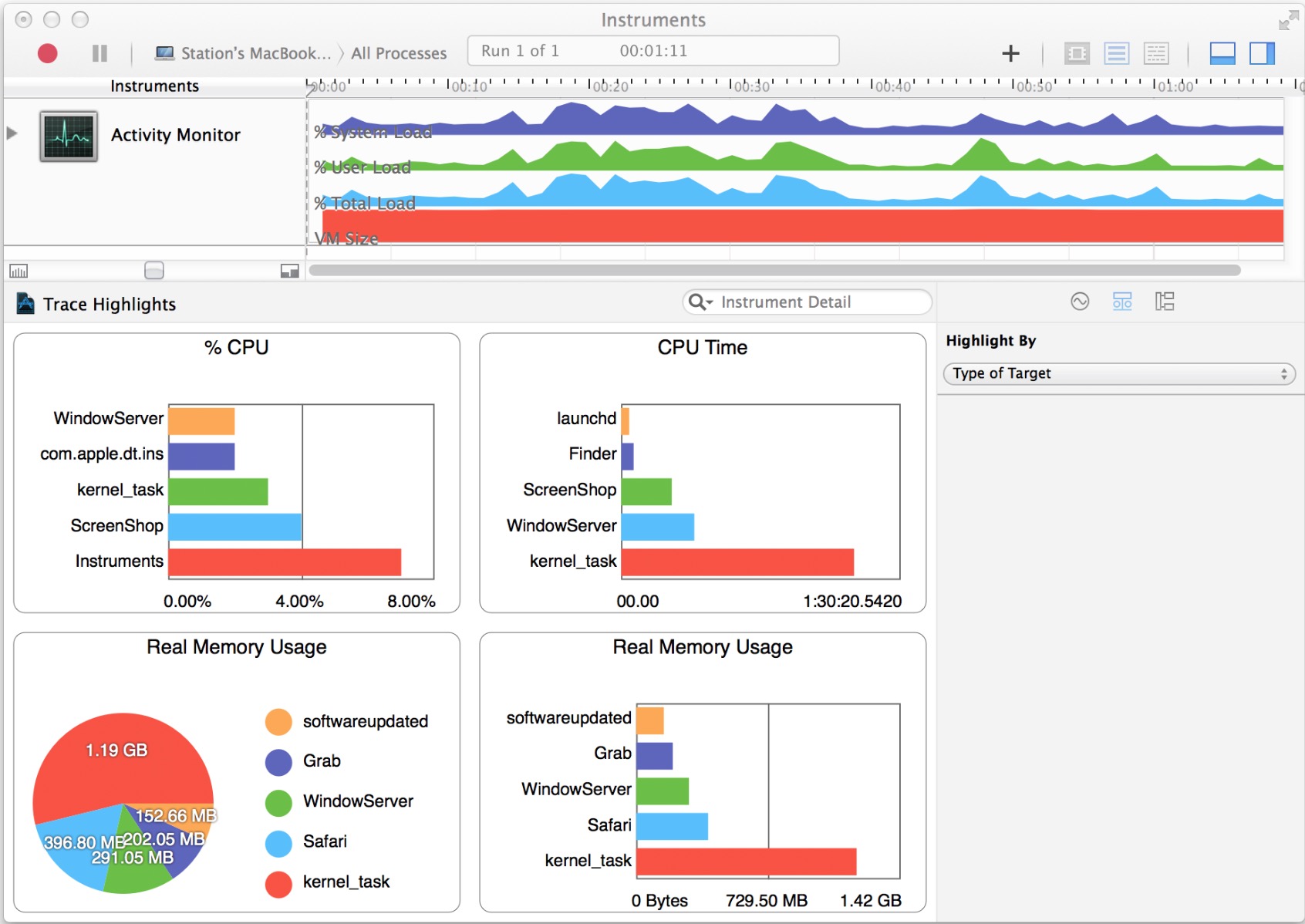
The Activity Monitor instrument captures information about the load on the system measured against the virtual memory size. It can record information from a single process or from all processes running on the system. The Activity Monitor instrument provides you with four convenient charts for a quick, visual representation of the collected information. The two charts that specifically describe memory usage are:
Real Memory Usage (bar graph). Shows the top five real memory users in a bar graph.
Real Memory Usage (pie chart). Shows the top five real memory users with the total memory used displayed.
下图为Activity Monitor instrument with charts
The Record Settings area in the inspector sidebar includes a list of system statistics, which can be configured to appear in the track pane and graphically represent collected data. Select a statistic’s checkbox to see it graphed in the track pane. Click the shape or the color well to change how a statistic appears in the track pane.
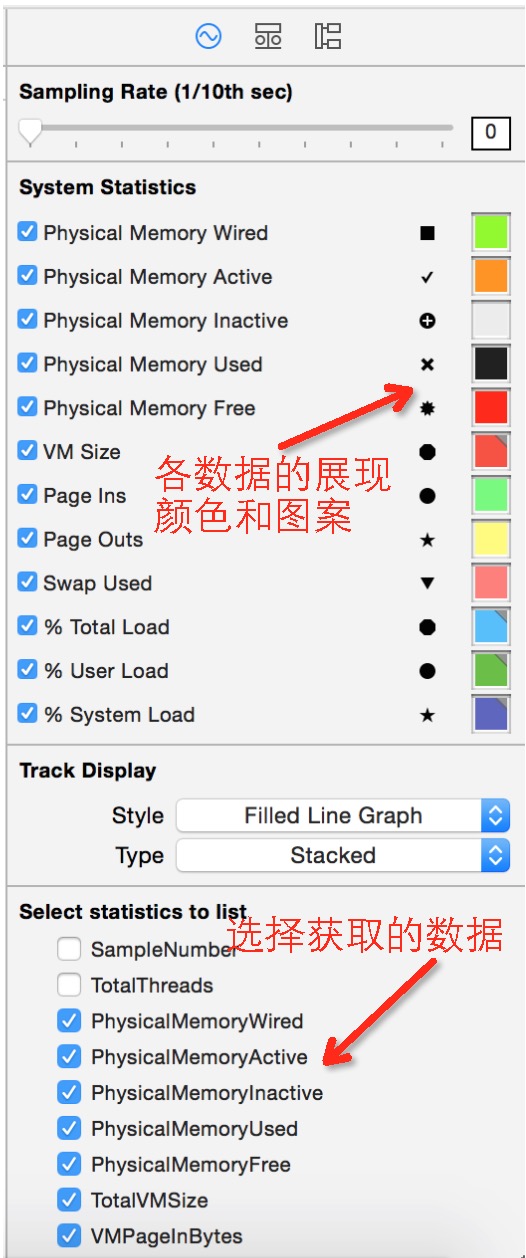
There are a number of statistics the Activity Monitor instrument supports, but the following ones are memory-specific:
Physical Memory Wired
Physical Memory Active
Physical Memory Inactive
Physical Memory Used
Physical Memory Free
Total VM Size
VM Page In Bytes
VM Page Out Bytes
VM Swap Used
If one of the statistics above doesn’t appear under System Statistics, locate it under “Select statistics to list” and click its checkbox to include it in the list.
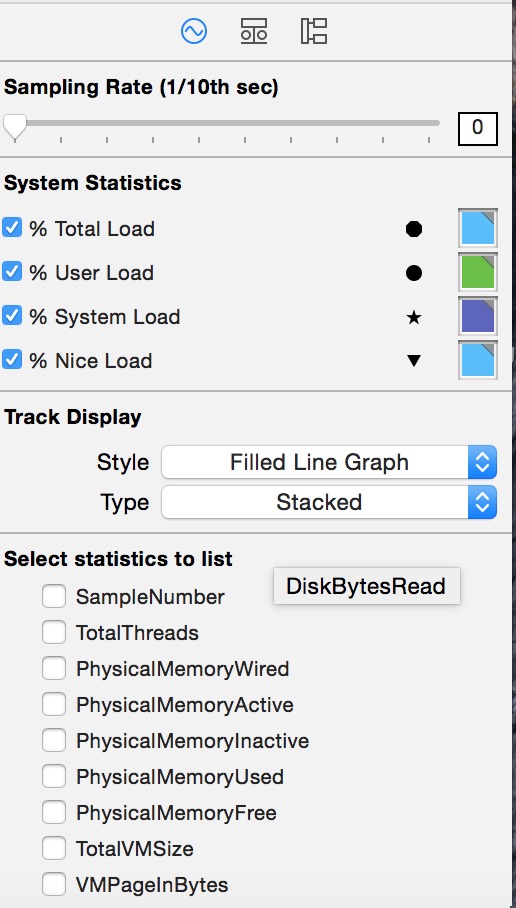
CPUTtotalLoad
CPUUserLoad
CPUSystemLoad
CPUNiceLoad
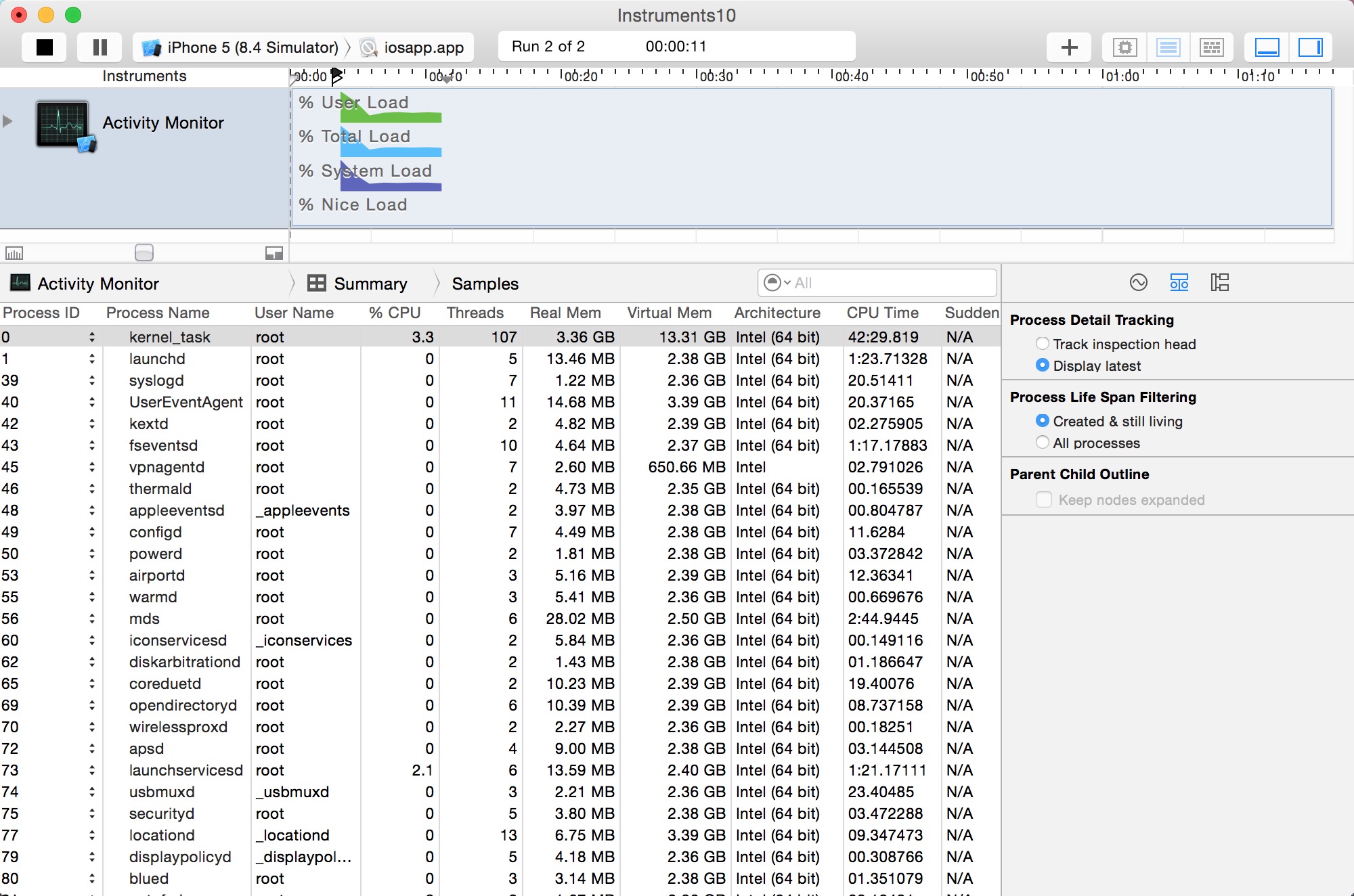
By default, the Activity Monitor template isn’t set up to display network activity. Therefore, you need to enable the desired network-related statistics in the Record Settings area in the inspector sidebar for the Activity Monitor instrument to see which processes are sending and receiving information.
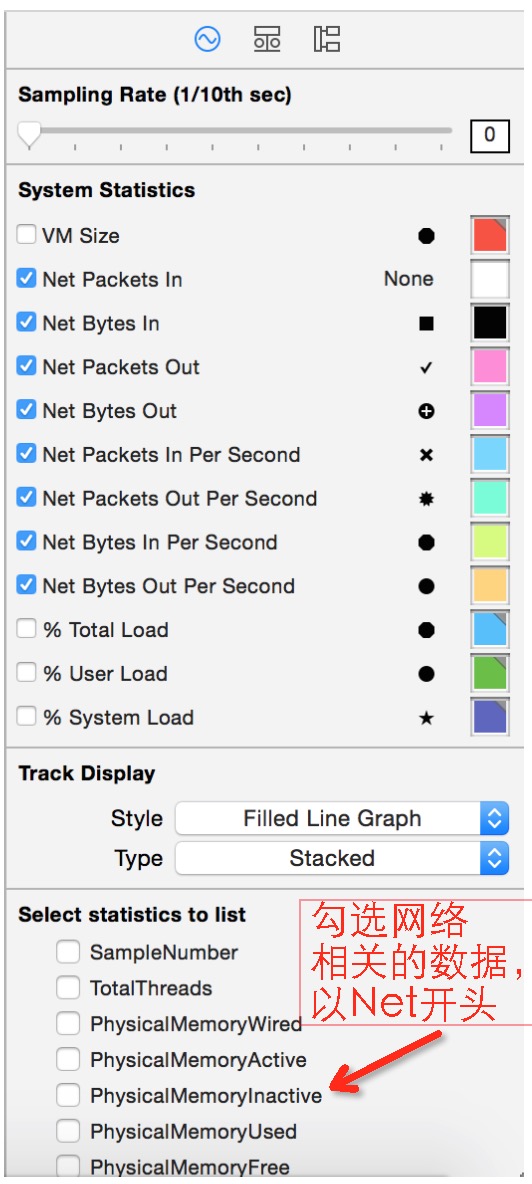
There are a number of statistics the Activity Monitor instrument supports, but the following ones are network-specific:
Net Packets In
Net Bytes In
Net Packets Out
Net Bytes Out
Net Packets In Per Second
Net Packets Out Per Second
Net Bytes In Per Second
Net Bytes Out Per Second
If one of the statistics above doesn’t appear under System Statistics in the Record Settings inspector, locate it under “Select statistics to list” and click its checkbox to include it in the list.
Once you have gathered network activity for your app, examine it carefully to pinpoint areas where your app is sending out excessive amounts of information and therefore tying up valuable device resources. When you minimize the amount of information sent and received, you can benefit from increased performance and response times in your app.
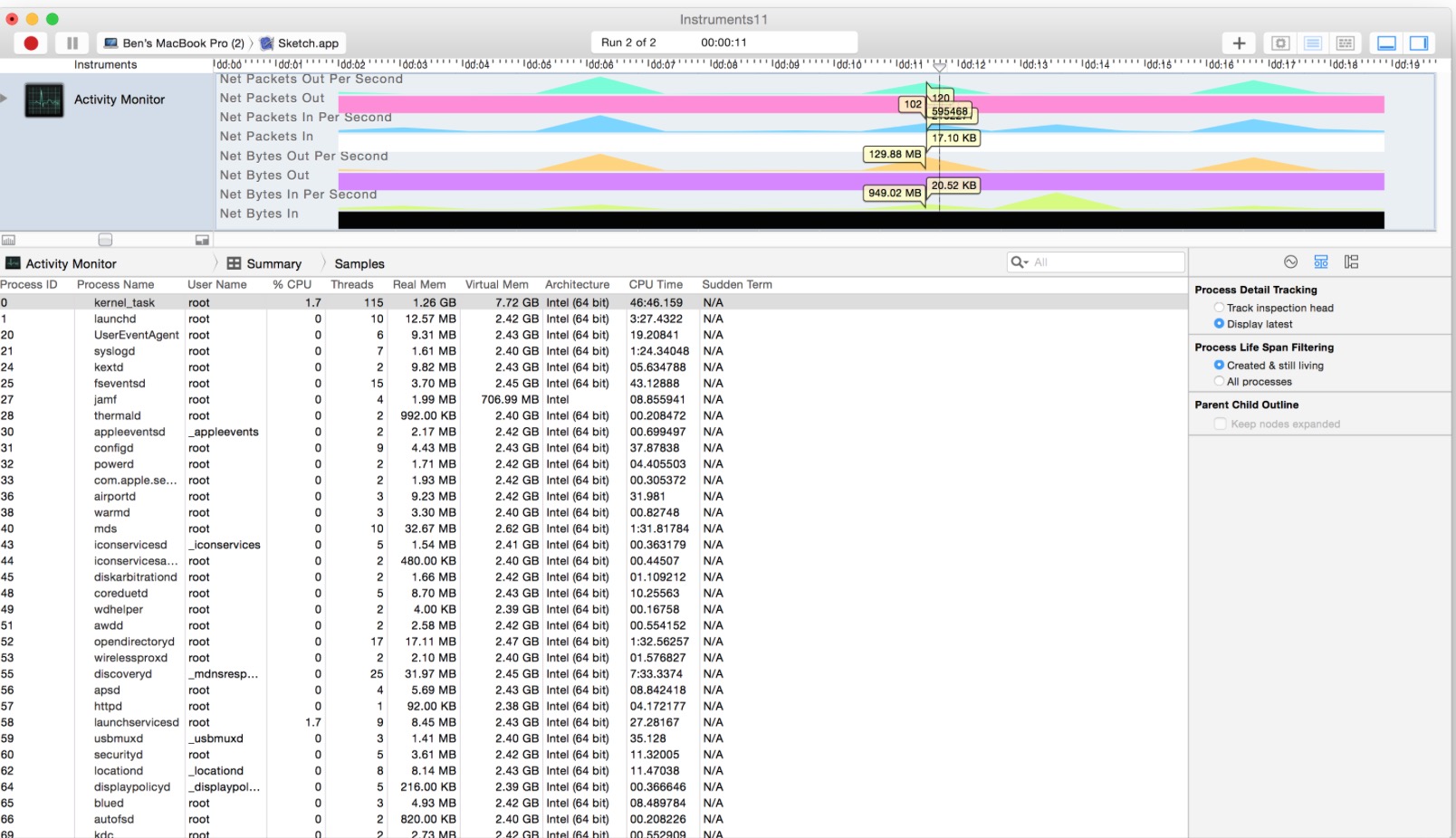
下图为Activity Monitor instrument tracing network packets
Instruments之Activity Monitor使用入门的更多相关文章
- Instruments_Activity Monitor使用入门
Activity Monitor,官方解释为:(活动监视器)即实时显示CPU.内存和网络的使用情况,记录由虚拟内存大小测量的系统负载.用一句大白话来说,Activity Monitor类似Window ...
- [转]Performance Analysis Using SQL Server 2008 Activity Monitor Tool
本文转自:https://www.mssqltips.com/sqlservertip/1917/performance-analysis-using-sql-server-2008-activity ...
- Activity Monitor 闪退 & 无法进入睡眠
情况描述 黑苹果主机突然无法进入睡眠. 考虑到可能是后台程序阻碍了系统正常进入睡眠, 于是想要通过Activity Monitor查看系统的活动情况,然而,Activity Monitor闪退. 重 ...
- Activity工作流(2)-入门安装运行第一个例子
转: Activity工作流(2)-入门安装运行第一个例子 置顶 2017年05月24日 15:58:50 li_ch_ch 阅读数:24432 版权声明:本文为博主原创文章,未经博主允许不得转载 ...
- Activity工作流框架入门(二)API使用DEMO
工作流API使用Demo package activity.demo.test; import java.io.File; import java.io.FileInputStream; import ...
- 增加Activity Monitor中的作业保存数量
在Master Server的注册表中加入如下两个键值即可: (1500的单位是小时)
- 移动app性能测试(待完善)
移动终端性能测试是测试手机终端是否符合特定性能指标的测试,包括有:内存.CPU.电量.流量.流畅度.时延等 测试准备:测试账号.测试需求.测试用例.待测手机.待测应用包.测试工具.测试电脑 1. 时 ...
- Instruments 使用指南
Instruments 用户指南 http://cdn.cocimg.com/bbs/attachment/Fid_6/6_24457_90eabb4ed5b3863.pdf 原著:Apple Inc ...
- Instruments模板介绍(更新中...)
第一章.Instruments(仪器)快速入门 Instruments可以用来收集关于一个或者多个系统进程的性能和行为的数据,并跟踪睡着时间产生的数据.它提供了好几个分析模板: Blank 任何类型都 ...
随机推荐
- struts2 + urlrewrite 整合注意事项
这几天业余时间在玩百度云,百度的云还是不错的,但是对于我这样的.NET程序员,有点不公平,没有.net虚机,不过也不是百度一家没有,基本都没有,有的都是那种开放云,自已在云端来部署安装软件的. 所以也 ...
- sublime Text 几款插件
留着自已以后用:http://blog.csdn.net/nivana999/article/details/7823805 1.sublime text实现vim命令格式(Vintage插件是自带的 ...
- Fluent动网格【6】:部件变形案例
本案例描述使用动网格过程中处理边界变形的问题. 案例描述 本案例几何为一个抛物线旋转成型的几何体.如图所示. 其中上壁面刚体运动引起抛物面变形.刚体运动方程为: \[ v=\left\{ \begin ...
- Fluent动网格【2】:Profile文件
动网格中一个重要任务是部件运动方式的指定.在动网格中指定部件的运动,往往将部件的运动方式指定为其加速度.速度或位移与时间的相关关系,本文主要讲述如何在Fluent中利用瞬态Profile文件指定部件的 ...
- React Native 进的第一个坑
Bundling index.ios.js [development, non-minified, hmr disabled] 0.0% (0/1), failed. error: bundling ...
- Java知多少(44)异常类型
所有异常类型都是内置类Throwable的子类.因此,Throwable在异常类层次结构的顶层.紧接着Throwable下面的是两个把异常分成两个不同分支的子类.一个分支是Exception. 该类用 ...
- Python终端自动补全
在-目录下添加一个文件,名字为.pythonstartup.py #!/usr/bin/python # -*- coding: UTF-8 -*- import readline, rlcomple ...
- [Bayes] dchisq: Metropolis-Hastings Algorithm
dchisq gives the density, # 计算出分布下某值处的密度值 pchisq gives the distribution fun ...
- 【代码审计】大米CMS_V5.5.3 后台多处存储型XSS漏洞分析
0x00 环境准备 大米CMS官网:http://www.damicms.com 网站源码版本:大米CMS_V5.5.3试用版(更新时间:2017-04-15) 程序源码下载:http://www ...
- The last packet successfully received from the server was 20,519 milliseconds ago. The last packet sent successfully to the server was 0 milliseconds ago.
本地升级了下MySQL的版本,从5.6升为5.7,数据文件直接拷贝的,项目查询数据库报错: Could not retrieve transation read-only status server ...