
vue 拖动调整左右两侧div的宽度
原文链接:https://www.cnblogs.com/layaling/p/11009570.html
原文是左中右三种情况的拖动。由于项目需要,我删除掉了右边的,直接左右区域拖动调整div宽度
1、拖动,调整左右两侧宽度
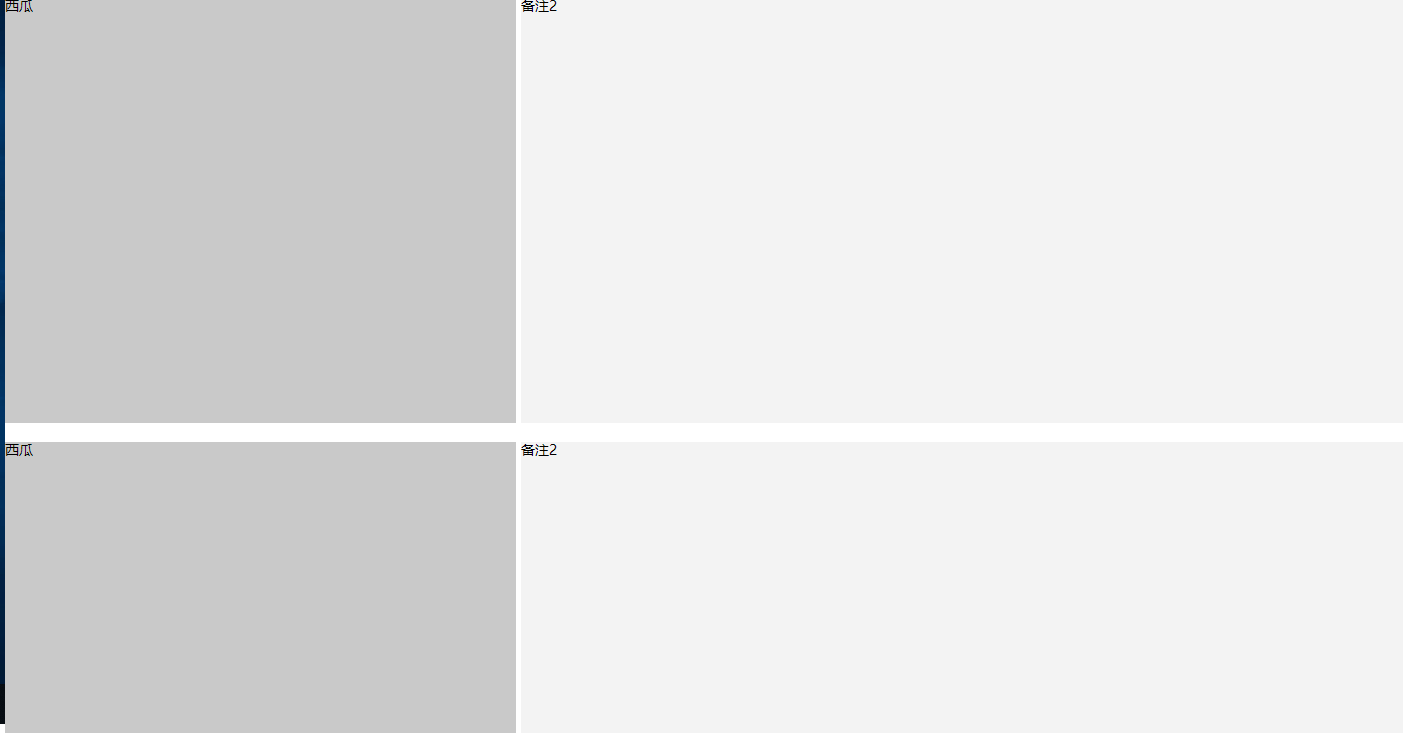
<template>

  <div class="wid100 hig100">

    <ul class="box" ref="box">

      <li class="left" ref="left">西瓜</li>

      <li class="resize" ref="resize"></li>

      <li class="mid" ref="mid">备注2</li>

    </ul>

    <ul class="box" ref="box">

      <li class="left" ref="left">西瓜</li>

      <li class="resize" ref="resize"></li>

      <li class="mid" ref="mid">备注2</li>

    </ul>

  </div>

</template>

<script>

  export default {

    name: 'Dashboard',

    mounted () {

      this.dragControllerDiv();

    },

    methods: {

      dragControllerDiv: function () {

        var resize = document.getElementsByClassName('resize');

        var left = document.getElementsByClassName('left');

        var mid = document.getElementsByClassName('mid');

        var box = document.getElementsByClassName('box');

        for (let i = 0; i < resize.length; i++) {

          // 鼠标按下事件

          resize[i].onmousedown = function (e) {

            var startX = e.clientX;

            resize[i].left = resize[i].offsetLeft;

            // 鼠标拖动事件

            document.onmousemove = function (e) {

              var endX = e.clientX;

              var moveLen = resize[i].left + (endX - startX); // (endx-startx)=移动的距离。resize[i].left+移动的距离=左边区域最后的宽度

              var maxT = box[i].clientWidth - resize[i].offsetWidth;  // 容器宽度 - 左边区域的宽度 = 右边区域的宽度

              if (moveLen < 150) moveLen = 150; // 左边区域的最小宽度为150px

              if (moveLen > maxT - 150) moveLen = maxT  - 150;  //右边区域最小宽度为150px

              resize[i].style.left = moveLen; // 设置左侧区域的宽度

              for (let j = 0; j < left.length; j++) {

                left[j].style.width = moveLen + 'px';

                mid[j].style.width = (box[i].clientWidth - moveLen - 10) + 'px';

              }

            }

            // 鼠标松开事件

            document.onmouseup = function (evt) {

              document.onmousemove = null;

              document.onmouseup = null;

              resize[i].releaseCapture && resize[i].releaseCapture(); //当你不在需要继续获得鼠标消息就要应该调用ReleaseCapture()释放掉

            }

            resize[i].setCapture && resize[i].setCapture(); //该函数在属于当前线程的指定窗口里设置鼠标捕获

            return false;

          }

        }

      }

    }

  }

</script>

<style lang="scss" scoped>

  ul,li{

    list-style: none;

    display: block;

    margin:0;

    padding:0;

  }

  .box{

    width:100%;

    height: 48%;

    margin: 1% 0px;

    overflow:hidden;

  }

  .left{

    width:calc(30% - 10px);

    height:100%;

    background:#c9c9c9;

    float:left;

  }

  .resize{

    width:5px;

    height:100%;

    cursor: w-resize;

    float:left;

  }

  .mid{

    float:left;

    width:70%;

    height:100%;

    background:#f3f3f3;

  }

</style>
vue 拖动调整左右两侧div的宽度的更多相关文章
- 拖动调整div布局大小
一.需求 实现类似windows软件的那种,拖动调整两个div的大小 二.结果示例: 三.示例代码: https://github.com/CinYung/jQuery.divResizer.git
- jQuery拖动调整表格列宽度-resizableColumns
实现鼠标可拖动调整表格列宽度 如图: 一.引入文件: <script src="/js/jquery-1.8.0.min.js" type="text/javasc ...
- 关于Div的宽度与高度的100%设定
http://www.cnblogs.com/clare-zhang/archive/2011/08/26/2154220.html 正像你所知道的那样,设置DIV大小的有两个属性width和heig ...
- 如何设置div的宽度为100%-xx px?
如何设置div的宽度为100%-xx px? 参见如下帖子:http://stackoverflow.com/questions/15183069/div-width-100-10px-relativ ...
- Div的宽度与高度的100%设定
div的100%是从其上一级div的宽高继承来的,所以必须设置其上一级div的宽度或高度,否则无效. 举例说明:父div(deman)宽300高200,子div(cc)如果在这个条件下设置divcc的 ...
- CSS如何让DIV的宽度随内容的变化
[css]CSS如何让DIV的宽度随内容的变化 让div根据内容改变大小 div{ width:auto; display:inline-block !important; display:inlin ...
- div 内容宽度自适应、超出后换行
div 内容宽度自适应,超出后换行 { max-width:100%;width: fit-content;width: -webkit-fit-content;width: -moz-fit-con ...
- vue mounted中监听div的变化
vue mounted中监听div的变化 <div style="width:200px;height:30px;background: #0e90d2" id=" ...
- div 自适应宽度
div 自适应宽度 <!DOCTYPE html PUBLIC "-//W3C//DTD XHTML 1.0 Transitional//EN" "http://w ...
随机推荐
- bind call apply 的区别和使用
bind call apply 的区别和使用:https://www.jianshu.com/p/015f9f15d6b3 在讲这个之前要理解一些概念,这些概念很重要,有人说过学会了javascrip ...
- C++ 线性表实现
List.h #pragma once #include "targetver.h" #include <stdio.h> #include <tchar.h&g ...
- git学习指南
近来学习Git,苦寻资料下发现廖雪峰老师的教程很好,在此推荐传送门 附每节总结,方便查阅 创建版本库 初始化一个Git仓库,使用git init命令. 添加文件到Git仓库,分两步: 使用命令git ...
- windows套接字阻塞模式编程实例
一.阻塞模式套接字服务端和客户端的运行流程如下: 1.1 服务器运行过程如下: 1.服务器启动后,等待客户端的连接请求.2.当收到客户端的请求后,在界面上显示该客户端的IP地址和端口,以及“Hello ...
- 关于代码手写UI,xib和StoryBoard
代码手写UI 这种方法经常被学院派的极客或者依赖多人合作的大型项目大规模使用.Geek们喜欢用代码构建UI,是因为代码是键盘敲出来的,这样可以做到不开IB,手不离开键盘就完成工作,可以专注于编码环境, ...
- Spring基础14——Bean的生命周期
1.IOC容器中的Bean的生命周期方法 SpringIOC容器可以管理Bean的生命周期,Spring允许在Bean生命周期的特定点执行定制的任务.SpringIOC容器对Bean的生命周期进行管理 ...
- PAT Advanced 1001 A+B Format (20 分)
Calculate a+b and output the sum in standard format -- that is, the digits must be separated into gr ...
- 洛谷 P2704 [NOI2001]炮兵阵地 (状态压缩DP+优化)
题目描述 司令部的将军们打算在NM的网格地图上部署他们的炮兵部队.一个NM的地图由N行M列组成,地图的每一格可能是山地(用"H" 表示),也可能是平原(用"P" ...
- c调用c++
g++ main.c math.cpp math.h中加入extern "C"
- Django【第25篇】:后端CORS解决跨域问题
解决跨域问题 一.为什么会有跨域问题? 是因为浏览器的同源策略是对ajax请求进行阻拦了,但是不是所有的请求都给做跨域,像是一般的href属性,a标签什么的都不拦截. 二.解决跨域问题的两种方式 JS ...