
iOS 开发】解决使用 CocoaPods 执行 pod install 时出现 - Use the `$(inherited)` flag ... 警告
公司项目在执行
pod install的时候总是出现很多黄色的警告,因为是警告并不会影响项目的正常编译,一直没有在意,但是总是有很多警告看起来很不舒服,于是就花了点时间解决掉了,下面将解决方法记录下来分享给有同样问题的你们。
警告信息
产生此警告的原因是项目 Target 中的一些设置,CocoaPods 也做了默认的设置,如果两个设置结果不一致,就会造成问题,显示的警告信息如下:
[!] The `client_ios_fm_a [Debug]` target overrides the `FRAMEWORK_SEARCH_PATHS` build setting defined in `Pods/Target Support Files/Pods-client_ios_fm_a/Pods-client_ios_fm_a.debug.xcconfig'. This can lead to problems with the CocoaPods installation

    - Use the `$(inherited)` flag, or

    - Remove the build settings from the target.

[!] The `client_ios_fm_a [Debug]` target overrides the `ALWAYS_EMBED_SWIFT_STANDARD_LIBRARIES` build setting defined in `Pods/Target Support Files/Pods-client_ios_fm_a/Pods-client_ios_fm_a.debug.xcconfig'. This can lead to problems with the CocoaPods installation

    - Use the `$(inherited)` flag, or

    - Remove the build settings from the target.

[!] The `client_ios_fm_a [Debug]` target overrides the `OTHER_CFLAGS` build setting defined in `Pods/Target Support Files/Pods-client_ios_fm_a/Pods-client_ios_fm_a.debug.xcconfig'. This can lead to problems with the CocoaPods installation

    - Use the `$(inherited)` flag, or

    - Remove the build settings from the target.

[!] The `client_ios_fm_a [Debug]` target overrides the `HEADER_SEARCH_PATHS` build setting defined in `Pods/Target Support Files/Pods-client_ios_fm_a/Pods-client_ios_fm_a.debug.xcconfig'. This can lead to problems with the CocoaPods installation

    - Use the `$(inherited)` flag, or

    - Remove the build settings from the target.

[!] The `client_ios_fm_a [Release]` target overrides the `FRAMEWORK_SEARCH_PATHS` build setting defined in `Pods/Target Support Files/Pods-client_ios_fm_a/Pods-client_ios_fm_a.release.xcconfig'. This can lead to problems with the CocoaPods installation

    - Use the `$(inherited)` flag, or

    - Remove the build settings from the target.

[!] The `client_ios_fm_a [Release]` target overrides the `ALWAYS_EMBED_SWIFT_STANDARD_LIBRARIES` build setting defined in `Pods/Target Support Files/Pods-client_ios_fm_a/Pods-client_ios_fm_a.release.xcconfig'. This can lead to problems with the CocoaPods installation

    - Use the `$(inherited)` flag, or

    - Remove the build settings from the target.

[!] The `client_ios_fm_a [Release]` target overrides the `OTHER_CFLAGS` build setting defined in `Pods/Target Support Files/Pods-client_ios_fm_a/Pods-client_ios_fm_a.release.xcconfig'. This can lead to problems with the CocoaPods installation

    - Use the `$(inherited)` flag, or

    - Remove the build settings from the target.

[!] The `client_ios_fm_a [Release]` target overrides the `HEADER_SEARCH_PATHS` build setting defined in `Pods/Target Support Files/Pods-client_ios_fm_a/Pods-client_ios_fm_a.release.xcconfig'. This can lead to problems with the CocoaPods installation

    - Use the `$(inherited)` flag, or

    - Remove the build settings from the target.

解决方法
打开项目
Target-Build Settings,搜索Other Linker Flags,在这个设置上加入$(inherited)。打开项目
Target-Build Settings,依次搜索如下图所示的警告上提示的设置名称,将这些设置选项全部改为$(inherited),或者选中这些设置按下delete键恢复原设置。

如果有
FRAMEWORK_SEARCH_PATHS这个设置的警告的话,最好先把当前的设置项记录下来,然后选中设置按下delete以后,再把之前的设置加进去,否则编译可能会出现很多报错。然后重新执行
pod install或者pod update就会发现警告消失了。如果我的方法不能够解决你的问题的话,可以试一下网上的另一种方法,就是点击项目文件
project.xcodeproj,右键显示包内容,用文本编辑器打开project.pbxproj,command + F搜索OTHER_LDFLAGS,删除搜索到的设置,command + S保存,然后重新执行pod install或者pod update。
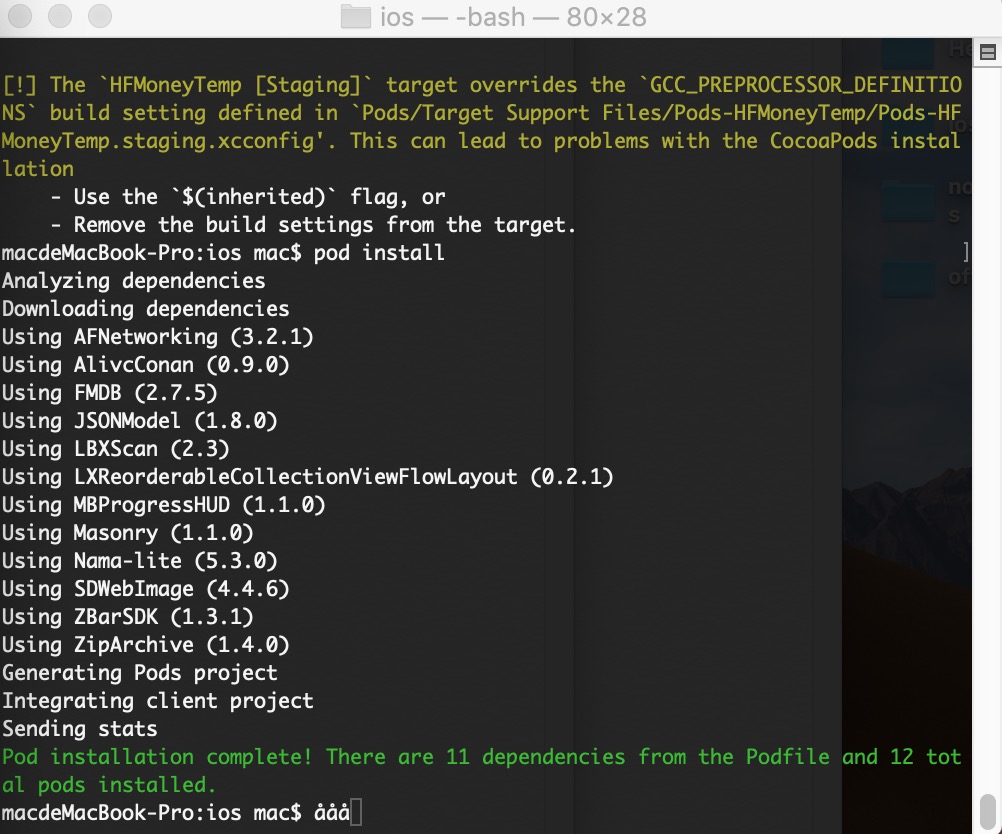
解决后:
作者:Jonzzs
链接:https://www.jianshu.com/p/dfb2a5834cd0
iOS 开发】解决使用 CocoaPods 执行 pod install 时出现 - Use the `$(inherited)` flag ... 警告的更多相关文章
- cocoapods 无法 升级 repo 无法执行pod install命令
首先MAC自带了ruby,他是用rvm 管理的, 如果你用homebrew又安装了一个新版,很可能在升级cocoapods时遇到问题,明明自己用homebrew升级到最新版本了,页配置环境变量了,为什 ...
- 在执行 pip install 时遇到错误:python setup.py egg_info ...
最近重新安装win10 64位专业版, 正好遇到python3.8发布,试了一下.结果jupyter都安装不了...心碎. ERROR: Command errored out with exit s ...
- IOS开发 CocoaPods 使用 pod Install 出现 Updating local specs repositories
pod install 换成pod install --verbose --no-repo-update这个命令,前面的命令被墙了
- IOS开发之开篇--CocoaPods安装
CocoaPods是什么?当你开发iOS应用时,会经常使用到很多第三方开源类库,比如JSONKit,AFNetWorking等等.可能某个类库又用到其他类库,所以要使用它,必须得另外下载其他类库,而其 ...
- 那些年一起用过的iOS开发利器之CocoaPods
本系列所有工具的简介见:http://www.cnblogs.com/lloydsheng/p/3637606.html CocoaPods是一个负责管理iOS项目中第三方开源代码的工具.CocoaP ...
- iOS开发中使用CocoaPods来管理第三方的依赖程序
之前也碰到类似的问题,怎样去管理这些第三方的文件,虽然手动添加也不算麻烦. 写这篇文章主要参考了唐巧的博文,链接如下: http://blog.devtang.com/blog/2012/12/02/ ...
- ios开发第三方库--cocoapods安装
1. ruby -e "$(curl -fsSL https://raw.githubusercontent.com/Homebrew/install/master/install)&quo ...
- iOS开发 引用第三方库出现duplicate symbol时的处理方法
该篇文章是我自己从我的新浪博客上摘抄过来的, 原文链接为: http://blog.sina.com.cn/s/blog_dcc636350102wat5.html 在iOS开发中, 难免 ...
- iOS开发——运行时OC篇&使用运行时获取系统的属性:使用自己的手势修改系统自带的手势
使用运行时获取系统的属性:使用自己的手势修改系统自带的手势 有的时候我需要实现一个功能,但是没有想到很好的方法或者想到了方法只是那个方法实现起来太麻烦,一或者确实为了装逼,我们就会想到iOS开发中最牛 ...
随机推荐
- java序列化和反序列化及序列化方式
平时我们在Java内存中的对象,是无 法进行IO操作或者网络通信的,因为在进行IO操作或者网络通信的时候,人家根本不知道内存中的对象是个什么东西,因此必须将对象以某种方式表示出来,即 存储对象中的状态 ...
- 阿里域名 ssl tomcat
1.首先注册一个域名 2.添加一个信息模板(域名服务里边) 3.域名解析(默认解析127.0.0.1) 可以ping 域名试下看是否解析了(阿里有参考视频) 4.ssl 证书 免费版,网上有教程 ...
- 组件(2):使用Prop下发数据
数据下发 组件实例的作用域是相互独立的,父.子组件之间无法进行数据的共享.如果想在子组件模板中使用父组件的数据,可以通过Prop将父组件的数据下发到子组件.子组件用props选项声明它预期的数据. 为 ...
- JAVA》eclipse——(三)jsp学习
导出一个war包
- youtube 上 us的站点是有免费的电影。
us站点有免费: 菲力宾 跟日本的没有免费的 (PHP是菲力宾币)
- HTML中的超链接(Hyperlink)
超链接 ★超链接简单介绍 超链接可以说是网页中最常见的元素.超链接的英文名是hyperlink.每个网站都是由众多的网页组成,网页之间通常都是通过链接的方式相互关联的. 超链接能够让浏览者在各个独立的 ...
- Windows:在特定路径下启动命令行
造冰箱的大熊猫,本文适用于Windows 7@cnblogs 2018/11/30 在Windows文件浏览器中,按下“Shift+鼠标右键”,点击“在此处打开命令窗口”.
- 【转】有rand7(可以随机生成1到7的数据的随机函数),如何产生rand10(随机产生1-10的数)
今天停GJP说在面试的时候碰到了一道这样的题目:有rand7(可以随机生成1到7的数据的随机函数),如何产生rand10(随机产生1-10的数) 感觉很有意思,找到了这篇博客,感觉解法很好玩,转载在这 ...
- linux文档与目录的相关命令
Linux文件系统结构 Linux目录结构的组织形式和Windows有很大的不同.首先Linux没有“盘(C盘.D盘.E盘)”的概念.已经建立文件系统的硬盘分区被挂载到某一个目录下,用户通过操作目录来 ...
- DH加密算法
http://blog.csdn.net/zbw18297786698/article/details/53609794