
kali sudo apt install 无法定位软件包
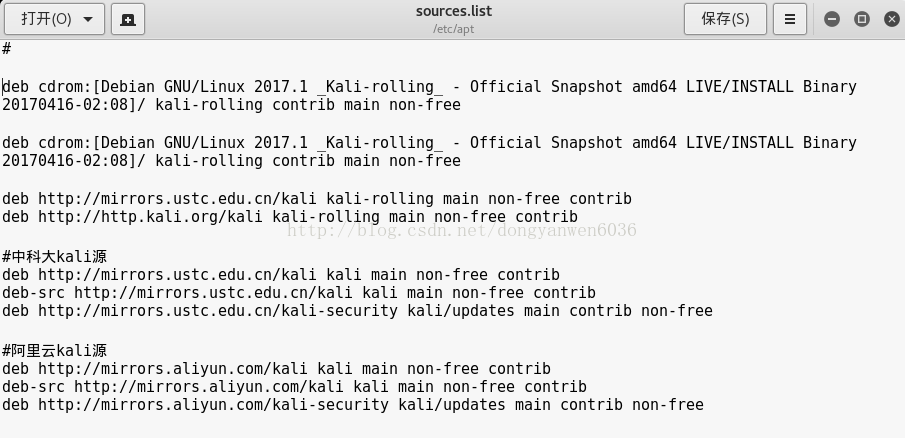
在etc/apt 的sources.list 添加镜像源
debhttp://http.kali.org/kali kali-rolling main non-free contrib 或
deb http://mirrors.ustc.edu.cn/kali kali-rolling main non-free contrib
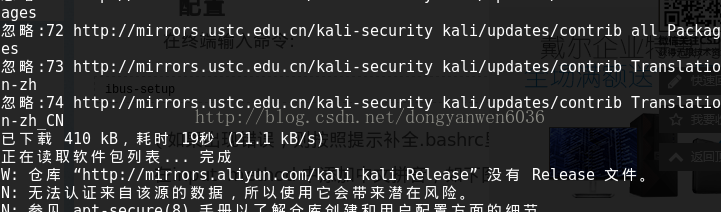
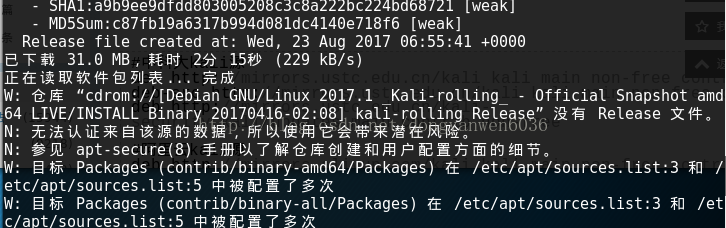
然后 sudo apt-get update/sudo apt update && sudo apt upgrade
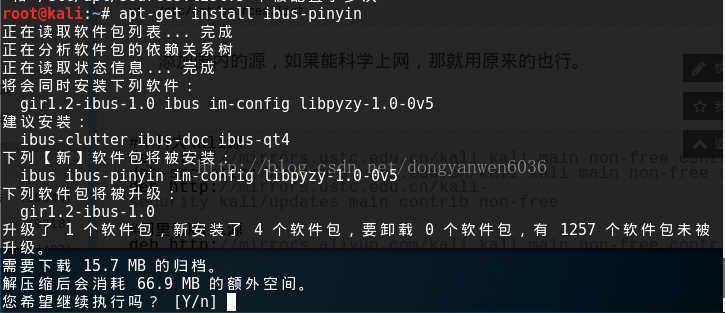
接着安装就可以了。注意要连网。
- deb cdrom:[Debian GNU/Linux 2017.1 _Kali-rolling_ - Official Snapshot amd64 LIVE/INSTALL Binary 20170416-02:08]/ kali-rolling contrib main non-free
- deb cdrom:[Debian GNU/Linux 2017.1 _Kali-rolling_ - Official Snapshot amd64 LIVE/INSTALL Binary 20170416-02:08]/ kali-rolling contrib main non-free
- deb http://mirrors.ustc.edu.cn/kali kali-rolling main non-free contrib
- deb http://http.kali.org/kali kali-rolling main non-free contrib
- #中科大kali源
- deb http://mirrors.ustc.edu.cn/kali kali main non-free contrib
- deb-src http://mirrors.ustc.edu.cn/kali kali main non-free contrib
- deb http://mirrors.ustc.edu.cn/kali-security kali/updates main contrib non-free
- #阿里云kali源
- deb http://mirrors.aliyun.com/kali kali main non-free contrib
- deb-src http://mirrors.aliyun.com/kali kali main non-free contrib
- deb http://mirrors.aliyun.com/kali-security kali/updates main contrib non-free
more is better.haha

success.......
vmware出现无法定位Linux-headers。。。。。把官网源注释
- #deb cdrom:[Debian GNU/Linux 2017.1 _Kali-rolling_ - Official Snapshot amd64 LIVE/INSTALL Binary 20170416-02:08]/ kali-rolling contrib main non-free
- #deb cdrom:[Debian GNU/Linux 2017.1 _Kali-rolling_ - Official Snapshot amd64 LIVE/INSTALL Binary 20170416-02:08]/ kali-rolling contrib main non-free
- #中科大kali源
- deb http://mirrors.ustc.edu.cn/kali kali main non-free contrib
- deb-src http://mirrors.ustc.edu.cn/kali kali main non-free contrib
- deb http://mirrors.ustc.edu.cn/kali-security kali/updates main contrib non-free
- #阿里云kali源
- deb http://mirrors.aliyun.com/kali kali main non-free contrib
- deb-src http://mirrors.aliyun.com/kali kali main non-free contrib
- deb http://mirrors.aliyun.com/kali-security kali/updates main contrib non-free
- #debian_wheezy国内源
- deb-src http://ftp.sjtu.edu.cn/debian wheezy main non-free contrib
- deb http://ftp.sjtu.edu.cn/debian wheezy-proposed-updates main non-free contrib
- deb-src http://ftp.sjtu.edu.cn/debian wheezy-proposed-updates main non-free contrib
- deb http://ftp.sjtu.edu.cn/debian-security wheezy/updates main non-free contrib
- deb-src http://ftp.sjtu.edu.cn/debian-security wheezy/updates main non-free contrib
- deb http://mirrors.163.com/debian wheezy main non-free contrib
- deb-src http://mirrors.163.com/debian wheezy main non-free contrib
- deb http://mirrors.163.com/debian wheezy-proposed-updates main non-free contrib
- deb-src http://mirrors.163.com/debian wheezy-proposed-updates main non-free contrib
- deb-src http://mirrors.163.com/debian-security wheezy/updates main non-free contrib
- deb http://mirrors.163.com/debian-security wheezy/updates main non-free contrib
- deb http://http.kali.org/kali kali-rolling main non-free contrib
- # deb-src http://http.kali.org/kali kali-rolling main non-free contrib
可以进行测试:
apt-cache search linux-headerskali sudo apt install 无法定位软件包的更多相关文章
- sudo apt install net-tools [sudo] zyw 的密码: 正在读取软件包列表... 完成 正在分析软件包的依赖关系树,正在读取状态信息... 完成,没有可用的软件包 net-tools,但是它被其它的软件包引用了。这可能意味着这个缺失的软件包可能已被废弃,或者只能在其他发布源中找到
截图: 先执行: sudo apt-get update 再执行: sudo apt install net-tools 即可安装成功!!
- Command 'ifconfig' not found, but can be installed with: sudo apt install net-tools
然后按照错误信息安安装网络工具: sudo apt install net-tools shl@shl-tx:~$ sudo apt install net-tools正在读取软件包列表... 完成正 ...
- Ubuntu18下sudo apt install xxx出现问题
当执行sudo apt install rpm时失败(apt-get也失败),输出如下报错信息: E: Could not get lock /var/lib/dpkg/lock - open (11 ...
- sudo apt install libreadline-dev Reading package lists... Error!
luo@luo-ThinkPad-W540:~$ luo@luo-ThinkPad-W540:~$ luo@luo-ThinkPad-W540:~$ luo@luo-ThinkPad-W540:~$ ...
- Ubuntu 16.04 安装 Wireshark分析tcpdump的pcap包——sudo apt install wireshark-qt
tcpdump 的抓包保存到文件的命令参数是-w xxx.cap 抓eth1的包 tcpdump -i eth1 -w /tmp/xxx.cap 抓 192.168.1.123的包 tc ...
- Command 'ifconfig' not found, but can be installed with: sudo apt install net-tools VM Ubuntu 解决方案
VMware下安装的Ubuntu 一开始由于Firefox连不上网,然后通过看了https://www.bbsmax.com/A/VGzlEGYJbq/这个文章之后,自己也测了一下,确实好用 但是if ...
- Command 'ifconfig' not found, but can be installed with: sudo apt install net-tools解决方法
VMware下安装的Ubuntu 当使用ifconfig命令查看网卡配置信息的时候出错 尝试了很多方法都解决不了,直到输入了下面的内容: 然后自己就更新了很多东西 之后重新输入ifconfig命令就能 ...
- 解决无法定位软件包 或 install net-tools
解决无法定位软件包 或 install net-tools 当我们安装好Linux后,因为里面有很多功能服务没有安装(如ifconfig.vsftpd) 所以出现一些command '**** ...
- ubuntu16.04安装cuda,无法定位软件包问题
为了学习深度学习,这几天在安装深度学习框架,cuda安装时却出现无法定位软件包的问题.cuda官网下载时提供了deb和run格式,今天只讲deb格式的安装包安装过程的问题. 按照官方教程,下载好cud ...
随机推荐
- uva11916 Emoogle Grid (BSGS)
https://uva.onlinejudge.org/external/119/p11916.pdf 令m表示不能染色的格子的最大行号 设>m行时可以染k种颜色的格子数有ck个,恰好有m行时可 ...
- Drupal8 入门教程(一)安装部署
一.Drupal简介 Drupal 是使用PHP语言编写的开源内容管理框架(CMF),它由内容管理系统(CMS)和PHP开发框架(Framework)共同构成.连续多年荣获全球最佳CMS大奖,是基于P ...
- [Android] Android 使用 Greendao 操作 db sqlite(2)-- 封装DaoUtils类
继续接上文: Android 使用 Greendao 操作 db sqlite(1)-- 直接在MainActivity中调用 布局文件同上文一致,这里就不贴了. 一.封装DaoUtils类 User ...
- 我手机上常用的app和常访问的网站
====常用======Opera Mini browser 浏览器(版本26.0.2254.117241以上) 老版本7.7最最经典, 但该版本在新的安卓手机上总有部分区域显示空白. 现在的 Ope ...
- Visio2016设置几个结构一样大小
1.点出视图,任务窗格,大小和位置 2.选择几个结构,在动作窗口上设置即可
- 海南医院帆软报表 最终版本SQL
1. 挂号微信收入明细 -- WANTED-1283 门诊查询统计报表-挂号微信收入明细 select p.name as patientName, -- 患者姓名 p.birthday, -- 出生 ...
- 27. Spring Boot 缓存注解详解: @Cacheable、@CachePut、 @CacheEvict、@Caching、@CacheConfig
1.使用OGNL的命名规则来定义Key的值 @Cacheable(cacheNames = {"user"},key = "#root.methodName + '[' ...
- C#--IEnumerable 与 IEnumerator 的区别
一. IEnumerator 解释:它是一个的集合访问器,使用foreach语句遍历集合或数组时,就是调用 Current.MoveNext()的结果. // 定义如下public interface ...
- bootstrap table 冻结列 ie 兼容
修改前: Chrome效果 Ie11效果 修改后: Ie11效果 修改bootstrap-table-fixed-columns.js文件 修改其中的initBody方法 修改为
- eclips运行generatorConfig.xml文件生成代码
描述: 如何通过eclips工具来运行 generatorConfig.xml 文件来自动生成代码并获取数据(类似于mybaits逆向生成)? mybatis-generator:generate 2 ...