
Program Hyundai i20 Smart Key with VVDI & Xtool X100 Pad2
How-to: generate and program Hyundai i20 smart key with VVDI Mini Key Tool and XTOOL X100 PAD2.
Step 1: Generate remote with VVDI Mini Key Tool
Insert Xhorse universal smart key into detection coil
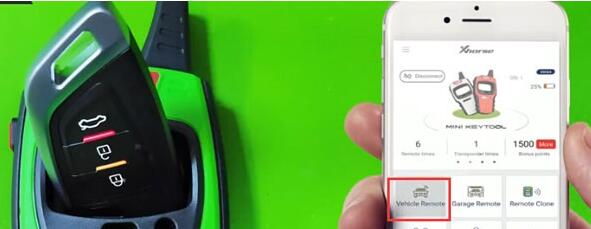
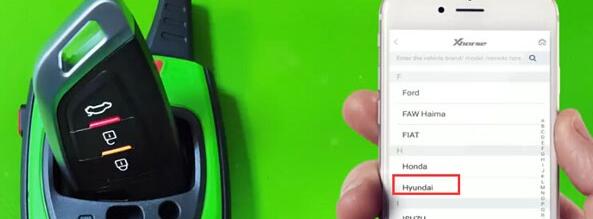
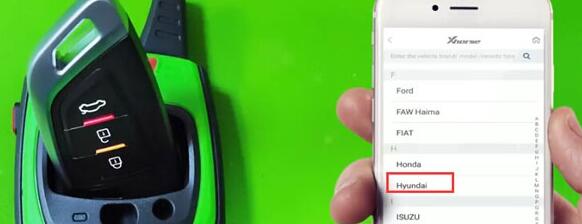
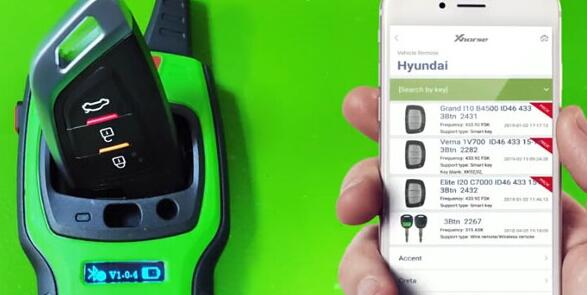
Select Vehicle Remote->Hyundai->Elite i20 C7000 ID46 433 15+ 3BTn 2432
Press Generate
Generating remote in progress
Generate remote succeed
Step 2: Program smart key with xtool x100 pad2
Connect X100 pad 2 with vehicle via OBD socket
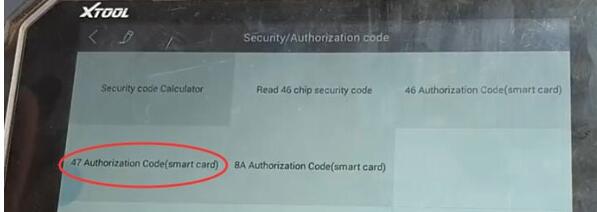
Select Hyundai->Security Code->47 Authorization code (smart card)

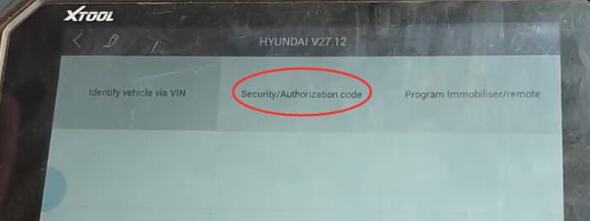
Enable network connection before reading security code
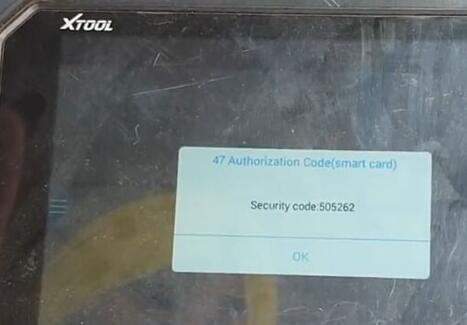
Turn on ignition switch
Read security code success
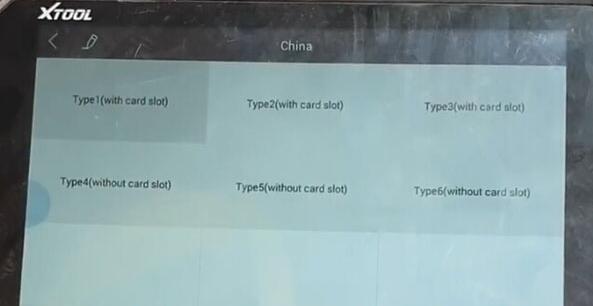
Select Program Immobilizer/remote->Smart key system->China-> Type 5 (without card slot)
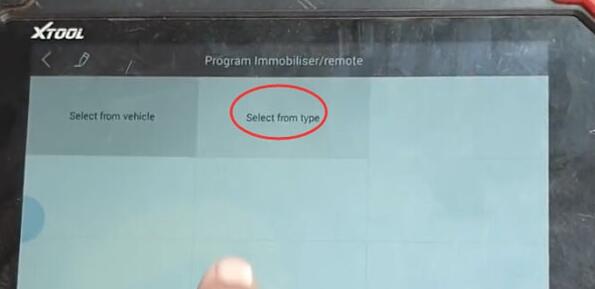

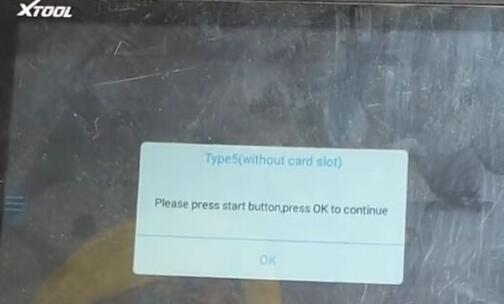
Press Start button to continue
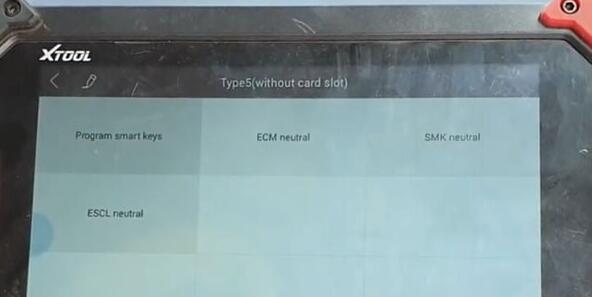
Select Program smart keys
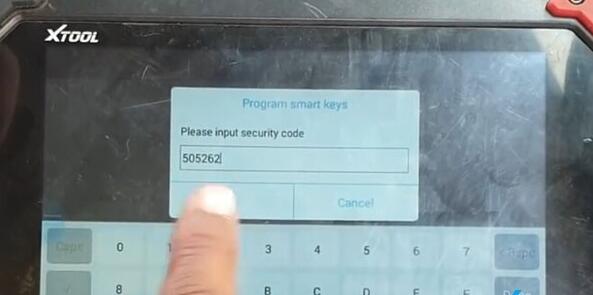
Xtool X100 pad 2 will ask to enter security code to access
Put the original key close to the Start button

Program success. Press YES to program next key
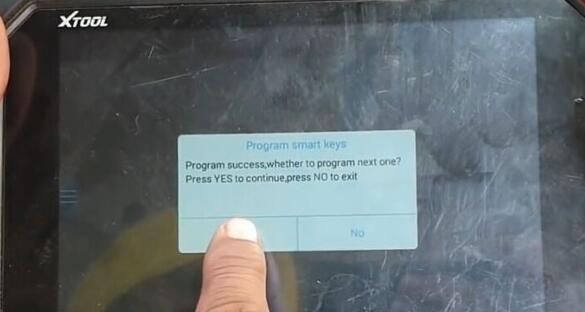

Put the smart key to be programmed close to the Start button
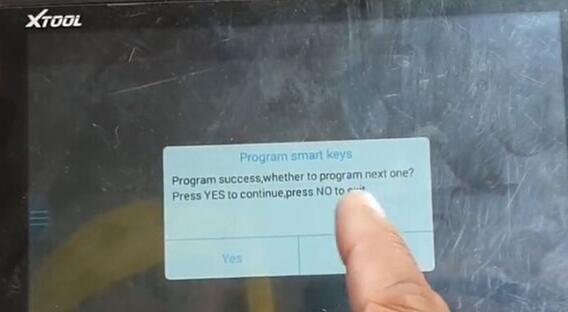
Program smart key success
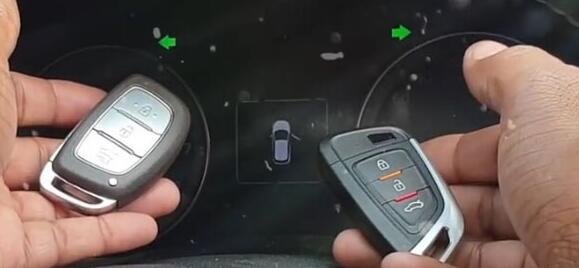

Test remote control and start car.
Done.
Program Hyundai i20 Smart Key with VVDI & Xtool X100 Pad2的更多相关文章
- The best way to use Xtool X100 PAD2 for FEM programming
Look here: XTOOL X100 PAD2 is new FEM programming. Possible to use Xtool X100 PAD2 for FEM programmi ...
- Lonsdor K518ISE free update news on what makes and year can work
Lonsdor K518ISE engineers recently tested a number of cars and verified working great, below are tes ...
- How to use BMW Multi Tool 7.3 to replace lost key for BMW X1
BMW Multi Tool 7.3 version is a high quality auto key programmer that supports CAS 1, CAS2, CAS3, CA ...
- Lonsdor K518ISE Key Programmer Review
Lonsdor K518ISE key programmer is the latest version of Lonsdor, with wider vehicle coverage in key ...
- Smart Contracts
A smart contract is a computer code running on top of a blockchain containing a set of rules under w ...
- Lonsdor K518ISE SCION 2011-2018 Models Enabled!
Lonsdor released the Lonsdor K518ISE Key Programmer update announcement on 14-03-2019, saying it can ...
- RFID 仿真/模拟/监控/拦截/检测/嗅探器
Sound card based RFID sniffer/emulator (Too tired after recon.cx to do draw the schematics better th ...
- SAP ECC MM 配置文档
SAP ECC 6.0 Configuration Document Materials Management (MM) Table of Content TOC \o \h \z 1. Genera ...
- linux - console/terminal/virtual console/pseudo terminal ...
http://en.wikipedia.org/wiki/System_console System console Knoppix system console showing the boot p ...
随机推荐
- Robot Framework 自动化框架大纲
Python + Robot Framework 环境搭建 Android SDK + Appium 环境搭建 RobotFramework - AppiumLibrary 之元素定位 RobotFr ...
- 通过阿里云ECS服务器公网ip访问tomcat,nginx
一.概述 1.操作系统:centos7 2.安装nginx方法:https://www.cnblogs.com/boonya/p/7907999.html,亲测可用. 3.tomcat版本:apach ...
- Openstack EOL 版本离线安装源
当Openstack EOL,网上的yum源无法安装openstack版本和rdo ,则无法正常通过yum源直接安装openstack和rdo ,只是直接安装openstack后,也无法通过yum源 ...
- Swift处理异常
import UIKit class ViewController: UIViewController { override func viewDidLoad() { super.viewDidLoa ...
- 魔力Python--经典SQL语法大全
具体转载自哪里,我也忘记了... 一.基础 1.说明:创建数据库 CREATE DATABASE database-name 2.说明:删除数据库 drop database dbname 3.说明: ...
- 一条SQL语句执行得很慢的原因有哪些?
说实话,这个问题可以涉及到 MySQL 的很多核心知识,可以扯出一大堆,就像要考你计算机网络的知识时,问你“输入URL回车之后,究竟发生了什么”一样,看看你能说出多少了. 之前腾讯面试的实话,也问到这 ...
- Head First Java.(第2版)
优点:语法 面向对象 内存管理 和最棒的跨平台可移植性 缺点: 慢 JVM Java(虚拟机) 编译后的字节码与平台无关. 你的朋友不会买一台真正的Java机器,但是他们都会有Java虚拟机(通过软件 ...
- Day08 - Ruby比一比:String的+=与concat串接
前情提要: 在第七天我们透过比较Symbol和String,发现字串比符号多了更多方法!为了活用string method,今天我们接续前文,来探讨一题跟字串有关的题目: Ruby经典面试题目#08( ...
- IDEA中MAVEN项目Dependency not found 问题
STEP1: 更新IDEA保存的仓库索引.操作步骤File->Setting->Maven->Repositories->Update.dependecy not found问 ...
- k8s之调度约束
k8s调度约束有两种:第一种,直接指定某台node主机:这种形势将直接跳过调度器.如下: 第二种:先给各node指定标签,然后在通过标签的形势来关联node,这种形势人就会调用到调度器.如下: yao ...