
使用Metricbeat监控zookeeper遇到的问题
1.metricbeat中启动自动加载模块
metricbeat.config.modules:

  path: ${path.config}/modules.d/*.yml

  reload.enabled: true

  reload.period: 10s
2.开启kibana中的dashboard功能
setup.dashboards.enabled: true
然后启动metricbeat
3.启动zookeeper模块
./metricbeat modules enable zookeeper
会看到目录modules.d下的zookeeper.yml.disabled变成zookeeper.yml
4.编辑zookeeper.yml,配置上监听的zookeeper地址
- module: zookeeper

  metricsets:

    - mntr

    - server

  period: 10s

  hosts: ["172.17.107.187:2181","172.17.107.187:2182","172.17.107.187:2183"]
5.在kibana web界面创建索引metricbeat-7.3.0*模式
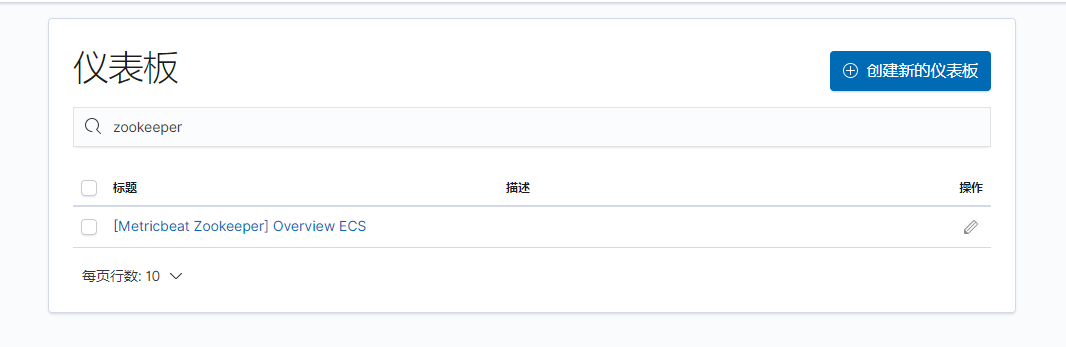
6.在kibana左侧导航仪表盘搜索zookeeper,出现如下信息,点开查看:
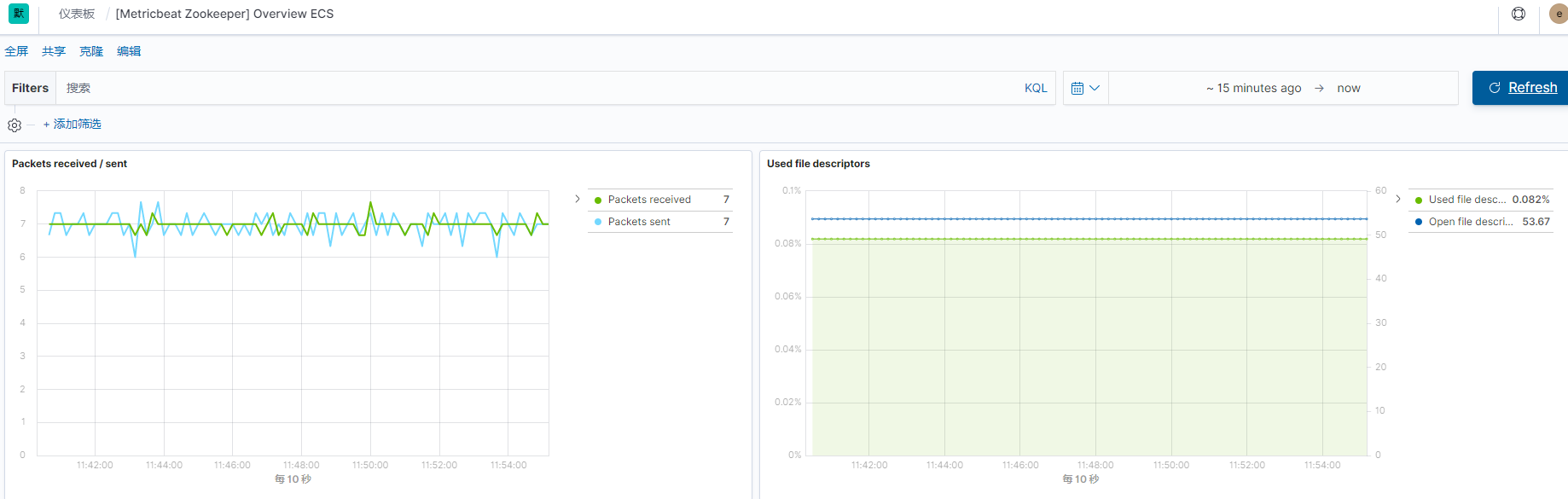
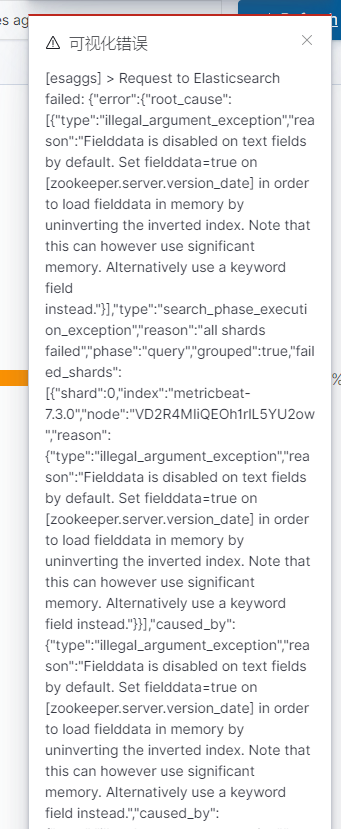
注意:若是出现如下之类的错误提示,可以按照文章(https://www.cnblogs.com/sanduzxcvbnm/p/12172935.html)说的方法进行修改
[esaggs] > Request to Elasticsearch failed: {"error":{"root_cause":[{"type":"illegal_argument_exception","reason":"Fielddata is disabled on text fields by default. Set fielddata=true on [zookeeper.server.version_date] in order to load fielddata in memory by uninverting the inverted index. Note that this can however use significant memory. Alternatively use a keyword field instead."}],"type":"search_phase_execution_exception","reason":"all shards failed","phase":"query","grouped":true,"failed_shards":[{"shard":0,"index":"metricbeat-7.3.0","node":"VD2R4MIiQEOh1rlL5YU2ow","reason":{"type":"illegal_argument_exception","reason":"Fielddata is disabled on text fields by default. Set fielddata=true on [zookeeper.server.version_date] in order to load fielddata in memory by uninverting the inverted index. Note that this can however use significant memory. Alternatively use a keyword field instead."}}],"caused_by":{"type":"illegal_argument_exception","reason":"Fielddata is disabled on text fields by default. Set fielddata=true on [zookeeper.server.version_date] in order to load fielddata in memory by uninverting the inverted index. Note that this can however use significant memory. Alternatively use a keyword field instead.","caused_by":{"type":"illegal_argument_exception","reason":"Fielddata is disabled on text fields by default. Set fielddata=true on [zookeeper.server.version_date] in order to load fielddata in memory by uninverting the inverted index. Note that this can however use significant memory. Alternatively use a keyword field instead."}}},"status":400}
7.但是在查看仪表盘中的[Metricbeat System] Overview ECS时出现的问题,却不知道要如何解决?
问题如下:
- 当刷新这个仪表盘界面时会出现如下的提示:
"reason":"Fielddata is disabled on text fields by default. Set fielddata=true on [zookeeper.server.version_date
但是按照上一步说的执行如下命令后:
PUT metricbeat-7.3.0/_mapping

{

  "properties": {

    "zookeeper": {

      "properties": {

        "server": {

            "properties": {

                "version_date":{

                    "type": "text",

                    "fielddata": true,

                    "fields": {

                        "keyword": {

                            "type": "keyword",

                            "ignore_above": 256

                        }

                    }

                }

            }

        }

      }

    }

  }

}
这个错误不会出现了,但是会出现另一个错误:
"type":"illegal_argument_exception","reason":"Field [zookeeper.server.version_date] of type [text] does not support custom formats"
究其原因就是 [zookeeper.server.version_date] 的类型问题
官方给的该字段的参考值如下:
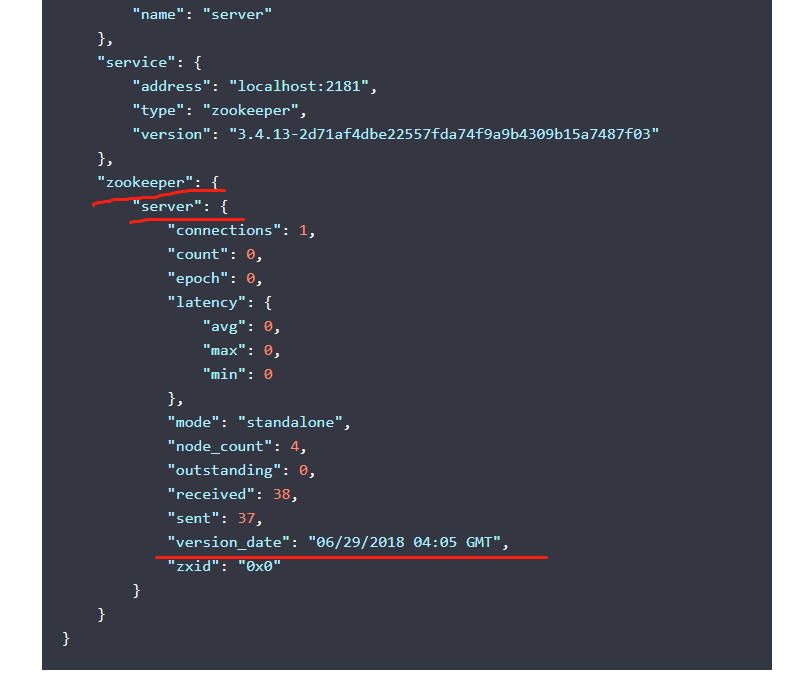
官方给的该字段的类型是:
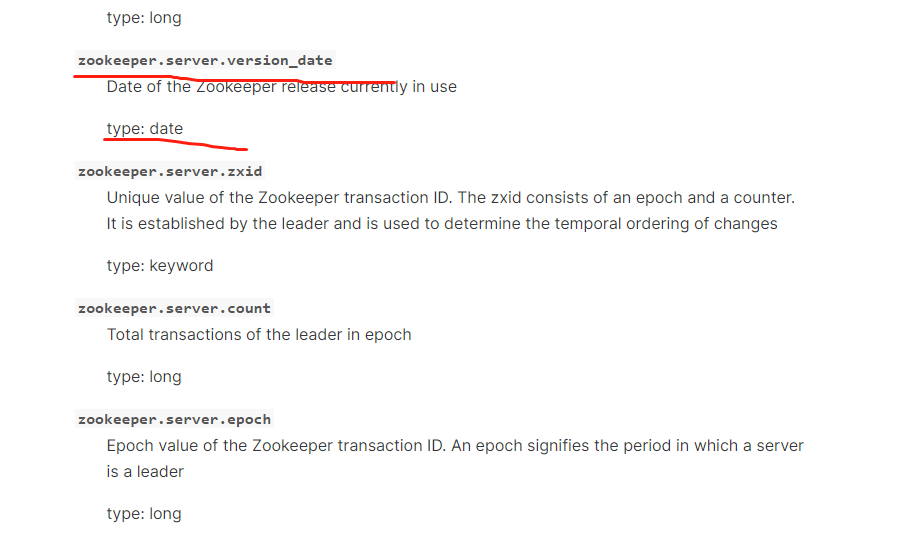
创建索引时生成的mapping中该字段类型是text。
仪表盘中会使用到该字段进行聚合查询,因为默认的text类型没有开启fielddata=true。
开启后但是会出现字段类型的错误。
修改字段类型是date,这一步是无法进行操作的,报错:
{

  "error": {

    "root_cause": [

      {

        "type": "illegal_argument_exception",

        "reason": "mapper [zookeeper.server.version_date] of different type, current_type [text], merged_type [date]"

      }

    ],

    "type": "illegal_argument_exception",

    "reason": "mapper [zookeeper.server.version_date] of different type, current_type [text], merged_type [date]"

  },

  "status": 400

}
修改字段类型是date,并且开启fielddata=true。这一步也是无法进行操作的,报错:
{

  "error": {

    "root_cause": [

      {

        "type": "mapper_parsing_exception",

        "reason": "Mapping definition for [version_date] has unsupported parameters:  [fielddata : true]"

      }

    ],

    "type": "mapper_parsing_exception",

    "reason": "Mapping definition for [version_date] has unsupported parameters:  [fielddata : true]"

  },

  "status": 400

}
能做的操作就是给text类型开启fielddata=true。
感觉陷入死循环了,不修改不行,修改也不行。。。
使用Metricbeat监控zookeeper遇到的问题的更多相关文章
- 通过python脚本和zabbix配合监控zookeeper的节点数
通过python脚本和zabbix配合监控zookeeper的节点数 需求描述: 在日常zabbix监控zookeeper的时候,无法通过shell来获取zookeeper的具体节点信息,没有开放具体 ...
- Prometheus jvm_exporter监控zookeeper
Zookeeper Prometheus 监控zookeeper使用jvm_exporter来采集数据,jvm_exporter是一个可以配置抓取和暴露JMX目标的mBeans的收集器. 下载java ...
- 使用Zabbix监控ZooKeeper服务的健康状态
一 应用场景描述 在目前公司的业务中,没有太多使用ZooKeeper作为协同服务的场景.但是我们将使用Codis作为Redis的集群部署方案,Codis依赖ZooKeeper来存储配置信息.所以做好Z ...
- Zabbix监控Zookeeper健康状况
首先最简单的是监听服务端口,在zabbix界面直接添加监控项 item: zookeeper.status key: net.tcp.listen[2181] ZooKeeper监控要点: 内 ...
- 使用Apache Curator监控Zookeeper的Node和Path的状态
1.Zookeeper经常被我们用来做配置管理,配置的管理在分布式应用环境中很常见,例如同一个应用系统需要多台 PC Server 运行,但是它们运行的应用系统的某些配置项是相同的,如果要修改这些相同 ...
- zk 09之:Curator之二:Path Cache监控zookeeper的node和path的状态
在实际应用开发中,当某个ZNode发生变化后我们需要得到通知并做一些后续处理,Curator Recipes提供了Path Cache 来帮助我们轻松实现watch ZNode. Path Cache ...
- zabbix 监控zookeeper
1.监控脚本如下:check_zookeeper.sh 1 2 #!/bin/bash echo mntr | nc 127.0.0.1 2182 | grep "$1" |awk ...
- [Metricbeat] Metricbeat监控golang服务器
0x0 前言 最近这几天研究了一下ElasticSearch相关的技术栈.前面一篇转发了别人些的非常详细的ElasticSearch和Kibana搭建的过程.发现Elastic家族还有Metricbe ...
- 使用metricbeat监控system和nginx
下载并解压缩metricbeat metricbeat.yml配置文件设置: setup.kibana: host: "192.168.75.21:5601" output.ela ...
随机推荐
- Learning Latent Graph Representations for Relational VQA
The key mechanism of transformer-based models is cross-attentions, which implicitly form graphs over ...
- java面试题(2022最新)
1.String是基本数据类型么?不是基本数据类型,byte int char long flout duable boolem short 2.int 和integer区别int是基本数据类型,in ...
- AtCoder Beginner Contest 247 E - Max Min // 容斥原理
原题链接:E - Max Min (atcoder.jp) 题意: 给定一个数组,求满足最大值为X且最小值为Y的区间个数. 思路:容斥原理 因为必须要包含端点,直接求是不容易的.因此考虑去求不一定包含 ...
- C# 基础知识-反射
一.反射 1>反射的命名空间是System.Reflection 2>是.Net框架提供的帮助类库,读取并使用matedata 二.反射基本用法 举例如下 1>Assembly as ...
- 手把手带你实现基于 Vite+Vue3 的在线Excel表格系统
今天,葡萄带你了解如何基于Vite+Vue3实现一套纯前端在线表格系统. 在正式开始项目介绍之前,首先咱们首先来介绍一下Vite和Vue3. Vue3 2020年09月18日Vue.js 3.0发布, ...
- Java开发学习(十八)----AOP通知获取数据(参数、返回值、异常)
前面的博客我们写AOP仅仅是在原始方法前后追加一些操作,接下来我们要说说AOP中数据相关的内容,我们将从获取参数.获取返回值和获取异常三个方面来研究切入点的相关信息. 前面我们介绍通知类型的时候总共讲 ...
- MySQL金融应用场景下跨数据中心的MGR架构方案(1)
GreatSQL社区原创内容未经授权不得随意使用,转载请联系小编并注明来源. 0. 内容提纲 运行环境 部署MGR A&B 部署MGR A.B之间的复制通道 几个注意事项 如何在多个数据中心部 ...
- Blazor预研与实战
背景 最近一直在搞一件事,就是熟悉Blazor,后期需要将Blazor真正运用到项目内.前期做了一些调研,包括但不限于 Blazor知识学习 组件库生态预研 与现有SPA框架做比对 与WebForm做 ...
- Java SE 13 新增特性
Java SE 13 新增特性 作者:Grey 原文地址:Java SE 13 新增特性 源码 源仓库: Github:java_new_features 镜像仓库: GitCode:java_new ...
- 【java】学习路径21-基本类型的包装类
int i =100; //Integer i2 = new Integer(100); //我们发现已被弃用,现在我们一般的方法是使用valueOf Integer i2 = null; i2 = ...