
LongListSelector 控件 在 wp7 和wp8中的不同之处
众所周知,wp8中的LongListSelector集成到了Rom中。
性能得到了提升,一些api也发生了变化。
在这里总结一下,作为分享,也作为备忘。
参考文献 Windows Phone 8 XAML LongListSelector
1.首先能一眼看出来的,就是滑动时可以固定的,分组header了。

这个原来我们都是放一个textblock在那个位置,滑动时根据可视区域所在的项目,然后赋给textblock值。
现在省事多了。
2. 还有原来很费事才能实现的网格模式。现在通过layoutmode设置了。
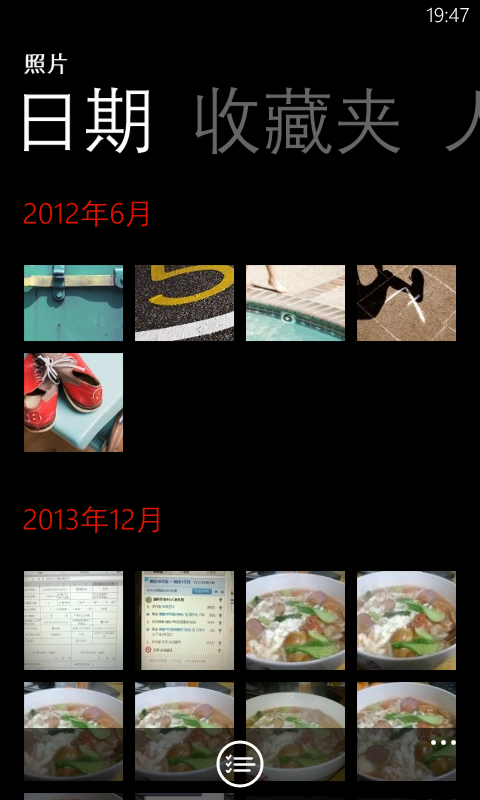
3. 原来的分组模板变成了JumpListStyle,由模板变成了样式,刚开始这块弄得有点晕,这让编辑变得有些不方便了。
为了方便记录下编辑好的样式,以后直接拷贝就好了。
 <phone:PhoneApplicationPage.Resources>

  <phone: JumpListItemBackgroundConverter x:Key="BackgroundConverter"/>

        <phone:JumpListItemForegroundConverter x:Key="ForegroundConverter"/>

         <Style x:Key="JumpListStyle" TargetType="phone:LongListSelector">

             <Setter Property="LayoutMode" Value="List" />

             <Setter Property="Margin" Value="12,12,0,0"/>

             <Setter Property="ItemTemplate">

                 <Setter.Value>

                     <DataTemplate>

                         <Border Background="{Binding Converter={StaticResource BackgroundConverter}}"

                             Width=""

                             Height=""

                             Margin="">

                             <TextBlock Text="{Binding Key}"

                                 Foreground="{Binding Converter= {StaticResource ForegroundConverter}}"

                               Font Family="{StaticResource PhoneFontFamilySemiBold}"

                                   FontSize=""

                                 Padding=""

                                 VerticalAlignment="Bottom"/>

                         </Border>

                     </DataTemplate>

                 </Setter.Value>

             </Setter>

         </Style>

 </phone:PhoneApplicationPage.Resources>
这里有一点值得注意的是 JumpListItemBackgroundConverter and JumpListItemForegroundConverter
如果想设置可点击或不可点击的样式,可以用Disabled="Bisque" Enabled="Aqua"像下面这样
<phone:JumpListItemBackgroundConverter Disabled="Bisque" Enabled="Aqua" x:Key="BackgroundConverter"/><phone:JumpListItemForegroundConverter Disabled="Azure" Enabled="BlueViolet" x:Key="ForegroundConverter"/>
4.下面是官方给的一些属性,方法,和事件的变化。
从Windows Phone Toolkit 7.1的属性中
删除了
- BufferSize
- IsBouncy
- IsScrolling
- MaximumFlickVelocity
- ShowListFooter/ShowListHeader
修改了
|
Windows Phone Toolkit 7.1 |
Windows Phone 8 ROM SDK |
|
DisplayAllGroups Display all groups in the list whether or not they have items. Default is true. |
HideEmptyGroups Hide all groups in the list without items. Default is false. |
|
GroupItemTemplate |
JumpListStyle |
|
IsFlatList Gets or sets whether the list is flat instead of a group hierarchy. Default is true. |
IsGroupingEnabled Gets or sets whether the list is flat instead of a group hierarchy. Default is false. 分组展示需要开启此属性 |
新增部分
- GridCellSize
- LayoutMode LongListSelectorLayoutMode { List, Grid };
- ManipulationState
public enum ManipulationState

{

    Idle, // nothing is manipulating or animating

    Manipulating, // Gesture is being recognized, finger is down and any delta is received, drag/pan or flick

    Animating //No Gesture is currently happening, but there is some animation happening, like scroll animation or compression animation

}
从Windows Phone Toolkit 7.1的方法中
删除了
- AnimateTo(object item)
- CloseGroupView()
- DisplayGroupView()
- GetItemsInView()
- GetItemsWithContainers(bool onlyItemsInView, bool getContainers)
- ScrollToGroup(object group)
从Windows Phone Toolkit 7.1的事件中
删除了
- StretchingBottom
- StretchingCompleted
- StretchingTop
修改了
|
Windows Phone Toolkit 7.1 |
Windows Phone 8 ROM SDK |
|
ScrollingCompleted ScrollingStarted |
ManipulationStateChanged (coupled with ManipulationState property)两者合二为一了 |
|
Link/Unlink |
ItemRealized/ ItemUnrealized With EventArgs including ItemKind C#
|
可以看到,其实变化挺大的。
wp 8 sdk中的LLS性能 明显要比之前提高了不少。
当然 panorama,和pivot的性能也有了很大的提高,尤其是panorama的数据加载。
最后微软建议我们用longlistselector代替ListBox(这种说法几乎到处可见)
那么到底LLS比ListBox好在那里呢?请关注我的下篇文章。
LongListSelector 控件 在 wp7 和wp8中的不同之处的更多相关文章
- Wp8—LongListSelector控件使用
其实从去年后半年起,自己就开始学习windows phone 8 的开发,主要是自己感兴趣同时我也很看好这个系统(现在还是感觉自己认识的有点晚了).工作日的话基本很忙,所以当时想到然的认为用晚上时间可 ...
- 如何使用免费PDF控件从PDF文档中提取文本和图片
如何使用免费PDF控件从PDF文档中提取文本和图片 概要 现在手头的项目有一个需求是从PDF文档中提取文本和图片,我以前也使用过像iTextSharp, PDFBox 这些免费的PD ...
- 因为此控件已在 web.config 中注册并且与该页位于同一个目录中
在web.config文件配置了用户控件 <pages> <controls> <add tagPrefix="my" tagName="l ...
- 《ASP.NET1200例》解决母版页报错“内容控件必须是内容页中的顶级控件,或是引用母版页的嵌套母版页。”
VS2005下,添加了母版页这个控件,我们可以讲N个页面中共同的部分放在母版页来实现,并让WEB窗体集成自我们的母版页,就可以让我们的站点具有统一的风格了.在VS2005SP1之前的版本中,我们只能创 ...
- VS2010 Chart控件(一)Chart控件在ASP.NET网站中的应用示例详解(C#语言)
步骤如下: 1. Chart控件(一)Chart控件在ASP.NET网站中的应用示例详解(C#语言)" title="VS2010 Chart控件(一)Chart控件在ASP.NE ...
- 玩转控件:重绘DEVEXPRESS中DateEdit控件 —— 让DateEdit支持只选择年月 (提供源码下载)
前言 上一篇博文<玩转控件:重绘ComboBox —— 让ComboBox多列显示>中,根据大家的回馈,ComboBox已经支持筛选了,更新见博文最后最后最后面. 奇葩 这两天遇到 ...
- MFC中给控件添加变量,DoDataExchange中
DoDataExchange函数其实是一项数据动态绑定技术.比如你在写动态按钮过程中须对按钮添加变量时,怎么添加?控件类已经写好了,其变量是已经固定的.你要添加新的变量就要用到DoDataExchan ...
- 列表控件ListBox关联的MFC中的类:CListBox
列表控件ListBox关联的MFC中的类:CListBox ######################################################## 1.在列表的结尾添加一项: ...
- 高级列表控件ListCtrl关联的MFC中的类:CListCtrl
高级列表控件ListCtrl关联的MFC中的类:CListCtrl■ 报表样式ListCtrl常用操作:1.添加列标题头:InsertColumn2.获取与设置列宽:GetColumnWidth.Se ...
随机推荐
- ruby 正则匹配返回值matchdata
引用连接: 为处理与正则表达式的匹配过程相关的信息而设置的类. 可以通过下列途径 Regexp.last_match Regexp#match, String#match $~ 得到该类的实例. 超类 ...
- 终于 Vue.js 成为世界一流的框架
终于 Vue.js 成为世界一流的框架 随着美团开源基于 Vue.js 的微信小程序框架 mpvue, Vue.js 在微信小程序端的能力被补齐,于是 Vue.js 成为了一个唯一能在 Web, H5 ...
- 一步步实现自己的ORM(一)
最近在研究ORM,尝试着自己开发了一个简单的ORM.我个人不喜欢EF因为跟不上EF升级太快了,再说公司里还停留在c# 3.5时代,对于NHibernate配置太复杂看到就头晕,就心生自己做一个ORM的 ...
- GCD 使用说明
GCD提供的一些操作队列的方法 名称 说明 dispatch_set_target_queue 将多个队列添加到目标队列中 dispatch_group 将多个队列放入组中,监听所有任务完成状 dis ...
- url post 请求方法
最近的项目是给手机app 提供方法. 因此 此方法可以进行接口测试 static class HttpClient { static CookieContainer cookies = new Coo ...
- uvm_reg_defines——寄存器模型(四)
文件: src/marcos/uvm_reg_defines 类: 无 该文件是寄存器模型src/reg/* 文件对于的宏文件,主要定义了寄存器地址位宽,寄存器数据位宽,字节的大小.计算机从最初的8, ...
- 编写Robotium测试程序
6.编写Robotium测试程序 1)导包 //导入需要测试的工程 import com.example.android.notepad.NotesList; //robotium提供的测试用类 im ...
- ubuntu16 安装elasticsearch6.3问题
1.ubuntu16 安装elasticsearch6.3 elasticsearch 6.3需要的java的版本是1.8以上 安装java1.8 详见本博客的安装java https://www.c ...
- Ubuntu14.04 32位安装Youcompleteme
前一段时间在ubuntu16.04 64位上安装了vim插件Youcompleteme,花了两三天才弄好.今天在ubuntu14.04 32位上安装同样的插件,才知道之前所做的安装原来是多么的简单.今 ...
- Session 机制和 Cookie 机制
Session 机制和 Cookie 机制 HTTP协议是无状态的, 而Cookie和Session都是在无状态的基础上希望实现有状态的效果, 两者是在客户端或者是服务端使用缓存等手段来实现状态的维护 ...