
OpenResty入门
写一个小例子--输出随机字符串
编写nginx配置文件
        location /random {

            content_by_lua_file /usr/local/openresty/nginx/conf/lua/random.lua;

        }
编写random.lua文件
local args = ngx.req.get_uri_args()

local salt = args.salt

if not salt then

    ngx.exit(ngx.HTTP_BAD_REQUEST)

end

local string = ngx.md5(ngx.time() .. salt)

ngx.say(string)
检查语法
./nginx -t -c /usr/local/openresty/nginx/conf/nginx.conf
重启nginx
./nginx -s reload -c /usr/local/openresty/nginx/conf/nginx.conf
测试一下
curl 127.0.0.1/random?salt=123
成功输出了随机字符串
ea14f7a36e29925f3e9e318128f989f7
ngx lua API--post请求获取并输出userAgent
1. 编写userAgent.lua文件
local json = require "cjson"

ngx.req.read_body()

local args = ngx.req.get_post_args()

if not args or not args.info then

        ngx.exit(ngx_HTTP_BAD_REQUEST)

end

local client_ip = ngx.var.remote_addr

local user_agent = ngx.req.get_headers()['user-agent'] or ''

local info = ngx.decode_base64(args.info)

local response = {}

response.info = info

response.ip = client_ip

response.user_agent = user_agent

ngx.say(json.encode(response))
2. 修改nginx配置文件
location /agent {

    content_by_lua_file /usr/local/openresty/nginx/conf/lua/userAgent.lua;

}
3. 检查配置语法并重启nginx
[root@VM_0_10_centos sbin]# ./nginx -t -c /usr/local/openresty/nginx/conf/nginx.conf

nginx: the configuration file /usr/local/openresty/nginx/conf/nginx.conf syntax is ok

nginx: configuration file /usr/local/openresty/nginx/conf/nginx.conf test is successful

[root@VM_0_10_centos sbin]# ./nginx -s reload -c /usr/local/openresty/nginx/conf/nginx.conf
4. 使用curl进行测试
[root@VM_0_10_centos sbin]# curl -i --data 'info=addgfdgjkljdfgjkl65632dsgds' 127.0.0.1/agent

HTTP/1.1  OK

Server: openresty/1.13.6.1

Date: Sun,  Sep  :: GMT

Content-Type: application/octet-stream

Transfer-Encoding: chunked

Connection: keep-alive

{"info":"i#\b䗮zip":"127.0.0.1","user_agent":"curl\/7.61.0"}
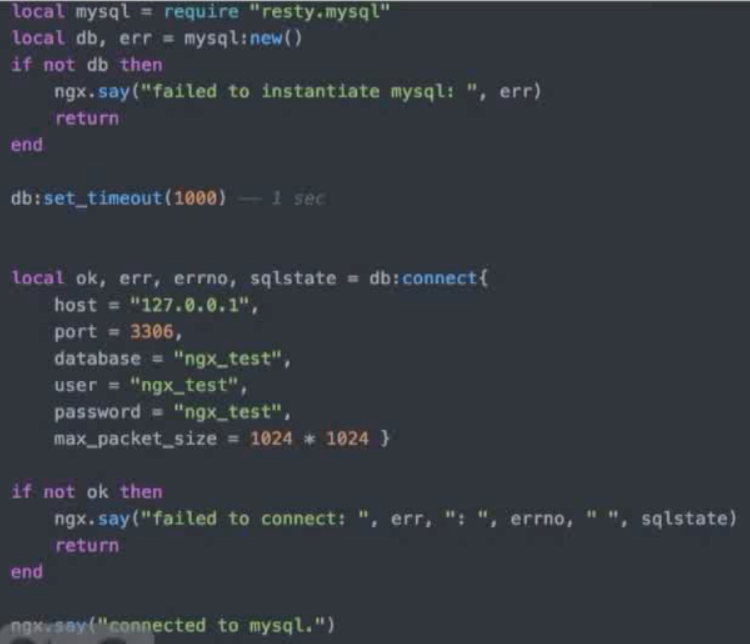
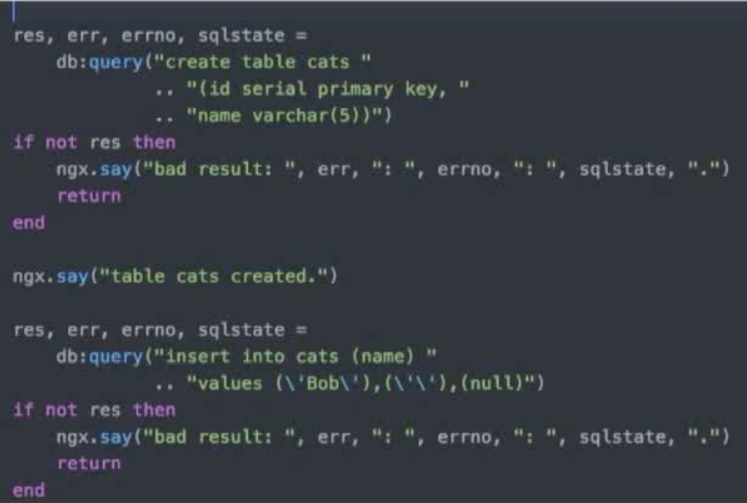
连接数据库--操作MySQL
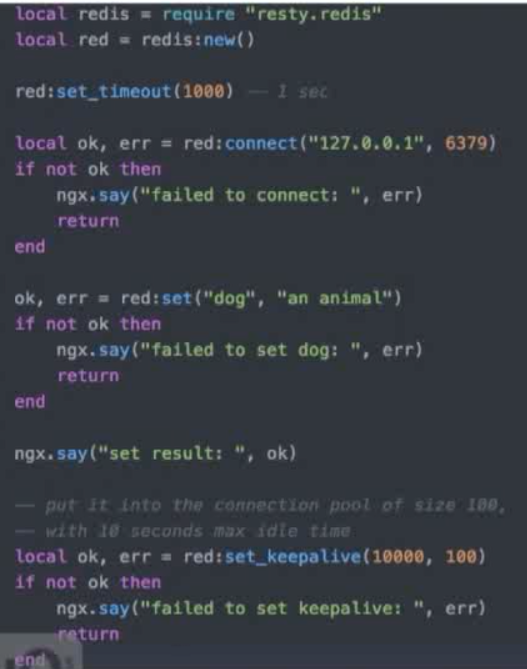
操作Redis
OpenResty入门的更多相关文章
- openresty入门文章(笔者自用)
推荐好的openresty入门介绍文章:https://www.cnblogs.com/digdeep/p/4859575.html
- openresty入门12 openresty php 整合
利用 openresty 的 drizzle-nginx-module模块 读取数据 传递到 php后端 利用到 openresty 的并发,无阻塞,mysql连接池,memcache|redis ...
- OpenResty入门之使用Lua扩展Nginx
记住一点:nginx配置文件很多坑来源自你的空格少了或多了. 1.Centos下载安装 如果你的系统是 Centos 或 RedHat 可以使用以下命令: yum install readline-d ...
- OpenResty入门之使用Lua开发Nginx插件
记住一点:nginx配置文件很多坑来源自你的空格少了或多了. OpenResty OpenResty 是一个基于 Nginx 与 Lua 的高性能 Web 平台,其内部集成了大量精良的 Lua 库.第 ...
- 《用OpenResty搭建高性能服务端》笔记
概要 <用OpenResty搭建高性能服务端>是OpenResty系列课程中的入门课程,主讲人:温铭老师.课程分为10个章节,侧重于OpenResty的基本概念和主要特点的介绍,包括它的指 ...
- Lua脚本语言快速入门手册
学了两天Lua语言,感叹其短小精悍,上手极快,语法还很舒服,不错!整理下学习过程中经常用到的基础知识,共勉! Lua用法简述 Lua语言是在1993年由巴西一个大学研究小组发明,其设计目标是作为嵌入式 ...
- OpenResty 社区王院生:APISIX 的高性能实践
2019 年 7 月 6 日,OpenResty 社区联合又拍云,举办 OpenResty × Open Talk 全国巡回沙龙·上海站,OpenResty 软件基金会联合创始人王院生在活动上做了&l ...
- OpenResty学习指南(一)
我的博客: https://www.luozhiyun.com/archives/217 想要学好 OpenResty,你必须理解下面 8 个重点: 同步非阻塞的编程模式: 不同阶段的作用: LuaJ ...
- OpenResty搭建高性能服务端
OpenResty搭建高性能服务端 Socket编程 Linux Socket编程领域为了处理大量连接请求场景,需要使用非阻塞I/O和复用,select.poll.epoll是Linux API提 ...
随机推荐
- HTML5 参数传递
页面显示效果,如下图: 主页面代码: <!DOCTYPE html> <html> <head> <meta charset="UTF-8" ...
- 【C++】【MFC】定义全局变量的方法
在stafx.h 里面加extern CString place在stafx.app 里面加CString place
- 一、基于Qt的图像矩形区域改色
Qt环境下图像的打开和涂色 一.设计目标 能够在 Qt QtCreator 环境下打开常用图像格式文件,诸如 bmp.jpg.png 图像等,然后将他们转化为 Qt 中的 QImage 类,并进行矩形 ...
- org.hibernate.HibernateException: Unable to get the defa
今天整合SSH框架时出现了这个问题,以前一直没注意,在网上找了一下解决方案,找到了问题的解决方法,特记录如下: 1.原因:在中,javax.persistence.validation.mode默认情 ...
- [转] python 远程主机强迫关闭了一个现有的连接 socket 超时设置 errno 10054
python socket.error: [Errno 10054] 远程主机强迫关闭了一个现有的连接.问题解决方案: 前几天使用python读取网页.因为对一个网站大量的使用urlopen操作,所以 ...
- 国密SM4分组加密算法实现 (C++)
原博客 :http://blog.csdn.net/archimekai/article/details/53095993 密码学的一次课程设计,学习了SM4加密算法,目前应用于无线网安全. SM4分 ...
- HDU1195 双向BFS(或BFS)
题目链接:http://acm.hdu.edu.cn/showproblem.php?pid=1195 , 双向BFS或者直接BFS也可以过. 其实这道题只是单向BFS就可以过的,但是为了练算法,所以 ...
- Coursera 算法二 week 4 Boggle
这次的作业主要用到了单词查找树和深度优先搜索. 1.在深度优先搜索中,在当前层的递归调用前,将marked数组标记为true.当递归调用返回到当前层时,应将marked数组标记为false.这样既可以 ...
- UVALive 3530 Martian Mining(贪心,dp)
分析: 对于网格grid[i][j]如果放向上的管道,那么grid[i][k], k>j 就只能放向上的管道了. 那么定义dp[i][j]表示第i行,最后一个放向左的管道是j的最大总矿量. j ...
- 【洛谷3759】[TJOI2017] 不勤劳的图书管理员(树套树)
点此看题面 大致题意: 给定一个序列,每个元素有两个属性\(a_i\)和\(v_i\),每次操作改变两个元素的位置,求每次操作后\(\sum{v_i+v_j}[i<j,a_i>a_j]\) ...