
#WEB安全基础 : HTML/CSS | 0x9美丽的饮料店
我带着你,你带着钱,咱们去喝点饮料吧。
老板久仰你的大名,请你帮忙设计一个网站宣传他的饮料店
你要制定一个完美的方案还需要多学点东西
我先帮你设计一下
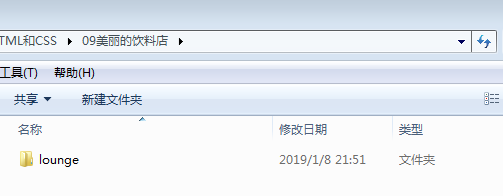
这是存放网站的文件夹
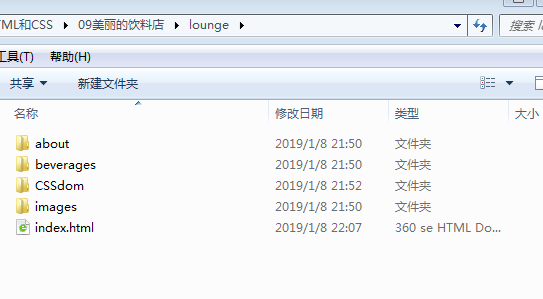
这是根目录
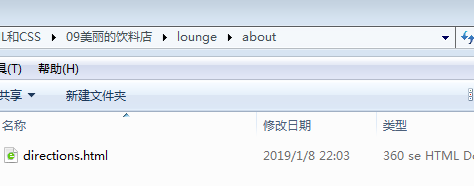
这是about文件夹
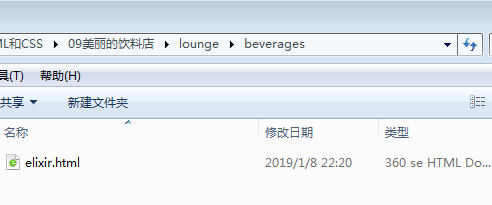
这是beverages文件夹
存放CSS文件的文件夹(这是外部调用所以需要一个CSS文件,我们以前写的网页都是内部调用)
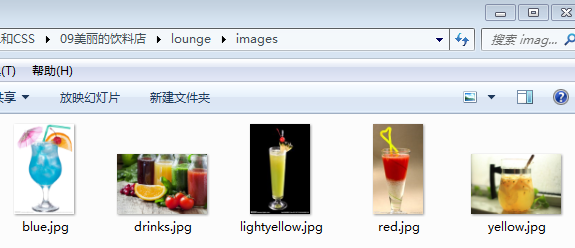
存放图片的images文件夹
首先,我要展示我写的index.html
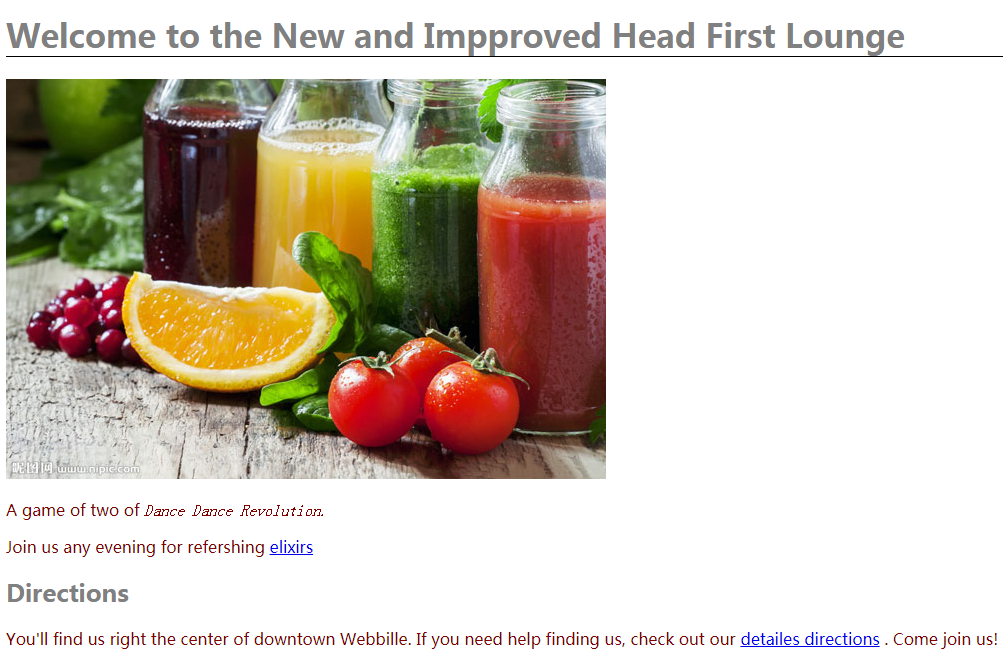
以下是代码
 <!DOCTYPE html>
 <html>
 <head>
 <meta charset = "utf-8">
 <title>Head First Lounge</title>
 <link type = "text/css" rel = "stylesheet" href = "CSSdom/lounge.css">
 <!--link标签用于调用外部css,type是文件类型这里是层叠样式表(也就是CSS),rel是html文件所链接的文件的关系,这里是链接到一个样式表-->
 </head>
 <body>
 <h1>Welcome to the New and Impproved Head First Lounge</h1>
 <img src = "images/drinks.jpg" alt ="果汁" title = "果汁">
 <p>
 A game of two of <em>Dance Dance Revolution.</em>
 </p>
 <p>Join us any evening for refershing
 <a href = "beverages/elixir.html" title ="elixirs" target = "_blank">elixirs</a>
 </p>
 <h2>Directions</h2>
 <p>You'll find us right the center of downtown Webbille. If you need help finding us, check out our
 <a href = "about/directions.html" title = "directions" target = "_blank">detailes directions</a>
 . Come join us!
 </p>
 </body>
 </html>
link元素所引用的文件就是CSSdom文件夹里的lounge.css
它的代码为
 h1,h2{
     font-family: sans-serif;
     color: gray;
 }
 h1{
     border-bottom: 1px solid black;
 }
 p{
     font-family: sans-serif;
     color: maroon;
 }
 em{
     font-family: serif;        /*我是CSS的注释,而且我是多行注释*/
 }                            /*用em标签覆盖p标签的继承,这叫做覆盖继承,你会在浏览器里看到en标签显示的文本有点不一样*/
 p.yellowtea
 {
     color: orange;
 }
 /*
 用p.yellowtea,这个对有yellowtea类名的p标签有作用
 用.yellowtea也可以,这个对所有有yellowtea类名的元素都起作用
 */
 p.blueberry{
     color: blue;
 }
 p.cranberry{
     color: yellow;
 }
注意:CSS的代码没有style元素,style元素只是把在html中内部调用CSS的媒介而已
接下来我们看elixir.html
这是它的代码
 <!DOCTYPE html>
 <html>
 <head>
 <meta charset = "utf-8">
 <title>Head First Lounge Elixirs</title>
 </head>
 <link type = "text/css" rel = "stylesheet" href = "../CSSdom/lounge.css">
 <!--link标签用于调用外部css,type是文件类型这里是层叠样式表(也就是CSS),rel是html文件所链接的文件的关系,这里是链接到一个样式表-->
 <body>
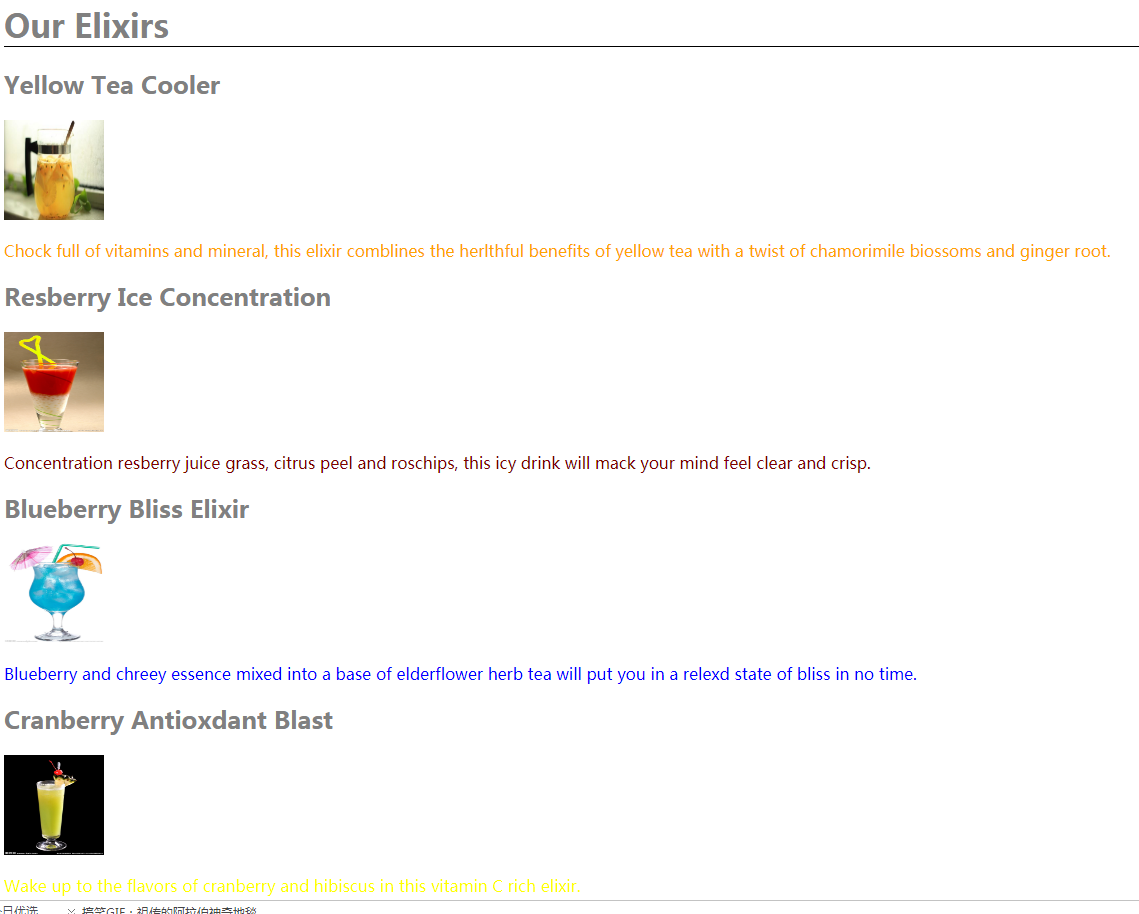
 <h1>Our Elixirs</h1>
 <h2>Yellow Tea Cooler</h2>
 <img src = "../images/yellow.jpg" width = "100" height = "100">        <!--../是父目录,width是图片长度,height是图片宽度-->
 <p class = "yellowtea">
 Chock full of vitamins and mineral, this elixir comblines the herlthful benefits of yellow tea with a twist of chamorimile biossoms and ginger root.
 </p>
 <h2>Resberry Ice Concentration</h2>
 <img src = "../images/red.jpg" width = "100" height = "100">
 <p>
 Concentration resberry juice grass, citrus peel and roschips, this icy drink will mack your mind feel clear and crisp.
 </p>
 <h2>Blueberry Bliss Elixir</h2>
 <img src = "../images/blue.jpg" width = "100" height = "100">
 <p class = "blueberry">
 Blueberry and chreey essence mixed into a base of elderflower herb tea will put you in a relexd state of bliss in no time.
 </p>
 <h2>Cranberry Antioxdant Blast</h2>
 <img src = "../images/lightyellow.jpg" width = "100" height = "100">
 <p class = "cranberry">
 Wake up to the flavors of cranberry and hibiscus in this vitamin C rich elixir.
 </p>
 <p>
 <a href = "../index.html" title = "回到主页面">回到主页面</a>
 </p>
 </body>
 </html>
 <!--元素可以定义多个类,如:
 <p class = "greenberry yellowberry bluwberry"></p>
 -->
这里包含了新知识,请仔细理解和阅读
以下是它的显示
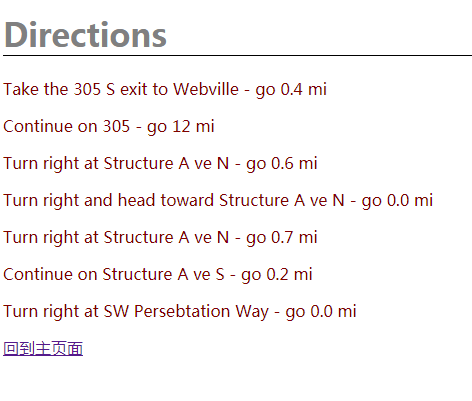
directions.html的代码
 <!DOCTYPE html>
 <html>
 <head>
 <meta charset = "utf-8">
 <title>Head First Lounge Directions</title>
 </head>
 <link type = "text/css" rel = "stylesheet" href = "../CSSdom/lounge.css">
 <!--link标签用于调用外部css,type是文件类型这里是层叠样式表(也就是CSS),rel是html文件所链接的文件的关系,这里是链接到一个样式表-->
 <body>
 <h1>Directions</h1>
 <p>
 Take the 305 S exit to Webville - go 0.4 mi
 </p>
 <p>
 Continue on 305 - go 12 mi
 </p>
 <p>
 Turn right at Structure A ve N - go 0.6 mi
 </p>
 <p>
 Turn right and head toward Structure A ve N - go 0.0 mi
 </p>
 <p>
 Turn right at Structure A ve N - go 0.7 mi
 </p>
 <p>
 Continue on Structure A ve S - go 0.2 mi
 </p>
 <p>
 Turn right at SW Persebtation Way - go 0.0 mi
 </p>
 <p>
 <a href = "../index.html" title = "回到主页面">回到主页面</a>
 </p>
 </body>
 </html>
以下是它的显示
我们的网站得到了饮料店老板的青睐
而你也学会了外部调用CSS,这样一来HTML就更模块化了
//本系列教程基于《Head First HTML与CSS(第二版)》,此书国内各大购物网站皆可购买
转载请注明出处 by:M_ZPHr
最后修改日期:2019-01-17
#WEB安全基础 : HTML/CSS | 0x9美丽的饮料店的更多相关文章
- #WEB安全基础 : HTML/CSS | 文章索引
本系列讲解WEB安全所需要的HTML和CSS #WEB安全基础 : HTML/CSS | 0x0 我的第一个网页 #WEB安全基础 : HTML/CSS | 0x1初识CSS #WEB安全基础 : H ...
- #WEB安全基础 : HTML/CSS | 0x11 浅谈GET和POST
HTTP中的GET和POST请求方法 我上次提到了GET和POST,现在就让你来认识一下这些新朋友 请看图 POST和GET都是将用户输入到浏览器的数据发送给服务器,不过采用了两种不同的方式,POST ...
- #WEB安全基础 : HTML/CSS | 0x10实现交互_表单
先看看表单如何工作吧 请求 响应 简要工作流程: 浏览器加载页面 用户输入数据 用户提交表单 服务器响应 概念都清楚了,我们来写表单吧 只有一个html文件 这是显示 你可以向空白框框 ...
- #WEB安全基础 : HTML/CSS | 0x8CSS进阶
你以为自己学这么点CSS就厉害了? 学点新东西吧,让你的网页更漂亮 我们只需要用到图片和网页 这是index.html的代码 <html> <head> <title ...
- #WEB安全基础 : HTML/CSS | 0x7HTML5和W3C验证
标准,标准,什么都有标准 你听说过HTML5吗?这是一个新版本,当然也有新标准 我只准备了一个index.html文件 以下是代码 <!DOCTYPE html> <!--告诉浏览器 ...
- #WEB安全基础 : HTML/CSS | 0x3文件夹管理网站
没有头脑的管理方式会酿成大灾难,应该使用文件夹管理网站 这是一个典型的管理方法,现在传授给你,听好了 下面是0x3初识a标签里使用的网站的目录,我把它重新配置了一下
- Web前端基础(5):CSS(二)
1. 盒模型 在CSS中,"box model"这一术语是用来设计和布局时使用,然后在网页中基本上都会显示一些方方正正的盒子.我们称为这种盒子叫盒模型. 盒模型有两种:标准模型和I ...
- #WEB安全基础 : HTML/CSS | 0x10.1更多表单
来认识更多的表单吧,增加知识面 我只创建了一个index.html帮助你认识它们 以下是代码 <!DOCTYPE html> <html> <head> <m ...
- #WEB安全基础 : HTML/CSS | 0x8.1CSS继承
CSS的一大特性——继承,怎么样没听说过吧,没了它我们修饰网页时就变得十足的麻烦 这是本节课准备的文件 这是others文件夹 先看看index.html,代码如下 <!DOCTYPE ...
随机推荐
- JS监听对象属性改变
设想这么一个需求: user.name = '张三' 对user数据进行操作的时候,同步的修改页面上的用户名为张三. 这就是个数据绑定的概念. 针对这类需求 ES5提供了Object.definePr ...
- 【RL-TCPnet网络教程】第23章 RL-TCPnet之地址解析协议ARP
第23章 RL-TCPnet之地址解析协议ARP 本章节为大家讲解ARP(Address Resolution Protocol,地址解析协议),通过前面章节对TCP和UDP的学习,需要大家 ...
- [Swift]LeetCode83. 删除排序链表中的重复元素 | Remove Duplicates from Sorted List
Given a sorted linked list, delete all duplicates such that each element appear only once. Example 1 ...
- 为什么大一先要学C语言(面向过程)再学C++或JAVA(面向对象)?
面向对象和面向过程各有千秋 一.面向过程与面向对象对比 面向过程:强调的是每一个功能的步骤,有很多很多方法组成,这些方法相互调用,完成需求. 面向对象:强调的是对象,然后由对象去调用功能. 面向过程 ...
- CentOS7 Linux中通过加密grub防止黑客通过单用户系统破解root密码
如何防止别人恶意通过单用户系统破解root密码,进入系统窃取数据? 给grub加密,不让别人通过grub进入单用户. 17.3.1 基于centos6进行grub加密 [root@63 ~]# gr ...
- Prometheus使用入门
Monitoring with Prometheus读书笔记 原书见: https://www.safaribooksonline.com/library/view/monitoring-with-p ...
- SpringMVC+JWT+Swagger UI+RestFul
前言: 其实很早就想写这篇文章了,因为我觉得这会对很多新手有指引作用,当初自己也是瞎子过河的摸索着过来的.目前后台开发比较流行的MVC框架中使用Spring MVC还是比较多的,当然还有Spring ...
- bind(),unbind(),hover(),toggle(),animate()
First.bind() bind(Type,fn) type:click/mouseover/mouseout fn:functionsecond.unbind() unbind(Type,fn) ...
- 『ice 离散化广搜』
ice(USACO) Description Bessie 在一个冰封的湖面上游泳,湖面可以表示为二维的平面,坐标范围是-1,000,000,000..1,000,000,000. 湖面上的N(1 & ...
- 【烂笔头】git常用命令篇
前言 常言道,好记性不如烂笔头,更何况笔者的记性也不是太好,于是就有了这篇“烂笔头”系列之一的git命令记录.本篇主要记录了笔者在工作当中使用过的相关命令,以方便平时查看,同时也供同行们参考.当然,读 ...