
PCA and Whitening on natural images
Step 0: Prepare data
Step 0a: Load data
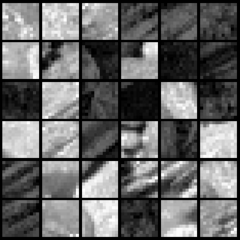
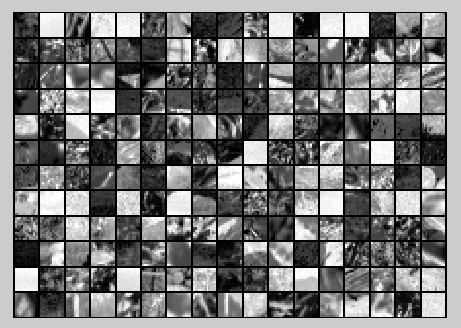
The starter code contains code to load a set of natural images and sample 12x12 patches from them. The raw patches will look something like this:
These patches are stored as column vectors
in the
matrix x.
Step 0b: Zero mean the data
First, for each image patch, compute the mean pixel value and subtract it from that image, this centering the image around zero. You should compute a different mean value for each image patch.
Step 1: Implement PCA
Step 1a: Implement PCA
In this step, you will implement PCA to obtain xrot, the matrix in which the data is "rotated" to the basis comprising the principal components
Step 1b: Check covariance
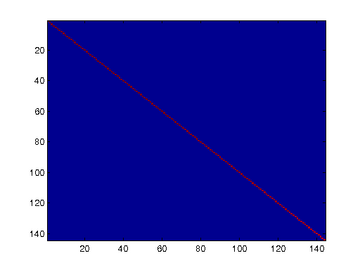
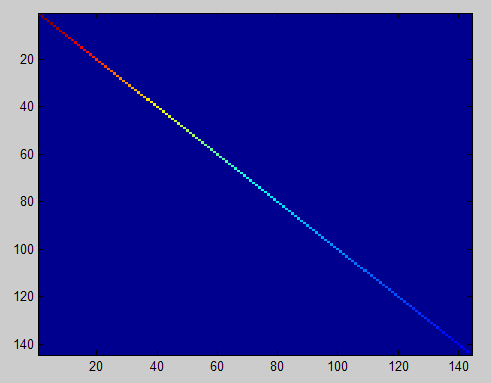
To verify that your implementation of PCA is correct, you should check the covariance matrix for the rotated data xrot. PCA guarantees that the covariance matrix for the rotated data is a diagonal matrix (a matrix with non-zero entries only along the main diagonal). Implement code to compute the covariance matrix and verify this property. One way to do this is to compute the covariance matrix, and visualise it using the MATLAB command imagesc.
Step 2: Find number of components to retain
Next, choose k, the number of principal components to retain. Pick k to be as small as possible, but so that at least 99% of the variance is retained.
Step 3: PCA with dimension reduction
Now that you have found k, compute
, the reduced-dimension representation of the data. This gives you a representation of each image patch as a k dimensional vector instead of a 144 dimensional vector.
Raw images
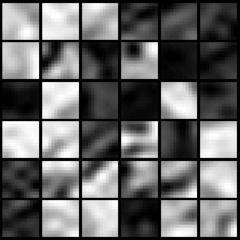
PCA dimension-reduced images
(99% variance)
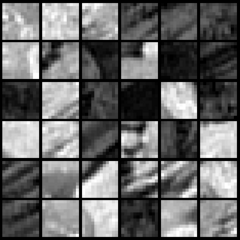
PCA dimension-reduced images
(90% variance)
Step 4: PCA with whitening and regularization
Step 4a: Implement PCA with whitening and regularization
Step 4b: Check covariance
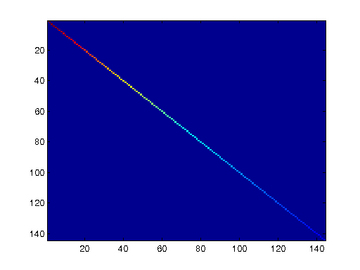
Similar to using PCA alone, PCA with whitening also results in processed data that has a diagonal covariance matrix. However, unlike PCA alone, whitening additionally ensures that the diagonal entries are equal to 1, i.e. that the covariance matrix is the identity matrix.That would be the case if you were doing whitening alone with no regularization. However, in this case you are whitening with regularization, to avoid numerical/etc. problems associated with small eigenvalues. As a result of this, some of the diagonal entries of the covariance of your xPCAwhite will be smaller than 1.
Covariance for PCA whitening with regularization
Covariance for PCA whitening without regularization
Step 5: ZCA whitening
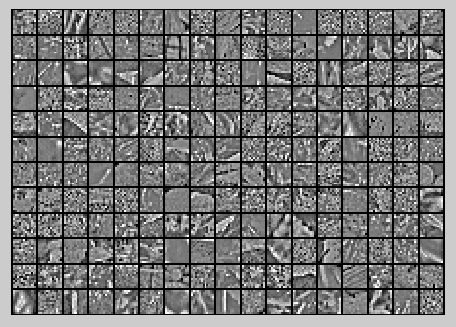
Now implement ZCA whitening to produce the matrix xZCAWhite. Visualize xZCAWhite and compare it to the raw data
实验过程及结果
随机选取10000个patch,并显示其中204个patch,如下图所示:
然后对这些patch做均值为0化操作得到如下图:
对选取出的patch做PCA变换得到新的样本数据,其新样本数据的协方差矩阵如下图所示:
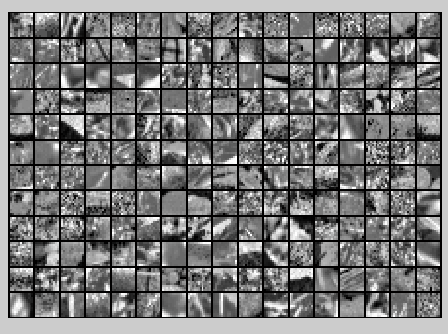
保留99%的方差后的PCA还原原始数据,如下所示:
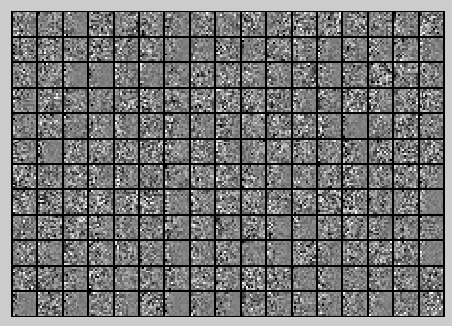
PCA Whitening后的图像如下:
此时样本patch的协方差矩阵如下:
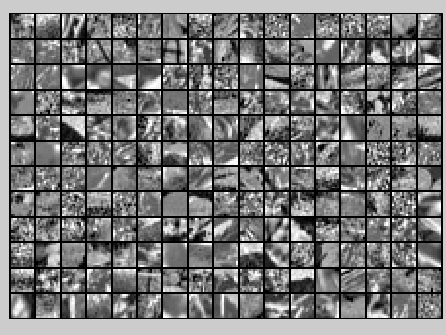
ZCA Whitening的结果如下:

Code
%%================================================================

%% Step 0a: Load data

%  Here we provide the code to load natural image data into x.

%  x will be a  *  matrix, where the kth column x(:, k) corresponds to

%  the raw image data from the kth 12x12 image patch sampled.

%  You do not need to change the code below.

x = sampleIMAGESRAW();

figure('name','Raw images');

randsel = randi(size(x,),,); % A random selection of samples for visualization

display_network(x(:,randsel));%为什么x有负数还可以显示?

%%================================================================

%% Step 0b: Zero-mean the data (by row)

%  You can make use of the mean and repmat/bsxfun functions.

% -------------------- YOUR CODE HERE --------------------

x = x-repmat(mean(x,),size(x,),);%求的是每一列的均值

%x = x-repmat(mean(x,),,size(x,));

%%================================================================

%% Step 1a: Implement PCA to obtain xRot

%  Implement PCA to obtain xRot, the matrix in which the data is expressed

%  with respect to the eigenbasis of sigma, which is the matrix U.

% -------------------- YOUR CODE HERE --------------------

xRot = zeros(size(x)); % You need to compute this

[n m] = size(x);

sigma = (1.0/m)*x*x';

[u s v] = svd(sigma);

xRot = u'*x;

%%================================================================

%% Step 1b: Check your implementation of PCA

%  The covariance matrix for the data expressed with respect to the basis U

%  should be a diagonal matrix with non-zero entries only along the main

%  diagonal. We will verify this here.

%  Write code to compute the covariance matrix, covar.

%  When visualised as an image, you should see a straight line across the

%  diagonal (non-zero entries) against a blue background (zero entries).

% -------------------- YOUR CODE HERE --------------------

covar = zeros(size(x, )); % You need to compute this

covar = (./m)*xRot*xRot';

% Visualise the covariance matrix. You should see a line across the

% diagonal against a blue background.

figure('name','Visualisation of covariance matrix');

imagesc(covar);

%%================================================================

%% Step : Find k, the number of components to retain

%  Write code to determine k, the number of components to retain in order

%  to retain at least % of the variance.

% -------------------- YOUR CODE HERE --------------------

k = ; % Set k accordingly

ss = diag(s);

% for k=:m

%    if sum(s(:k))./sum(ss) < 0.99

%        continue;

% end

%其中cumsum(ss)求出的是一个累积向量,也就是说ss向量值的累加值

%并且(cumsum(ss)/sum(ss))<=.99是一个向量,值为0或者1的向量,为1表示满足那个条件

k = length(ss((cumsum(ss)/sum(ss))<=0.99));

%%================================================================

%% Step : Implement PCA with dimension reduction

%  Now that you have found k, you can reduce the dimension of the data by

%  discarding the remaining dimensions. In this way, you can represent the

%  data in k dimensions instead of the original , which will save you

%  computational time when running learning algorithms on the reduced

%  representation.

%

%  Following the dimension reduction, invert the PCA transformation to produce

%  the matrix xHat, the dimension-reduced data with respect to the original basis.

%  Visualise the data and compare it to the raw data. You will observe that

%  there is little loss due to throwing away the principal components that

%  correspond to dimensions with low variation.

% -------------------- YOUR CODE HERE --------------------

xHat = zeros(size(x));  % You need to compute this

xHat = u*[u(:,:k)'*x;zeros(n-k,m)];

% Visualise the data, and compare it to the raw data

% You should observe that the raw and processed data are of comparable quality.

% For comparison, you may wish to generate a PCA reduced image which

% retains only % of the variance.

figure('name',['PCA processed images ',sprintf('(%d / %d dimensions)', k, size(x, )),'']);

display_network(xHat(:,randsel));

figure('name','Raw images');

display_network(x(:,randsel));

%%================================================================

%% Step 4a: Implement PCA with whitening and regularisation

%  Implement PCA with whitening and regularisation to produce the matrix

%  xPCAWhite.

epsilon = 0.1;

xPCAWhite = zeros(size(x));

% -------------------- YOUR CODE HERE --------------------

xPCAWhite = diag(./sqrt(diag(s)+epsilon))*u'*x;

figure('name','PCA whitened images');

display_network(xPCAWhite(:,randsel));

%%================================================================

%% Step 4b: Check your implementation of PCA whitening

%  Check your implementation of PCA whitening with and without regularisation.

%  PCA whitening without regularisation results a covariance matrix

%  that is equal to the identity matrix. PCA whitening with regularisation

%  results in a covariance matrix with diagonal entries starting close to

%   and gradually becoming smaller. We will verify these properties here.

%  Write code to compute the covariance matrix, covar.

%

%  Without regularisation (set epsilon to  or close to ),

%  when visualised as an image, you should see a red line across the

%  diagonal (one entries) against a blue background (zero entries).

%  With regularisation, you should see a red line that slowly turns

%  blue across the diagonal, corresponding to the one entries slowly

%  becoming smaller.

% -------------------- YOUR CODE HERE --------------------

covar = (./m)*xPCAWhite*xPCAWhite';

% Visualise the covariance matrix. You should see a red line across the

% diagonal against a blue background.

figure('name','Visualisation of covariance matrix');

imagesc(covar);

%%================================================================

%% Step : Implement ZCA whitening

%  Now implement ZCA whitening to produce the matrix xZCAWhite.

%  Visualise the data and compare it to the raw data. You should observe

%  that whitening results in, among other things, enhanced edges.

xZCAWhite = zeros(size(x));

% -------------------- YOUR CODE HERE --------------------

xZCAWhite = u*xPCAWhite;

% Visualise the data, and compare it to the raw data.

% You should observe that the whitened images have enhanced edges.

figure('name','ZCA whitened images');

display_network(xZCAWhite(:,randsel));

figure('name','Raw images');

display_network(x(:,randsel));
PCA and Whitening on natural images的更多相关文章
- UFLDL教程之(三)PCA and Whitening exercise
Exercise:PCA and Whitening 第0步:数据准备 UFLDL下载的文件中,包含数据集IMAGES_RAW,它是一个512*512*10的矩阵,也就是10幅512*512的图像 ( ...
- 【DeepLearning】Exercise:PCA and Whitening
Exercise:PCA and Whitening 习题链接:Exercise:PCA and Whitening pca_gen.m %%============================= ...
- DL四(预处理:主成分分析与白化 Preprocessing PCA and Whitening )
预处理:主成分分析与白化 Preprocessing:PCA and Whitening 一主成分分析 PCA 1.1 基本术语 主成分分析 Principal Components Analysis ...
- Deep Learning学习随记(二)Vectorized、PCA和Whitening
接着上次的记,前面看了稀疏自编码.按照讲义,接下来是Vectorized, 翻译成向量化?暂且这么认为吧. Vectorized: 这节是老师教我们编程技巧了,这个向量化的意思说白了就是利用已经被优化 ...
- PCA和Whitening
PCA: PCA的具有2个功能,一是维数约简(可以加快算法的训练速度,减小内存消耗等),一是数据的可视化. PCA并不是线性回归,因为线性回归是保证得到的函数是y值方面误差最小,而PCA是保证得到的函 ...
- 【转】PCA与Whitening
PCA: PCA的具有2个功能,一是维数约简(可以加快算法的训练速度,减小内存消耗等),一是数据的可视化. PCA并不是线性回归,因为线性回归是保证得到的函数是y值方面误差最小,而PCA是保证得到的函 ...
- (六)6.8 Neurons Networks implements of PCA ZCA and whitening
PCA 给定一组二维数据,每列十一组样本,共45个样本点 -6.7644914e-01 -6.3089308e-01 -4.8915202e-01 ... -4.4722050e-01 -7.4 ...
- CS229 6.8 Neurons Networks implements of PCA ZCA and whitening
PCA 给定一组二维数据,每列十一组样本,共45个样本点 -6.7644914e-01 -6.3089308e-01 -4.8915202e-01 ... -4.4722050e-01 -7.4 ...
- 数据预处理:PCA,SVD,whitening,normalization
数据预处理是为了让算法有更好的表现,whitening.PCA.SVD都是预处理的方式: whitening的目标是让特征向量中的特征之间不相关,PCA的目标是降低特征向量的维度,SVD的目标是提高稀 ...
随机推荐
- iview中键盘上下左右事件的方法
document.addEventListener('keydown', function(e){ var keyCode = e.keyCode; // Esc slide-up ) { e.pre ...
- ReactiveCocoa 中 RACSignal 是如何发送信号的
https://juejin.im/post/5829f4c3570c350063c436ac 前言 ReactiveCocoa是一个(第一个?)将函数响应式编程范例带入Objective-C的开源库 ...
- python(1)处理图像
一提到数字图像处理,可能大多数人就会想到matlab,但matlab也有自身的缺点: 1.不开源,价格贵 2.软件容量大.一般3G以上,高版本甚至达5G以上. 3.只能做研究,不易转化成软件. 因此, ...
- Javascript中继承
Javascript中继承 构造函数继承 原型继承 call和apply继承 组合继承
- [Codeforces 816A]Karen and Morning
题目大意:给你一个时间(hh:mm),求最少经过多少分钟才能使这个时间变成回文. 解题思路:模拟,先判断0的情况,然后每过1分钟判断一次即可. C++ Code: #include<cstdio ...
- 洛谷——P3368 【模板】树状数组 2
https://www.luogu.org/problem/show?pid=3368 题目描述 如题,已知一个数列,你需要进行下面两种操作: 1.将某区间每一个数数加上x 2.求出某一个数的和 输入 ...
- 洛谷—— P1926 小书童——刷题大军
https://www.luogu.org/problem/show?pid=1926#sub 题目背景 数学是火,点亮物理的灯:物理是灯,照亮化学的路:化学是路,通向生物的坑:生物是坑,埋葬学理的人 ...
- leetCode 36.Valid Sudoku(有效的数独) 解题思路和方法
Valid Sudoku Determine if a Sudoku is valid, according to: Sudoku Puzzles - The Rules. The Sudoku bo ...
- Java,泛型类型通配符和C#对照
c#的泛型没有类型通配符,原因是.net的泛型是CLR支持的泛型,而Java的JVM并不支持泛型,仅仅是语法糖,在编译器编译的时候都转换成object类型 类型通配符在java中表示的是泛型类型的父类 ...
- modSecurity规则学习(六)——检测模式
传统检测模式-自主规则 传统检测模式所有规则都是“闭环”的模式.就像HTTP本身一样,单独的规则是无状态的.这意味着规则之间不共享信息,每个规则都没有关于任何先前规则匹配的信息.它仅使用其当前的单个规 ...