
es6数组的一些函数方法使用
数组函数forEach()、map()、filter()、find()、every()、some()、reduce()等
数组函数
(这里的回调函数中的index和arr都可以省略,回调函数后有参数是设置调整this指向的,这里暂时不使用)
forEach() -----循环
map()— —更新数组
filter()、includes()、find()、findIndex()— —筛选(删除)数组
some()、every()— —判断数组
reduce()— —叠加数组
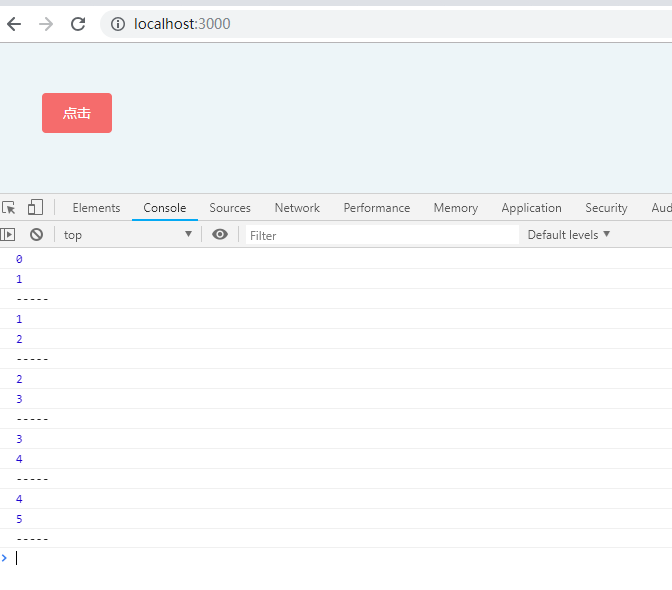
arr.forEach()
遍历数组全部元素,利用回调函数对数组进行操作,自动遍历数组.length次数,且无法break中途跳出循环
因此不可控
不支持return操作输出,return只用于控制循环是否跳出当前循环
因此难操作成新数组,新值,故不作多分析
<template>

  <section class="p-10">

    <div class="app">

      <el-button type="danger" @click="get()">点击</el-button>

    </div>

  </section>

</template>

<script>

  export default {

    methods: {

      get() {

        let arr = [1, 2, 3, 4, 5];

        arr.forEach((item, index) => {

          console.log(index);

          console.log(item);

          console.log('-----');

        })

      }

    }

  };

</script>
arr.map()— —更新数组
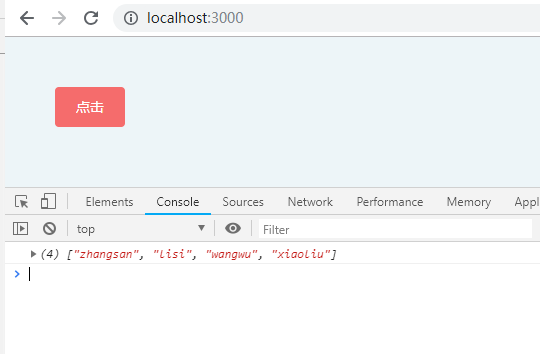
1、创建新数组
2、不改变原数组
3、输出的是return什么就输出什么新数组
4、回调函数参数,item(数组元素)、index(序列)、arr(数组本身)
5、使用return操作输出,会循环数组每一项,并在回调函数中操作
<template>

  <section class="p-10">

    <div class="app">

      <el-button type="danger" @click="get()">点击</el-button>

    </div>

  </section>

</template>

<script>

  export default {

    methods: {

      get() {

        let arr = [

          {

            name: 'zhangsan',

            age: 17

          }, {

            name: 'lisi',

            age: 18

          }, {

            name: 'wangwu',

            age: 19

          }, {

            name: 'xiaoliu',

            age: 20

          }

        ];

        let arr2 = arr.map(item => item.name);

        console.log(arr2);

      }

    }

  };

</script>
arr.join()— —生成字符串
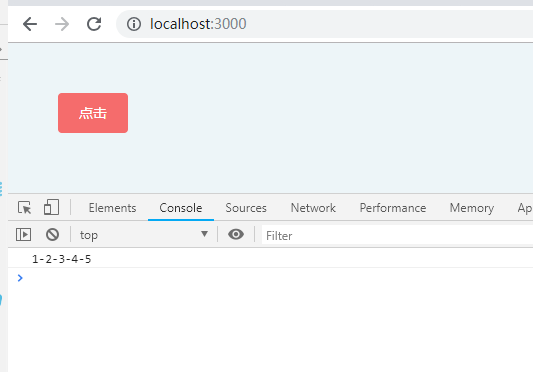
1、生成以括号内符号分隔开的字符串
2、不改变原数组
<template>

  <section class="p-10">

    <div class="app">

      <el-button type="danger" @click="get()">点击</el-button>

    </div>

  </section>

</template>

<script>

  export default {

    methods: {

      get() {

        let arr = [1, 2, 3, 4, 5];

        let str = arr.join('-');

        console.log(str);

      }

    }

  };

</script>
arr.filter()、includes()、find()、findIndex()— —筛选数组
一、arr.filter()
1、创建新数组
2、不改变原数组
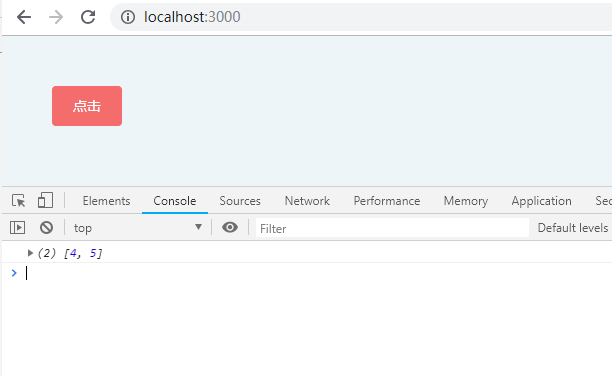
3、输出的是判断为true的数组元素形成的新数组
4、回调函数参数,item(数组元素)、index(序列)、arr(数组本身)
5、使用return操作输出,会循环数组每一项,并在回调函数中操作
<template>

  <section class="p-10">

    <div class="app">

      <el-button type="danger" @click="get()">点击</el-button>

    </div>

  </section>

</template>

<script>

  export default {

    methods: {

      get() {

        let arr = [1, 2, 3, 4, 5];

        let arr2 = arr.filter(item => item > 3);

        console.log(arr2);

      }

    }

  };

</script>
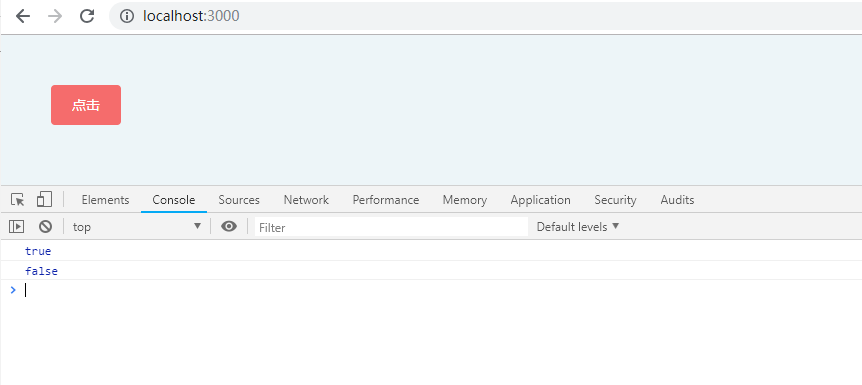
二、arr.includes()
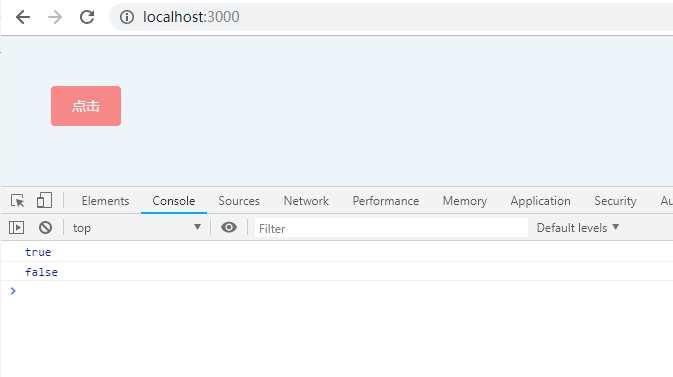
只是判断数组是否含有某值,不用return,不用回调函数,输出一个true或false
<template>

  <section class="p-10">

    <div class="app">

      <el-button type="danger" @click="get()">点击</el-button>

    </div>

  </section>

</template>

<script>

  export default {

    methods: {

      get() {

        let arr = [1, 2, 3, 4, 5];

        let result = arr.includes(3);

        console.log(result);

        let result2 = arr.includes(6);

        console.log(result2);

      }

    }

  };

</script>
三、arr.find()
1、不创建新数组
2、不改变原数组
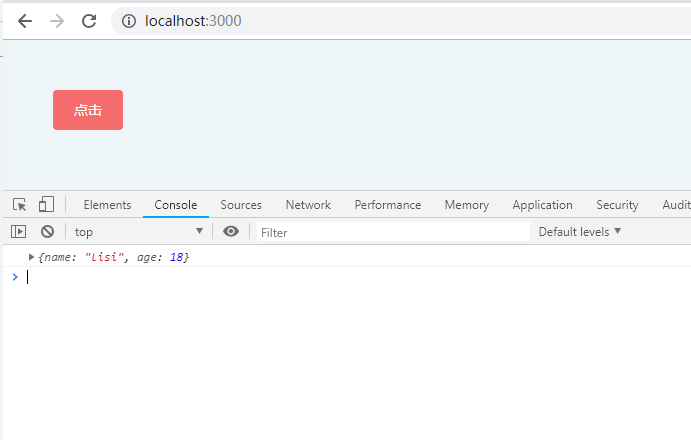
3、输出的是一旦判断为true则跳出循环输出符合条件的数组元素
4、回调函数参数,item(数组元素)、index(序列)、arr(数组本身)
5、使用return操作输出,会循环数组每一项,并在回调函数中操作
<template>

  <section class="p-10">

    <div class="app">

      <el-button type="danger" @click="get()">点击</el-button>

    </div>

  </section>

</template>

<script>

  export default {

    methods: {

      get() {

        let arr = [

          {

            name: 'zhangsan',

            age: 17

          }, {

            name: 'lisi',

            age: 18

          }, {

            name: 'wangwu',

            age: 19

          }, {

            name: 'xiaoliu',

            age: 20

          }

        ];

        let person = arr.find(item => item.name === 'lisi');

        console.log(person);

      }

    }

  };

</script>
四、arr.findIndex()— — 与find()相同
1、不创建新数组
2、不改变原数组
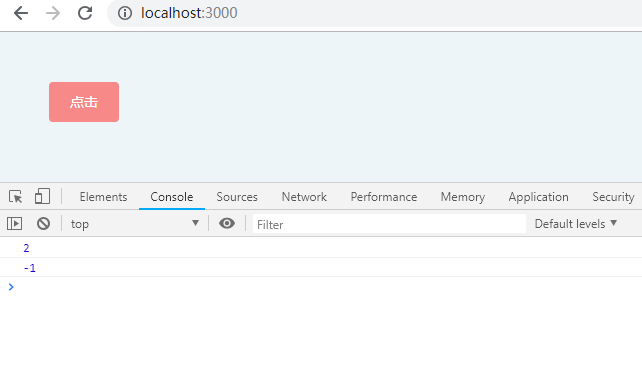
3、输出的是一旦判断为true则跳出循环输出符合条件的数组元素序列
4、回调函数参数,item(数组元素)、index(序列)、arr(数组本身)
5、使用return操作输出,会循环数组每一项,并在回调函数中操作
<template>

  <section class="p-10">

    <div class="app">

      <el-button type="danger" @click="get()">点击</el-button>

    </div>

  </section>

</template>

<script>

  export default {

    methods: {

      get() {

        let arr = [

          {

            name: 'zhangsan',

            age: 17

          }, {

            name: 'lisi',

            age: 18

          }, {

            name: 'wangwu',

            age: 19

          }, {

            name: 'xiaoliu',

            age: 20

          }

        ];

        let result = arr.findIndex(item => item.name === 'wangwu');

        console.log(result);

        let result2 = arr.findIndex(item => item.name === 'tuzi');

        console.log(result2);

      }

    }

  };

</script>
arr.some()、every()— —判断数组
(不常用)
一、some()
1、不创建新数组
2、不改变原数组
3、输出的是判断为true则马上跳出循环并return成true
4、回调函数参数,item(数组元素)、index(序列)、arr(数组本身)
5、使用return操作输出,会循环数组每一项,并在回调函数中操作
<template>

  <section class="p-10">

    <div class="app">

      <el-button type="danger" @click="get()">点击</el-button>

    </div>

  </section>

</template>

<script>

  export default {

    methods: {

      get() {

        let arr = [1, 2, 3, 4, 5];

        let result = arr.some(item => item > 4);

        console.log(result);

        let result2 = arr.some(item => item > 6);

        console.log(result2);

      }

    }

  };

</script>
二、every()— —与some相反
1、不创建新数组
2、不改变原数组
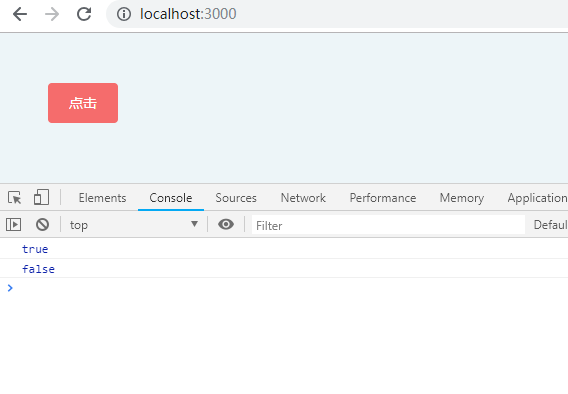
3、输出的是判断为false则马上跳出循环并return成false
4、回调函数参数,item(数组元素)、index(序列)、arr(数组本身)
5、使用return操作输出,会循环数组每一项,并在回调函数中操作
<template>

  <section class="p-10">

    <div class="app">

      <el-button type="danger" @click="get()">点击</el-button>

    </div>

  </section>

</template>

<script>

  export default {

    methods: {

      get() {

        let arr = [1, 2, 3, 4, 5];

        let result = arr.every(item => item > 0);

        console.log(result);

        let result2 = arr.every(item => item > 3);

        console.log(result2);

      }

    }

  };

</script>
嗯,就酱~~
参考 https://blog.csdn.net/kingan123/article/details/79818566
es6数组的一些函数方法使用的更多相关文章
- ES6数组及数组方法
ES6数组可以支持下面的几种写法: (1)var [a,b,c] = [1,2,3]; (2)var [a,[[b],c]] = [1,[[2],3]]; (3)let [x,,y] = [1,2,3 ...
- ES6 数组遍历方法的实战用法总结(forEach,every,some,map,filter,reduce,reduceRight,indexOf,lastIndexOf)
目录 forEach every some map filter reduce && reduceRight indexOf lastIndexOf 前言 ES6原生语法中提供了非常多 ...
- ES6 数组方法拓展
ES6 数组方法拓展 1.Array.from() Array.from方法用于将两类对象转为真正的数组:类似数组的对象(array-like object)和可遍历(iterable)的对象(包括E ...
- ES5和ES6数组方法
ES5 方法 indexOf和lastIndexOf 都接受两个参数:查找的值.查找起始位置不存在,返回 -1 :存在,返回位置.indexOf 是从前往后查找, lastIndexOf 是从后往前查 ...
- ES6数组方法
ES6数组方法 以下方法添加到了Array.prototype对象上(isArray除外) indexOf 类似字符串的indexOf()方法 stringObject.indexOf(searchv ...
- ES6数组对象新增方法
1. Array.from() Array.from方法用于将两类对象转为真正的数组:类数组的对象( array-like object )和可遍历( iterable )的对象(包括 ES6 新增的 ...
- C语言 数组做函数参数不传数组个数的遍历方法
//数组做函数参数不传数组个数的遍历方法 #include<stdio.h> #include<stdlib.h> #include<string.h> void ...
- HP数组转JSON函数json_encode和JSON转数组json_decode函数的使用方法
这两个函数比较简单,我这里直接写例子,但是有一点一定要注意,json数据只支持utf-8格式,GBK格式的数据转换为json会报错! json_encode()用法: <?php$data =a ...
- es6 数组扩展方法
1.扩展运算符 含义: 扩展运算符,三个点(...),将一个数组转为用逗号分隔的参数顺序. 例如: console.log([1,2,3]); console.log(...[1,2,3]); 结 ...
随机推荐
- 《Mining the Web:Transforming Customer Data into Customer Value》读后札记
<Mining the Web:Transforming Customer Data into Customer Value> <Web数据挖掘:将客户数据转化为客户价值> — ...
- select/poll/epoll原理探究及总结
select,poll,epoll都是IO多路复用的机制.I/O多路复用就通过一种机制,可以监视多个描述符,一旦某个描述符就绪(一般是读就绪或者写就绪),能够通知程序进行相应的读写操作.但select ...
- 8.1.1 Service的生命周期
2010-06-21 16:57 李宁 中国水利水电出版社 字号:T | T <Android/OPhone开发完全讲义>第8章Android服务,本章主要介绍了Android系统 中的服 ...
- 解决:System.Data.SqlClient.SqlError: FILESTREAM 功能被禁用
还原 AdventureWorks Sample DataBase 时遇到 FILESTREAM feature is disabled 错误提示. FileStream是SQL Server 200 ...
- C6455 CSL_EMIF详解
C6455 CSL_EMIF详解 原网址http://www.61ic.com/Article/C6000/C64X/201303/47507.html C6455CSL详解 和DSP6455的EMI ...
- [容器]docker-ce安装最新版-docker常用操作
社区: http://www.dockerinfo.net/rancher http://dockone.io/ https://www.kubernetes.org.cn/ 1,docker安装配置 ...
- 605. Can Place Flowers【easy】
605. Can Place Flowers[easy] Suppose you have a long flowerbed in which some of the plots are plante ...
- vue 过渡的-css-类名
会有6个css类名在leave/enter过渡中切换 1,v-enter:定义进入过渡的开始状态,在元素被插入时生效,在下一帧中移除 2,v-enter-active:定义过渡的状态.在元素整个过渡过 ...
- HTTP协议之http状态码详解
什么是HTTP状态码 HTTP状态码的作用是:Web服务器用来告诉客户端,发生了什么事. 状态码位于HTTP Response 的第一行中,会返回一个”三位数字的状态码“和一个“状态消息”. ”三位数 ...
- mock实例方法
1.Mockito.when(categoryService.queryTopCategory("1")).thenReturn(categories);//返回的是list列表, ...