
【代码笔记】iOS-翻页效果的实现
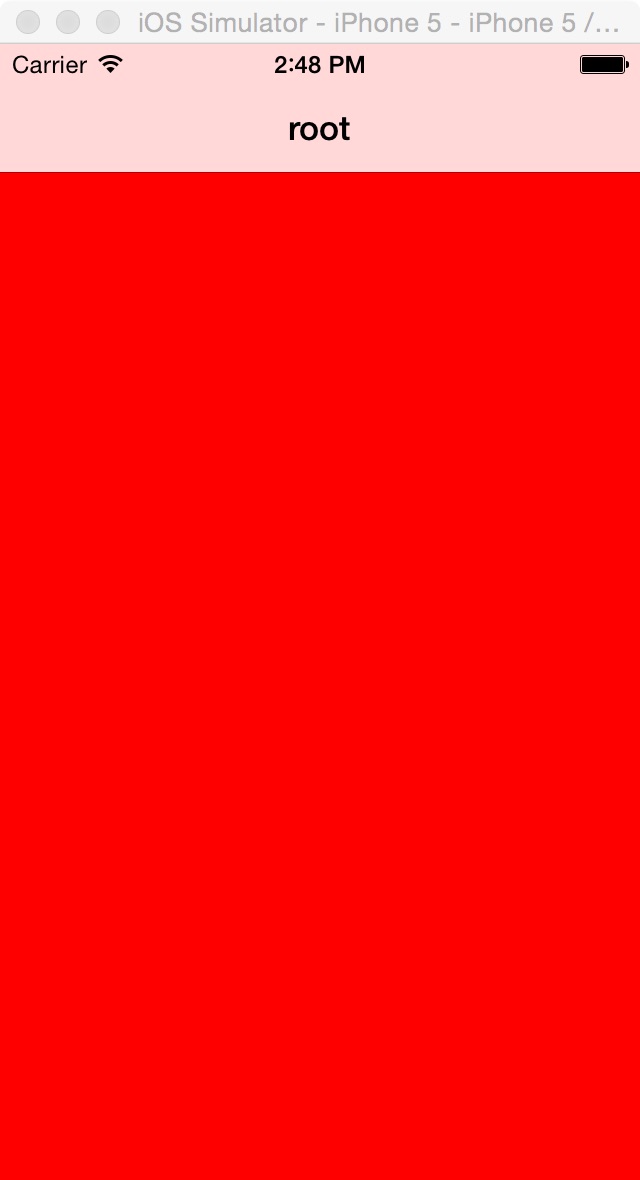
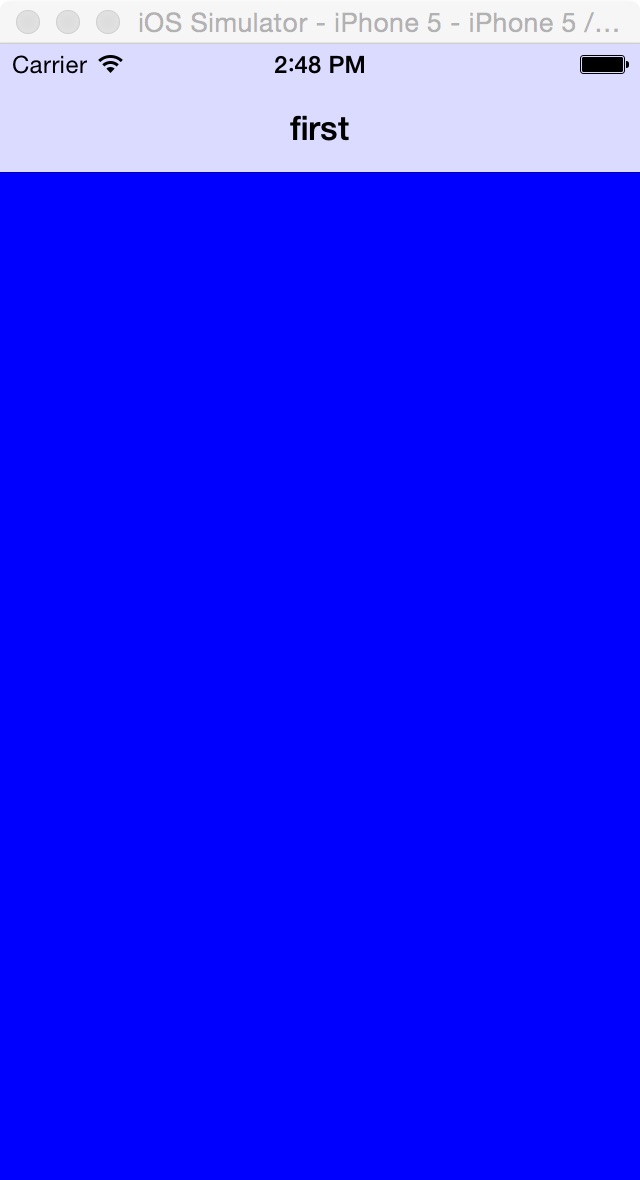
一,效果图。
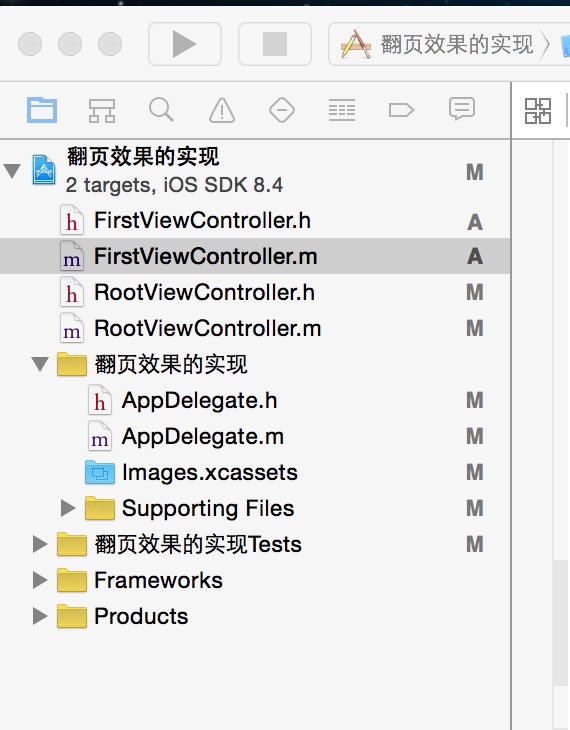
二,工程图。
三,代码。
RootViewController.h
#import <UIKit/UIKit.h>

@interface RootViewController : UIViewController

@end
RootViewController.m

#import "RootViewController.h"

#import "FirstViewController.h"

@interface RootViewController ()

@end

@implementation RootViewController

- (id)initWithNibName:(NSString *)nibNameOrNil bundle:(NSBundle *)nibBundleOrNil

{

    self = [super initWithNibName:nibNameOrNil bundle:nibBundleOrNil];

    if (self) {

        // Custom initialization

    }

    return self;

}

- (void)viewDidLoad

{

    [super viewDidLoad];

    // Do any additional setup after loading the view.

    //设置背景色

    self.view.backgroundColor=[UIColor redColor];

    self.title=@"root";

}

-(void)touchesBegan:(NSSet *)touches withEvent:(UIEvent *)event

{

    //点击root,也就是红色的任何处,页面会像翻书一样翻转。翻转到first,也就是蓝色的界面。当点击顶部root页面部分的时候,页面会重新翻到root,也就是红色的界面。

    FirstViewController *firstView=[[FirstViewController alloc]init];

    UINavigationController *nav=[[UINavigationController alloc] initWithRootViewController:firstView];

    nav.modalTransitionStyle=UIModalTransitionStylePartialCurl;

    [self.navigationController presentViewController:nav animated:YES completion:nil];

}

- (void)didReceiveMemoryWarning

{

    [super didReceiveMemoryWarning];

    // Dispose of any resources that can be recreated.

}
FirstViewController.h
#import <UIKit/UIKit.h>

@interface FirstViewController : UIViewController

@end
FirstViewController.m
#import "FirstViewController.h"

@interface FirstViewController ()

@end

@implementation FirstViewController

- (id)initWithNibName:(NSString *)nibNameOrNil bundle:(NSBundle *)nibBundleOrNil

{

    self = [super initWithNibName:nibNameOrNil bundle:nibBundleOrNil];

    if (self) {

        // Custom initialization

    }

    return self;

}

- (void)viewDidLoad

{

    [super viewDidLoad];

    // Do any additional setup after loading the view.

    //设置背景色

    self.view.backgroundColor=[UIColor blueColor];

    self.title=@"first";

}

- (void)didReceiveMemoryWarning

{

    [super didReceiveMemoryWarning];

    // Dispose of any resources that can be recreated.

}
【代码笔记】iOS-翻页效果的实现的更多相关文章
- iOS:翻页效果
// // main.m // Hello // // Created by lishujun on 14-8-28. // Copyright (c) 2014年 lishujun. All rig ...
- iOS:横向使用iPhone默认的翻页效果
大致思路使用两层辅助UIView的旋转来实现添加后的View的横向翻页效果 CATransform3D transformA = CATransform3DRotate(CATransform3DId ...
- 关于Page翻页效果, PageViewConrtoller
Page View Controllers你使用一个page view controller用page by page的方式来展示内容.一个page view controller管理一个self-c ...
- webapp应用--模拟电子书翻页效果
前言: 现在移动互联网发展火热,手机上网的用户越来越多,甚至大有超过pc访问的趋势.所以,用web程序做出仿原生效果的移动应用,也变得越来越流行了.这种程序也就是我们常说的单页应用程序,它也有一个英文 ...
- css实现翻页效果
如图,鼠标移动到图上,实现右上角翻页的效果,本例主要border边框的设置. 一.基本概念 <html> <head> <style> #demo{ width:0 ...
- ajax翻页效果模仿yii框架
ajax翻页效果,模仿yii框架. 复制代码代码如下: <!DOCTYPE html> <html> <head> <title>ajax分页_w ...
- Android 实现书籍翻页效果----完结篇
By 何明桂(http://blog.csdn.net/hmg25) 转载请注明出处 之前由于种种琐事,暂停了这个翻页效果的实现,终于在这周末完成了大部分功能,但是这里只是给出了一个基本的雏形,没有添 ...
- Android 滑动效果高级篇(七)—— 华丽翻页效果
By 何明桂(http://blog.csdn.net/hmg25) 转载请注明出处 之前看到像ipad上的ibook的模拟书籍翻页的特效感觉很炫,在android上也有像laputa和ireader ...
- transform3D实现翻页效果
---恢复内容开始--- 闲篇 最近升级了下百度音乐,唯一的感觉就是动画效果很炫丽.我不是个对产品很敏感的人,但是这段时间观察一些大厂的产品发现现在的APP越来越重视动画效果了.大家可能没有注意过,连 ...
随机推荐
- Winform开发框架之参数配置管理功能实现-基于SettingsProvider.net的构建
在较早时期,我写过一篇文章<结合Control.FirefoxDialog控件,构造优秀的参数配置管理模块>,介绍过在我的Winform框架基础上集成的参数配置模块功能,但是参数模块的配置 ...
- .NET Framework介绍
.NET Framework 是一个集成在 Windows 中的组件,它支持生成和运行下一代应用程序与 XML Web Services. .NET Framework 旨在实现下列目标: 提供一个一 ...
- Java初识
基础概念 特点: 完全面向对象,动态 解释性,简单.易移植,跨平台 安全健壮,高性能 多线程,分布式 三种核心机制: Java虚拟机 Java Virtual Machine 垃圾收集机制 Garba ...
- 基于.Net Framework 4.0 Web API开发(3):ASP.NET Web APIs 异常的统一处理Attribute 和统一写Log 的Attribute的实现
概述: ASP.NET Web API 的好用使用过的都知道,没有复杂的配置文件,一个简单的ApiController加上需要的Action就能工作.但是项目,总有异常发生,本节就来谈谈API的异常 ...
- css背景图
- 【Java每日一题】20161123
package Nov2016; import java.util.Scanner; public class Ques1123 { public static void main(String[] ...
- Eclipse常用的快捷键
Eclipse常用快捷键 1, Ctrl+S,保存文档. 2, Tab,多行同时右移:选中多行 3, shlft+tab,多行同时左移,选中多行 4, ...
- Java程序,JDK的安装、环境的配置
打开文件包,找到jdk-8u111-windows-x64 (64位) 双击打开安装界面 路径自行更改;(不可使用中文字段)新建一个文件夹放后面这个安装包 二.设置环境变量 右键我的电脑-属性-高 ...
- JQuery实现对勾事件代码
1.JQuery选择器中使用变量实现动态选择解决方案: <table> <tr> <th>用户名</th> <th>状态</th ...
- Java经典实例:在文本中匹配换行符
默认情况下,正则表达式 ^ 和 $ 忽略行结束符,仅分别与整个输入序列的开头和结尾匹配.如果激活 MULTILINE 模式,则 ^ 在输入的开头和行结束符之后(输入的结尾)才发生匹配.处于 MULTI ...