
【spring boot】3.spring boot项目,绑定资源文件为bean并使用
整个例子的结构目录如下:
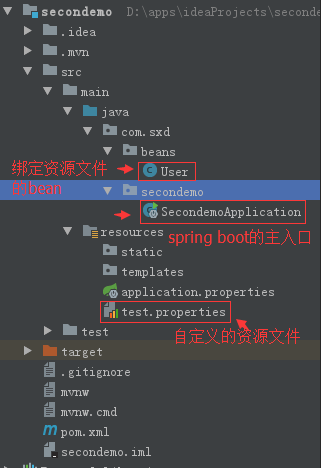
1.自定义一个资源文件
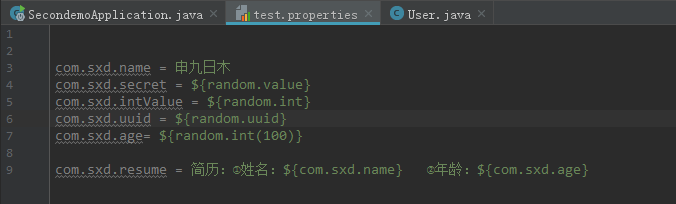
com.sxd.name = 申九日木

com.sxd.secret = ${random.value}

com.sxd.intValue = ${random.int}

com.sxd.uuid = ${random.uuid}

com.sxd.age= ${random.int(100)}

com.sxd.resume = 简历:①姓名:${com.sxd.name}   ②年龄:${com.sxd.age}
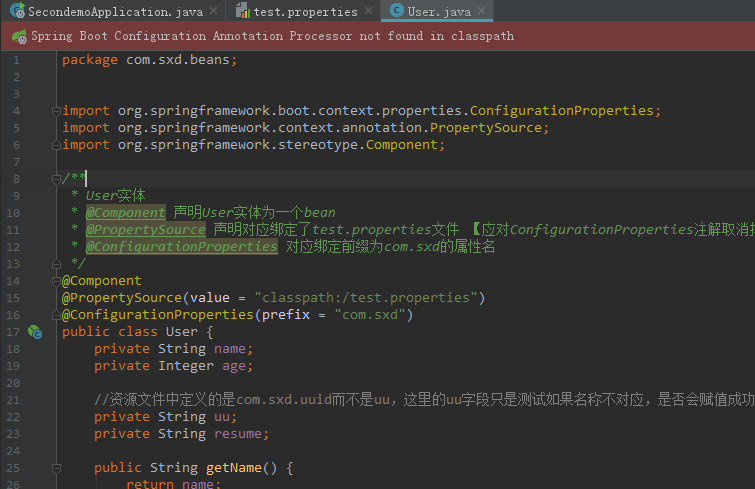
2.将资源文件中的属性绑定到一个bean上
package com.sxd.beans;

import org.springframework.boot.context.properties.ConfigurationProperties;

import org.springframework.context.annotation.PropertySource;

import org.springframework.stereotype.Component;

/**

 * User实体

 * @Component 声明User实体为一个bean

 * @PropertySource 声明对应绑定了test.properties文件 【应对ConfigurationProperties注解取消掉location的属性】

 * @ConfigurationProperties 对应绑定前缀为com.sxd的属性名

 */

@Component

@PropertySource(value = "classpath:/test.properties")

@ConfigurationProperties(prefix = "com.sxd")

public class User {

    private String name;

    private Integer age;

    //资源文件中定义的是com.sxd.uuid而不是uu,这里的uu字段只是测试如果名称不对应,是否会赋值成功

    private String uu;

    private String resume;

    public String getName() {

        return name;

    }

    public void setName(String name) {

        this.name = name;

    }

    public Integer getAge() {

        return age;

    }

    public void setAge(Integer age) {

        this.age = age;

    }

    public String getUu() {

        return uu;

    }

    public void setUu(String uu) {

        this.uu = uu;

    }

    public String getResume() {

        return resume;

    }

    public void setResume(String resume) {

        this.resume = resume;

    }

}
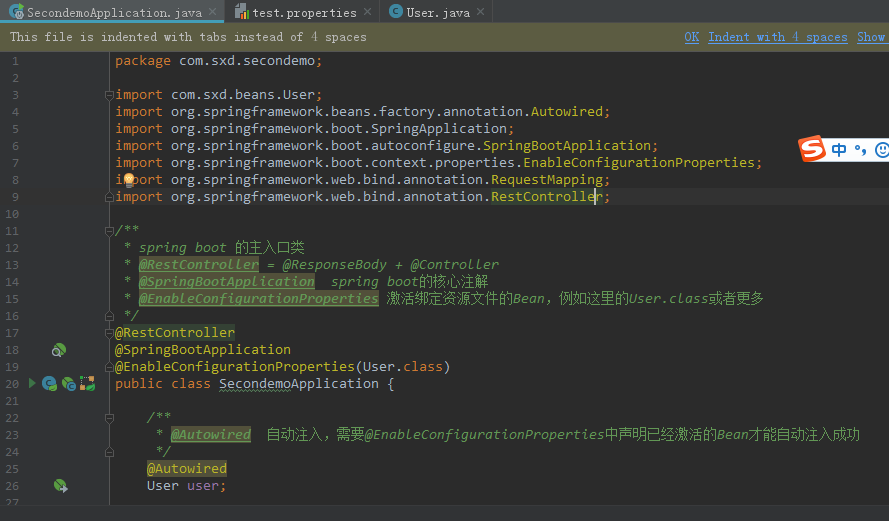
3.spring boot的主入口
package com.sxd.secondemo;

import com.sxd.beans.User;

import org.springframework.beans.factory.annotation.Autowired;

import org.springframework.boot.SpringApplication;

import org.springframework.boot.autoconfigure.SpringBootApplication;

import org.springframework.boot.context.properties.EnableConfigurationProperties;

import org.springframework.web.bind.annotation.RequestMapping;

import org.springframework.web.bind.annotation.RestController;

/**

 * spring boot 的主入口类

 * @RestController = @ResponseBody + @Controller

 * @SpringBootApplication  spring boot的核心注解

 * @EnableConfigurationProperties 激活绑定资源文件的Bean,例如这里的User.class或者更多

 */

@RestController

@SpringBootApplication

@EnableConfigurationProperties(User.class)

public class SecondemoApplication {

    /**

     * @Autowired  自动注入,需要@EnableConfigurationProperties中声明已经激活的Bean才能自动注入成功

     */

    @Autowired

    User user;

    /**

     * 请求地址为localhost:8080/即可访问到本方法

     * @return

     */

    @RequestMapping("/")

    public String hello(){

        /**

         * idea中 System.out.println()快捷方式为sout,然后Alt+Enter才能出来

         */

        System.out.println(user.getResume());

        return "打印简历:"+user.getResume()+"\n"+"uu是否有值:"+user.getUu();

    }

    public static void main(String[] args) {

        SpringApplication.run(SecondemoApplication.class, args);

    }

}
4.运行结果:

【spring boot】3.spring boot项目,绑定资源文件为bean并使用的更多相关文章
- 以Jar形式为Web项目提供资源文件
以Jar形式为Web项目提供资源文件 http://www.webjars.org/ Web前端使用了越来越多的JS或CSS如jQuery, Backbone.js 和Twitter Bootstra ...
- 在eclipse完成对Java_web项目里面资源文件的读取
Java_web项目的资源文件一般有两种: 一种是存放数据之间有联系的文件,使用xml文件 另一种是存放数据之间没有联系的文件,使用properties文件 这里我们对properties文件读写做示 ...
- Spring MVC程序中怎么得到静态资源文件css,js,图片文件的路径问题
问题描述 在用springmvc开发应用程序的时候.对于像我一样的初学者,而且还是自学的人,有一个很头疼的问题.那就是数据都已经查出来了,但是页面的样式仍然十分简陋,加载不了css.js,图片等资源文 ...
- Spring 加载类路径外的资源文件
原文:http://blog.csdn.net/gaofuqi/article/details/46417259 <bean id="propertyConfigurer" ...
- Eclipse 下如何引用另一个项目的资源文件
为什么要这么做?可参考:Eclipse 下如何引用另一个项目的Java文件 下面直接说下步骤:(项目A 引用 项目B的资源文件) 1.右键 项目A,点击菜单 Properties 2.在弹出的框中,点 ...
- eclipse导入maven项目,资源文件位置显示不正确
eclipse导入maven项目后,资源文件位置显示不正确,如下图所示 解决方法: 在resources上右键Build Path,选择Use as Source Folder即可正确显示资源文件
- c# 反射取其他项目的资源文件
反射获取其他项目里面的资源文件. dll或exe里面 try { System.Reflection.Assembly dll = System.Reflection.Assembly.LoadFil ...
- web项目获取资源文件
首页 博客 学院 CSDN学院 下载 论坛 APP CSDN 问答 商城 活动 VIP会员 专题 招聘 ITeye GitChat GitChat 图文课 写博客 消息 1 评论 关注 点赞 回答 系 ...
- Intellij IDEA项目添加资源文件
添加了一个资源文件,但读取的时候出错了 prop.load(Config.class.getResourceAsStream("/resources/dbconfig.properties& ...
随机推荐
- Go Iris 中间件
Iris 中间件 当我们在 iris 中讨论中间件时,我们讨论的是在HTTP请求生命周期中在主处理程序代码之前和/或之后的运行代码. 实现中间件功能,有下面这样两种方式: 方式一: 我们可以通过按顺序 ...
- 在CSS中水平居中和垂直居中:完整的指南
这篇文章将会按照如下思路展开: 一.水平居中 1. 行内元素水平居中 2. block元素水平居中 3. 多个块级元素水平居中 二.垂直居中 1. 行内元素水平居中 2. block元素水平居中 3. ...
- JS基础_数组的遍历
遍历:将数组中所有的元素都取出来 1.for循环 var arr = ["1","2","3"]; for(let i=0;i<arr ...
- react-native(ios)简单配置环境(mac)
1.首先全局安装react-native-cli npm install -g react-native-cli 2.安装xcode(appStore) 3.打开xcode,检查一下是否装有某个版本的 ...
- ios 报错记录
1. 运行xcode 报错:unterminated conditional directive #ifdef 缺少对应的#endif 在结尾加上就好了 2.iOS添加非(c,c++)文件引发的&qu ...
- Java同步数据结构之ArrayBlockingQueue
引言 作为BlockingQueue最常见的实现类之一,ArrayBlockingQueue是通过数组实现的FIFO先进先出有界阻塞队列,它的大小在实例被初始化的时候就被固定了,不能更改.该类支持一个 ...
- OpenAPI规范入门
由于API对于我们的软件运行方式至关重要,因此记录我们的API对于确保我们大型IT组织中的每个人都了解正在发生的事情至关重要,这就是我们使用OpenAPI来帮助记录API规范的原因. 在本文中,我将向 ...
- OriginPro 9.1 科研图标绘制入门
OriginPro 9.1 科研图标绘制入门 目的:1.介绍如何不用编程画出复杂多样的图表2.介绍OriginLab 常用功能3.科研报告时,有效绘图,省却时间 科研发展需求.反映专业形象.满足公司要 ...
- 小D课堂-SpringBoot 2.x微信支付在线教育网站项目实战_3-2.使用Mybatis注解开发视频列表增删改查
笔记 2.使用Mybatis注解开发视频列表增删改查 讲解:使用Mybatis3.x注解方式 增删改查实操, 控制台打印sql语句 1.控制台打印sql语句 ...
- MySQL数据库锁机制之MyISAM引擎表锁和InnoDB行锁详解
转 http://blog.csdn.net/hsd2012/article/details/51112009 转 http://blog.csdn.net/e421083458/article/de ...