
NX二次开发-NXOpen::WCS Class Reference
 NX11+VS2013

 #include <NXOpen/Part.hxx>

 #include <NXOpen/PartCollection.hxx>

 #include <NXOpen/Session.hxx>

 #include <NXOpen/WCS.hxx>

 #include <NXOpen/CartesianCoordinateSystem.hxx>

 #include <NXOpen/CoordinateSystem.hxx>

 #include <NXOpen/CoordinateSystemCollection.hxx>

 using namespace NXOpen;

 NXOpen::Session *theSession = NXOpen::Session::GetSession();

 NXOpen::Part *workPart(theSession->Parts()->Work());

 NXOpen::Part *displayPart(theSession->Parts()->Display());
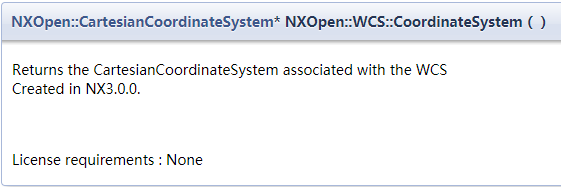
 //获取WCS相关信息

 NXOpen::CartesianCoordinateSystem* WcsData = workPart->WCS()->CoordinateSystem();

 //获得WCS的向量方向

 NXOpen::Vector3d xDirection;

 NXOpen::Vector3d yDirection;

 WcsData->GetDirections(&xDirection, &yDirection);

 //获得WCS的原点坐标

 Point3d WcsOrigin = workPart->WCS()->Origin();
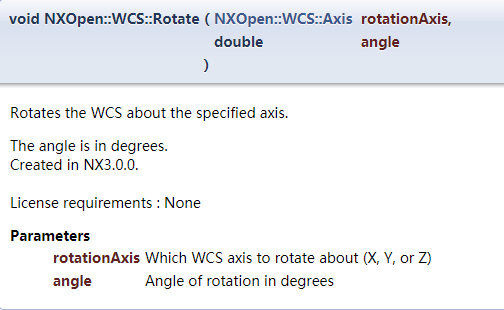
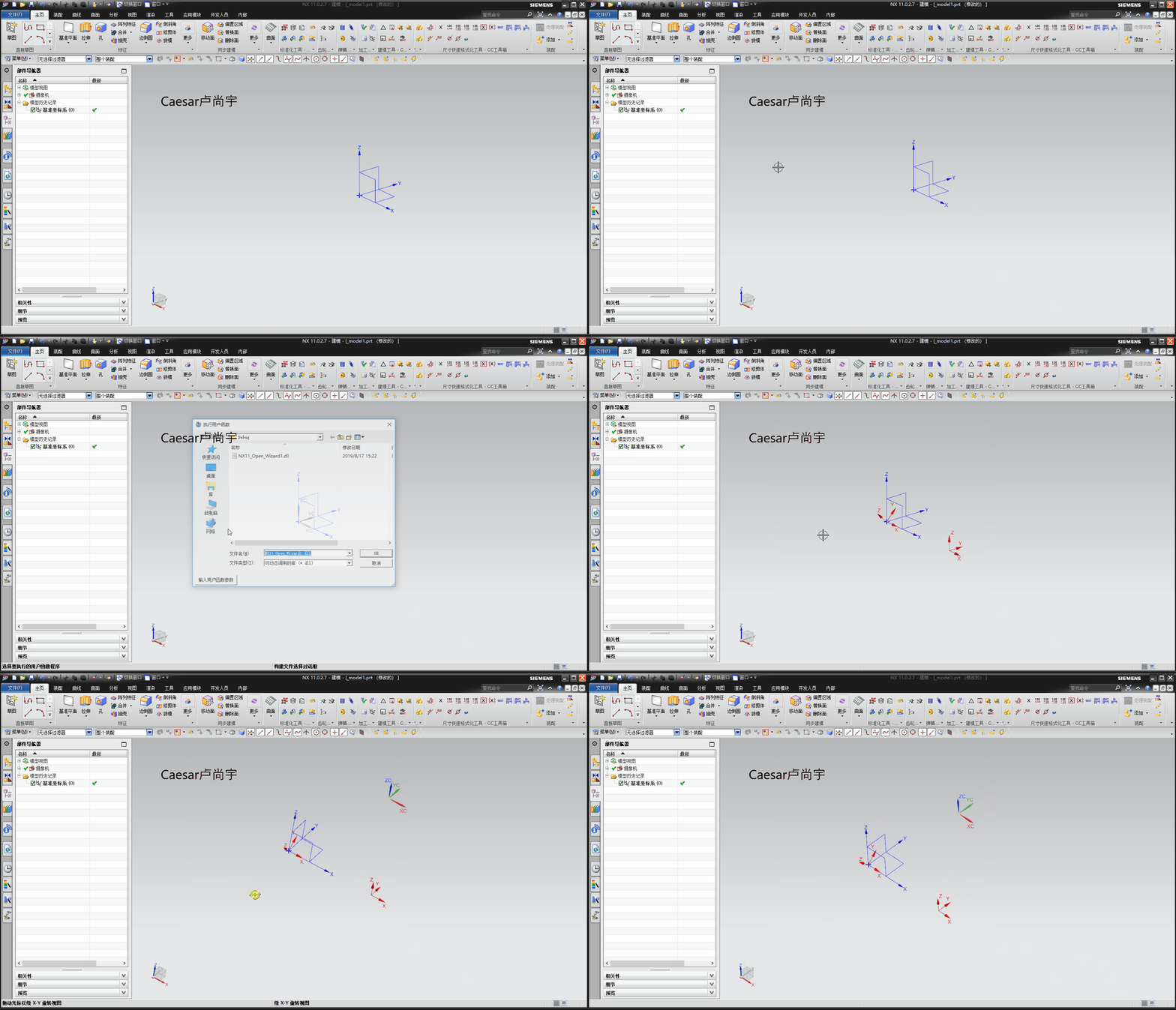
 //围绕指定的轴旋转WCS

 double Angle = 45.0;

 workPart->WCS()->Rotate(NXOpen::WCS::AxisXAxis, Angle);
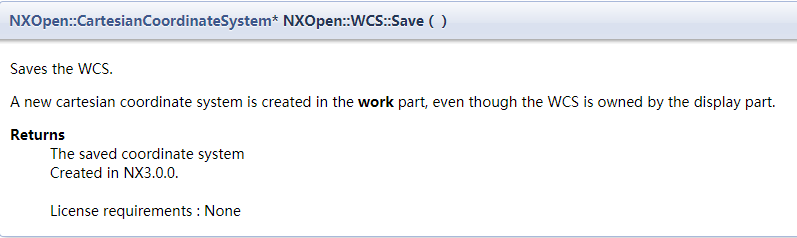
 //在工作部件中创建一个新的笛卡尔坐标系,即使WCS属于显示部件

 NXOpen::CartesianCoordinateSystem*  WcsNew = workPart->WCS()->Save();
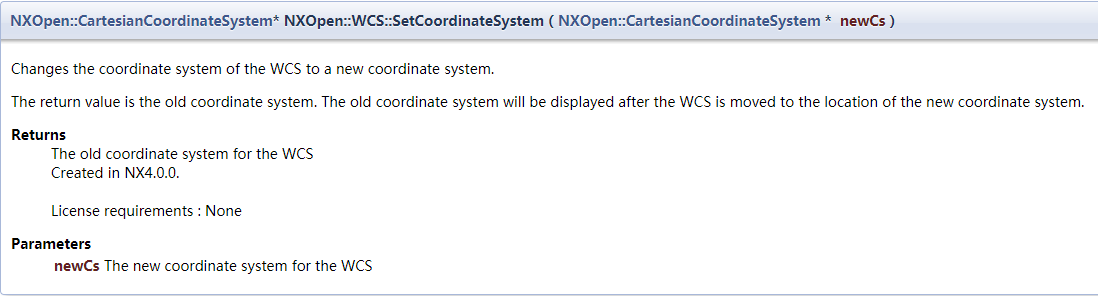
 //将WCS的坐标系更改为一个新的坐标系

 //返回值是旧的坐标系。将WCS移动到新的坐标系位置后,将显示旧坐标系。

 NXOpen::Point3d origin1 = { 150.0, 0.0, 0.0 };

 NXOpen::Vector3d xDirection1 = { 1.0, 0.0, 0.0 };

 NXOpen::Vector3d yDirection1 = { 0.0, 1.0, 0.0 };

 NXOpen::CartesianCoordinateSystem *newCs = workPart->CoordinateSystems()->CreateCoordinateSystem(origin1, xDirection1, yDirection1);

 NXOpen::CartesianCoordinateSystem*  WcsOld = workPart->WCS()->SetCoordinateSystem(newCs);
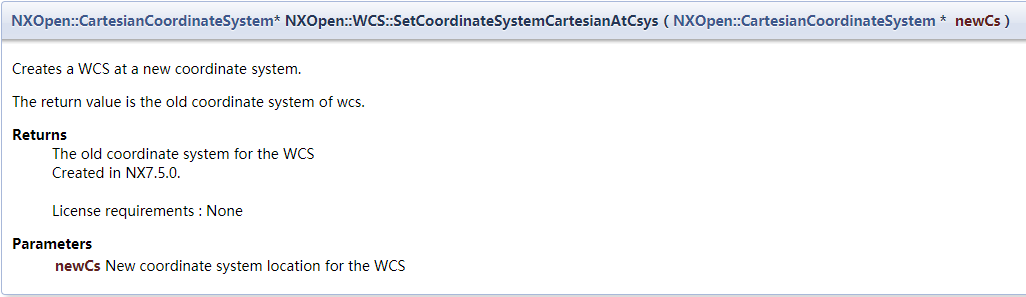
 //在新的坐标系中创建一个WCS

 //返回值是WCS的旧坐标系

 NXOpen::Point3d origin2 = { 150.0, 0.0, 0.0 };

 NXOpen::Vector3d xDirection2 = { 1.0, 0.0, 0.0 };

 NXOpen::Vector3d yDirection2 = { 0.0, 1.0, 0.0 };

 NXOpen::CartesianCoordinateSystem *newCs1 = workPart->CoordinateSystems()->CreateCoordinateSystem(origin2, xDirection2, yDirection2);

 NXOpen::CartesianCoordinateSystem*  WcsOld1 = workPart->WCS()->SetCoordinateSystemCartesianAtCsys(newCs1);
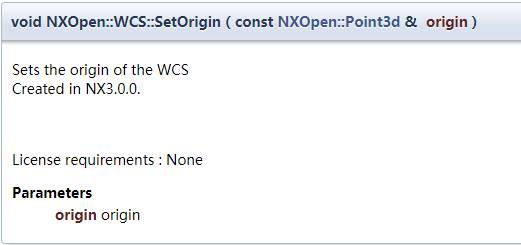
 //设置WCS原点

 Point3d WcsOri = { 100.0, 100.0, 100.0 };

 workPart->WCS()->SetOrigin(WcsOri);
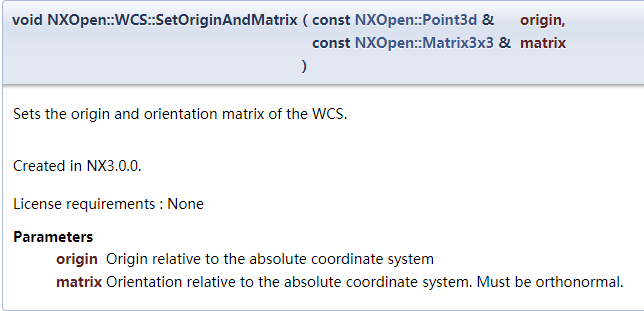
 //设置WCS的原点和方向矩阵

 Point3d WcsOri1 = { 100.0, 100.0, 100.0 };

 Matrix3x3 matrix = { , , , , , , , ,  };

 workPart->WCS()->SetOriginAndMatrix(WcsOri1, matrix);
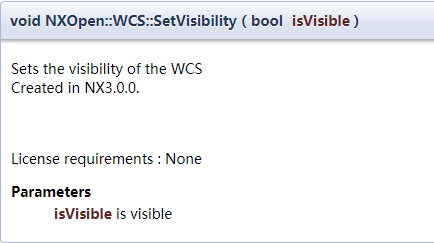
 //设置WCS的可见性

 workPart->WCS()->SetVisibility(false);
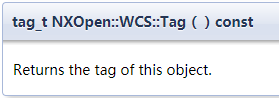
 //得到WCS的tag

 tag_t WcsTag = workPart->WCS()->Tag();
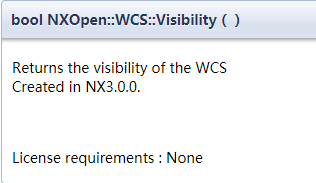
 //获得WCS的可见性

 bool WcsVis = workPart->WCS()->Visibility();

2019年8月17日
Caesar卢尚宇
NX二次开发-NXOpen::WCS Class Reference的更多相关文章
- NX二次开发-NXOpen::CoordinateSystemCollection Class Reference
NX11+VS2013 #include <NXOpen/Section.hxx> #include <NXOpen/SectionCollection.hxx> #inclu ...
- NX二次开发-获取WCS坐标系的原点坐标和矩阵标识
函数:UF_CSYS_ask_csys_info() 函数说明:获取工作坐标系对象的标识符. 用法: #include <uf.h> #include <uf_csys.h> ...
- NX二次开发-获取WCS标识
函数:UF_CSYS_ask_wcs() 函数说明:获取工作坐标系对象的标识. 用法: 1 #include <uf.h> 2 #include <uf_csys.h> 3 e ...
- NX二次开发-NXOpen::Drawings::DrawingSheet Class Reference
NX11+VS2013 #include <NXOpen/Section.hxx> #include <NXOpen/SectionCollection.hxx> #inclu ...
- NX二次开发-NXOPEN自动切换到工程图模块
UFUN的API里是没有切换到工程图的函数的,NXOPEN里是有方法可以用的.不过应该是不支持NX9以下的版本. NX9的不能录制出来,在UI类里有方法 NX9+VS2012 #include < ...
- NX二次开发-NXOpen获取边的端点NXOpen::Edge::GetVertices
NX9+VS2012 #include <NXOpen/Features_BlockFeatureBuilder.hxx> #include <NXOpen/Features_Fea ...
- NX二次开发-获取WCS标识UF_CSYS_ask_wcs
NX9+VS2012 #include <uf.h> #include <uf_csys.h> UF_initialize(); //获取WCS标识 tag_t WcsId = ...
- NX二次开发-设置WCS位置UF_CSYS_set_wcs
NX9+VS2012 UF_initialize(); //输入X向量Y向量输出一个3*3矩阵 ] = {0.0, 0.0, 1.0}; ] = {0.0, 1.0, 0.0}; ]; UF_MTX3 ...
- NX二次开发-设置WCS显示UF_CSYS_set_wcs_display
NX9+VS2012 #include <uf.h> #include <uf_csys.h> UF_initialize(); //设置WCS显示 //1显示WCS, 0不显 ...
随机推荐
- Ubuntu 图形桌面死机重启(机器不重启)
Ubuntu的图形界面容易死机,如果正在跑程序的话又不能重启.这时候可以通过终端来_重启_图形界面. 首先按Alt+Ctrl+F1进入终端界面.查看图形界面的进程: ps -t tty7 查看到名为X ...
- 【JavaWeb项目】一个众筹网站的开发(六)后台用户权限控制
登陆成功进入控制面板后 左侧的菜单是共同的元素,抽取出来做静态包含 要求必须是按照不同的用户得到不同的菜单 用户做了权限限制,哪个用户能操作哪些内容(链接.按钮.内容) 一.RBAC权限模型 权限管理 ...
- Mate Translate的特色功能phrasebook 常用语手册介绍
Mate Translate是Mac os系统上一款多国语言即时翻译工具,支持103种语言之间的即时互译,还可以在你的所有设备之间轻松同步.Mate Translate 不但推出了适应各个平台使用的客 ...
- 管理员技术(七): Linux管理员 综合测试
一.Linux管理员 综合测试 目标: 根据本文提供的练习步骤完成所有练习案例. 方案: 开始练习之前,先依次重置虚拟机环境. [root@room9pc13 ~]# rht-vmctl reset ...
- docker安装(4)
centos6 docker安装 wget -P /etc/yum.repos.d/ http://mirrors.aliyun.com/repo/epel-6.repo yum install -y ...
- 静态栈-------C语言
/***************************************************** Author:Simon_Kly Version:0.1 Date: 20170520 D ...
- CSS:CSS 尺寸 (Dimension)
ylbtech-CSS:CSS 尺寸 (Dimension) 1.返回顶部 1. CSS 尺寸 (Dimension) CSS 尺寸 (Dimension) 属性允许你控制元素的高度和宽度.同样,它允 ...
- python中的缓存技术
python缓存技术 def console(a,b): print('进入函数') return (a,b) print(console(3,'a')) print(console(2,'b')) ...
- PHP面试 PHP基础知识 一(引用变量)
PHP引用变量 常见引用变量面试题: 什么是引用变量? 在PHP中用什么符号定义引用变量? 考点:PHP的引用变量的概念及定义方式 概念:在PHP中引用意味着用不用的名字访问同一个变量内容 定 ...
- 19、Linux命令对服务器内存进行监控
国际惯例,我们要知道什么是服务器的内存,内存有哪些作用.这里就不做过多介绍,Linux性能监控需要我们对底层要有一定的理解.下面我将会列出我常用的监控内存的工具. vmstat vmstat显示关于进 ...