
在spring boot微服务中使用JWS发布webService
概述
详细
一、创建springboot项目
1.新建一个springboot项目,不需要添加任何依赖。
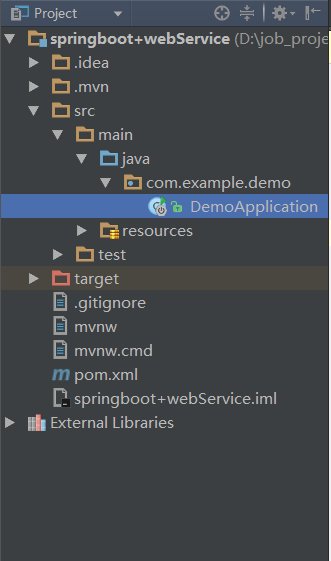
2.在启动类中编写一个接口,然后启动项目,访问http://localhost:8080测试项目是否存在问题。
package com.example.demo;

import org.springframework.boot.SpringApplication;

import org.springframework.boot.autoconfigure.SpringBootApplication;

import org.springframework.web.bind.annotation.RequestMapping;

import org.springframework.web.bind.annotation.RestController;

@SpringBootApplication

@RestController

public class DemoApplication {

   public static void main(String[] args) {

      SpringApplication.run(DemoApplication.class, args);

   }

   @RequestMapping("/")

   public String hello(){

      return "hello spring boot";

   }

}
二、编写webservice接口
在com.example.demo路径下新建webservice目录,并在该目录下新建webservice接口TestService.java,编写一个webService接口方法。
在该接口上使用javax.jws.WebServcie注解;在方法上使用javax.jws.WebMethod注解。
package com.example.demo.webservice;

import javax.jws.WebMethod;

import javax.jws.WebParam;

import javax.jws.WebService;

@WebService

public interface TestService {

    @WebMethod

    String hiWebService(@WebParam(name = "hi") String s);

}
3.在相同路径下新建TestService接口的实现类TestServiceImpl.java,实现接口方法。并且在该类上使用javax.jws.WebService注解和org.springframework.stereotype.Service注解,是该类即是一个webService接口服务类又是作为一个可以被spring管理的bean。
package com.example.demo.webservice;

import org.apache.commons.logging.Log;

import org.apache.commons.logging.LogFactory;

import org.springframework.stereotype.Service;

import javax.jws.WebService;

@WebService

@Service

public class TestServiceImpl implements TestService{

    private Log log = LogFactory.getLog(TestServiceImpl.class);

    @Override

    public String hiWebService(String s) {

        String msg = "获取内容:"+s;

        log.info(msg);

        return msg;

    }

}
三、启动配置
使用ApplicationContext事件机制来完成webService接口的自动发布。
使用ApplicationListener监听ContextRefreshedEvent事件。ContextRefreshedEvent就是在ApplicationContext被初始化(所有的bean被成功装载,后处理bean被检测或成功激活,所有的singleton bean被实例化,ApplicationConte容器已就绪可用)或刷新时,该事件被发布。
在webservice目录下新建一个类BeforeStartUp.java,实现ApplicationListene接口。
重写onApplicationEvent方法。在该方法中发布webService服务。使用javax.xml.ws.Endpoint的publish方法发布。该方法有两个参数,第一个是要使用的地址和传输/协议的URI。URI必须使用SOAP 1.1 / HTTP 绑定。第二个参数是webService的接口实现类。
该类也必须使用@Service,@Component或者@Configuration注解被spring管理,使其可以被自动装载。
package com.example.demo.webservice;

import org.apache.commons.logging.Log;

import org.apache.commons.logging.LogFactory;

import org.springframework.beans.factory.annotation.Autowired;

import org.springframework.beans.factory.annotation.Value;

import org.springframework.context.ApplicationListener;

import org.springframework.context.event.ContextRefreshedEvent;

import org.springframework.stereotype.Service;

import javax.xml.ws.Endpoint;

@Service

public class BeforeStartUp implements ApplicationListener<ContextRefreshedEvent>{

    private Log log = LogFactory.getLog(BeforeStartUp.class);

//    @Value("${spring.ws.address}")

    private static String address = "http://localhost:8002/ws/hello";

    @Autowired

    private TestService testService;

    @Override

    public void onApplicationEvent(ContextRefreshedEvent event) {

            Endpoint.publish(address,testService);

            log.info("webService 服务发布成功!!!");

            log.info("wsdl地址:"+address+"?wsdl");

    }

}
四、启动应用,自动发布
启动应用程序,观察控制台日志。出现如下日志即表示服务发布成功。
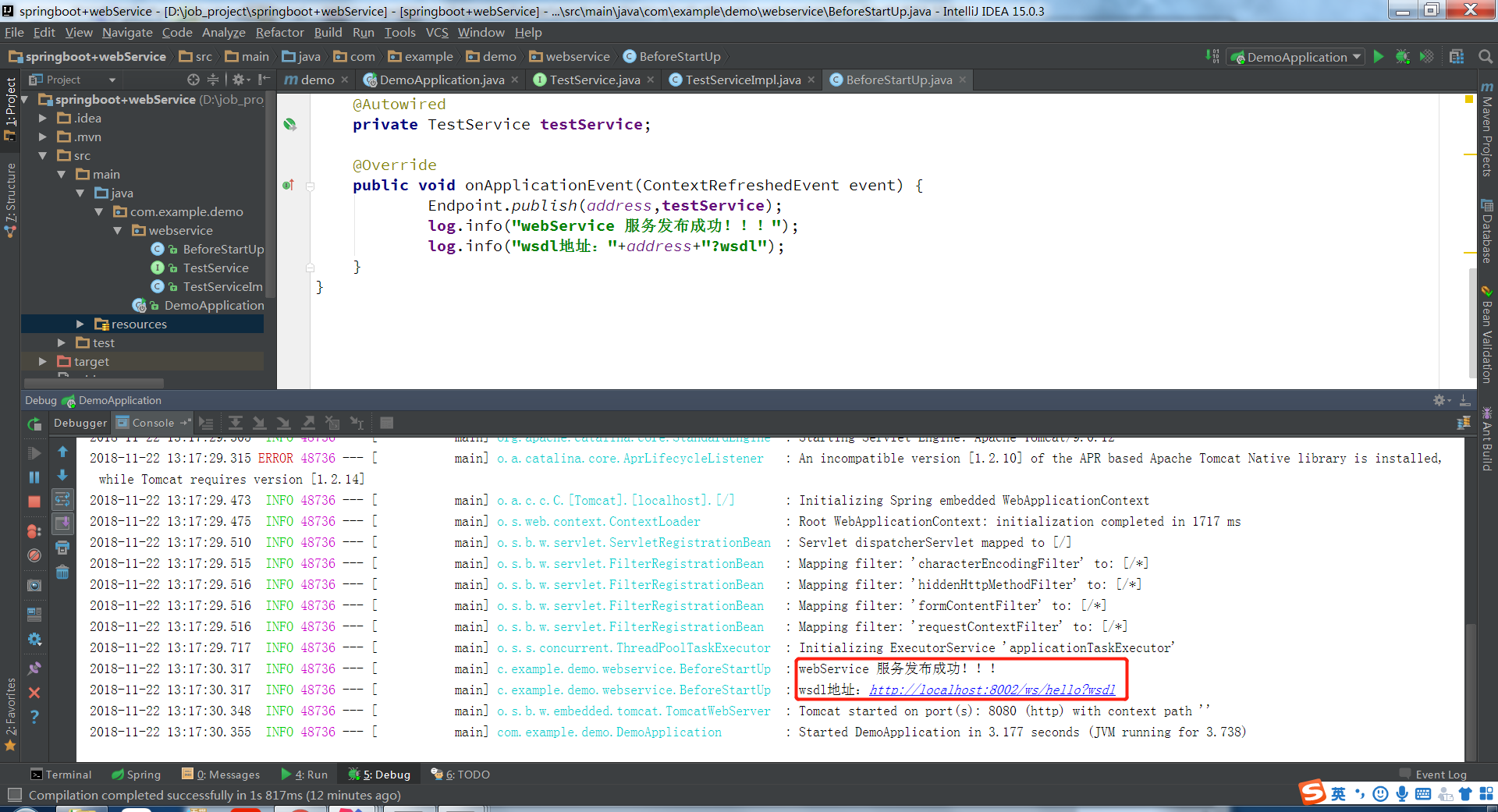
点击wsdl地址即可在浏览器上查看该webService的wsdl的内容。
由于webService是跨平台的。只要通过该wsdl文件就可以生成相应平台上的客户端或者服务端代码。
五、生成客户端代码(使用的是IDEA编辑器),通过客户端访问webservice接口
新建一个Java项目。
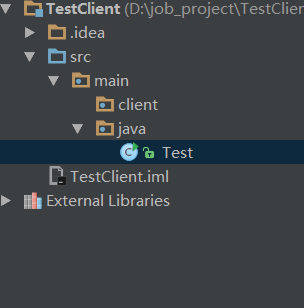
右击client,选择webService,选择generate java code from wsdl

3.
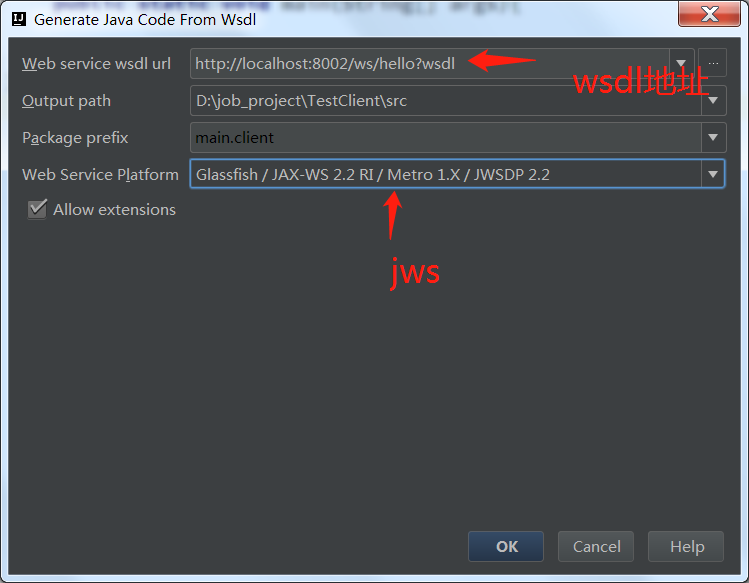
4.点击ok即可生成客户端代码。调用接口跟平常写程序调用方法没什么两样。方法在TestServiceImpl中,获取TestServiceImpl对象的方法在TestServcieImplService中。在main方法中调用:
package main.java;

import main.client.TestServiceImpl;

import main.client.TestServiceImplService;

public class Test {

    public static void main(String[] args){

        TestServiceImpl service = (new TestServiceImplService()).getTestServiceImplPort();

        String s = service.hiWebService("hi webService!");

        System.out.println(s);

    }

}
六、运行main方法、查看接口调用
客户端:
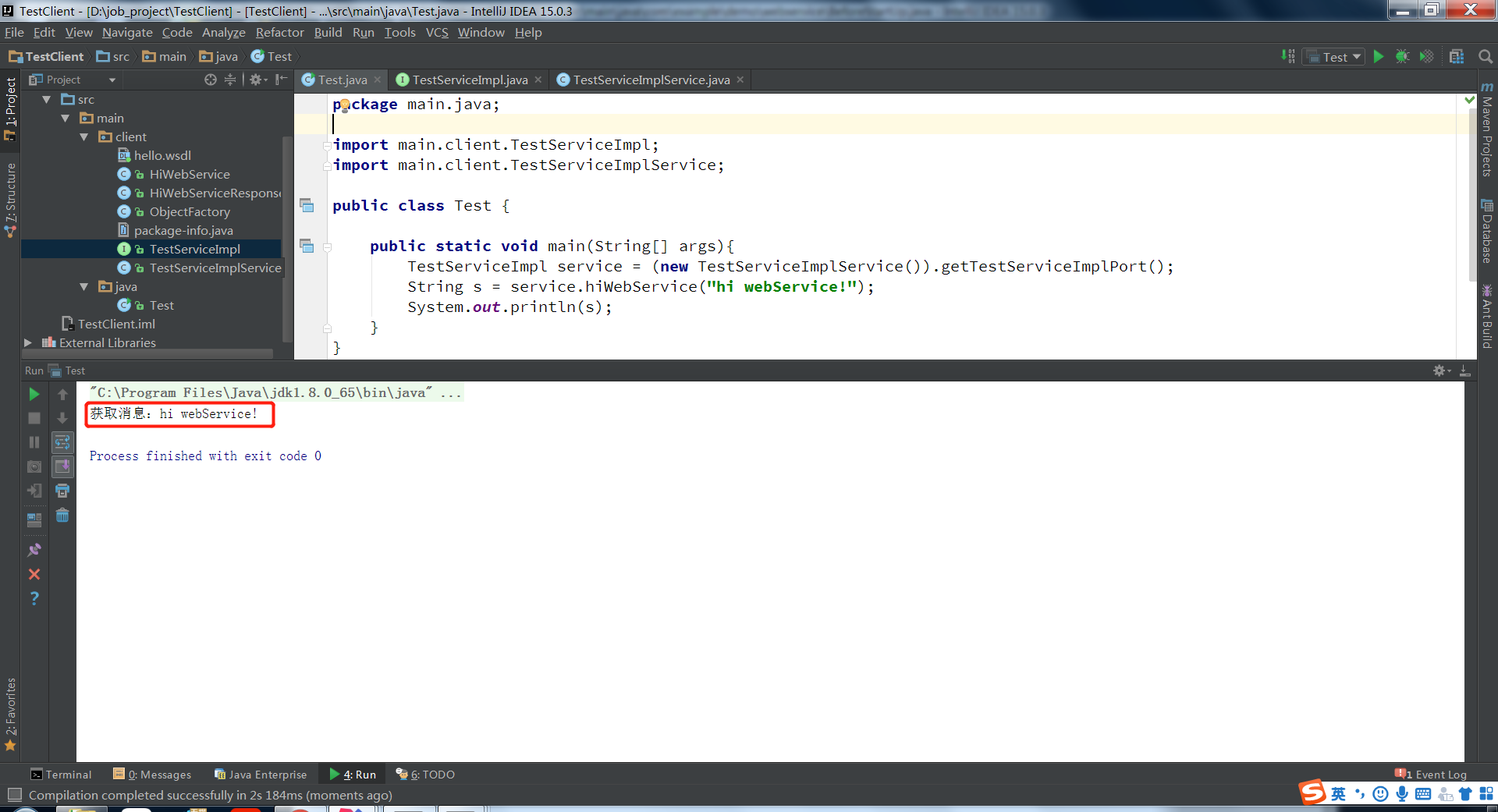
说明接口已经成功调用。
服务端:
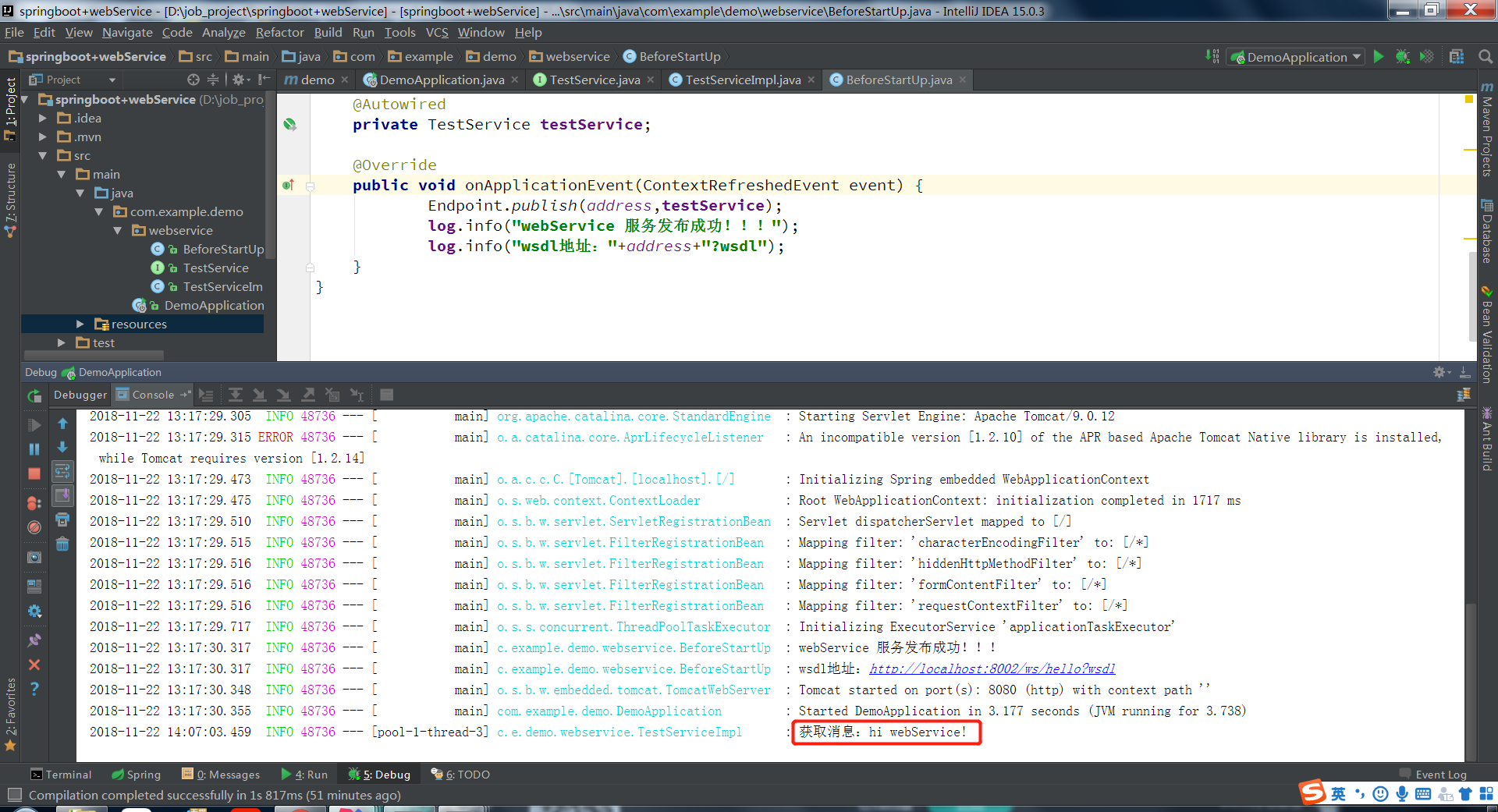
七、项目结构
本例子分为两部分,有客户端,也有webservice端,如下所示:

注:本文著作权归作者,由demo大师发表,拒绝转载,转载需要作者授权
在spring boot微服务中使用JWS发布webService的更多相关文章
- 【原创】Docker容器及Spring Boot微服务应用
Docker容器及Spring Boot微服务应用 1 什么是Docker 1.1 Docker的出现 问题一:项目实施环境复杂问题 传统项目实施过程中经常会出现“程序在我这跑得好好的,在你那怎么就不 ...
- 【spring boot】spring cloud下spring boot微服务启动没有报错,但是访问访问不到
spring cloud下spring boot微服务启动没有报错,但是访问访问不到 解决方法: 可能是端口被占用了,但是依旧启用成功了. 更改一下项目启用的端口号,再重新启动查看是否可以正常访问.
- Spring Boot 微服务应用集成Prometheus + Grafana 实现监控告警
Spring Boot 微服务应用集成Prometheus + Grafana 实现监控告警 一.添加依赖 1.1 Actuator 的 /prometheus端点 二.Prometheus 配置 部 ...
- Spring Cloud微服务中网关服务是如何实现的?(Zuul篇)
导读 我们知道在基于Spring Cloud的微服务体系中,各个微服务除了在内部提供服务外,有些服务接口还需要直接提供给客户端,如Andirod.IOS.H5等等. 而一个很尴尬的境地是,如果直接将提 ...
- 基于Centos7.4搭建prometheus+grafana+altertManger监控Spring Boot微服务(docker版)
目的:给我们项目的微服务应用都加上监控告警.在这之前你需要将 Spring Boot Actuator引入 本章主要介绍 如何集成监控告警系统Prometheus 和图形化界面Grafana 如何自定 ...
- Spring Boot微服务架构入门
概述 还记得在10年毕业实习的时候,当时后台三大框架为主流的后台开发框架成软件行业的标杆,当时对于软件的认识也就是照猫画虎,对于为什么会有这么样的写法,以及这种框架的优势或劣势,是不清楚的,Sprin ...
- Spring Boot微服务如何集成fescar解决分布式事务问题?
什么是fescar? 关于fescar的详细介绍,请参阅fescar wiki. 传统的2PC提交协议,会持有一个全局性的锁,所有局部事务预提交成功后一起提交,或有一个局部事务预提交失败后一起回滚,最 ...
- Spring Cloud 微服务中搭建 OAuth2.0 认证授权服务
在使用 Spring Cloud 体系来构建微服务的过程中,用户请求是通过网关(ZUUL 或 Spring APIGateway)以 HTTP 协议来传输信息,API 网关将自己注册为 Eureka ...
- Spring Boot微服务框架的搭建
(1)spring boot简介 Spring Boot是由Pivotal团队提供的全新框架,其设计目的是用来简化新Spring应用的初始搭建以及开发过程.该框架使用了特定的方式来进行配置,从而使开发 ...
随机推荐
- 数据库实例: STOREBOOK > 用户 > 编辑 用户: SYSTEM
ylbtech-Oracle:数据库实例: STOREBOOK > 用户 > 编辑 用户: SYSTEM 编辑 用户: SYSTEM 1. 一般信息返回顶部 1.1, 1.2, 2 ...
- VNC XEN 双鼠标问题 以及 使用 virt-manager 工具创建的 Xen 虚拟机配置文件不在 /etc/xen/ 目录中了
0.本人用的是Ubuntu 12.04,在其中安装xen 4.1,用的是virt-manager安装虚拟机 1.VNC XEN 双鼠标问题,在配置文件中加入: 找到:(usb 1),在之后加入: (u ...
- jboss中控制台jmx-console 登录的用户名和密码设置
默认情况访问 http://localhost:8080/jmx-console 就可以浏览jboss的部署管理的一些信息,不需要输入用户名和密码,使用起来有点安全隐患.下面我们针对此问题对jboss ...
- SQL Server 损坏修复 之一 常见错误解读
SQL Server 对数据库损坏的错误类型做了细化,在此对几个典型的错误作一下介绍. 错误信息是:“在文件 '%ls'中.偏移量为 %#016I64x 的位置执行 %S_MSG 期间,操作系统已经向 ...
- [Python爬虫] :Selenium +phantomjs 利用 pyquery抓取脚本链接对应的内容
抓取上面对应链接的网页的文章的内容 ele = element.attr("onclick") self.driver.execute_script(ele) sub_seleni ...
- Nginx网站常见的跳转配置实例
相信大家在日常运维工作中如果你用到nginx作为前端反向代理服务器的话,你会对nginx的rewrite又爱又恨,爱它是因为你搞定了它,完成了开发人员的跳转需求后你会觉得很爽,觉得真的很强大,恨它是因 ...
- Java复习1-基本数据类型
数据类型 整形 type 存储 取值范围 int 4字节 -2 147 483 648 ~ 2 147 483 647 (超过20亿) short 2字节 -32 768 ~ 32 7677 long ...
- Github用.gitignore忽略指定文件
.gitignore Github提供.gitignore这种功能,可以自己指定哪些文件可以不被管理.具体方法是在版本管理的根目录下(与.git文件夹同级)创建一个.gitignore. 应用实例 项 ...
- Altium Designer 基本封装
1. 按键的绘制和封装怎么画?如下图: 回答:注意元件的画法不要看错了,封装采用Miscellaneous Devices.IntLib[Footprint View]中的DPST-4 2.蜂鸣器的绘 ...
- iOS 一个开发者账号 多台Mac 共用
iOS 开发者账号有时候需要多台Mac 一起用.这个时候就得要证书了, 首先如果一个账号能在第一台电脑上能正常使用了.那么这时就可以把相应的证书导出来,再台PC的时候也可以用. 先导私有的证书.这个是 ...