
zipkin微服务调用链分析
1.zipkin的作用
在微服务架构下,一个http请求从发出到响应,中间可能经过了N多服务的调用,或者N多逻辑操作,
如何监控某个服务,或者某个逻辑操作的执行情况,对分析耗时操作,性能瓶颈具有很大价值,
zipkin帮助我们实现了这一监控功能。
2.启动zipkin
下载可执行文件: https://zipkin.io/quickstart.sh | bash -s
java -jar zipkin.jar
运行结果:

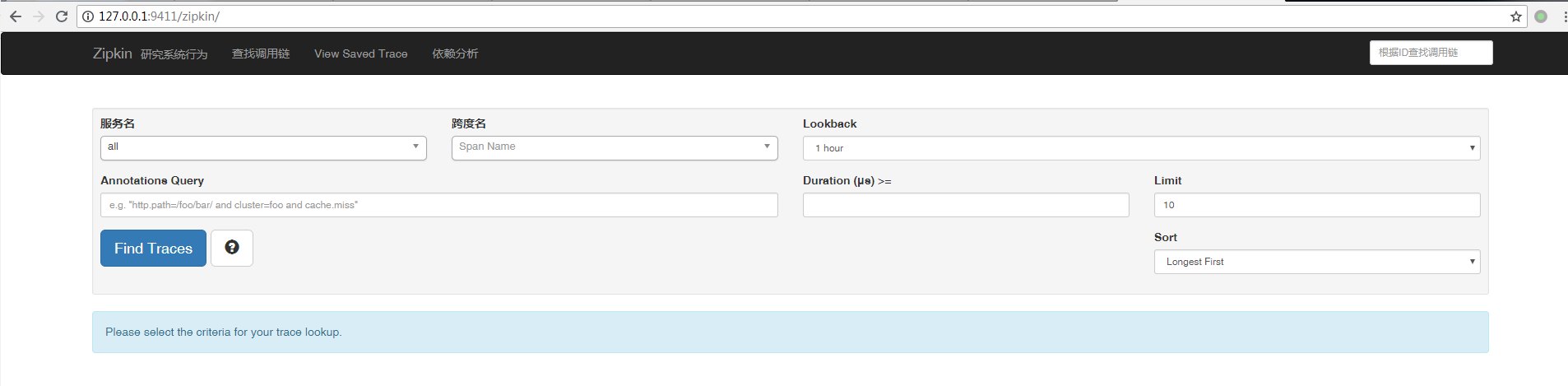
zipkin监听9411端口,通过浏览器查看:
3.python中zipkin的实现模块py_zipkin
创建flask项目,新建demo.py
import requests

from flask import Flask

from py_zipkin.zipkin import zipkin_span,create_http_headers_for_new_span

import time

app = Flask(__name__)

app.config.update({

    "ZIPKIN_HOST":"127.0.0.1",

    "ZIPKIN_PORT":"9411",

    "APP_PORT":5000,

    # any other app config-y things

})

def do_stuff():

    time.sleep(2)

    headers = create_http_headers_for_new_span()

    requests.get('http://localhost:6000/service1/', headers=headers)

    return 'OK'

def http_transport(encoded_span):

    # encoding prefix explained in https://github.com/Yelp/py_zipkin#transport

    #body = b"\x0c\x00\x00\x00\x01"+encoded_span

    body=encoded_span

    zipkin_url="http://127.0.0.1:9411/api/v1/spans"

    #zipkin_url = "http://{host}:{port}/api/v1/spans".format(

     #   host=app.config["ZIPKIN_HOST"], port=app.config["ZIPKIN_PORT"])

    headers = {"Content-Type": "application/x-thrift"}

    # You'd probably want to wrap this in a try/except in case POSTing fails

    r=requests.post(zipkin_url, data=body, headers=headers)

    print(type(encoded_span))

    print(encoded_span)

    print(body)

    print(r)

    print(r.content)

@app.route('/')

def index():

    with zipkin_span(

        service_name='webapp',

        span_name='index',

        transport_handler=http_transport,

        port=5000,

        sample_rate=100, #0.05, # Value between 0.0 and 100.0

    ):

        with zipkin_span(service_name='webapp', span_name='do_stuff'):

            do_stuff()

        time.sleep(1)

    return 'OK', 200

if __name__=='__main__':

    app.run(host="0.0.0.0",port=5000,debug=True)
新建server1.py
from flask import request

import requests

from flask import Flask

from py_zipkin.zipkin import zipkin_span,ZipkinAttrs

import time

import MySQLdb

app = Flask(__name__)

app.config.update({

    "ZIPKIN_HOST":"127.0.0.1",

    "ZIPKIN_PORT":"9411",

    "APP_PORT":5000,

    # any other app config-y things

})

def do_stuff():

    time.sleep(2)

    with zipkin_span(service_name='service1', span_name='service1_db_search'):

        db_search()

    return 'OK'

def db_search():

    # 打开数据库连接

    db = MySQLdb.connect("127.0.0.1", "username", "psw", "db", charset='utf8')

    # 使用cursor()方法获取操作游标

    cursor = db.cursor()

    # 使用execute方法执行SQL语句

    cursor.execute("SELECT VERSION()")

    # 使用 fetchone() 方法获取一条数据

    data = cursor.fetchone()

    print("Database version : %s " % data)

    # 关闭数据库连接

    db.close()

def http_transport(encoded_span):

    # encoding prefix explained in https://github.com/Yelp/py_zipkin#transport

    #body = b"\x0c\x00\x00\x00\x01" + encoded_span

    body=encoded_span

    zipkin_url="http://127.0.0.1:9411/api/v1/spans"

    #zipkin_url = "http://{host}:{port}/api/v1/spans".format(

    #    host=app.config["ZIPKIN_HOST"], port=app.config["ZIPKIN_PORT"])

    headers = {"Content-Type": "application/x-thrift"}

    # You'd probably want to wrap this in a try/except in case POSTing fails

    requests.post(zipkin_url, data=body, headers=headers)

@app.route('/service1/')

def index():

    with zipkin_span(

        service_name='service1',

        zipkin_attrs=ZipkinAttrs(

            trace_id=request.headers['X-B3-TraceID'],

            span_id=request.headers['X-B3-SpanID'],

            parent_span_id=request.headers['X-B3-ParentSpanID'],

            flags=request.headers['X-B3-Flags'],

            is_sampled=request.headers['X-B3-Sampled'],

        ),

        span_name='index_service1',

        transport_handler=http_transport,

        port=6000,

        sample_rate=100, #0.05, # Value between 0.0 and 100.0

    ):

        with zipkin_span(service_name='service1', span_name='service1_do_stuff'):

            do_stuff()

    return 'OK', 200

if __name__=='__main__':

    app.run(host="0.0.0.0",port=6000,debug=True)
运行demo.py

运行server1.py

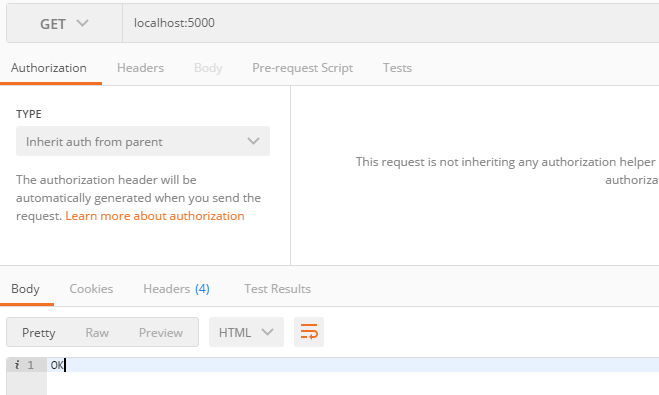
访问5000端口
查看调用链:
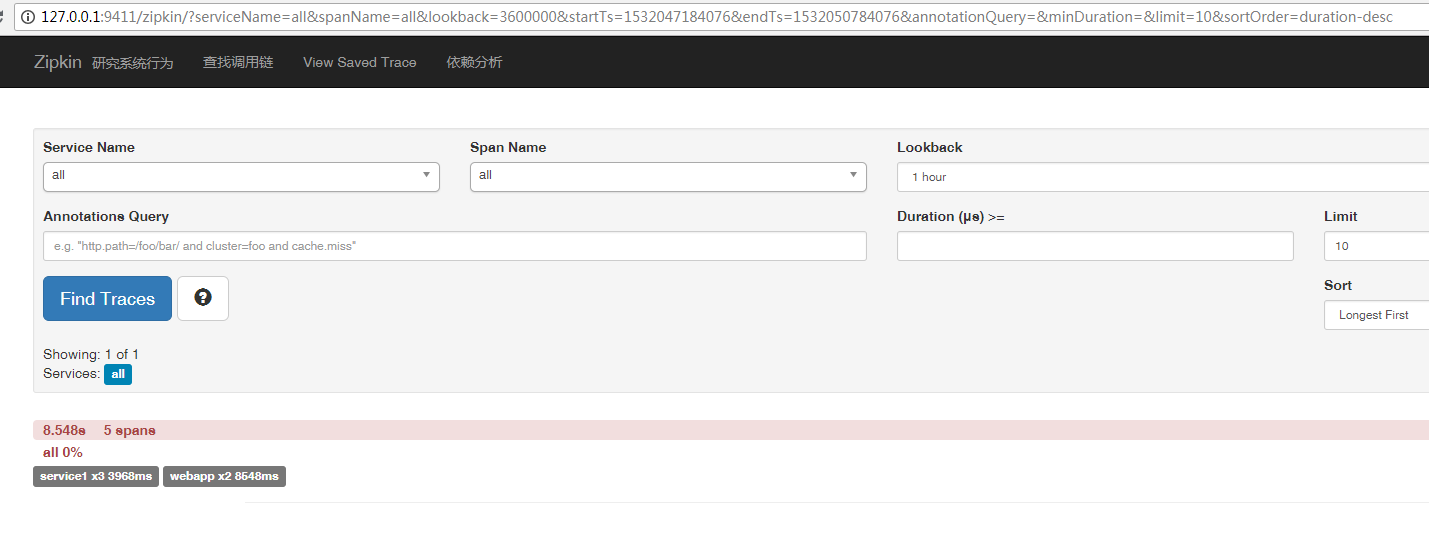

可以看到,有webapp和services两个service,5个span标签,可以清楚看到service和service,service和span,span和span之间的关系,和各span耗时情况。
4.py_zipkin代码分析
上例中我们主要使用了py_zipkin的两个对象,zipkin_span和create_http_headers_for_new_span
1)zipkin_span
with zipkin_span(

        service_name='webapp',

        span_name='index',

        transport_handler=http_transport,

        port=5000,

        sample_rate=100, #0.05, # Value between 0.0 and 100.0

    ):
service_name:服务名
span_name:标签名,用来标志服务里面的某个操作
transport_handler:处理函数,post数据到zipkin
port:服务端口号
sample_rate:待研究
需要注意的是,在一个服务里面,只有root-span需要定义transport_handler,port等参数,非root-span只有service_name是必须的,其他参数继承root-span
with zipkin_span(service_name='webapp', span_name='do_stuff'):

    do_stuff()
zip_span还可以是用装饰器的方式,来包裹对应的操作
@zipkin_span(service_name='webapp', span_name='do_stuff')

def do_stuff():

    time.sleep(2)

    headers = create_http_headers_for_new_span()

    requests.get('http://localhost:6000/service1/', headers=headers)

    return 'OK'
但是,我这边试了装饰器的方式,不起作用
transport_handler的定义如下:
def http_transport(encoded_span):

    # encoding prefix explained in https://github.com/Yelp/py_zipkin#transport

    #body = b"\x0c\x00\x00\x00\x01"+encoded_span

    body=encoded_span

    zipkin_url="http://127.0.0.1:9411/api/v1/spans"

    #zipkin_url = "http://{host}:{port}/api/v1/spans".format(

     #   host=app.config["ZIPKIN_HOST"], port=app.config["ZIPKIN_PORT"])

    headers = {"Content-Type": "application/x-thrift"}

    # You'd probably want to wrap this in a try/except in case POSTing fails

    r=requests.post(zipkin_url, data=body, headers=headers)
zipkin会把编码后的span,通过接口post到zipkin,我们通过浏览器就可以看到调用链详情了。
2)create_http_headers_for_new_span
跳到一个新的服务时,通过create_http_headers_for_new_span生成新的span信息,包括trace_id,span_id,parent_span_id等,服务之间就做好关联了
with zipkin_span(

        service_name='service1',

        zipkin_attrs=ZipkinAttrs(

            trace_id=request.headers['X-B3-TraceID'],

            span_id=request.headers['X-B3-SpanID'],

            parent_span_id=request.headers['X-B3-ParentSpanID'],

            flags=request.headers['X-B3-Flags'],

            is_sampled=request.headers['X-B3-Sampled'],

        ),

        span_name='index_service1',

        transport_handler=http_transport,

        port=6000,

        sample_rate=100, #0.05, # Value between 0.0 and 100.0

    ):
zipkin微服务调用链分析的更多相关文章
- zipkin微服务调用链分析(python)
一,概述 zipkin的作用 在微服务架构下,一个http请求从发出到响应,中间可能经过了N多服务的调用,或者N多逻辑操作,如何监控某个服务,或者某个逻辑操作的执行情况,对分析耗时操作,性能瓶颈具有很 ...
- 小D课堂 - 新版本微服务springcloud+Docker教程_4-05 微服务调用方式之feign 实战 订单调用商品服务
笔记 5.微服务调用方式之feign 实战 订单调用商品服务 简介:改造电商项目 订单服务 调用商品服务获取商品信息 Feign: 伪RPC客户端(本质还是用http) ...
- 小D课堂 - 新版本微服务springcloud+Docker教程_4-02 微服务调用方式之ribbon实战 订单调用商品服务
笔记 2.微服务调用方式之ribbon实战 订单调用商品服务 简介:实战电商项目 订单服务 调用商品服务获取商品信息 1.创建order_service项目 2 ...
- restTemple发送请求、上传文件(@LoadBalanced微服务调用及url调用)
import org.springframework.context.annotation.Bean; import org.springframework.context.annotation.Co ...
- Zipkin — 微服务链路跟踪.
一.Zipkin 介绍 Zipkin 是什么? Zipkin的官方介绍:https://zipkin.apache.org/ Zipkin是一款开源的分布式实时数据追踪系统(Distributed ...
- sleuth和zipkin微服务里的链路跟踪
分布式链路跟踪介绍 对于一个微服务系统,大多数来自外部的请求都会经过数个服务的互相调用,得到返回的结果,一旦结果回复较慢或者返回了不可用,我们就需要确定是哪个微服务出了问题.于是就有了分布式系统调用跟 ...
- 【微服务】之五:轻松搞定SpringCloud微服务-调用远程组件Feign
上一篇文章讲到了负载均衡在Spring Cloud体系中的体现,其实Spring Cloud是提供了多种客户端调用的组件,各个微服务都是以HTTP接口的形式暴露自身服务的,因此在调用远程服务时就必须使 ...
- [Spring cloud 一步步实现广告系统] 11. 使用Feign实现微服务调用
上一节我们使用了Ribbon(基于Http/Tcp)进行微服务的调用,Ribbon的调用比较简单,通过Ribbon组件对请求的服务进行拦截,通过Eureka Server 获取到服务实例的IP:Por ...
- spring cloud 微服务调用--ribbon和feign调用
这里介绍ribbon和feign调用两种通信服务调用方式,同时介绍如何引入第三方服务调用.案例包括了ribbon负载均衡和hystrix熔断--服务降级的处理,以及feign声明式服务调用.例子包括s ...
随机推荐
- 怎样查看SSL证书的有效期?自动续期是否生效?
前面一篇教程教大家如何能够把网站的 HTTPS 的 SSL 证书自动续期.料神米课的学员动手能力都很强,已经很多都成功把证书续期了.但怎么看证书续期是否成功了呢? 使用火狐 firefox 浏览器就可 ...
- ios中项目
上一个版本 http://pan.baidu.com/share/link?shareid=2183244558&uk=923776187 下载地址 http://pan.baidu.com ...
- ios中推送
http://www.cnblogs.com/cdts_change/p/3240893.html 推荐:http://blog.csdn.net/zhuqilin0/article/details/ ...
- LPDMvvmKit 系列之 UITableView 的改造
阅读本文需要对ReactiveCocoa足够了解,也可以参阅图解ReactiveCocoa基本函数(http://www.jianshu.com/p/38d39923ee81) Cocoa Touch ...
- 工程部署从tomcat6.0迁移到jboss6.0错误总结
2014-11-08 内容存档在evernote,笔记名"工程部署从tomcat6.0迁移到jboss6.0错误总结"
- 关于新加坡IT薪酬和找工作网站
关于新加坡IT薪酬 很多朋友发邮件或留言问我关于新加坡IT薪酬的问题,由于前段时间比较忙,所以没有及时一一回复,在此表示抱歉. 新加坡IT薪酬范围大概如下(月薪,新加坡币对人民币为1:5): Juni ...
- 关于使用coreseek并为其做分页的介绍(转)
coreseek 做分页时找数据总量还真不好找.以为他会给一个方法(函数)什么的去获取,结果却不是.首先需要了解:num_matches: 当前返回的结果数,<= limit设置值.max_ma ...
- Red Hat忘记root密码了怎么办?
方法很简单: 在出现grub画面时,用上下键选中平时启动linux的那一项,然后按a键,可以进行append模式 在出来的命令行等方面加上 空格 single , 这样可以进入单用户模式,再 pass ...
- 转如何用九条命令在一分钟内检查Linux服务器性能?
一.uptime命令 $ uptime :: up :, user, load average: 30.02, 26.43, 19.02 这个命令可以快速查看机器的负载情况.在Linux系统中, ...
- ORA-01917: user or role 'PDB_DBA' does not exist
在使用seed PDB创建新的PDB的时候,报了以下错误提示: SQL> create pluggable database pdb2 admin user admin1 identified ...