
C# Winform 水波纹效果
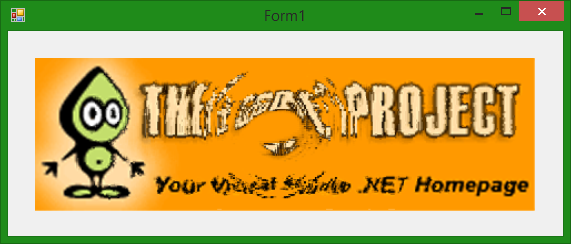
//添加自定义控件

using System;

using System.Collections.Generic;

using System.ComponentModel;

using System.Data;

using System.Drawing;

using System.Linq;

using System.Text;

using System.Windows.Forms;

using System.Runtime.InteropServices;

using System.Drawing.Imaging;

namespace My.UControl

{

    public partial class WaveControl : Panel// Control

    {

        public WaveControl()

        {

            InitializeComponent();

            this.Effect.Tick += new EventHandler(Effect_Tick);

            this.Paint += new PaintEventHandler(WavesControl_Paint);

            this.MouseMove += new MouseEventHandler(WavesControl_MouseMove);

            this.Effect.Enabled = true;

            this.Effect.Interval = ;

            SetStyle(ControlStyles.UserPaint, true);

            SetStyle(ControlStyles.AllPaintingInWmPaint, true);

            SetStyle(ControlStyles.DoubleBuffer, true);

            this.BackColor = Color.White;

        }

        public WaveControl(Bitmap bmp)

            : this()

        {

            this.bmpImage = bmp;

        }

        #region Fields or Properties

        private int scale = ;

        /// <summary>

        /// The scale of the wave matrix compared to the size of the image.

        /// Use it for large images to reduce processor load.

        ///

        /// 0 : wave resolution is the same than image resolution

        /// 1 : wave resolution is half the image resolution

        /// ...and so on

        /// </summary>

        public int Scale

        {

            get { return scale; }

            set { scale = value; }

        }

        private Bitmap bmpImage;

        /// <summary>

        /// Background image

        /// </summary>

        public Bitmap BmpImage

        {

            get { return bmpImage; }

            set

            {

                if (value == null)

                    return;

                bmpImage = value;

                bmpHeight = bmpImage.Height;

                bmpWidth = bmpImage.Width;

                waveHeight = bmpHeight >> scale;

                waveWidth = bmpWidth >> scale;

                waves = new short[waveWidth, waveHeight, ];

                bmpBytes = new byte[bmpWidth * bmpHeight * ];

                bmpBitmapData = bmpImage.LockBits(new Rectangle(, , bmpWidth, bmpHeight),

                    System.Drawing.Imaging.ImageLockMode.ReadWrite,

                    System.Drawing.Imaging.PixelFormat.Format32bppArgb);

                Marshal.Copy(bmpBitmapData.Scan0, bmpBytes, , bmpWidth * bmpHeight * );

            }

        }

        private int bmpHeight { get; set; }

        private int bmpWidth { get; set; }

        private int waveWidth { get; set; }

        private int waveHeight { get; set; }

        private short[, ,] waves { get; set; }

        private byte[] bmpBytes { get; set; }

        private System.Drawing.Imaging.BitmapData bmpBitmapData { get; set; }

        private bool IsWaves = false;

        private int activedBuf = ;

        #endregion

        void WavesControl_MouseMove(object sender, MouseEventArgs e)

        {

            int realX = (int)((e.X / (double)this.ClientRectangle.Width) * waveWidth);

            int realY = (int)((e.Y / (double)this.ClientRectangle.Height) * waveHeight);

            this.PutDrop(realX, realY, );

        }

        /// <summary>

        /// This function is used to start a wave by simulating a round drop

        /// </summary>

        /// <param name="realX">x position of the drop</param>

        /// <param name="realY">y position of the drop</param>

        /// <param name="height">Height position of the drop</param>

        private void PutDrop(int realX, int realY, int height)

        {

            this.IsWaves = true;

            int radius =;

            double dist;

            for (int i = -radius; i <= radius; i++)

            {

                for (int j = -radius; j <= radius; j++)

                {

                    if (((realX + i >= ) && (realX + i < waveWidth - )) && ((realY + j >= ) && (realY + j < waveHeight - )))

                    {

                        dist = Math.Sqrt(i * i + j * j);

                        if (dist < radius)

                            waves[realX + i, realY + j, activedBuf] = (short)(Math.Cos(dist * Math.PI / radius) * height);

                    }

                }

            }

        }

        /// <summary>

        /// Paint handler

        /// Calculates the final effect-image out of

        /// </summary>

        /// <param name="sender"></param>

        /// <param name="e"></param>

        void WavesControl_Paint(object sender, PaintEventArgs e)

        {

            if (bmpImage == null) return;

            using (Bitmap tmpBmp = bmpImage.Clone() as Bitmap)

            {

                int xOffset, yOffset;

                byte alpha;

                if (IsWaves)

                {

                    BitmapData tmpBitmapData = tmpBmp.LockBits(new Rectangle(, , bmpWidth, bmpHeight),

                        ImageLockMode.ReadWrite, PixelFormat.Format32bppArgb);

                    byte[] tmpBytes = new byte[bmpWidth * bmpHeight * ];

                    Marshal.Copy(tmpBitmapData.Scan0, tmpBytes, , bmpWidth * bmpHeight * );

                    for (int x = ; x < bmpWidth - ; x++)

                    {

                        for (int y = ; y < bmpHeight - ; y++)

                        {

                            int waveX = (int)x >> scale;

                            int waveY = (int)y >> scale;

                            ///check bounds

                            waveX = waveX <=  ?  : waveX;

                            waveY = waveY <=  ?  : waveY;

                            waveX = waveX >= waveWidth -  ? waveWidth -  : waveX;

                            waveY = waveY >= waveHeight -  ? waveHeight -  : waveY;

                            ///this gives us the effect of water breaking the light

                            xOffset = (waves[waveX - , waveY, activedBuf] - waves[waveX + , waveY, activedBuf]) >> ;

                            yOffset = (waves[waveX, waveY - , activedBuf] - waves[waveX, waveY + , activedBuf]) >> ;

                            if ((xOffset != ) || (yOffset != ))

                            {

                                ///check bounds

                                if (x + xOffset >= bmpWidth - )

                                    xOffset = bmpWidth - x - ;

                                if (y + yOffset >= bmpHeight - )

                                    yOffset = bmpHeight - y - ;

                                if (x + xOffset < ) xOffset = -x;

                                if (y + yOffset < ) yOffset = -y;

                                ///generate alpha

                                alpha = (byte)( - xOffset);

                                if (alpha < ) alpha = ;

                                if (alpha > ) alpha = ;

                                ///set colors

                                tmpBytes[ * (x + y * bmpWidth)] = bmpBytes[ * (x + xOffset + (y + yOffset) * bmpWidth)];

                                tmpBytes[ * (x + y * bmpWidth) + ] = bmpBytes[ * (x + xOffset + (y + yOffset) * bmpWidth) + ];

                                tmpBytes[ * (x + y * bmpWidth) + ] = bmpBytes[ * (x + xOffset + (y + yOffset) * bmpWidth) + ];

                                tmpBytes[ * (x + y * bmpWidth) + ] = alpha;

                            }

                        }

                    }

                    ///copy data back

                    Marshal.Copy(tmpBytes, , tmpBitmapData.Scan0, bmpWidth * bmpHeight * );

                    tmpBmp.UnlockBits(tmpBitmapData);

                }

                e.Graphics.DrawImage(tmpBmp, , , this.ClientRectangle.Width, this.ClientRectangle.Height);

            }

        }

        /// <summary>

        /// This is the method that actually does move the waves around and simulates the

        /// behaviour of water.

        /// </summary>

        private void Waves()

        {

            int newBuf = this.activedBuf ==  ?  : ;

            bool wavesFound = false;

            for (int x = ; x < waveWidth - ; x++)

            {

                for (int y = ; y < waveHeight - ; y++)

                {

                    waves[x, y, newBuf] = (short)(((

                        waves[x - , y - , activedBuf] +

                        waves[x - , y, activedBuf] +

                        waves[x - , y + , activedBuf] +

                        waves[x, y - , activedBuf] +

                        waves[x, y + , activedBuf] +

                        waves[x + , y - , activedBuf] +

                        waves[x + , y, activedBuf] +

                        waves[x + , y + , activedBuf]) >> ) - waves[x, y, newBuf]);

                    ///damping

                    if (waves[x, y, newBuf] != )

                    {

                        waves[x, y, newBuf] -= (short)(waves[x, y, newBuf] >> );

                        wavesFound = true;

                    }

                }

            }

            IsWaves = wavesFound;

            activedBuf = newBuf;

        }

        void Effect_Tick(object sender, EventArgs e)

        {

            if (IsWaves)

            {

                Invalidate();

                Waves();

            }

        }

        //protected override void OnPaint(PaintEventArgs pe)

        //{

        //    base.OnPaint(pe);

        //}

    }

}
参考资料[含程序,源码,算法]
http://pan.baidu.com/s/1dD3s2xN
http://www.cnblogs.com/worldreason/archive/2008/05/09/1189648.html
http://www.codeproject.com/Articles/1073/Interactive-water-effect
C# Winform 水波纹效果的更多相关文章
- jquery ripples水波纹效果( 涟漪效果)
这个效果是我从bootstrap-material-design上面分离下来的,bootstrap-material-design的一些组件样式我不太不喜欢,但是非常喜欢这个水波纹效果,所以就有了这篇 ...
- 如何使用 HTML5 Canvas 制作水波纹效果
今天,我们继续分享 JavaScript 实现的效果例子,这篇文章会介绍使用 JavaScript 实现水波纹效果.水波效果以图片为背景,点击图片任意位置都会触发.有时候,我们使用普通的 Javasc ...
- 兼容Android的水波纹效果
Android的水波纹效果只有高版本才有,我们希望自己的应用在低版本用低版本的阴影,高版本用水波纹,这怎么做呢?其实,只要分drawable和drawablev21两个文件夹就好了. 普通情况下的se ...
- android自定义控件(4)-自定义水波纹效果
一.实现单击出现水波纹单圈效果: 照例来说,还是一个自定义控件,观察这个效果,发现应该需要重写onTouchEvent和onDraw方法,通过在onTouchEvent中获取触摸的坐标,然后以这个坐标 ...
- 自定义view实现水波纹效果
水波纹效果: 1.标准正余弦水波纹: 2.非标准圆形液柱水波纹: 虽说都是水波纹,但两者在实现上差异是比较大的,一个通过正余弦函数模拟水波纹效果,另外一个会运用到图像的混合模式(PorterDuffX ...
- Android 颜色渲染(七) RadialGradient 环形渲染实现水波纹效果
利用环形渲染我们可以做到什么? 其实很多都是非常常见的,比如上一篇实现的帮帮糖效果, 彩色的热气球,比如这里要讲到的水波纹效果,或者也可以理解为扩散色渲染效果 首先看一下效果图: 轻触屏幕,即可看到对 ...
- 聊聊Android5.0中的水波纹效果
水波纹效果已经不是什么稀罕的东西了,用过5.0新控件的小伙伴都知道这个效果,可是如果使用一个TextView或者Button或者其它普通控件的话,你是否知道如何给它设置水波纹效果呢?OK,我们今天就来 ...
- android 点击水波纹效果
这里是重点,<ripple>是API21才有的新Tag,正是实现水波纹效果的; 其中<ripple android:color="#FF21272B" .... ...
- Android 自定义view实现水波纹效果
http://blog.csdn.net/tianjian4592/article/details/44222565 在实际的开发中,很多时候还会遇到相对比较复杂的需求,比如产品妹纸或UI妹纸在哪看了 ...
随机推荐
- Java中测试对象的等价性
Java中用于测试对象的等价性有三个操作符:== , != 和 Equals() 对于基本类型即int,boolean, byte 等等来说,==和 != 比较的是 基本类型的内容,这和c.c++是一 ...
- php判断爬虫
function checkrobot($useragent = ''){ static $kw_spiders = 'Bot|Crawl|Spider|slurp|sohu-search|lycos ...
- UML学习
学习链接:http://blog.csdn.net/wangyongxia921/article/category/1293975 感谢原文作者.
- mac下安装使用svn
mac自带了svn服务端和客户端,所以只需要简单配置一下就可以使用 转自 http://blog.sina.com.cn/s/blog_677fb16e01011i6l.html 1.创建svn ...
- web页面的适配问题
一个web页面既要在宽屏上显示,又要在窄屏上显示,既要在电脑上显示,又要在手机上显示,这个适配问题相当的麻烦. 其实解决电脑与手机的适配问题,一般有两个思路:一个是做判断,根据不同条件在css和js做 ...
- undefined reference to `switch_dev_unregister'
编译内核时,使用默认的配置进行编译.出现错误:undefined reference to switch_dev_unregister',undefined reference toswitch_se ...
- ubuntu12.04进入单用户模式
更改ubuntu配置文件出错了,只能进入单用户模式改回来. 转载至: http://blog.csdn.net/lfyaa/article/details/9899497 1.重启ubuntu,VMw ...
- Xcode编译错误和警告汇总<转>
1.error: macro names must be identifiers YourProject_prefix.pch 原因: 因为你弄脏了预处理器宏,在它处于<Multiple Val ...
- Hlsl2glsl
https://sourceforge.net/projects/hlsl2glsl/
- opencv hog+svm行人检测
http://blog.csdn.net/masibuaa/article/details/16105073 http://blog.csdn.net/u011263315/article/detai ...