
c# 图文添加文字斜水印 优化
之前一篇给图片加水印的功能,加出来水印的图片位置有一点问题,并且如果图片分辨率有变动的话,水印会有层次不齐的问题。
目前只能优化到增加一条居中显示的斜水印,在不同分辨率不同大小的图片中,都能保证文字水印的字体大小从左下至右上能撑满整张图片。
思路是:先生成一张文字水印图片的PNG图片。
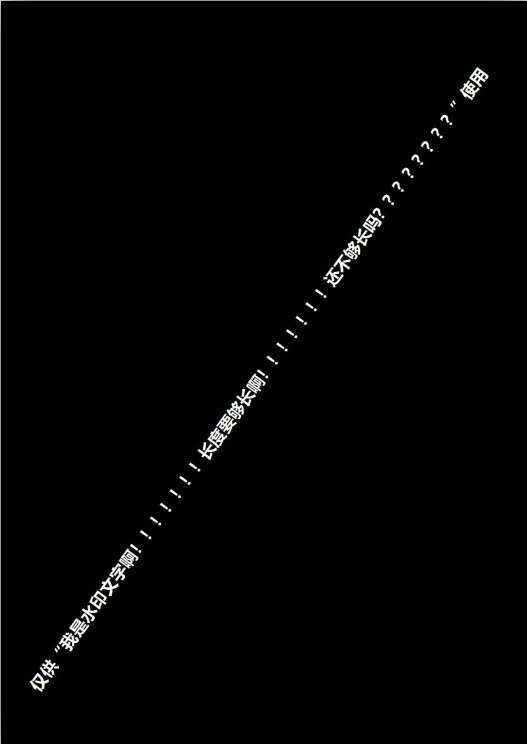
在你需要添加水印的图片上,把之前加的水印图片贴上去就可以了。
核心代码:
     //新建原始普通大小的bmp

     Bitmap bmCanvas = new Bitmap(imgSrc.Width, imgSrc.Height, PixelFormat.Format24bppRgb);

     Graphics gCanvas = Graphics.FromImage(bmCanvas);

     gCanvas.Clear(Color.White);

     gCanvas.SmoothingMode = SmoothingMode.HighQuality;

     gCanvas.InterpolationMode = InterpolationMode.High;

     //将原始图片加载入画布

     gCanvas.DrawImage(imgSrc, , , imgSrc.Width, imgSrc.Height);

     //计算图片对角线长度

     double diagonal = Math.Sqrt(Math.Pow(width, ) + Math.Pow(height, ));

     //计算对角线倾角

     double angle = Math.Asin(height / Math.Sqrt(Math.Pow(width, ) + Math.Pow(height, ))) / Math.PI * ;

     // 确定水印文字的字体大小

     int[] sizes = new int[]

     {

         , , , , , , , , , , , , , , , , , , ,

         , , , , , , , , , , , , , , , , , , ,

         , , , , , , , , , , , , , , , , , , , , , ,

         , , , , , , , , ,

     };

     Font crFont = null;

     SizeF crSize = new SizeF();

     for (int i = ; i < sizes.Length; i++)

     {

         crFont = new Font("微软雅黑", sizes[i], FontStyle.Bold);

         crSize = gCanvas.MeasureString(watermarkText, crFont);

         if ((int)crSize.Width < (int)diagonal * 0.9)

         {

             break;

         }

     }

     // 生成水印图片(将文字写到图片中)

     //Bitmap bmWaterMark = new Bitmap((int)crSize.Width + 3, (int)crSize.Height + 3, PixelFormat.Format32bppArgb);

     Bitmap bmWaterMark = new Bitmap(width, height, PixelFormat.Format32bppArgb);

     Graphics gWaterMark = Graphics.FromImage(bmWaterMark);

     gWaterMark.TranslateTransform(width / , height / );

     gWaterMark.RotateTransform(-(int)angle);

     gWaterMark.TranslateTransform(-crSize.Width / , -crSize.Height / );

     PointF pt = new PointF(, );

     // 画阴影文字

     Brush transparentBrush0 = new SolidBrush(Color.FromArgb(, Color.Black));

     Brush transparentBrush1 = new SolidBrush(Color.FromArgb(, Color.Black));

     gWaterMark.DrawString(watermarkText, crFont, transparentBrush0, pt.X, pt.Y + );

     gWaterMark.DrawString(watermarkText, crFont, transparentBrush0, pt.X + , pt.Y);

     gWaterMark.DrawString(watermarkText, crFont, transparentBrush1, pt.X + , pt.Y + );

     gWaterMark.DrawString(watermarkText, crFont, transparentBrush1, pt.X, pt.Y + );

     gWaterMark.DrawString(watermarkText, crFont, transparentBrush1, pt.X + , pt.Y);

     transparentBrush0.Dispose();

     transparentBrush1.Dispose();

     // 画文字

     gWaterMark.SmoothingMode = SmoothingMode.HighQuality;

     //Brush SolidBrush3 = new SolidBrush(Color.White);

     Brush solidBrush3 = new SolidBrush(Color.FromArgb(, Color.White));

     gWaterMark.DrawString(watermarkText, crFont, solidBrush3, pt.X, pt.Y, StringFormat.GenericDefault);

     solidBrush3.Dispose();

     // 保存刚才的操作

     gWaterMark.Save();

     gWaterMark.Dispose();

     bmWaterMark.Save(_wmImgSavePath, ImageFormat.Jpeg);

     //// 将水印图片加到原图中

     //AddWatermarkImage(gCanvas, new Bitmap(bmWaterMark), "WM_TOP_LEFT", width, height);

     using (var imageAttr = new ImageAttributes())

     {

         ColorMap colorMap = new ColorMap();

         colorMap.OldColor = Color.FromArgb(, , , );

         colorMap.NewColor = Color.FromArgb(, , , );

         ColorMap[] remapTable = { colorMap };

         imageAttr.SetRemapTable(remapTable, ColorAdjustType.Bitmap);

         float[][] colorMatrixElements =

         {

             new float[] {1.0f, 0.0f, 0.0f, 0.0f, 0.0f},

             new float[] {0.0f, 1.0f, 0.0f, 0.0f, 0.0f},

             new float[] {0.0f, 0.0f, 1.0f, 0.0f, 0.0f},

             new float[] {0.0f, 0.0f, 0.0f, 0.3f, 0.0f},

             new float[] {0.0f, 0.0f, 0.0f, 0.0f, 1.0f}

         };

         ColorMatrix colorMatrix = new ColorMatrix(colorMatrixElements);

         imageAttr.SetColorMatrix(colorMatrix, ColorMatrixFlag.Default, ColorAdjustType.Bitmap);

         gCanvas.DrawImage(bmWaterMark, new Rectangle(, , bmWaterMark.Width, bmWaterMark.Height), , ,

             bmWaterMark.Width, bmWaterMark.Height, GraphicsUnit.Pixel, imageAttr);

         gCanvas.Dispose();

     }

     bmWaterMark.Dispose();
代码已上传至GitHub,地址:https://github.com/hano7758/WaterMark
c# 图文添加文字斜水印 优化的更多相关文章
- c# 图文添加文字斜水印
项目中有个添加水印的需求,需要给图片铺满斜水印. 网上搜了半天全是添加在图片上.下.左.右的案例. 于是按照网上的某一段案例自己修改了一些代码. Bitmap bitmap = new Bitmap( ...
- ios图片添加文字或者水印
在项目中,我们会对图片做一些处理,但是我们要记住,一般在客户端做图片处理的数量不宜太多,因为受设备性能的限制,如果批量的处理图片,将会带来交互体验性上的一些问题.首先让我们来看看在图片上添加文字的方法 ...
- php 使用GD库压缩图片,添加文字图片水印
先上一个工具类,提供了压缩,添加文字.图片水印等方法: image.class.php <?php class Image { private $info; private $image; pu ...
- php 图片添加文字,水印
因为工作需求,用到这个,网上找了很多,也没有找到好的方式,最后找到这种感觉比较简单的方式,记录下来,以备后用. $im = imagecreatefrompng("img/yyk_bg. ...
- 用python给图片添加文字(水印)
题目来源于:Python 练习册,每天一个小程序 第0000题 代码如下: #-*- coding:utf-8 -*- import PIL from PIL import Image from PI ...
- 给二维码(图片)添加文字(水印),让生成的二维码中间带logo
<?php //生成二维码 require_once IA_ROOT . '/framework/library/qrcode/phpqrcode.php'; QRcode::png($url, ...
- javacpp-opencv图像处理之1:实时视频添加文字水印并截取视频图像保存成图片,实现文字水印的字体、位置、大小、粗度、翻转、平滑等操作
欢迎大家积极开心的加入讨论群 群号:371249677 (点击这里进群) javaCV图像处理系列: javaCV图像处理之1:实时视频添加文字水印并截取视频图像保存成图片,实现文字水印的字体.位置. ...
- php 图片添加文字水印 以及 图片合成(微信快码传播)
1.图片添加文字水印: $bigImgPath = 'backgroud.png'; $img = imagecreatefromstring(file_get_contents($bigImgPat ...
- 利用php给图片添加文字水印--面向对象与面向过程俩种方法的实现
1: 面向过程的编写方法 //指定图片路径 $src = '001.png'; //获取图片信息 $info = getimagesize($src); //获取图片扩展名 $type = image ...
随机推荐
- oracle OPEN FOR [USING] 语句
目的: 和ref cursor配合使用, 可以将游标变量分配给不同的SQL (而不是在declare中把游标给定死), 增加处理游标的灵活性语法: declare type type_c ...
- SQL-W3School-高级:SQL CHECK 约束
ylbtech-SQL-W3School-高级:SQL CHECK 约束 1.返回顶部 1. SQL CHECK 约束 CHECK 约束用于限制列中的值的范围. 如果对单个列定义 CHECK 约束,那 ...
- react native Expo适配全面屏/Expo识别全面屏和正常屏
一.最新版本的expo已经默认支持了全面屏,即不会像react native cli一样出现底部黑边 二.但是全面屏通过Dimensions.get('window')获取的高度还是不准确,因为全面屏 ...
- MySQL 创建和删除数据表
创建MySQL数据表需要以下信息: 表名 表字段名 定义每个表字段 语法 以下为创建MySQL数据表的SQL通用语法: CREATE TABLE table_name (column_name col ...
- Swift 基本语法
如果创建的是 OS X playground 需要引入 Cocoa : import Cocoa /* 我的第一个 Swift 程序 */ var myString = "Hello, Wo ...
- 自己写了个简单的redis分布式锁【我】
自己写了个简单的redis分布式锁 [注意:此锁需要在每次使用前都创建对象,也就是要在线程内每次都创建对象后使用] package redis; import java.util.Collection ...
- iOS-意见反馈UITextView的使用+不能输入字符输入
@interface DMFeedbackViewController ()<UITextViewDelegate,UIAlertViewDelegate>@property (nonat ...
- ansible实践
ansible常用module ansible-doc -l List available modules -s Show playbook snippet for specified module( ...
- VSCode 怎么运行代码
VSCode 怎么运行代码,集成终端和资源管理器也有互动.比如我们打开了一个脚本文件,希望直接执行这个脚本文件,就可以打开命令面板,运行 “在活动终端中运行活动文件”(Run Active File ...
- js的new Date兼容iOS和Android
在写一个移动端的报名活动页面时,其中一个逻辑是:过了报名日期,“立即报名”按钮置灰,不允许报名:具体逻辑如下,在真机上测试的时候,Android端可以把按钮失效,iOS则是无法把按钮失效.后台返回的时 ...