
android布局实践——模仿微信主界面
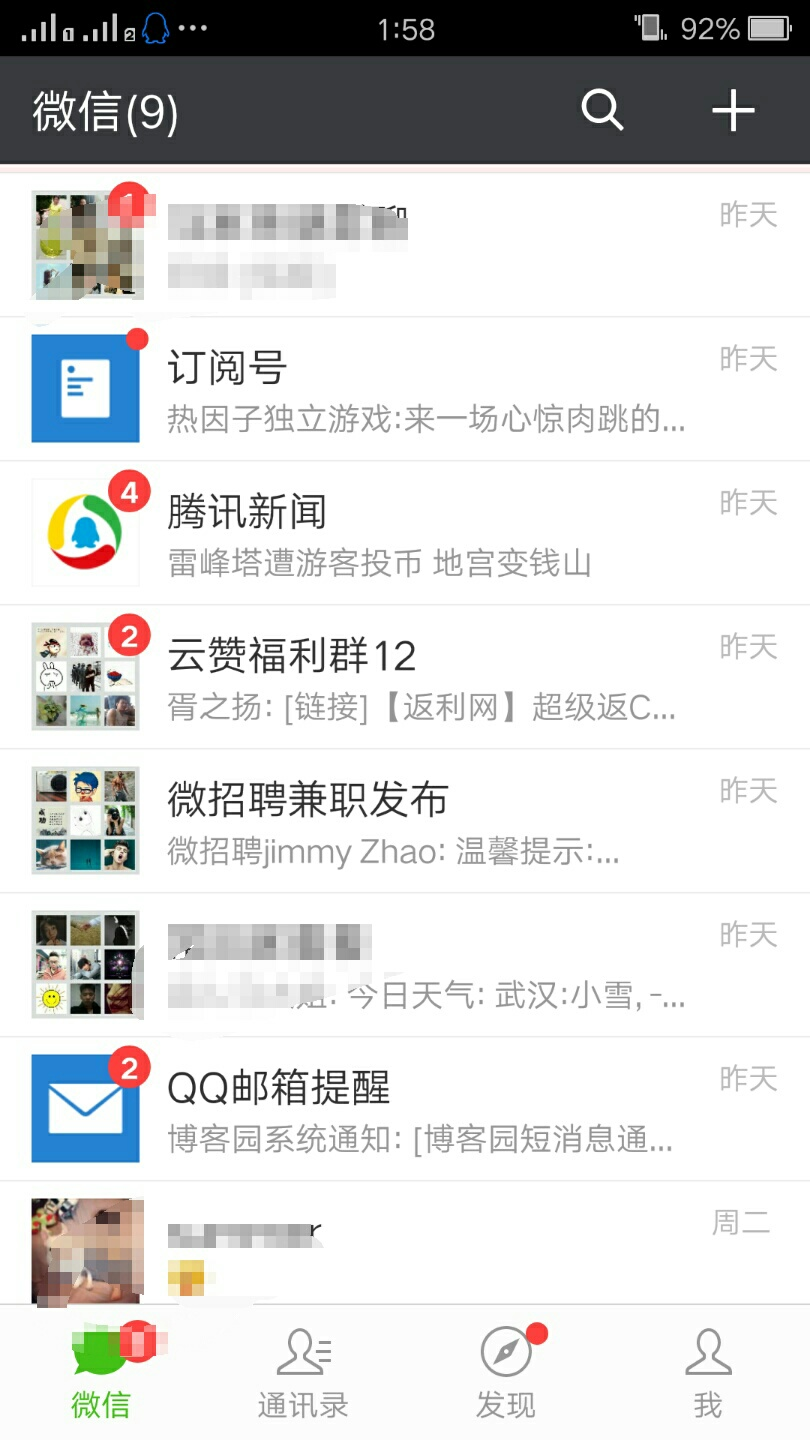
这是目前微信6.0版本的主界面
先来分析一波:
1.(top.xml)界面头部有一个微信(6)消息提醒 一个搜索图标 一个更多的的图标+,中间还有一段空白,我们可以弄两个textView(其中一个权重给会自动占其余空白部分),和两个图片按钮
2.(bottom.xml)界面底部可以看到是由4个相同的部分组成,这里我们可以先弄个单选群( <RadioGroup>)给4个包起来,然后再分为4个单选按钮控件(radioButton)
3.(wx.xml)然后我们再建一个wx.xml把前面两个包含进来,有上面图片可看出界面分三部分,所以我们zai'wx.xml新建三个LinearLayout分别显示头部,中部和底部
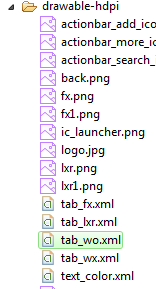
4.底部4个控件当我们点击其中一个会变成绿色,其余为白色,这里我们可以在drawable中添加选择器分别设置(tab_wx.xml,tab_lxr.xml,tab_fx.xml,tab_wo.xml)。
代码如下:
1.top.xml
 <?xml version="1.0" encoding="utf-8"?>

 <LinearLayout xmlns:android="http://schemas.android.com/apk/res/android"

     android:layout_width="match_parent"

     android:layout_height="50dp"

     android:orientation="horizontal"

     android:background="#21292c">

     <TextView

         android:id="@+id/textView1"

         android:layout_width="wrap_content"

         android:layout_height="wrap_content"

         android:text="微信"

         android:textColor="#ffffff"

         android:textSize="20sp"

         android:layout_gravity="center"

         android:padding="10dp"/>

     <TextView

         android:layout_width="wrap_content"

         android:layout_height="wrap_content"

         android:layout_weight="1" />

     <LinearLayout

         android:layout_width="wrap_content"

         android:layout_height="match_parent"

         android:gravity="center">

         <ImageView

             android:id="@+id/imageView2"

             android:layout_width="40dp"

             android:layout_height="30dp"

             android:src="@drawable/actionbar_search_icon"

             android:layout_marginRight="10dp"/>

         <ImageView

             android:id="@+id/imageView1"

             android:layout_width="40dp"

             android:layout_height="30dp"

             android:src="@drawable/actionbar_add_icon" />

     </LinearLayout>

 </LinearLayout>
2.bottom.xml
 <?xml version="1.0" encoding="utf-8"?>

 <LinearLayout xmlns:android="http://schemas.android.com/apk/res/android"

     android:layout_width="match_parent"

     android:layout_height="match_parent"

     android:orientation="horizontal" >

     <RadioGroup

         android:id="@+id/radioGroup1"

         android:layout_width="match_parent"

         android:layout_height="50dp"

         padding

         android:orientation="horizontal"

         android:background="@drawable/back"

         android:gravity="center">

         <RadioButton

             android:id="@+id/radio0"

             android:layout_width="wrap_content"

             android:layout_height="wrap_content"

             android:checked="true"

             android:text="@string/wx"

                style="@style/radioStyle"

                android:drawableTop="@drawable/tab_wx"/>    注:在后面有介绍到

         <RadioButton

             android:id="@+id/radio1"

             style="@style/radioStyle"

             android:layout_width="wrap_content"

             android:layout_height="wrap_content"

             android:drawableTop="@drawable/tab_lxr"

             android:text="@string/lxr" />

         <RadioButton

             android:id="@+id/radio2"

             android:layout_width="wrap_content"

             android:layout_height="wrap_content"

             android:text="@string/fx"

                style="@style/radioStyle"

                android:drawableTop="@drawable/tab_fx"/>

          <RadioButton

             android:id="@+id/radio3"

             android:layout_width="wrap_content"

             android:layout_height="wrap_content"

             android:text="@string/wo"

                style="@style/radioStyle"

                android:drawableTop="@drawable/tab_wo"/>

     </RadioGroup>

 </LinearLayout>
3.wx.xml
 <?xml version="1.0" encoding="utf-8"?>

 <LinearLayout xmlns:android="http://schemas.android.com/apk/res/android"

     android:layout_width="match_parent"

     android:layout_height="match_parent"

     android:orientation="vertical" >

     <!-- head -->

     <LinearLayout

         android:layout_width="match_parent"

         android:layout_height="wrap_content" >

         <include layout="@layout/top"/>

     </LinearLayout>

     <!-- 中间 -->

     <LinearLayout

         android:layout_width="match_parent"

         android:layout_height="wrap_content"

         android:layout_weight="1">

     </LinearLayout>

     <!-- 底部 -->

     <LinearLayout

         android:layout_width="match_parent"

         android:layout_height="wrap_content" >

         <include layout="@layout/bottom"/>

     </LinearLayout>

 </LinearLayout>
4.tab_wx.xml,tab_lxr.xml,tab_fx.xml,tab_wo.xml 和text_color.xml
前面4个文件都差不多所以只展示一个(分别为底部那四个图片)
 <?xml version="1.0" encoding="utf-8"?>

 <selector xmlns:android="http://schemas.android.com/apk/res/android" >

      <item android:state_checked="true"

         android:drawable="@drawable/wo1"></item>

     <item

         android:drawable="@drawable/wo"></item>

 </selector>
text_color.xml
 <?xml version="1.0" encoding="utf-8"?>

 <selector xmlns:android="http://schemas.android.com/apk/res/android" >

     <item android:state_checked="true"

         android:color="#07bb07"></item>

     <item

         android:color="#999999"></item>

 </selector>
这个text 如何用的呢?
找到values文件下的styles.xml加入下面代码
  <style name="radioStyle">

         <item name="android:button">@null</item>

         <item name="android:layout_weight">1</item>

         <item name="android:TextSize">15sp</item>

         <item name="android:gravity">center</item>

         <item name="android:textColor">@drawable/text_color</item>

     </style>
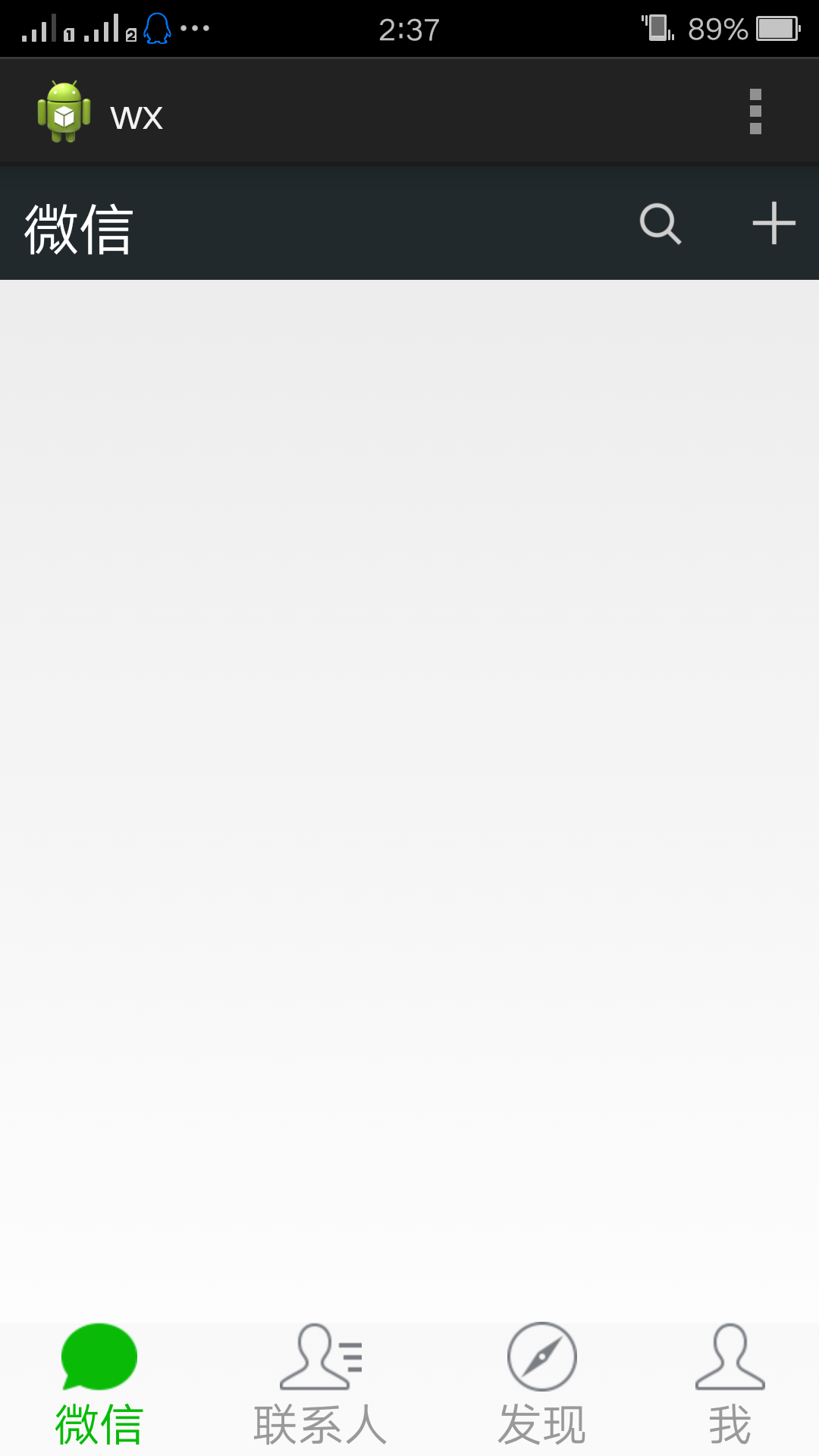
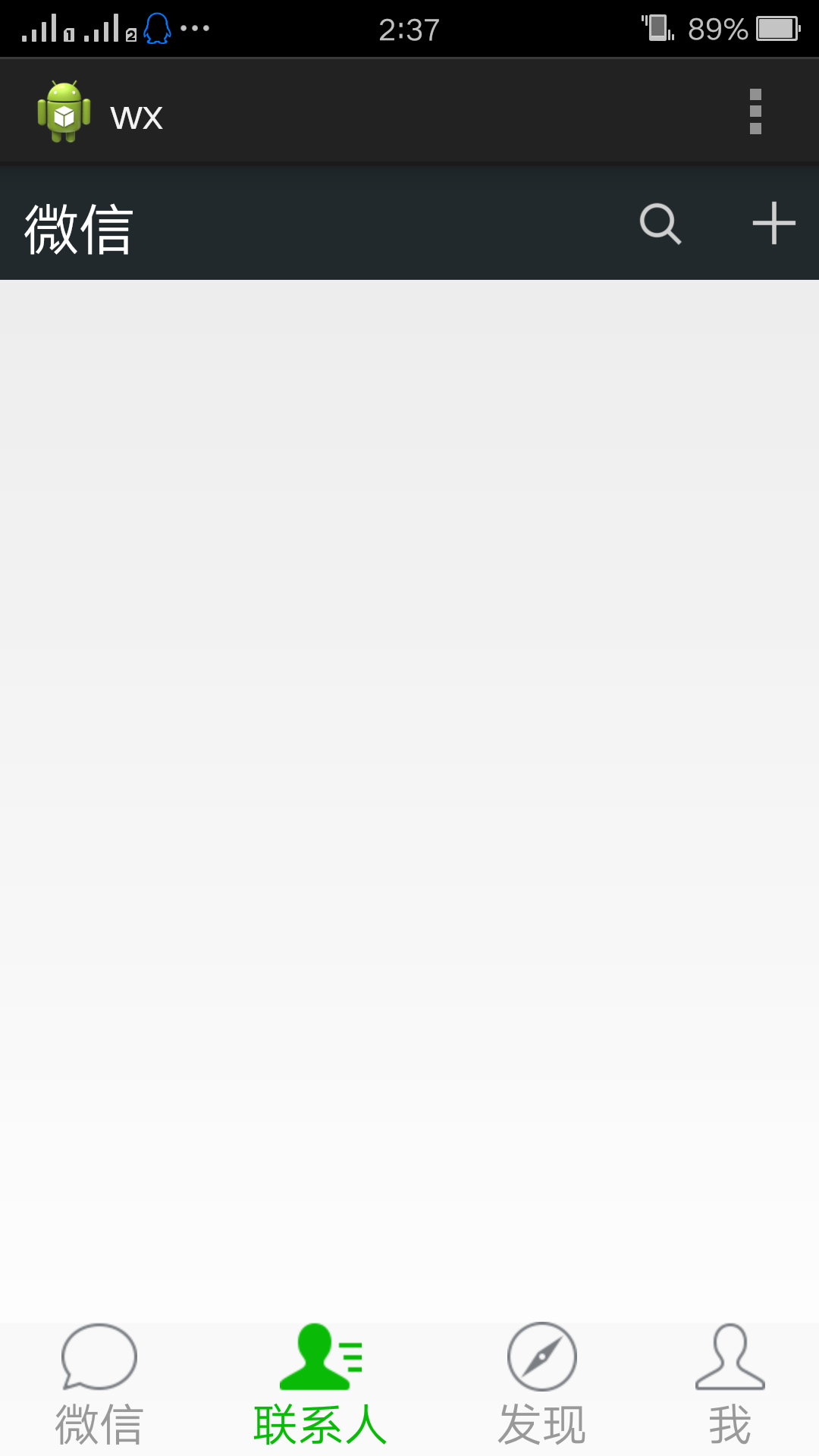
整体效果图为
android布局实践——模仿微信主界面的更多相关文章
- Android利用ViewPager仿微信主界面-android学习之旅(78)
首先是介绍ViewPager这个控件 ,这个控件需要pagerAdapter作为容器来提供数据,同时pagerAdapter的数据源是View数组 效果图如下 部分代码如下,实现如下的方法 mPage ...
- Android 之高仿微信主界面
源码下载: http://files.cnblogs.com/aibuli/WeChatSample.zip 主界面主要使用ActionBar来完成. 要实现这个效果,第一步当然是编辑menu目录 ...
- Android ActionBar应用实战,高仿微信主界面的设计
转载请注明出处:http://blog.csdn.net/guolin_blog/article/details/26365683 经过前面两篇文章的学习,我想大家对ActionBar都已经有一个相对 ...
- 【Android】7.0 第7章 简单适配器和布局--本章示例主界面
分类:C#.Android.VS2015: 创建日期:2016-02-09 修改日期:2016-02-13 一.在AssemblyInfo.cs文件中配置应用程序清单 前面的章节我们说过,除了在And ...
- Android学习系列(23)--App主界面实现
在上篇文章<Android学习系列(22)--App主界面比较>中我们浅略的分析了几个主界面布局,选了一个最大众化的经典布局.今天我们就这个经典布局,用代码具体的实现它. 1.预览图先看下 ...
- [deviceone开发]-仿微信主界面示例
一.简介 模仿微信主界面的4个页面,作为一个很常规应用的框架模板,值得参考.另外包括简单的菜单,其中搜索还支持语音录入,不过你需要增加飞讯的语音组件重新打包,才能看到效果 二.效果图 三.相关下载 h ...
- [Android] Android 手机下 仿 微信 客户端 界面 -- 微聊
Android 手机下 仿 微信 客户端 界面 -- 微聊 (包括聊天列表 + 聊天对话页 + 朋友圈列表页 + 我的/发现 列表页) 项目演示: 功能说明: 1)底部标签切换 (TabHost + ...
- Viewpager模仿微信主布局的三种方式 ViewPager,Fragment,ViewPager+FragmentPagerAdapter
效果大概就是这样 很简单 : 1 创建 top 和bottom 2主界面布局 添加top 和bottom 中间添加一个ViewPage 3 给ViewPager 和 底部View设置点击事件 源码下载 ...
- Android学习系列(22)--App主界面比较
本文算是一篇漫谈,谈一谈当前几个流行应用的主界面布局,找个经典的布局我们自己也来实现一个.不是为了追求到底有多难,而是为了明白我们确实需要这么做. 走个题,android的UI差异化市场依然很大,依然 ...
随机推荐
- Vim配置文件
转载 原文网址:http://www.cnblogs.com/ma6174/archive/2011/12/10/2283393.html 花了很长时间整理的,感觉用起来很方便,共享一下. 我的vim ...
- javaScript事件(一)事件流
一.事件 事件是用户或浏览器自身执行的某种动作,如click,load和mouseover都是事件的名字.事件是javaScript和DOM之间的桥梁.你若触发,我便执行——事件发生,调用它的处理函数 ...
- python shutil.copy()用法
shutil.copyfile(src, dst):复制文件内容(不包含元数据)从src到dst. DST必须是完整的目标文件名; 如果src和dst是同一文件,就会引发错误shutil.Error. ...
- JS 数据类型转换
JS 数据类型转换 方法主要有三种 转换函数.强制类型转换.利用js变量弱类型转换. 1. 转换函数: js提供了parseInt()和parseFloat()两个转换函数.前者把值转换成整数,后者把 ...
- PhoneGap配置笔记
关于PhoneGap简介: PhoneGap是一个用基于HTML,CSS和JavaScript的,创建移动跨平台移动应用程序的快速开发平台.它使开发者能够利用iPhone,Android,Palm,S ...
- 【积累篇:他山之石,把玉攻】解决XP 系统 .Net Framework 4安装时出现严重错误 (0x80070643)
第一步: 1.开始——运行——输入cmd——回车——在打开的窗口中输入net stop WuAuServ 2.开始——运行——输入%windir% 3.在打开的 的窗口中有个文件夹叫SoftwareD ...
- NXP恩智浦P87C51/52/54/58/591芯片解密单片机破解多少钱?
NXP恩智浦P87C51/52/54/58/591芯片解密单片机破解 芯片解密型号: P87C51x2.P87C52x2.P87C54x2.P87C58x2.P87C591 单片机解密 #####[ ...
- Web Mercator 公开的小秘密
网上已经有好多作者都不吝笔墨,写了好多有关 Web Mercator这个坐标系的前世今生.多搜罗多摄入,我们会得到很多有用的信息.今天讨论到 3758,3857,102100,900913-- 这些I ...
- 光标失去焦点事件 onblur
onblur="judgeLandCode()" function judgeLandCode(){ $.ajax({ type:'post', dataType:'json', ...
- Unity.Interception(AOP)
在前面我们学习到的是Unity依赖注入(DI)与统一容器来松散耦合,这个设计已经对我们系统带来了很多的好处.但是我们还会想尝试和遵循单一职责,开放封闭原则.比如我们不应该在我们的Bus ...