
Mac上Hive安装配置
Mac上Hive安装配置
1、安装
[root@tjt01 ~]# cd /opt

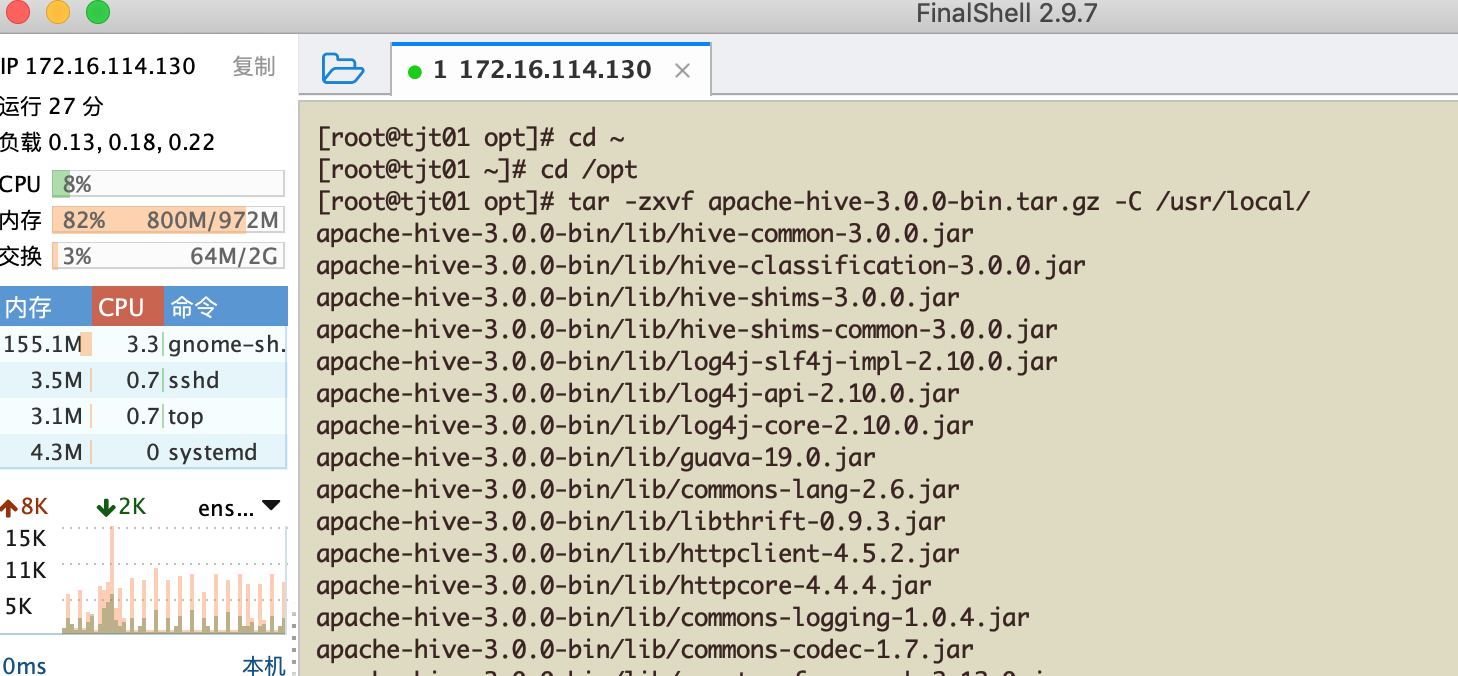
[root@tjt01 opt]# tar -zxvf apache-hive-3.0.-bin.tar.gz -C /usr/local/
[root@tjt01 opt]# cd /usr/local/

[root@tjt01 local]# mv apache-hive-3.0.-bin hive

[root@tjt01 local]#
[root@tjt01 local]# vi /etc/profile
在profile文件中添加如下内容:
export HIVE_HOME=/usr/local/hive

export PATH=$PATH:$HIVE_HOME/bin
生效profile:
[root@tjt01 local]# vi /etc/profile

[root@tjt01 local]# source /etc/profile
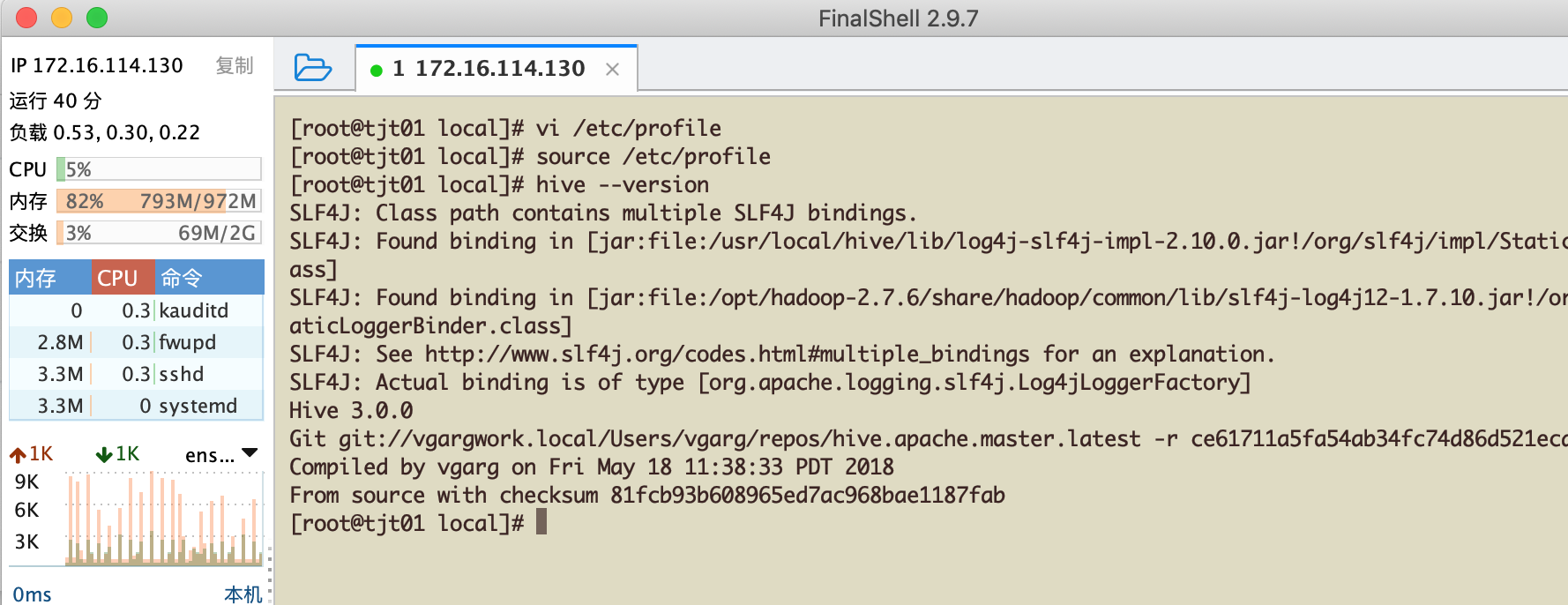
执行 hive --version查看hive版本
[root@tjt01 local]# hive --version

SLF4J: Class path contains multiple SLF4J bindings.

SLF4J: Found binding in [jar:file:/usr/local/hive/lib/log4j-slf4j-impl-2.10..jar!/org/slf4j/impl/StaticLoggerBinder.class]

SLF4J: Found binding in [jar:file:/opt/hadoop-2.7./share/hadoop/common/lib/slf4j-log4j12-1.7..jar!/org/slf4j/impl/StaticLoggerBinder.class]

SLF4J: See http://www.slf4j.org/codes.html#multiple_bindings for an explanation.

SLF4J: Actual binding is of type [org.apache.logging.slf4j.Log4jLoggerFactory]

Hive 3.0.

Git git://vgargwork.local/Users/vgarg/repos/hive.apache.master.latest -r ce61711a5fa54ab34fc74d86d521ecaeea6b072a

Compiled by vgarg on Fri May  :: PDT

From source with checksum 81fcb93b608965ed7ac968bae1187fab

[root@tjt01 local]#
2、安装Mysql
我之前安装过了,Mysql安装参考:https://www.cnblogs.com/taojietaoge/p/10692557.html
启动Mysql服务:
[root@tjt03 ~]# sudo service mysqld start
启动过程报错了下,简单解决如下:
[root@tjt03 ~]# /etc/init.d/mysqld start

Starting mysqld (via systemctl):  Job for mysqld.service failed because the control process exited with error code. See "systemctl status mysqld.service" and "journalctl -xe" for details.

                                                           [FAILED]

[root@tjt03 ~]# mkdir /var/run/mysqld/

[root@tjt03 ~]# chown mysql.mysql /var/run/mysqld/

[root@tjt03 ~]# sudo service mysqld start

Starting mysqld (via systemctl):                           [  OK  ]

[root@tjt03 ~]#
设置Mysql开机启动:
[root@tjt03 ~]# systemctl enable mysqld

mysqld.service is not a native service, redirecting to /sbin/chkconfig.

Executing /sbin/chkconfig mysqld on

[root@tjt03 ~]# systemctl daemon-reload

[root@tjt03 ~]#

3、配置
3.1 修改hive-site.xml
[root@tjt01 conf]# cd ~

[root@tjt01 ~]# cd /usr/local/hive/conf/

[root@tjt01 conf]# cp hive-default.xml.template hive-site.xml

[root@tjt01 conf]# vim hive-site.xml
xml内容如下:
<?xml version="1.0" encoding="UTF-8" standalone="no"?>

<?xml-stylesheet type="text/xsl" href="configuration.xsl"?>

<configuration>

    <property>

        <name>javax.jdo.option.ConnectionURL</name>

        <value>jdbc:mysql://172.16.114.132:3306/hive</value>

    </property>

    <property>

        <name>javax.jdo.option.ConnectionDriverName</name>

        <value>com.mysql.jdbc.Driver</value>

    </property>

    <property>

        <name>javax.jdo.option.ConnectionUserName</name>

        <value>root</value>

    </property>

    <property>

        <name>javax.jdo.option.ConnectionPassword</name>

        <value>TANjintao@520</value>

    </property>

    <property>

        <name>hive.metastore.schema.verification</name>

        <value>false</value>

    </property>

</configuration>
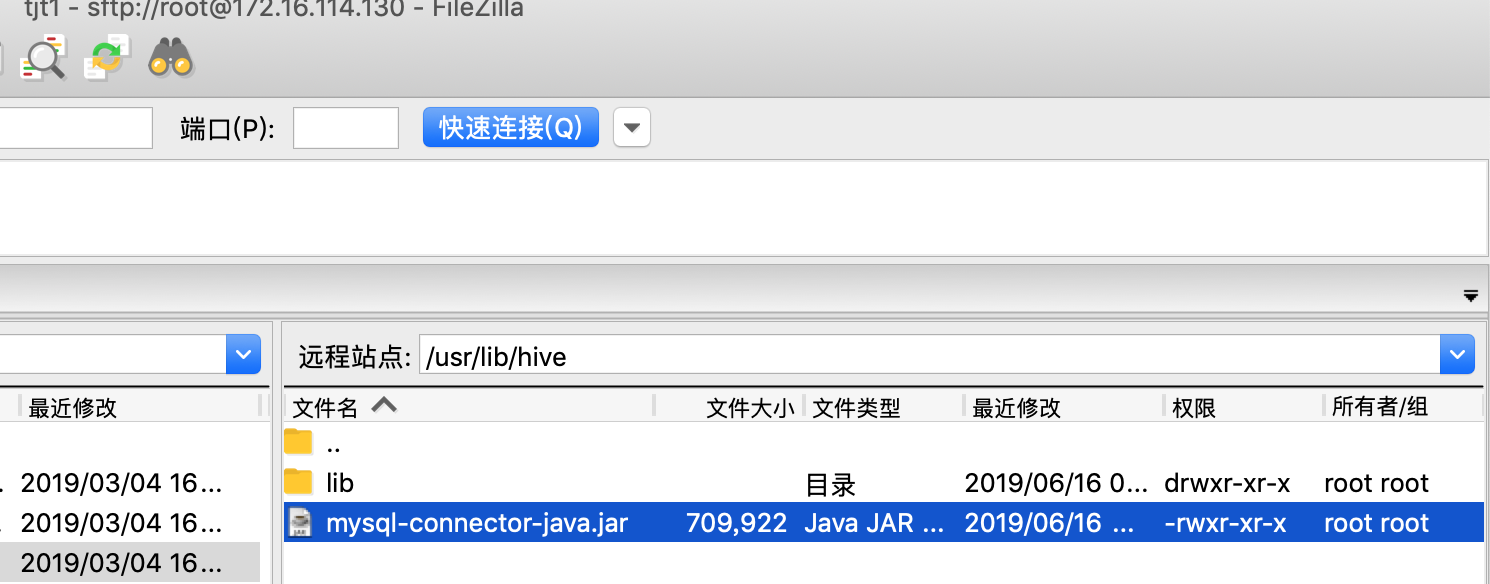
3.2 复制Mysql的程序程序到hive/lib下
mysql-connector-java.jar
3.3 创建Mysql下的hive数据库
mysql> create database hive;
Query OK, 1 row affected (0.01 sec)
mysql>
3.4 在Mysql中hive的schema创建
[root@tjt01 bin]# schematool -dbType mysql -initSchema

SLF4J: Class path contains multiple SLF4J bindings.

SLF4J: Found binding in [jar:file:/usr/local/hive/lib/log4j-slf4j-impl-2.10.0.jar!/org/slf4j/impl/StaticLoggerBinder.class]

SLF4J: Found binding in [jar:file:/opt/hadoop-2.7.6/share/hadoop/common/lib/slf4j-log4j12-1.7.10.jar!/org/slf4j/impl/StaticLoggerBinder.class]

SLF4J: See http://www.slf4j.org/codes.html#multiple_bindings for an explanation.

SLF4J: Actual binding is of type [org.apache.logging.slf4j.Log4jLoggerFactory]

Metastore connection URL:        jdbc:mysql://172.16.114.132:3306/hive

Metastore Connection Driver :    com.mysql.jdbc.Driver

Metastore connection User:       root

Starting metastore schema initialization to 3.0.0

Initialization script hive-schema-3.0.0.mysql.sql

Initialization script completed

schemaTool completed

[root@tjt01 bin]#
4、测试
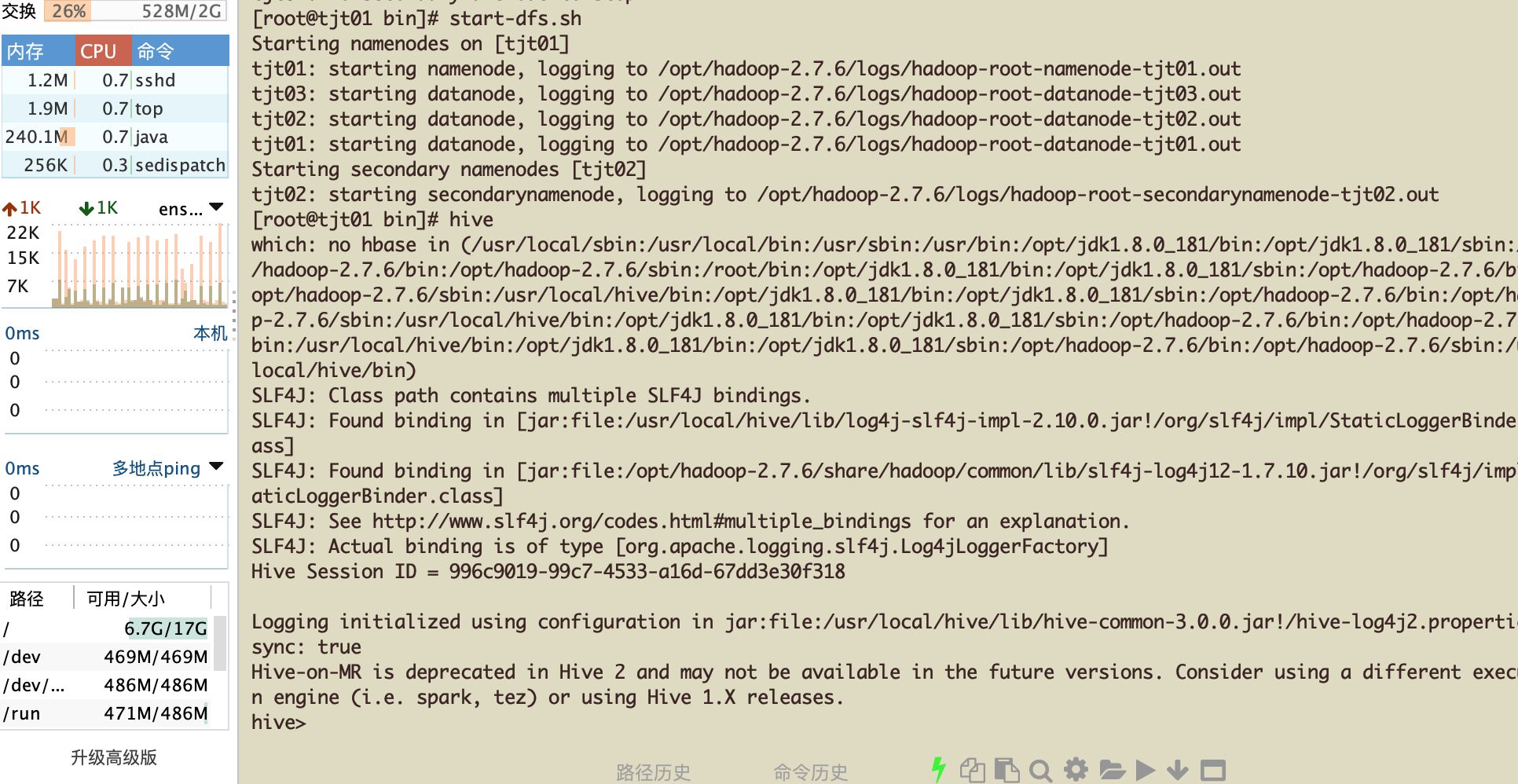
进入hive之前,开启hadoop,键入hive进入hive:
[root@tjt01 bin]# start-dfs.sh

Starting namenodes on [tjt01]

tjt01: starting namenode, logging to /opt/hadoop-2.7.6/logs/hadoop-root-namenode-tjt01.out

tjt03: starting datanode, logging to /opt/hadoop-2.7.6/logs/hadoop-root-datanode-tjt03.out

tjt02: starting datanode, logging to /opt/hadoop-2.7.6/logs/hadoop-root-datanode-tjt02.out

tjt01: starting datanode, logging to /opt/hadoop-2.7.6/logs/hadoop-root-datanode-tjt01.out

Starting secondary namenodes [tjt02]

tjt02: starting secondarynamenode, logging to /opt/hadoop-2.7.6/logs/hadoop-root-secondarynamenode-tjt02.out

[root@tjt01 bin]#hive
创建hive数据库:
hive> create database hive_1;

OK

Time taken: 0.709 seconds

hive> show databases;

OK

default

hive_1

Time taken: 0.238 seconds, Fetched: 2 row(s)

hive>
观察Mysql下hive数据库的变化:
mysql> select * from DBS;

在hive_1下创建一个hive_01:
hive> use hive_1;

OK

Time taken: 0.066 seconds

hive> create table hive_01 (id int, name string);

OK

Time taken: 1.235 seconds

hive>
再次观察Mysql下hive数据库的变化:
mysql> select * from TBLS;
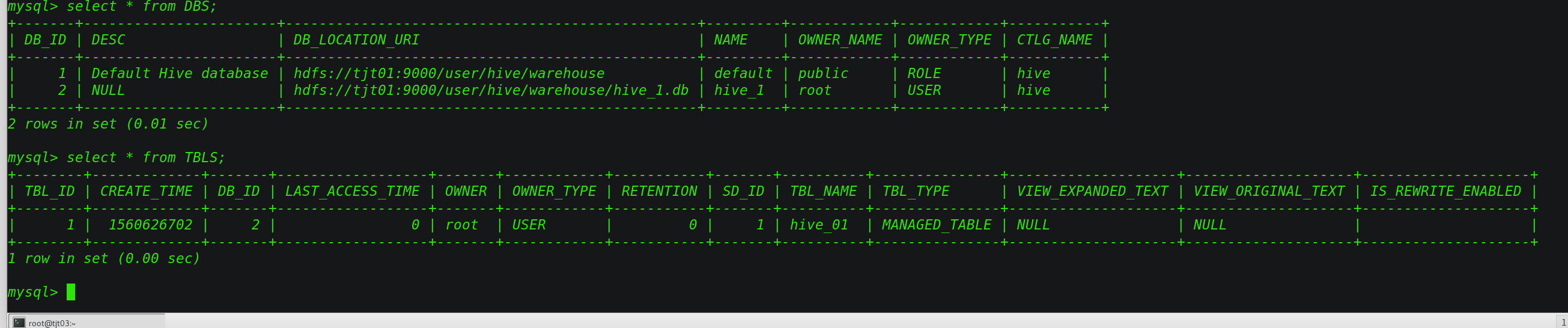
到此为止,Mac安装Hive完美收官!
Mac上Hive安装配置的更多相关文章
- MySql在Mac上的安装配置
一.下载安装 官网下载社区版dmg安装文件: https://dev.mysql.com/downloads/mysql/ 1.执行安装文件,按步骤完成安装. 2.安装完成后终端输入: mysql - ...
- Infer 在 Mac 上的安装和环境配置
Infer 在 Mac 上的安装和环境配置 Infer 介绍 Infer 是一个静态分析工具.Infer 可以分析 Objective-C, Java 或者 C 代码,报告潜在的问题. 任何人都可以使 ...
- Hive安装配置指北(含Hive Metastore详解)
个人主页: http://www.linbingdong.com 本文介绍Hive安装配置的整个过程,包括MySQL.Hive及Metastore的安装配置,并分析了Metastore三种配置方式的区 ...
- Mac上Node环境配置
公司配备Mac笔记本,以前没用过mac开发项目,一开始依然是从node官网下载安装包,后来领导说最好是用brew安装软件,这样比较方便,安装和卸载,只要在命令行输入相应的 install 和 unin ...
- Mac上利用VScode配置c/c++开发环境
Mac上利用VScode配置c/c++开发环境 哭辽,Typora里面最好不要插入表情,不然保存会闪退 首先你要有一个vscode 在扩展里面下载c/c++ 第一步 ⬆+com+p 打开命令模式:选择 ...
- Mac上通过docker配置PHP开发环境
这篇文章介绍的内容是关于Mac上通过docker配置PHP开发环境,有着一定的参考价值,现在分享给大家,有需要的朋友可以参考一下 更多PHP相关知识请关注我的专栏PHPzhuanlan.zhihu. ...
- MAC 上编译安装nginx-rtmp-module 流媒体服务器
MAC 上编译安装nginx-rtmp-module 流媒体服务器 记录踩坑过程 下载nginx和nginx-rtmp-module wget http://nginx.org/download/ng ...
- Linux环境Hive安装配置及使用
Linux环境Hive安装配置及使用 一.Hive Hive环境前提 二.Hive架构原理解析 三.Hive-1.2.2单机安装流程 (1) 解压apache-hive-1.2.2-bin.tar.g ...
- ODI11G 在Linux上的安装配置
ODI11G 在Linux上的安装配置 OS环境:Red hat Linux x86_64 一.JDK安装 1. 去oracle官网上下载 http://www.oracle.com/technetw ...
随机推荐
- Nginx自建SSL证书部署HTTPS网站
一.创建SSL相关证书 1.安装Nginx(这里为了测试使用yum安装,实际看具体情况) [root@localhost ~]# yum install nginx -y #默认yum安装已经支持SS ...
- java架构之路-(tomcat网络模型)简单聊聊tomcat(一)
tomcat使我们熟知的也是我们使用最多的web服务器了,至少我是使用最多的.常见的web服务器还有Apache,web logic,JBOSS等,对于tomcat的安装我就不再赘述了,简单的不能再简 ...
- Unable to parse composition
Unable to parse composition When i tried to load gif to my project suddenly return me error: Java.La ...
- Vue 动态修改data 值 并触发视图更新
Vue 动态修改data 值 并触发视图更新 this.$set(obj, key, '') // Vue 动态修改或者添加data key 并触发视图更新
- 基于JQuery可拖动列表格插件DataTables的踩坑记
前言 最近项目中在使用能够拖动列调整列位置顺序的表格插件---DataTables,这也是目前我找到的唯一一种存在有这种功能的插件. 在查找使用方法的过程中发现可用案例并不多,且大多言语不详.本文将全 ...
- maven 学习---Maven 编译打包时如何忽略测试用例
本文地址:http://blog.csdn.net/wirelessqa/article/details/14057305 跳过测试阶段: mvn package -DskipTests 临时性跳过测 ...
- flink Transitive Closure算法,实现寻找新的可达路径
flink 使用Transitive Closure算法实现可达路径查找. 1.Transitive Closure是翻译闭包传递?我觉得直译不准确,意译应该是传递特性直至特性关闭,也符合本例中传递路 ...
- python 自带模块 os模块
os模块 首先可以打开cmd输入python进入交互界面 然后输入 dir(os) 就可以看到os的全部用法了 我们简单的举几个例子就行了. 写入os.getcwd() 可以查看当前所在路径 i ...
- 设置VMware中Kali 共享文件夹
(软件环境: Vmware Workstation 15.5 Pro , Kali Linux2019.3) 1. VMware设置共享目录 2. 安装VMware-Tools 命令: apt-get ...
- 论文笔记系列-AutoFPN
原论文:Auto-FPN: Automatic Network Architecture Adaptation for Object Detection Beyond Classification 之前 ...