
Install your Application into RaspberryPi2 and automatically start up
如何安装和卸载应用程序到RaspberryPi2? 如何配置应用程序在RaspberryPi2开机后自动启动?
How to install your app into RaspberryPi2?
How to configure your app automatically start up after device booting?
Read this article, and you will find the answers. Follow me, let’s go!
1 First you need to prepare an app package
Open VS solution, and double click the Package.appxmanifest file
You can configure the application in several tabs, it seems that it’s necessary to set a splash screen image on Visual Assets tab (for me it should be 1240x600 pix)
From the Packaging tab, you can enter a friendly package name and display name. The version is set to 1.0.0 as default. The build number will auto grow with your creation times.
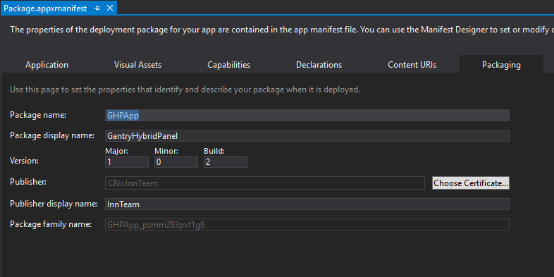
Save the file after you have made the necessary edits for your app.
Now let’s start to create an app package.
In Solution Explorer, choose one start up project, right-click and choose Store->Create App Packages.

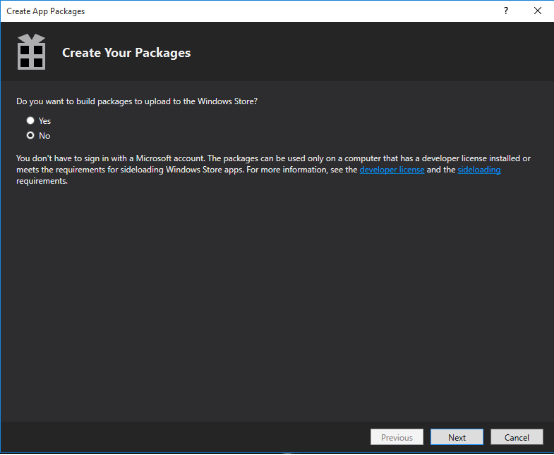
In Create Your Packages wizard, choose No unless you want to upload the app to the windows store, then click Next.
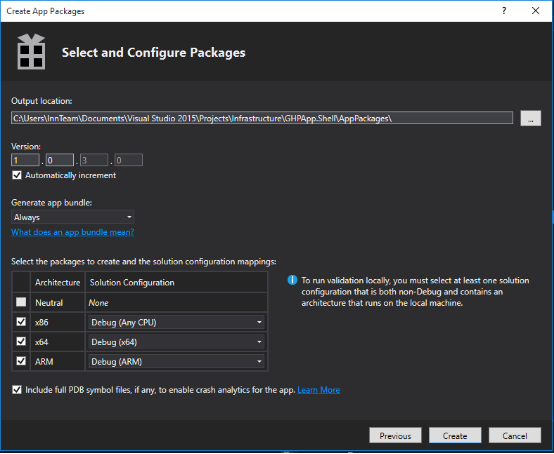
In Select and Configuration package dialog,
Select Always in Generate app bundle listbox, select all three architecture configurations(x86,x64 and ARM), no matter choose debug or release.
Click Create to generate the appxbundle package.
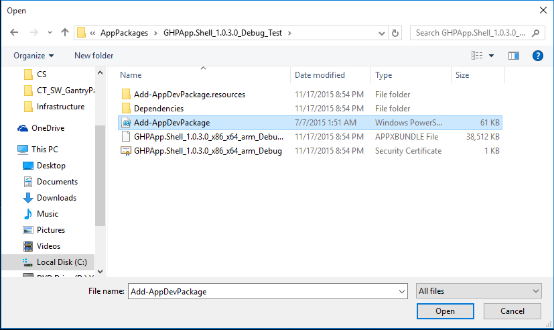
See AppPackages
2 Use Web-based device management to install/uninstall app
Web-based device management
provides basic configuration and device management capabilities which allows you add/remove applications and review the real time performance of windows IoT Device. Also you can use it to make diagnosis on the device and catch some error logs.
Set up connection
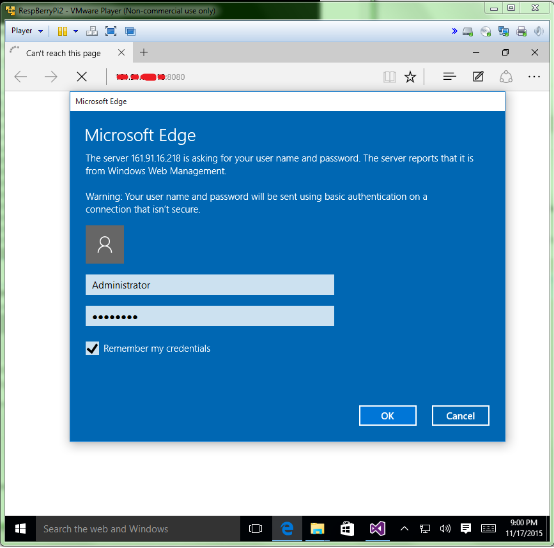
Open the browser, and enter the IP address of Raspberrypi2 with :8080 in the end.
In the credentials dialog, use the default username and password: Administrator, p@ssw0rd (if you haven’t changed the password yet)
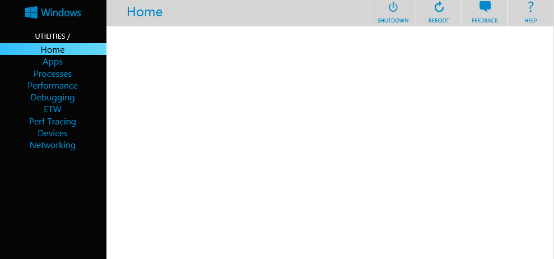
Then you will see the device management Home screen.(May prompt you message to change password)
Install an app
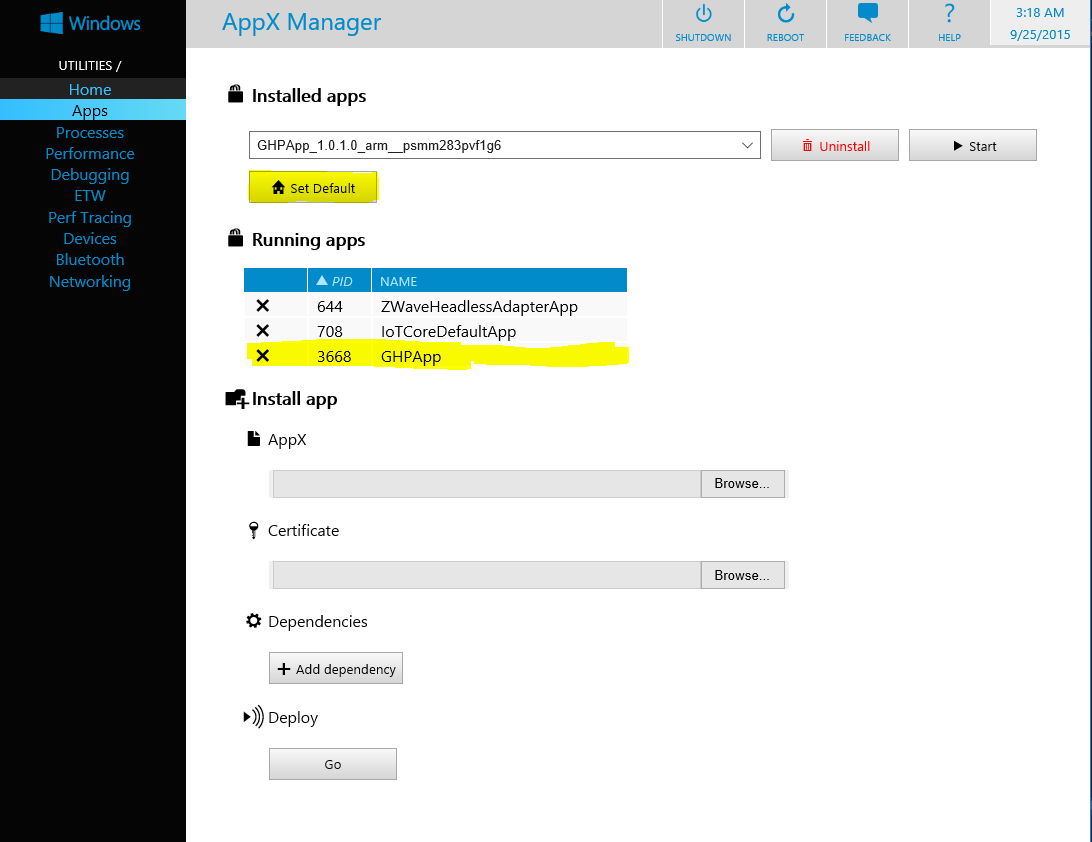
In web-based device management page, Apps provides the install/uninstall functionality for Appx packages and bundles on your device.
Open the Appx screen, click Appx browse and find the .appxbundle file
Click certificate browse, find the .cer file
Add dependencies, one by one.
In Deploy section, click Go, it will show "Done!" well below after installing complete.

Then you can refresh the page and see your app installed in installed apps listbox.
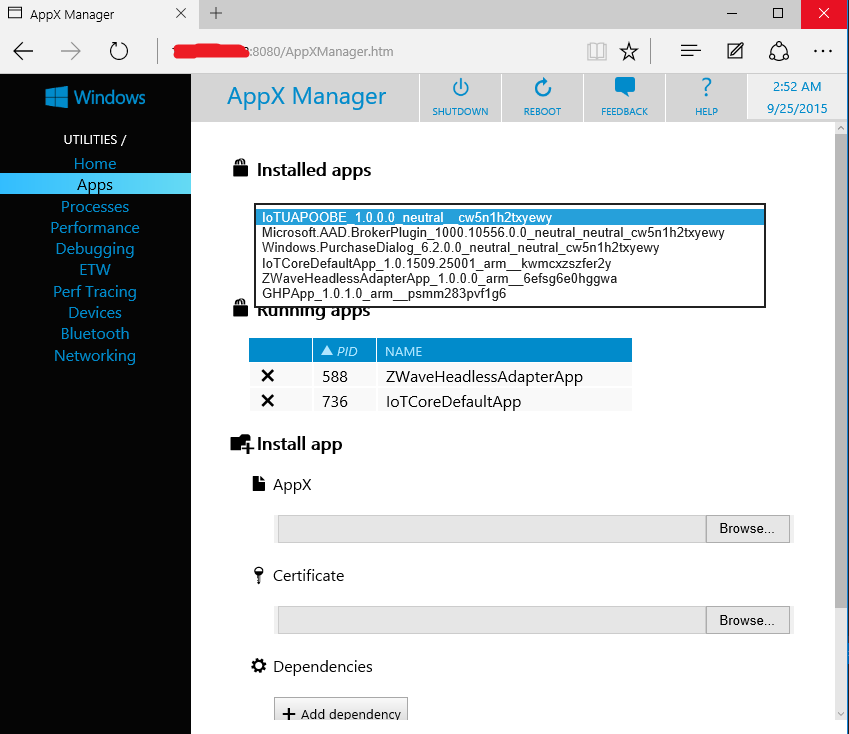
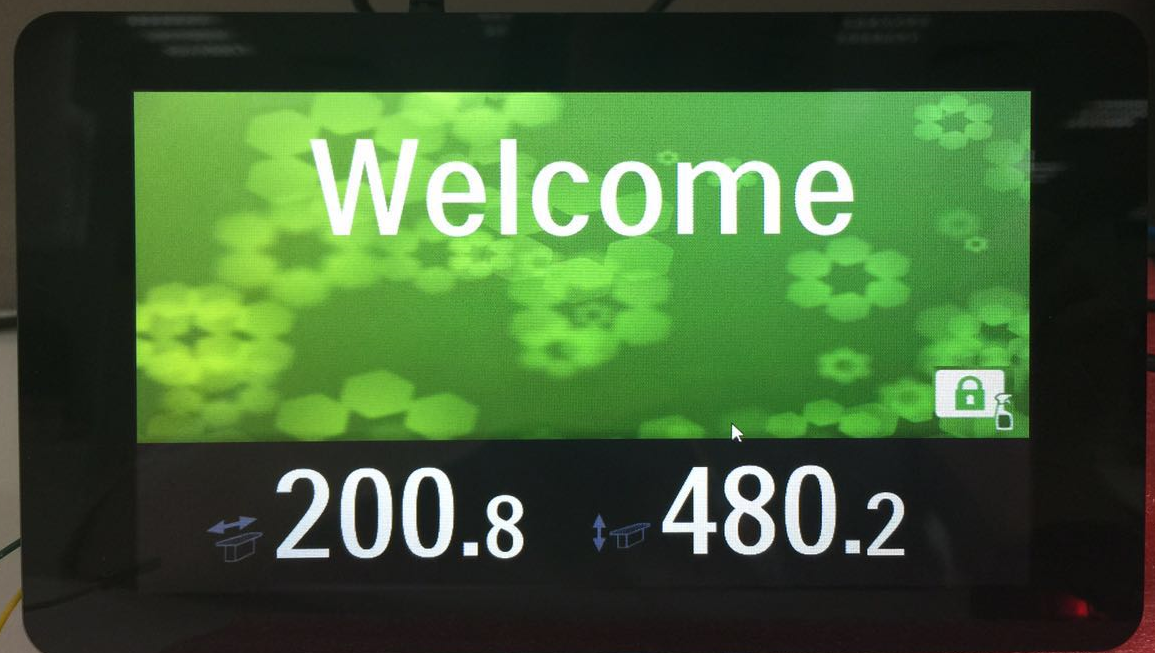
Choose your app and click start, you will see your application on RaspberryPi2.
You can setup your app as default start up application after booting, just click Set Default, then you can reboot the device to validate if it works.
If you want to uninstall your app, just make sure your app is not running. (click X before the running app), and choose your app in installed apps, click uninstall.
References:
https://ms-iot.github.io/content/en-US/win10/tools/Webb.htm
https://msdn.microsoft.com/en-us/library/hh454036.aspx
An easy way to install application
The above is talking how to use web-based device management to install an app package. However, there is an easier way. You can just use VS to help install the app. Actually, once you configure the debug architecture and remote machine to deploy the packages, it has already installed the application into the remote device.
Let’s have a look. Make sure your app is removed from Raspberrypi2.
Choose ARM and Remote machine, input IP address and select none, click Deploy solution.
Open Web-based device management, you can see the application has been installed. Now you can configure it as default start up application if you want.
Note: For only deploying application into RaspberryPi2(ARM based), you can simply use VS to help you install the package, if you want to create an app for all devices, follow the web-based device management instruction.(step1 and 2)
后记:折腾了几天,终于移植了部分WPF代码到UWP上,虽然都是C#+xaml, 看起来似乎差不多,但是区别真的挺大,修改了好多地方,原来的程序用到了Mef,Module,region等等prism中的概念,而针对Universal windows app的prism.windows 以及prism.core 是不支持的,使用了prism.unity代替了原来的mef, (貌似Mef2支持UWP)其他的只得先copy了prism源代码,改了一部分,总算可以运行起最开始的界面了。说起原版WPF程序,其layout和workflow也是相当复杂的,都是可配置的,扩展了prism的region,哪天没有GBP约束了,我就把框架研究研究,发出来。
Install your Application into RaspberryPi2 and automatically start up的更多相关文章
- The certificate used to sign ***has either expired or has been revoked. An updated certificate is required to sign and install the application
真机测试的时候弹出这样的提示:The certificate used to sign ***has either expired or has been revoked. An updated ce ...
- The certificate used to sign “AppName” has either expired or has been revoked. An updated certificate is required to sign and install the application解决
问题 The certificate used to sign "AppName" has either expired or has been revoked. An updat ...
- webpacke install vue application 报错 Failed at the phantomjs-prebuilt@2.1.14 install script
刚刚在网上下了个开源的项目: https://github.com/ing670/webappkiller 执行npm install 报错:npm ERR! Failed at the phanto ...
- XCode 4.3 Unable to load persistent store UserDictionary.sqlite 以及 ios simulator failed to install the application
I have been working on an iOS app for some time, all of a sudden I am getting the following crash ev ...
- csvn install guide
一. make sure java install $ java -version $ echo $JAVA_HOME 二. untar tgz file $ tar xf CollabNetSubv ...
- Sharing The Application Tier File System in Oracle E-Business Suite Release 12.2
The most current version of this document can be obtained in My Oracle Support Knowledge Document 13 ...
- Android application testing with the Android test framework
目录(?)[-] Android automated testing 1 How to test Android applications Tip 2 Unit tests vs functional ...
- 转贴:sudo apt-get install 可以安装的一些软件
Ubuntu 下的一些软件安装sudo apt-get install virtualbox#华主席推荐 2007年年度最佳软件,最佳编辑选择奖得主.....sudo apt-get install ...
- How to modify a compiled Android application (.apk file)
Today I’d like to share with you my findings about how an existing .apk file can be modified. An .ap ...
随机推荐
- LWDB
题意: 给一棵 $n$ 个节点的树,维护两种操作: 1.将距离 $x$ $distance \leq d$ 的点染成 $c$ 2.询问 $x$ 的颜色. 解法: 首先将染色可以转换为每个时间对应一个颜 ...
- HTML5的LocalStorage实现记住密码
HTML5 提供了两种在客户端存储数据的新方法: localStorage - 没有时间限制的数据存储 sessionStorage - 针对一个 session 的数据存储 localStorage ...
- ubuntu系统下挂载新的硬盘
参考 http://zwkufo.blog.163.com/blog/static/258825120141283942244/ http://blog.csdn.net/caicai2526 ...
- CF-805A
A. Fake NP time limit per test 1 second memory limit per test 256 megabytes input standard input out ...
- A - Set of Strings
Time Limit:1000MS Memory Limit:262144KB 64bit IO Format:%I64d & %I64u Description You ar ...
- Flutter实战视频-移动电商-27.列表页_现有Bug修复和完善
27.列表页_现有Bug修复和完善 小解决小bug 默认右侧的小类没有被加载 数据加载完成后,就list的第一个子对象传递给provide进行赋值,这样右侧的小类就刷新了数据 默认加载了第一个类别 调 ...
- UVaLive 2965 Jurassic Remains (状态压缩)
题意:给定 n 个大写字母组成的字符串,选择尽量多的串,使得大写字母都能出现偶数次. 析:由于n比较小,我们可以枚举前n/2的所有组合,然后再从后面查找. 代码如下: #pragma comment( ...
- 甩掉 ashx/asmx,使用jQuery.ajaxWebService请求WebMethod,Ajax处理更加简练
在WebForm下 开发ajax程序,需要借助于一般处理程序(*.ashx)或web服务(*.asmx),并且每一个ajax请求,都要建一个这样的文件,如此一来,如果在一个项目中ajax程序多了,势必 ...
- mysql 自动备份命令
--1.全备 --single-transaction:基于此选项能实现热备InnoDB表 --databases要备份的表名mysqldump -u root -p --single-transa ...
- Event事件的三个阶段
转自www.w3school.com.cn/htmldom/event_bubbles.asp 在 2 级 DOM标准中,事件传播分为三个阶段: 第一,捕获阶段.事件从 Document 对象沿着文档 ...