
30款css3实现的鼠标经过图片显示描述特效
今天给大家分享30款css3实现的鼠标经过图片显示描述特效,鼠标经过这些图片的时候以非常炫的方式显示图片的描述。为保证最佳的效果,请在 IE10+、Chrome、Firefox 和 Safari 等现代浏览器中浏览。
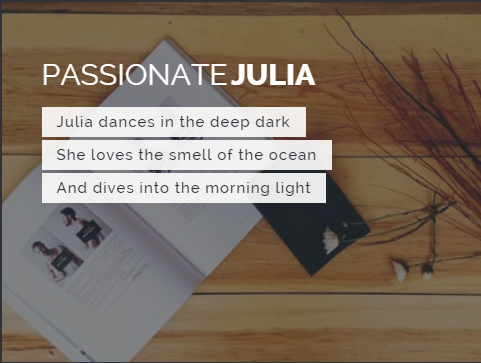
实现的代码。
html代码:
<div class="container">
<!-- Top Navigation -->
<header class="codrops-header">
<h1>Hover Effect Ideas <span>An inspirational collection of subtle hover effects</span></h1>
<nav class="codrops-demos">
<a class="current-demo" href="index.html">Set 1</a>
<a href="index2.html">Set 2</a>
</nav>
</header>
<div class="content">
<h2>
Lily</h2>
<div class="grid">
<figure class="effect-lily">
<img src="img/12.jpg" alt="img12"/>
<figcaption>
<div>
<h2>Nice <span>Lily</span></h2>
<p>Lily likes to play with crayons and pencils</p>
</div>
<a href="#">View more</a>
</figcaption>
</figure>
<figure class="effect-lily">
<img src="img/1.jpg" alt="img1"/>
<figcaption>
<div>
<h2>Nice <span>Lily</span></h2>
<p>Lily likes to play with crayons and pencils</p>
</div>
<a href="#">View more</a>
</figcaption>
</figure>
</div>
<h2>
Sadie</h2>
<div class="grid">
<figure class="effect-sadie">
<img src="img/2.jpg" alt="img02"/>
<figcaption>
<h2>Holy <span>Sadie</span></h2>
<p>Sadie never took her eyes off me. <br>She had a dark soul.</p>
<a href="#">View more</a>
</figcaption>
</figure>
<figure class="effect-sadie">
<img src="img/14.jpg" alt="img14"/>
<figcaption>
<h2>Holy <span>Sadie</span></h2>
<p>Sadie never took her eyes off me. <br>She had a dark soul.</p>
<a href="#">View more</a>
</figcaption>
</figure>
</div>
<h2>
Honey</h2>
<div class="grid">
<figure class="effect-honey">
<img src="img/4.jpg" alt="img04"/>
<figcaption>
<h2>Dreamy <span>Honey</span> <i>Now</i></h2>
<a href="#">View more</a>
</figcaption>
</figure>
<figure class="effect-honey">
<img src="img/5.jpg" alt="img05"/>
<figcaption>
<h2>Dreamy <span>Honey</span> <i>Now</i></h2>
<a href="#">View more</a>
</figcaption>
</figure>
</div>
<h2>
Layla</h2>
<div class="grid">
<figure class="effect-layla">
<img src="img/6.jpg" alt="img06"/>
<figcaption>
<h2>Crazy <span>Layla</span></h2>
<p>When Layla appears, she brings an eternal summer along.</p>
<a href="#">View more</a>
</figcaption>
</figure>
<figure class="effect-layla">
<img src="img/3.jpg" alt="img03"/>
<figcaption>
<h2>Crazy <span>Layla</span></h2>
<p>When Layla appears, she brings an eternal summer along.</p>
<a href="#">View more</a>
</figcaption>
</figure>
</div>
<h2>
Zoe</h2>
<div class="grid">
<figure class="effect-zoe">
<img src="img/25.jpg" alt="img25"/>
<figcaption>
<h2>Creative <span>Zoe</span></h2>
<p class="icon-links">
<a href="#"><span class="icon-heart"></span></a>
<a href="#"><span class="icon-eye"></span></a>
<a href="#"><span class="icon-paper-clip"></span></a>
</p>
<p class="description">Zoe never had the patience of her sisters. She deliberately punched the bear in his face.</p>
</figcaption>
</figure>
<figure class="effect-zoe">
<img src="img/26.jpg" alt="img26"/>
<figcaption>
<h2>Creative <span>Zoe</span></h2>
<p class="icon-links">
<a href="#"><span class="icon-heart"></span></a>
<a href="#"><span class="icon-eye"></span></a>
<a href="#"><span class="icon-paper-clip"></span></a>
</p>
<p class="description">Zoe never had the patience of her sisters. She deliberately punched the bear in his face.</p>
</figcaption>
</figure>
</div>
<h2>
Oscar</h2>
<div class="grid">
<figure class="effect-oscar">
<img src="img/9.jpg" alt="img09"/>
<figcaption>
<h2>Warm <span>Oscar</span></h2>
<p>Oscar is a decent man. He used to clean porches with pleasure.</p>
<a href="#">View more</a>
</figcaption>
</figure>
<figure class="effect-oscar">
<img src="img/10.jpg" alt="img10"/>
<figcaption>
<h2>Warm <span>Oscar</span></h2>
<p>Oscar is a decent man. He used to clean porches with pleasure.</p>
<a href="#">View more</a>
</figcaption>
</figure>
</div>
<h2>
Marley</h2>
<div class="grid">
<figure class="effect-marley">
<img src="img/11.jpg" alt="img11"/>
<figcaption>
<h2>Sweet <span>Marley</span></h2>
<p>Marley tried to convince her but she was not interested.</p>
<a href="#">View more</a>
</figcaption>
</figure>
<figure class="effect-marley">
<img src="img/12.jpg" alt="img12"/>
<figcaption>
<h2>Sweet <span>Marley</span></h2>
<p>Marley tried to convince her but she was not interested.</p>
<a href="#">View more</a>
</figcaption>
</figure>
</div>
<h2>
Ruby</h2>
<div class="grid">
<figure class="effect-ruby">
<img src="img/13.jpg" alt="img13"/>
<figcaption>
<h2>Glowing <span>Ruby</span></h2>
<p>Ruby did not need any help. Everybody knew that.</p>
<a href="#">View more</a>
</figcaption>
</figure>
<figure class="effect-ruby">
<img src="img/14.jpg" alt="img14"/>
<figcaption>
<h2>Glowing <span>Ruby</span></h2>
<p>Ruby did not need any help. Everybody knew that.</p>
<a href="#">View more</a>
</figcaption>
</figure>
</div>
<h2>
Roxy</h2>
<div class="grid">
<figure class="effect-roxy">
<img src="img/15.jpg" alt="img15"/>
<figcaption>
<h2>Charming <span>Roxy</span></h2>
<p>Roxy was my best friend. She'd cross any border for me.</p>
<a href="#">View more</a>
</figcaption>
</figure>
<figure class="effect-roxy">
<img src="img/1.jpg" alt="img01"/>
<figcaption>
<h2>Charming <span>Roxy</span></h2>
<p>Roxy was my best friend. She'd cross any border for me.</p>
<a href="#">View more</a>
</figcaption>
</figure>
</div>
<h2>
Bubba</h2>
<div class="grid">
<figure class="effect-bubba">
<img src="img/2.jpg" alt="img02"/>
<figcaption>
<h2>Fresh <span>Bubba</span></h2>
<p>Bubba likes to appear out of thin air.</p>
<a href="#">View more</a>
</figcaption>
</figure>
<figure class="effect-bubba">
<img src="img/16.jpg" alt="img16"/>
<figcaption>
<h2>Fresh <span>Bubba</span></h2>
<p>Bubba likes to appear out of thin air.</p>
<a href="#">View more</a>
</figcaption>
</figure>
</div>
<h2>
Romeo</h2>
<div class="grid">
<figure class="effect-romeo">
<img src="img/17.jpg" alt="img17"/>
<figcaption>
<h2>Wild <span>Romeo</span></h2>
<p>Romeo never knows what he wants. He seemed to be very cross about something.</p>
<a href="#">View more</a>
</figcaption>
</figure>
<figure class="effect-romeo">
<img src="img/18.jpg" alt="img18"/>
<figcaption>
<h2>Wild <span>Romeo</span></h2>
<p>Romeo never knows what he wants. He seemed to be very cross about something.</p>
<a href="#">View more</a>
</figcaption>
</figure>
</div>
<h2>
Dexter</h2>
<div class="grid">
<figure class="effect-dexter">
<img src="img/19.jpg" alt="img19"/>
<figcaption>
<h2>Strange <span>Dexter</span></h2>
<p>Dexter had his own strange way. You could watch him training ants.</p>
<a href="#">View more</a>
</figcaption>
</figure>
<figure class="effect-dexter">
<img src="img/12.jpg" alt="img12"/>
<figcaption>
<h2>Strange <span>Dexter</span></h2>
<p>Dexter had his own strange way. You could watch him training ants.</p>
<a href="#">View more</a>
</figcaption>
</figure>
</div>
<h2>
Sarah</h2>
<div class="grid">
<figure class="effect-sarah">
<img src="img/13.jpg" alt="img13"/>
<figcaption>
<h2>Free <span>Sarah</span></h2>
<p>Sarah likes to watch clouds. She's quite depressed.</p>
<a href="#">View more</a>
</figcaption>
</figure>
<figure class="effect-sarah">
<img src="img/20.jpg" alt="img20"/>
<figcaption>
<h2>Free <span>Sarah</span></h2>
<p>Sarah likes to watch clouds. She's quite depressed.</p>
<a href="#">View more</a>
</figcaption>
</figure>
</div>
<h2>
Chico</h2>
<div class="grid">
<figure class="effect-chico">
<img src="img/15.jpg" alt="img15"/>
<figcaption>
<h2>Silly <span>Chico</span></h2>
<p>Chico's main fear was missing the morning bus.</p>
<a href="#">View more</a>
</figcaption>
</figure>
<figure class="effect-chico">
<img src="img/4.jpg" alt="img04"/>
<figcaption>
<h2>Silly <span>Chico</span></h2>
<p>Chico's main fear was missing the morning bus.</p>
<a href="#">View more</a>
</figcaption>
</figure>
</div>
<h2>
Milo</h2>
<div class="grid">
<figure class="effect-milo">
<img src="img/11.jpg" alt="img11"/>
<figcaption>
<h2>Faithful <span>Milo</span></h2>
<p>Milo went to the woods. He took a fun ride and never came back.</p>
<a href="#">View more</a>
</figcaption>
</figure>
<figure class="effect-milo">
<img src="img/3.jpg" alt="img03"/>
<figcaption>
<h2>Faithful <span>Milo</span></h2>
<p>Milo went to the woods. He took a fun ride and never came back.</p>
<a href="#">View more</a>
</figcaption>
</figure>
</div>
</div>
<nav class="codrops-demos">
<a class="current-demo" href="index.html">Set 1</a>
<a href="index2.html">Set 2</a>
</nav>
<!-- Related demos -->
</div>
via:http://www.w2bc.com/Article/19556
30款css3实现的鼠标经过图片显示描述特效的更多相关文章
- 纯css3鼠标经过图片显示描述特效
http://***/Article/5582 今天给大家带来的是用css3技术实现鼠标经过图片,显示图片描述的动画效果.鼠标经过图片时,图片动画缩小并渐变显示描述.我们一起看看效果图: 在线预览 ...
- 15款css3鼠标悬停图片动画过渡特效
分享15款css3鼠标悬停图片动画过渡特效.这是一款15款不同效果的css3 hover动画过渡效果代码.效果图如下: 在线预览 源码下载 实现的代码. html代码: <div class ...
- 一款基于jquery的鼠标经过图片列表特效
今天要给大家推荐一款基于jquery的鼠标经过图片列表特效.当鼠标经过列表图片的时候,图片放大,且有一个半透明的遮罩层随之移动.效果图如下: 在线预览 源码下载 实现的代码 html代码: < ...
- jQuery css3鼠标悬停图片显示遮罩层动画特效
jQuery css3鼠标悬停图片显示遮罩层动画特效 效果体验:http://hovertree.com/texiao/jquery/39/ 效果图: 源码下载:http://hovertree.co ...
- 基于css3的鼠标经过动画显示详情特效
之前为大家分享过一款基于jquery的手风琴显示详情,今天给大家分享基于css3的鼠标经过动画显示详情特效.这款实例鼠标经过的时候基于中间动画放大,效果非常不错,效果图如下: 在线预览 源码下载 ...
- css3实现小米商城鼠标移动图片上浮阴影效果
今天在编程爱好者编码库看见一个好玩的程序,代码如下. <!DOCTYPE html> <html> <head> <meta charset=&quo ...
- 通过CSS3实现:鼠标悬停图片360度旋转效果
效果很好玩,代码很简单: 效果: 鼠标放置在图片上:360度顺时针旋转 鼠标离开图片:图片260度逆时针旋转 只要将下面代码拷贝过去,并将图片改成你想要的就可以看到效果 <!doctype ht ...
- js鼠标滑动图片显示隐藏效果
<!DOCTYPE html PUBLIC "-//W3C//DTD XHTML 1.0 Transitional//EN" "http://www.w3.org/ ...
- jQuery 鼠标移入图片 显示大图并跟随鼠标移动
<!DOCTYPE html> <html lang="en"> <head> <meta charset="UTF-8&quo ...
随机推荐
- oracle 体系结构解析
三.oracle 体系结构 1.oracle内存由SGA+PGA所构成 2.oracle数据库体系结构数据库的体系结构是指数据库的组成.工作过程与原理,以及数据在数据库中的组织与管理机制. oracl ...
- 前N个自然数的随机置换
来自:[数据结构与算法分析——C语言描述]练习2.7 问题描述:假设需要生成前N个自然数的一个随机置换.例如,{4,1,2,5,2}和{3,1,4,2,5}就是合法的置换,但{5,4,1,2,1}却不 ...
- APIO2014 爆零总结
真心爆零 不要不服 这次apio给了一种新的赛制 看上去很好? 所有人都可以在线提交 并且实时知道自己的分数 它对每个题目分成若干分数段 每个分数段有若干数据 要获得这个分数段的分数需要通过这个分数段 ...
- MVC5 - ASP.NET Identity登录原理 - Claims-based认证和OWIN -摘自网络
在Membership系列的最后一篇引入了ASP.NET Identity,看到大家对它还是挺感兴趣的,于是来一篇详解登录原理的文章.本文会涉及到Claims-based(基于声明)的认证,我们会详细 ...
- 使用 XMPP 构建一个基于 web 的通知工具——转
Inserting of file(使用 XMPP 构建一个基于 web 的通知工具.docx) failed. Please try again. http://www.ibm.com/develo ...
- TcxDBVerticalGrid优秀的编辑控件
- HDU 1241 Oil Deposits DFS(深度优先搜索) 和 BFS(广度优先搜索)
Oil Deposits Time Limit: 2000/1000 MS (Java/Others) Memory Limit: 65536/32768 K (Java/Others) Total ...
- GetQueuedCompletionStatus的返回值
完成端口GetQueuedCompletionStatus返回值的问题 先看看GetQueuedCompletionStatus函数的完整声明:BOOL GetQueuedCompletionStat ...
- poj1061 青蛙的约会 扩展欧几里德的应用
这个题解得改一下,开始接触数论,这道题目一开始是看了别人的思路做的,后来我又继续以这种方法去做题,发现很困难,学长告诉我先看书,把各种词的定义看懂了,再好好学习,我做了几道朴素的欧几里德,尽管是小学生 ...
- android ListView进阶
ListView 1.在android 开发中很多时候都要用到ListView的这个控件的,但用这个控件的时候会遇到一些问题,如在ListView中有Button按钮,就需要将按钮的监听事件给分离出来 ...