
asp.net网页中上传并且浏览pdf文件的实现
本文主要讲解在asp.net中的gridview中浏览pdf文件。下面来看一下具体的实现:
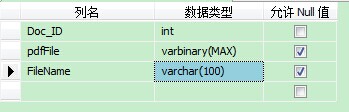
第一步,使用sqlserver 创建一个数据库表。
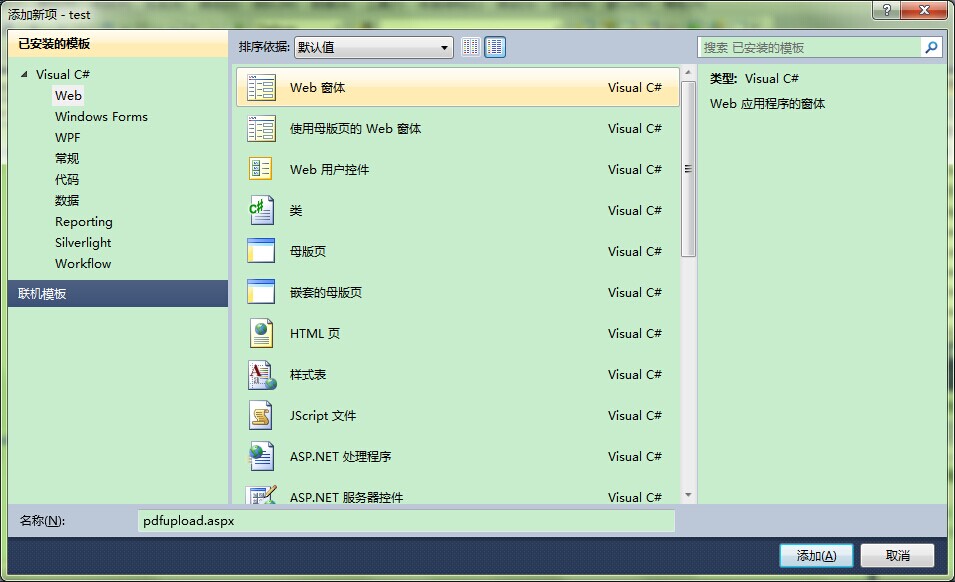
第二步,新建一个webform,命名为uploadpdf.aspx。
第三步,在该页面中添加一个upload控件,两个button控件,代码如下。
     <asp:fileupload ID="Fileupload1" runat="server"></asp:fileupload>

     <asp:Button ID="Btnupload" runat="server" Text="上传" onclick="Btnupload_Click" />

     <asp:Button ID="Btncancel"  runat="server" Text="取消" />

     <asp:Label ID="alert" runat="server" />

第四步,单击上传按钮在Btnupload_Click事件中写入上传代码。
try

            {

                byte[] pdf = null;

                if (Fileupload1.HasFile & Fileupload1.PostedFile != null)//判断上传文件是否为空

                {

                    HttpPostedFile file = Fileupload1.PostedFile;

                    pdf = new byte[file.ContentLength];//创建一个文件长度的字节数组

                    file.InputStream.Read(pdf, , file.ContentLength);//把文件写入二进制字节数组pdf中

                }

                string connectionStr = System.Configuration.ConfigurationManager.ConnectionStrings["testConnectionString"].ConnectionString;

                SqlConnection con = new SqlConnection(connectionStr);

                con.Open();

                string sql = "insert into tbl_pdf (pdfFile,FileName) values(@pdfFile,@FileName)";

                SqlCommand cmd = new SqlCommand(sql, con);

                cmd.Parameters.AddWithValue("@pdfFile", pdf);

                cmd.Parameters.AddWithValue("@FileName", Fileupload1.PostedFile.FileName);

                cmd.ExecuteNonQuery();

                alert.Text = "file uploaded successfully";

                con.Close();

            }

            catch (Exception ex)

            {

                Response.Write(ex.Message);

            }
到这里,可以上传pdf文件保存到数据库中。
第五步,在uploadpdf.aspx添加一个gridview控件和一个数据源控件。
<asp:GridView ID="GridView1" runat="server" AutoGenerateColumns="False"

        DataSourceID="pdfview">

        <Columns>

            <asp:BoundField DataField="Doc_ID" HeaderText="Doc_ID" InsertVisible="False"

                ReadOnly="True" SortExpression="Doc_ID" />

            <asp:BoundField DataField="FileName" HeaderText="FileName"

                SortExpression="FileName" />

            <asp:TemplateField>

             <ItemTemplate>

                 <asp:LinkButton ID="lnkView" runat="server" Text="View" OnClick="VIEW"  CommandArgument='<%# Eval("Doc_ID") %>'></asp:LinkButton>              </ItemTemplate>

           </asp:TemplateField>

        </Columns>

    </asp:GridView>

    <asp:SqlDataSource ID="pdfview" runat="server"

        ConnectionString="<%$ ConnectionStrings:testConnectionString %>"

        SelectCommand="SELECT * FROM [tbl_pdf]"></asp:SqlDataSource>
第六步,新建一个处理程序来读取pdf文件。
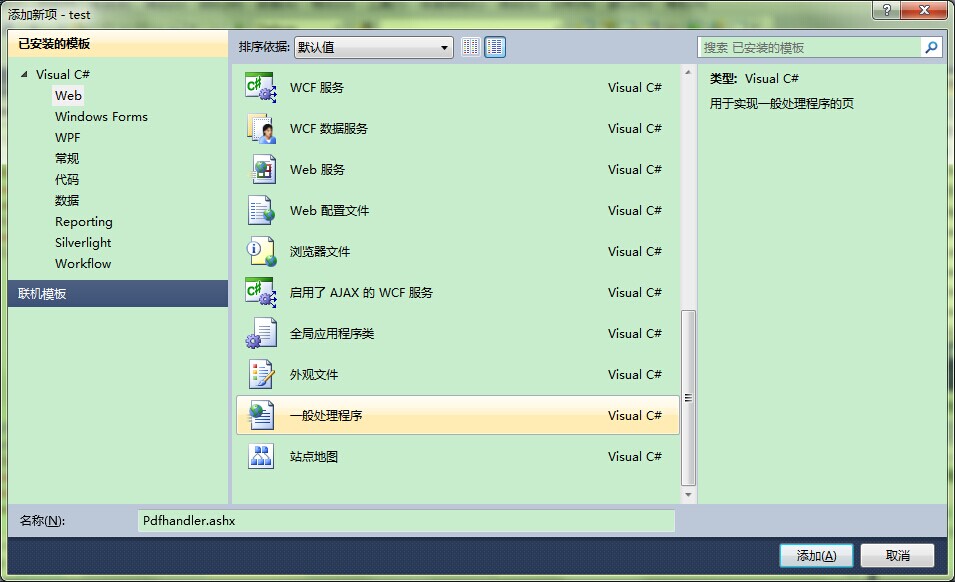
第七步,在新建的处理程序下面添加处理代码。
using System;

using System.Collections.Generic;

using System.Linq;

using System.Web;

using System.IO;

using System.Data.SqlClient;

using System.Data;

using System.Configuration;

namespace test

{

    /// <summary>

    /// Pdfhandler 的摘要说明

    /// </summary>

    public class Pdfhandler : IHttpHandler

    {

        public void ProcessRequest(HttpContext context)

        {

            Int32 theID;

            if (context.Request.QueryString["id"] != null)

                theID = Convert.ToInt32(context.Request.QueryString["id"]);

            else

                throw new ArgumentException("no parameter specified");

            context.Response.ContentType = "Application/pdf";

            Stream  strm = DisplayImage(theID) ;

            byte[] buffer = new byte[];

            int byteseq = strm.Read(buffer,,);

            while (byteseq > )

            {

                context.Response.OutputStream.Write(buffer, , byteseq);

                byteseq = strm.Read(buffer, , );

            }

        }

        public Stream DisplayImage(int theID)

        {

            string str = System.Configuration.ConfigurationManager.ConnectionStrings["testConnectionString"].ConnectionString;

            SqlConnection con = new SqlConnection(str);

            string sql = "SELECT pdfFile FROM [tbl_pdf] where Doc_ID = @Doc_ID ";

            SqlCommand cmd = new SqlCommand(sql,con);

            cmd.Parameters.AddWithValue("Doc_ID",theID);

            con.Open();

            object theImg = cmd.ExecuteScalar();

            try

            {

                return new MemoryStream((byte[])theImg);

            }

            catch

            {

                return null;

            }

            finally

            {

                con.Close();

            }

        }
第八步,这时应该在gridview中添加一个linkbutton点击连接查看。
<asp:TemplateField>

             <ItemTemplate>

                   <asp:LinkButton ID="lnkView" runat="server" Text="View" OnClick="VIEW"  CommandArgument='<%# Eval("Doc_ID") %>'></asp:LinkButton>

             </ItemTemplate>

</asp:TemplateField>
第九步,在uploadpdf.aspx.cs下面新建一个点击链接的方法。
       public void VIEW(object sender, EventArgs e)

        {

            int id = int.Parse((sender as LinkButton).CommandArgument);

            Response.Redirect("Pdfhandler.ashx?Id="+id+"");

        }
到这里就大功告成,然后进行测试。
测试结果如下
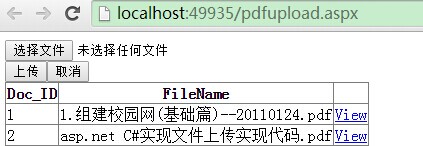
点击view连接,这时结果如下。
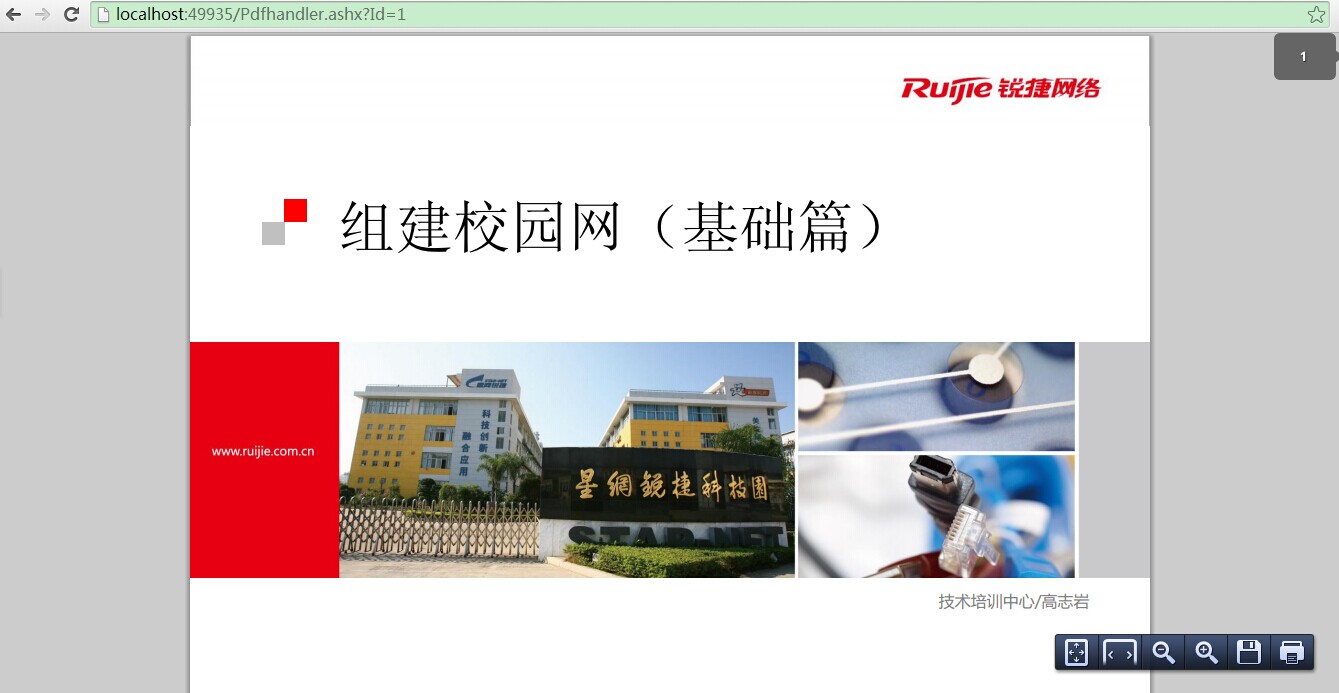
asp.net网页中上传并且浏览pdf文件的实现的更多相关文章
- Ajax在ASP.NET MVC中上传
HomeController.cs using System; using System.Collections.Generic; using System.Linq; using System.We ...
- 在线打开,浏览PDF文件的各种方式及各种pdf插件------(MS OneDrive/google drive & google doc/ github ?raw=true)
在线打开,浏览PDF文件的各种方式: 1 Google drive&doc (国内不好使,you know GFW=Great Firewall) 1. google drive: 直接分 ...
- https://github.com/Lushenggang/show-pdf在线浏览pdf文件在线浏览pdf文件
在线浏览pdf文件 https://github.com/Lushenggang/show-pdf https://github.com/Lushenggang/show-pdf
- web中浏览PDF文件
1.在web中浏览pdf文件. 2.支持大多数主流浏览器,包括IE8 3.参考网址: https://pdfobject.com/ http://mozilla.github.io/pdf.js/ & ...
- WPF 浏览PDF 文件
添加成功后会在工具箱里看到下图所示的控件.打开VS2010,新建项目(WpfPDFReader),右键项目添加User Control(用户控件).因为Adobe PDF Reader COM 组件是 ...
- 在线浏览pdf文件,pdfobject的简单使用
该js插件,官网有详细的使用教程(网址:http://www.pdfobject.com/examples/).打开里面的例子后,查看新打开页面,打开并查看该页面的源代码. 需要的材料: 1.PDFo ...
- ASP.NET MVC 项目直接预览PDF文件
背景及需求 项目使用的是MVC4框架,其中有一个功能是根据设置生成PDF文件,并在点击时直接预览. 实现过程 1.第一版实现代码: HTML内容 @{ Layout = null; } <!DO ...
- 怎么用ABBYY在线浏览PDF文件
ABBYY FineReader 让您可以从在线存储服务中打开图像或 PDF 文件,并将已识别文本保存至在线存储服务中,如 Dropbox.SkyDrive 或 Google Drive 等.通过在 ...
- 在asp.net mvc中上传大文件
在asp.net mvc 页面里上传大文件到服务器端,需要如下步骤: 1. 在Control类里添加get 和 post 方法 // get method public ActionResult Up ...
随机推荐
- power designer 水电费缴纳系统的设计
alter table POWER drop constraint FK_POWER_REFERENCE_USERS; drop table POWER cascade constraints; /* ...
- Clarkson不等式
- MySQL中UNION和UNION ALL的使用
在数据库中,UNION和UNION ALL关键字都是将两个结果集合并为一个,但这两者从使用和效率上来说都有所不同. MySQL中的UNION UNION在进行表链接后会筛选掉重复的记录,所以在表链接后 ...
- 最牛X的编码套路
最近,我大量阅读了Steve Yegge的文章.其中有一篇叫"Practicing Programming"(练习编程),写成于2005年,读后令我惊讶不已: 与你所相信的恰恰相反 ...
- Java获得UTC时间
在Java语言中,您可以通过java.util.Calendar类取得一个本地时间或者指定时区的时间实例,如下: 取得本地时间: java.util.Calendar cal = java.util. ...
- 【转】memcached工作原理介绍
FROM: http://my.oschina.net/flynewton/blog/8984 官方主页: http://memcached.org/ 面临的问题 对于高并发高访问的Web应用程序来 ...
- [Server Running] [Node.js, PM2] Using PM2 To Keep Your Node Apps Alive
PM2 is a production process manager for Node.js applications with a built-in load balancer. It allow ...
- iOS开发——新特性Swift篇&Swift 2.0 异常处理
Swift 2.0 异常处理 WWDC 2015 宣布了新的 Swift 2.0. 这次重大更新给 Swift 提供了新的异常处理方法.这篇文章会主要围绕这个方面进行讨论. 如何建造异常类型? 在 i ...
- 从问题看本质: 研究TCP close_wait的内幕
Socket应用服务器TomcatOSUbuntu /* * @author: ahuaxuan * @date: 2010-4-30 */ 最近遇到的一个关于socket.close的问题,在某个 ...
- MVC - 学习总目录
MVC - 基础 MVC - HtmlHelper类 MVC - 路由 MVC - 身份验证 MVC - 模型验证 MVC - Ajax MVC - 布局