
Splunk作为日志分析平台与Ossec进行联动
背景:
Ossec安装后用了一段时间的analogi作为ossec的报警信息显示平台,但是查看报警分类信息、
以及相关图标展示等方面总有那么一点点的差强人意,难以分析。因此使用逼格高一点的splunk作为
日志分析平台就变得很有必要了。
操作:
一、ossec服务端配置
(1)配置ossec数据转发至splunk监听端口
[root@localhost html]# vim /opt/ossec/etc/ossec.conf
在<ossec_config>标签下添加<syslog_output>,内容如下,
其中server标签的IP为接受syslog记录的服务端,即安装splunk服务的主机IP。
端口为splunk的本地监听端口。
  <syslog_output>

    <server>192.168.129.134</server>

    <port></port>

  </syslog_output>
(2)使syslog_output模块生效并重启ossec服务端。
[root@localhost html]# /opt/ossec/bin/ossec-control enable client-syslog

[root@localhost html]# /opt/ossec/bin/ossec-control restart
二、下载并安装splunk
(1)从官网下载splunk(需注册),下载文件为splunklight-6.4.2-00f5bb3fa822-linux-2.6-x86_64.rpm
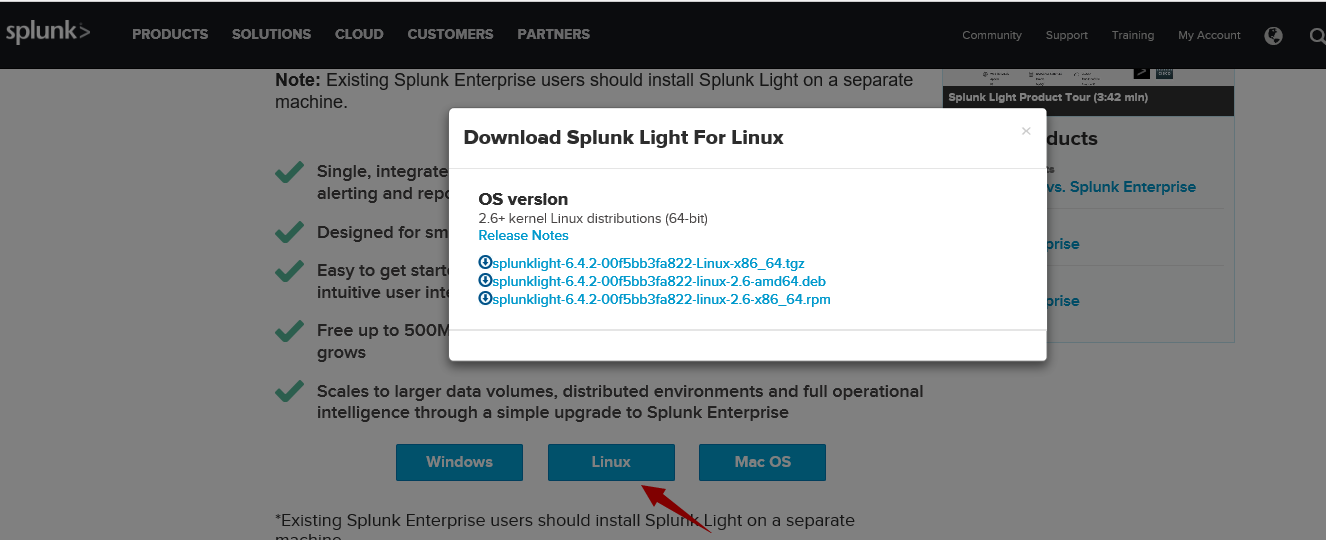
(2)安装splunk:rpm -Uvh splunklight-6.4.2-00f5bb3fa822-linux-2.6-x86_64.rpm
[root@localhost Desktop]# rpm -Uvh splunklight-6.4.-00f5bb3fa822-linux-2.6-x86_64.rpm

warning: splunklight-6.4.-00f5bb3fa822-linux-2.6-x86_64.rpm: Header V4 DSA/SHA1 Signature, key ID 653fb112: NOKEY

Preparing...                          ################################# [%]

Updating / installing...

   :splunk-6.4.-00f5bb3fa822        ################################# [%]

complete
(3)启动splunk:# /opt/splunk/bin/splunk start (启动时会询问是否同意许可,输入y后继续)
[root@localhost Desktop]# /opt/splunk/bin/splunk start

... ...

. FORCE MAJEURE. Splunk will not be responsible for any failure or delay in its

performance under these Terms and Conditions due to causes beyond its reasonable

control, including, but not limited to, labor disputes, strikes, lockouts,

shortages of or inability to obtain labor, energy, raw materials or supplies,

war, acts of terror, riot, acts of God or governmental action.

Do you agree with this license? [y/n]:   y

... ...
Waiting for web server at http://127.0.0.1:8000 to be available... Done
If you get stuck, we're here to help.
Look for answers here: http://docs.splunk.com
The Splunk web interface is at http://127.0.0.1:8000
(4)Splunk的web接口为http://127.0.0.1:8000,尝试访问。
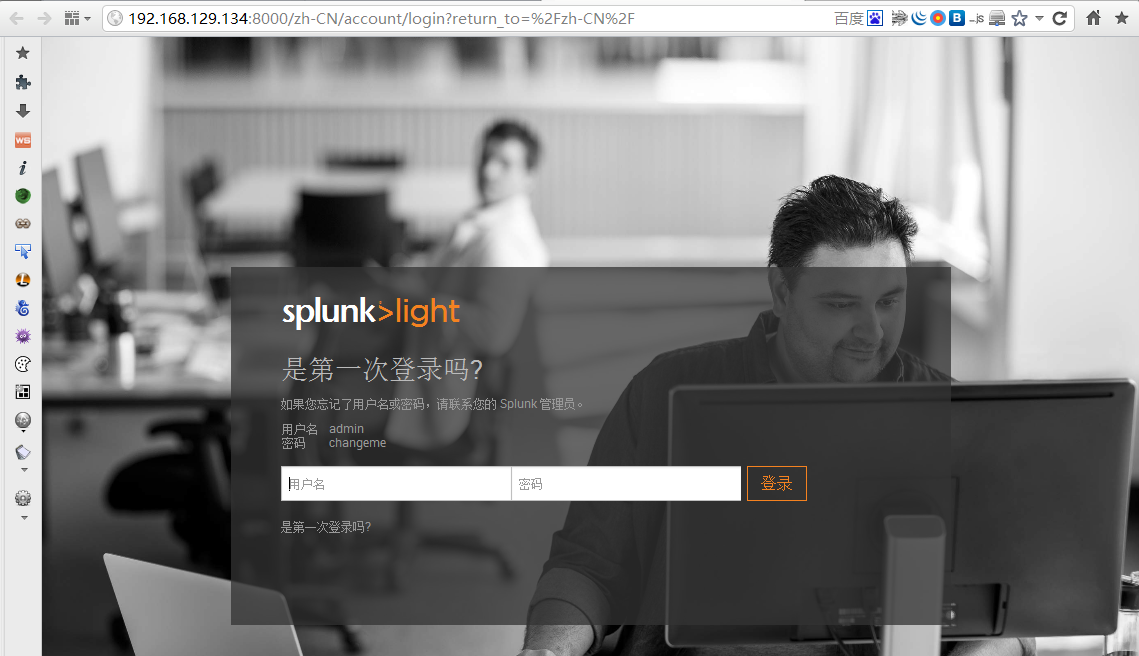
(5)首次登录请先按着提示输入admin/changeme后,设定新的密码。之后的登录信息为admin+你设定的新密码。

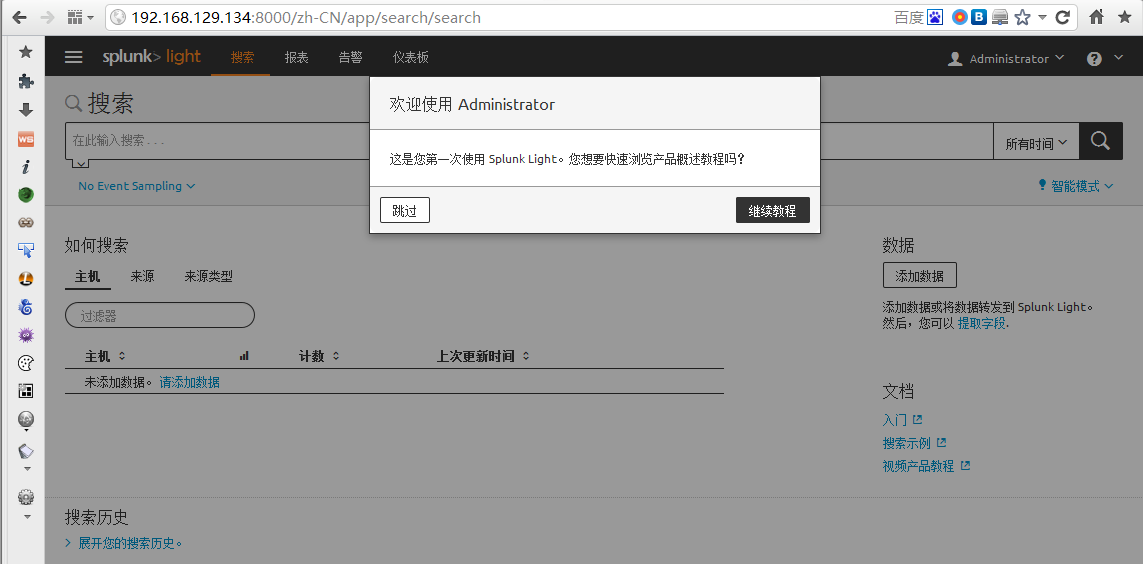
(6)登录成功
三、配置Splunk接收来自Ossec的日志转发
(1)splunk的默认安装路径为/opt/splunk,编辑/opt/splunk/etc/system/local/inputs.conf文件添加以下红色字体内容
指定的ip为ossec服务器的IP地址。
[root@localhost local]# vim /opt/splunk/etc/system/local/inputs.conf

[default]

host = localhost.localdomain

[udp://192.168.129.128:10002] # IP address of OSSEC server

disabled = false

sourcetype = ossec
(2)重启Splunk服务
# /opt/splunk/bin/splunk restart
四、Splunk数据导入
(1)导入页面
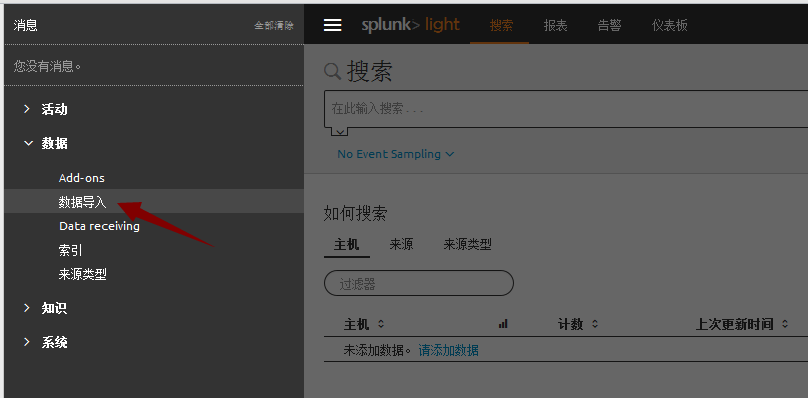
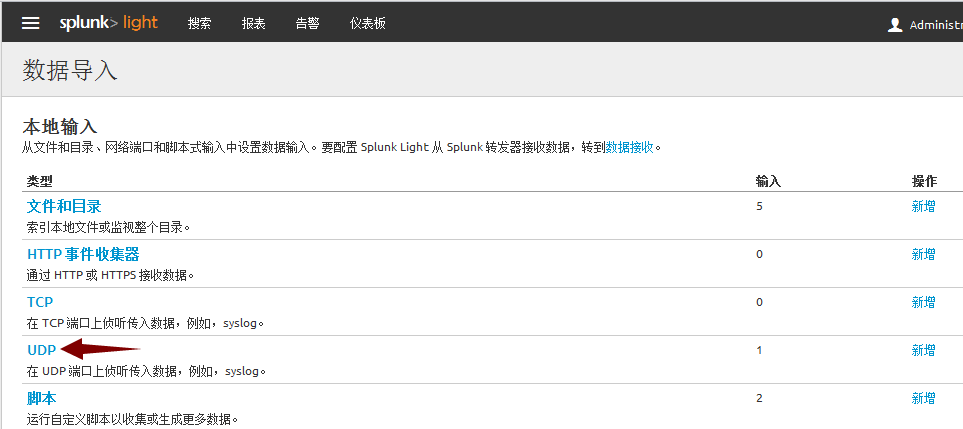

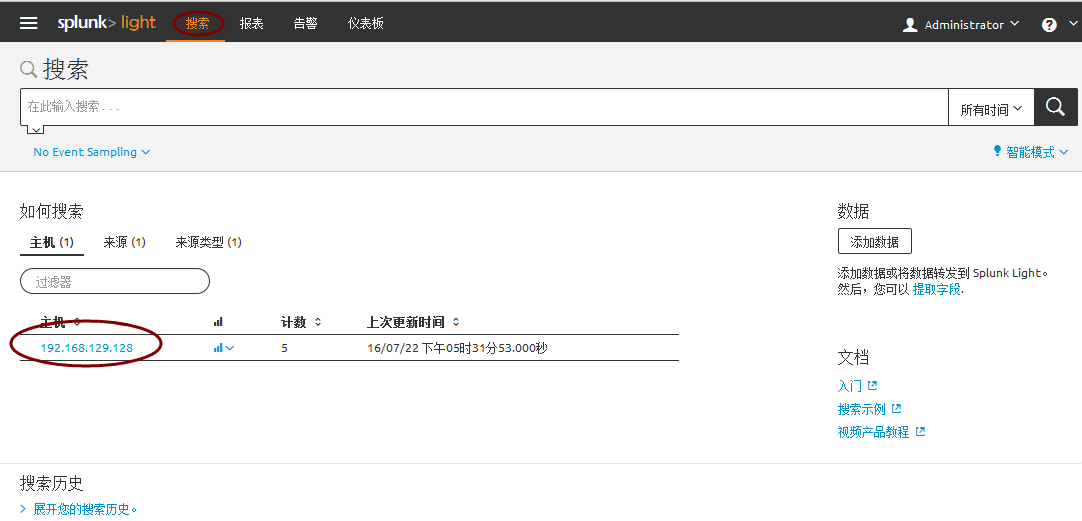
数据已成功导入

Splunk作为日志分析平台与Ossec进行联动的更多相关文章
- ELK+redis搭建nginx日志分析平台
ELK+redis搭建nginx日志分析平台发表于 2015-08-19 | 分类于 Linux/Unix | ELK简介ELKStack即Elasticsearch + Logstas ...
- 使用elk+redis搭建nginx日志分析平台
elk+redis 搭建nginx日志分析平台 logstash,elasticsearch,kibana 怎么进行nginx的日志分析呢?首先,架构方面,nginx是有日志文件的,它的每个请求的状态 ...
- ELK_elk+redis 搭建日志分析平台
这个是最新的elk+redis搭建日志分析平台,今年时间是2015年9月11日. Elk分别为 elasticsearch,logstash, kibana 官网为:https://www.elast ...
- linux下利用elk+redis 搭建日志分析平台教程
linux下利用elk+redis 搭建日志分析平台教程 http://www.alliedjeep.com/18084.htm elk 日志分析+redis数据库可以创建一个不错的日志分析平台了 ...
- 1002-谈谈ELK日志分析平台的性能优化理念
在生产环境中,我们为了更好的服务于业务,通常会通过优化的手段来实现服务对外的性能最大化,节省系统性能开支:关注我的朋友们都知道,前段时间一直在搞ELK,同时也记录在了个人的博客篇章中,从部署到各个服务 ...
- ELK+Filebeat+Kafka+ZooKeeper 构建海量日志分析平台(elk5.2+filebeat2.11)
ELK+Filebeat+Kafka+ZooKeeper 构建海量日志分析平台 参考:http://www.tuicool.com/articles/R77fieA 我在做ELK日志平台开始之初选择为 ...
- centos7搭建ELK Cluster集群日志分析平台(四):Fliebeat-简单测试
续之前安装好的ELK集群 各主机:es-1 ~ es-3 :192.168.1.21/22/23 logstash: 192.168.1.24 kibana: 192.168.1.25 测试机:cli ...
- centos7搭建ELK Cluster集群日志分析平台(三):Kibana
续 centos7搭建ELK Cluster集群日志分析平台(一) 续 centos7搭建ELK Cluster集群日志分析平台(二) 已经安装好elasticsearch 5.4集群和logst ...
- centos7搭建ELK Cluster集群日志分析平台(二):Logstash
续 centos7搭建ELK Cluster集群日志分析平台(一) 已经安装完Elasticsearch 5.4 集群. 安装Logstash步骤 . 安装Java 8 官方说明:需要安装Java ...
随机推荐
- hibernate数据库配置
在文件夹etc中 ## MySQL #hibernate.dialect org.hibernate.dialect.MySQLDialect #hibernate.dialect org.hiber ...
- LAMP开发之环境搭建(2014.12.7在ubuntu下)
Ubuntu下搭建LAMP环境 前言:学习PHP脚本编程语言之前,必须先搭建并熟悉开发环境,开发环境有很多种,例如LAMP.WAMP.MAMP等.这里我搭建的是LAMP环境,即Linux.Apache ...
- Zend-MVC intro
Zend-MVC intro Zend MVC层建立在servicemanager.eventmanager.http.stdlib.几个组件之上.相关组件介绍会在其他文章中详细说明. 除了以上4大组 ...
- SQLserver通过链接服务器连接oracle
在SQLserver中一直使用的是DTS抽取数据,但是DTS微软只支持到2008,到了2012后就没有这个工具了,现在需要在SQLserver跟Oracle中间建立一个通道,借助这个通道,将Oracl ...
- static与全局与局部变量的区别
转自:http://www.cnblogs.com/lzjsky/archive/2010/11/19/1882064.html 全局变量(外部变量)的说明之前再冠以static 就构成了静态的全局变 ...
- Android之EditText
EditText 属性介绍: maxLength:设置最大输入字符数. hint:设置空白提示文字. textColorHint:设置空白提示文字的颜色. enabled:设置是否可编辑(可以获得焦点 ...
- Python实战(2)
在安装python第三方插件库的时候遇到了这个错误 遇到这种问题可以”转战“国内的第三方镜像,问题便可迎刃而解.例如豆瓣镜像——http://pypi.douban.com/simple/ 先安装ea ...
- php获取指定日期所在星期的开始时间与结束时间
function getWeekRange($date){ $ret=array(); $timestamp=strtotime($date); $w=strftime('%u',$ ...
- Wireshark技巧-过滤规则和显示规则
Wireshark是一个强大的网络协议分析软件,最重要的它是免费软件. 过滤规则 只抓取符合条件的包,在Wireshark通过winpacp抓包时可以过滤掉不符合条件的包,提高我们的分析效率. 如果要 ...
- 为什么使用long声明和double声明得到的结果不一样呢?
为什么使用long声明和double声明得到的结果不一样呢? 程序如下: public class P376{ public static void main(String[] atgs){ long ...